Free • No signup Fix Quinceañera Sweet 16 photo · Free

Quinceañera or Sweet 16 photo not perfect?

Fix party lighting, remove crowd distractions, enhance dress—celebrate this once-in-lifetime milestone.
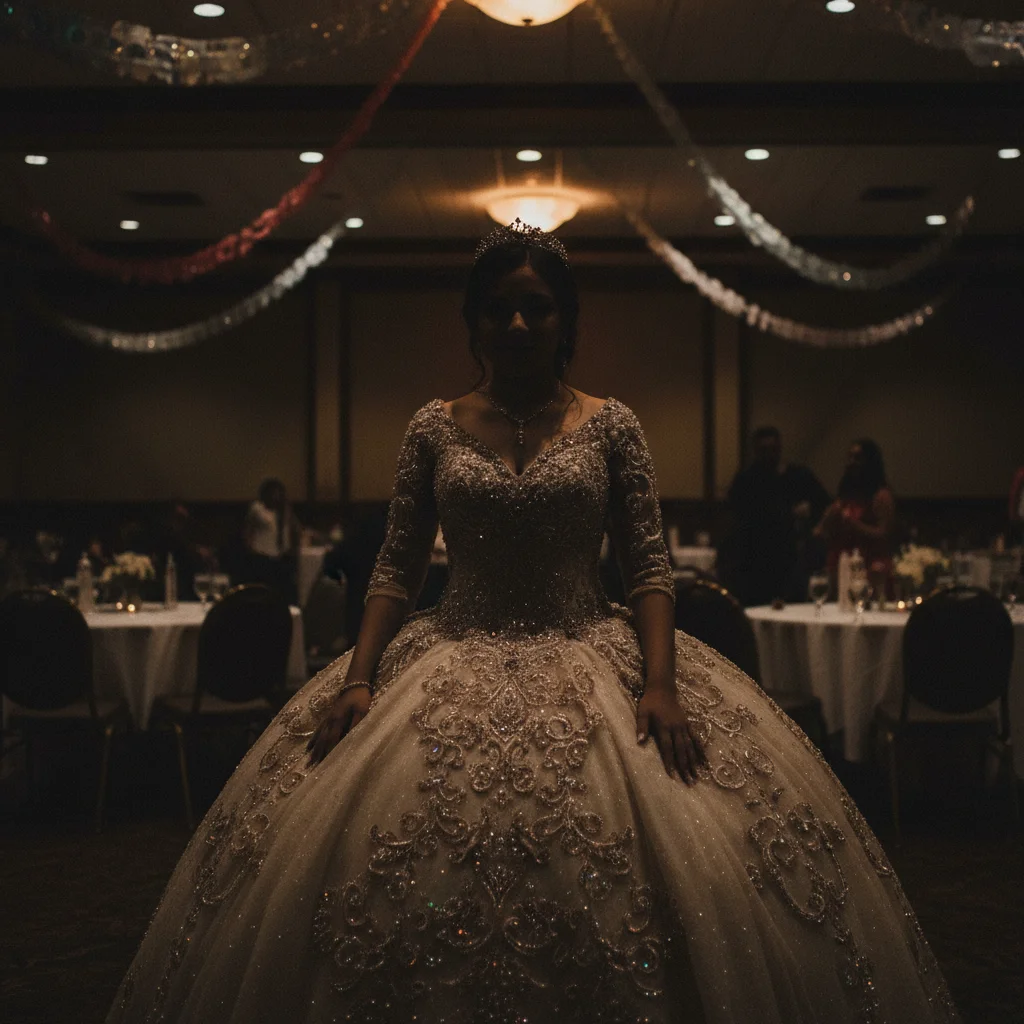
Dark quinceañera photo with elaborate dress barely visible in dim venue
Before
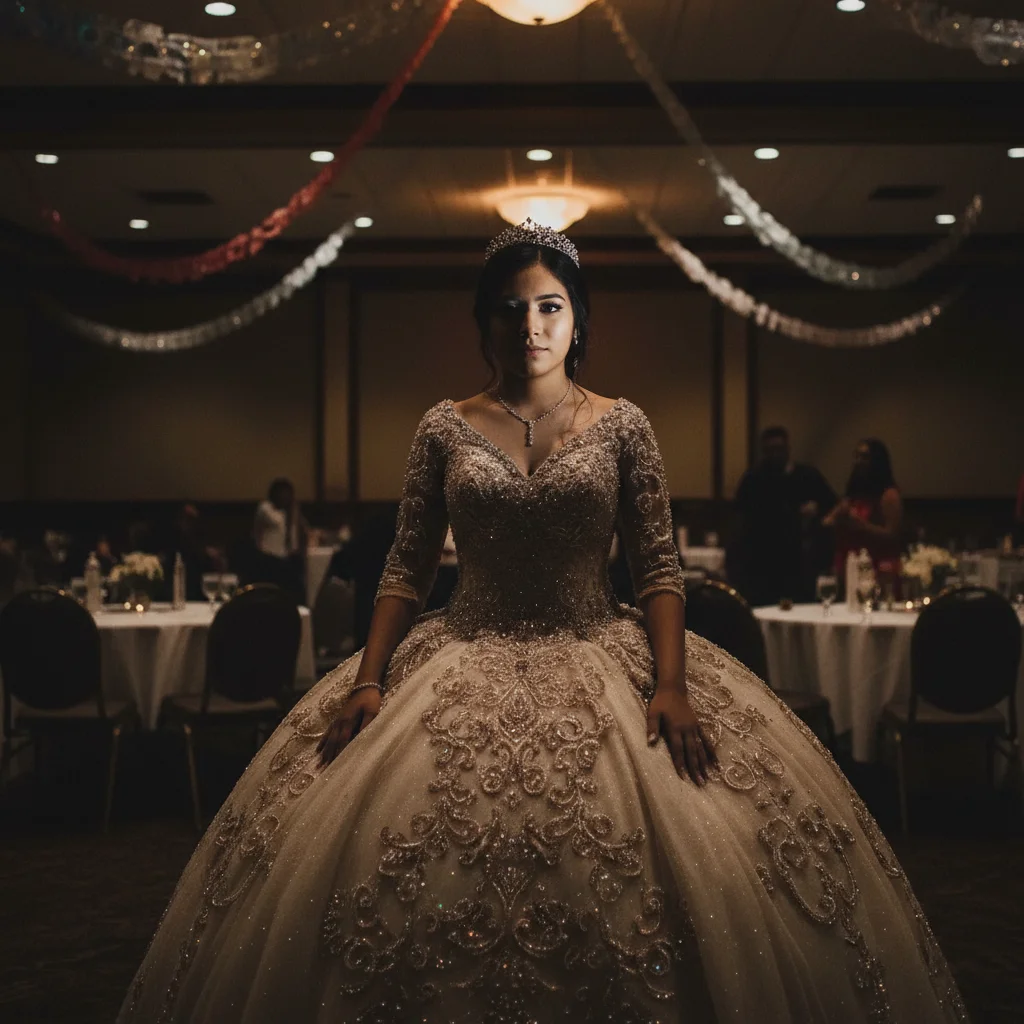
Brightened photo with dress details stunning, face radiant, celebration captured
After

Quinceañera / Sweet 16 Photo Fix

Drop your photo here

or click to browse

Release to upload

Free • No signup

Advertisement
Popular use cases:
  • Quinceañera photos
  • Sweet 16 party pictures
  • Coming of age celebration photos
  • Fix party venue lighting
  • Formal dress photos
  • 15th birthday celebration
  • Sweet sixteen photos

Cost
Free No signup required
Time
Instant results in 15-30 seconds
Works on
Any device - browser, phone, tablet, desktop
Powered by
AI-powered photo editing
Scenario Prompt Time
Dim venue, dress not showing brighten and make dress stand out beautifully, enhance details 30s
Crowd photobombers remove distracting people in background, focus on birthday girl 35s
Harsh colored party lights fix harsh colored lights, make skin tones natural, enhance dress 35s
Complete transformation brighten, enhance dress, remove crowd, fix lights, make radiant 45s

How it works

  1. Upload your celebration photo

    Drop your Quinceañera or Sweet 16 photo into EditThisPic. The grand entrance, dress presentation, father-daughter dance, cake moment—whatever from this milestone celebration. JPG, PNG, WebP up to 7MB. This 15th or 16th birthday happens once.

    Expect: Simple fixes (lighting, dress enhancement): 30-35 seconds. Complex fixes (crowd removal, multiple issues): 40-60 seconds.
  2. Describe what to fix

    Type what bothers you: 'brighten this party photo and make the dress stand out beautifully,' 'remove the distracting people in background,' or 'fix the harsh colored party lights.' Be specific about celebration photo problems—dim venues, DJ lighting creating color casts, crowd distractions, dress not showing properly.

    Tip: Combine fixes: 'brighten photo, enhance dress details, remove background crowd, and fix color casts' works great for party photos.

    Copy one of these to get started:

    Dim party venue, dress barely visible brighten this celebration photo and make the quinceañera/Sweet 16 dress stand out beautifully
    Crowd or guests distracting in background remove the distracting people in the background and keep focus on the birthday girl
    Harsh colored DJ lights creating color casts fix the harsh colored party lights and make skin tones natural, enhance the dress colors accurately
    Face too dark but dress overlit from flash balance the lighting so both face and dress are clearly visible and beautifully lit
    4 more prompts
    Dress details and embellishments not showing enhance the dress details, embroidery, and embellishments while keeping colors rich and accurate
    Venue clutter or party setup visible blur the messy party venue background and keep focus on her, make it look elegant
    Want professional quality for album or announcement enhance this to look professionally photographed, worthy of celebrating turning 15/16
    Multiple people, want to remove specific ones remove the person on the left/right in [describe clothing], keep everyone else
  3. Review your milestone celebration

    Check that the dress is beautifully visible, face is clear and radiant, distractions are gone, and photo captures the significance of turning 15 or 16. This celebrates coming of age—make it worthy of the investment and meaning.

  4. Refine if needed (optional)

    If dress needs more detail or lighting needs adjustment, tap markers on specific areas and describe: 'enhance this dress embroidery' or 'brighten just her face.' Most party photos transform beautifully with Smart mode.

    Tip: For elaborate quinceañera gowns, try 'enhance dress details and embellishments while keeping colors rich and accurate' for stunning results.
Advertisement
Try it free

Quinceañera / Sweet 16 Photo Fix

Drop your photo here

or click to browse

Release to upload

Free • No signup

"Her quinceañera dress was gorgeous but the venue lighting made it look dull. This enhanced the dress beautifully and removed random guests in the background. Perfect." @ProudMama

See it in action

Dark quinceañera photo with elaborate dress barely visible in dim venue
Before
->
Brightened photo with dress details stunning, face radiant, celebration captured
After

Dim quinceañera venue with dress not showing

Elaborate quinceañera ball gown in a dim banquet hall with terrible venue lighting. Beautiful dress details were completely lost. One prompt enhanced the dress and brightened her face perfectly.

Prompt: brighten this quinceañera photo and make the dress stand out beautifully, enhance dress details and her face
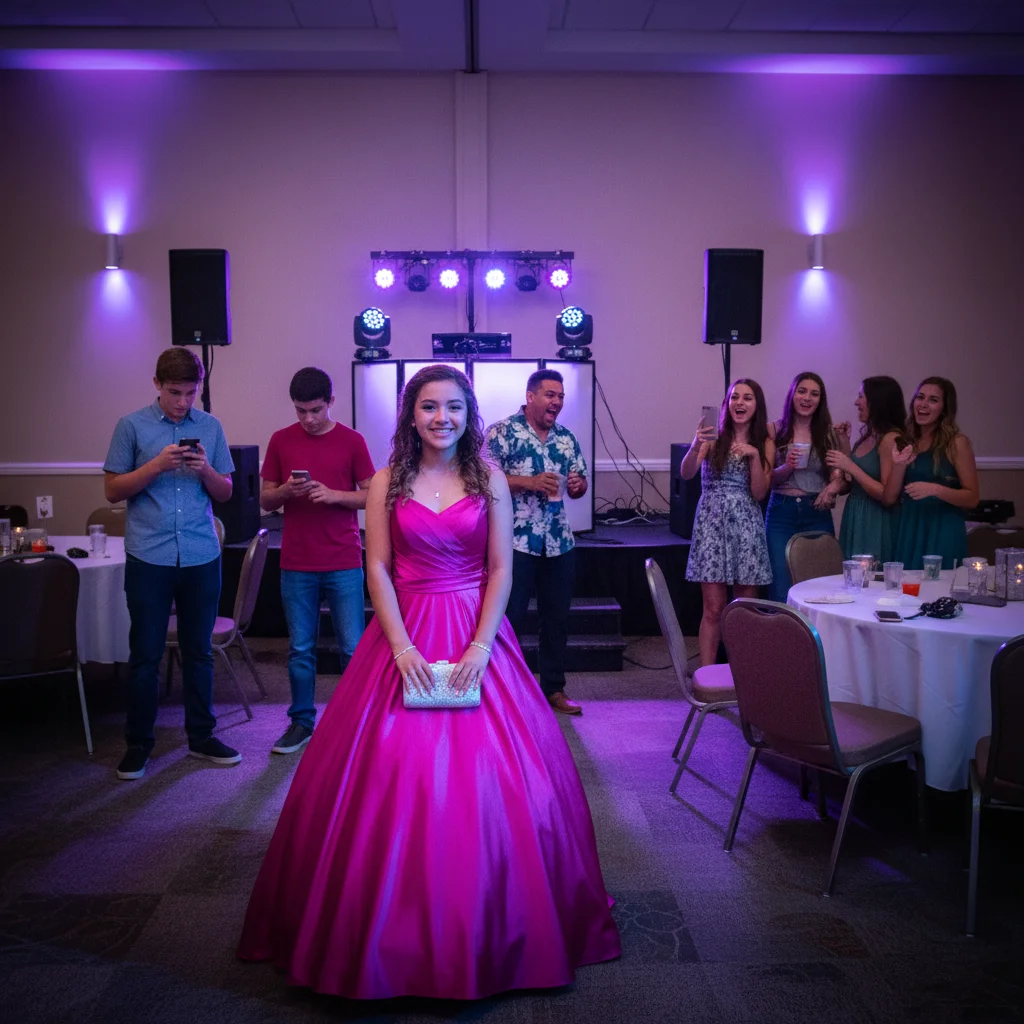
Sweet 16 photo with crowd distractions and harsh purple lighting
Before
->
Clean photo with crowd removed, natural lighting, birthday girl shining
After

Sweet 16 with crowd photobombers and harsh lights

Sweet 16 celebration photo with random guests in background and harsh purple DJ lighting. Removed distracting people and fixed color cast to make her the star of her own photo.

Prompt: remove the distracting people in background, fix harsh colored party lights, and enhance her and the dress

If something looks off

Dress colors changed or look inaccurate

Why: Color correction from party lights can shift dress colors if not done carefully, especially with elaborate gowns.

Try: fix skin tone color casts but preserve exact dress colors as they actually were

Tip: Be explicit about preserving dress color accuracy when the gown color is specific and important.

Dress embellishments or details became blurry

Why: Enhancement can sometimes soften fine details like beading, lace, or embroidery on elaborate gowns.

Try: enhance the photo but keep all dress details, embroidery, and embellishments sharp and clear

Tip: Mention 'preserve dress details' explicitly when the gown has intricate work worth showcasing.

Removed wrong people from group photo

Why: The AI needs clear direction about which specific people to remove versus keep in celebration group shots.

Try: remove only the person on the far left wearing [color], keep everyone else in the photo

Tip: Describe by position and clothing color to specify exactly who goes. Or tap markers on people to remove.

Skin looks orange or unnatural after color fix

Why: Correcting heavy colored party lighting can overcorrect skin tones if not balanced carefully.

Try: fix colored lighting but make skin tones look natural and realistic, not orange

Tip: Ask for 'natural skin tones' explicitly when fixing aggressive party lighting color casts.

Photo lost the party celebration feel

Why: Over-correction can make party photos look too formal or lose the fun celebratory atmosphere.

Try: fix lighting issues but keep the joyful celebratory party atmosphere and energy

Tip: Balance technical fixes with preserving the celebration mood—this is a party, not a formal portrait necessarily.

Quick answers

Do I need to mark the dress before enhancing it?

No. Just type 'brighten this photo and make the dress stand out beautifully' and the AI identifies the formal gown automatically. It understands quinceañera and Sweet 16 photo composition. Markers only needed if you want very specific dress detail areas enhanced differently.

Can I fix multiple problems in one celebration photo?

Yes. Combine fixes: 'brighten photo, enhance dress details, remove background crowd, fix colored party lights, and make her face radiant.' The AI handles multiple enhancements together. Smart mode works much better for comprehensive party photo transformations with 3+ issues.

Will this make the party photo look fake or over-edited?

Not if you ask for natural results. Quinceañera and Sweet 16 photos should feel authentic and celebratory, not filtered beyond recognition. Use words like 'natural,' 'realistic,' 'enhance but keep authentic.' The goal is making the photo worthy of the milestone and investment, not creating something unrecognizable.

What if there's harsh colored lighting from DJ equipment?

Try 'fix the harsh colored party lights and make skin tones natural' or 'remove purple/blue lighting cast while preserving celebration feel.' The AI can correct color casts from event lighting while keeping the photo feel like a party, not a sterile portrait.

Can I remove specific people but keep others in group photos?

Yes. Describe by position and clothing: 'remove the person on the left wearing red, keep everyone else' or tap markers on people you want removed. Common for removing guests who wandered into family photos or court photos during celebrations.

Should I edit quinceañera or Sweet 16 photos instead of keeping them real?

Your choice. These celebrations often involve significant expense—elaborate dresses, venue rentals, professional planning. If venue lighting or party chaos makes photos not worthy of the investment and milestone, fixing them honors the celebration better. You're not changing that she turned 15 or 16, just making the documentation match the significance and beauty of the event.

Is EditThisPic's AI Quinceañera Sweet 16 photo fixer really free?

Yes — you get 1 free edit per week, no account needed. For unlimited edits, plans start at $3.99/month.

Can I fix Quinceañera Sweet 16 photo on my phone?

Yes. EditThisPic works in any mobile browser — iPhone, Android, tablet. No app download needed.

Ready to perfect your coming-of-age celebration photo?

Free to try. No signup required.

Try it free