Free • No signup Slim Face · Free

AI Face Slimmer

← Browse all beauty tools

Last updated

Describe the slimming you want and AI reshapes your face naturally. No marking needed.
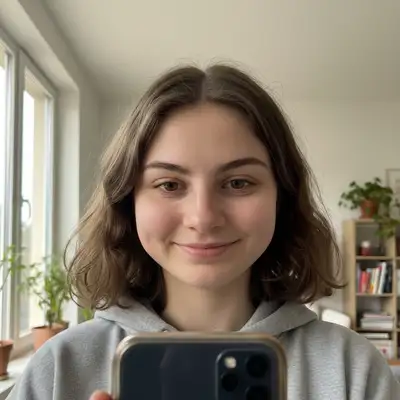
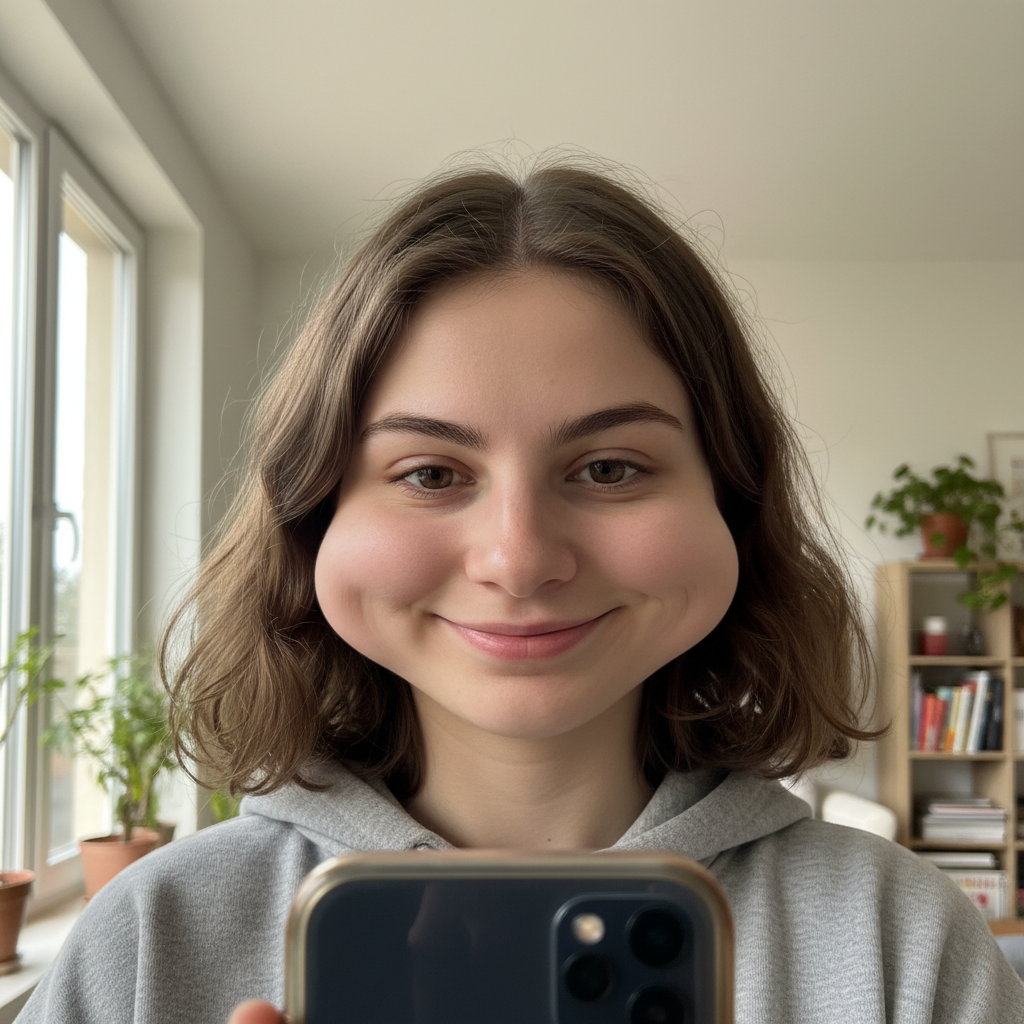
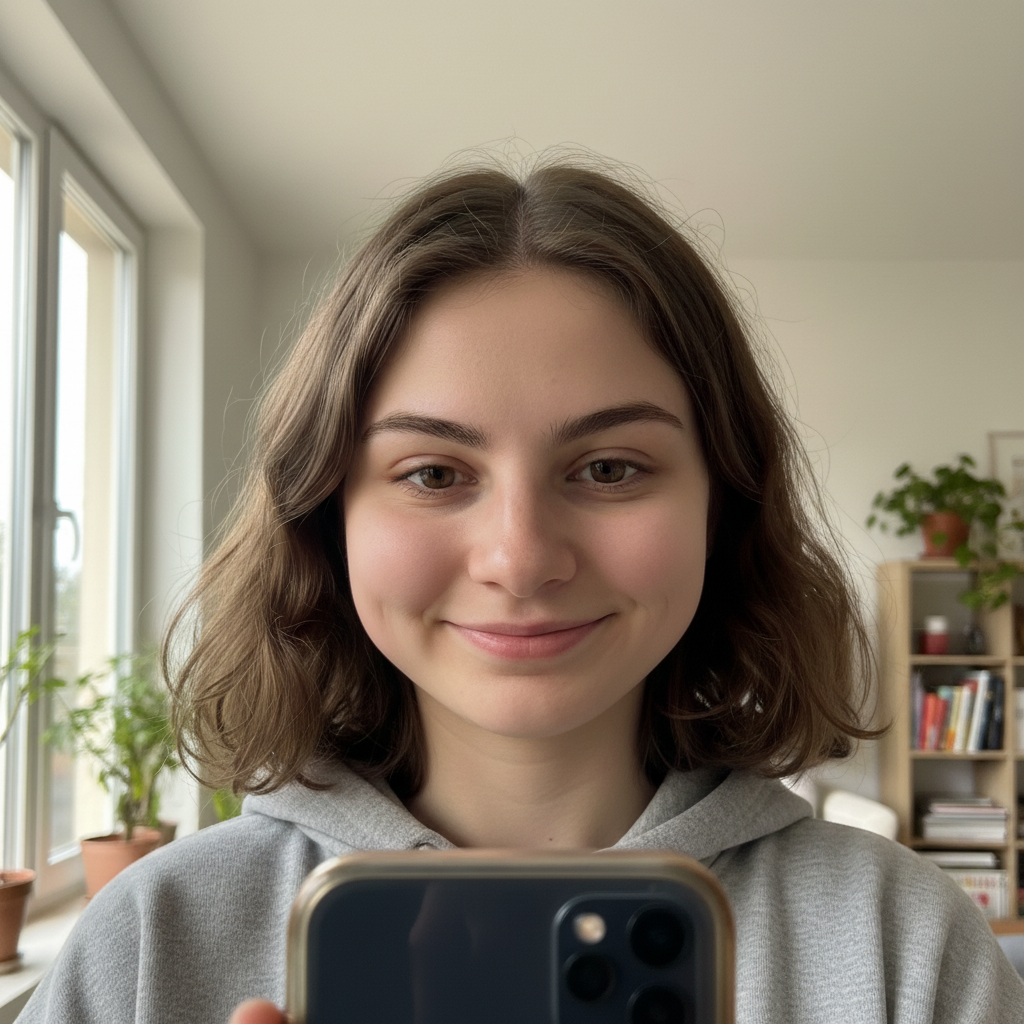
Woman with round, wide face shape Same woman with subtly slimmed, more contoured face

Upload photo to slim face

"slim my face to undo the widening that the camera lens added — make it look like how I appear in the mirror"

Release to upload

50,000+photos edited
<30stypical edit
1 freeedit weekly

1 free edit·then from $4.99

How it works

  1. Upload your photo

    Upload a clear, front-facing portrait. Good lighting on the face and visible facial features give the AI the best foundation for face editing. JPG, PNG, WebP up to 7MB.

    Expect: Subtle face slimming: 30-40 seconds. Significant reshaping with jawline work: 40-55 seconds and may need refinements.
  2. Describe the slimming you want

    Type what you want: 'slim the face slightly' or 'reduce the width of the face and add more jawline definition.' Be specific about areas—cheeks, jawline, chin, or overall width. No marking needed—the AI understands facial structure and proportions.

    Tip: Use 'slightly' for the most natural results. The best face slimming is when nobody can tell it was edited—small changes make the biggest difference.

    Copy one of these to get started:

    Quick natural face slim slim the face slightly for a more defined, contoured look — keep it natural so nobody can tell it was edited
    Camera adds 10 pounds fix slim my face to undo the widening that the camera lens added — make it look like how I appear in the mirror
    Define the jawline slim the lower face and sharpen the jawline for a more structured, angular appearance
    Reduce double chin slim the face and reduce the double chin appearance, create a clean jawline-to-neck transition
    4 more prompts
    Slim cheeks only reduce the width of the cheeks for a more sculpted, high-cheekbone look while keeping everything else the same
    V-shape face contour contour the face to a V-shape with slimmer cheeks tapering to a defined pointed chin
    Slim for group photo slim my face slightly in this group photo — I want to look like I do in person, not how the camera made me look
    Dating profile face slim slim my face subtly for a dating profile — keep it authentic but show my best angle
  3. Review the result

    Check that the slimming looks natural and proportional. Zoom in to verify that ears, hair, and background haven't been distorted. Compare with the original to ensure the change is subtle enough to be believable.

See it in action

Woman with round, wide face shape
Before
->
Same woman with subtly slimmed, more contoured face
After

Round face subtly contoured

A naturally round face slimmed for a more defined, contoured appearance in a headshot.

Prompt: slim the face slightly for a more defined and contoured look while keeping it natural and proportional

Man with soft jawline and fuller lower face
Before
->
Same man with defined jawline and slimmer face
After

Jawline defined for professional photo

A soft jawline enhanced with definition for a more structured professional appearance.

Prompt: slim the lower face and define the jawline for a sharper, more angular appearance

Quick answers

Do I need to mark the face before describing the slimming I want?

No! Just describe what you want: 'slim the face slightly' or 'define the jawline.' The AI understands facial structure and applies slimming proportionally.

How do I slim a face in a photo without it looking edited?

Keep changes small by using 'slightly' or 'subtly' in your prompt. The most convincing face slimming removes just enough width to look like a more flattering angle rather than an obvious edit. If you need more change, do two rounds of subtle slimming rather than one dramatic one.

Is there a free AI face slimmer that doesn't require login?

Yes, EditThisPic is free to try with no account needed. Upload your photo, describe the face slimming you want, and download the result. No watermarks on outputs. Works for subtle contouring to significant reshaping without any signup.

What's the best free tool for slimming a face in photos?

EditThisPic offers free AI face slimming with no signup required. Unlike apps where you drag sliders or control points, just describe what you want. It handles cheek reduction, jawline definition, and overall face contouring with natural results in seconds.

Is EditThisPic's AI face slimmer really free?

Yes — you get 1 free edit per week, no account needed. Plans start at $4.99/month for 15 edits.

Can I slim face on my phone?

Yes. EditThisPic works in any mobile browser — iPhone, Android, tablet. No app download needed.

What photo formats does the AI face slimmer support?

JPG, PNG, WebP, and HEIC. Upload any common photo format and EditThisPic handles the rest.

How long does it take to slim face?

Usually 15-30 seconds. Upload your photo, describe what you want, and the AI delivers the result.

How much does EditThisPic cost?

You get 1 free edit per week — no account needed. After that, credit packs start at $1.99 for 3 edits. Monthly plans start at $4.99/mo for 20 edits with unused credits rolling over. All edits are full resolution with no watermark.

Ready to slim your face in seconds?

Free to try. No signup required.

1 free edit included·Credit packs from $4.99