AI Jawline Enhancer
← Browse all enhance toolsLast updated
Describe the jawline enhancement you want and AI defines it instantly. No marking needed.


Upload photo to enhance jawline
"enhance the jawline definition and create a cleaner, more defined transition from chin to neck"
Free to try · no sign-up · photos are never shared
Release to upload
<30stypical edit
1 freeedit weekly
Photo on your phone?
Scan to open this editor there — free edit works on your phone too.
How it works
See it in action


Soft jawline sharpened for headshot
A portrait with an undefined jawline enhanced to a sharper, more structured look for professional use.
Prompt:
define the jawline for a sharper, more angular look while keeping it natural and proportional to the face

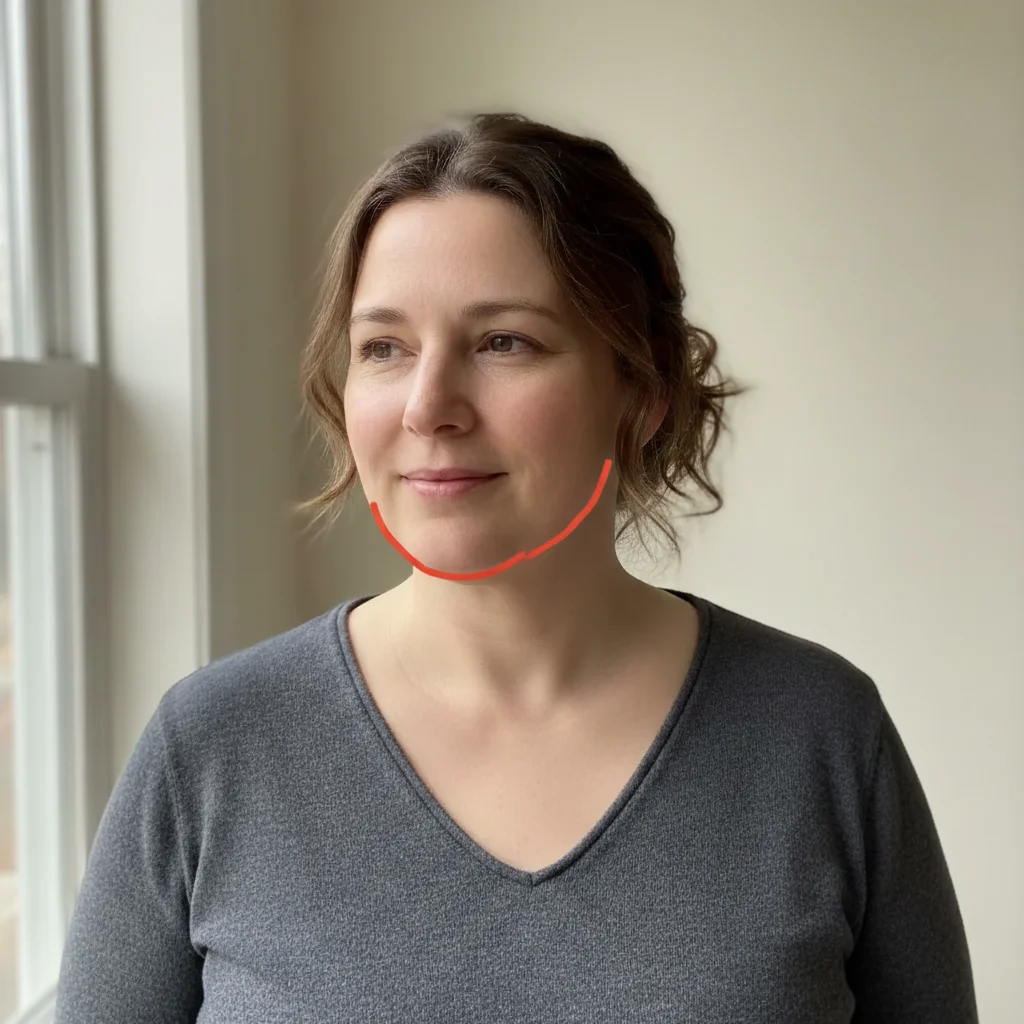
Chin-to-neck transition cleaned up
A portrait with a blurry chin-neck transition refined for a cleaner, more defined appearance.
Prompt:
enhance the jawline definition and create a cleaner, more defined transition from chin to neck
Quick answers
Popular use cases
Ready to enhance your photos?
Free to try. No signup required.