Pricing Reshape Body · Free

AI Body Reshape Photo — Free, Describe the Change, Done in 15 Sec

← Browse all body & person tools

Last updated

Upload a photo, describe the adjustment you want, and get a realistically reshaped result in 15 seconds — free, no account, no download.
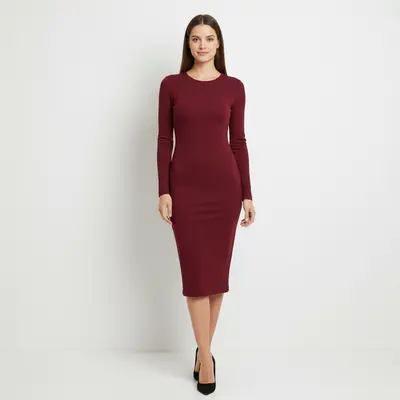
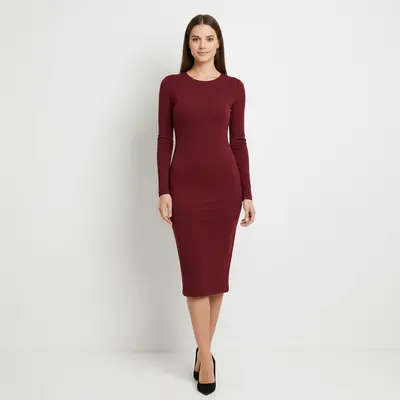
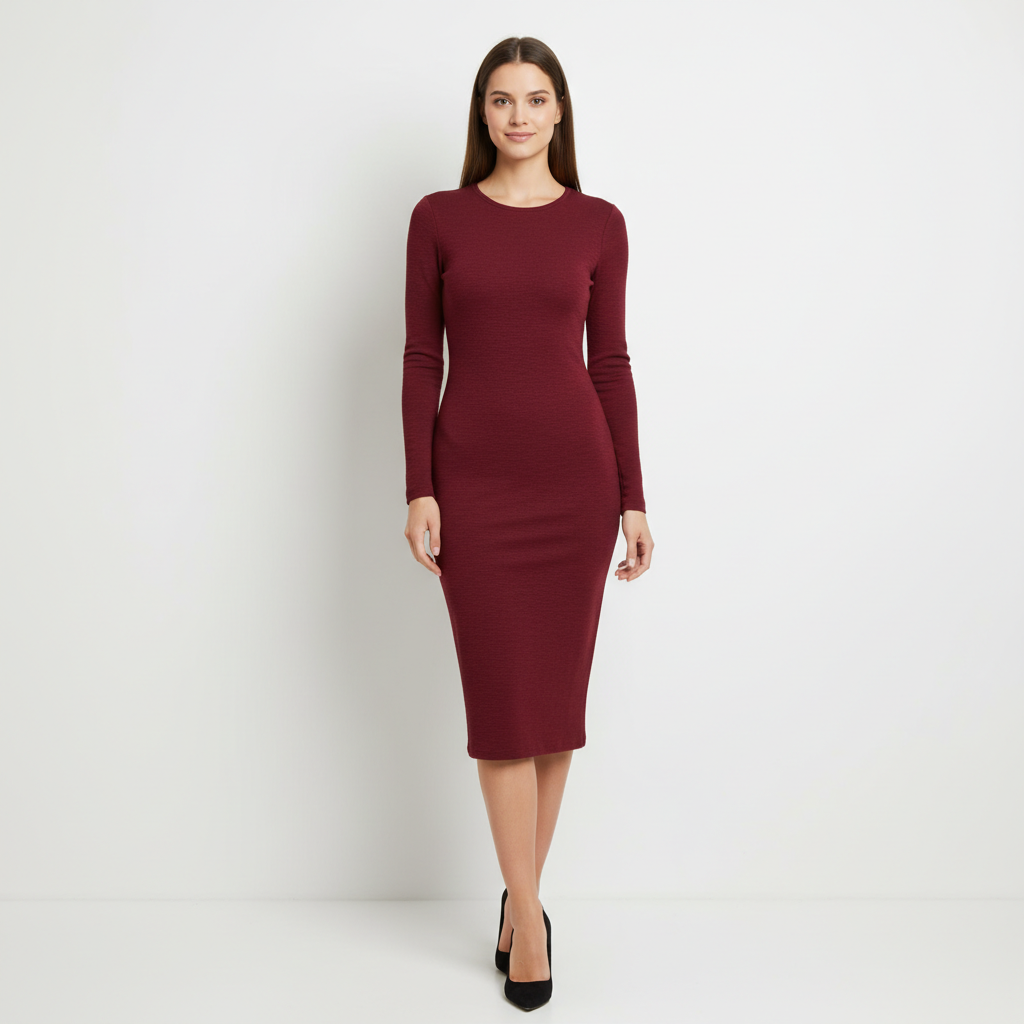
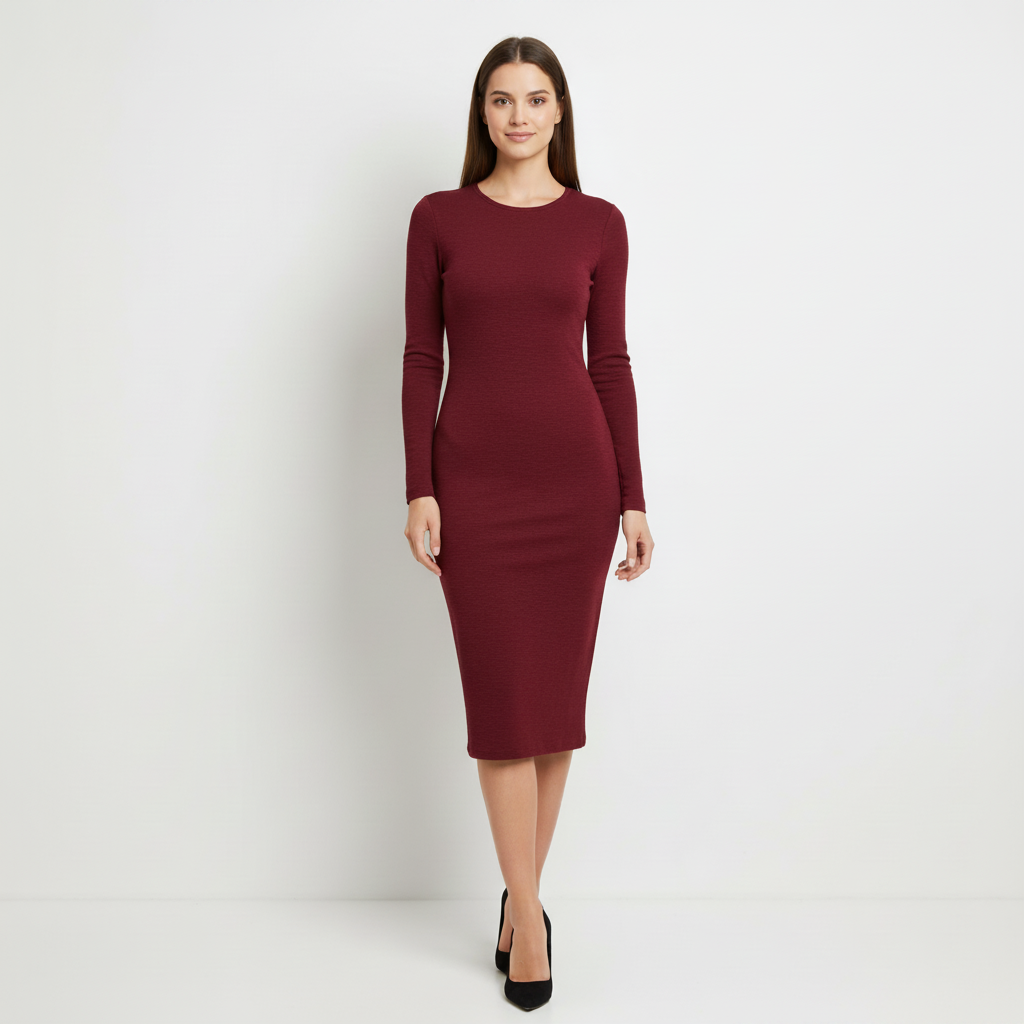
Woman in burgundy dress, natural body, standing against white wall Same photo with slightly slimmer waist, background seamlessly adapted

Upload photo to reshape body

"make the body look slightly more toned and athletic — same size, just more definition in arms and core"

Free to try · no sign-up · photos are never shared

Release to upload

<30stypical edit
1 freeedit weekly
Photo on your phone? Scan to open this editor there — free edit works on your phone too.

1 free edit every week·packs from $4.99

How it works

  1. Upload your photo

    Upload a full-body or waist-up photo where the area you want to change is clearly visible. Standing shots with a clear background produce the cleanest results. JPG, PNG, or WebP up to 7MB.

    Expect: Clear full-body photos with good lighting produce the most realistic reshaping. Busy backgrounds or complex patterns near the body edges may need a second refinement pass.
  2. Describe what you want to change

    Type the adjustment you want: 'slim the waist slightly' or 'make the shoulders broader' or 'create a more toned athletic look.' Be specific about the area and the degree of change — 'slightly' and 'subtly' produce more realistic results than dramatic instructions.

    Tip: The word 'slightly' or 'subtly' is your best friend — it keeps results realistic rather than cartoonish. You can always run another generation if you want more.

    Copy one of these to get started:

    Slim waist subtly slim the waist slightly and keep everything else exactly the same — realistic, not overdone
    More toned / athletic make the body look slightly more toned and athletic — same size, just more definition in arms and core
    Broader shoulders make the shoulders slightly broader and posture more upright — keep waist and hips the same
    Slimmer arms slim the upper arms slightly — keep the torso and legs unchanged, natural look
    2 more prompts
    Posture improvement improve the posture in this photo — shoulders back, spine straighter, confident stance — keep body proportions the same
    Full-body slimming slim the full body proportionally by about 10% — realistic natural result, background should adapt seamlessly
  3. Review and download

    Click Generate. Compare the reshaping result with the original using the before/after slider. Download when satisfied.

See it in action

Woman in burgundy dress, natural body, standing against white wall
Before
->
Same photo with slightly slimmer waist, background seamlessly adapted
After

Waist slimmed subtly

Full-body photo with slight waist slimming. Background adapted naturally — no warping artifacts.

Prompt: slim the waist slightly and keep everything else exactly the same — realistic, not overdone
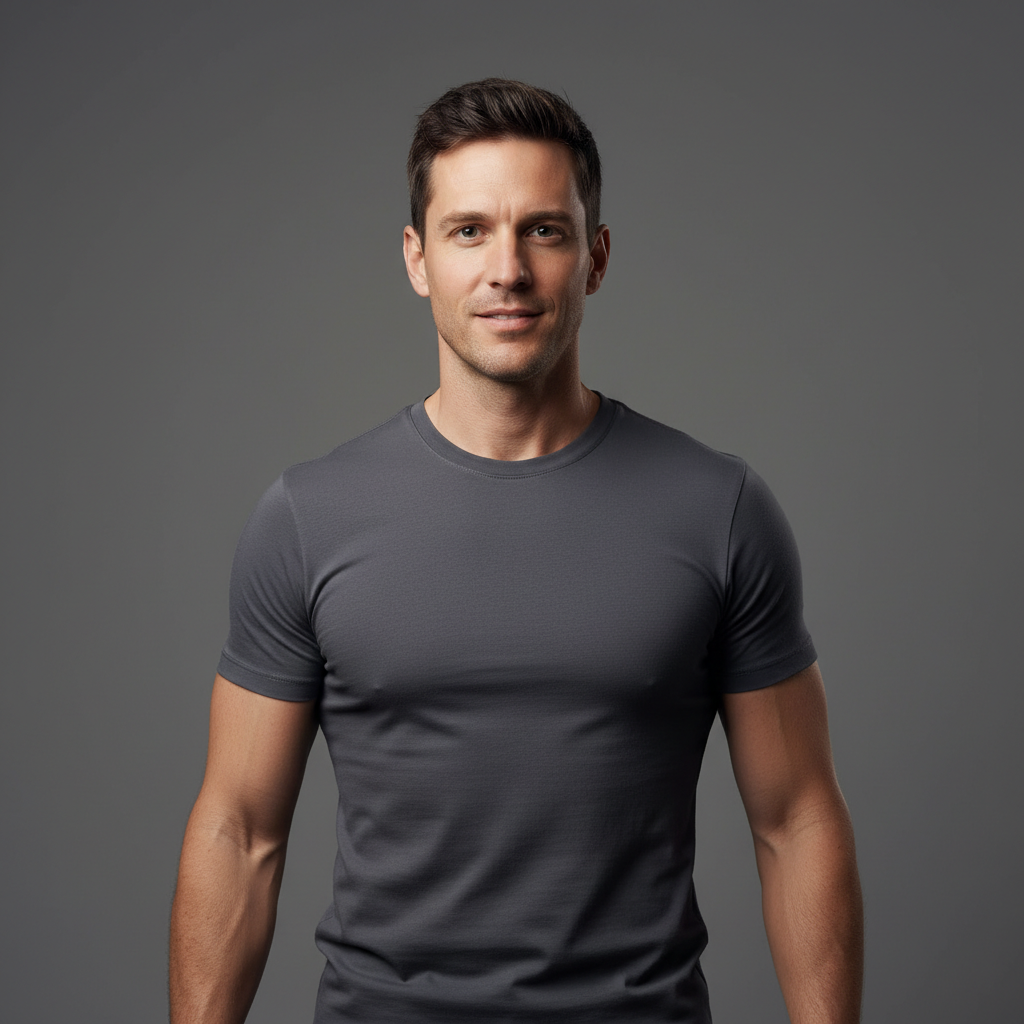
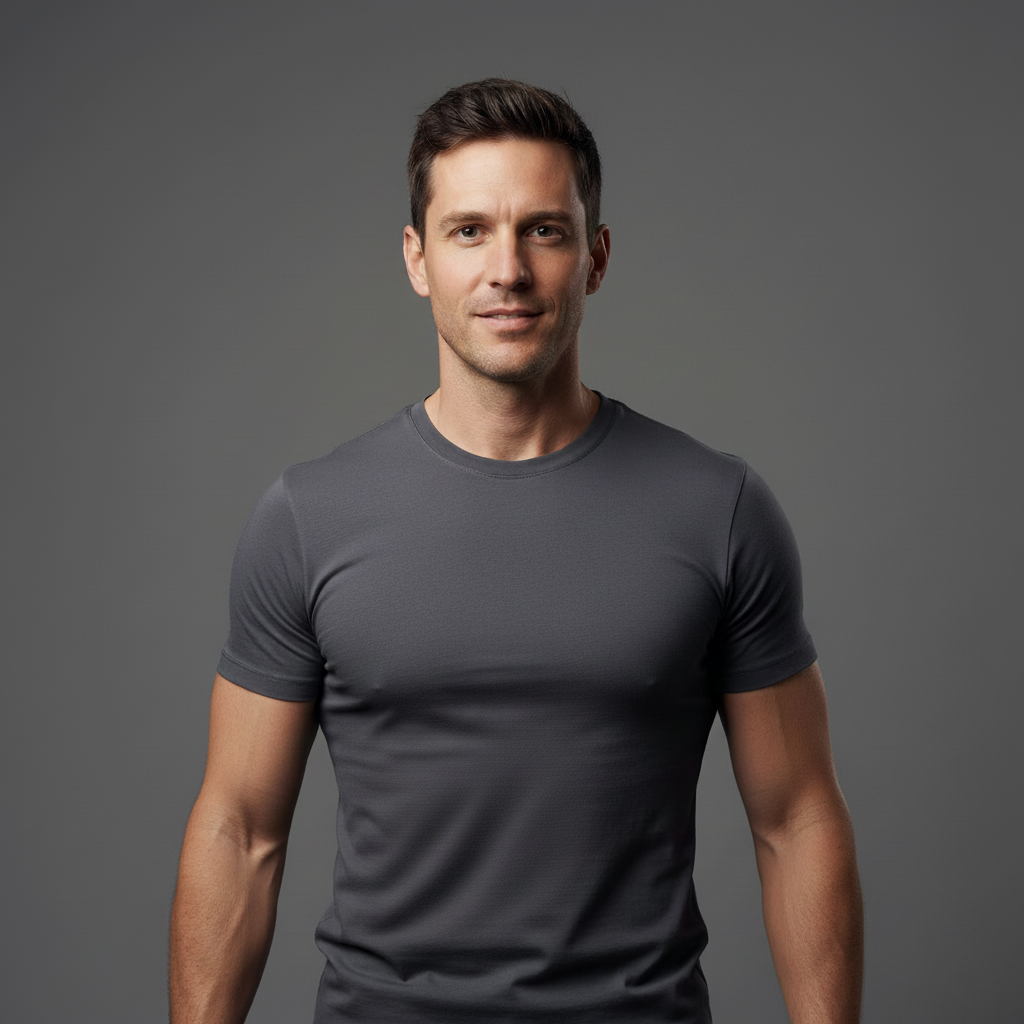
Man in grey t-shirt with natural physique
Before
->
Same photo with more defined arm and core muscle tone
After

Arms more toned and defined

Half-body photo with arm definition added. Realistic muscle tone, no change to body size.

Prompt: make the body look slightly more toned and athletic — same size, just more definition in arms and core
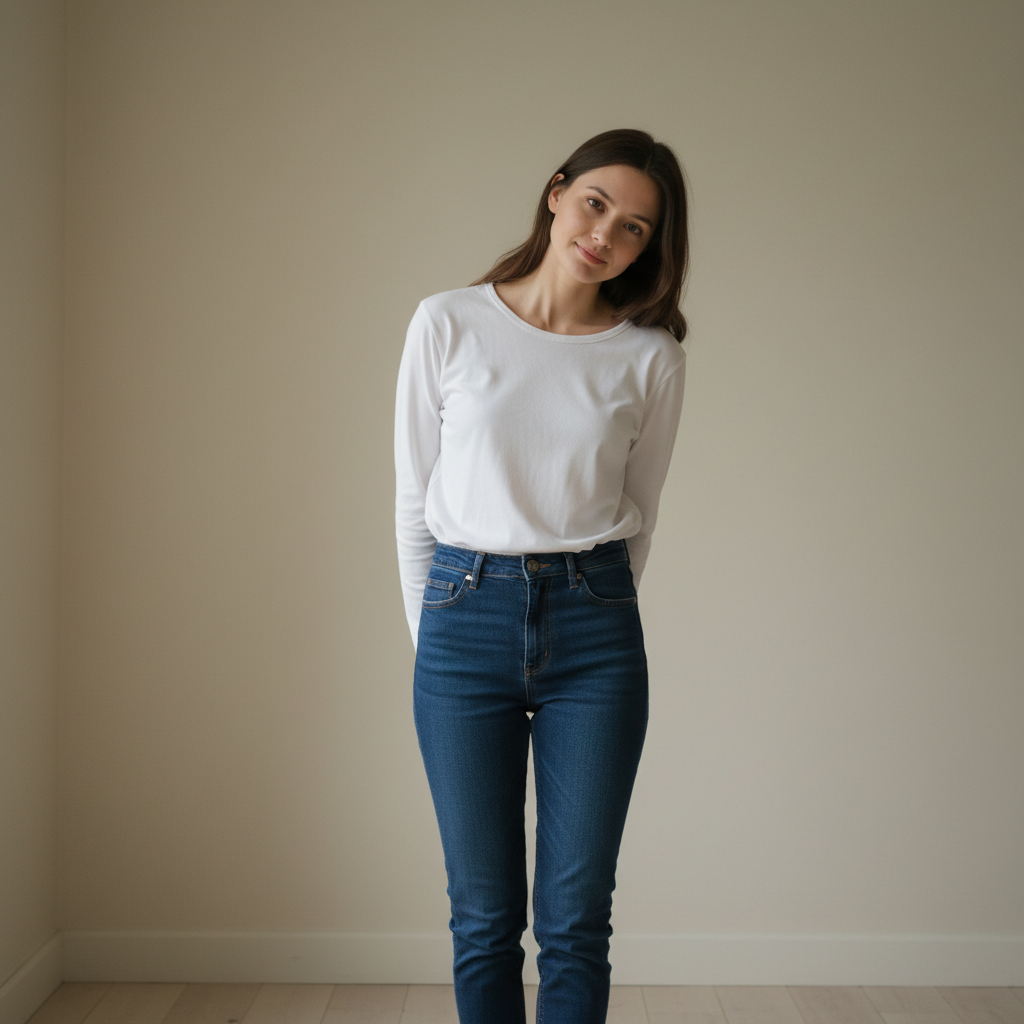
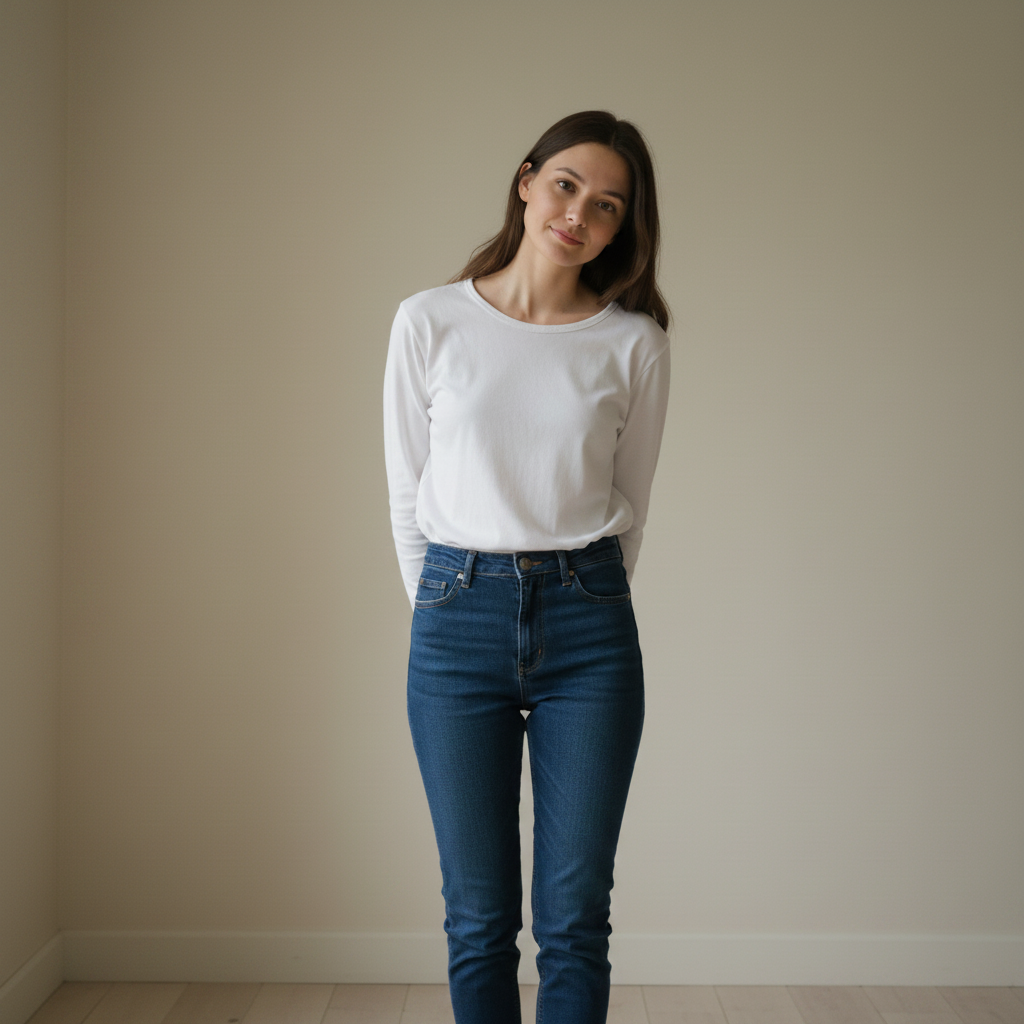
Woman with slight slouch and forward head posture
Before
->
Same woman with upright confident posture and shoulders back
After

Posture straightened

A slouching posture corrected to an upright confident stance. Body proportions unchanged.

Prompt: improve the posture in this photo — shoulders back, spine straighter, confident stance — keep body proportions the same

Quick answers

Is the AI body reshape tool actually free?

Yes. EditThisPic gives you one free Fast preview edit per week — no account, no credit card. One free edit is enough for a single body reshaping. For multiple variations or photos, the 10-edit pack is $4.99. Purchased downloads are clean, full quality.

Will the reshaping look realistic?

Subtle reshaping (10-20% adjustments) looks realistic. Dramatic changes tend to produce uncanny or cartoonish results. The AI works best when guided with words like 'slightly,' 'subtly,' or 'natural-looking.' Background adaptation is included — the AI adjusts surrounding pixels to match.

How is this different from Kaze.ai or Fotor's body reshaper?

Kaze.ai and Fotor use sliders to deform images — you drag a slider and the pixels warp. EditThisPic lets you describe changes in plain English: 'make the arms more toned and athletic' rather than guessing what a percentage slider represents. The AI understands intent, not just pixel warping.

Will the background warp when I reshape the body?

The AI is designed to adapt the background naturally, but complex backgrounds or straight lines near the body edge can show artifacts. Plain neutral backgrounds work best. If warping appears, add 'background should adapt seamlessly without distortion' to your prompt.

Does it work on full-body photos or just waist-up?

Both work. For full-body reshaping, make sure the entire body is visible in the source photo. Waist-up photos work great for upper body adjustments like arm definition, shoulder width, and core slimming.

Can I use it on my phone?

Yes. EditThisPic runs in any mobile browser — Safari on iPhone, Chrome on Android. Upload from your camera roll and save the result back to Photos.

Is my photo private?

Yes. Photos uploaded to EditThisPic are used only to process your edit request and are not stored permanently or used for any other purpose.

How much does EditThisPic cost?

You get 1 free edit per week — no account needed. After that, one-time credit packs start at $4.99 for 10 edits, valid 12 months, no subscription. Power users who edit daily can pick Studio Membership, a monthly workspace at $49.99/mo for 300 edits. Purchased downloads are clean with no watermark.

Want to see a better version of your photo?

Free to try. No signup required.

1 free edit included·Credit packs from $4.99