Pricing Enhance Dating app photo · Free

AI Dating App Photo Editor

← Browse all creative effects

Last updated

Better lighting, clean backgrounds, no distractions — describe the fix and our AI handles it. Free, no account needed.
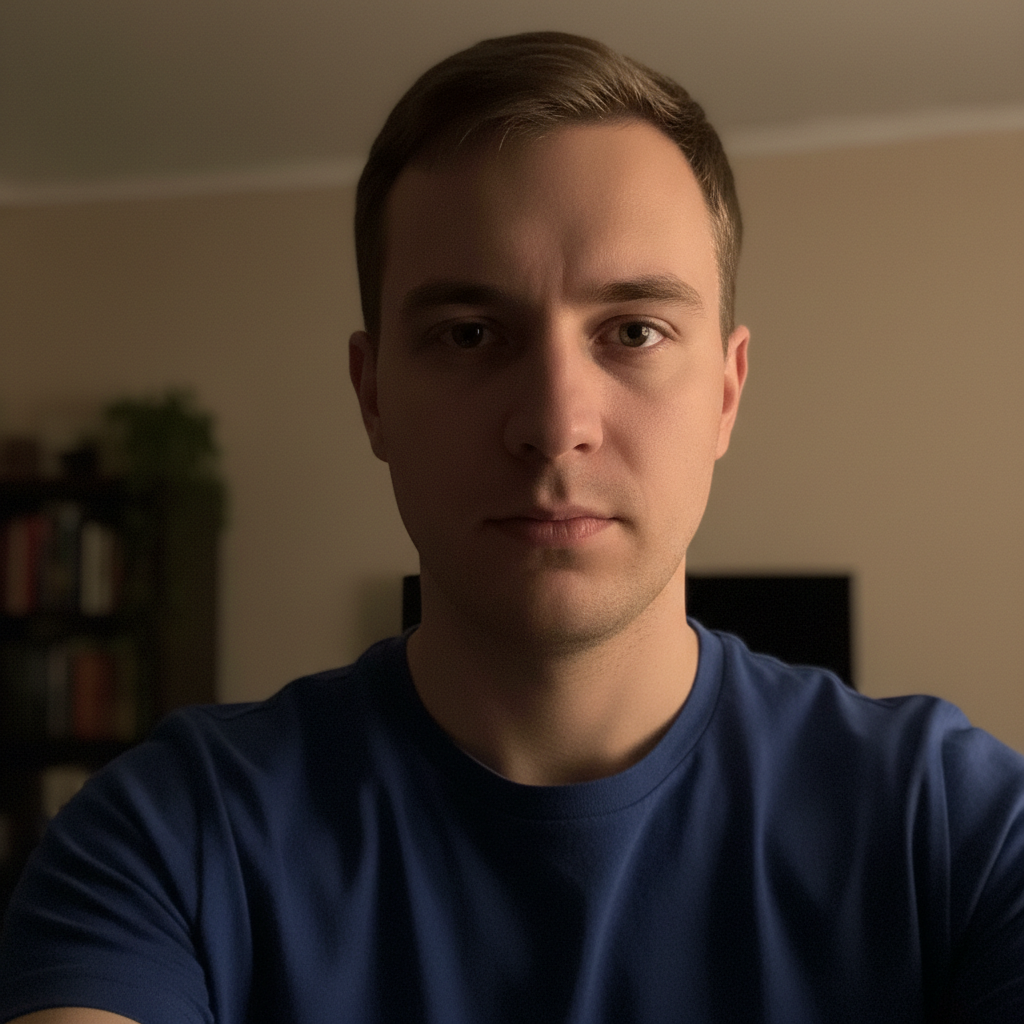
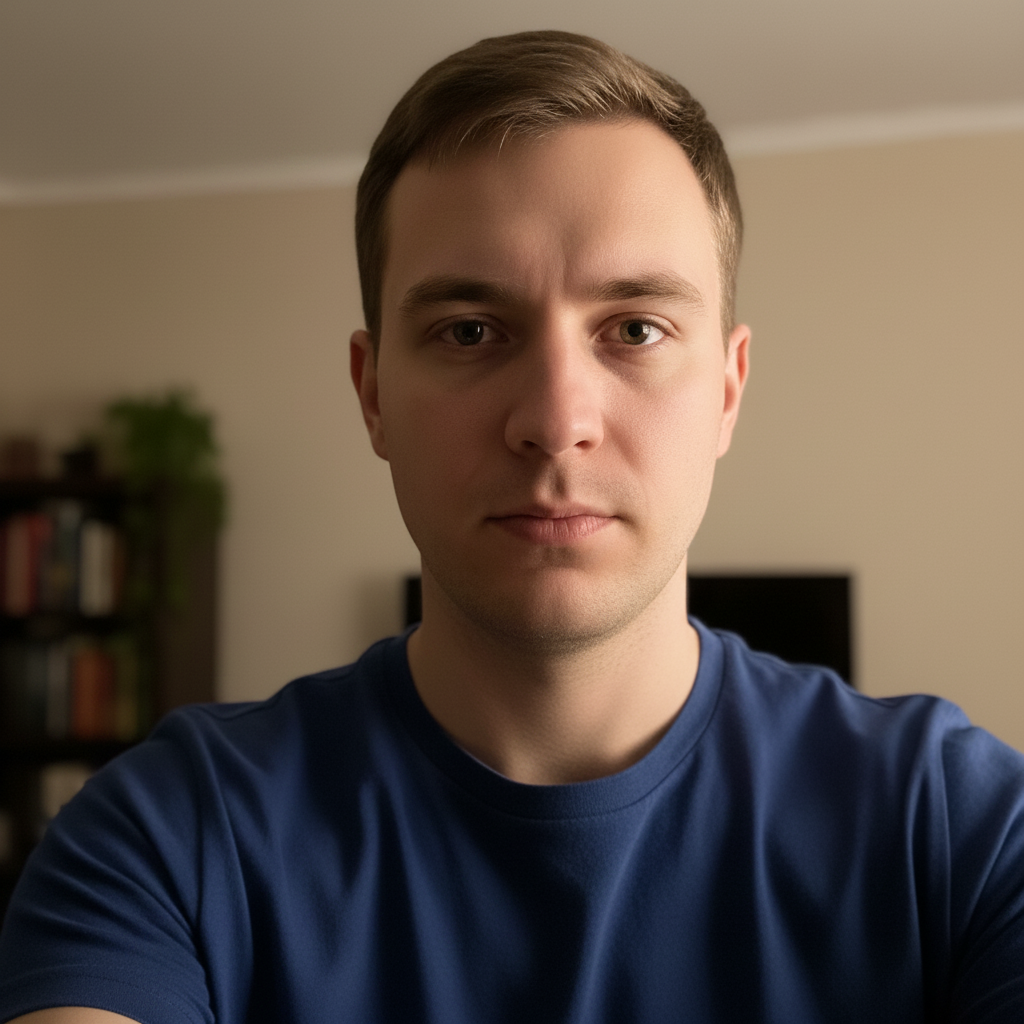
Dark indoor selfie with single warm lamp and harsh facial shadows Same person with balanced natural lighting and even skin tone

Upload photo to enhance dating app photo

"blur the background to create a soft bokeh effect and remove any distracting objects or people from behind, keep my face and the foreground unchanged"

Free to try · no sign-up · photos are never shared

Release to upload

<30stypical edit
1 freeedit weekly
Photo on your phone? Scan to open this editor there — free edit works on your phone too.

1 free edit every week·packs from $4.99

How it works

  1. Upload your dating app photo

    Use your highest-resolution photo. JPG, PNG, or WebP up to 7MB. Selfies, candid shots, and portrait-style photos all work well. Photos where your face is clearly visible and the lighting shows your features give the best results.

    Expect: Well-lit photos give the AI accurate skin tone and facial feature data to preserve while enhancing the background or lighting. Very dark photos may need two passes.
  2. Describe what you want improved

    This is the key step. Type a specific instruction — 'brighten the photo, remove the person in the background, and make the background slightly blurred.' The AI applies changes based on your description. No marking needed for most profile photo fixes.

    Tip: Focus on what's objectively improvable — lighting, background clutter, skin tone balance. The AI works on photo quality, not personal attributes. Specific quality instructions produce the best results.

    Copy one of these to get started:

    Fix dark or flat selfie lighting brighten the photo with natural even lighting, balance skin tone exposure, and remove the harsh shadows under the eyes and chin
    Blur or clean up cluttered background blur the background to create a soft bokeh effect and remove any distracting objects or people from behind, keep my face and the foreground unchanged
    Remove an ex or unwanted person from photo remove the person on the right side completely and fill with a natural-looking background that matches the surrounding area
    Convert bathroom mirror selfie to a cleaner look remove the bathroom mirror frame and visible bathroom fixtures from behind me, replace with a neutral clean indoor background, keep my face and outfit unchanged
    4 more prompts
    Outdoor photo — fix harsh sunlight soften the harsh sunlight shadows on my face, balance the exposure so the sky isn't blown out and my face is well-lit, keep the outdoor background unchanged
    Whiten teeth brighten and whiten my teeth slightly to look natural — not blindingly white, just clean and healthy-looking
    Crop out a group photo to solo remove all other people from the photo and keep only me in the center, fill the space they occupied with a background that matches the natural surroundings
    Gym or fitness photo cleanup clean up the gym background — remove the equipment visible behind me, keep the general indoor gym feel, brighten the photo and fix the skin tone
  3. Check that you still look natural

    Verify that your face looks accurate and natural — skin tone, facial features, and expression should all be preserved. Check that the background edit looks realistic and not obviously AI-generated.

See it in action

Dark indoor selfie with single warm lamp and harsh facial shadows
Before
->
Same person with balanced natural lighting and even skin tone
After

Dark indoor selfie improved with natural lighting

A selfie taken indoors under a single warm lamp — flat, underexposed, with heavy shadows under the eyes. After: balanced daylight-quality exposure with natural skin tone preserved.

Prompt: brighten the photo with natural even lighting, balance skin tone exposure, and remove the harsh shadows under the eyes and chin
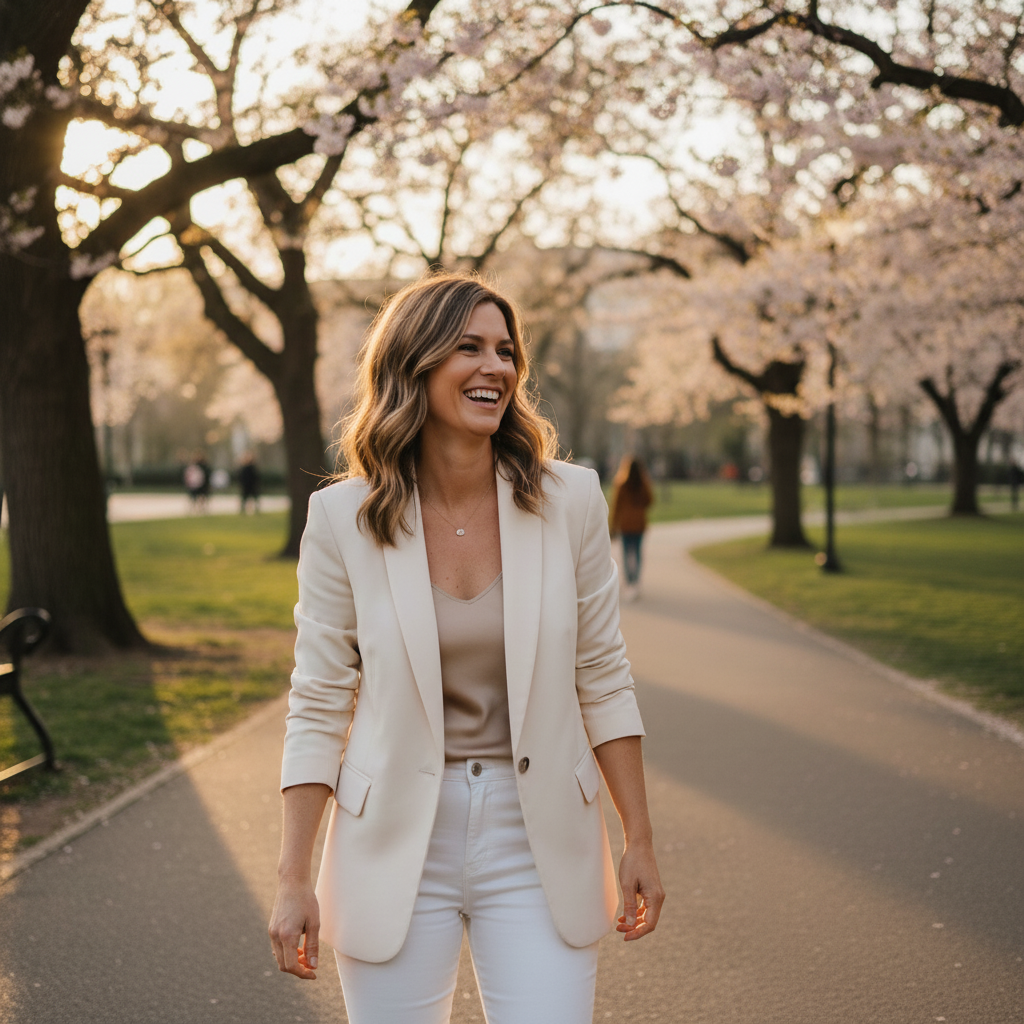
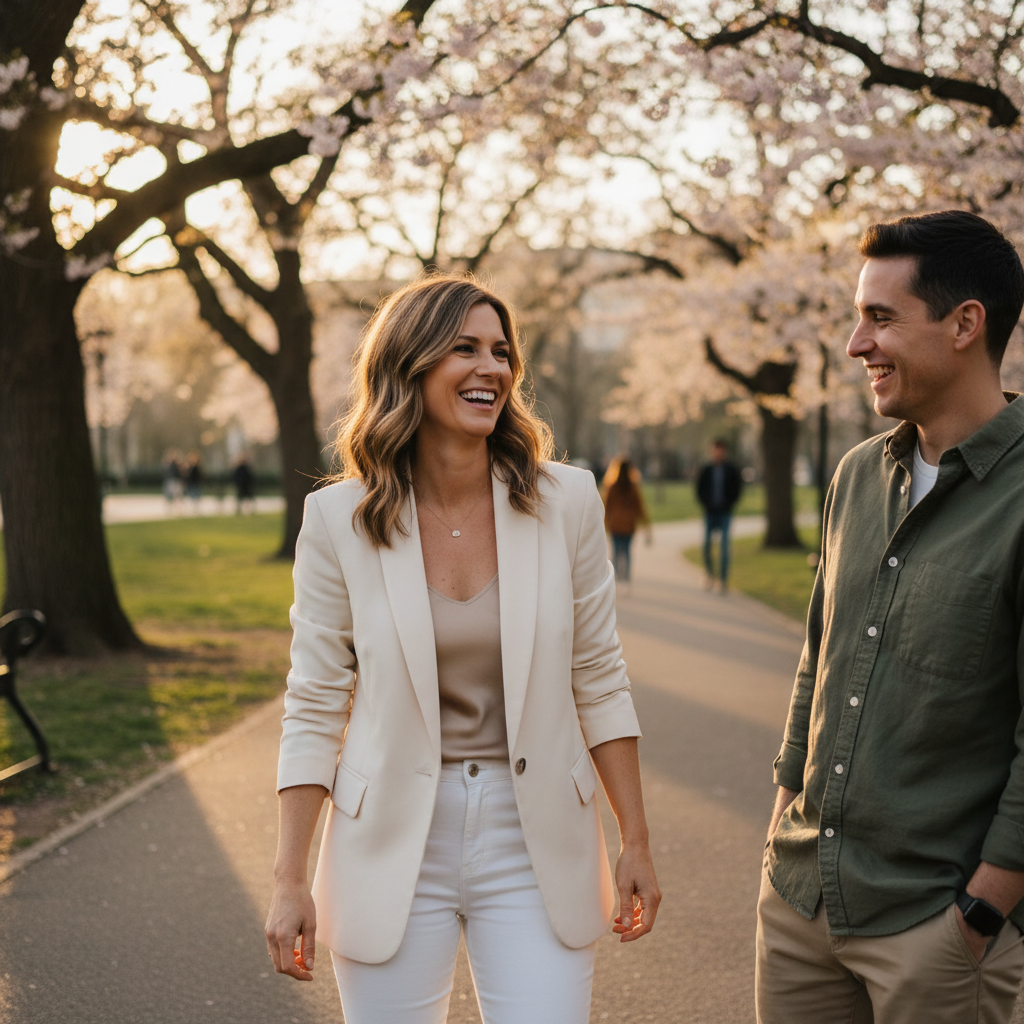
Woman in white blazer with another person visible on the right
Before
->
Same woman alone with natural park background filled in where the other person was
After

Group photo turned solo by removing others

A social event photo with two other people visible. The subject wanted a solo portrait for their Hinge profile. The other people were removed and the background filled naturally.

Prompt: remove the person on the right side completely and fill with a natural-looking background that matches the surrounding area

Quick answers

Do I need to mark the person or area before describing what I want to change?

No. Just describe what to change — 'remove the person on the right' or 'blur the background.' The AI applies the change from your description.

How do I edit dating app photos for free?

Upload your photo to EditThisPic and describe the improvement — fix lighting, remove background clutter, blur the background, remove another person. The AI edits the photo in about 30 seconds. Free preview, no account needed — purchased downloads are clean, full quality.

Will this help me get more matches on Hinge, Bumble, or Tinder?

We can't make any claims about match rates — there are too many factors involved. What we can do is help you improve specific, objectively measurable aspects of photo quality: lighting, background clarity, composition. Better-quality photos give viewers a clearer impression.

Is there a free tool to fix dating profile photos without an app?

Yes. EditThisPic works entirely in your browser — no app download, no account. Upload, describe the improvement, download the result. Works on iPhone, Android, and desktop.

Can I edit group photos to crop out other people?

Yes. The AI fills the area with a natural-looking background matching the surroundings. Works best when you're not overlapping closely with the person you want removed.

How much does EditThisPic cost?

You get 1 free edit per week — no account needed. After that, one-time credit packs start at $4.99 for 10 edits, valid 12 months, no subscription. Power users who edit daily can pick Studio Membership, a monthly workspace at $49.99/mo for 300 edits. Purchased downloads are clean with no watermark.

Ready to improve your profile photo?

Free to try. No signup required.

1 free edit included·Credit packs from $4.99