Free • No signup Transform Photo in Disney-inspired style · Free

AI Disney-Inspired Style Photo Editor

← Browse all creative effects

Last updated

Transform any photo into a whimsical animated film illustration — describe the style and our AI does the rest.
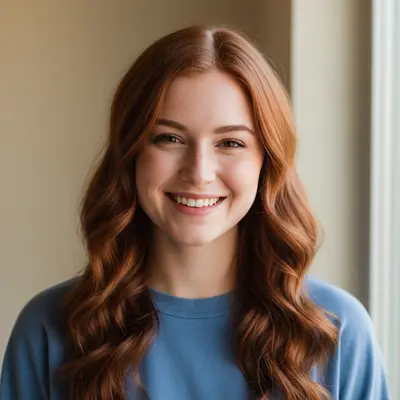
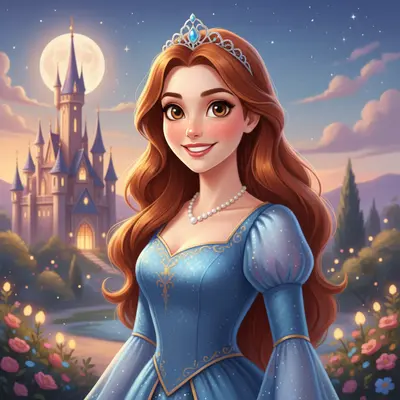
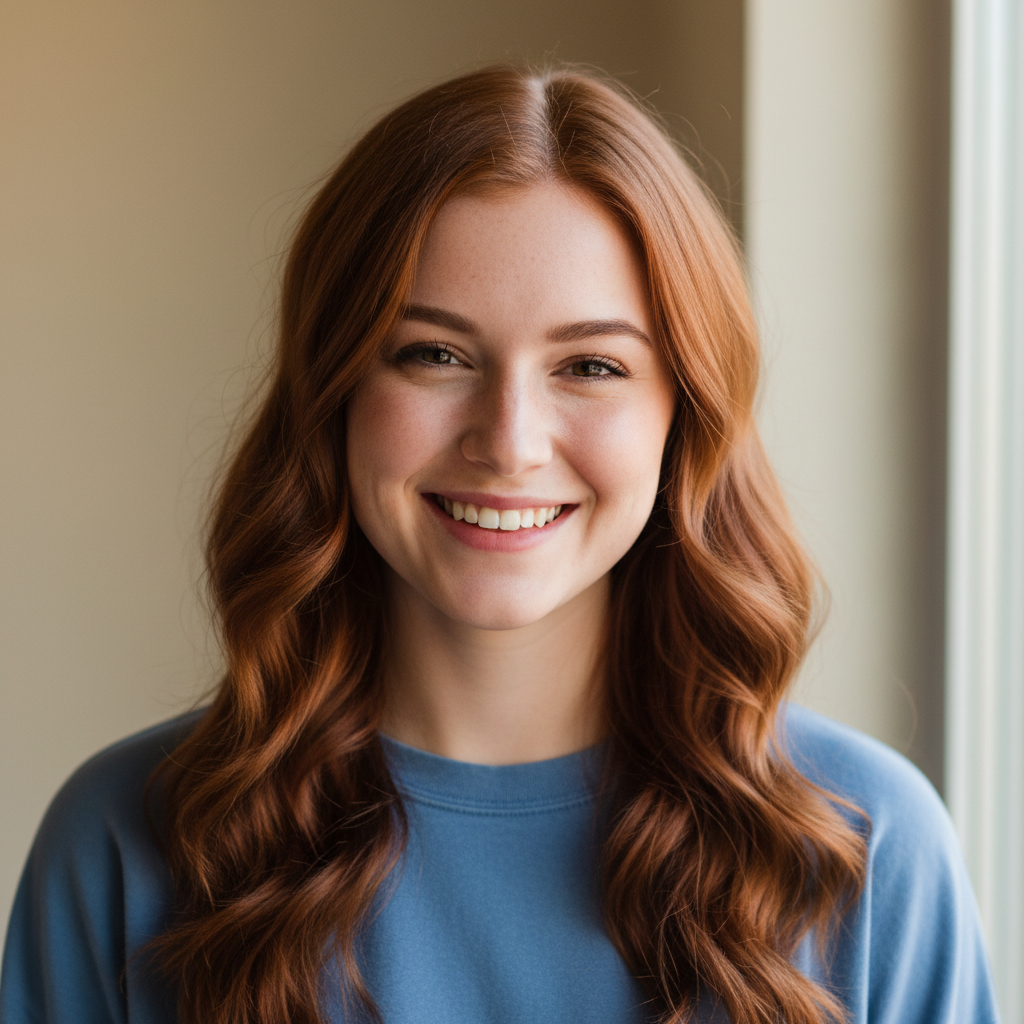
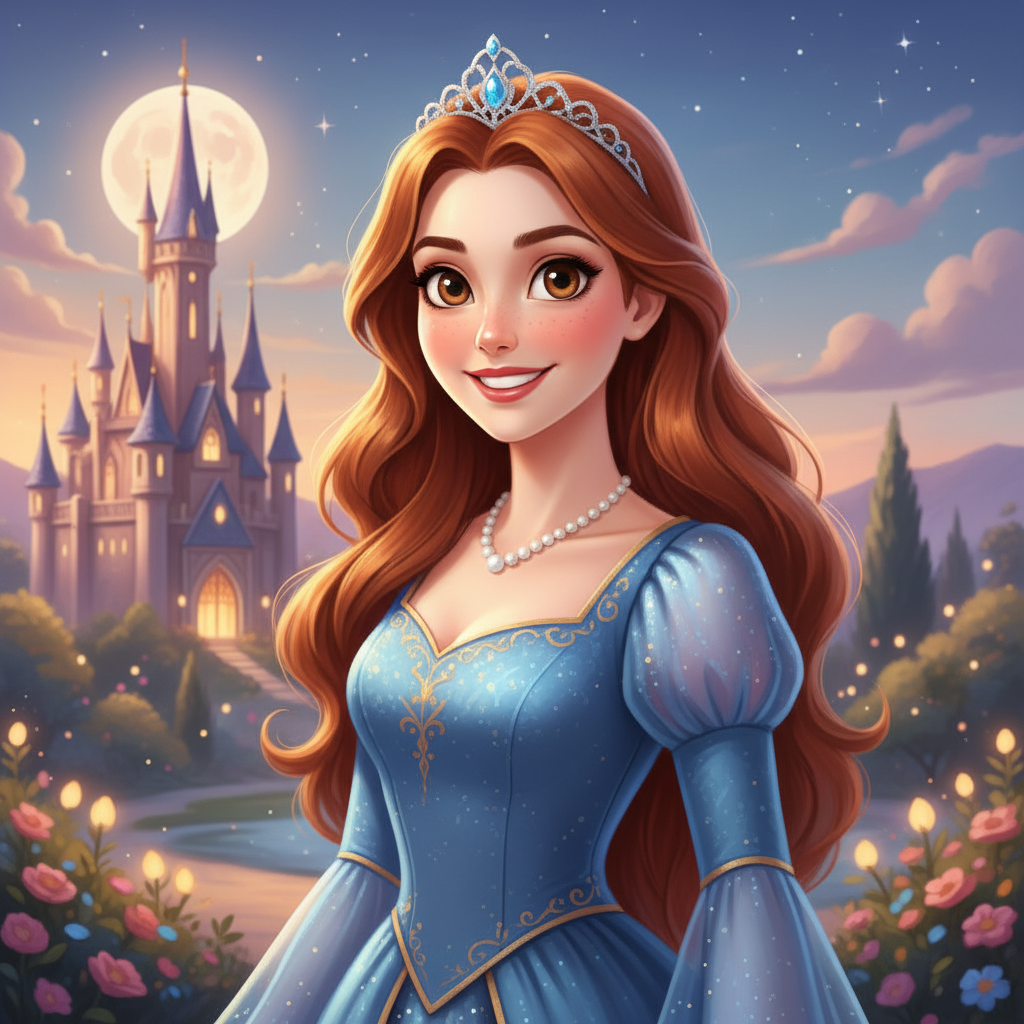
Portrait of a young woman with auburn hair in casual blue top Same woman as a Disney-inspired animated princess with large expressive eyes and illustrated castle background

Upload photo to transform photo in Disney-inspired style

"transform into an animated hero character in a classic 2D illustrated style: strong defined jawline, bright confident eyes, heroic clothing or armor, illustrated background with castles or epic landscape"

Release to upload

1 free edit·then from $4.99

Popular use cases:
  • Disney-inspired photo editor
  • animated character from photo
  • princess portrait from photo
  • animated storybook portrait
  • cartoon character from selfie

Cost
Free No signup required
Time
Instant results in 15-30 seconds
Works on
Any device - browser, phone, tablet, desktop
Powered by
AI-powered photo editing
Scenario Prompt Time
Animated princess large luminous eyes, smooth glowing skin, flowing hair, elegant dress, warm glowing background 30s
Animated hero strong defined features, bright confident eyes, heroic attire, epic landscape background 30s
Storybook portrait soft painterly character art, large warm eyes, magical pastel background with glowing light 30s

How it works

  1. Upload a clear portrait with a visible face

    A front-facing portrait with good lighting and a clearly visible face gives the AI the best foundation for an animated character transformation. Simple or blurred backgrounds let the AI replace the setting entirely with an illustrated scene. Close-up to waist-up portraits work best. JPG, PNG, or WebP up to 7MB.

    Expect: Standard animated portrait: 25–35 seconds. Complex with detailed background scenes: 35–50 seconds.
  2. Describe the animated illustration style

    Describe the animation aesthetic you want: large or expressive eyes, smooth character art, animated princess or hero look, soft warm lighting, illustrated storybook background. The AI creates an original animated-style interpretation inspired by the style vocabulary you provide — not an official character from any specific franchise. Describe the look, not a specific copyrighted character.

    Tip: Focus on describing the aesthetic: 'large luminous eyes, smooth skin, warm glow, magical castle background in soft watercolor style.' The more you describe the look and feel rather than a specific character name, the more the result reflects your vision.

    Copy one of these to get started:

    Classic animated princess style transform into a classic 2D animated princess character illustration: large luminous expressive eyes, smooth glowing skin, flowing hair, elegant dress, soft warm glowing background with soft painterly style
    Animated hero or prince style transform into an animated hero character in a classic 2D illustrated style: strong defined jawline, bright confident eyes, heroic clothing or armor, illustrated background with castles or epic landscape
    Modern animated movie style transform into a modern 3D-style animated character illustration: stylized proportions, clean smooth character art, warm expressive face, glowing enchanted setting in soft illustrated style
    Animated storybook portrait transform into a beautiful storybook illustration portrait: soft painterly character art, large warm eyes, gentle expression, magical illustrated background with soft pastel colors and glowing light
    4 more prompts
    Animated villain aesthetic transform into an animated villain character illustration: sharp dramatic features, intense glowing eyes, dark dramatic clothing with elegant details, atmospheric dark castle or stormy sky background
    Animated forest spirit or fairy transform into an animated forest fairy character: delicate features, pointed ears, glowing luminous skin with subtle sparkle, nature-themed outfit with leaves and flowers, enchanted forest background with soft green and gold light
    Child as animated character transform this child's photo into an animated character illustration: large expressive innocent eyes, rosy warm cheeks, soft smooth skin, colorful storybook outfit, cheerful enchanted garden background
    Pet as animated companion character transform this pet into an animated movie companion animal character: large expressive animated eyes, soft illustrated fur, charming personality showing through the expression, colorful magical illustrated background
  3. Check eye expressiveness, skin smoothness, and background

    The eyes are the signature of the Disney-inspired aesthetic — they should be large, luminous, and expressive. Check that skin tones are smooth and glowing without looking plastic. Verify the background has the right magical or storybook quality. Your facial features should still be recognizable in the animated version.

  4. Refine specific elements with markers

    If the eyes look great but the background needs more magic, tap a marker on the background: 'replace background with a glowing enchanted forest with floating fireflies and soft blue light.' For clothing style, markers let you adjust the costume without regenerating the full character.

    Tip: The background is the most impactful single element to customize in an animated portrait. A thoughtfully chosen illustrated setting transforms a character portrait into a full scene.

See it in action

Portrait of a young woman with auburn hair in casual blue top
Before
->
Same woman as a Disney-inspired animated princess with large expressive eyes and illustrated castle background
After

Portrait to animated princess

A casual portrait transformed into a classic 2D animated princess illustration style.

Prompt: transform into a classic 2D animated princess illustration: large luminous expressive eyes, smooth glowing skin, flowing auburn hair, elegant blue gown, soft warm glowing castle and garden background in painterly style
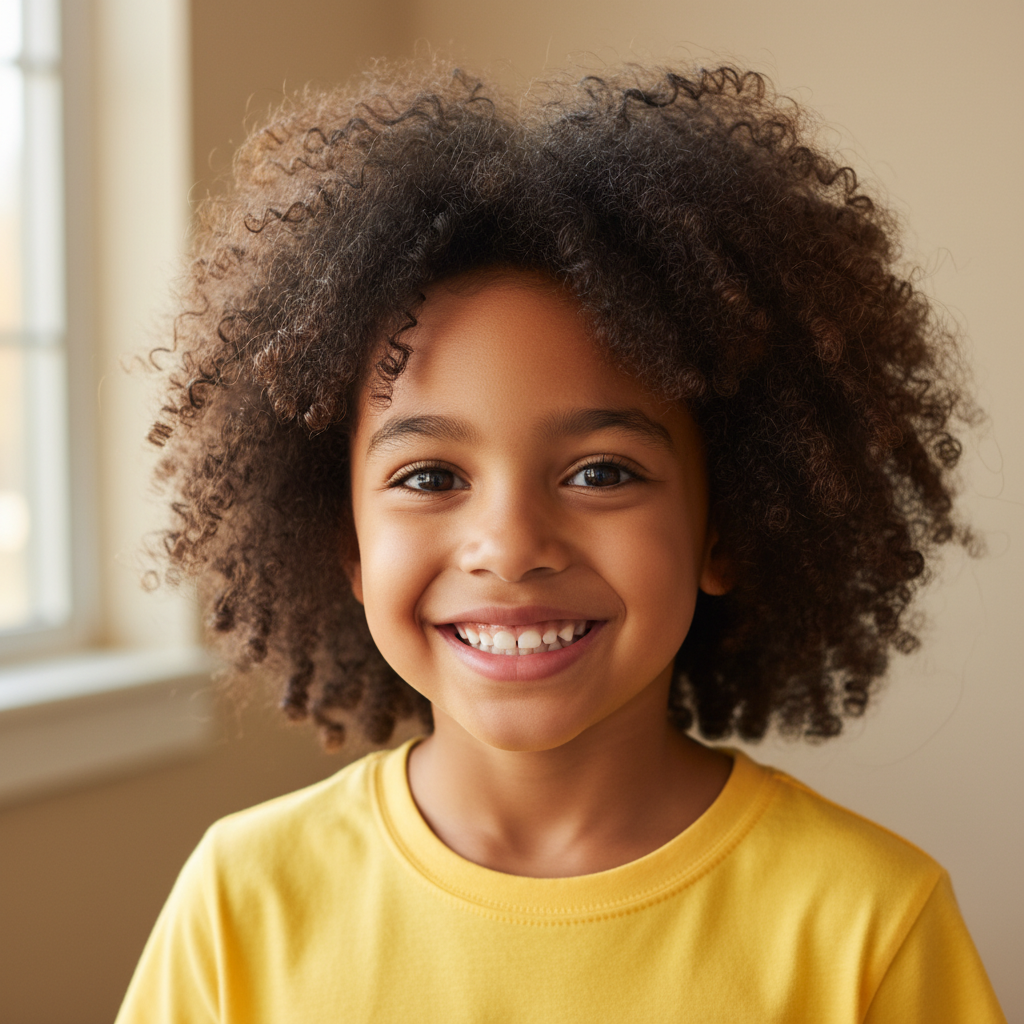
Child portrait with curly dark hair and yellow shirt
Before
->
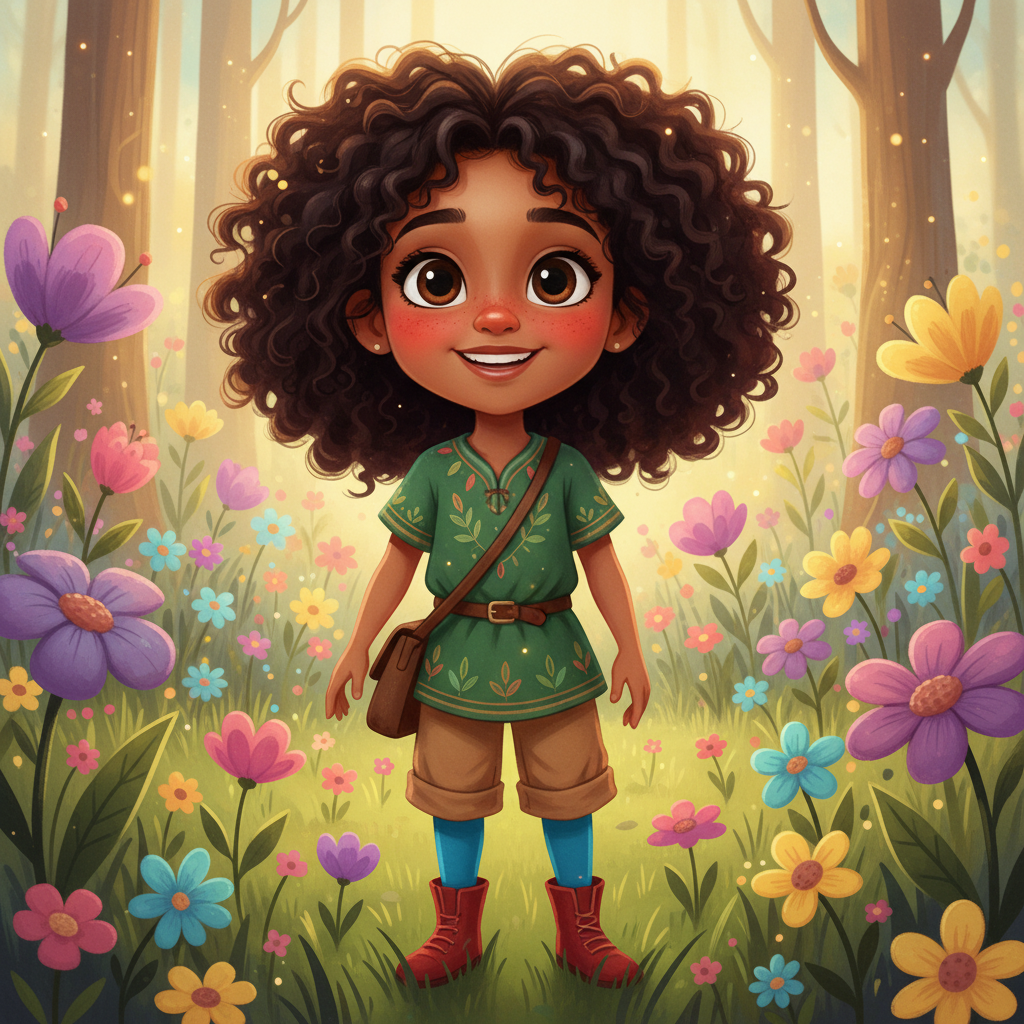
Same child as an animated storybook character with large eyes and enchanted meadow background
After

Child portrait as storybook character

A child's photo transformed into a colorful animated storybook character illustration.

Prompt: transform into an animated storybook character illustration: large innocent expressive eyes, rosy cheeks, soft illustrated skin, colorful adventure outfit, enchanted meadow background with flowers and soft golden light
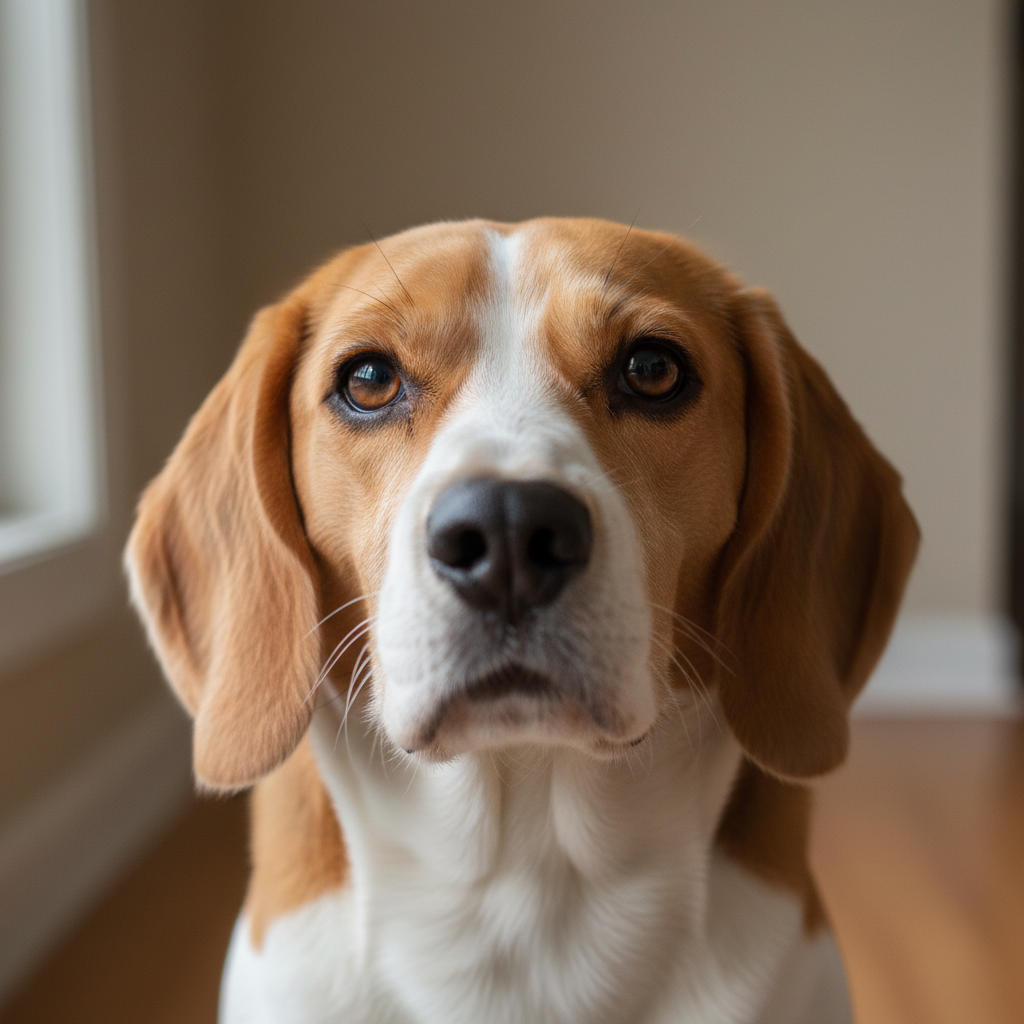
Beagle dog with soulful brown eyes against neutral background
Before
->
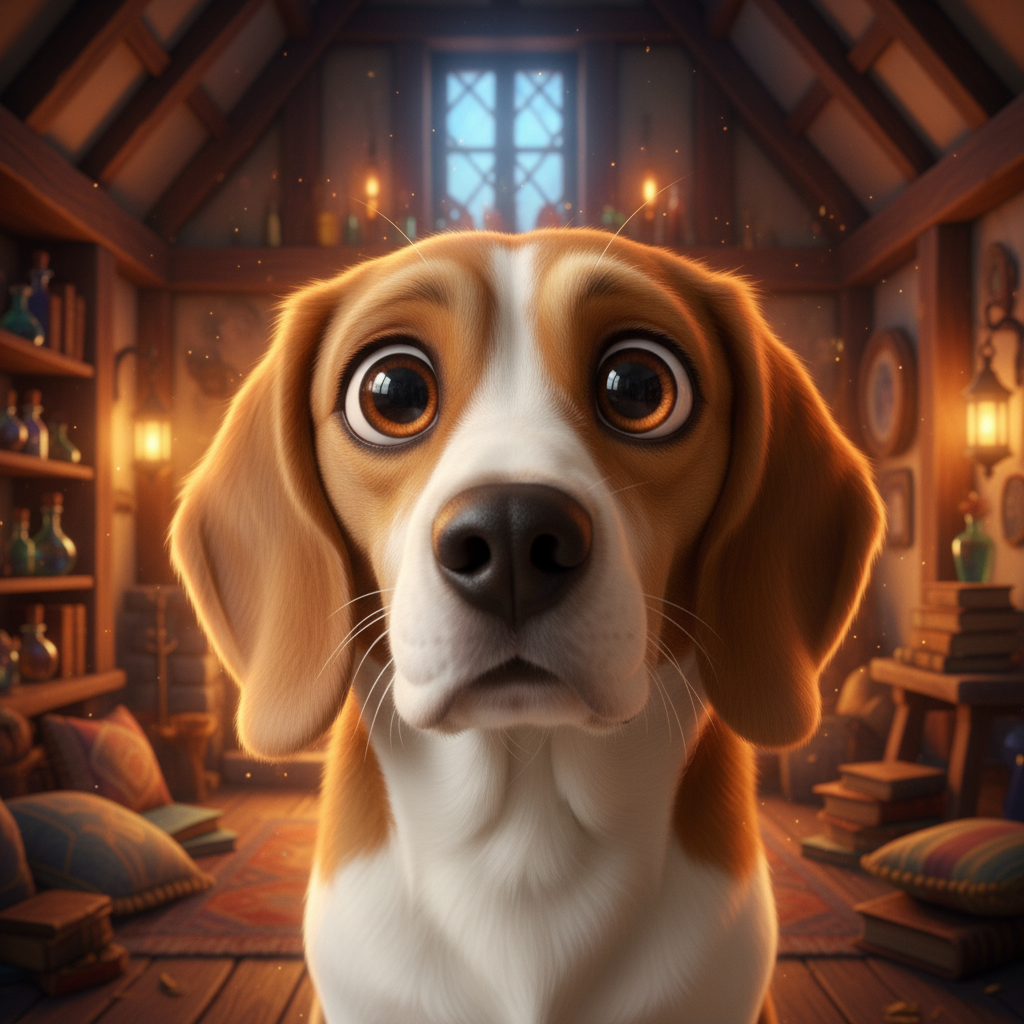
Same beagle as an animated companion animal with large expressive eyes and warm cottage background
After

Pet to animated companion

A dog photo transformed into an animated movie companion animal character.

Prompt: transform this dog into an animated movie companion animal: large soulful expressive animated eyes, soft illustrated fur with warm highlights, charming loyal expression, cozy magical cottage background with warm amber light

If something looks off

AI changed the wrong area — altered the face when I only wanted the background changed

Why: Without clear scope constraints, an animated style transformation affects the whole image including facial features.

Try: tap a marker on the background only and type: 'replace background with [describe desired illustrated setting] — do not alter the character's face, eyes, or facial features'

Tip: Background-only changes after the initial transformation are very effective — the character is already styled, and swapping the background creates a completely different mood without restarting.

Eyes don't look large or expressive enough

Why: Without explicit emphasis on eye size, the AI creates proportionate animated eyes rather than the characteristic large-eye animated look.

Try: intensify the animated eye style — make the eyes noticeably larger and more luminous and expressive, emphasize the characteristic large-eye animation aesthetic

Tip: Eyes are the single most important element for the animated character aesthetic. If the result looks like a realistic illustration rather than animation style, increasing eye size and luminosity is the most effective adjustment.

Skin looks plastic or over-smoothed rather than soft and illustrated

Why: The AI may over-smooth skin in animated transformations, producing a plastic look instead of a warm illustrated quality.

Try: adjust the skin rendering to look soft and warmly illustrated — smooth like character art but with warm painted quality, not plastic or digital-smooth

Tip: Adding 'soft painterly quality' to your prompt prevents the plastic-smooth look. 'Warm illustrated skin' gives the AI a better target than 'smooth.'

Character looks like it belongs to a specific franchise rather than original animated style

Why: Without clear framing as an original style, the AI may produce results that strongly evoke specific existing animated characters.

Try: regenerate as an original animated character illustration inspired by the animated film aesthetic — not a specific franchise character, just the style of classic animated storytelling

Tip: Focus on describing aesthetic characteristics (large eyes, smooth character art, warm glowing palette) rather than naming specific movies or characters. Original-style framing gives you more creative flexibility.

Background doesn't match the magical quality of the character

Why: Without explicit background description, the AI may produce a generic blurred background rather than an illustrated animated scene.

Try: replace the background with a [describe animated setting: enchanted forest / glowing castle / magical meadow] — illustrated and magical in style, matching the animated character quality

Tip: Backgrounds are often the element that makes an animated portrait feel immersive or disconnected. Always describe the setting alongside the character — they should share the same illustrated style and lighting palette.

Quick answers

Do I need to mark anything before applying the animated style?

No — just describe the animation aesthetic you want: 'large luminous eyes, smooth character art, animated princess look, soft glowing background.' The AI applies the full transformation. Use markers only to refine a specific element after the initial result.

Is this tool affiliated with or endorsed by Disney?

No. EditThisPic is not affiliated with, endorsed by, or connected to The Walt Disney Company or any of its subsidiaries. The tool creates original AI-generated artwork inspired by the aesthetic of animated films and character illustration styles — it does not produce official Disney or Pixar characters or content. Results are original creative interpretations.

Is there a free Disney-inspired photo editor with no signup?

Yes. EditThisPic transforms photos into a Disney-inspired animated illustration style for free with no account required. Upload your photo, describe the animation aesthetic, and download with no watermark.

Will I still look like myself in the animated version?

The AI uses your facial features as the base for the animated character. Your core look is preserved in the animation style. Include 'preserve my facial features and likeness' in your prompt if identity recognition is important to you.

Can I request a specific Disney or Pixar character's style?

We recommend describing the aesthetic you want rather than naming specific copyrighted characters. Describe what you're looking for: 'large expressive eyes', 'classic 2D hand-drawn princess style', 'modern 3D animated movie character style' — these give you the look without the IP concerns.

Does the tool work on kids' photos and pet photos?

Yes, and animated transformations often look especially magical on children and pets. Children's portraits produce charming storybook character results. Pets, especially dogs and cats, transform beautifully with animated eyes and illustrated fur. Describe the character type you want for either.

Can I use the animated portrait for personal projects or gifts?

EditThisPic's output is yours to use for personal projects. Check the EditThisPic terms of service for full usage rights details.

How much does EditThisPic cost?

You get 1 free edit per week — no account needed. After that, credit packs start at $1.99 for 3 edits. Monthly plans start at $4.99/mo for 15 edits with unused credits rolling over. All edits are full resolution with no watermark.

Ready to create your animated portrait?

Free to try. No signup required.

1 free edit included·Credit packs from $4.99