Pricing Remove Halftone dots · Free

AI Halftone Dot Remover

← Browse all remove tools

Last updated

Turn a dotted newspaper or yearbook scan into a smooth photo. Free, no signup.
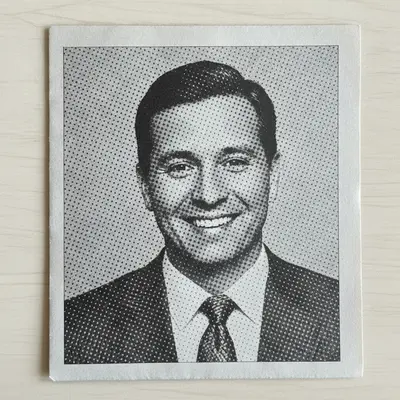
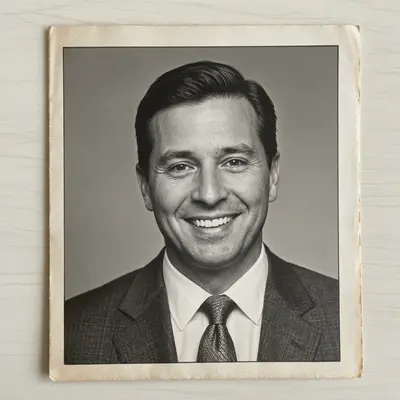
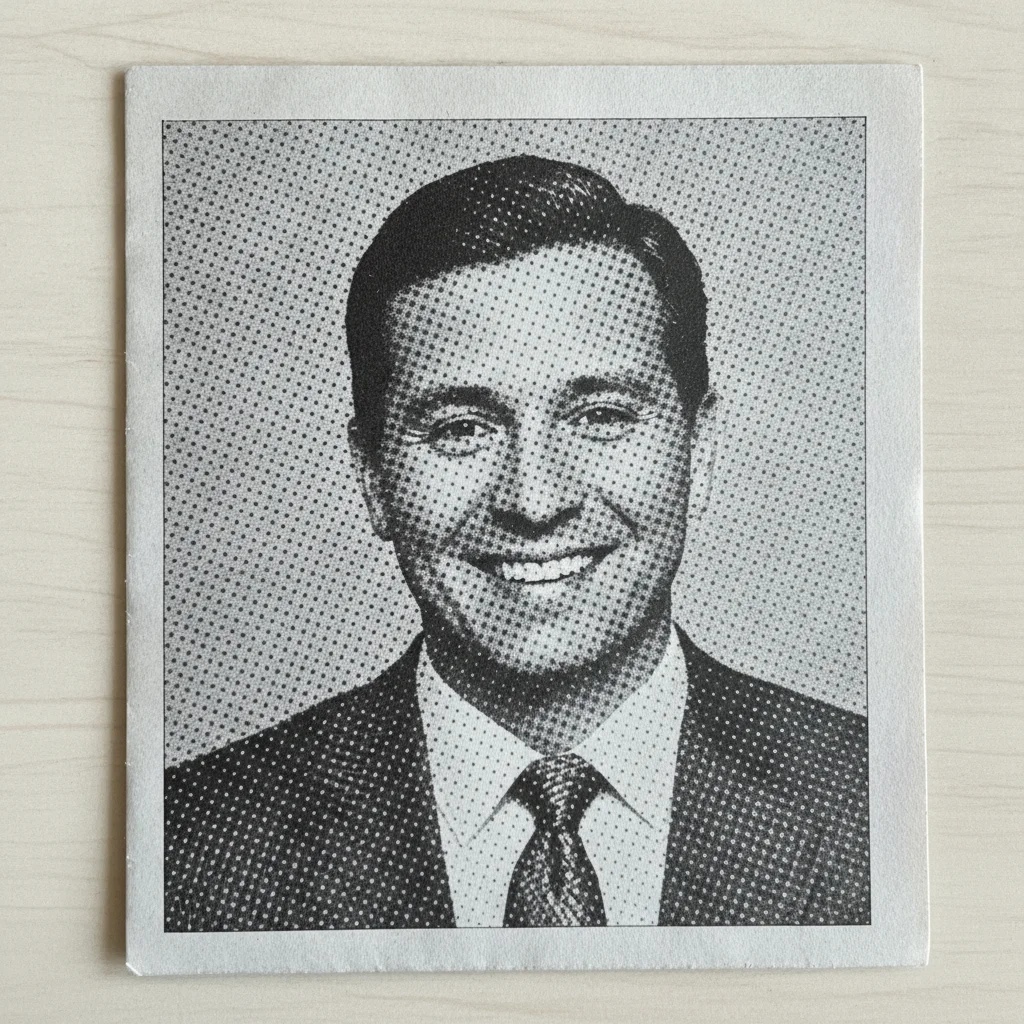
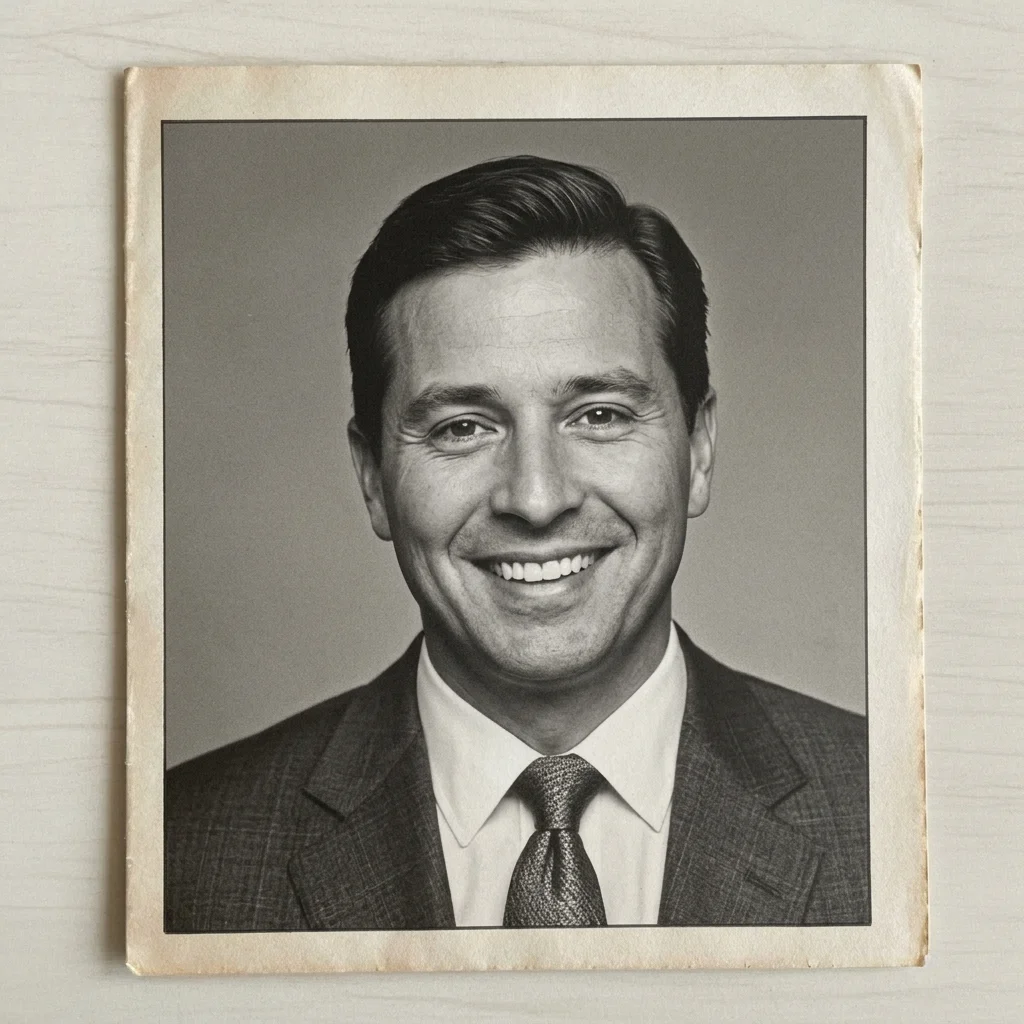
Newspaper portrait made of coarse black dots Same portrait smooth and continuous-tone

Upload photo to remove halftone dots

"remove the printed dot pattern from this scanned yearbook photo, smooth the skin tones without over-smoothing, keep eyes, hair and clothing natural"

Free to try · no sign-up · never used for AI training

Release to upload

<30stypical edit
1 freeedit weekly
Photo on your phone? Scan to open this editor there — free edit works on your phone too.

1 free edit every week·paid packs after

How it works

  1. Upload your photo

    Upload the highest quality scan you have of the printed photo. Crop out text and columns around it if you can. If you can, scan the page flat and straight, because a crooked page makes the dot grid harder to smooth.

    Expect: Simple fixes usually finish in under a minute. Heavier damage or busy detail can take a little longer and may need a second pass.
  2. Describe what you want

    Describe the print and the goal. For example: 'remove the halftone dot pattern from this newspaper photo, make it a smooth continuous-tone photograph, keep the faces natural and sharp.' No marking needed.

    Tip: Mention the source: 'newspaper,' 'magazine' or 'yearbook.' It helps the AI recognise the pattern it should smooth.

    Copy one of these to get started:

    Newspaper portrait remove the halftone dot pattern from this newspaper portrait, make it a smooth continuous-tone black and white photo, keep the face natural and the features unchanged
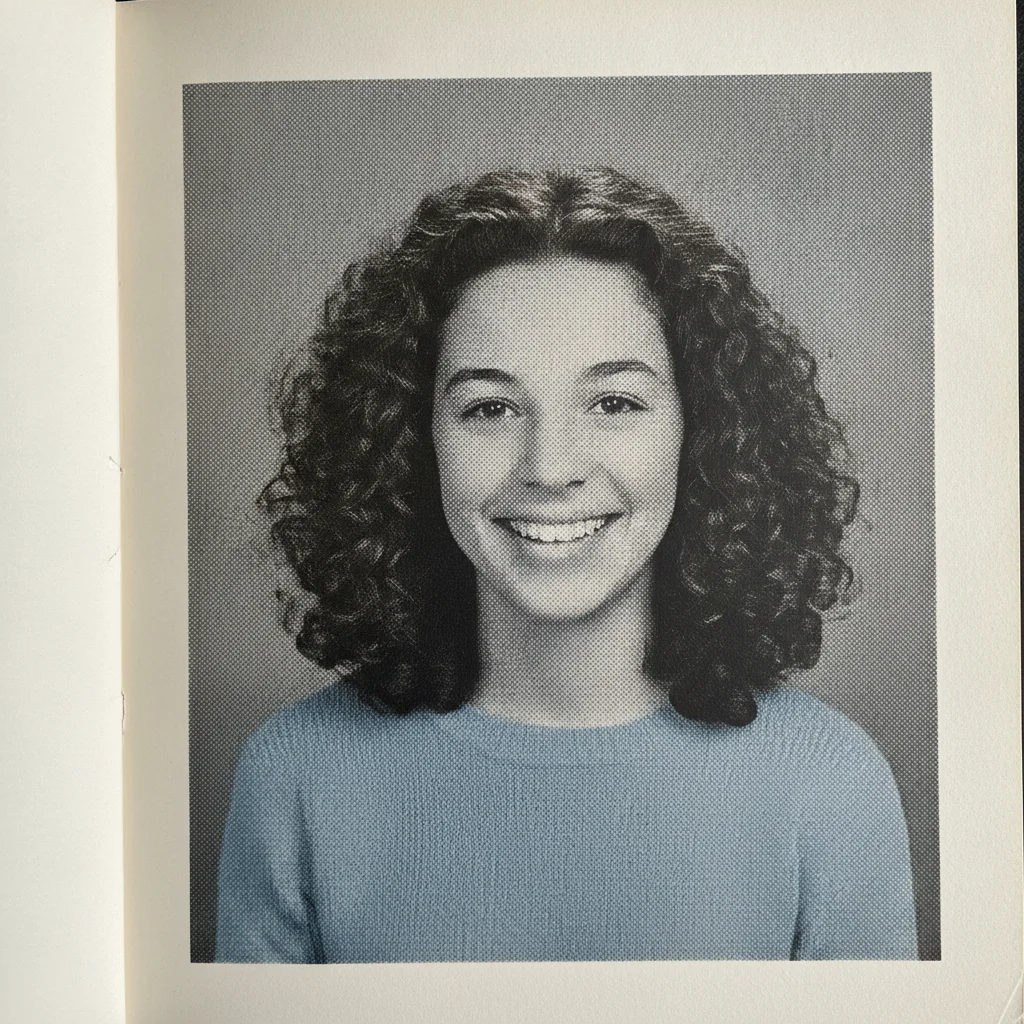
    Yearbook photo remove the printed dot pattern from this scanned yearbook photo, smooth the skin tones without over-smoothing, keep eyes, hair and clothing natural
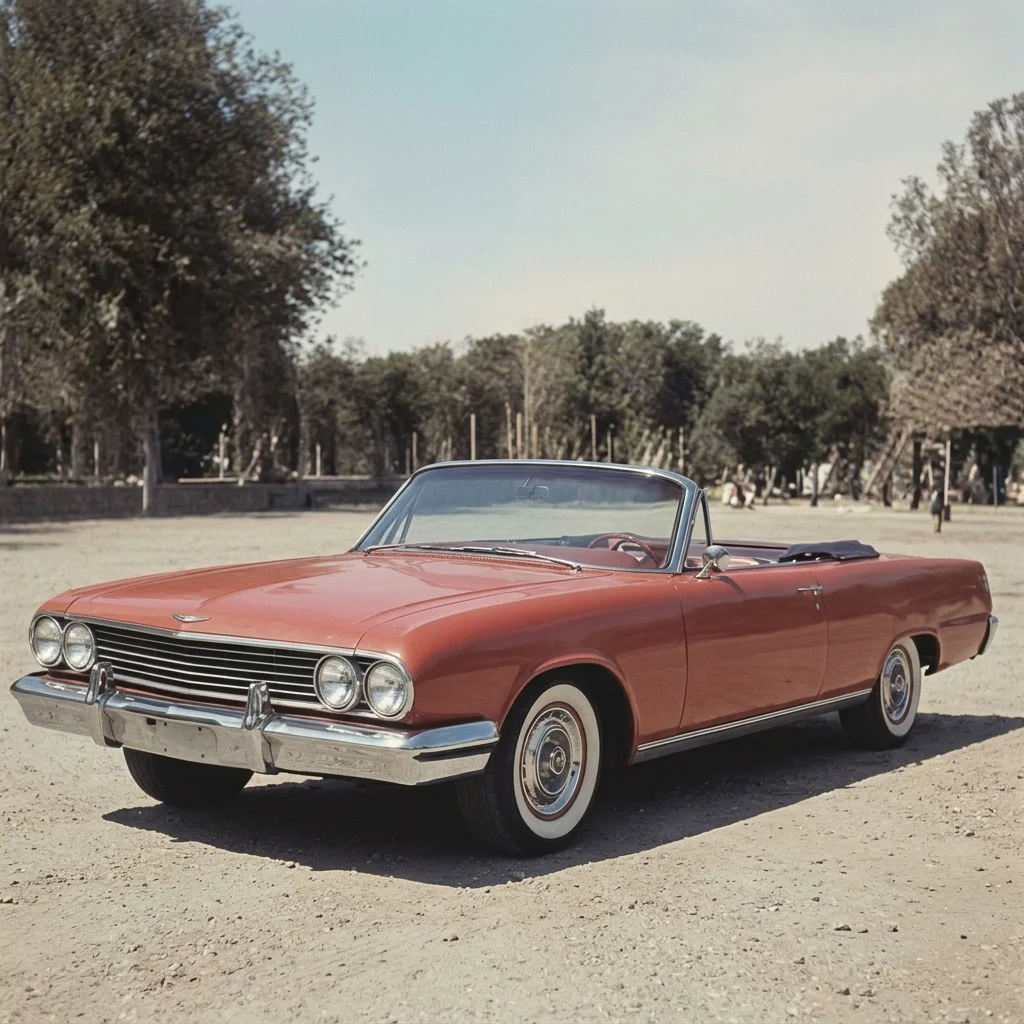
    Magazine colour photo remove the halftone rosette dots from this magazine photo, keep the colours as they are and make the image smooth
    Coarse newspaper dots remove the very coarse dot pattern from this old newspaper photograph, reconstruct smooth tones, keep the overall composition the same
    3 more prompts
    Group photo remove the halftone dots from this newspaper group photo, keep every person's face natural, do not add or remove anyone
    Sports action shot remove the dot pattern from this newspaper sports photo, keep the players and the ball sharp and the background smooth
    Remove moire only remove the moire and grid pattern from this scan of a printed photo while keeping the detail as it is
  3. Review the result

    Look at faces, eyes and text in the photo. The AI cannot recover detail the print never held, so some areas will look softer. Compare to the scan for anything that matters.

  4. Refine with markers if needed

    If a patch still shows dots, or the AI changed a face, tap a marker on that area and regenerate. Markers keep the change local.

    Tip: Markers are for precision refinement, not a required step. Most edits work from the description alone.

See it in action

Newspaper portrait made of coarse black dots
Before
->
Same portrait smooth and continuous-tone
After

Newspaper portrait scan

A newspaper clipping portrait where every part of the face is made of dots.

Prompt: remove the halftone dot pattern from this newspaper portrait, make it a smooth continuous-tone black and white photo, keep the face natural and the features unchanged
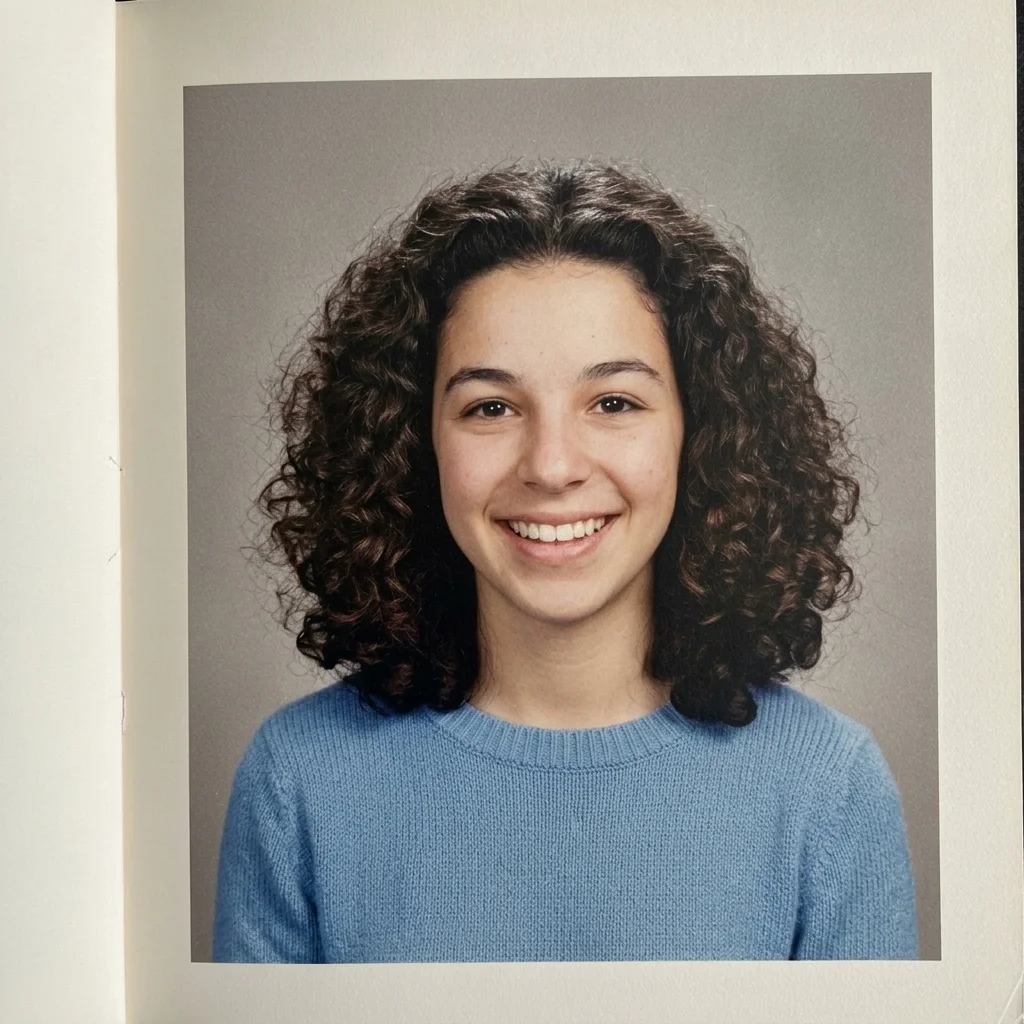
Yearbook portrait with a visible dot pattern
Before
->
Same portrait smoothed, dots removed
After

Yearbook class photo

A scanned yearbook page with a small portrait showing a dot pattern.

Prompt: remove the printed dot pattern from this scanned yearbook photo, smooth the skin tones without over-smoothing, keep eyes, hair and clothing natural
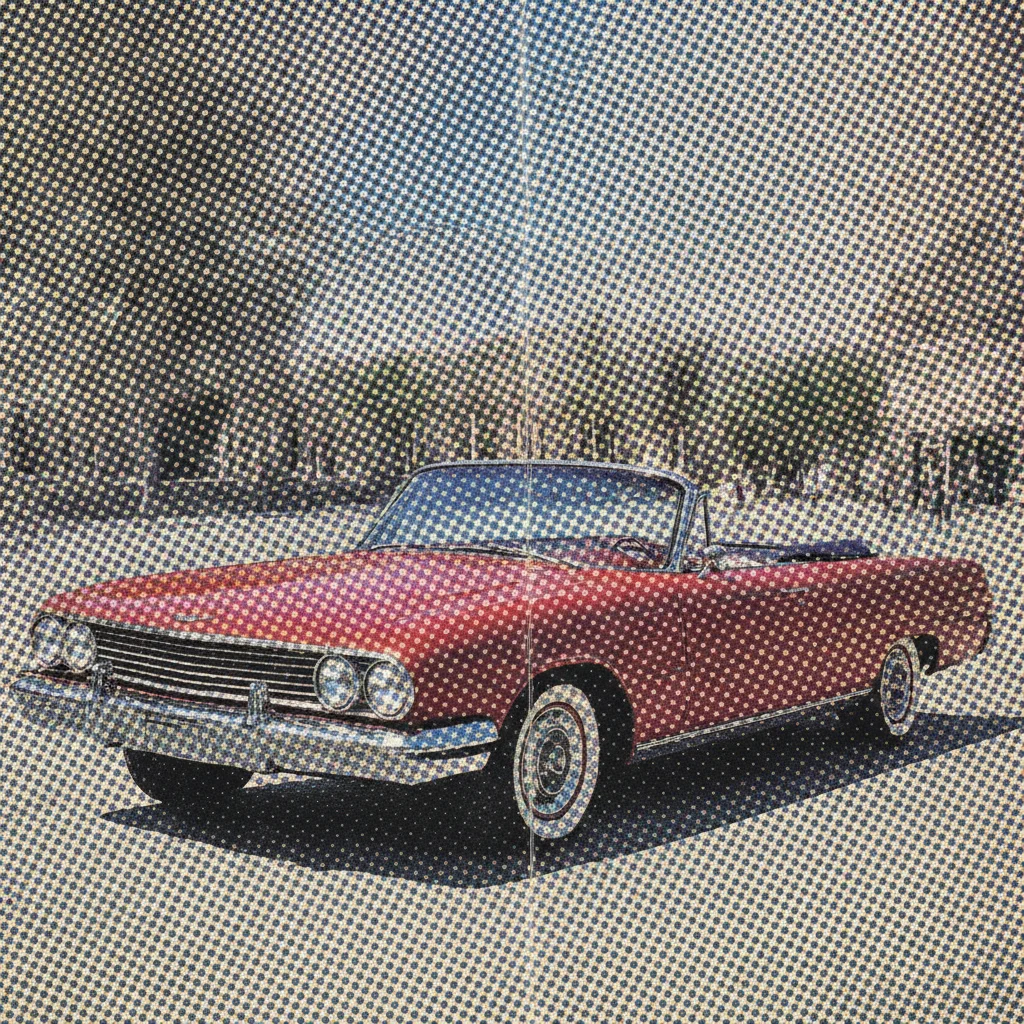
Magazine car photo with coloured dots
Before
->
Same photo smooth with colours kept
After

Magazine colour photo

A magazine scan of a red car on a street showing colour dots.

Prompt: remove the halftone rosette dots from this magazine photo, keep the colours as they are and make the image smooth

Quick answers

Do I need to mark the dot pattern before describing what I want?

No. Say 'remove the halftone dot pattern' and the AI handles the whole image. Markers help only if one area is left dotted or something changes that should not.

How do I remove halftone dots from a scan for free?

Upload the scan, type that you want the dot pattern removed, and download the preview. The free edit is a preview, with no signup and no watermark.

Will the photo look as sharp as a real photograph?

No. The dots replaced detail that is not in the print, so the AI infers it and results are smoother or softer. The cleaner and higher quality your scan, the better.

Does it work on colour magazine prints?

Yes, in general. Colour dots form a rosette, so mention that in your prompt. Some colour shifts are possible, so compare with the original.

Is this different from removing moire?

They are related. Moire is the interference ripple when scanning a dot pattern, and the same prompt can handle both. See the moire pattern remover if the ripple is the main problem.

Should I descreen in my scanner first?

If your scanner has a descreen option, use it, then upload the result. You can also upload the raw scan.

How much does EditThisPic cost?

You get 1 free Standard edit per week — no account needed. After that, one-time credit packs start at $4.99 for 10 credits, valid 12 months, no subscription. A Standard edit uses 1 credit, Pro 2 and Ultra 3. Purchased downloads are clean with no watermark.

Ready to remove the dots?

Free to try. No signup required.

1 free edit included·paid credit packs after