Pricing Restore Old map · Free

AI Old Map Restoration

← Browse all enhance tools

Last updated

Describe the damage on your old map and the AI cleans up folds, tears and fading. Free, no signup.
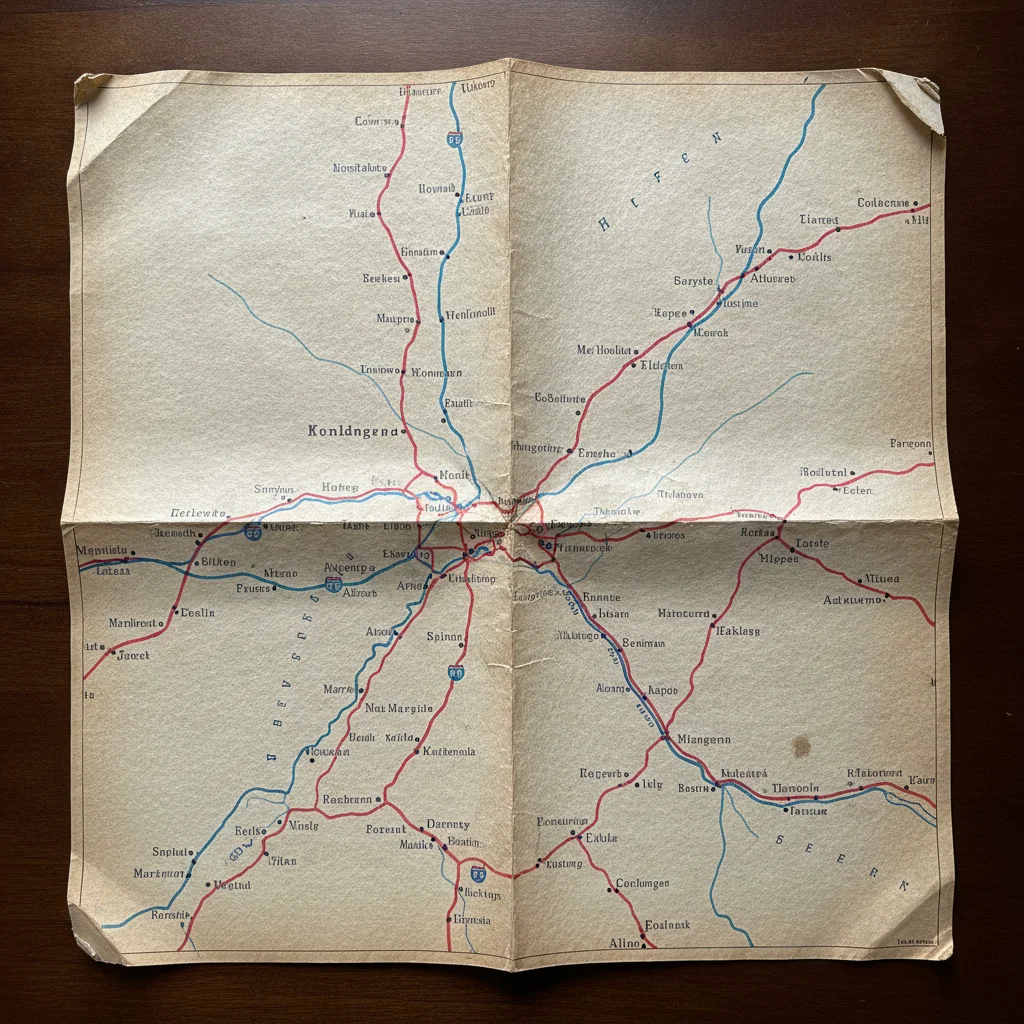
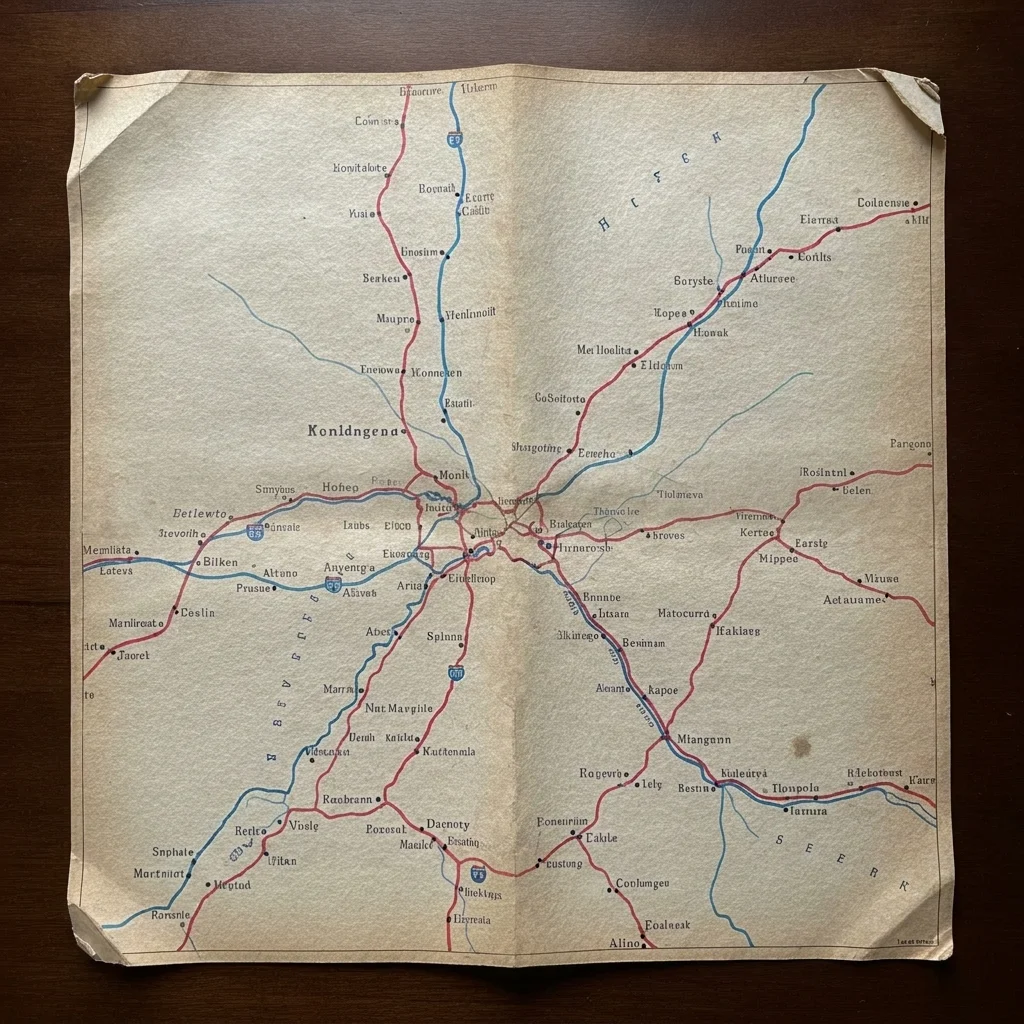
Old road map scan with a grid of white fold creases across it Same map with creases softened and roads and town names intact

Upload photo to restore old map

"repair the torn corner and ragged edge of this map, fill the missing paper with matching aged paper colour, keep the printed lines and labels as they are"

Free to try · no sign-up · never used for AI training

Release to upload

<30stypical edit
1 freeedit weekly
Photo on your phone? Scan to open this editor there — free edit works on your phone too.

1 free edit every week·paid packs after

How it works

  1. Upload your photo

    Use a flat, evenly lit photo or a scan of the whole map, shot from directly above. Shadows from curled edges and glare on the paper make the repair harder. Lay the map flat under a window or scan it if you can.

    Expect: Simple fixes usually finish in under a minute. Heavier damage or busy detail can take a little longer and may need a second pass.
  2. Describe what you want

    Type what is wrong and what must stay. For example: 'remove the fold lines and the torn corner, restore the faded ink, keep all place names and borders exactly as they are.' Name the damage you can see: creases, tears, brown stains, faded lines. No marking needed.

    Tip: Say what to keep. 'Keep all place names, borders and contour lines unchanged' tells the AI to repair paper damage, not redraw the cartography.

    Copy one of these to get started:

    Fold lines across a paper map remove the fold lines and creases from this old map, keep the paper texture, all place names, borders and contour lines unchanged
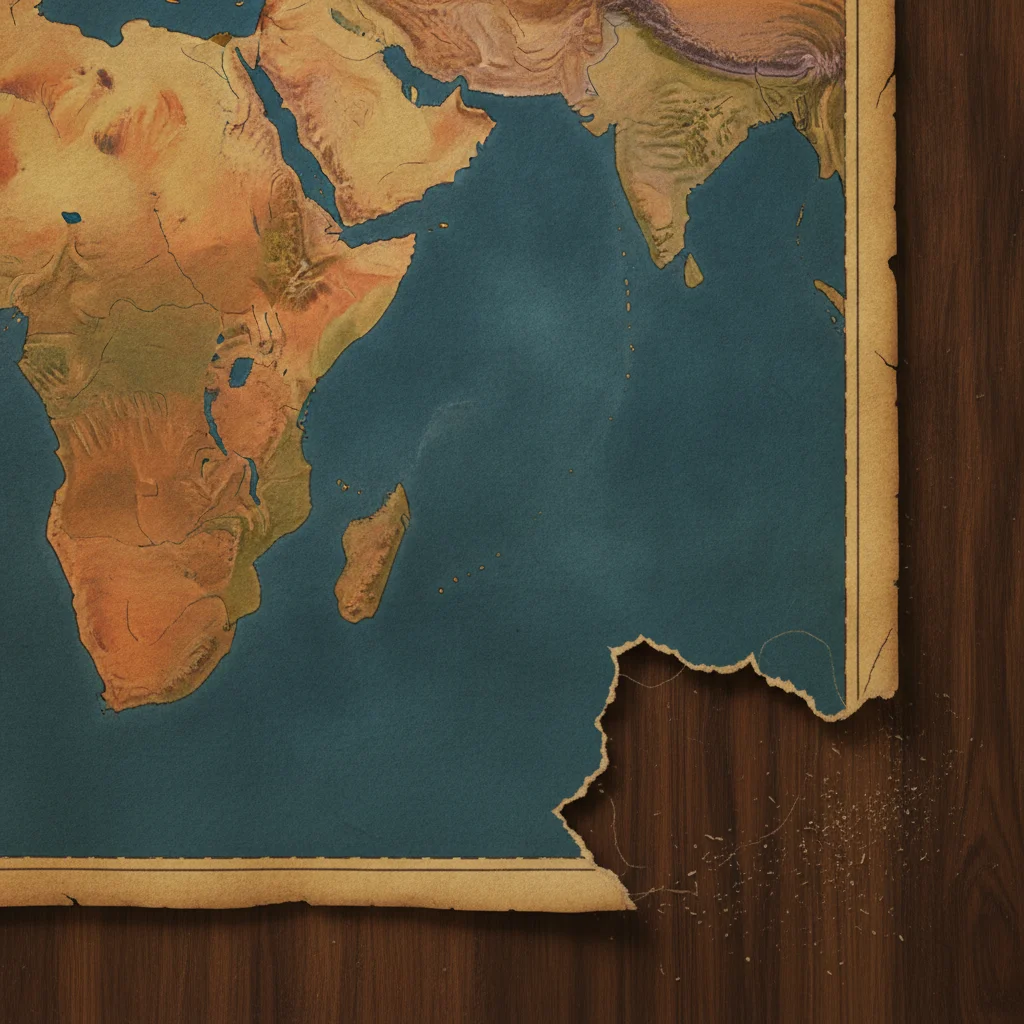
    Torn corner or edge repair the torn corner and ragged edge of this map, fill the missing paper with matching aged paper colour, keep the printed lines and labels as they are
    Faded ink restore the faded ink on this old map so the coastlines, roads and lettering look darker and clearer, do not add or change any place names
    Brown stains and foxing remove the brown stains and foxing spots from this old map, keep the aged cream paper tone and all printed detail
    3 more prompts
    Full clean-up before framing clean up this antique map for framing: soften the fold lines, remove stains, brighten the faded ink slightly, keep the aged look and all lettering readable
    Phone photo with uneven lighting even out the lighting on this photo of an old map, remove the shadow across the left side and the glare near the top, keep all text and lines unchanged
    Hand-coloured map remove the fold lines from this hand-coloured map and keep the watercolour washes and colours as they are, do not recolour any region
  3. Review the result

    Zoom in on text, borders and thin lines near the old creases. These are the spots where the AI is most likely to smooth too much or blur a small label. Compare place names against your original.

  4. Refine with markers if needed

    If a fold line is still visible or a label got smudged, tap a marker on that spot and regenerate with the same prompt. Markers keep the fix to that area and leave the rest of the map alone.

    Tip: Markers are for precision refinement, not a required step. Most edits work from the description alone.

See it in action

Old road map scan with a grid of white fold creases across it
Before
->
Same map with creases softened and roads and town names intact
After

Folded road map with crossing creases

A folded road map scan with a grid of crease lines running through the roads. The fix targets the creases and keeps the road lines and town names.

Prompt: remove the fold lines and creases from this old map, keep the paper texture, all place names, borders and contour lines unchanged
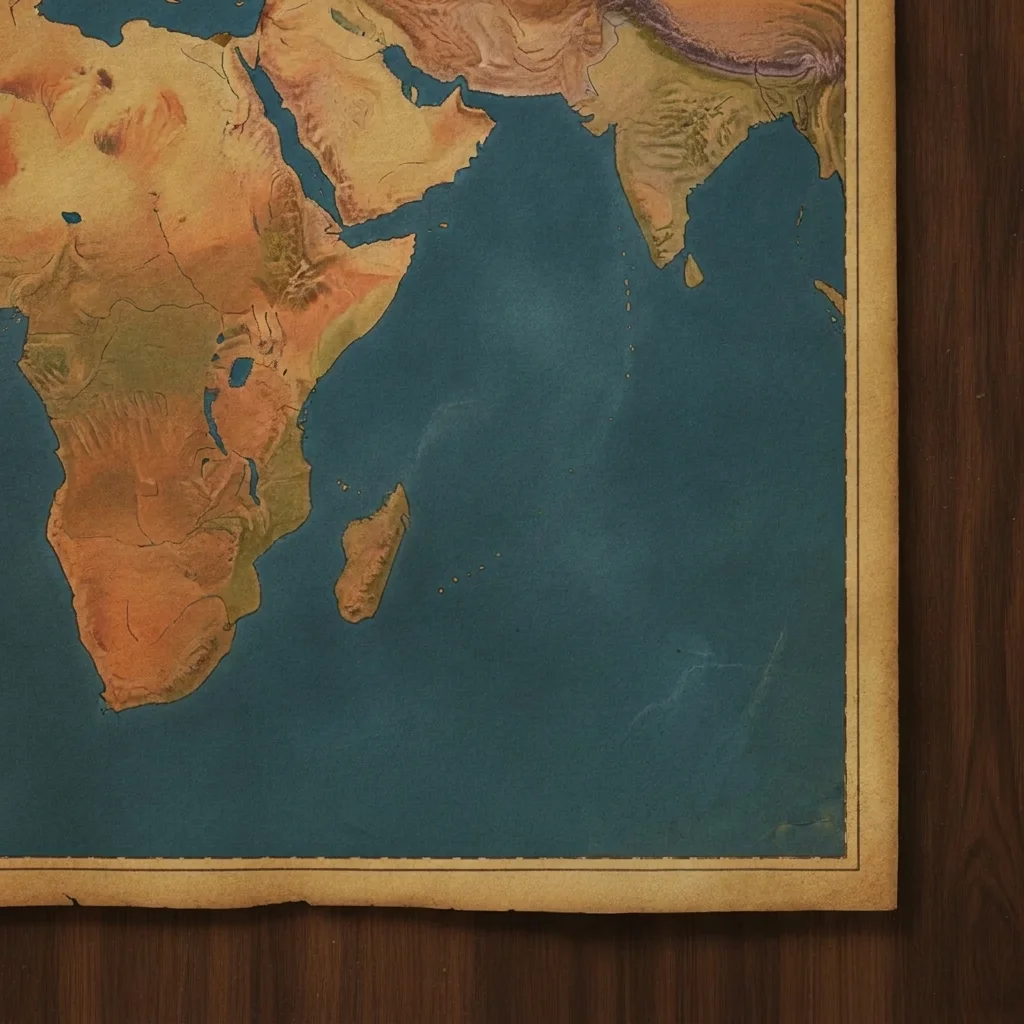
Atlas page with the bottom right corner torn off
Before
->
Atlas page with the corner filled in with matching paper
After

Torn corner on an atlas page

An atlas page with the bottom-right corner torn away. The AI fills the missing corner with matching paper and a plain continuation.

Prompt: repair the torn corner and ragged edge of this map, fill the missing paper with matching aged paper colour, keep the printed lines and labels as they are

Quick answers

Do I need to mark the folds and tears before describing what I want?

No. Describe the damage in words, like 'remove the fold lines and the torn corner,' and the AI finds it. Use markers only if it misses a spot or changes a part you wanted left alone.

Can I restore an old map for free without signing up?

Yes. Upload a photo or scan of the map, describe what to fix and download the preview. The free edit is a preview, with no signup and no watermark.

Will the place names stay readable?

Usually, if the scan is clear and you tell the AI to keep all lettering unchanged. Small text near heavy creases is the weak spot, so zoom in and compare with the original. Use a marker to redo any label that looks off.

Can it fill in parts of the map that are completely missing?

It can fill missing paper with plain matching colour. It cannot know what was printed there, so any invented detail is a guess. Keep your original scan for anything that matters historically.

What kind of photo works best for a map?

A flat, evenly lit shot taken straight above, or a flatbed scan. Curled edges, shadows and glare all make folds harder to separate from the paper.

Is this suitable for archival or museum work?

No. It is a quick preview and visual clean-up tool. For archival conservation, keep the untouched scan and use a professional conservator.

How much does EditThisPic cost?

You get 1 free Standard edit per week — no account needed. After that, one-time credit packs start at $4.99 for 10 credits, valid 12 months, no subscription. A Standard edit uses 1 credit, Pro 2 and Ultra 3. Purchased downloads are clean with no watermark.

Ready to restore your old map?

Free to try. No signup required.

1 free edit included·paid credit packs after