Pricing Visualize Rock garden · Free

AI Rock Garden Visualizer

← Browse all creative effects

Last updated

Upload a yard photo, describe the rock and gravel layout, and preview it replacing lawn. Free, no account.
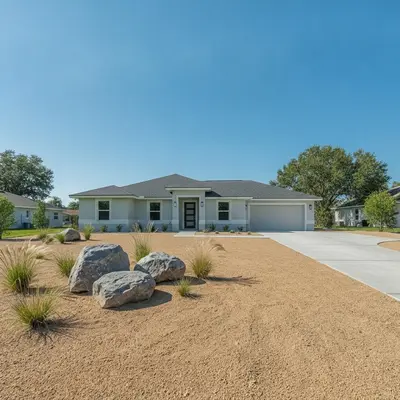
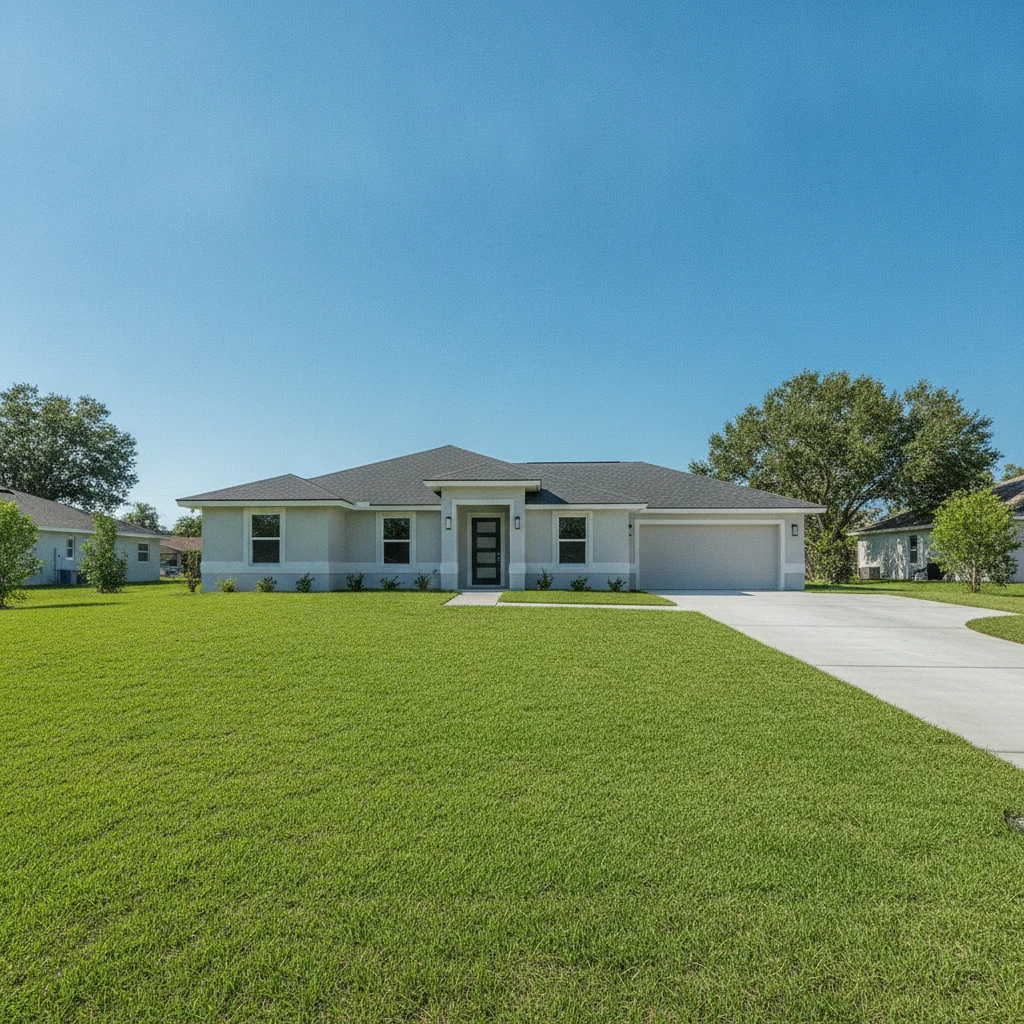
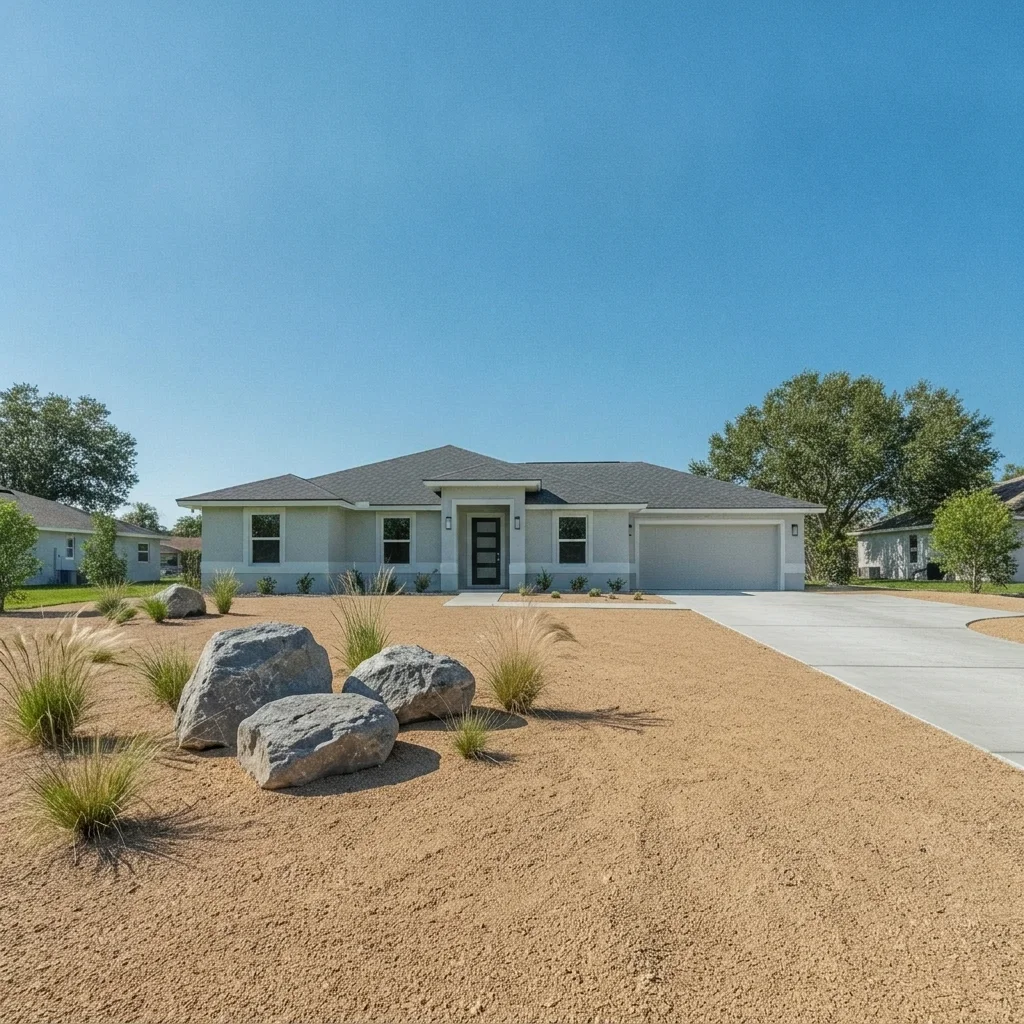
Front yard with a flat green lawn and a gray house Same yard with tan gravel, three boulders and grasses replacing the lawn

Upload photo to visualize rock garden

"replace the lawn with raked light gray gravel with curved lines, add two mossy stone boulders and one small Japanese maple, keep the house unchanged"

Free to try · no sign-up · never used for AI training

Release to upload

<30stypical edit
1 freeedit weekly
Photo on your phone? Scan to open this editor there — free edit works on your phone too.

1 free edit every week·paid packs after

How it works

  1. Upload a photo of the area you would replace

    Take a daytime photo that shows the whole patch of lawn or bed you are thinking of replacing, plus the house or fence behind it. A little height, such as from the front step, shows the ground area better than a photo taken standing at street level.

    Expect: Most single-surface previews come back in well under a minute. Busy photos with lots of overlapping objects may need a second pass.
  2. Describe the stone, layout and plants

    Type the rock types and the layout, for example: 'replace the lawn with tan decomposed granite gravel, add three large gray boulders in a loose group, a few ornamental grasses, keep the house and driveway unchanged.' Gravel, river rock, flagstone, boulders and lava rock are all understood. No marking needed.

    Tip: Name the stone size and color, and say how many boulders you want. 'A few boulders' is vague, 'three large gray boulders' is not.

    Copy one of these to get started:

    Replace the lawn with gravel and boulders replace the front lawn with tan decomposed granite gravel, add three large gray boulders in a loose group and a few ornamental grasses, keep the house, driveway, and walkway unchanged
    Zen-style dry garden replace the lawn with raked light gray gravel with curved lines, add two mossy stone boulders and one small Japanese maple, keep the house unchanged
    River rock dry creek bed add a dry creek bed of smooth river rock curving across the yard with larger boulders along the edges, keep the lawn on both sides and the house unchanged
    Desert xeriscape front yard replace the lawn with light tan gravel, add a few barrel cacti and agave plants and two large boulders, keep the house and driveway unchanged
    3 more prompts
    Flagstone stepping path through gravel replace the lawn with pale gray gravel and add a winding flagstone stepping-stone path from the sidewalk to the front door, keep the house unchanged
    Lava rock accent bed replace the grass in the corner bed with red-black lava rock and add a few low succulents, keep the rest of the lawn unchanged
    Mixed stone backyard corner replace the bare patch in the back corner with white marble chip gravel and three medium boulders, keep the fence and lawn unchanged
  3. Check edges, boulder placement and the transition to the driveway

    Look at where the gravel meets the driveway, the house, and the sidewalk. Boulders should sit in the ground with shadows, not float. Check that the gravel stays where the lawn was and does not creep across the driveway or path.

  4. Refine with markers if needed

    If the AI covered the driveway, a walkway, or the neighbor's lawn too, tap a marker in the middle of the lawn patch you want replaced and regenerate with the same prompt. Markers pin the area so the rest stays untouched.

    Tip: Markers are for precision refinement, not a required step.

See it in action

Front yard with a flat green lawn and a gray house
Before
->
Same yard with tan gravel, three boulders and grasses replacing the lawn
After

Front lawn to decomposed granite and boulders

Plain green front lawn beside a gray house. The homeowner wanted to see a water-saving gravel version before getting quotes.

Prompt: replace the front lawn with tan decomposed granite gravel, add three large gray boulders in a loose group and a few ornamental grasses, keep the house, driveway, and walkway unchanged
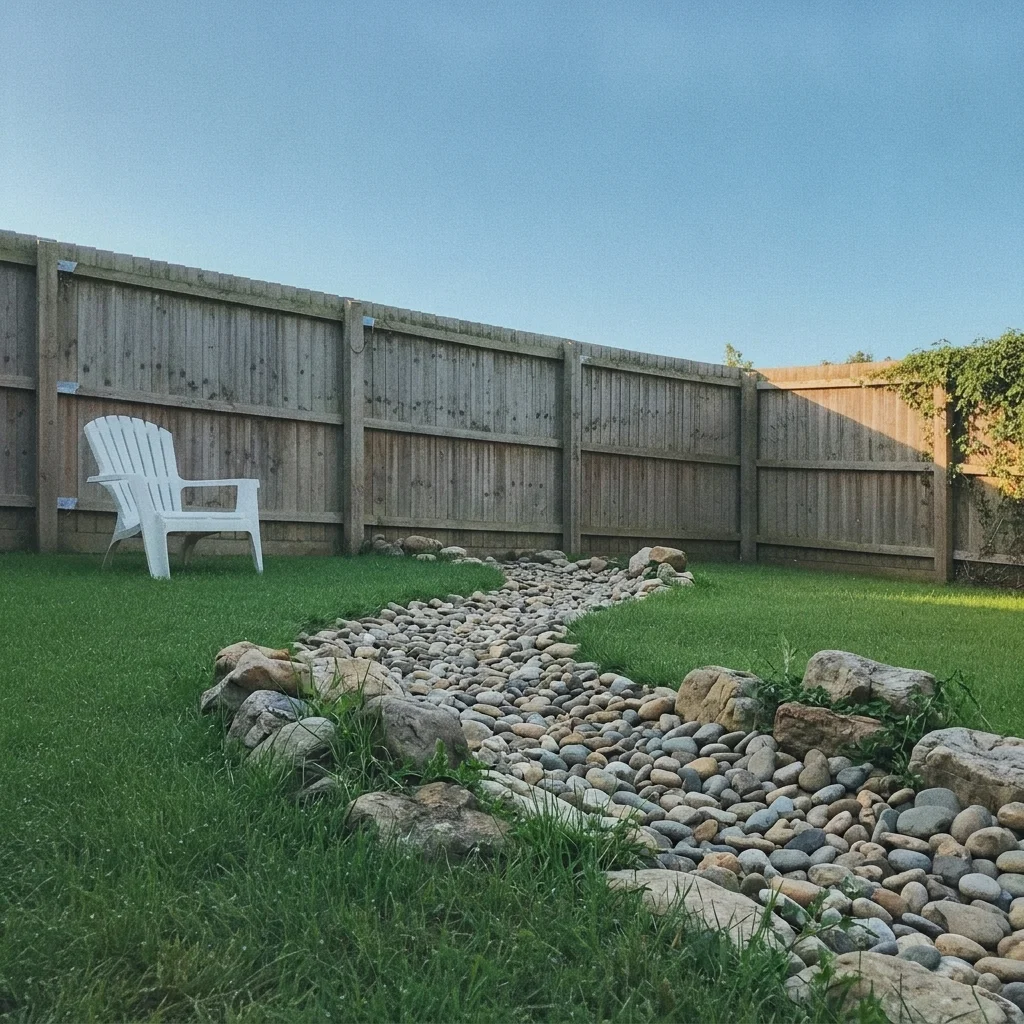
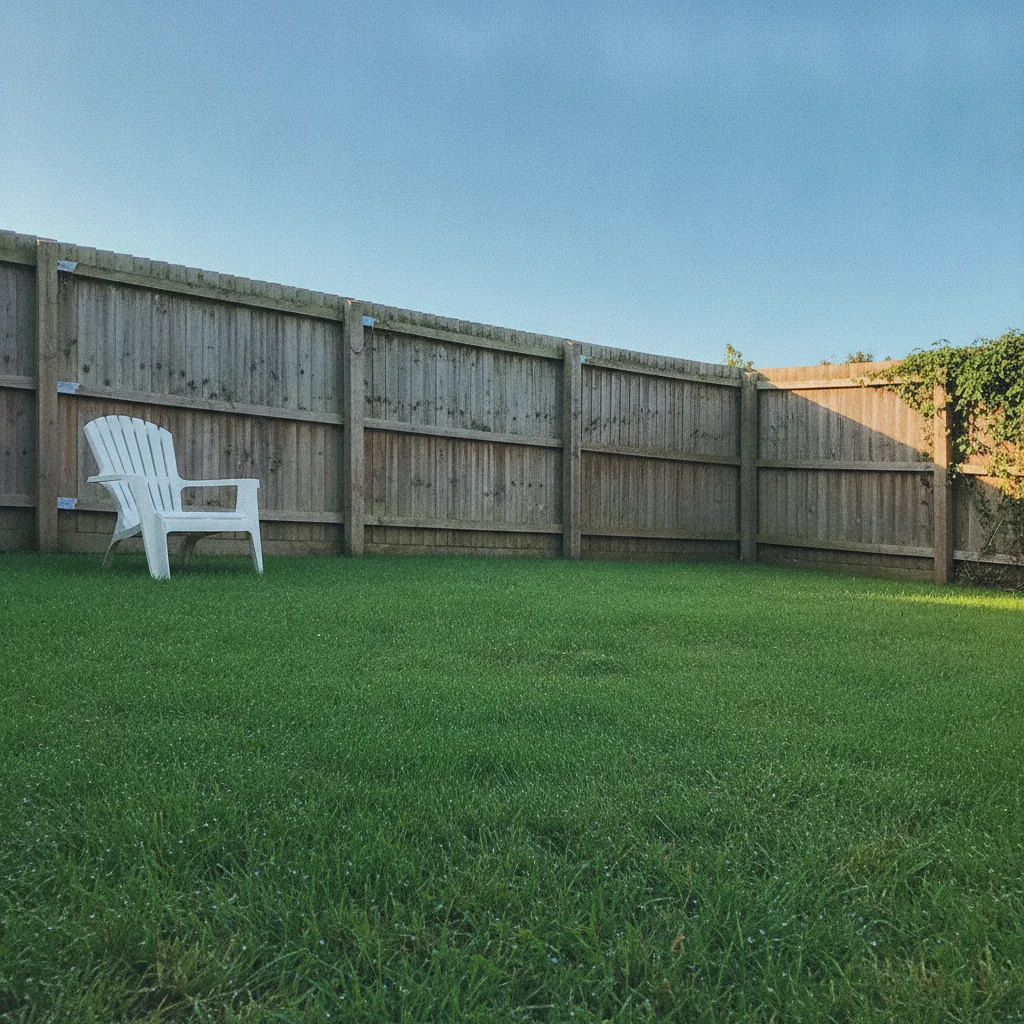
Back yard with a green lawn slope and a wooden fence
Before
->
Same yard with a river rock dry creek curving across the lawn
After

Dry creek bed across a sloped yard

A back yard with a bare green slope. A landscaper previewed a river rock dry creek for drainage and interest.

Prompt: add a dry creek bed of smooth river rock curving across the yard with larger boulders along the edges, keep the lawn on both sides and the house unchanged
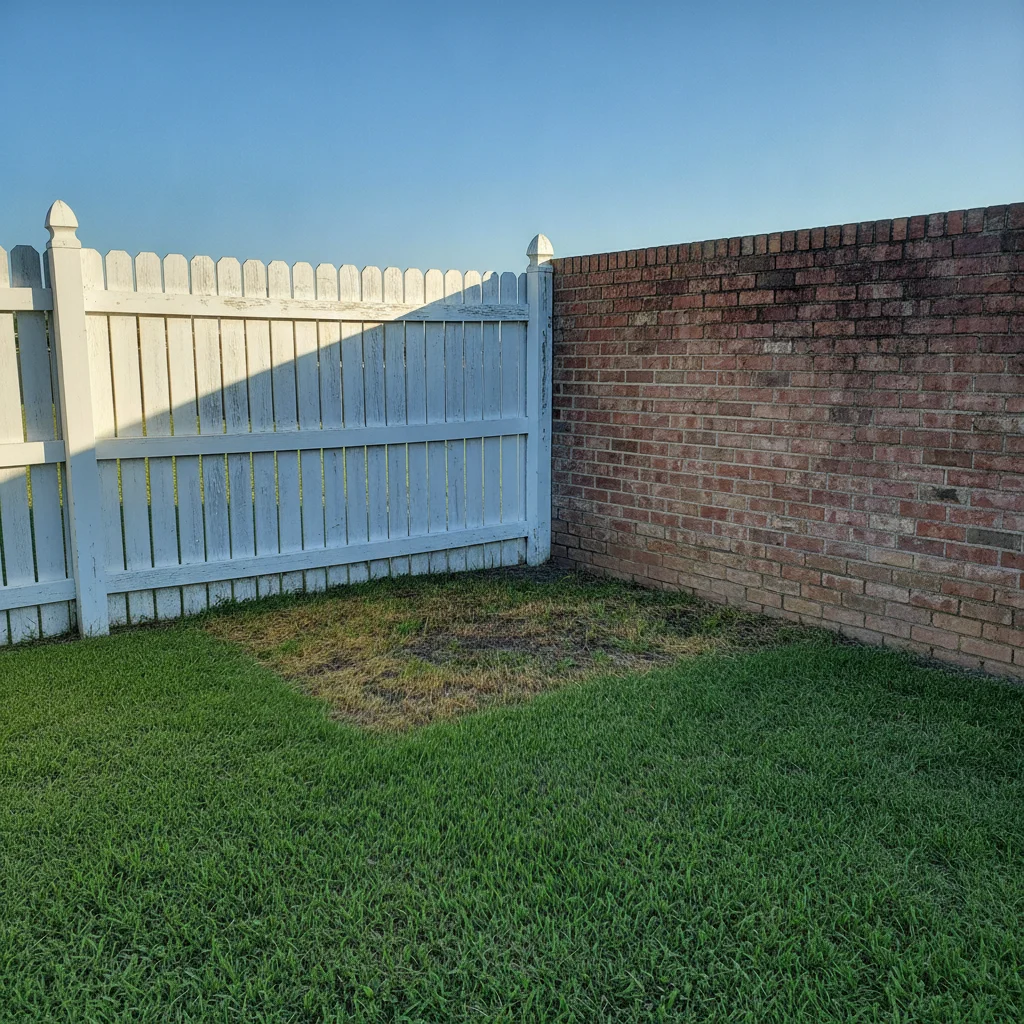
Yard corner with patchy grass at a fence and brick wall
Before
->
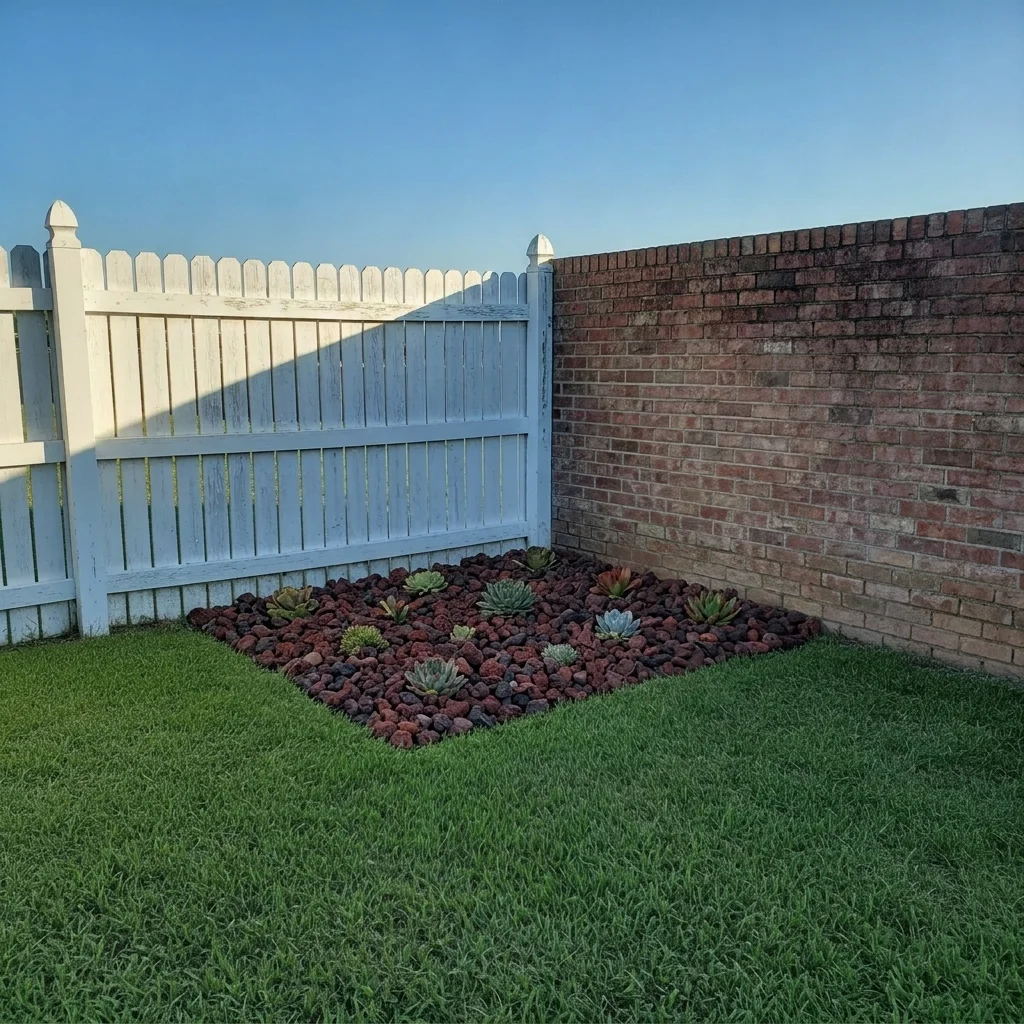
Same corner filled with red-black lava rock and low succulents
After

Corner bed in lava rock

A tired lawn corner by the fence. Homeowner previewed red lava rock with succulents for color.

Prompt: replace the grass in the corner bed with red-black lava rock and add a few low succulents, keep the rest of the lawn unchanged

Quick answers

Do I need to mark the lawn before replacing it with rock?

No. Describe the layout, such as 'replace the lawn with tan gravel and add three boulders'. The AI finds the lawn. Use markers only if it covers the wrong area, such as a driveway.

Is there a free rock garden visualizer with no signup?

Yes. EditThisPic gives you a free preview edit with no account and no watermark. Upload a photo of your yard and describe the rock garden.

Can I see what gravel instead of grass would look like?

Yes. Describe the gravel color and size and the AI shows it replacing the lawn. Try several stone colors on one photo and compare.

Will the preview tell me how much stone I need or if the design will drain?

No. It is a visual mock-up only. It does not measure the area or check drainage, edging, or weed barrier. A landscaper can give quantities and construction details.

Can I keep part of the lawn and add only a rock feature?

Yes. Say which part to keep, such as 'keep the lawn and add a dry creek bed' or 'only the corner bed'. Naming the exact area keeps the edit small.

How much does EditThisPic cost?

You get 1 free Standard edit per week — no account needed. After that, one-time credit packs start at $4.99 for 10 credits, valid 12 months, no subscription. A Standard edit uses 1 credit, Pro 2 and Ultra 3. Purchased downloads are clean with no watermark.

Ready to preview your rock garden?

Free to try. No signup required.

1 free edit included·paid credit packs after