Pricing Change TV screen · Free

AI TV Screen Replacer

← Browse all replace tools

Last updated

Upload the room, describe what the screen should show, and it is filled in. Free.
Living room with a black TV screen Same room with a mountain landscape on the TV

Upload photo to replace TV screen

"remove the window reflection from the TV screen and make it a clean dark display, keep the frame and the room unchanged"

Free to try · no sign-up · never used for AI training

Release to upload

<30stypical edit
1 freeedit weekly
Photo on your phone? Scan to open this editor there — free edit works on your phone too.

1 free edit every week·paid packs after

How it works

  1. Upload the room or product photo

    Use a photo where the TV or monitor is fully in frame with all four edges visible. Straight-on shots are easiest, but angled screens usually work. JPG, PNG or WebP.

    Expect: About 30 seconds. Strong glare or steep angles may need a retry.
  2. Describe what the screen should show

    Say what to show: 'replace the black TV screen with a bright mountain landscape at sunset, keep the TV frame and room unchanged.' You can also ask for a plain dark-blue home screen or a nature scene. No marking is needed.

    Tip: Choose a simple scene. Complicated pictures or text on a screen are harder to render cleanly.

    Copy one of these to get started:

    Landscape on a living room TV replace the black TV screen with a bright mountain landscape at sunset, keep the TV frame, wall and furniture unchanged
    Remove reflections from the screen remove the window reflection from the TV screen and make it a clean dark display, keep the frame and the room unchanged
    Wall-mounted TV with a nature scene replace the screen of the wall-mounted TV with a lush green forest scene, keep the wall and shelves unchanged
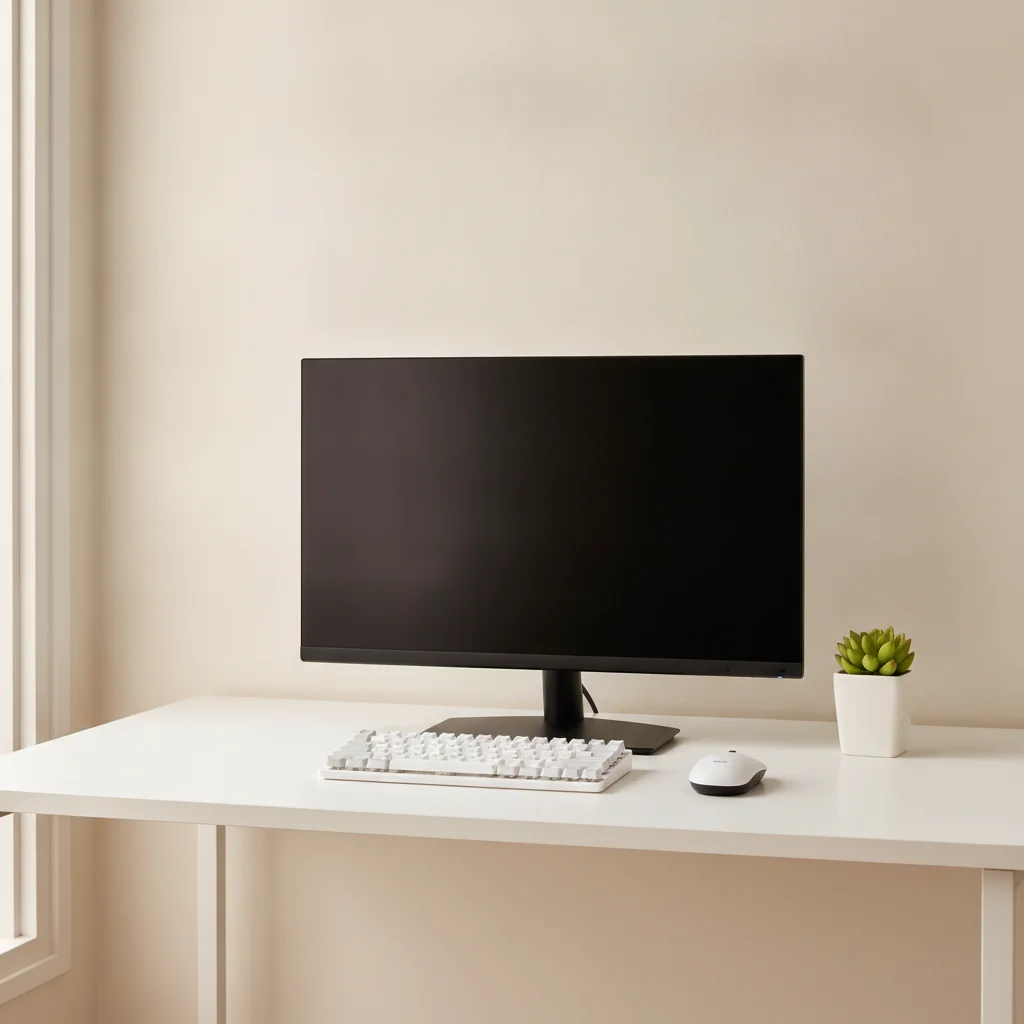
    Computer monitor with a desktop replace the black screen of the desktop monitor with a clean blue abstract wallpaper, keep the desk, keyboard and room unchanged
    3 more prompts
    Gaming setup replace the blank monitor screen with a colourful sci-fi city scene, keep the gaming desk and lighting unchanged
    Product photo of a TV replace the black screen of this television with a bright ocean scene, keep the TV frame and stand exactly as they are
    Add an image of your choice replace the screen with a sunny beach scene with blue sea and white sand, keep the TV and the room exactly the same
  3. Review the screen

    Zoom in on the corners and edges. Check the screen fills the panel evenly, the perspective matches the TV angle, and the bezel and stand are untouched.

  4. Refine with markers if needed

    If the AI changed the wrong thing, like a window or a second screen, tap a marker on the TV you meant and regenerate. Markers are optional.

    Tip: Markers are for precision, not a required step.

See it in action

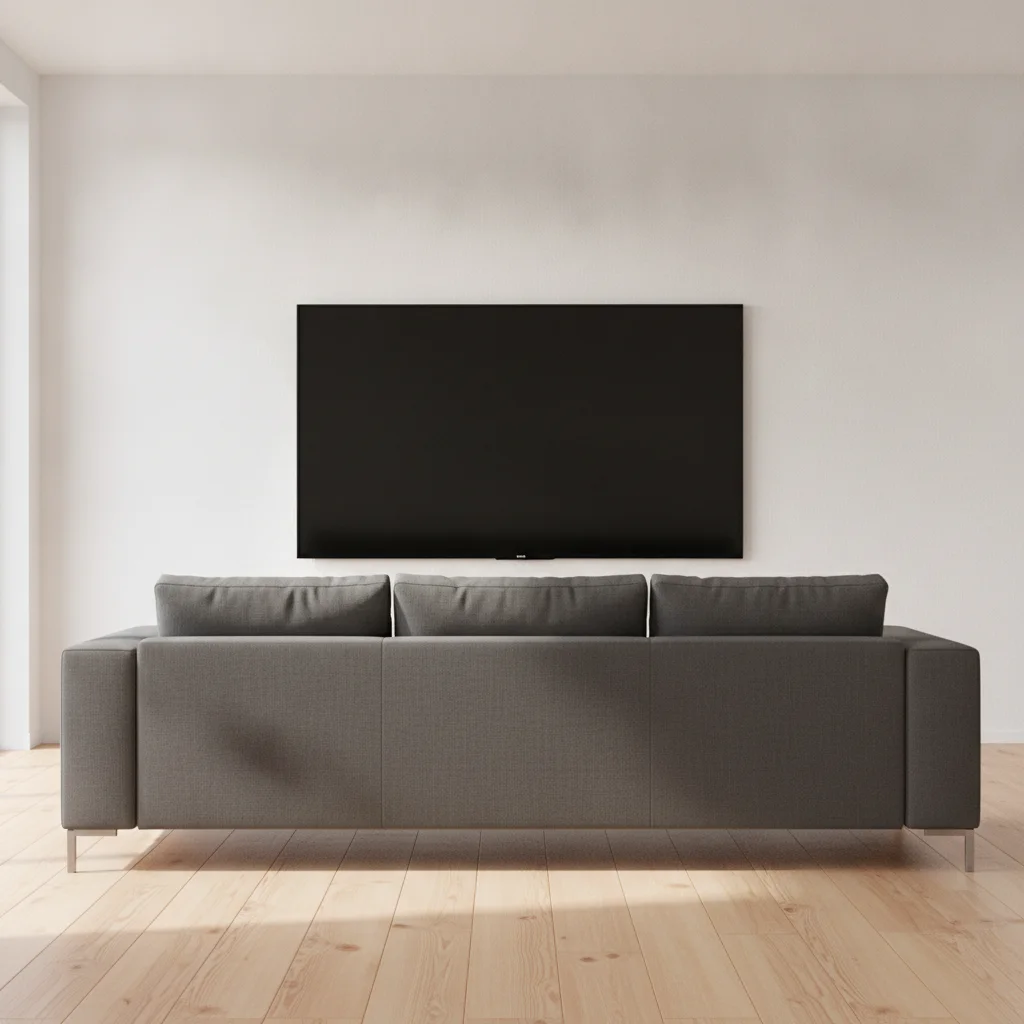
Living room with a black TV screen
Before
->
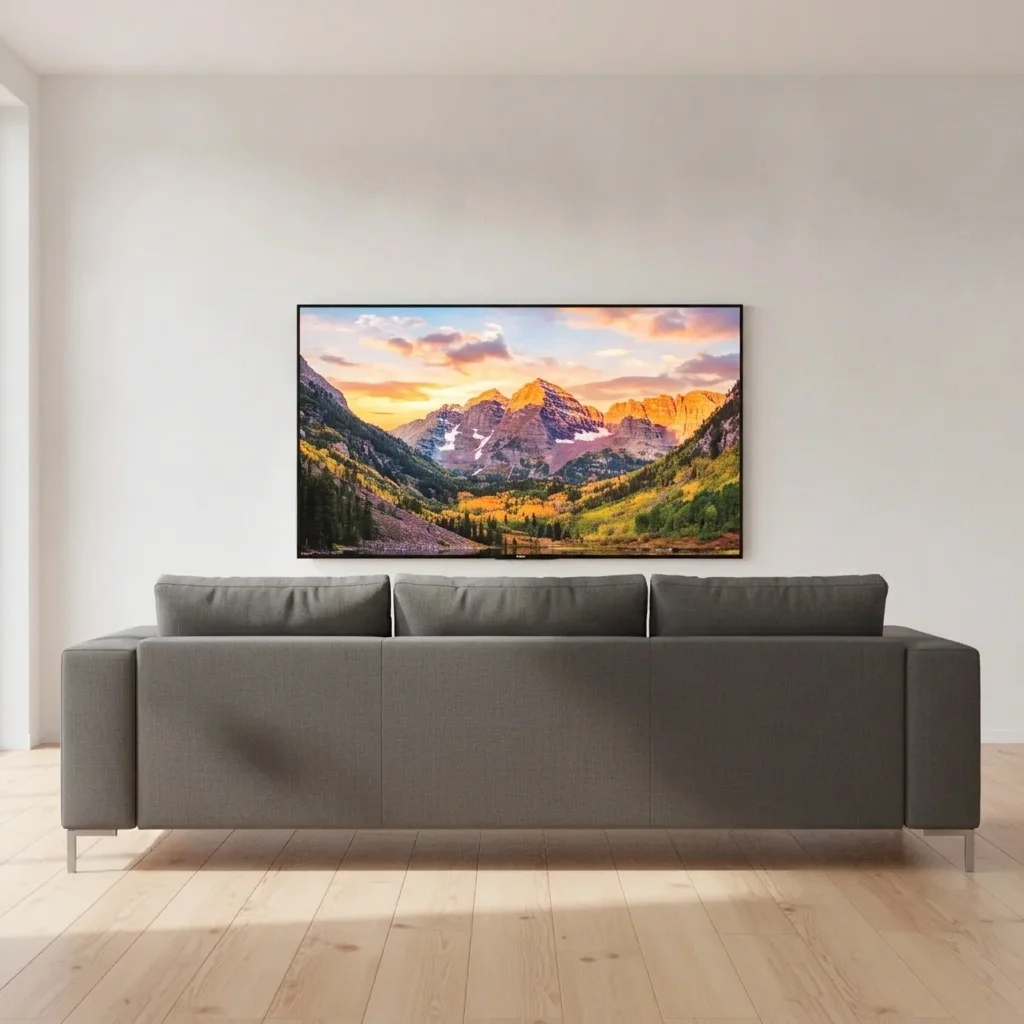
Same room with a mountain landscape on the TV
After

Living room, black TV to landscape

A living room photo with a black TV. The seller wanted the screen to look lively.

Prompt: replace the black TV screen with a bright mountain landscape at sunset, keep the TV frame, wall and furniture unchanged
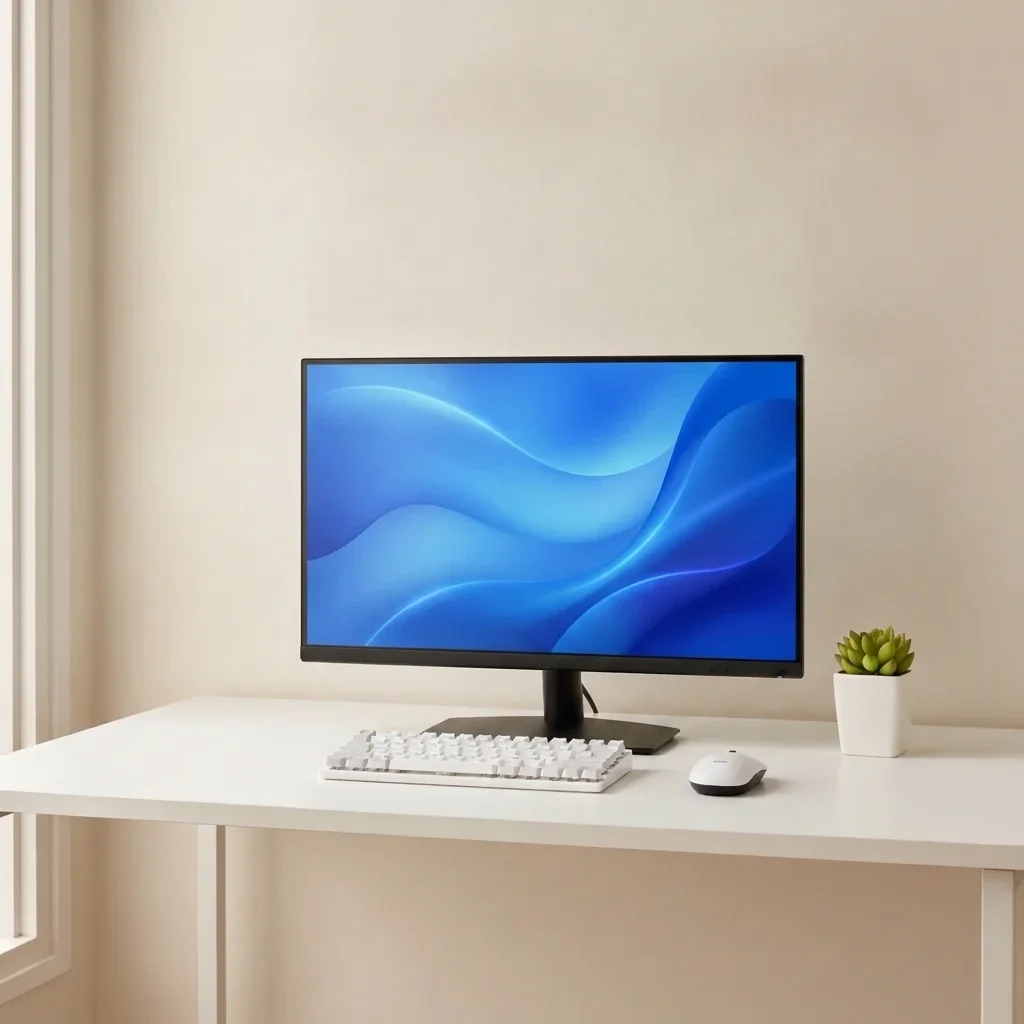
Desk with a switched-off monitor
Before
->
Same monitor showing a blue abstract wallpaper
After

Desk monitor with wallpaper

A desk monitor that was switched off.

Prompt: replace the black screen of the desktop monitor with a clean blue abstract wallpaper, keep the desk, keyboard and room unchanged

Quick answers

Do I need to mark the TV before replacing the screen?

No. Describe it, for example 'replace the black TV screen with a landscape.' Use markers only if the AI edits a different screen.

Is there a free TV screen replacer with no signup?

Yes. EditThisPic gives you a free preview edit, no account and no watermark. Upload a room photo and describe the image.

Can I use this for real estate listing photos?

Yes, a blank TV is a common thing to fix. Listing photos should not misrepresent the property, so only change the screen, not the room or condition.

Can I use my own image on the screen?

You describe the picture you want, and the AI renders something close to it. For exact images, a dedicated compositing tool is more reliable.

Does it work for product photos?

Yes. Product shots of TVs and monitors often show a black panel, and a bright scene can make them more appealing.

How much does EditThisPic cost?

You get 1 free Standard edit per week — no account needed. After that, one-time credit packs start at $4.99 for 10 credits, valid 12 months, no subscription. A Standard edit uses 1 credit, Pro 2 and Ultra 3. Purchased downloads are clean with no watermark.

Ready to replace your TV screen?

Free to try. No signup required.

1 free edit included·paid credit packs after