Pricing Restore Red eye in old photo · Free

Fix Red Eye in an Old Photo

← Browse all fix & repair tools

Last updated

Turn the glowing flash pupils in an 80s or 90s print back into normal eyes, without retouching the rest of the photo.
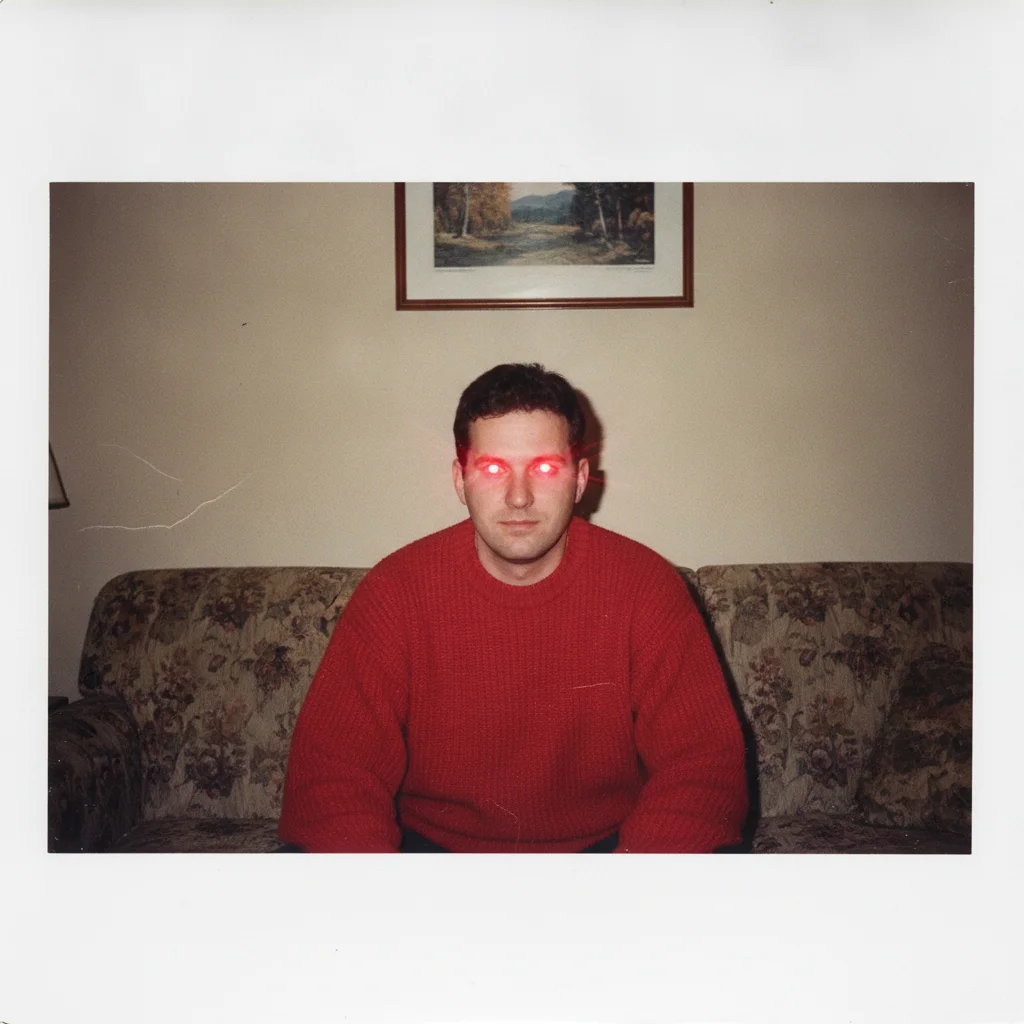
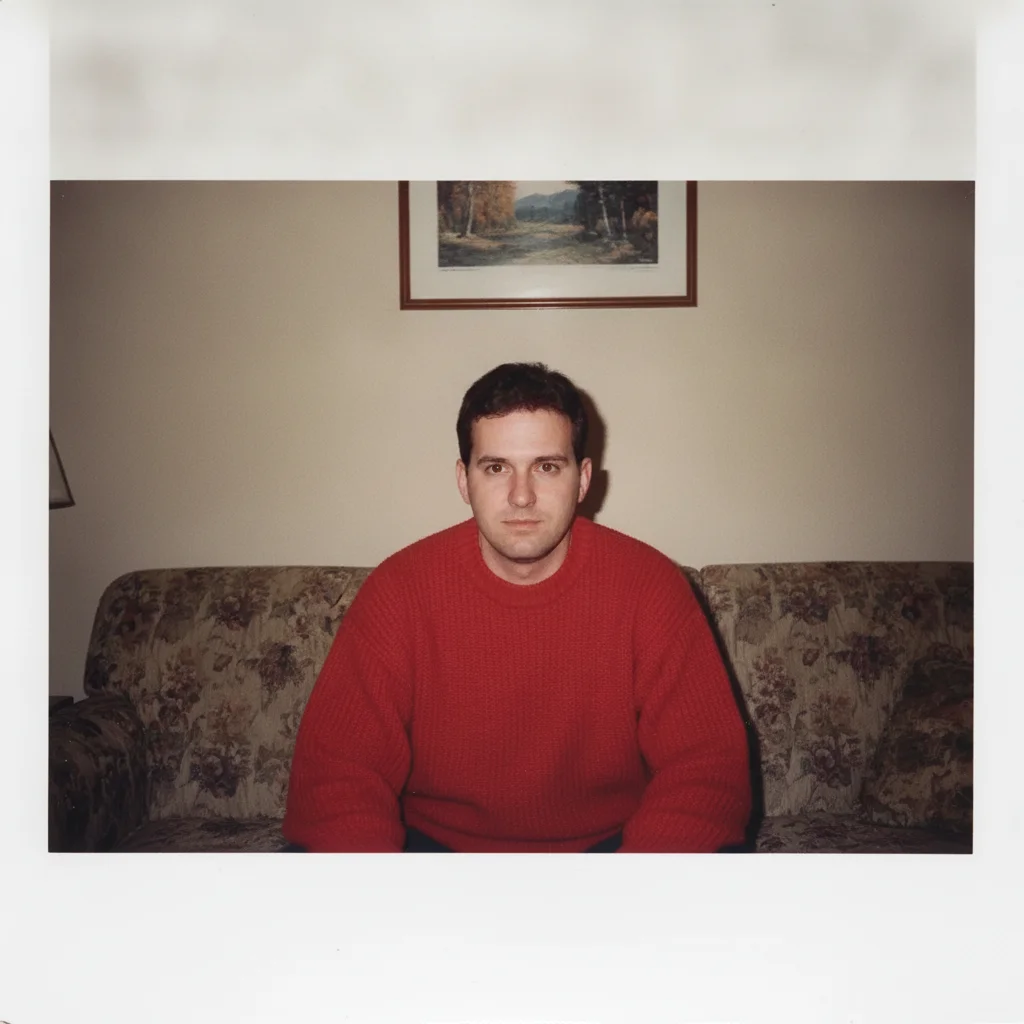
Scanned 1990s print of a man in a red sweater with bright red flash glow in both eyes The same print with natural dark pupils and brown irises, the faded sweater and border unchanged

Upload photo to restore red eye in old photo

"fix the flash red-eye on everyone in this old photo: restore natural dark pupils, keep each person's own eye colour, and change nothing else in the picture"

Free to try · no sign-up · photos are never shared

Release to upload

<30stypical edit
1 freeedit weekly
Photo on your phone? Scan to open this editor there — free edit works on your phone too.

1 free edit every week·paid packs after

How it works

  1. Upload the scan or a phone photo of the print

    Scan the photo or photograph it flat in even daylight — JPG, PNG, or WebP up to 7MB. Get the eyes as sharp as your scanner or camera allows: the fix works on what it can see, and a blurry 300-pixel face gives it very little to work with.

    Expect: Flash red-eye in a reasonably sharp print fixes cleanly in one pass — the red glow becomes a dark pupil with a natural catchlight. If the print is also faded or yellowed, leave that for a second pass; fixing the colour cast and the eyes together tends to shift skin tones.
  2. Describe the fix and name the eye colour

    Type what you want: 'fix the red-eye in this old photo — restore natural dark pupils and brown irises, and leave everything else exactly as it is.' Naming the real eye colour matters; without it the AI guesses, and a lifelong blue-eyed grandfather can come back brown. No colourizing, no smoothing — just the pupils.

    Tip: If more than one person has red-eye, name each: 'the woman on the left has green eyes, the man on the right has brown eyes.'

    Copy one of these to get started:

    Standard flash red-eye fix the red-eye in this old photo — restore natural dark pupils and brown irises, and leave everything else exactly as it is
    Group photo, several people fix the flash red-eye on everyone in this old photo: restore natural dark pupils, keep each person's own eye colour, and change nothing else in the picture
    Blue or green eyes fix the red-eye in this scanned photo and restore natural dark pupils with light blue irises — do not colourize or sharpen anything else
    Faded print, red-eye only fix only the red flash glow in the eyes of this faded old photo; keep the fading, the grain, and the colours of the print exactly as they are
    3 more prompts
    Pet eye glow fix the green and white flash glow in the dog's eyes in this old photo and restore natural dark eyes, leaving the rest unchanged
    Red-eye plus a dust speck on the eye fix the red-eye in this old photo and remove the white dust speck sitting on the left eye, restoring natural dark pupils and hazel irises
    Half-fixed by an old print lab fix the remaining red glow in the pupils of this old photo and make both eyes match: natural dark pupils, dark brown irises, no other changes
  3. Check the pupils and the catchlight

    Zoom in on each eye. A good result has a round dark pupil, the iris in the colour you named, and a single small white reflection from the flash. If the whites of the eyes, the eyelids, or the skin around them look different from the original, the edit drifted — run it again with 'change only the pupils'.

  4. Use a marker if one eye was missed

    Red-eye is usually caught in both eyes at once, but a face half-turned from the camera can leave one pupil untouched. Tap a marker on that eye and say 'fix the red-eye here too, match the other eye.' Markers are optional and only for a spot the description did not reach.

See it in action

Scanned 1990s print of a man in a red sweater with bright red flash glow in both eyes
Before
->
The same print with natural dark pupils and brown irises, the faded sweater and border unchanged
After

Fix Red Eye in an Old Photo — 1990s Living Room

A scanned 1990s colour print with strong flash red-eye in both pupils, corrected to natural brown eyes.

Prompt: fix the red-eye in this old photo — restore natural dark pupils and brown irises, and leave everything else exactly as it is
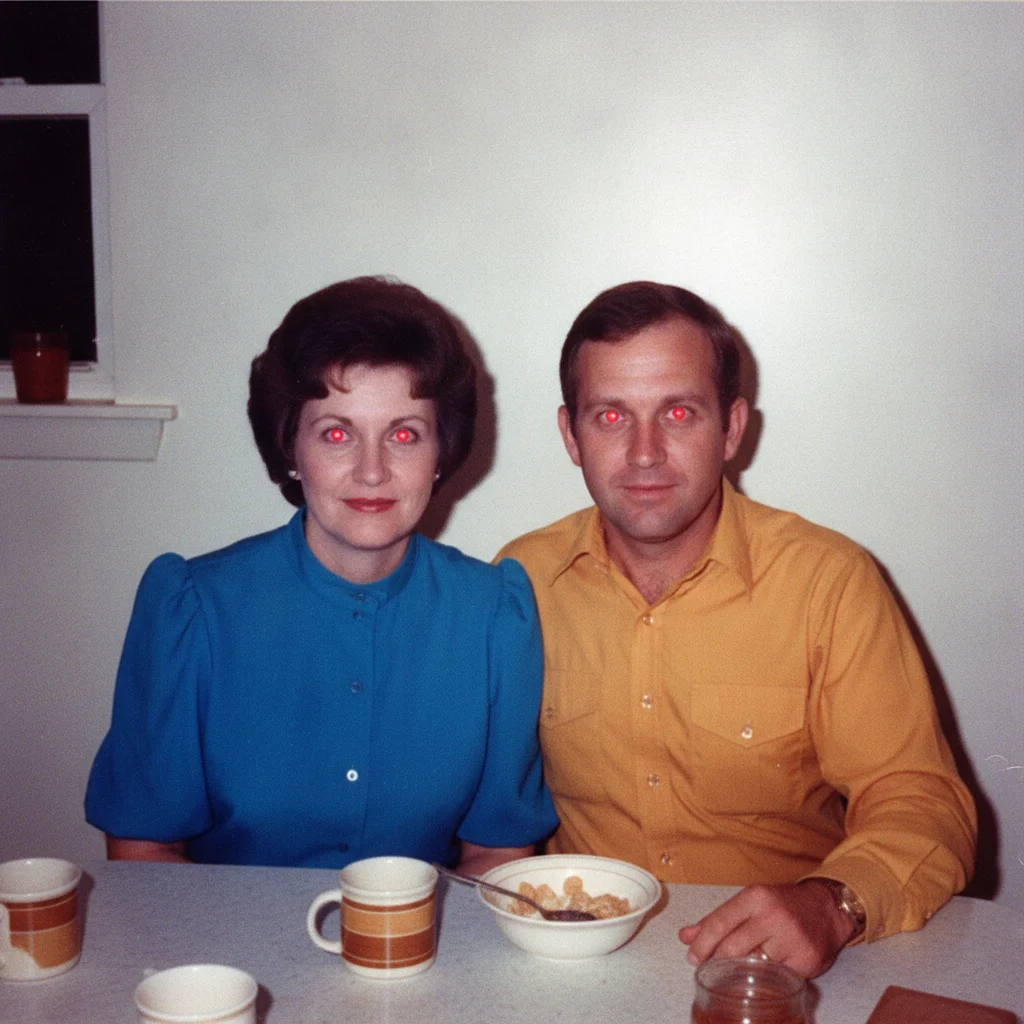
1980s party snapshot of two adults with vivid red flash glow in all four pupils
Before
->
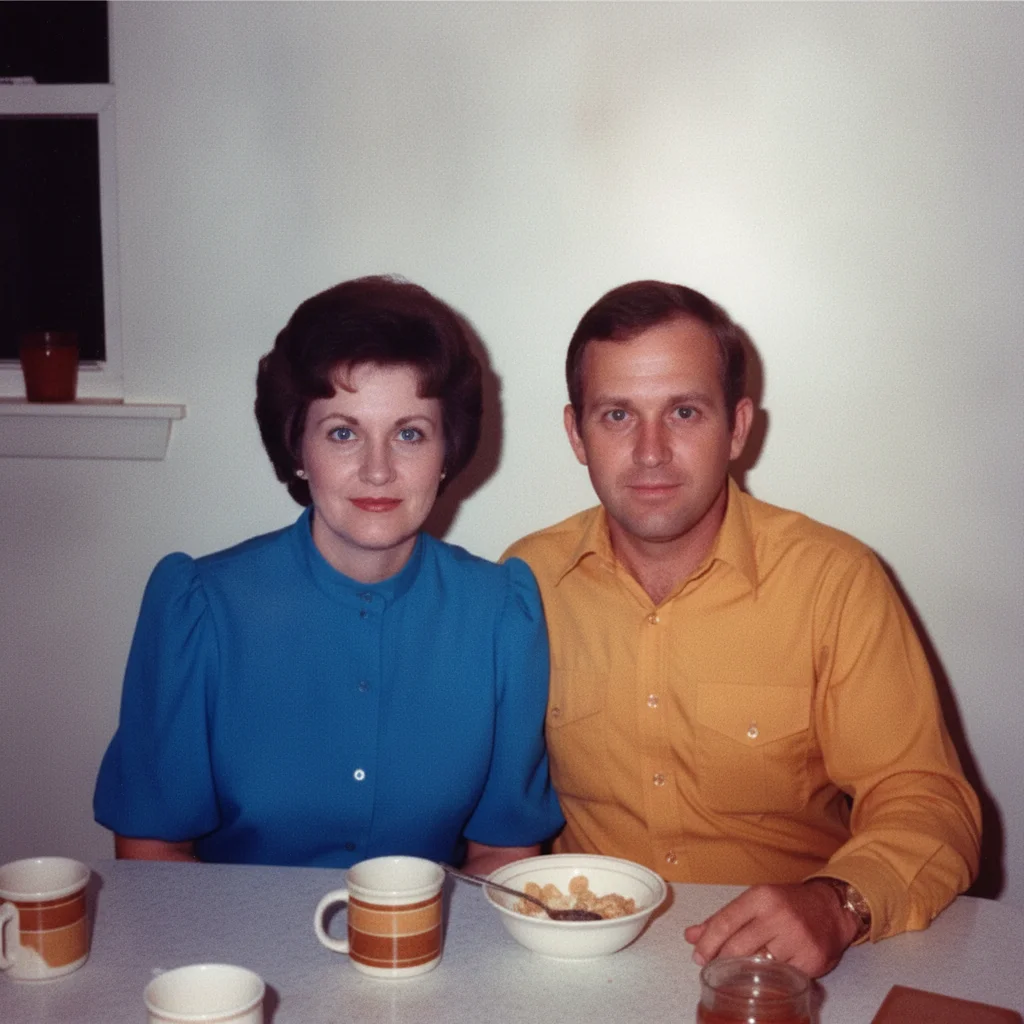
The same snapshot with natural pupils, blue and brown irises restored, and the warm print colours left as they were
After

Fix Red Eye in an Old Photo — 1980s Birthday Table

A 1980s party snapshot with red-eye on two people, each restored to their own eye colour.

Prompt: fix the flash red-eye on both people in this old photo: restore natural dark pupils, give the woman blue irises and the man brown irises, and change nothing else in the picture

Quick answers

How do I fix red eye in an old photo?

Upload a scan of the print and describe the fix: 'fix the red-eye in this old photo — restore natural dark pupils and brown irises, change nothing else.' The AI replaces the flash glow with a dark pupil and a natural catchlight in the iris colour you name. The rest of the print — the fading, the grain, the faces — stays exactly as photographed.

Do I need to mark the eyes first?

No. Describe the fix in plain language and the AI finds the red pupils itself, including on several people at once. Tap markers are optional and only useful when one eye in a group was missed and you want to point straight at it.

Is fixing red eye in an old photo free?

Yes. EditThisPic gives you one Fast edit per week, no signup or credit card required. Credit packs and a subscription are there if you have a whole album of flash snapshots to work through.

Why do old photos have red eye at all?

Compact cameras from the 80s and 90s put the flash right next to the lens. In a dim room the pupils were wide open, so the flash lit the blood-rich retina and bounced straight back into the lens as a red glow. It was already in the negative, which is why the print lab could not fix it.

Will this change the person's face or colourize the print?

No. The fix is confined to the pupils and irises. Skin, hair, clothing, the scene, and the age of the print stay as photographed — a faded print stays faded. Colourizing a black and white photo or removing fading are separate edits you would ask for in their own pass.

What if I do not know their eye colour?

Name the most likely colour and check the result against any other photo of the person you have. If you truly do not know, ask for 'natural dark pupils with dark irises' — a neutral result reads as correct far more often than a bright guessed colour.

What photo formats can I upload?

JPG, PNG, and WebP up to 7MB. The corrected photo downloads in the same format you uploaded.

How much does EditThisPic cost?

You get 1 free edit per week — no account needed. After that, one-time credit packs start at $4.99 for 10 edits, valid 12 months, no subscription. Power users who edit daily can pick Studio Membership, a monthly workspace at $49.99/mo for 300 edits. Purchased downloads are clean with no watermark.

Ready to fix the red eye in your old photo?

Free to try. No signup required.

1 free edit included·paid credit packs after