Pricing Restore Blurry old photo · Free

Restore a Blurry Old Photo

← Browse all restore tools

Last updated

Bring back the detail in a soft or slightly shaky old print — and know up front which blur can be recovered and which cannot.
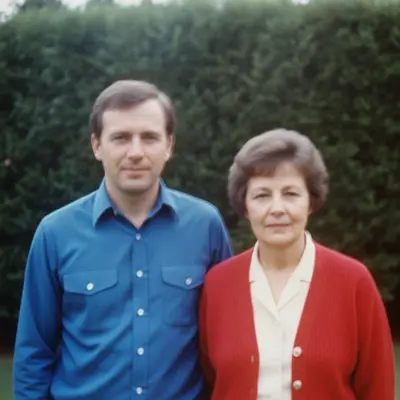
1980s garden print with faint doubled motion blur across both faces Same print with the motion blur removed and both faces crisp

Upload photo to restore blurry old photo

"reduce the slight motion blur in this old photo and restore the natural sharpness of the faces and clothing, without inventing any detail that is not already in the picture"

Free to try · no sign-up · photos are never shared

Release to upload

<30stypical edit
1 freeedit weekly
Photo on your phone? Scan to open this editor there — free edit works on your phone too.

1 free edit every week·paid packs after

How it works

  1. Upload the best scan you can make

    Scan the print at the highest resolution your scanner offers, or photograph it flat in even daylight — JPG, PNG, or WebP up to 7MB. A soft print photographed with a shaky phone adds a second blur on top of the first, and the AI cannot separate the two.

    Expect: Be honest with yourself about which blur you have. Soft focus or slight motion blur, where you can still make out eyes, a nose, and the shape of a mouth, recovers well — the detail is there, just spread out, and the AI pulls it back together. A face that is a featureless smudge is a different problem: there is no detail to recover, so anything the AI returns is a face it invented, and it will not be the person you remember. This tool is for the first kind. For the second, it is better to keep the original than to accept a stranger.
  2. Describe the blur and what to protect

    Type what is wrong and what must not change: 'restore this blurry old photo — sharpen the soft focus and recover the natural detail in the faces, keeping everyone's features, expression, clothing, and the scene exactly as photographed.' Say whether it is soft focus or motion blur if you can tell; a streaked, doubled edge is motion, an evenly soft one is focus.

    Tip: Add 'do not invent detail that is not in the original' — it is the one line that keeps a deblur from turning into a redraw.

    Copy one of these to get started:

    Soft focus, features visible restore this blurry old photo — sharpen the soft focus and recover the natural detail in the faces, keeping everyone's features, expression, clothing, and the scene exactly as photographed
    Slight motion blur reduce the slight motion blur in this old photo and restore the natural sharpness of the faces and clothing, without inventing any detail that is not already in the picture
    Whole print slightly soft sharpen this old photo gently across the whole frame — bring back the fine detail in faces, hair, and fabric while keeping the film grain and the natural look of the print
    Faces sharp, background stays soft recover the detail in the faces of this old photo and leave the background as soft as it is — do not sharpen or change anything except the people
    3 more prompts
    Blurry and faded restore this old photo — sharpen the soft focus and recover the detail in the faces first, keeping the faded colours as they are for now
    Small, low-resolution scan restore the detail in this small blurry scan of an old photo — sharpen the faces and clothing naturally, without inventing features or making anyone look like a different person
    Protect one face in a group sharpen the soft focus in this old group photo and recover the detail in everyone's faces, but leave the woman on the far right exactly as she is
  3. Compare the faces against the original

    Put the result beside the original and look at the eyes, the shape of the nose, and the hairline. They should be the same person, only clearer. If a feature has moved, an expression has changed, or the face suddenly looks like a modern portrait, the AI has drawn rather than recovered — go back and add 'do not invent detail'.

  4. Use a marker to protect one face

    In a group, the AI may sharpen the main subject and over-work a smaller face in the background. Tap a marker on that face and say 'leave this face as it is' — or on the main subject and say 'recover only this face'. Markers are optional and only for steering a specific spot.

See it in action

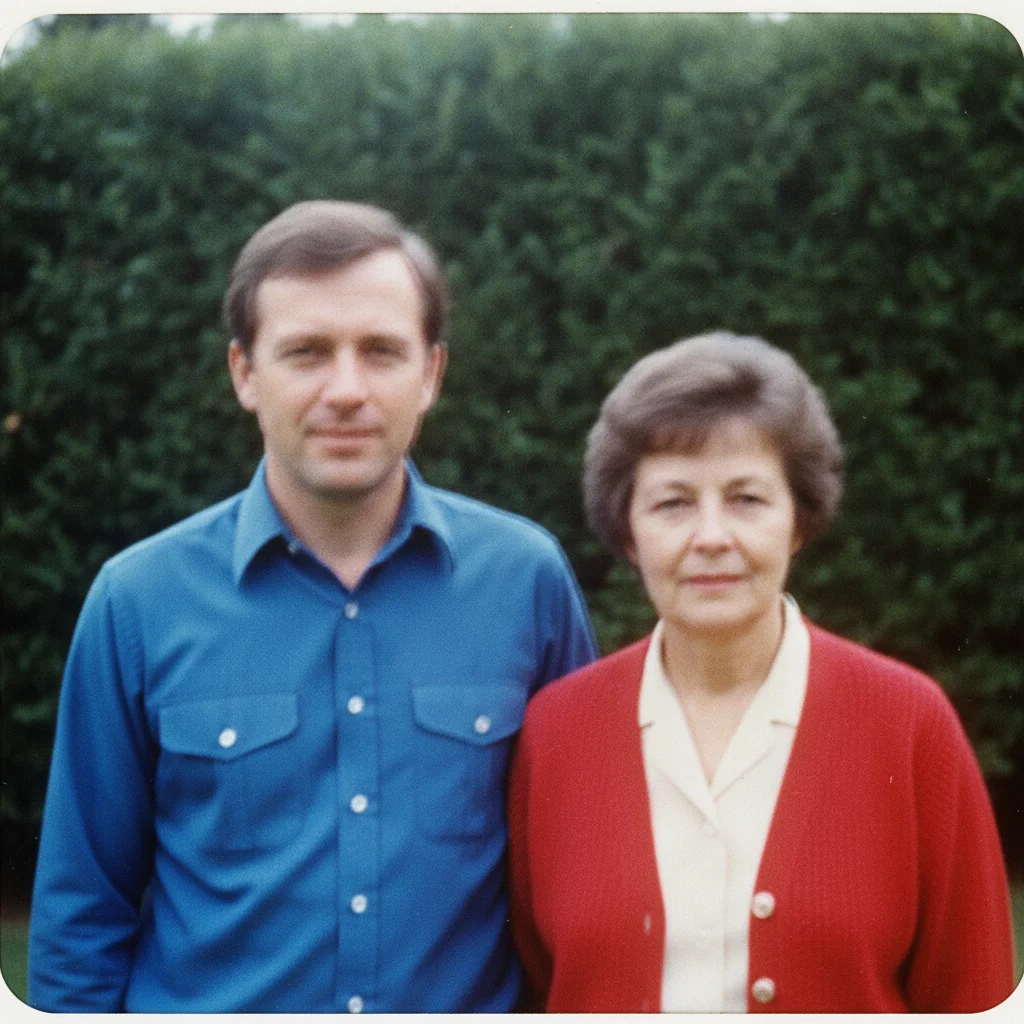
1980s garden print with faint doubled motion blur across both faces
Before
->
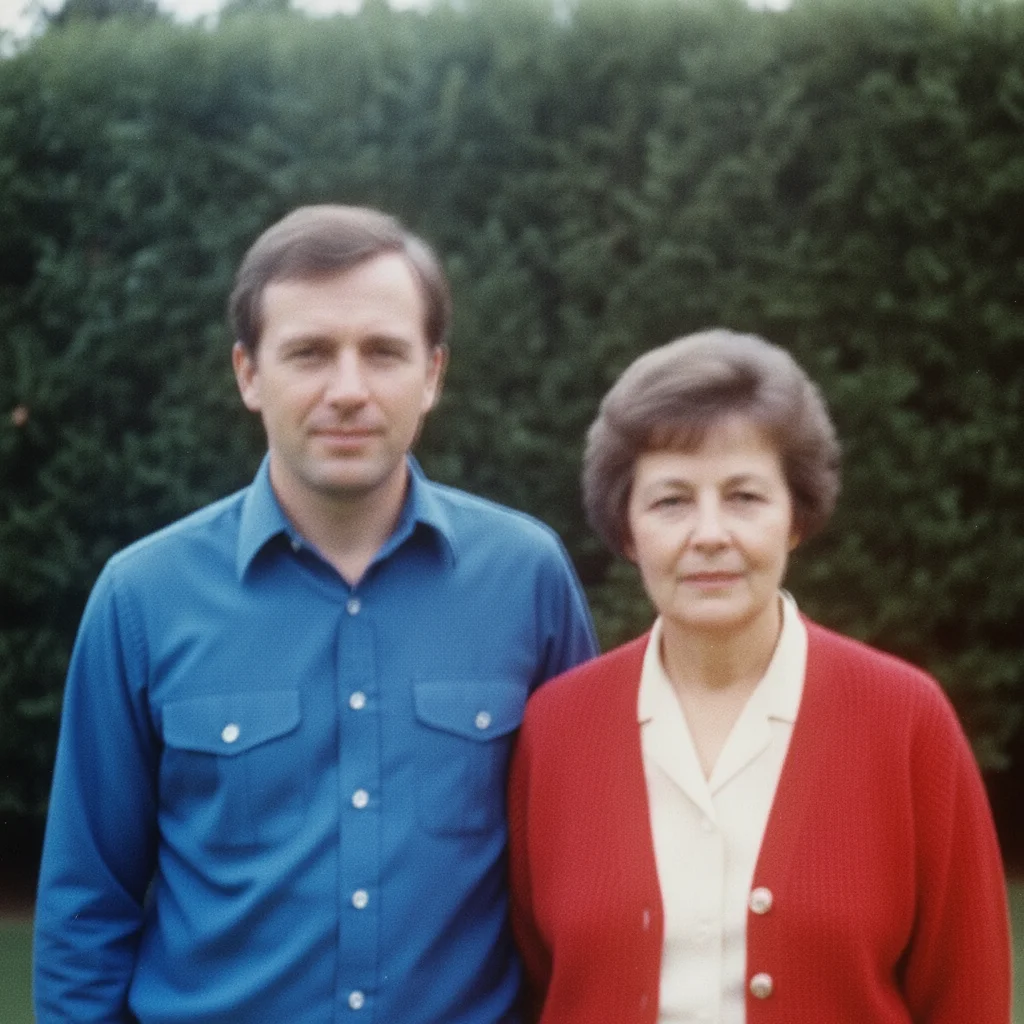
Same print with the motion blur removed and both faces crisp
After

Camera-shake blur cleared from a 1980s garden print

A colour print where a slow shutter left both faces with a faint doubled, smeared edge; the shake is removed and the detail that was really there comes back.

Prompt: remove the doubled, streaked motion blur so both faces, the blue shirt, and the red cardigan are crisp and single-edged, with natural sharp detail and film grain; same two people, same expressions, same garden, no new detail invented
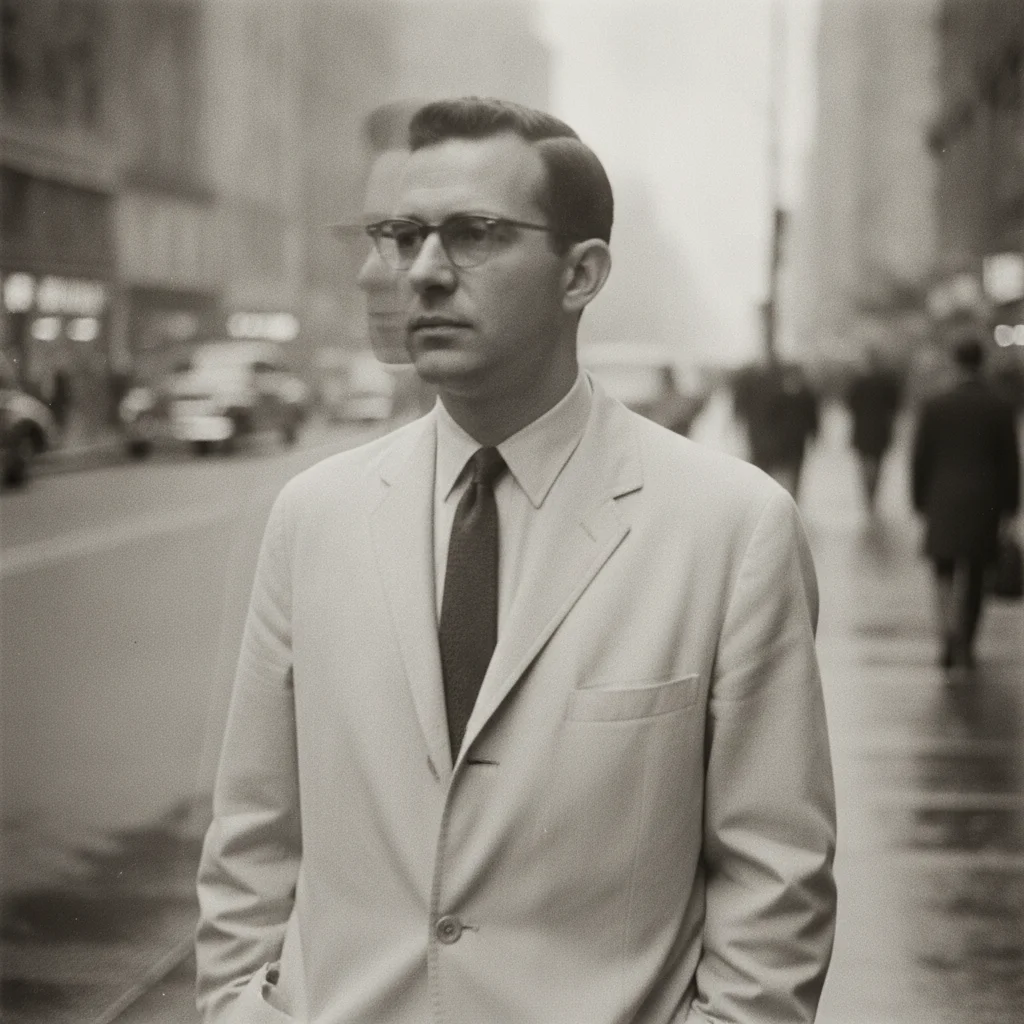
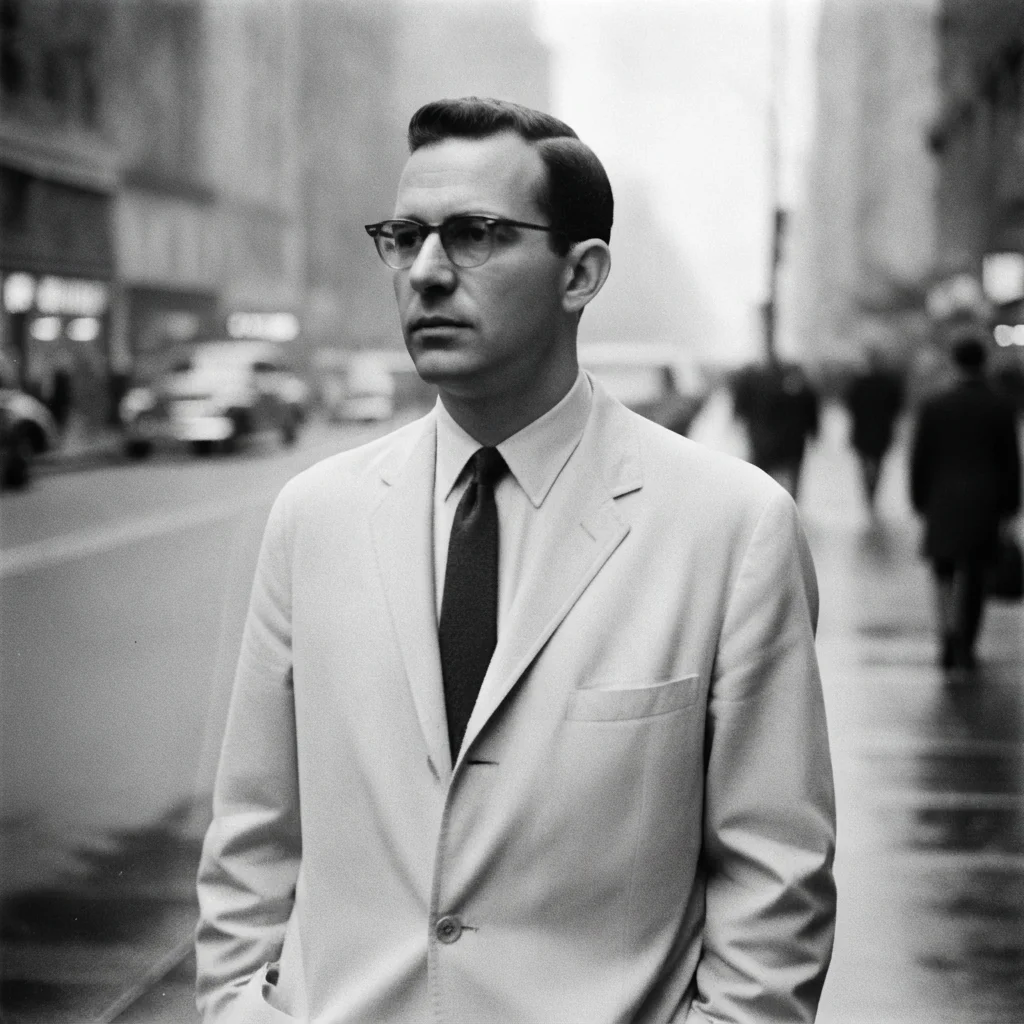
1960s black and white print of a man on a street with faint camera-shake motion blur
Before
->
The same print with the motion blur resolved, the man's features sharp and unchanged, still black and white
After

Restore a Blurry Old Photo — 1960s Motion Blur

A 1960s black and white print with slight camera shake, the doubled edges resolved into one sharp image.

Prompt: remove the doubled, streaked motion blur so the man's face, tie, and jacket are crisp and single-edged, with sharp black and white detail and film grain; same scene, same composition, no colour added

Quick answers

How do I restore a blurry old photo?

Upload the sharpest scan you can make and describe the blur: 'restore this blurry old photo — sharpen the soft focus and recover the natural detail in the faces, keeping everyone's features, clothing, and the scene exactly as photographed.' The AI pulls back detail that is spread out by soft focus or slight motion blur. It works when the features are still visible; it cannot recover a face that has blurred to a featureless smudge.

Do I need to mark the blurry area first?

No. Describe the blur in plain language and the AI works on the faces and the frame itself. Tap markers are optional and only useful for steering — recovering one face in a group, or protecting a face you would rather leave soft.

Is restoring a blurry old photo free?

Yes. EditThisPic gives you one Fast edit per week, no signup or credit card required. Credit packs and a subscription are available if you have a whole album to go through.

Can it fix a face that is completely out of focus?

Honestly, no. Deblurring recovers detail that is still in the photo, spread out by soft focus or a small camera shake. A face with no visible eyes, nose, or mouth has no detail left to recover, and anything the AI returns in its place is invented — a plausible face, not the person. If that is what you have, keeping the soft original is the more faithful choice. This tool is built for the many prints where the features are soft but still there.

Will it change what the person looks like?

It should not, and the prompt tells it not to. A good result is the same person, only clearer: same eyes, same nose, same expression. If a feature has moved or the face looks like a modern portrait, the AI drew rather than recovered — add 'do not invent detail that is not in the original' and run it again.

Soft focus or motion blur — does it matter which?

It helps to say. Soft focus blurs everything evenly; motion blur streaks or doubles the edges in one direction. Both recover well when the features are still visible, but naming the kind lets the AI correct the right thing. Severe motion blur, where a face is smeared into a band, sits on the wrong side of the line — like a fully out-of-focus face, there is no detail left to bring back.

What photo formats can I upload?

JPG, PNG, and WebP up to 7MB. The restored photo downloads in the same format you uploaded — scan large, because a bigger scan gives the deblur more to work with.

How much does EditThisPic cost?

You get 1 free edit per week — no account needed. After that, one-time credit packs start at $4.99 for 10 edits, valid 12 months, no subscription. Power users who edit daily can pick Studio Membership, a monthly workspace at $49.99/mo for 300 edits. Purchased downloads are clean with no watermark.

Ready to bring the detail back to your blurry old photo?

Free to try. No signup required.

1 free edit included·paid credit packs after