Free โ€ข No signup Fix Tired appearance ยท Free

You look tired or exhausted in photos?

You're not actually tired - your photo just makes you look that way. Fix it in 30 seconds.
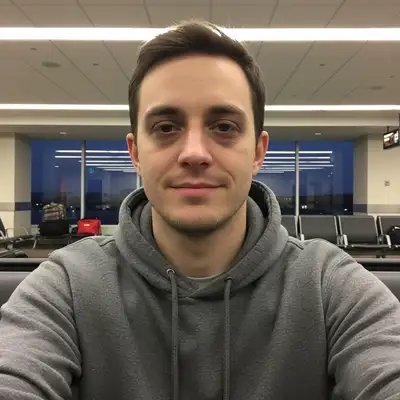
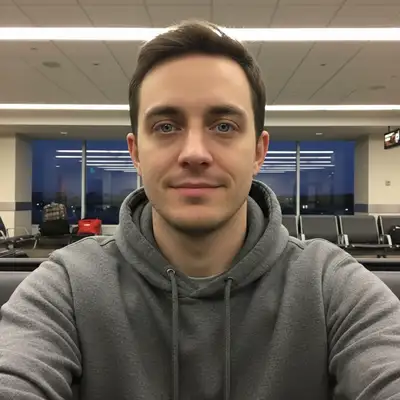
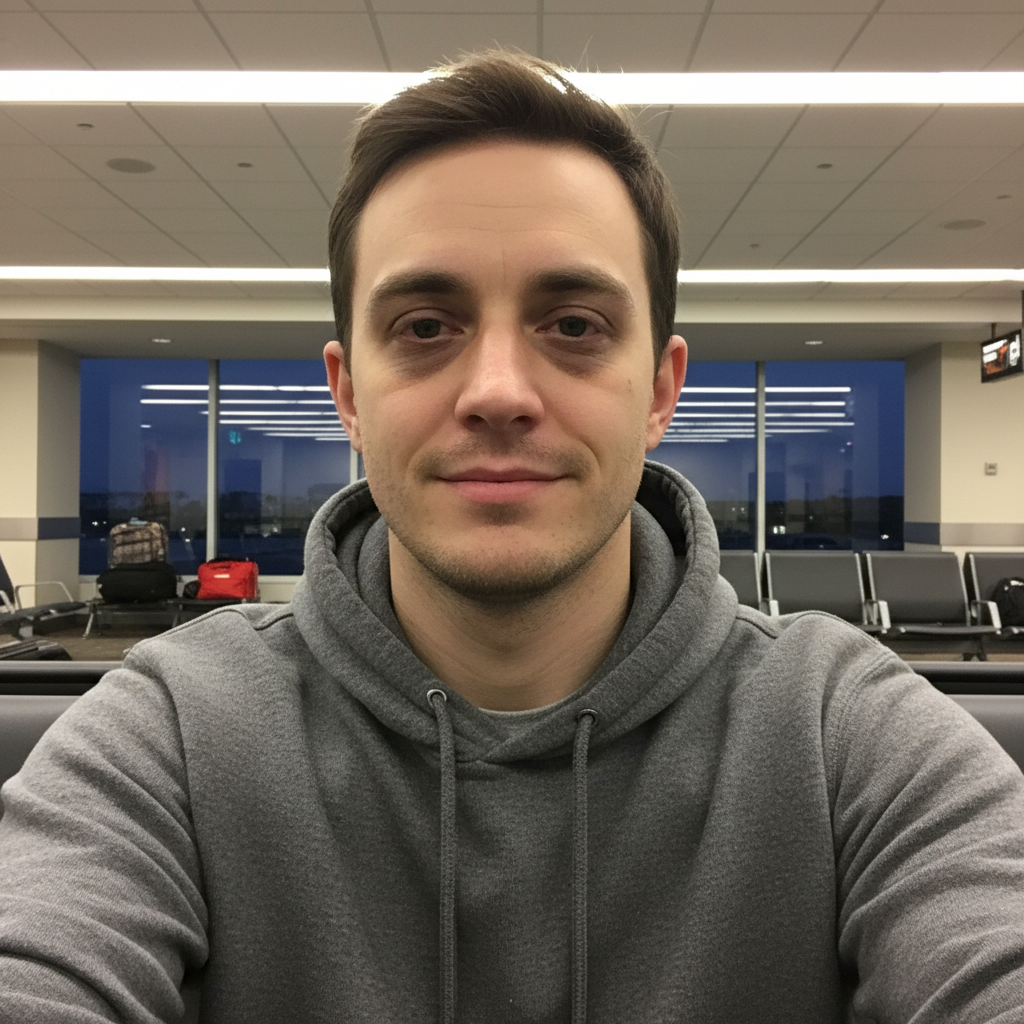
Exhausted post-flight selfie with dark circles and dull skin
Before
โ†’
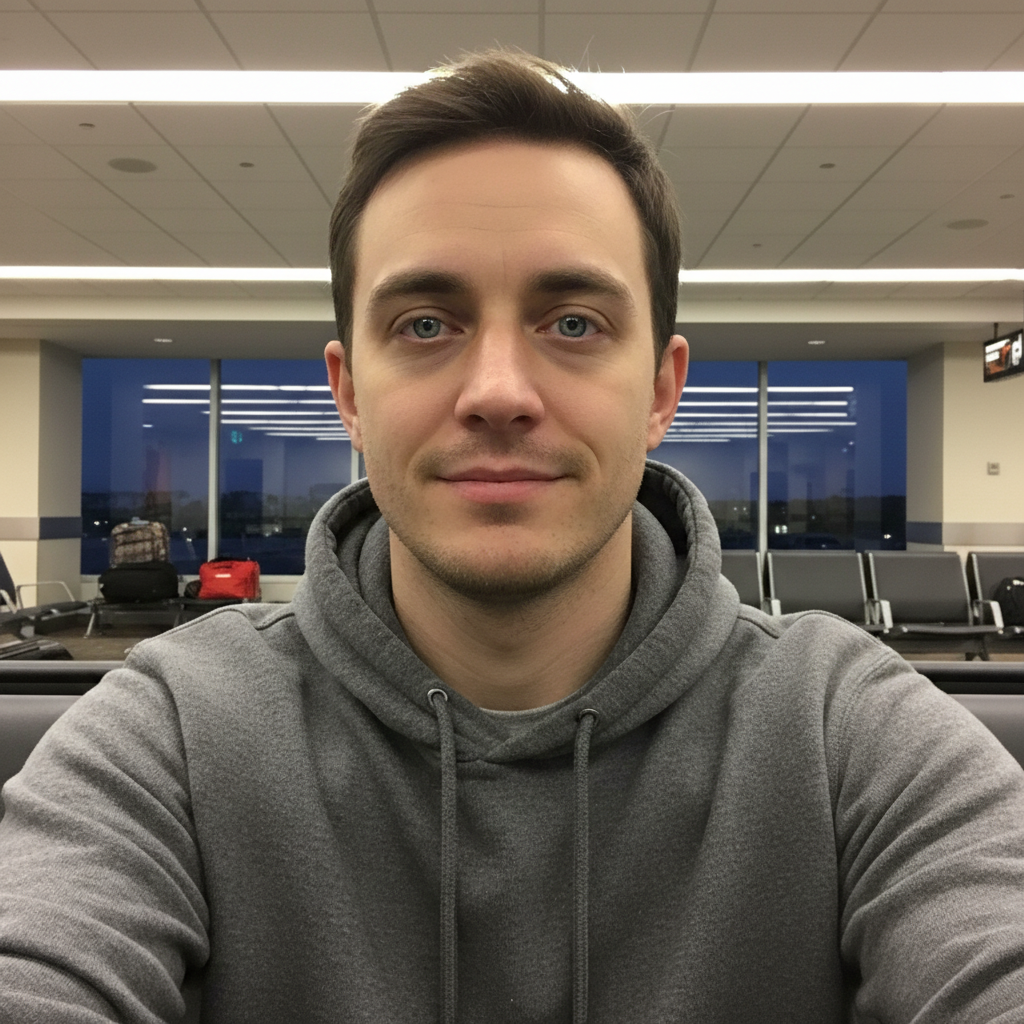
Same person looking refreshed and well-rested
After

Look Tired in Photos? Fix Exhausted Face | EditThisPic

Drop your photo here

or click to browse

Release to upload

Free โ€ข No signup

Advertisement
Popular use cases:
  • Fix tired face in photos
  • Remove exhausted look
  • Professional headshots
  • Dating app photos
  • LinkedIn profile photos
  • Post-travel photos
  • New parent selfies
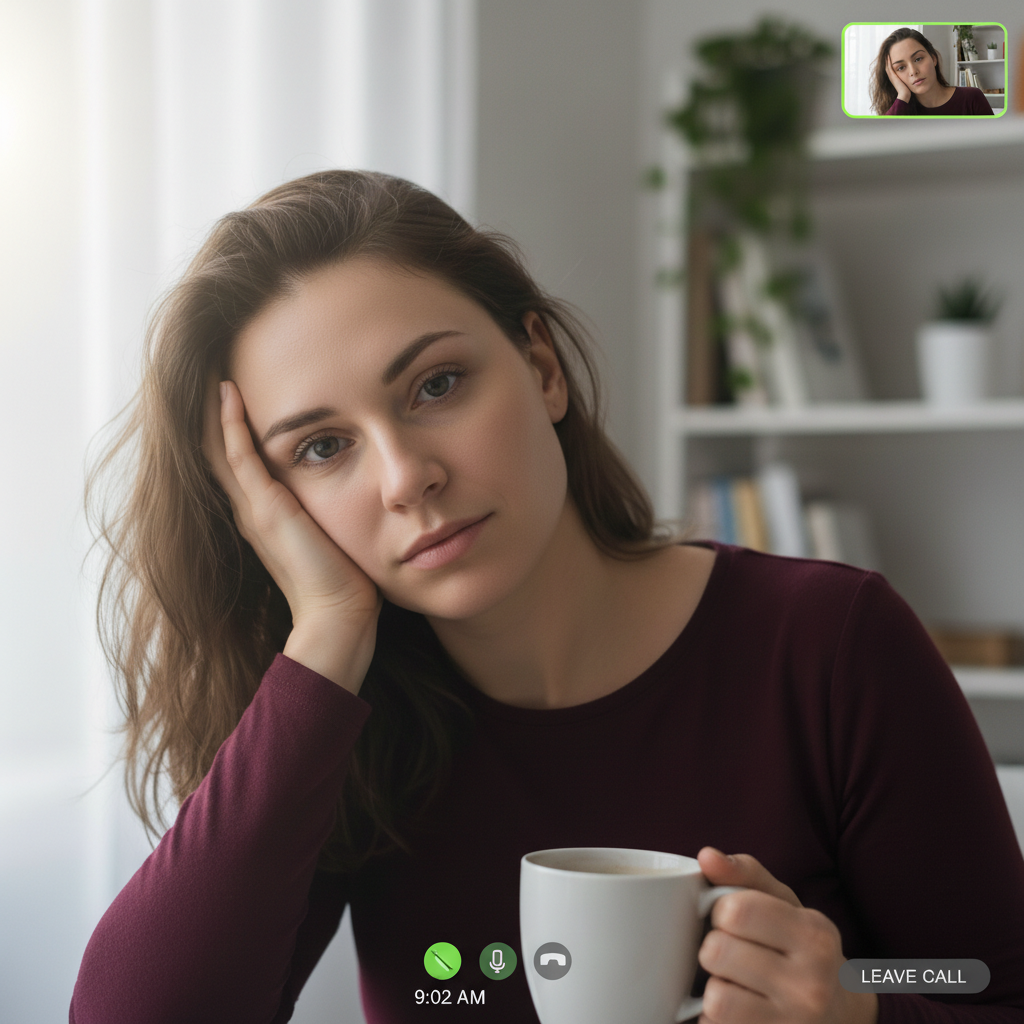
  • Video call screenshots
  • Morning meeting photos

Cost
Free No signup required
Time
Instant results in 15-30 seconds
Works on
Any device - browser, phone, tablet, desktop
Powered by
AI-powered photo editing
Scenario Prompt Time
General tiredness make me look refreshed and well-rested 25s
Severe exhaustion fix exhausted appearance, reduce dark circles and bags 30s
Professional photo remove tired look for professional photo, brighten eyes 30s
Natural subtle fix subtly reduce tired look, keep natural appearance 20s

How it works

  1. Upload your tired-looking photo

    Drop the photo where you look exhausted into EditThisPic. JPG, PNG, WebP up to 7MB work. Any portrait where you look more tired than you actually feel is fixable. The AI understands the visual markers of exhaustion - dark circles, bags, dull skin, flat eyes.

    Expect: Mild tiredness: 20-30 seconds. Severe exhaustion with multiple issues (bags + dark circles + dull skin): may need 2-3 refinements over 1-2 minutes for comprehensive improvement.
  2. Describe the refreshed look you want

    Type what you need: 'make me look refreshed and well-rested' or 'fix my tired appearance, brighten eyes and smooth under-eye area' or 'remove the exhausted look from my face.' The AI understands tired faces - no marking needed. Most transformations work on the first try.

    Tip: Be comprehensive if you have multiple tiredness markers. Mention 'brighten eyes, smooth under-eye area, and even out skin tone' for full facial refreshment.

    Copy one of these to get started:

    General tired face fix make me look refreshed and well-rested, brighten eyes and smooth under-eye area naturally
    After all-nighter or travel fix my exhausted appearance, reduce dark circles and bags, brighten my whole face
    Professional headshot remove tired look for professional photo, brighten eyes, smooth under-eye area, even skin tone
    Dating app or social media make me look awake and energetic, fix the tired dull appearance
    4 more prompts
    Just dark circles brighten the dark circles under my eyes and make me look more rested
    Multiple issues at once remove bags and dark circles under eyes, brighten dull skin, add healthy glow
    Subtle natural improvement subtly reduce the tired look, maintain natural appearance, just make me look like I slept well
    Washed out from flash or bad lighting fix the washed out tired appearance, restore natural color and vitality to my face
  3. Generate and review

    Check the result at full zoom. Your eyes should look brighter and more alert, under-eye area smooth and natural, skin tone more even and glowing. The best results look like you after a good night's sleep and a cup of coffee - not like heavy makeup or obvious editing.

    Tip: Compare before and after at 100% zoom. You should look like yourself, just more rested. If it looks fake or over-processed, ask for a more subtle version.
  4. Refine with markers if needed

    If one specific area needs more work - like stubborn dark circles or uneven under-eye correction - tap a marker on that spot and request targeted improvement. This precision step is optional for most tired-face fixes.

    Tip: Markers are most useful when one problem area (like very dark circles) needs extra attention while the rest looks good.
Try it free โ†“

Look Tired in Photos? Fix Exhausted Face | EditThisPic

Drop your photo here

or click to browse

Release to upload

Free โ€ข No signup

"I looked like a zombie in my LinkedIn photo. One prompt later and people actually want to hire me." @SleepDeprivedDev

See it in action

Exhausted post-flight selfie with dark circles and dull skin
Before
->
Same person looking refreshed and well-rested
After

Post-flight selfie saved

Red-eye flight left visible dark circles and dull exhausted skin. AI restored a fresh, alert appearance.

Prompt: make me look refreshed and well-rested, brighten eyes and smooth under-eye area naturally
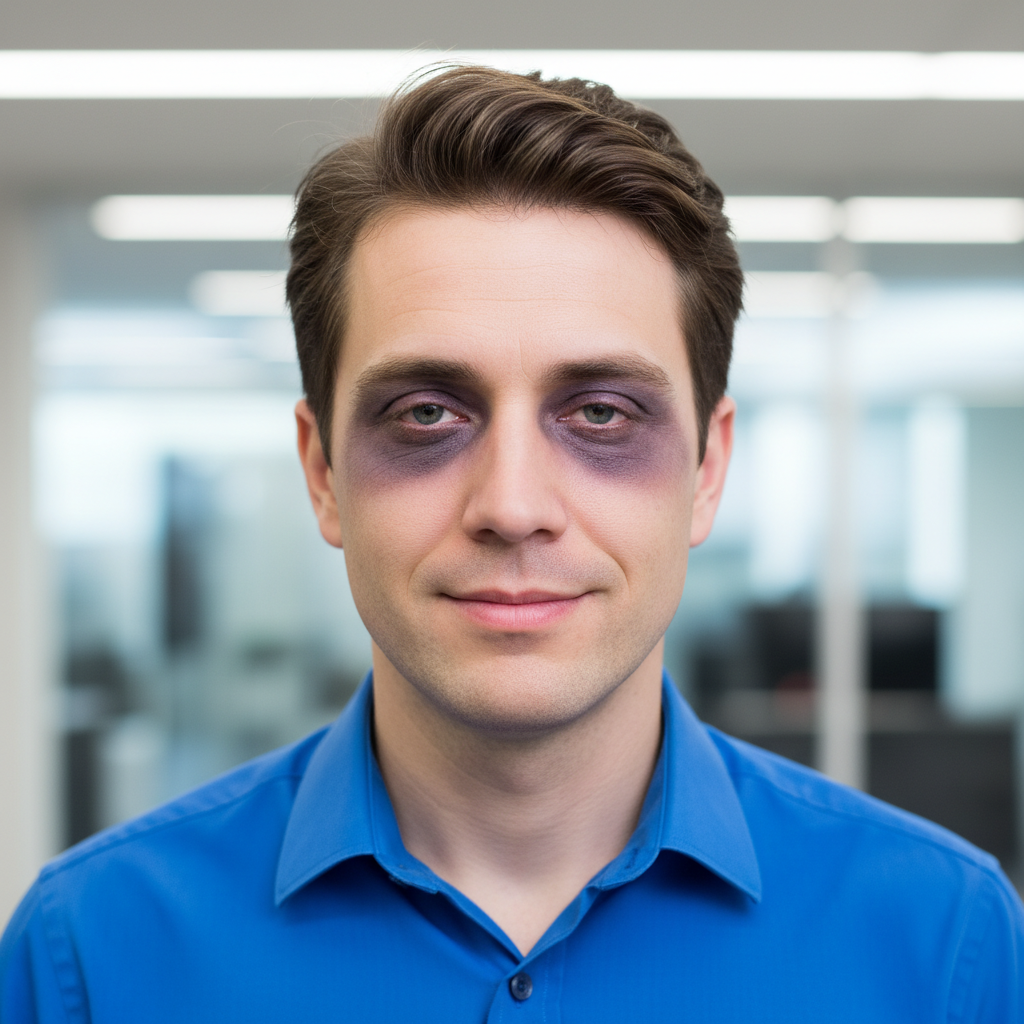
Professional headshot showing severe exhaustion and sleep deprivation
Before
->
Same headshot with alert refreshed professional appearance
After

New parent headshot rescued

Sleep deprivation showed in every pixel. Comprehensive AI fix brought back a professional alert look.

Prompt: fix my exhausted appearance, reduce dark circles and bags, brighten my whole face
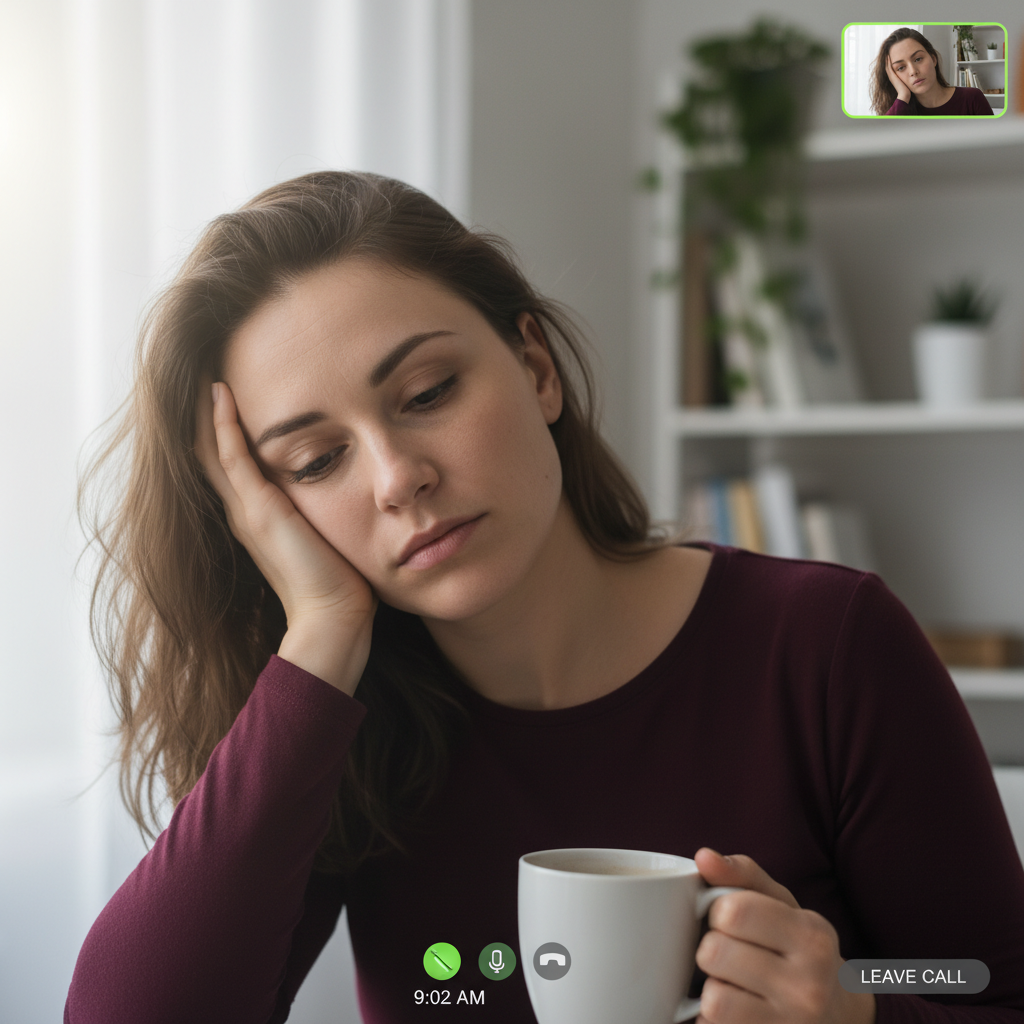
Early morning video call screenshot showing tired appearance
Before
->
Same screenshot looking alert and camera-ready
After

Morning Zoom call looking alive

Pre-coffee screenshot looking absolutely drained. Quick fix made them look ready for the meeting.

Prompt: remove tired look for professional photo, brighten eyes, smooth under-eye area, even skin tone
Advertisement

If something looks off

Face looks over-processed or plastic

Why: The AI applied too much smoothing and brightening, removing natural skin texture and variation. This happens when prompts are too aggressive.

Try: more subtle improvement, keep natural skin texture visible, just make me look like I slept well

Tip: Adding 'natural' and 'subtle' to your prompt prevents the fake over-edited look. Less is often more.

Skin color changed or looks wrong

Why: The AI adjusted brightness/color too much while fixing tiredness, shifting your natural skin tone.

Try: preserve my original skin tone exactly, only brighten and refresh without changing color

Tip: Always specify 'preserve original skin tone' when working with face refreshment to prevent unwanted color shifts.

Eyes look unnaturally bright or fake

Why: Eye brightening went too far, creating an intense or artificial appearance. The AI needs guidance on restraint.

Try: brighten eyes subtly and naturally, realistic brightness that looks like natural alertness

Tip: Real rested eyes have gentle brightness, not intense glow. Ask for 'subtle' eye brightening.

Only some tiredness markers were fixed

Why: The prompt was too specific about one issue (like dark circles) and the AI missed other problems (like dull skin).

Try: address all signs of tiredness - dark circles, bags, dull skin, and flat appearance

Tip: Use comprehensive prompts that mention multiple tiredness markers for full-face refreshment.

Under-eye area looks flat or unnatural

Why: The AI over-corrected bags or dark circles, removing too much natural contour and creating a doll-like flatness.

Try: maintain natural eye contours, reduce bags and circles without flattening the area

Tip: Include 'maintain natural contours' to prevent over-smoothing that looks obviously edited.

Result looks like heavy makeup instead of natural freshness

Why: The correction was too dramatic, creating a 'made up' appearance rather than natural refreshment.

Try: natural refreshed look without makeup effect, subtle improvements that look like I just slept well

Tip: The goal is 'woke up refreshed' not 'applied Instagram filter.' Emphasize natural and subtle in your prompt.

Quick answers

Do I need to mark the tired areas before describing?

No! Just describe what you want: 'make me look refreshed and well-rested' or 'fix the tired appearance.' The AI understands the common visual markers of tiredness - dark circles, bags under eyes, dull skin, flat eyes. It will address all of these automatically. Only use markers if you want to target one specific area that needs extra attention after the initial fix.

Will it look obvious that I edited the photo?

Not if you use natural-sounding prompts. Include words like 'natural,' 'subtle,' or 'like I slept well' to guide the AI toward believable results. The best tired-face fixes look like you on a good day - not like you applied heavy makeup or filters. If the first attempt looks too dramatic, ask for a more subtle version. Most users get natural results on the first try.

What exactly does the AI fix when I say 'tired appearance'?

The AI addresses multiple tiredness markers: dark circles under eyes (discoloration), bags under eyes (puffiness), dull or washed-out skin tone, flat or heavy-looking eyes, and overall lack of facial vitality. When you say 'tired appearance' the AI evaluates your specific photo and fixes whichever combination of these issues is visible. You can also be specific: 'just dark circles' or 'dark circles and dull skin' if you want targeted fixes.

Can it fix extreme exhaustion or just mild tiredness?

It works on both, though severe exhaustion (deep dark circles, heavy bags, very dull skin) may need 2-3 refinement passes for the most natural result. The AI can handle post-all-nighter, new-parent-level, or travel-lag exhaustion. Very severe cases might look most natural with progressive improvement rather than one dramatic transformation. Try 'make me look more rested' first, then 'brighten more' if needed.

What if I have dark circles but they're genetic, not from being tired?

The AI fixes the appearance of dark circles regardless of the cause - whether they're from lack of sleep, genetics, age, or allergies. It sees the visual markers (discoloration, shadows) and corrects them the same way. Genetic dark circles often need a bit more comprehensive treatment, so mention both 'dark circles' and 'brighten under-eye area' in your prompt.

Will it work on photos with makeup on?

Yes. The AI can refresh a tired face even when you're wearing makeup. It focuses on structural markers of tiredness (dark circles, bags, dull tone) and typically leaves your intentional makeup (lipstick, eye makeup) intact. If you're concerned, add 'keep my makeup unchanged' to your prompt. Works particularly well for fixing photos where you look tired despite wearing makeup.

Ready to look refreshed and well-rested in your photos?

Free to try. No signup required.

Try it free โ†’