Pricing Fix Closed eyes · Free

Open Closed Eyes in a Photo

Last updated

Turn shut or half-shut eyes into open, natural ones — identity, hair, skin, and the rest of the photo untouched.
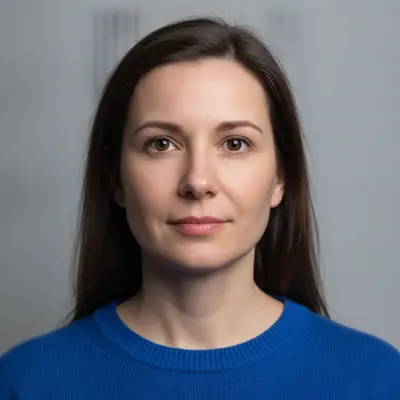
Woman in a bright blue sweater with both eyes closed Same woman with her eyes open, looking at the camera

Upload photo to fix closed eyes

"open these half-closed eyes fully so they look alert and natural, same eye colour as the original, keep the face and identity unchanged"

Free to try · no sign-up · photos are never shared

Release to upload

<30stypical edit
1 freeedit weekly
Photo on your phone? Scan to open this editor there — free edit works on your phone too.

1 free edit every week·paid packs after

How it works

  1. Upload the photo with the closed eyes in view

    JPG, PNG, or WebP up to 7MB. A face that is reasonably large and in focus works best. Fully shut, half-shut, and mid-blink eyes are all the same job to the AI — what matters is that the rest of the face is sharp enough to rebuild from.

    Expect: A single clear face takes about 15-25 seconds. Tiny or blurry faces are the hardest case: the AI has less to work from, and the opened eyes are more likely to look generic or drift the likeness.
  2. Describe the person, the eye colour, and where they should look

    Type the whole instruction: 'open the closed eyes of the woman in the bright blue sweater, natural brown eyes looking at the camera, keep her face, hair, and everything else exactly the same.' There is nothing to select or mark. The eyes are rebuilt from the rest of the face, so naming the colour is what stops them coming back the wrong shade.

    Tip: If you have another photo of the same person, look at it before you write the prompt: eye colour, and whether they usually look straight at the lens. Those two words do most of the work.

    Copy one of these to get started:

    Open closed eyes, single portrait open this person's closed eyes, natural brown eyes looking straight at the camera, keep their face, hair, skin, and everything else in the photo exactly the same
    Half-closed or heavy-lidded eyes open these half-closed eyes fully so they look alert and natural, same eye colour as the original, keep the face and identity unchanged
    One person in a group open the closed eyes of the man in the green shirt, second from left, natural blue eyes looking at the camera, leave everyone else in the photo completely unchanged
    Eyes open but looking elsewhere open this person's closed eyes with natural hazel eyes looking slightly off to the left, matching the direction of their head, keep everything else the same
    3 more prompts
    Glasses on open this person's closed eyes behind their glasses, natural brown eyes looking at the camera, keep the glasses, frames, and reflections exactly as they are
    Both people in a couple photo open both people's closed eyes, the woman with natural green eyes and the man with natural brown eyes, both looking at the camera, keep their faces and everything else unchanged
    Old or scanned photo open the closed eyes in this old photograph, natural dark eyes looking at the camera, matching the grain and softness of the original, keep the face and everything else unchanged
  3. Zoom in on the eyes and compare

    Check that both eyes match each other in size, colour, and direction, and that the eyelids and lashes look like they belong to this face. Compare against another photo of the person if you can — opened eyes that are technically fine can still look like someone else's.

  4. Refine with a marker if needed

    In a group photo where more than one person could match the description, tap a marker on the face you meant and repeat the instruction. For a single subject the description alone is normally enough.

See it in action

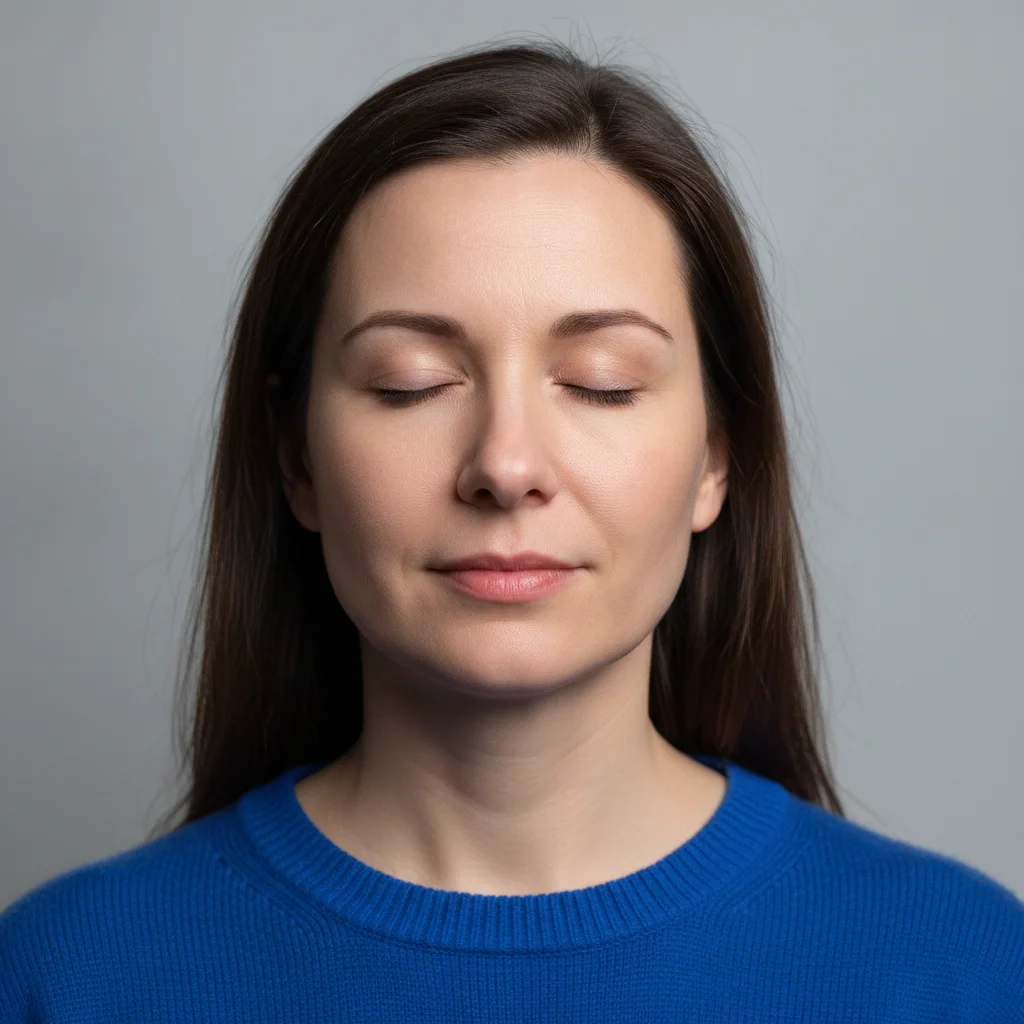
Woman in a bright blue sweater with both eyes closed
Before
->
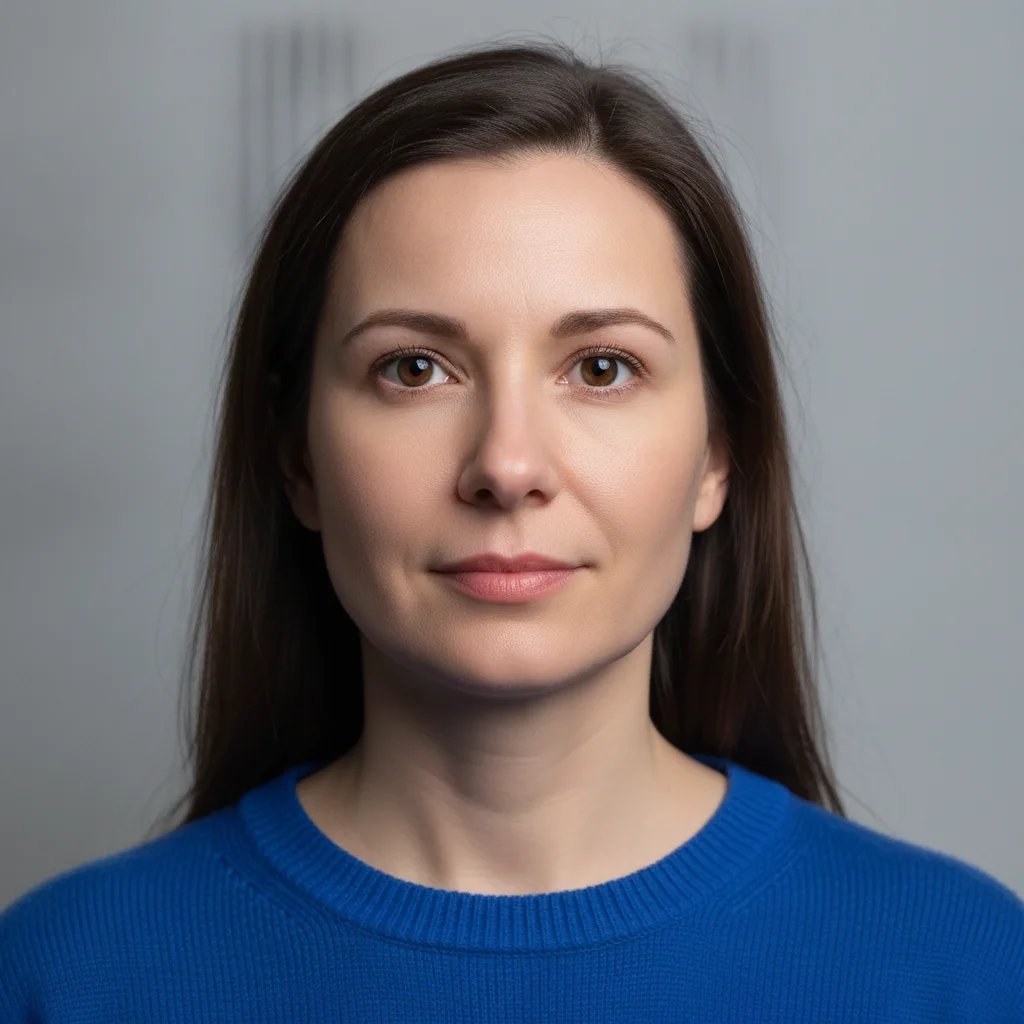
Same woman with her eyes open, looking at the camera
After

Closed eyes opened in a single portrait

A headshot where the subject blinked on the only usable frame. Only the eyes were rebuilt; face, hair, sweater, and background are as shot.

Prompt: open the closed eyes of the woman in the bright blue sweater, natural brown eyes looking at the camera, keep her face, hair, and everything else exactly the same
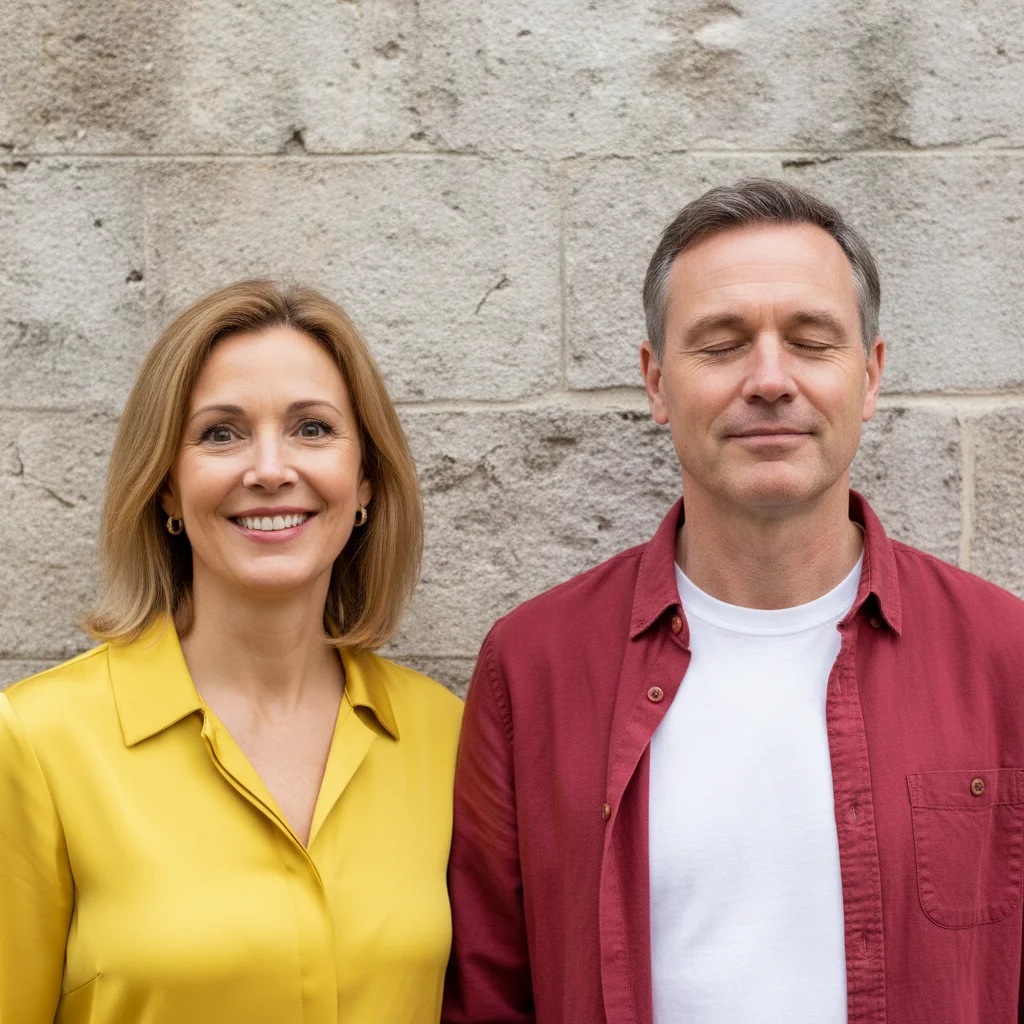
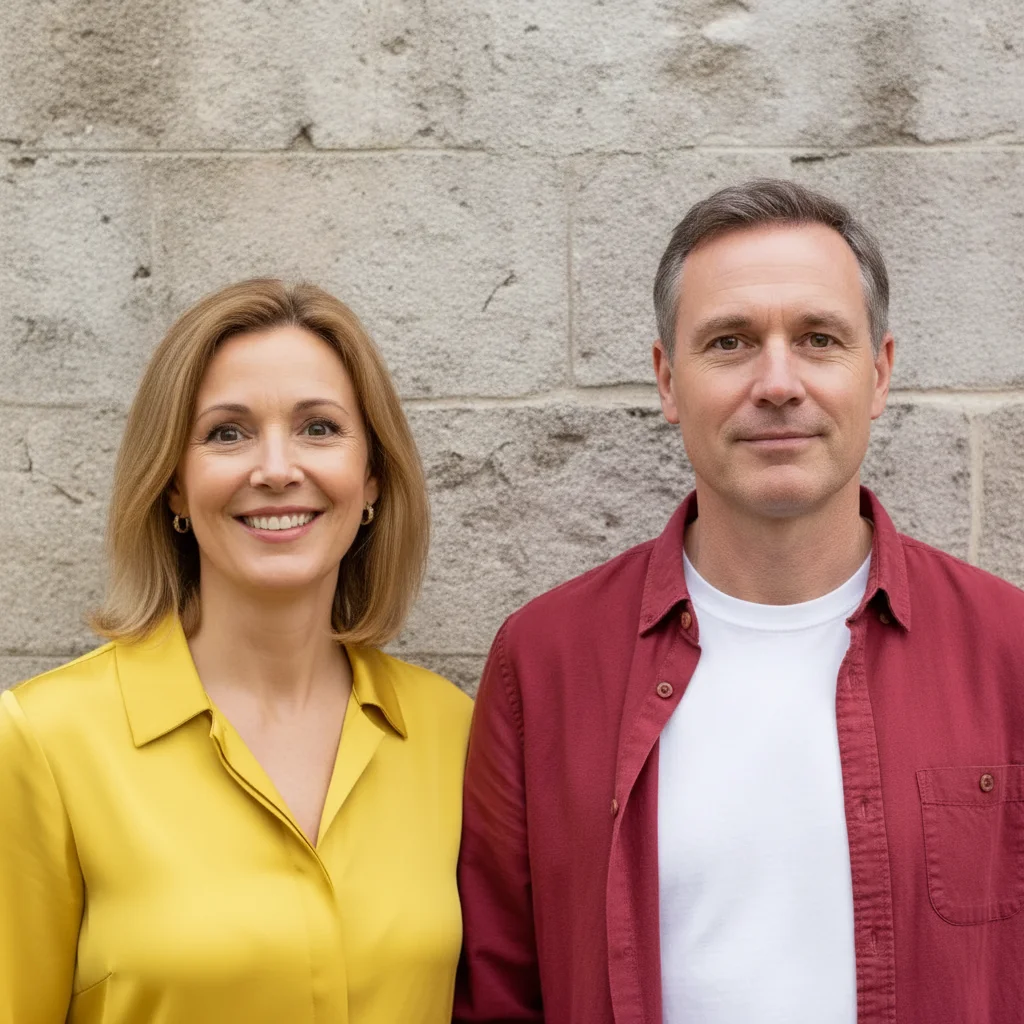
Couple outdoors, the man in a red shirt caught with his eyes closed
Before
->
Same couple, the man's eyes now open while the woman is unchanged
After

One person's eyes opened in a couple photo

Only the man's eyes were opened; the woman beside him, both outfits, and the wall stay exactly as they were.

Prompt: open the closed eyes of the man in the bright red shirt on the right, natural brown eyes looking at the camera, leave the woman on the left and everything else exactly the same

Quick answers

How do I open closed eyes in a photo?

Upload the photo and describe it in plain words — 'open the woman's closed eyes, natural brown eyes looking at the camera, keep her face and everything else the same.' The AI rebuilds the eyes in about 15-25 seconds with nothing to select or mark first.

Is it free to open closed eyes in a picture online?

Yes. You can open closed eyes in a photo free with one Fast edit per week, no signup or credit card required. Credit packs and a subscription are available if you want to try several versions of the same face.

Do I need to mark the eyes first?

No. Describe the person and the AI finds the eyes on its own. Markers are optional and only worth using in a group photo where two people could match your description.

Why should I name the eye colour?

Because closed eyes contain no colour to copy. The AI rebuilds the eyes from the rest of the face, so unless you say 'brown eyes' or 'blue eyes' it guesses, and it often guesses wrong. Naming the colour is the single most useful thing you can add to the prompt.

Will the person still look like themselves?

Usually, but it is not a guarantee. Eyes carry a lot of a person's likeness, and a strong change can drift it. Ask for the smallest change that works — 'a relaxed natural gaze, keep the exact eye shape and spacing' — and compare the result against another photo of the same person.

Does it change anything else about the person?

No. Only the eyes and the eyelids are rebuilt. The face shape, hair, skin, clothing, body, and the rest of the photo stay exactly as shot. It is not a tool for changing the body or clothing.

Can I open one person's eyes in a group photo?

Yes. Say where they are and what they are wearing — 'the man in the green shirt, second from left' — and add 'leave everyone else unchanged.' Small or blurry faces in a big group are the hardest case and may need a retry.

How much does EditThisPic cost?

You get 1 free edit per week — no account needed. After that, one-time credit packs start at $4.99 for 10 edits, valid 12 months, no subscription. Power users who edit daily can pick Studio Membership, a monthly workspace at $49.99/mo for 300 edits. Purchased downloads are clean with no watermark.

Ready to open the eyes in your photo?

Free to try. No signup required.

1 free edit included·paid credit packs after