Pricing Fix Harsh expression · Free

Soften a Harsh Expression in a Photo

Last updated

Relax a frown, scowl, or clenched jaw into a calm, neutral-to-warm face — not a smile, just the tension gone. Identity, hair, and the rest of the photo untouched.
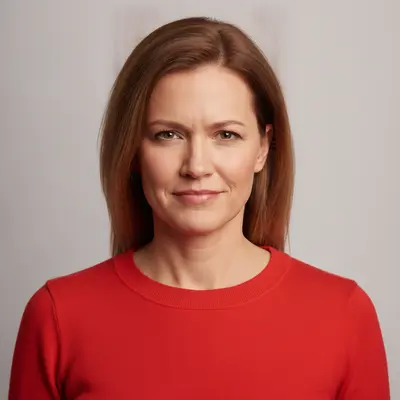
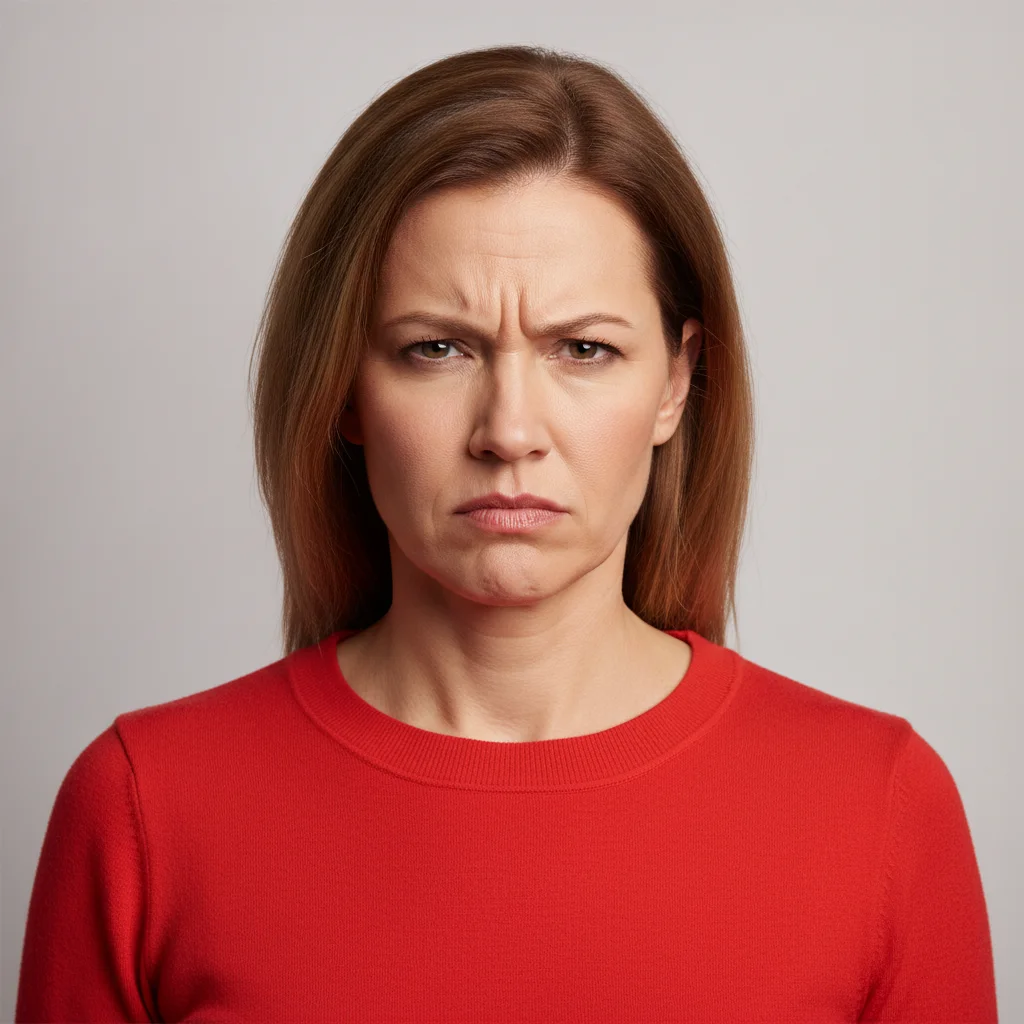
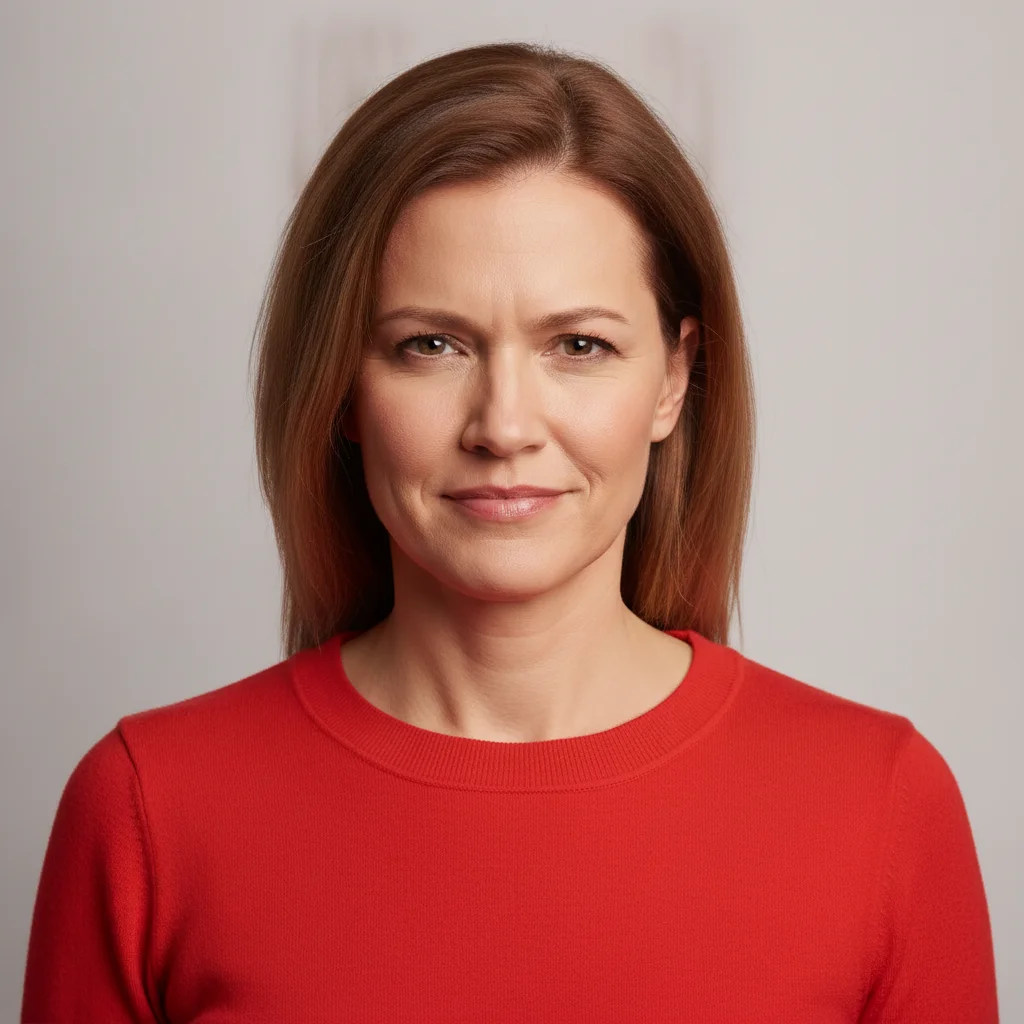
Woman in a bright red top with a tense frown and furrowed brow Same woman with the expression relaxed into a calm, neutral face

Upload photo to fix harsh expression

"relax this person's tense expression into a calm, faintly warm look with the lips together and the brow smooth, not a smile, keep the identity and everything else unchanged"

Free to try · no sign-up · photos are never shared

Release to upload

<30stypical edit
1 freeedit weekly
Photo on your phone? Scan to open this editor there — free edit works on your phone too.

1 free edit every week·paid packs after

How it works

  1. Upload the photo with the face clearly visible

    JPG, PNG, or WebP up to 7MB. A front-facing or slightly angled shot where the brow and mouth are unobstructed works best. A group photo is fine as long as you can describe who you mean.

    Expect: A single clear face takes about 15-25 seconds. Tiny or blurry faces are the hardest case — the AI has less to work from, and a relaxed expression on a small face can drift the likeness.
  2. Describe what should relax, and say 'no smile'

    Type the whole instruction: 'soften the frown of the woman in the bright red top into a calm, relaxed, neutral expression, unfurrow her brow and relax her mouth, no smile, keep her face, hair, and everything else exactly the same.' There is nothing to select or mark. Naming the brow and mouth tells the AI where the tension lives; 'no smile' stops it from overshooting into a grin.

    Tip: Ask for less than you think you want. 'Slightly softer' and 'calm' hold the likeness; 'happy' or 'friendly' is where the face starts to become someone else's.

    Copy one of these to get started:

    Soften a frown, neutral result soften this person's frown into a calm, relaxed, neutral expression, unfurrow the brow and relax the mouth, no smile, keep their face, hair, and everything else in the photo exactly the same
    Slightly warm, still not a smile relax this person's tense expression into a calm, faintly warm look with the lips together and the brow smooth, not a smile, keep the identity and everything else unchanged
    One person in a group soften the scowl of the man in the orange shirt on the far left into a calm neutral expression, relax his brow and jaw, no smile, leave everyone else in the photo completely unchanged
    Clenched jaw and pursed lips relax this person's clenched jaw and pursed lips into a natural resting mouth, keep the eyes and brow as they are, keep the face shape and identity exactly the same
    3 more prompts
    Furrowed brow only smooth this person's furrowed brow and relax the area between the eyebrows, leave the mouth, eyes, and everything else exactly as they are
    Squinting glare in bright light soften this person's squinting glare into a calm relaxed expression with the eyes naturally open, same eye colour as the original, keep everything else unchanged
    Both people in a couple photo soften both people's stern expressions into calm, relaxed, neutral faces with the lips together, no smiles, keep both faces, hair, and clothing exactly as they are
  3. Zoom in on the brow, eyes, and mouth

    A convincingly relaxed face loosens all three together — a smooth brow over eyes that are still narrowed reads as wrong. Then compare against another photo of the person: the jawline and cheeks move when the mouth relaxes, and that is where the likeness slips.

  4. Refine with a marker if needed

    In a group photo where the description could apply to more than one person, tap a marker on the face you meant and repeat the instruction. For a single subject the description alone is normally enough.

See it in action

Woman in a bright red top with a tense frown and furrowed brow
Before
->
Same woman with the expression relaxed into a calm, neutral face
After

Tense frown relaxed in a single portrait

A headshot where the subject looked stern in every frame, relaxed into a calm neutral face. No smile added; face, hair, top, and background are as shot.

Prompt: change the woman's expression to a calm, pleasant, relaxed one: smooth, relaxed eyebrows with no furrow, soft relaxed eyes, and a faint closed-mouth half-smile instead of the frown; keep her face shape, hair, red top, and background exactly the same
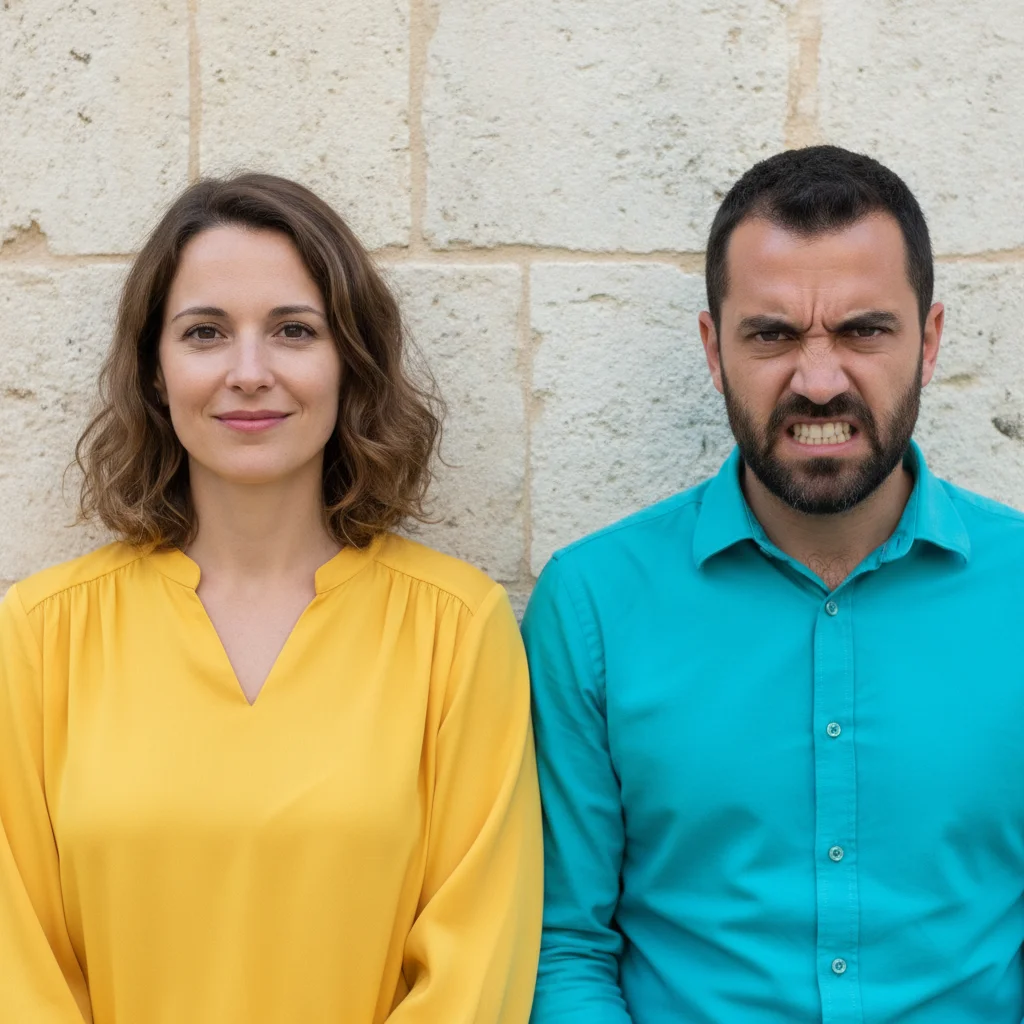
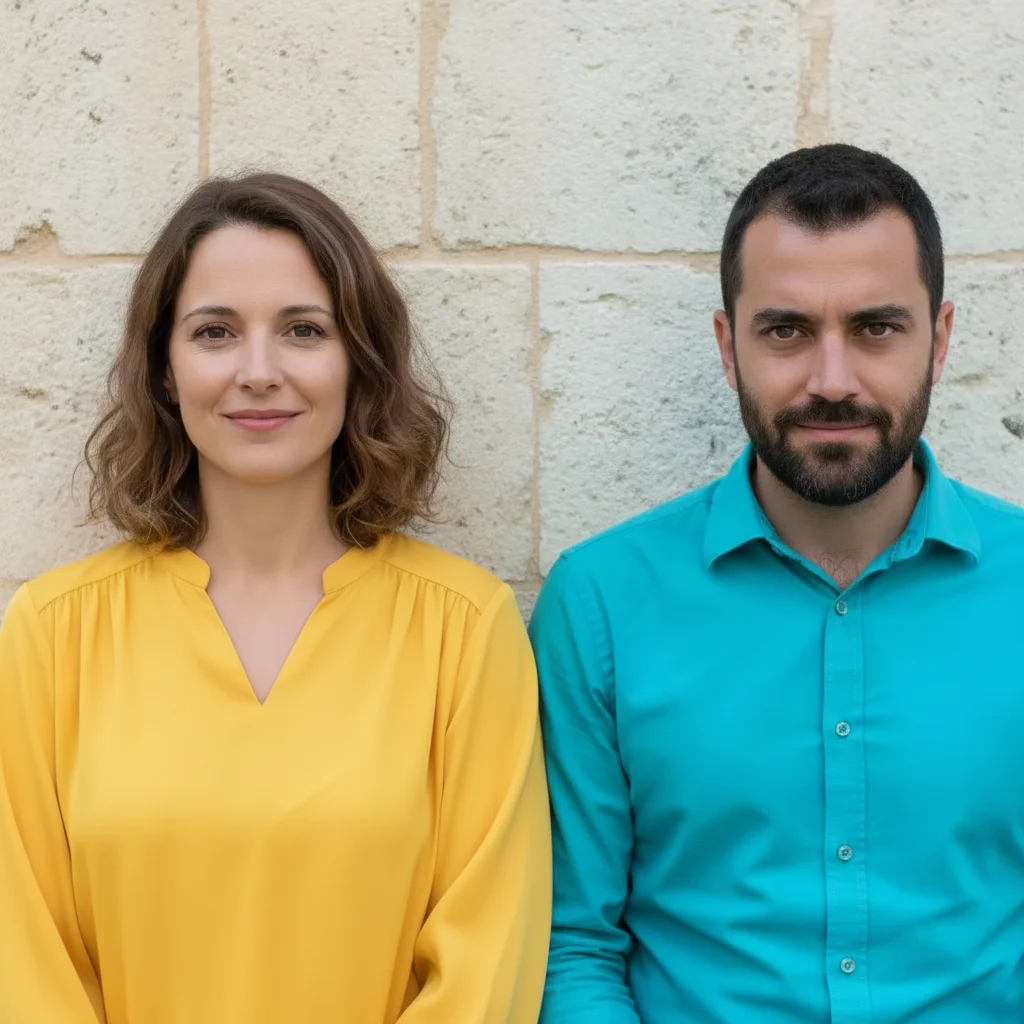
Couple outdoors, the man in a teal shirt scowling with a furrowed brow
Before
->
Same couple, the man's expression now calm while the woman is unchanged
After

One scowl softened in a couple photo

Only the man's expression was relaxed; the woman beside him, both outfits, and the wall stay exactly as they were.

Prompt: change the expression of the man in the teal shirt on the right to a calm, pleasant, relaxed one: smooth relaxed eyebrows with no furrow, relaxed eyes, mouth closed with a faint half-smile instead of the scowl; leave the woman on the left and everything else exactly the same

Quick answers

How do I soften a harsh expression in a photo?

Upload the photo and describe it in plain words — 'soften the man's frown into a calm, relaxed expression, unfurrow the brow, no smile, keep his face and everything else the same.' The AI relaxes the expression in about 15-25 seconds with nothing to select or mark first.

Is it free to fix a frown in a picture online?

Yes. You can soften an expression in a photo free with one Fast edit per week, no signup or credit card required. Credit packs and a subscription are available if you want to try several versions of the same face.

Do I need to mark the face first?

No. Describe the person and the AI finds the face on its own. Markers are optional and only worth using in a group photo where two people could match your description.

Is this the same as adding a smile?

No. Softening relaxes a frown, furrowed brow, or clenched jaw into a calm, neutral-to-faintly-warm face with the lips together. If you want an actual smile, that is a separate edit — use the add-a-smile tool and ask for a soft, closed-mouth one.

Will the person still look like themselves?

Usually, but it is not a guarantee. Relaxing the mouth and brow moves the cheeks and jawline, and the bigger the change, the more the likeness can drift. Ask for the smallest change that works and compare against another photo of the same person.

Does it change anything else about the person?

No. Only the brow, eyes, and mouth are adjusted. The face shape, hair, skin texture, clothing, body, and the rest of the photo stay exactly as shot. It is not a tool for changing the body or clothing, and it should not smooth the skin — say so in the prompt if it does.

Can I soften one person's expression in a group photo?

Yes. Say where they are and what they are wearing — 'the man in the orange shirt on the far left' — and add 'leave everyone else unchanged.' Small or blurry faces in a big group are the hardest case and may need a retry.

How much does EditThisPic cost?

You get 1 free edit per week — no account needed. After that, one-time credit packs start at $4.99 for 10 edits, valid 12 months, no subscription. Power users who edit daily can pick Studio Membership, a monthly workspace at $49.99/mo for 300 edits. Purchased downloads are clean with no watermark.

Ready to soften the expression in your photo?

Free to try. No signup required.

1 free edit included·paid credit packs after