Pricing Add Smile · Free

Add a Natural Smile to a Photo

Last updated

Turn a serious or neutral face into a soft, believable smile — identity, eyes, and the rest of the photo untouched.
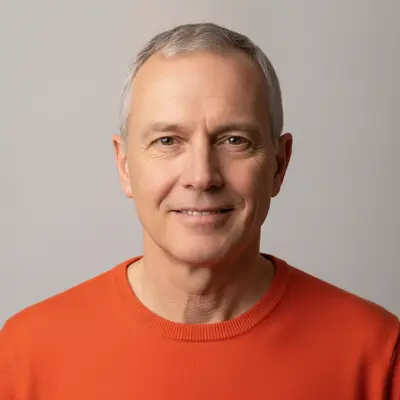
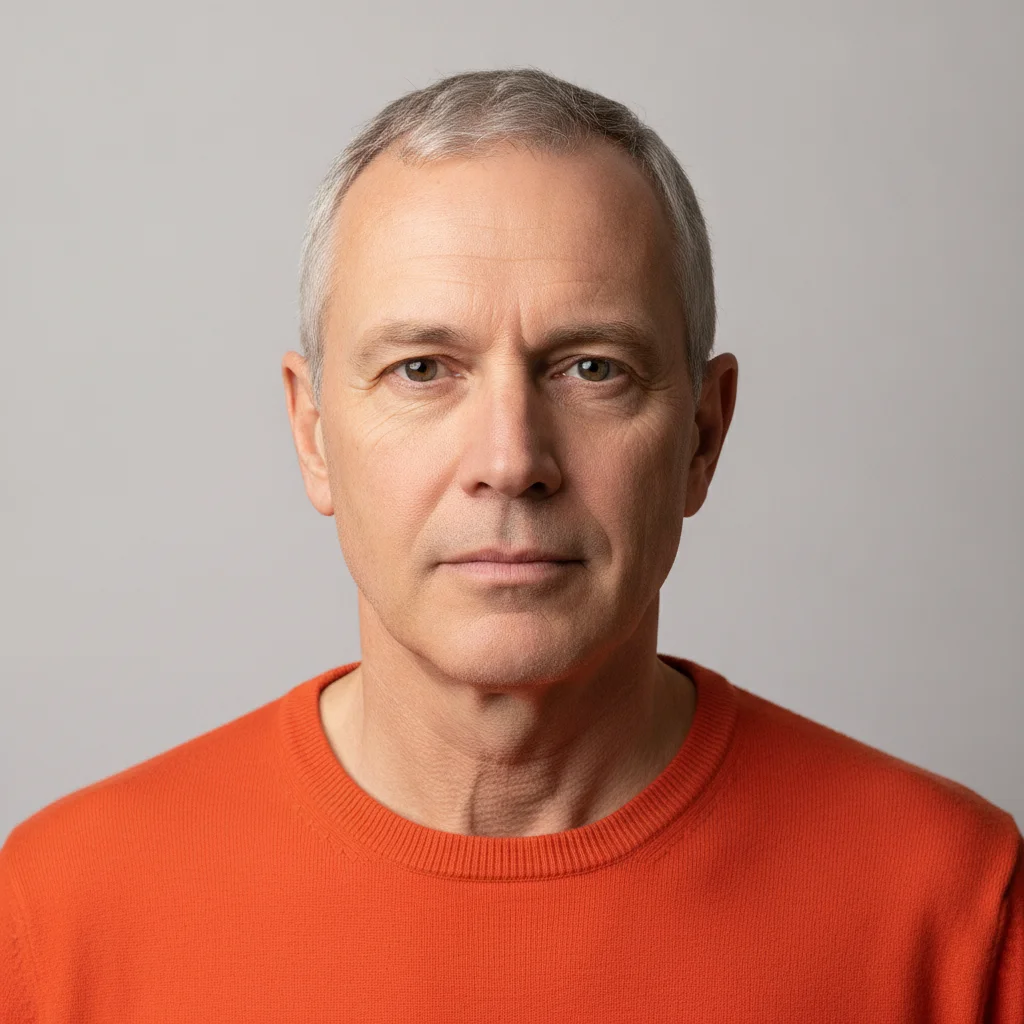
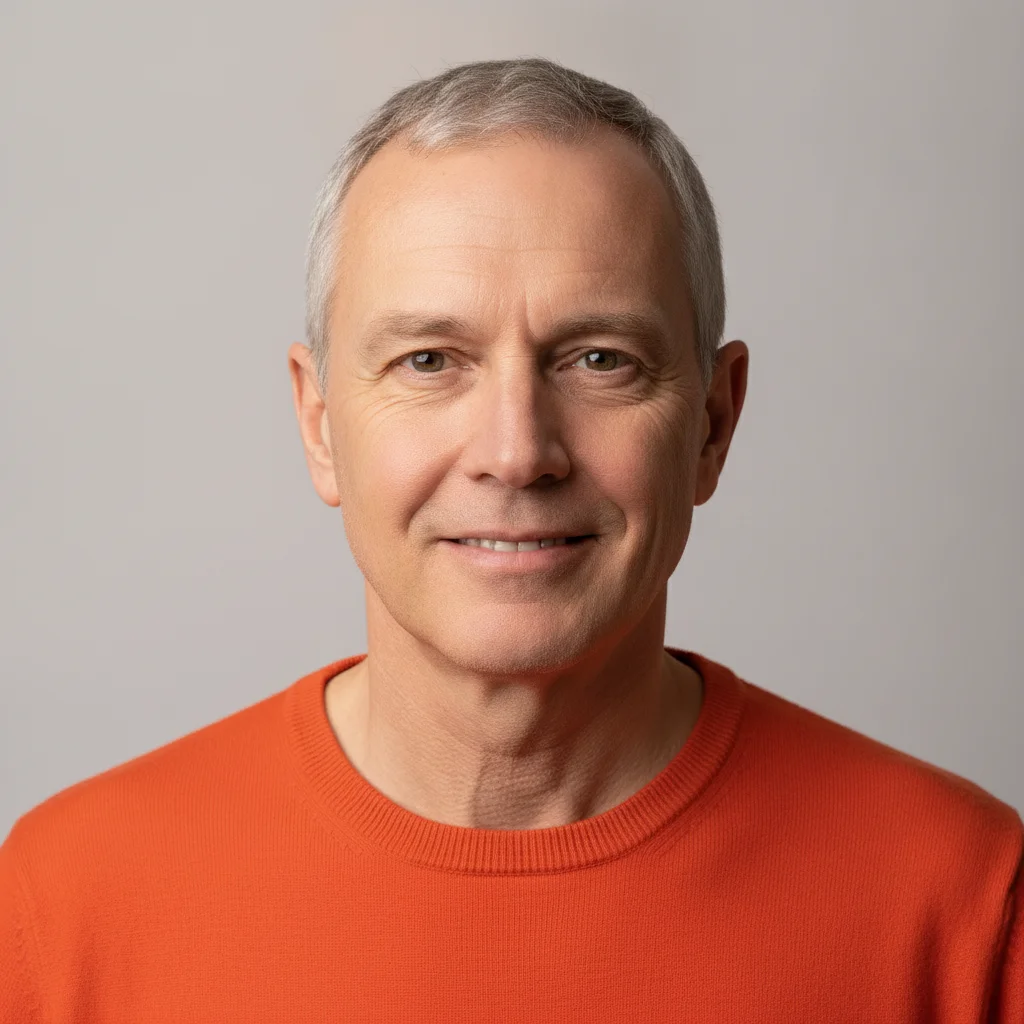
Man in a bright orange sweater with a neutral, unsmiling expression Same man with a soft closed-mouth smile added

Upload photo to add smile

"give this person a gentle smile with a small amount of teeth showing, keep the eyes, face shape, and skin exactly as they are"

Free to try · no sign-up · photos are never shared

Release to upload

<30stypical edit
1 freeedit weekly
Photo on your phone? Scan to open this editor there — free edit works on your phone too.

1 free edit every week·packs from $4.99

How it works

  1. Upload the photo with the face clearly visible

    JPG, PNG, or WebP up to 7MB. A front-facing or slightly angled shot where the mouth is unobstructed and in focus works best — a group photo is fine as long as you can describe who you mean.

    Expect: A single clear face takes about 15-25 seconds. Small, blurry, or heavily side-on faces are the hardest case and often come back looking less like the person.
  2. Describe who should smile, and how much

    Type the whole instruction: 'give the man in the orange sweater a soft closed-mouth smile, keep his face, eyes, and everything else exactly the same.' There is nothing to select or mark — naming the person is how the AI finds them.

    Tip: Ask for less than you think you want. 'Soft', 'gentle', and 'closed-mouth' produce a smile people believe; 'big happy grin' is where results start looking synthetic.

    Copy one of these to get started:

    Soft, natural smile give this person a soft, natural closed-mouth smile, keeping their face, eyes, hair, and everything else in the photo exactly the same
    Slight smile, teeth showing give this person a gentle smile with a small amount of teeth showing, keep the eyes, face shape, and skin exactly as they are
    One person in a group give the man in the blue shirt on the right a soft closed-mouth smile, leave everyone else's expression completely unchanged
    Make a couple smile give both people a natural, gentle smile with their lips together, keeping their faces, hair, and clothing exactly as they are
    3 more prompts
    Warm the expression without a full smile soften this person's serious expression into a faint, warm half-smile, keeping their identity and every other detail unchanged
    Smile with the eyes as well give this person a genuine smile that reaches the eyes, lifting the cheeks slightly, keeping their face shape and identity the same
    Child's portrait give the child a small, natural closed-mouth smile, keeping their face, eyes, and the rest of the photo exactly as they are
  3. Look at the eyes and the teeth

    Zoom in. A real smile lifts the cheeks and narrows the eyes slightly; a mouth that changes while the eyes stay flat looks wrong. Teeth are the other giveaway — if they look too even or too bright, retry with a closed-mouth version.

  4. Refine with a marker if needed

    In a group photo where the description could apply to more than one person, tap a marker on the face you meant and repeat the instruction. For a single subject the description alone is normally enough.

See it in action

Man in a bright orange sweater with a neutral, unsmiling expression
Before
->
Same man with a soft closed-mouth smile added
After

Serious portrait given a soft closed-mouth smile

A studio headshot where the subject looks unhappy in every frame, warmed into a natural closed-mouth smile.

Prompt: make this man smile warmly and naturally, a clearly visible friendly smile showing a little of his teeth, with his eyes crinkling slightly; keep his face, hair, sweater and background exactly the same
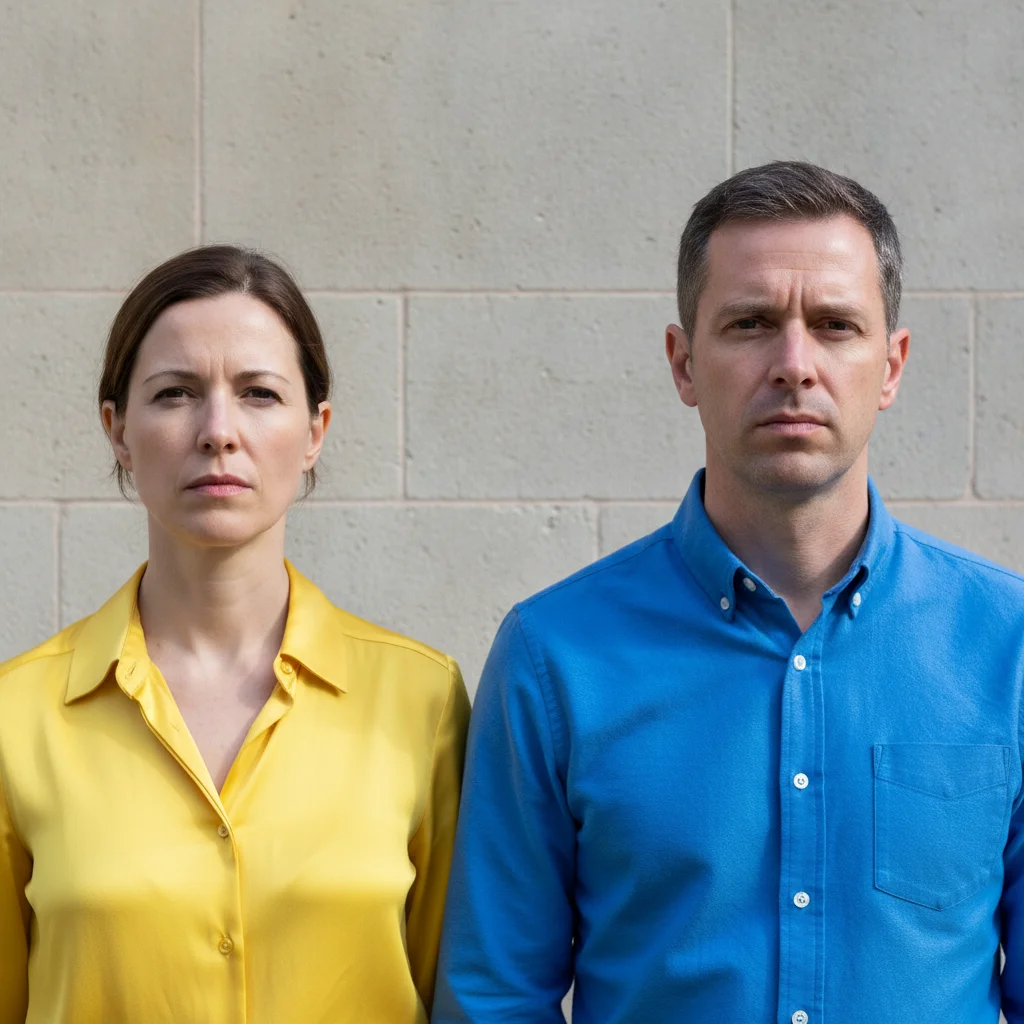
Couple standing outdoors with flat, serious expressions
Before
->
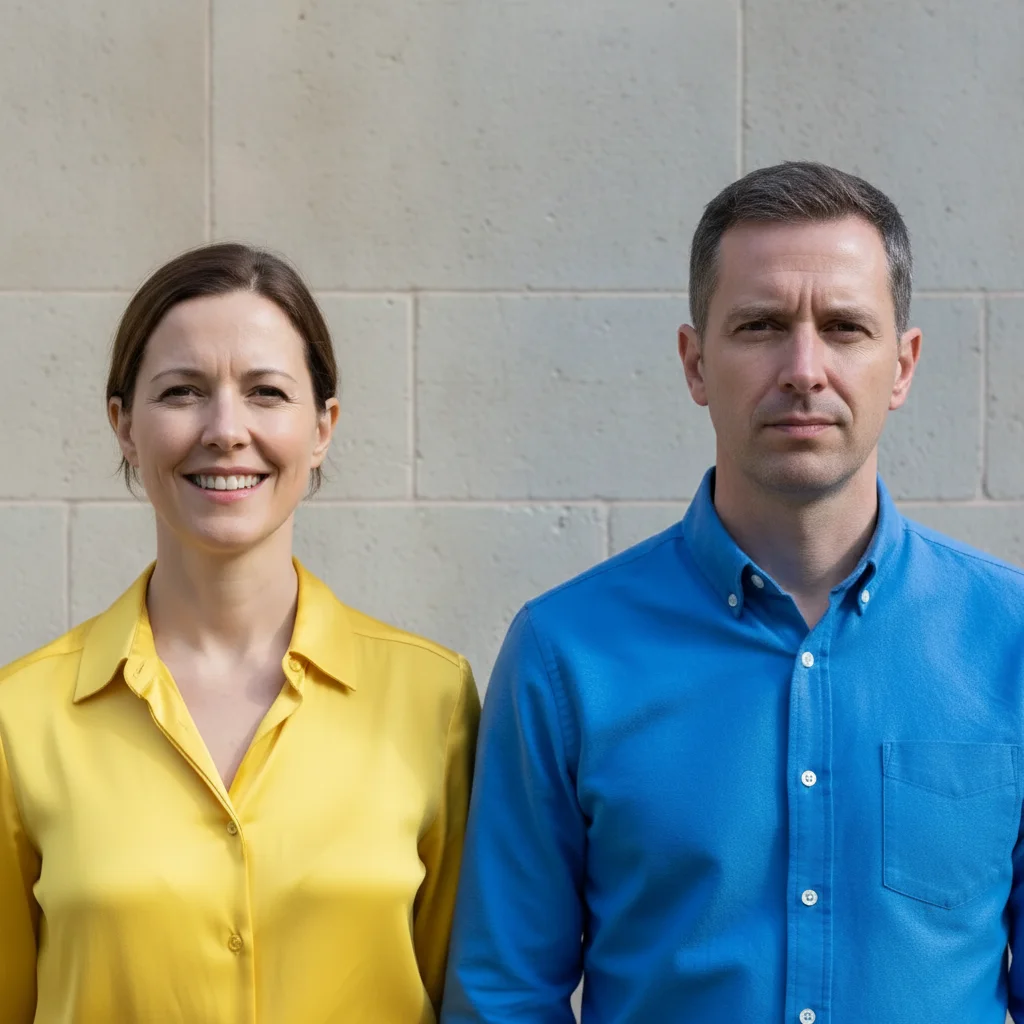
Same couple, the woman now smiling naturally while the man is unchanged
After

Make One Person Smile in a Couple Photo

Only the woman was asked to smile; the man beside her, the wall and both outfits stay exactly as shot.

Prompt: make the woman on the left smile warmly and naturally with a clearly visible friendly smile; leave the man on the right and everything else exactly the same

Quick answers

How can I make someone smile in a photo?

Upload the photo and describe it in plain words — 'give the man in the orange sweater a soft closed-mouth smile, keep his face and everything else the same.' The AI adds the smile in about 15-25 seconds with nothing to select or mark first.

Is it free to put a smile on a photo online?

Yes. You can add a smile to a photo free with one Fast edit per week, no signup or credit card required. Credit packs and a subscription are available if you want to try several versions of the same face.

Will the smile actually look natural?

A soft, closed-mouth smile usually does. Big open-mouth grins are where it goes wrong — invented teeth and a mouth that moves while the eyes stay flat both read as fake. Ask for subtle first, and add 'reaches the eyes' so the cheeks lift with the mouth.

Can I make a couple smile in one photo edit?

Yes. Write it as one instruction — 'give both people a natural, gentle smile with their lips together' — rather than editing each face in a separate pass. One pass keeps both likenesses closer to the original.

Will the person still look like themselves?

Close, but it is not a guarantee. Changing an expression moves the mouth, cheeks, and jawline, and the bigger the smile, the more the likeness can drift. Add 'keep their exact face shape and features — change only the mouth', and compare against another photo if you have one.

Can I change only one person's expression in a group photo?

Yes. Say where they are and what they are wearing — 'the man in the blue shirt on the right' — and add 'leave everyone else's expression completely unchanged.' If two people match the description, tap a marker on the right face.

What photo formats can I upload?

JPG, PNG, and WebP up to 7MB. The edited photo downloads in the same format you uploaded.

How much does EditThisPic cost?

You get 1 free edit per week — no account needed. After that, one-time credit packs start at $4.99 for 10 edits, valid 12 months, no subscription. Power users who edit daily can pick Studio Membership, a monthly workspace at $49.99/mo for 300 edits. Purchased downloads are clean with no watermark.

Ready to add a smile to your photo?

Free to try. No signup required.

1 free edit included·Credit packs from $4.99