Pricing Remove Person · Free

Remove a Person from a Family Photo

← Browse all body & person tools

Last updated

Remove one family member or several without brushing around them. Describe their position and the background that should replace them for a cleaner first result.

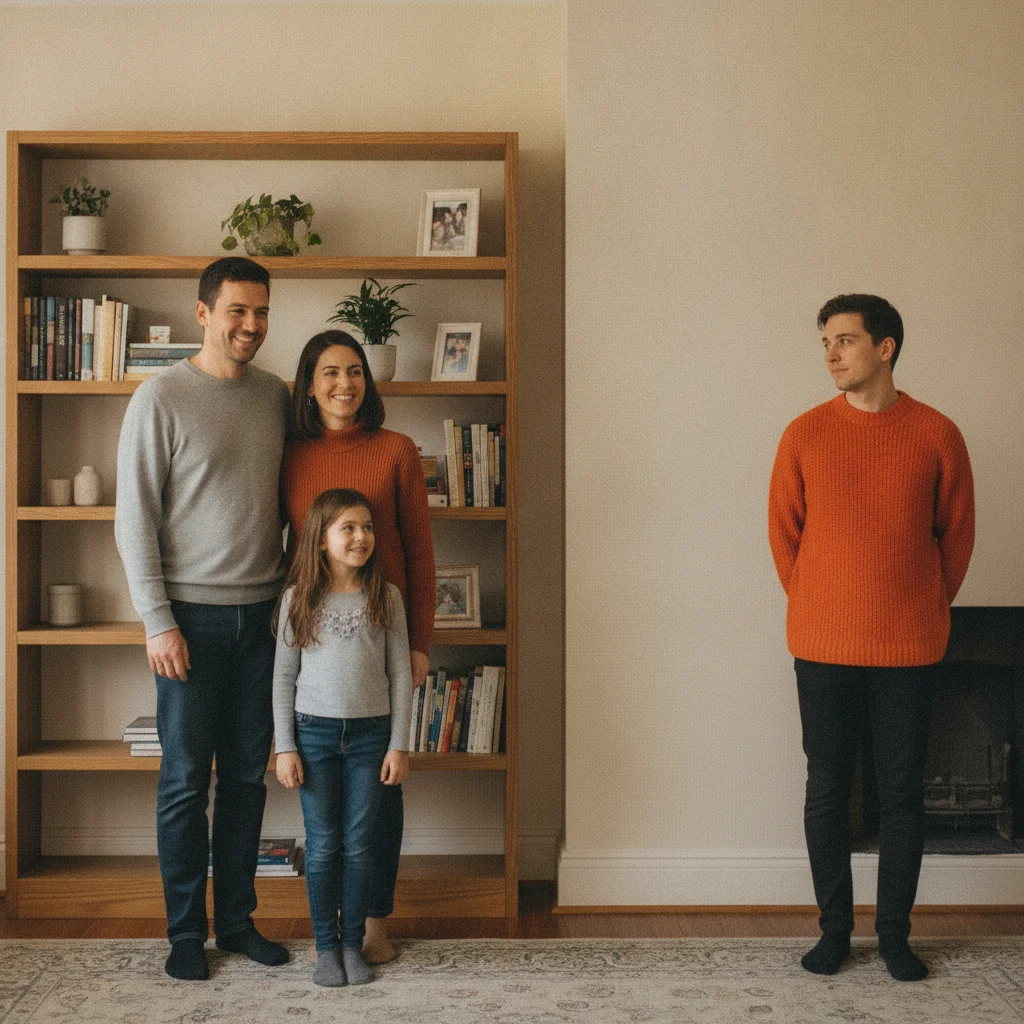
Family of four in a living room, with the person at the far right in an orange sweater to be removed Same living-room photo with the person removed and the wall and bookshelf filled in naturally

Upload photo to remove person

"remove the person seated on the left of the couch and fill with the couch cushion and background visible around them, do not alter the rest of the family"

Free to try · no sign-up · photos are never shared

Release to upload

<30stypical edit
1 freeedit weekly
Photo on your phone? Scan to open this editor there — free edit works on your phone too.

1 free edit every week·packs from $4.99

How it works

  1. Upload the family photo

    Drop your family photo into EditThisPic — JPG, PNG, or WebP up to 7MB. Works for removing one person or several, from portraits, holiday photos, or everyday family shots.

    Expect: Person at the edge of the frame with a simple background: 15–20 seconds. Person surrounded by other family members: 30–45 seconds and may need one refinement with a marker.
  2. Describe the person and the replacement background

    Use position or clothing to identify them: 'remove the person on the far right in the blue sweater and fill with the wall and bookshelf behind them.' Naming the background helps the AI reconstruct it accurately.

    Expect: A focused prompt reduces the chance of removing the wrong family member. For photos with several people, remove one at a time.

    Copy one of these to get started:

    Remove a person from the edge of a family photo remove the person on the far right and fill with the wall and furniture visible behind them so it looks like they were never there
    Remove a person seated among the family remove the person seated on the left of the couch and fill with the couch cushion and background visible around them, do not alter the rest of the family
    Remove a person and their shadow remove the person standing in front of the fireplace and their shadow on the floor, fill with the fireplace and floor visible around them
    Remove more than one person from a family photo remove the two people standing at the back and fill each area with the wall and window visible behind them, keep the rest of the family unchanged
    2 more prompts
    Remove a person from an outdoor family photo remove the person standing at the far left and fill with the lawn and trees visible around them
    Remove a family member from a holiday photo remove the person in the red sweater standing near the tree and fill with the tree and ornaments visible behind them
  3. Check the fill area for natural reconstruction

    Zoom to 100% where the person was standing or sitting. Check that the wall, furniture, or background continues smoothly and no shadow or repeated texture remains.

  4. Refine with a marker if needed

    If a small part of the fill still looks off, tap directly on that spot and describe what should be there — 'this small patch should be plain wall matching the surrounding area' — for a precise second pass.

See it in action

Family of four in a living room, with the person at the far right in an orange sweater to be removed
Before
->
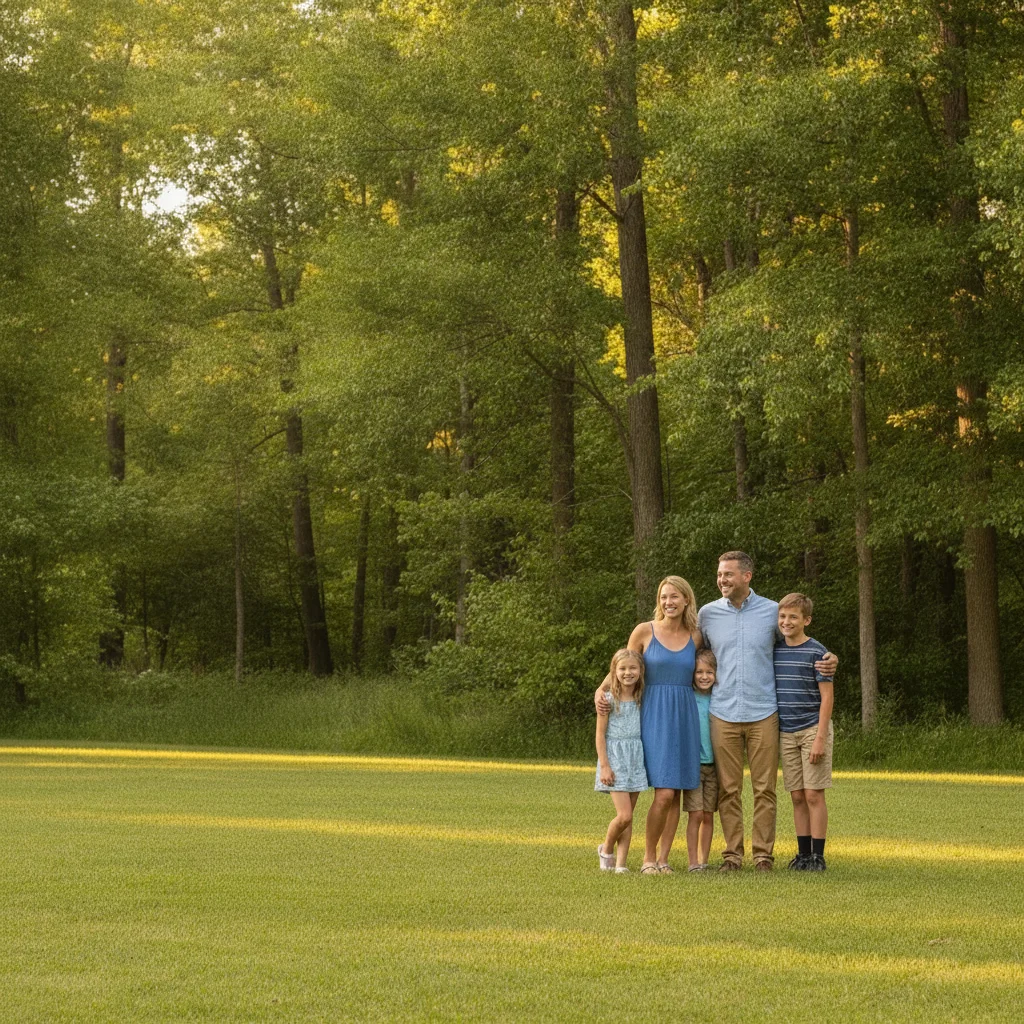
Same living-room photo with the person removed and the wall and bookshelf filled in naturally
After

Person removed from a living-room family photo

A four-person family photo in a living room had one person standing at the far right who is no longer part of the family. The AI removed them and rebuilt the wall and bookshelf naturally.

Prompt: remove the person on the FAR RIGHT, wearing a BRIGHT ORANGE SWEATER, and fill with the wall and bookshelf visible behind them
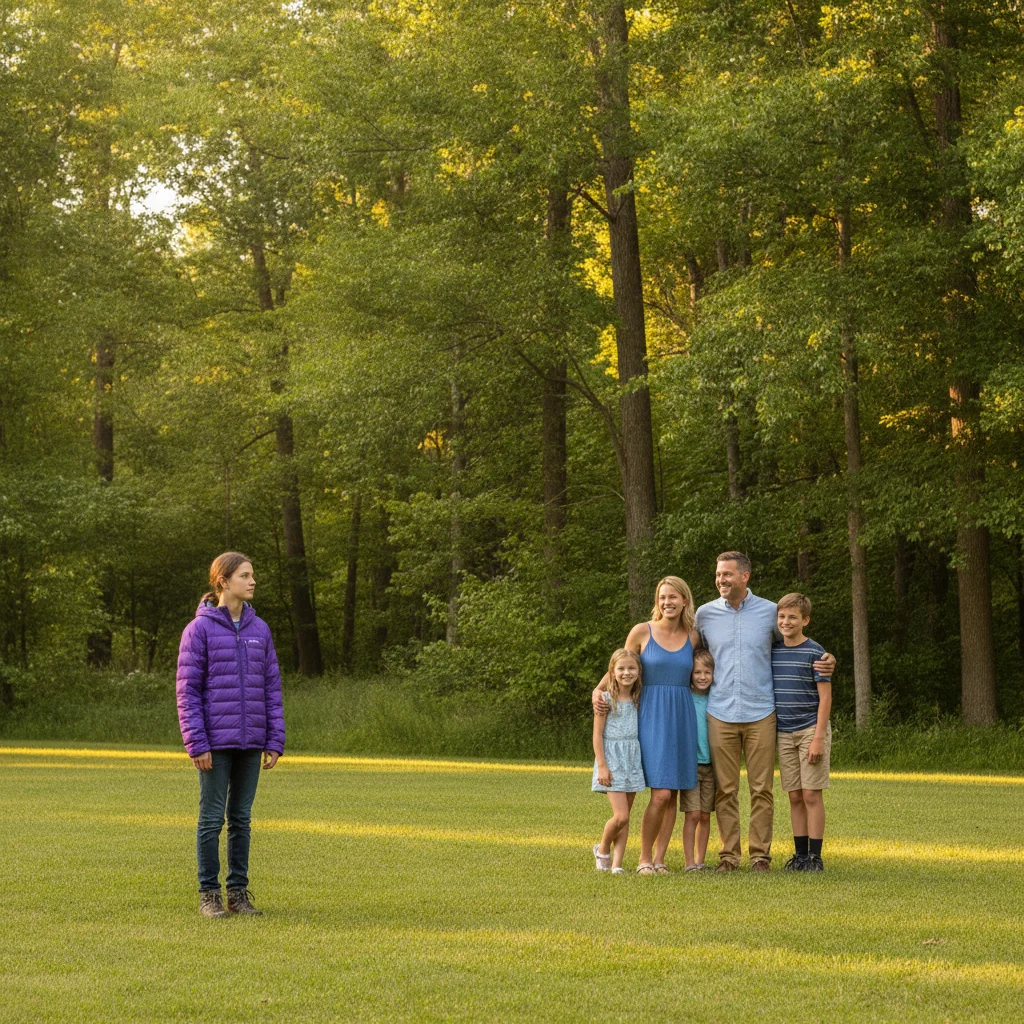
Family of five on a lawn, with the person at the far left in a purple jacket to be removed
Before
->
Same outdoor family photo with the person removed and the lawn and trees filled in naturally
After

Person removed from an outdoor family portrait

A family portrait taken on a lawn had a person standing at the left edge who should no longer appear in the photo. The AI removed them and rebuilt the grass and trees in their place.

Prompt: remove the person at the FAR LEFT, wearing a BRIGHT PURPLE JACKET, and fill with the lawn and trees visible around them

Family seated near a Christmas tree, with the person on the right in a red cardigan to be removed
Before
->
Same holiday photo with the person removed and the tree and ornaments filled in naturally
After

Person removed from a holiday family photo

A holiday photo near the Christmas tree had a person seated on the right who is no longer part of the family gatherings. The AI removed them and rebuilt the tree and ornaments behind them.

Prompt: remove the person seated on the RIGHT, wearing a BRIGHT RED CARDIGAN, and fill with the tree and ornaments visible behind them, keep the rest of the family unchanged

Quick answers

Do I need to mark the person before describing who to remove?

No. For clearly positioned people — 'the person on the far right,' 'the person seated on the left' — just describe them and the AI removes them. Tap a marker only if the first result targets the wrong person.

Is there a free tool to remove a person from a family photo with no login?

Yes. EditThisPic removes people from family photos free with one Fast edit per week, no account needed. Upload your photo, describe who to remove and where they are, and get the result in 15–30 seconds.

Will the AI actually reveal what was behind the person?

No — it reconstructs a plausible background based on the visible surroundings, it doesn't uncover anything that was actually hidden. For large areas, describe the background type so the reconstruction matches the room or scene.

Can I remove someone I'm estranged from without the photo looking edited?

Yes. Describe their position and what's around them, and the AI rebuilds the space so the removal isn't obvious. This works the same way whether the reason is an ex, an estrangement, or simply wanting a smaller crop of the family.

Can it remove more than one person from a family photo at once?

Yes. Type: 'remove the two people standing at the back and fill each area with the wall behind them.' Works well when the people to remove are grouped together against the same background.

Does it work on older or lower-resolution family photos?

Yes, as long as the person and their surrounding background are reasonably visible. Simple backgrounds — plain walls, open lawns — reconstruct more cleanly than busy or highly detailed scenes.

How much does EditThisPic cost?

You get 1 free edit per week — no account needed. After that, one-time credit packs start at $4.99 for 10 edits, valid 12 months, no subscription. Power users who edit daily can pick Studio Membership, a monthly workspace at $49.99/mo for 300 edits. Purchased downloads are clean with no watermark.

Ready to remove that person from your family photo?

Free to try. No signup required.

1 free edit included·Credit packs from $4.99