Pricing Remove Window reflection · Free

Remove Window Reflection from Photo

← Browse all remove tools

Last updated

Washed-out sky reflections on interior shots, ghosted street reflections on storefront windows, bright patches of glare on architectural exteriors — describe the reflection and the AI removes it and reconstructs the glass or scene behind it. Free, no account needed.
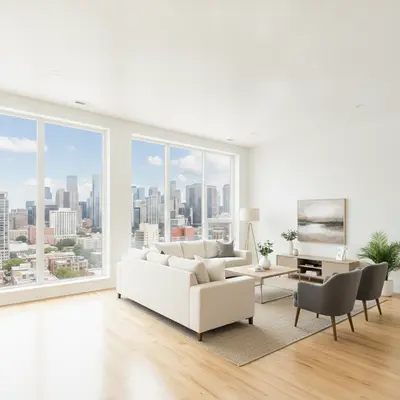
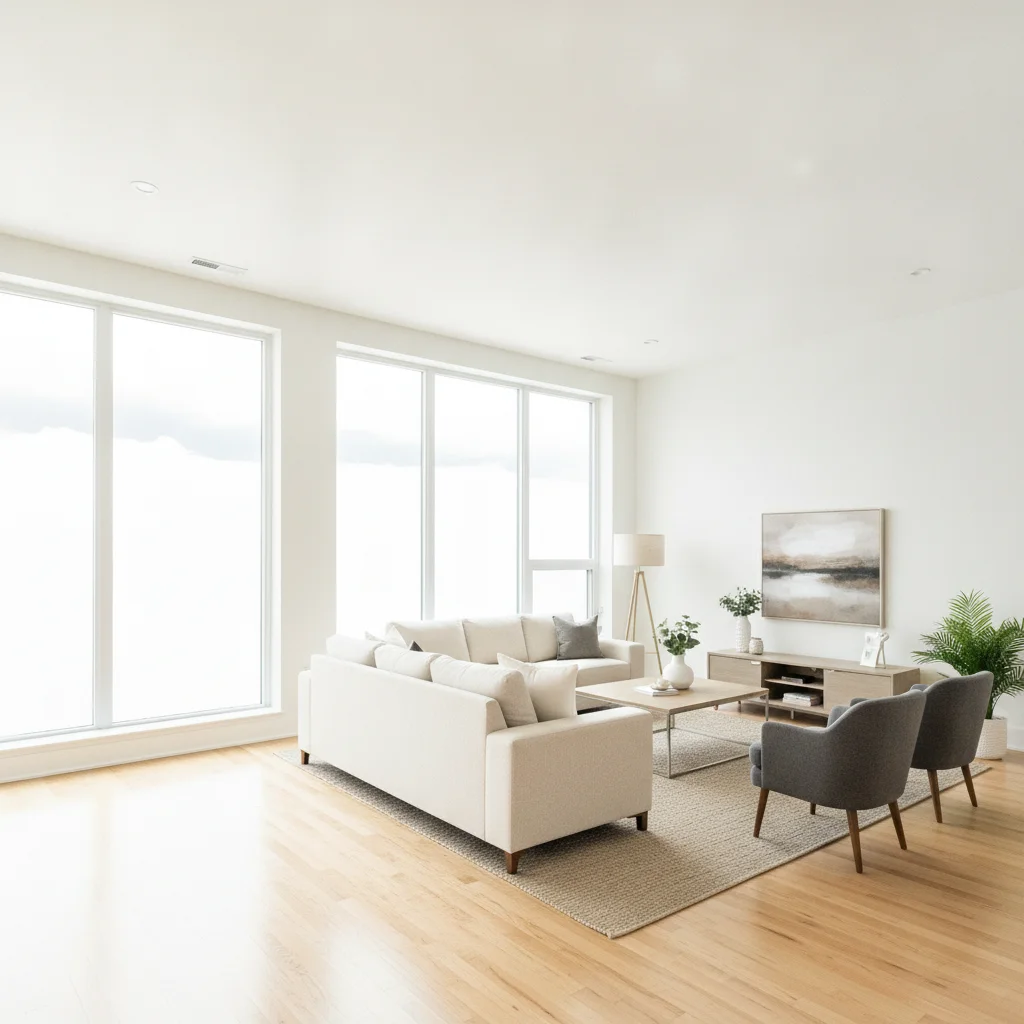
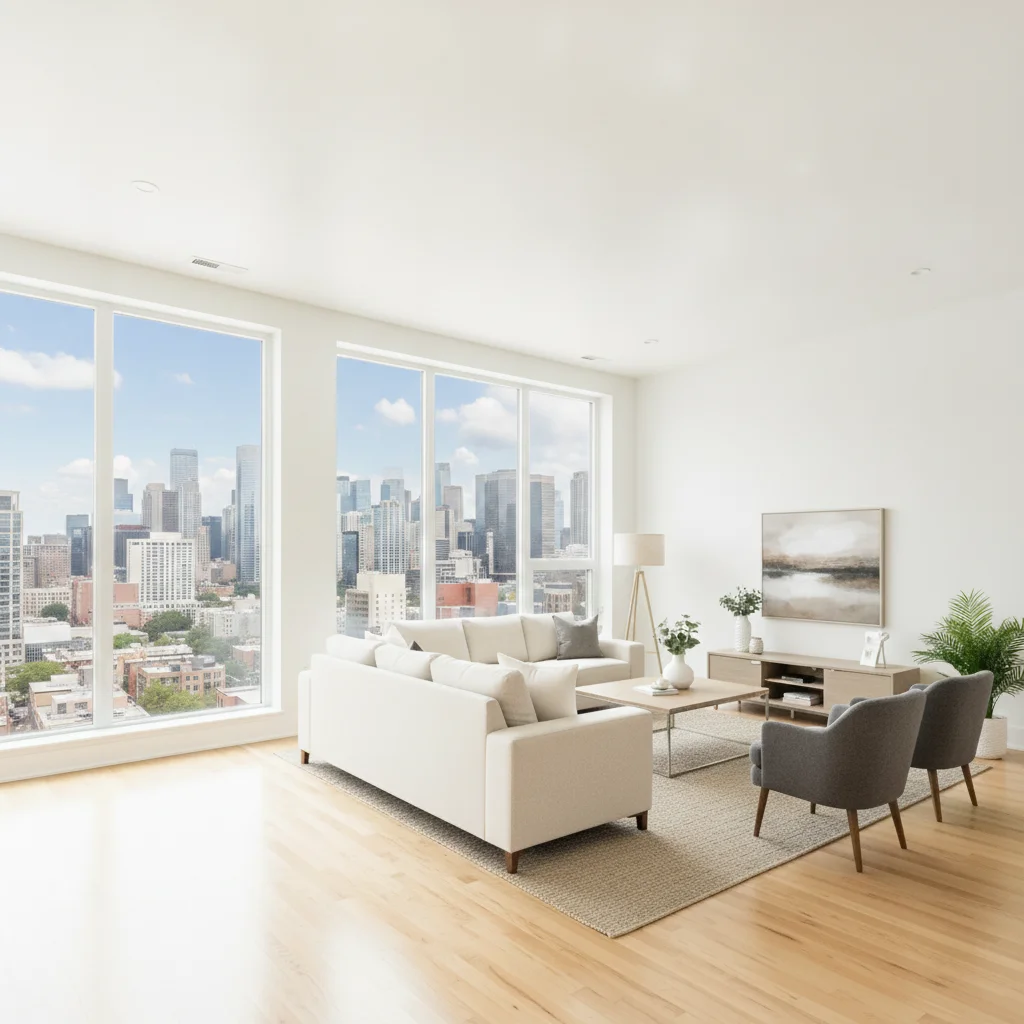
Living room interior with large window showing a bright sky reflection Same living room with the window reflection removed and an outdoor view visible through the glass

Upload photo to remove window reflection

"erase the reflection of the street on the storefront glass, make the window look clear so the interior display is visible"

Free to try · no sign-up · photos are never shared

Release to upload

<30stypical edit
1 freeedit weekly
Photo on your phone? Scan to open this editor there — free edit works on your phone too.

1 free edit every week·packs from $4.99

How it works

  1. Upload your photo

    Upload the photo with the window reflection problem. Real estate interiors, building exteriors, storefronts, product shots near windows, and architectural photos all work. JPG, PNG, or WebP up to 7MB.

    Expect: Small or partial reflections on clean glass: 25-35 seconds. Full-pane sky reflections or complex overlapping reflections: 40-55 seconds, may need one refinement pass.
  2. Describe the window reflection

    Say what the reflection looks like and what window it's on: 'remove the sky reflection on the large window on the left,' 'erase the glare on the storefront glass,' or 'clean up the reflection on the car window on the right.' No marking or selection needed.

    Tip: Tell the AI what you want to see behind the glass: 'remove the reflection and show the outdoor view through the window' or 'reveal the interior through the glass.' This gets a more intentional fill than just erasing the reflection.

    Copy one of these to get started:

    Sky reflection washing out an interior window remove the sky and outdoor reflection on the large window, reveal the interior room or outdoor view through the glass clearly
    Storefront window with street reflection erase the reflection of the street on the storefront glass, make the window look clear so the interior display is visible
    Real estate exterior with sky reflection on windows remove the sky reflection from all the windows on the building facade, make the glass look naturally clear
    Glare patch on window in interior photo remove the bright glare patch on the window in the upper right corner and reveal a consistent view through the glass
    3 more prompts
    Car window with reflection of surroundings remove the reflection on the car window on the left and show the interior of the car clearly through the glass
    Double reflection on sliding glass door clean up the double reflection on the sliding glass door — remove both the sky and the room reflection, make the glass look clean
    Office building exterior window reflection remove the cloud and sky reflections from the glass windows on the office building exterior, keep the building facade and framing unchanged
  3. Check the glass and fill quality

    Verify that the reflection is gone and the area behind the glass looks plausible. For interior shots, check that the view through the window or the wall inside looks consistent. For exteriors, check that the window looks like clean glass.

  4. Refine if the fill needs adjustment (optional)

    If the glass area looks patchy or the fill behind it is inconsistent, describe the fix: 'clean up the window area, the glass should look clear and reflect only the room inside.' The brush tool lets you target exactly the problematic part of the window.

See it in action

Living room interior with large window showing a bright sky reflection
Before
->
Same living room with the window reflection removed and an outdoor view visible through the glass
After

Real estate interior window reflection removed

A real estate listing photo had the sky washing out a large living room window. The AI removed the reflection and revealed a plausible outdoor view through the glass.

Prompt: remove the sky reflection from the large window on the left and reveal a clear outdoor view through the glass
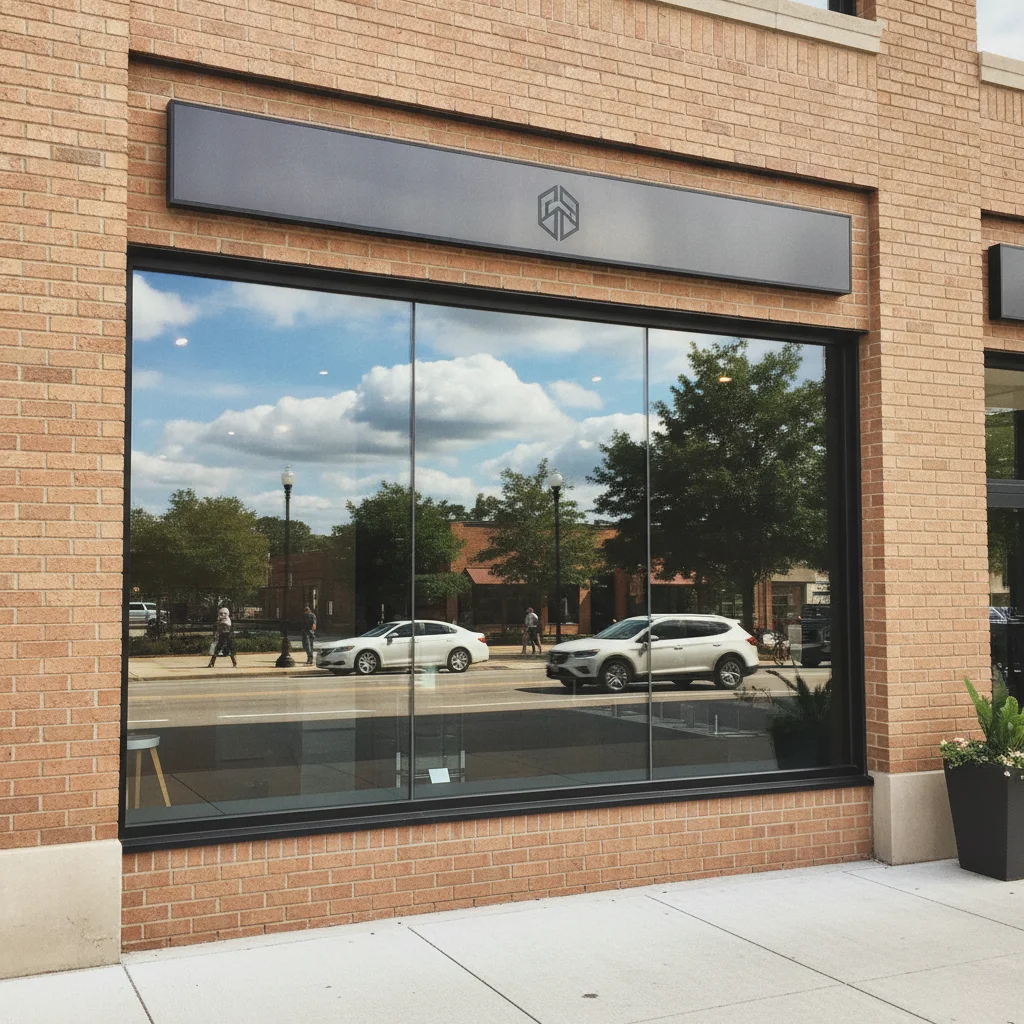
Storefront with a heavy street and sky reflection on the plate glass window
Before
->
Same storefront with the reflection removed and the store interior visible through clear glass
After

Storefront glass reflection cleared

A retail storefront photo had a heavy street and sky reflection obscuring the window display inside. The AI cleared the glass and revealed the store interior.

Prompt: erase the street and sky reflection on the storefront glass window, make the window clear so the interior display is visible

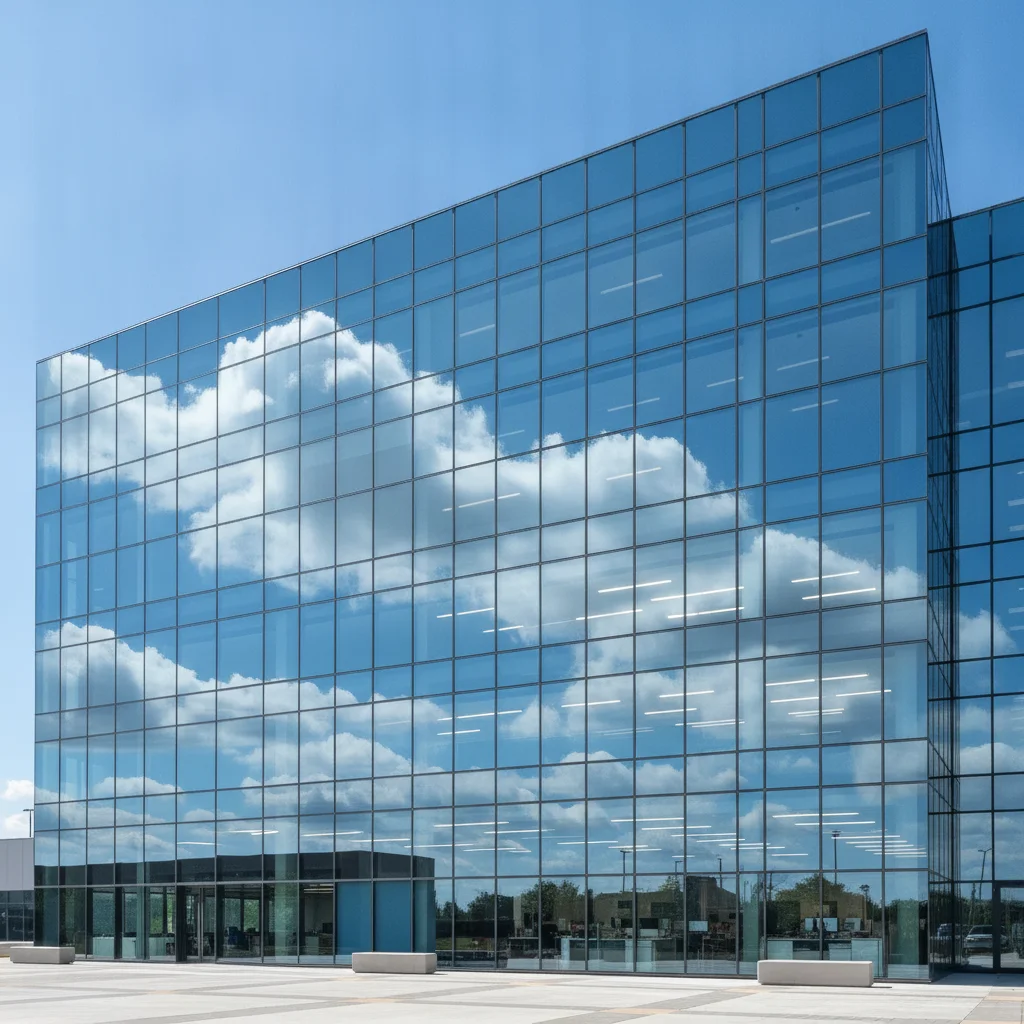
Office building exterior with cloud and sky reflections across the glass windows
Before
->
Same building with window reflections removed and the glass appearing clear and uniform
After

Office building facade windows cleared

An architectural exterior shot had cloud reflections on all the building windows. The AI removed the reflections across every pane while preserving the facade.

Prompt: remove the cloud and sky reflections from the glass windows on the building exterior, keep the building structure and facade unchanged

Quick answers

Do I need to mark the window reflection area before removing it?

No. Describe the window and the reflection: 'remove the sky reflection on the large window on the left' or 'erase the glare on the storefront glass.' EditThisPic identifies the reflection area from your description. The brush tool is available for extra precision but is not required for most window reflection removals.

How do I remove a window reflection from a photo for free?

Upload your photo to EditThisPic and describe the reflection: 'remove the sky reflection on the large window' or 'erase the glare on the storefront glass.' The AI clears the reflection and reconstructs what's behind the glass in about 30 seconds. Free, no account required, no watermark on the result.

Does removing a window reflection fix real estate listing photos?

Yes. Washed-out windows are one of the most common problems in real estate interior photos. Upload the listing photo and say 'remove the sky reflection from the window and reveal the outdoor view through the glass.' The AI clears the washed-out glass and fills with a plausible view, making the space look brighter and more intentional.

What's visible through the window after the reflection is removed?

The AI fills the cleared glass with the most plausible view — an exterior scene, the room interior, or a darkened interior depending on context. You can guide the fill: 'reveal a garden view through the glass' or 'show a dark interior behind the glass.' If the photo has other unaffected windows, the AI may use them as reference.

Can I remove reflections from multiple windows in one photo?

Yes. Say 'remove the reflections from all the windows on the building facade' or 'clear the reflection from the three large windows on the left side.' The AI handles multi-window passes. For complex glass curtain walls with many panes, one refinement pass is sometimes needed to clean up the remaining patches.

How much does EditThisPic cost?

You get 1 free edit per week — no account needed. After that, one-time credit packs start at $4.99 for 10 edits, valid 12 months, no subscription. Power users who edit daily can pick Studio Membership, a monthly workspace at $49.99/mo for 300 edits. Purchased downloads are clean with no watermark.

Ready to remove the window reflection from your photo?

Free to try. No signup required.

1 free edit included·Credit packs from $4.99