Replace a Face in a Group Photo
← Browse all replace toolsLast updated
Upload the group photo and a reference photo of that same person looking their best — AI fixes just their face while keeping pose, clothing, and the rest of the group unchanged.



Upload photo to replace face
"replace the face of the person second from the left with the reference photo, facing forward toward the camera, keep their pose and clothing unchanged"
Free to try · no sign-up · never used for AI training
Release to upload
How it works
See it in action


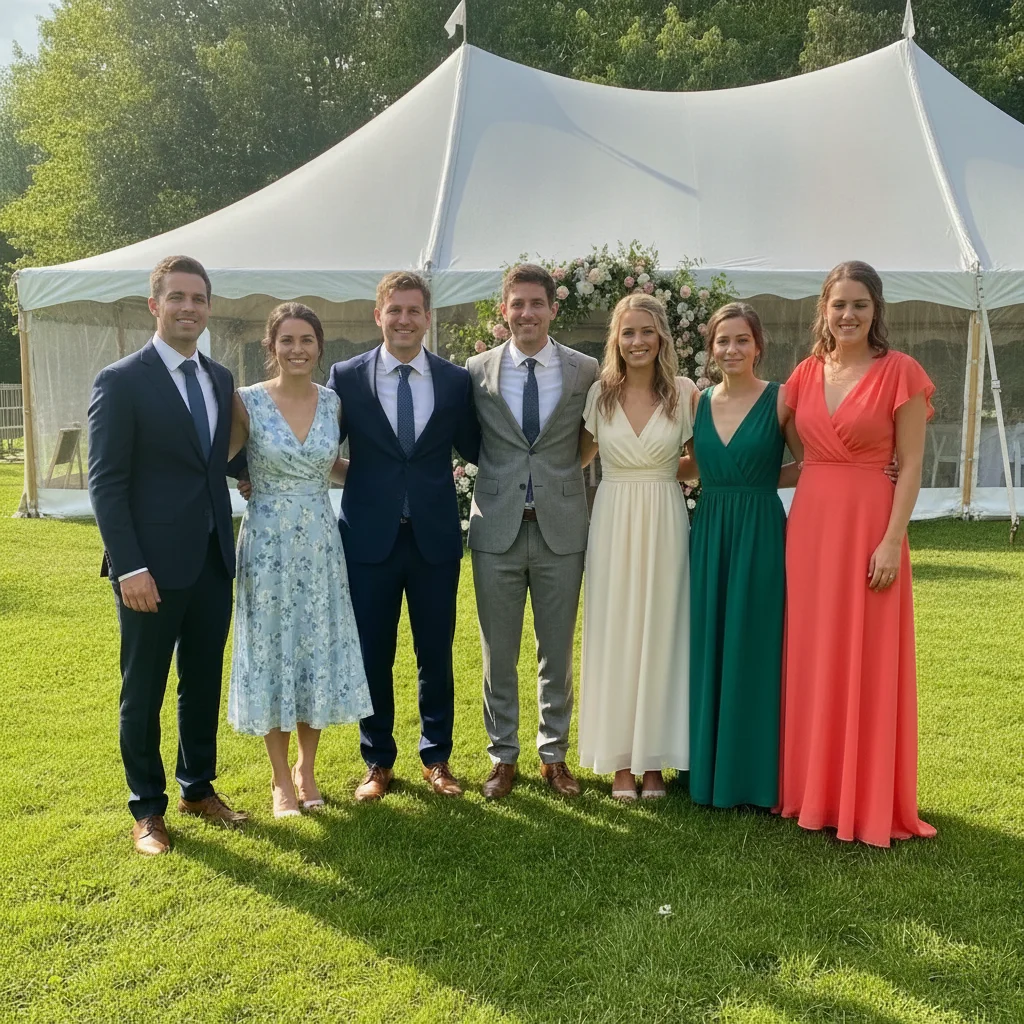
Blinking guest fixed in a wedding group photo
A wedding group photo of six guests had one person blinking at the exact moment of the shot. The AI replaced just their face using a reference photo taken seconds later, matching the outdoor lighting.
open the eyes of the woman in the bright coral dress on the far right so she is looking at the camera with a relaxed natural smile, change nothing else in the photo
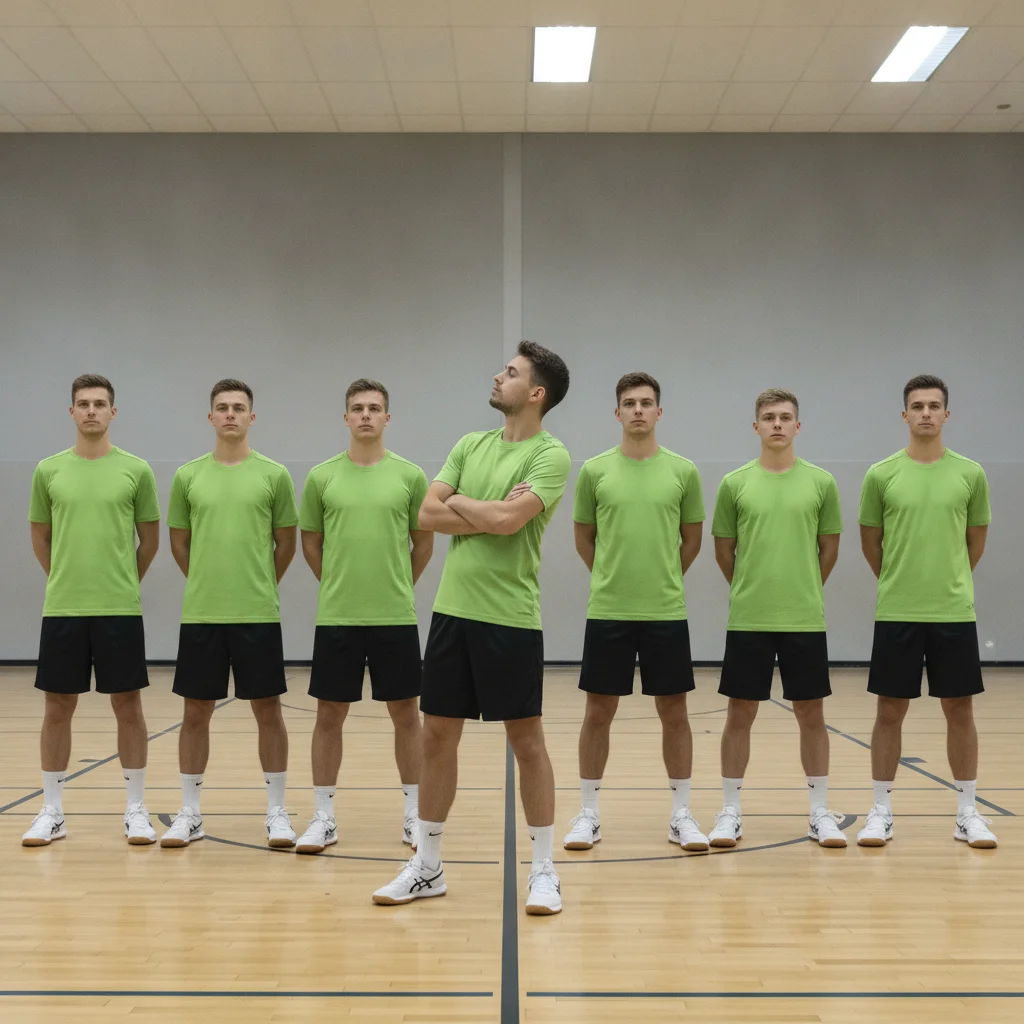
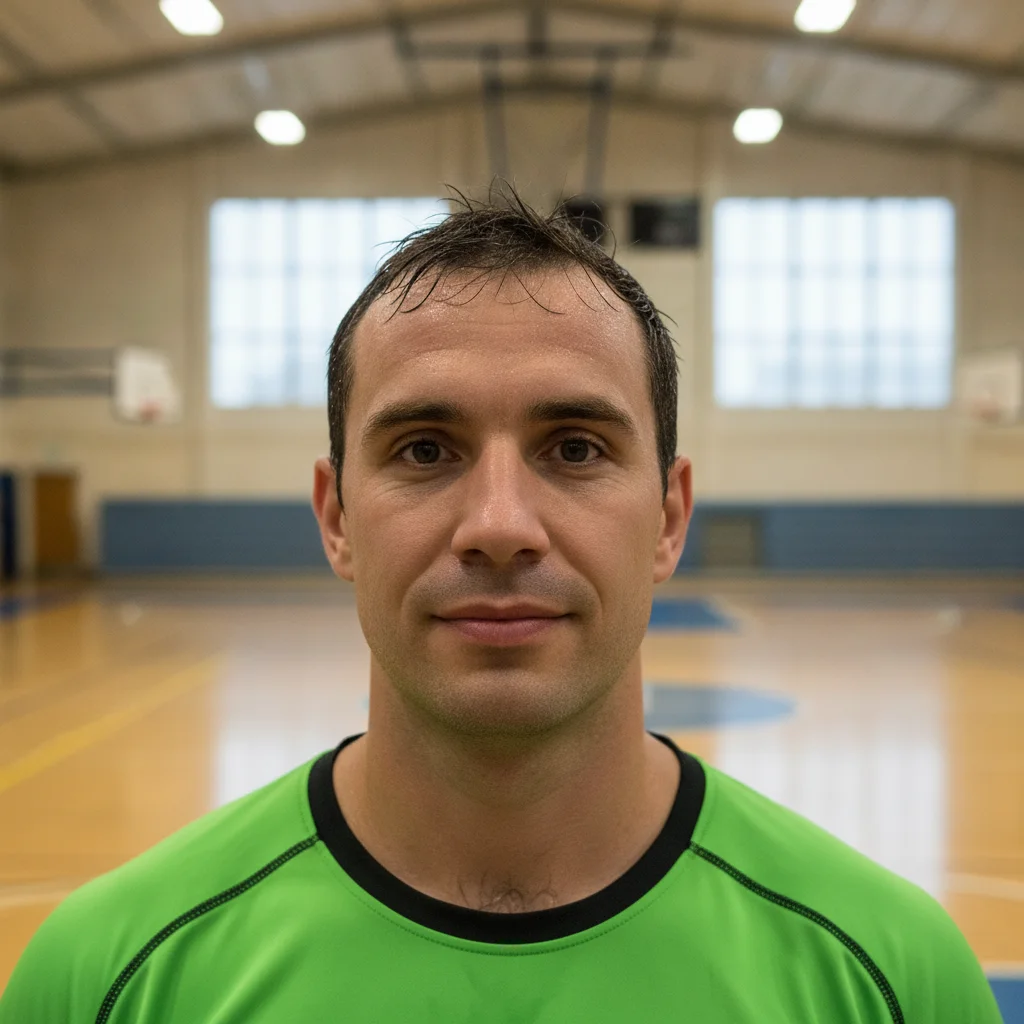
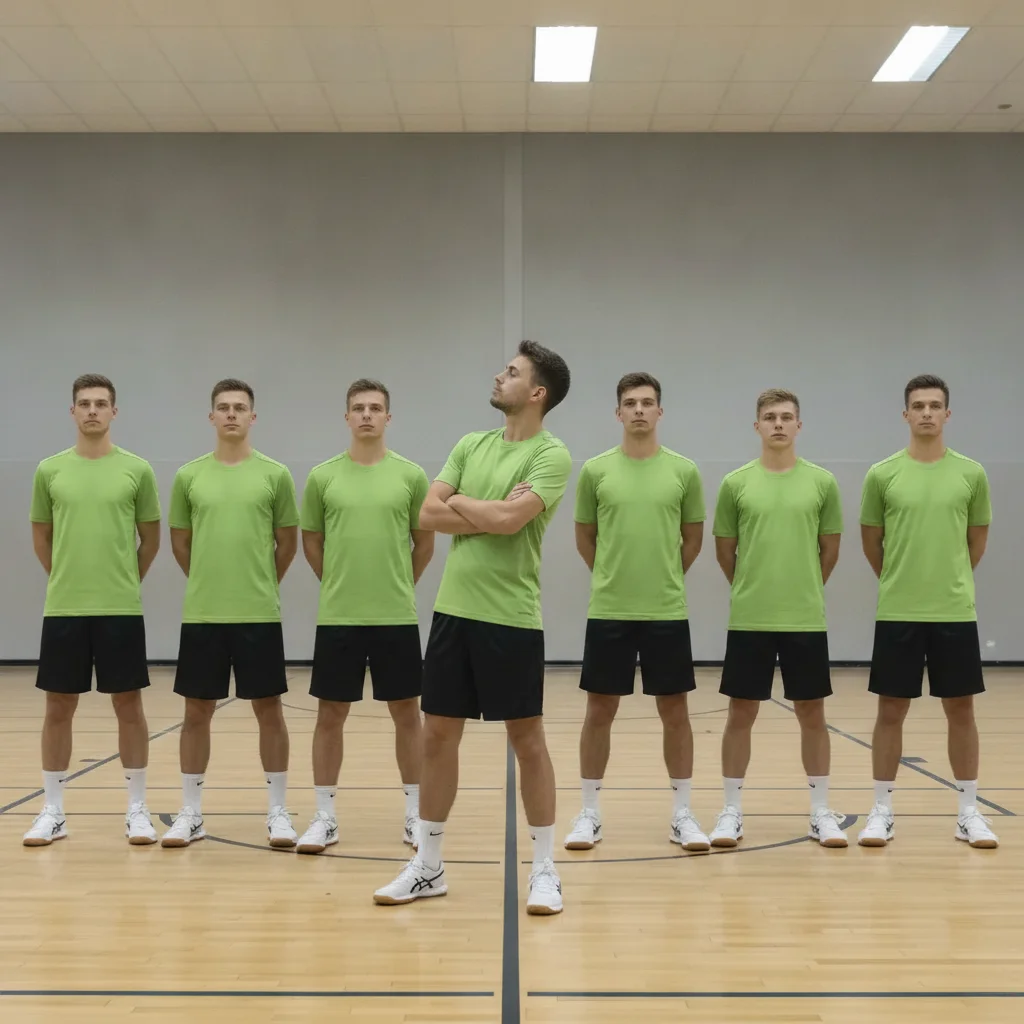
Turned-away teammate fixed in a sports team photo
A sports team lineup had one player looking off to the side instead of at the camera. The AI replaced their face using a reference photo from moments earlier, matching the gymnasium lighting.
replace the face of the person second from the left, wearing a BRIGHT GREEN JERSEY, with the reference photo, facing forward toward the camera, keep their pose and clothing unchanged



Mid-sentence expression fixed in an office team photo
An office team photo caught one coworker mid-sentence with an odd expression. The AI replaced just their face using a reference photo from the same session, matching the office lighting.
replace the face of the person on the FAR LEFT, wearing a BRIGHT YELLOW BLAZER, with the reference photo, natural smiling expression, keep their hair, pose, and outfit exactly the same
Quick answers
Ready to fix a face in your group photo?
Upload your two photos. Free, no signup required.