Pricing Visualize Sherwin-Williams Balanced Beige paint color · Free

Sherwin-Williams Balanced Beige (SW 7037) on Your House

← Browse all home exterior photo editing

Last updated

See Balanced Beige SW 7037 on your own home photo, free.
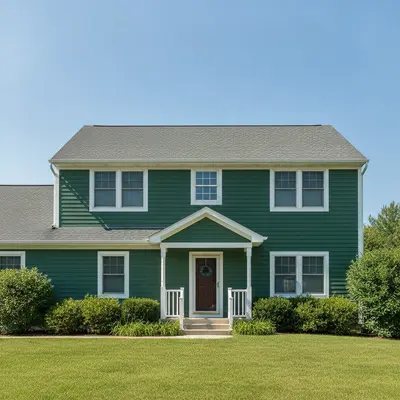
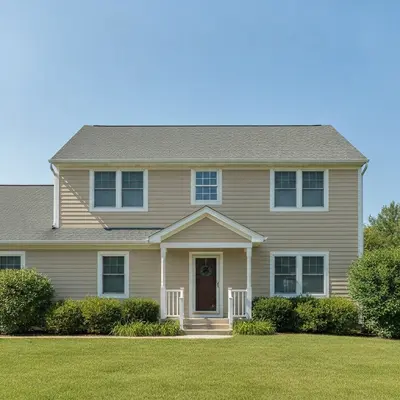
Two-story house with deep forest green lap siding and white trim Same house with soft beige Balanced Beige siding, white trim and roof unchanged

Upload photo to visualize Sherwin-Williams Balanced Beige paint color

"Repaint only the exterior trim, window casings, fascia and corner boards in Sherwin-Williams Balanced Beige SW 7037, a soft mid-light beige (hex #C0B2A2). Keep the stucco walls, roof, windows, front door and landscaping exactly as they are."

Free to try · no sign-up · never used for AI training

Release to upload

<30stypical edit
1 freeedit weekly
Photo on your phone? Scan to open this editor there — free edit works on your phone too.

1 free edit every week·paid packs after

How it works

  1. Upload your photo

    Pick a daylight photo where the surface you want to repaint is large and clear, such as a straight-on house front or a kitchen wall of cabinets. JPG, PNG or WebP works.

    Expect: Most single-surface edits take about 30 seconds.
  2. Describe the Balanced Beige change

    Type the surface, the color with its code, and what to keep. For example: repaint only the siding in Sherwin-Williams Balanced Beige SW 7037, a soft mid-light beige, and keep the roof and trim. No marking needed.

    Tip: Say what must stay unchanged. Mid-tone beiges can spill onto brick, stone and wood nearby.

    Copy one of these to get started:

    Siding in Balanced Beige Repaint only the siding in Sherwin-Williams Balanced Beige SW 7037, a soft mid-light beige (hex #C0B2A2). Keep the roof, trim, windows, front door, garage door, brick and landscaping exactly as they are.
    Trim only Repaint only the exterior trim, window casings, fascia and corner boards in Sherwin-Williams Balanced Beige SW 7037, a soft mid-light beige (hex #C0B2A2). Keep the stucco walls, roof, windows, front door and landscaping exactly as they are.
    Front door Repaint only the front door in Sherwin-Williams Balanced Beige SW 7037, a soft mid-light beige (hex #C0B2A2). Keep the door frame, siding, trim, hardware, porch and landscaping exactly as they are.
    Kitchen cabinets Repaint only the kitchen cabinet doors and drawer fronts in Sherwin-Williams Balanced Beige SW 7037, a soft mid-light beige (hex #C0B2A2). Keep the countertops, backsplash, the stainless steel range hood, range and refrigerator in their original silver color, brass hardware, walls, wood floor and lighting exactly as they are.
    2 more prompts
    Interior walls Repaint only the interior walls in Sherwin-Williams Balanced Beige SW 7037, a soft mid-light beige (hex #C0B2A2). Keep the ceiling, trim, floor, furniture, windows and artwork exactly as they are.
    Siding with crisp white trim Repaint only the siding in Sherwin-Williams Balanced Beige SW 7037, a soft mid-light beige (hex #C0B2A2), and repaint only the trim in Sherwin-Williams Pure White SW 7005, a clean white. Keep the roof, windows, front door, brick and landscaping exactly as they are.
  3. Review the result

    Zoom in on edges where siding meets trim, window frames and the roofline. Check that only the named surface changed and that the beige reads warm and soft rather than yellow or pink.

  4. Refine with markers if needed

    If a wall section or trim piece was missed, tap a marker on it and run the prompt again. Most edits work without markers.

    Tip: Markers are for precision refinement, not a required step.

See it in action

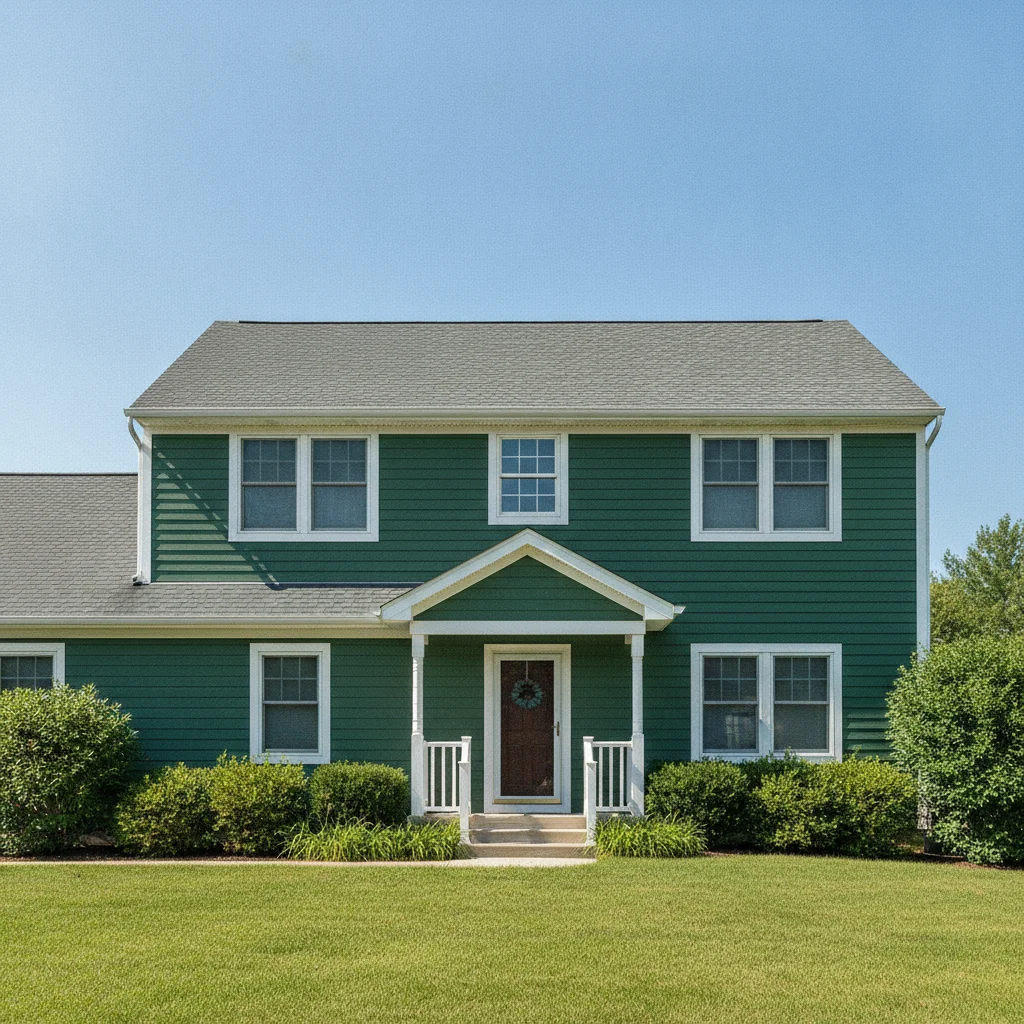
Two-story house with deep forest green lap siding and white trim
Before
->
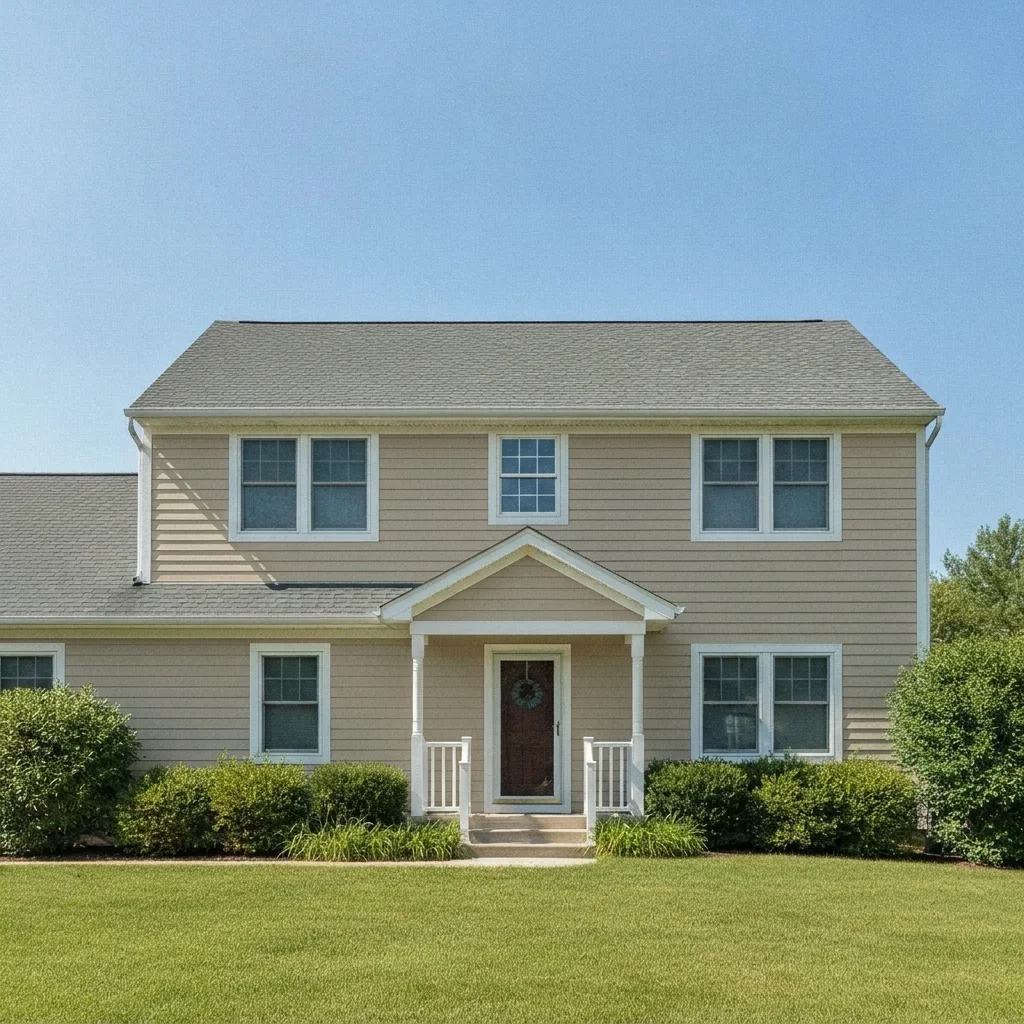
Same house with soft beige Balanced Beige siding, white trim and roof unchanged
After

Dark green lap siding to Balanced Beige

A two-story house with deep forest green lap siding repainted a soft mid-light beige, with the dark roof and white trim unchanged.

Prompt: Repaint only the siding in Sherwin-Williams Balanced Beige SW 7037, a soft mid-light beige (hex #C0B2A2). Keep the roof, trim, windows, front door, garage door, brick and landscaping exactly as they are.
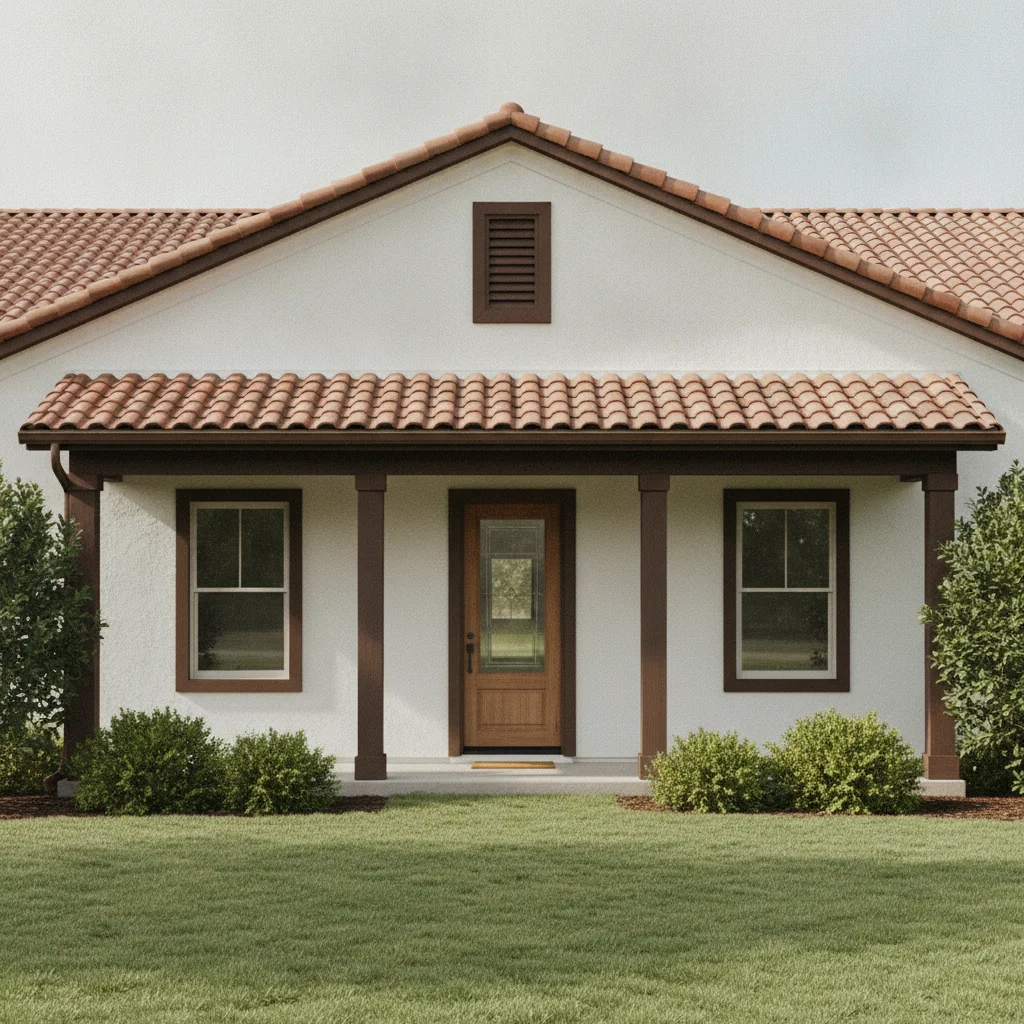
White stucco house with dark brown painted window trim and fascia
Before
->
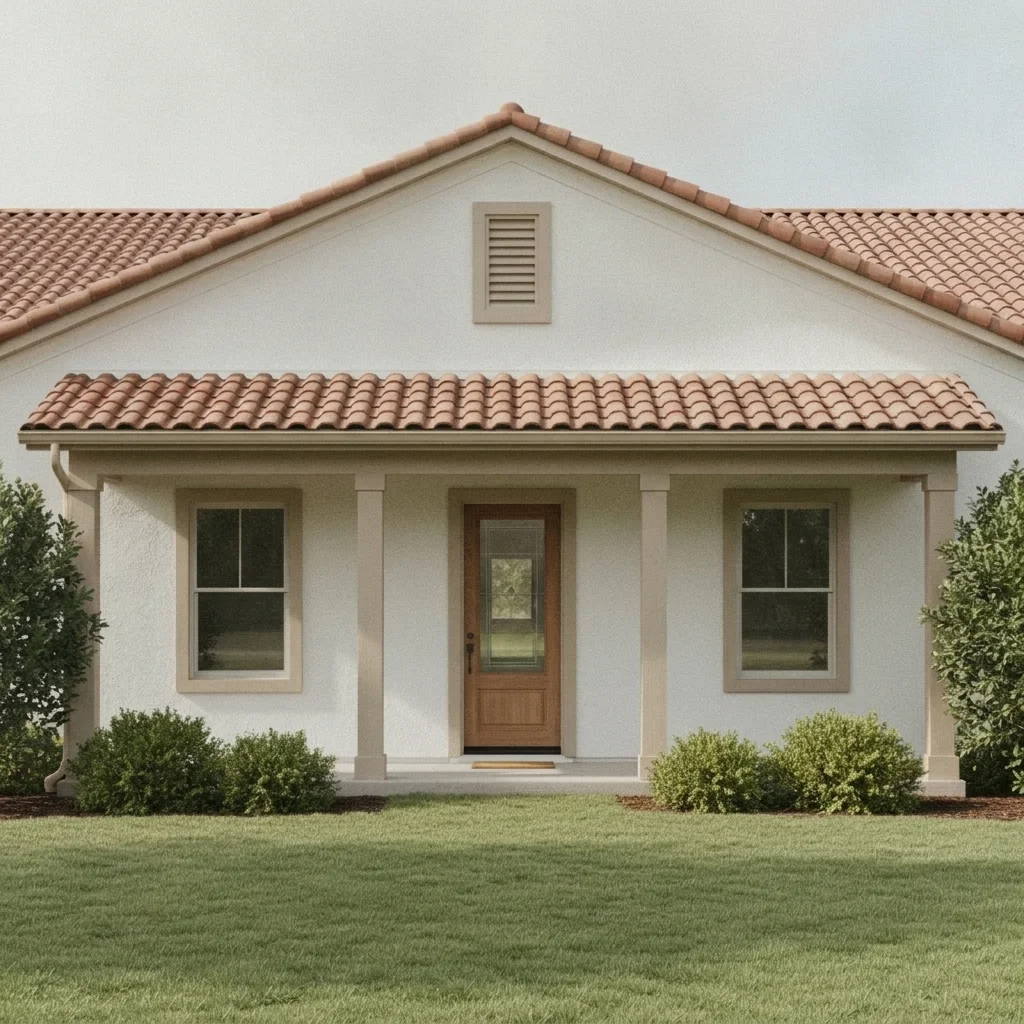
Same stucco house with soft beige trim, white walls and roof unchanged
After

Dark brown trim on a stucco house to Balanced Beige

A white stucco house with dark brown painted trim, fascia and window casings repainted in a soft mid-light beige.

Prompt: Repaint only the exterior trim, window casings, fascia and corner boards in Sherwin-Williams Balanced Beige SW 7037, a soft mid-light beige (hex #C0B2A2). Keep the stucco walls, roof, windows, front door and landscaping exactly as they are.
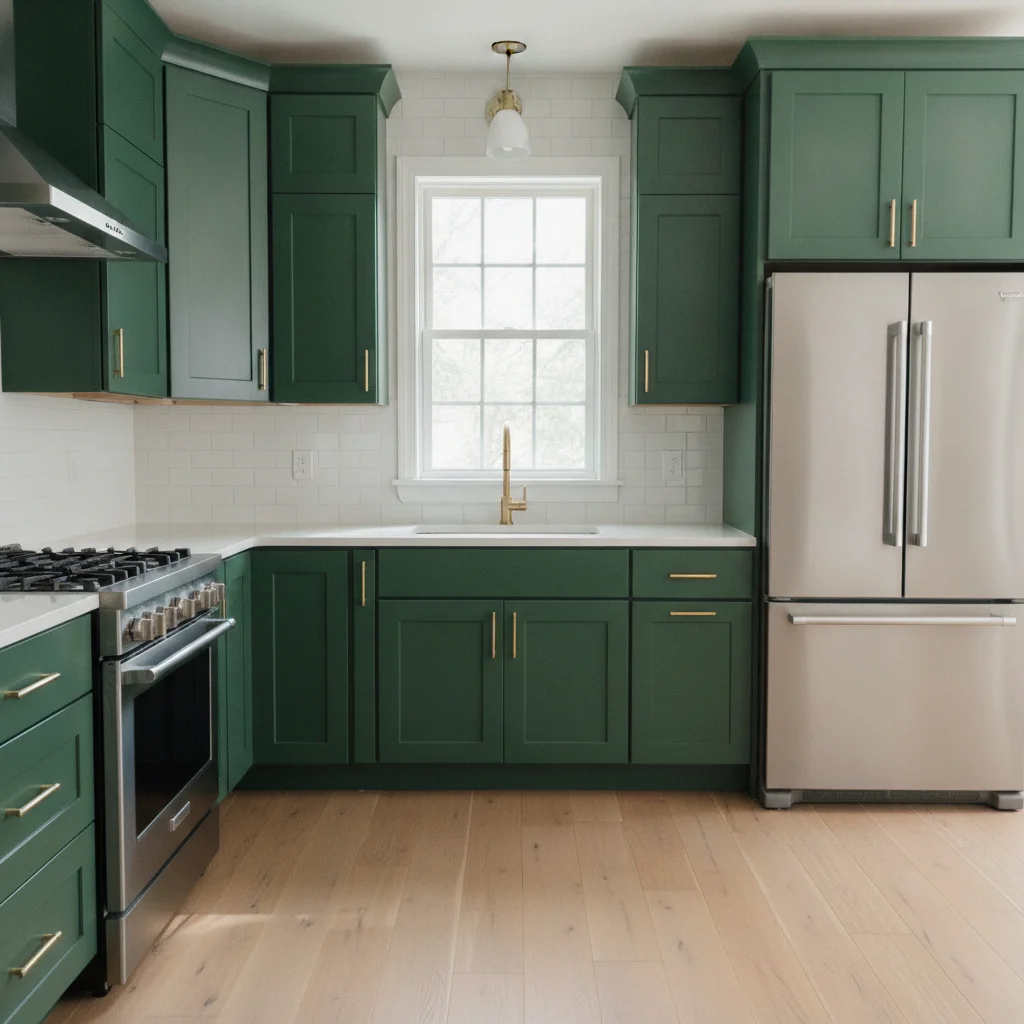
Kitchen with deep green shaker cabinets, white counters and brass handles
Before
->
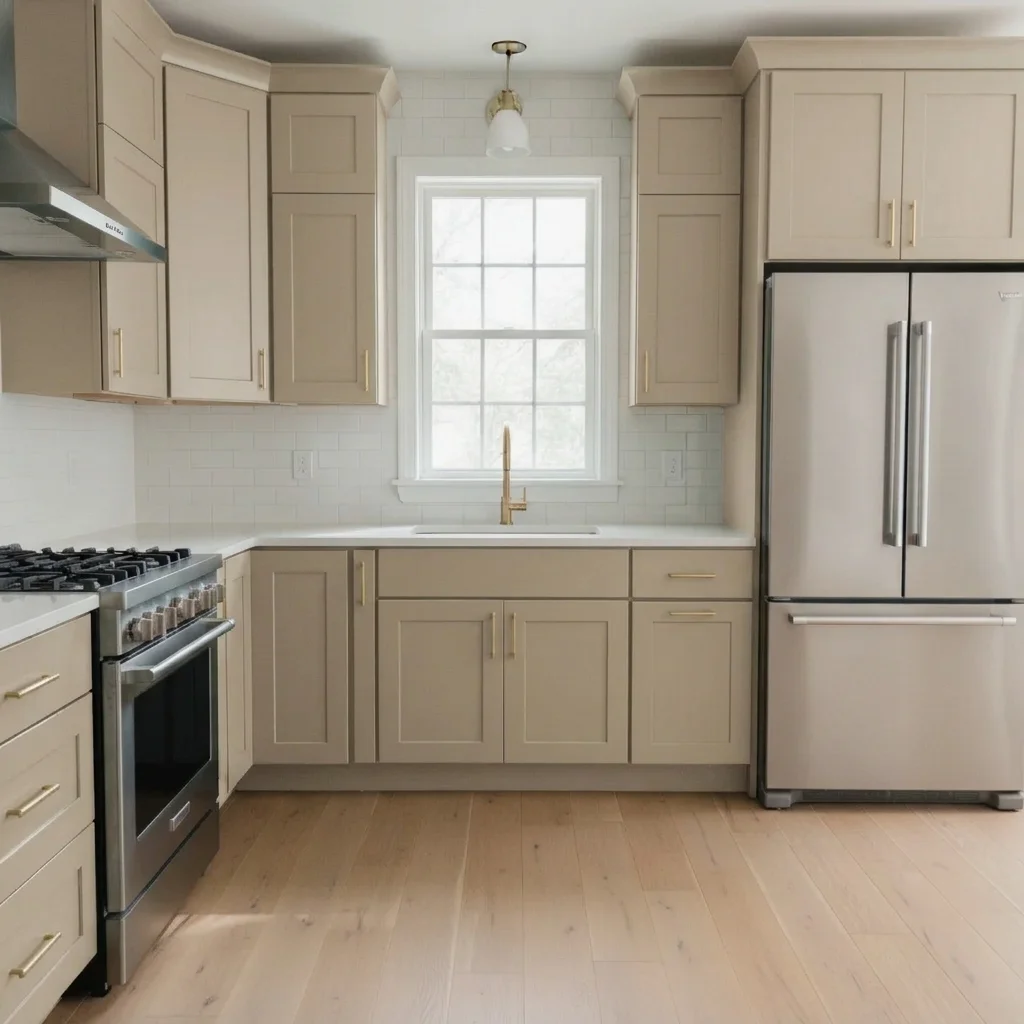
Same kitchen with soft beige cabinets, counters and brass handles unchanged
After

Dark green kitchen cabinets to Balanced Beige

A kitchen with deep green cabinets repainted a soft mid-light beige while counters, hardware and appliances stay put.

Prompt: Repaint only the kitchen cabinet doors and drawer fronts in Sherwin-Williams Balanced Beige SW 7037, a soft mid-light beige (hex #C0B2A2). Keep the countertops, backsplash, the stainless steel range hood, range and refrigerator in their original silver color, brass hardware, walls, wood floor and lighting exactly as they are.

Quick answers

Do I need to mark the surface before changing it to Balanced Beige?

No. Just describe what to repaint, for example the siding or the cabinets, and say what to keep. Use a marker only if the AI picks the wrong surface.

How do I see Sherwin-Williams Balanced Beige on my house for free?

Upload a photo of your home to EditThisPic, type the surface and the color name with its code, and review the result. It is free to try and needs no account.

Is this an official Sherwin-Williams tool?

No. EditThisPic is independent and not affiliated with Sherwin-Williams. The name and code are used only to identify the paint color.

How accurate is the color?

It is an AI preview on your photo, not a measured paint match. Screens, camera settings and daylight change how a beige looks, and Balanced Beige can read slightly grayer in shade and warmer in direct sun. Order a physical sample and view it on your wall before you buy paint.

What is the color code and LRV of Balanced Beige?

Balanced Beige is SW 7037, listed by Sherwin-Williams among its neutral colors. Its published light reflectance value is about 46 and its screen hex is #C0B2A2. Treat the hex as an approximation of the real paint.

What undertone does Balanced Beige have?

Reviewers describe it as a true beige that leans slightly gray, with no strong golden cast. In some rooms it can pick up a hint of green or pink from its surroundings, which is why a sample on your own wall matters.

Which colors are paired with Balanced Beige?

Designers often suggest a clean white such as Sherwin-Williams Pure White SW 7005 or the creamier Alabaster SW 7008 for trim. You can preview a pairing by naming both colors and their surfaces in one prompt.

Can I try Balanced Beige on trim, a front door or cabinets as well as siding?

Yes. Name the surface in your prompt and say what to leave alone. The prompts on this page cover siding, trim, front doors, cabinets and interior walls.

How much does EditThisPic cost?

You get 1 free Standard edit per week — no account needed. After that, one-time credit packs start at $4.99 for 10 credits, valid 12 months, no subscription. A Standard edit uses 1 credit, Pro 2 and Ultra 3. Purchased downloads are clean with no watermark.

Ready to see Balanced Beige on your home?

Free to try. No signup required.

1 free edit included·paid credit packs after