Pricing Add Furniture · Free

AI Furniture Adder

← Browse all add & replace tools

Last updated

Add furniture to any photo using a reference image — place exact pieces into empty rooms with AI in seconds.
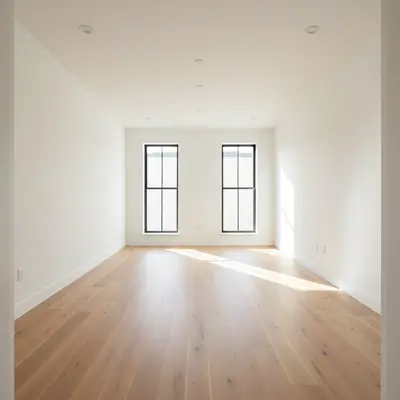
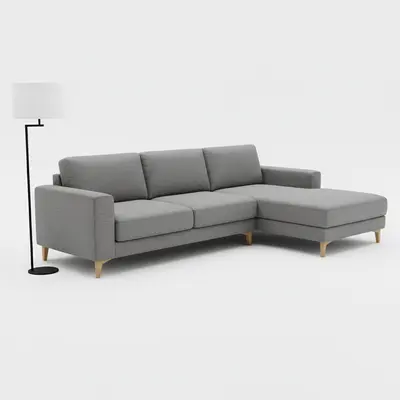
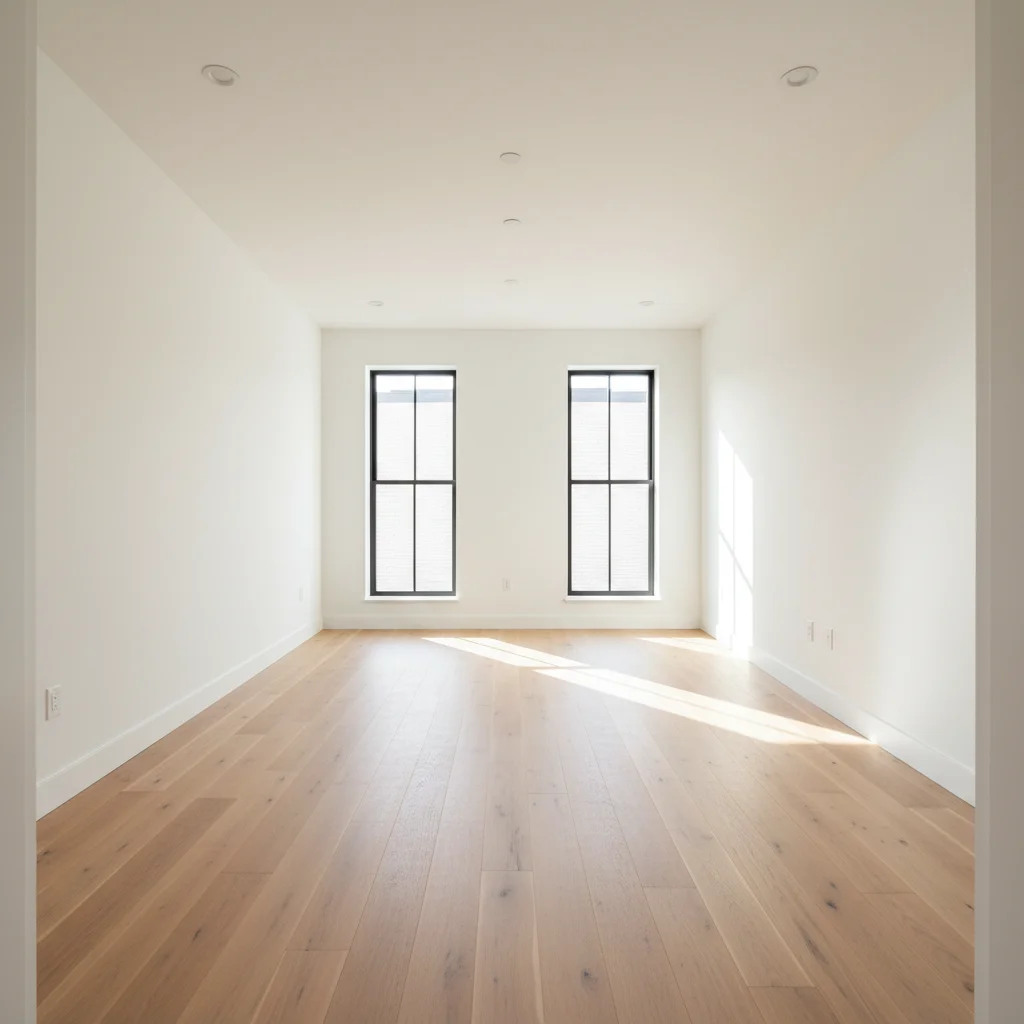
01Photo 1
Empty modern living room with white walls and oak floors
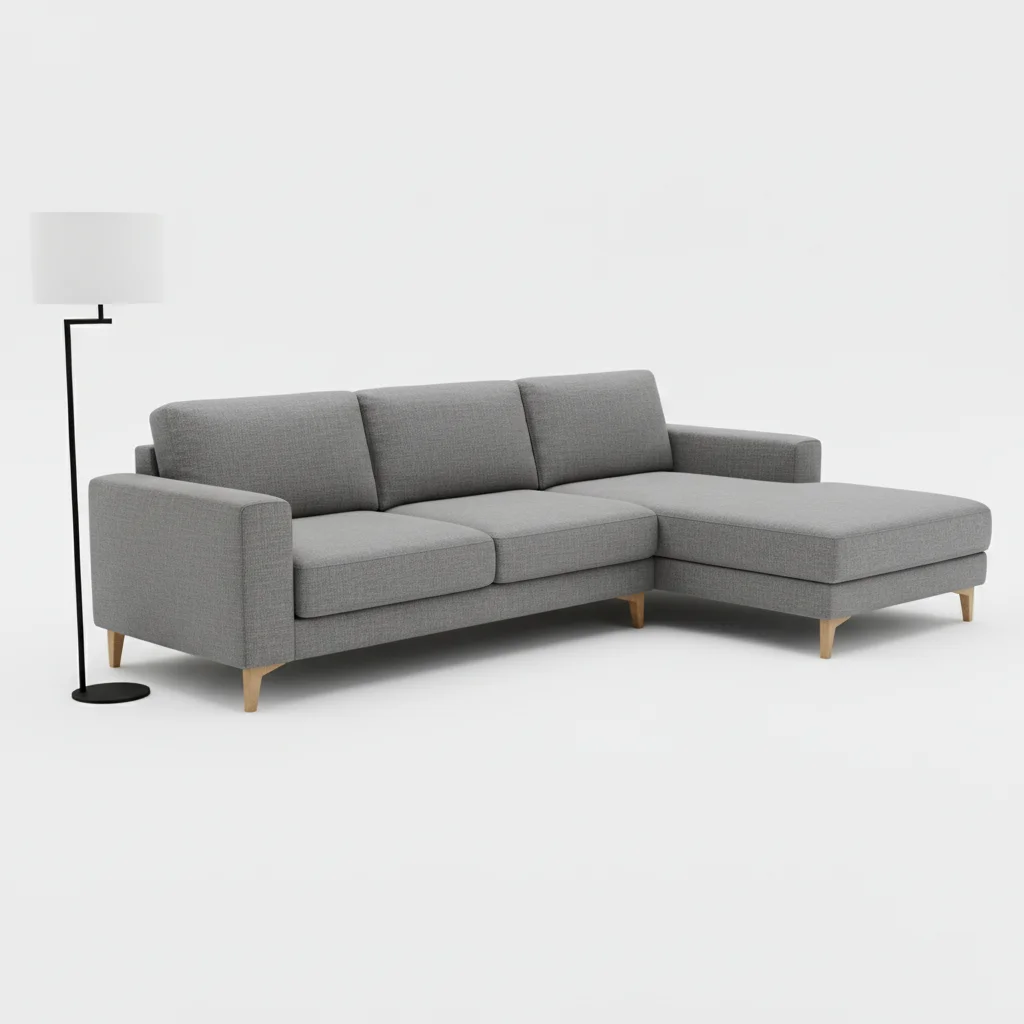
02Photo 2
Gray sectional sofa on white background
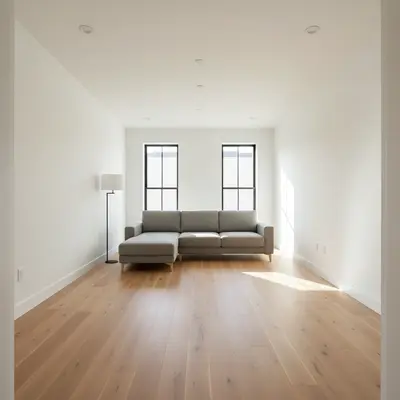
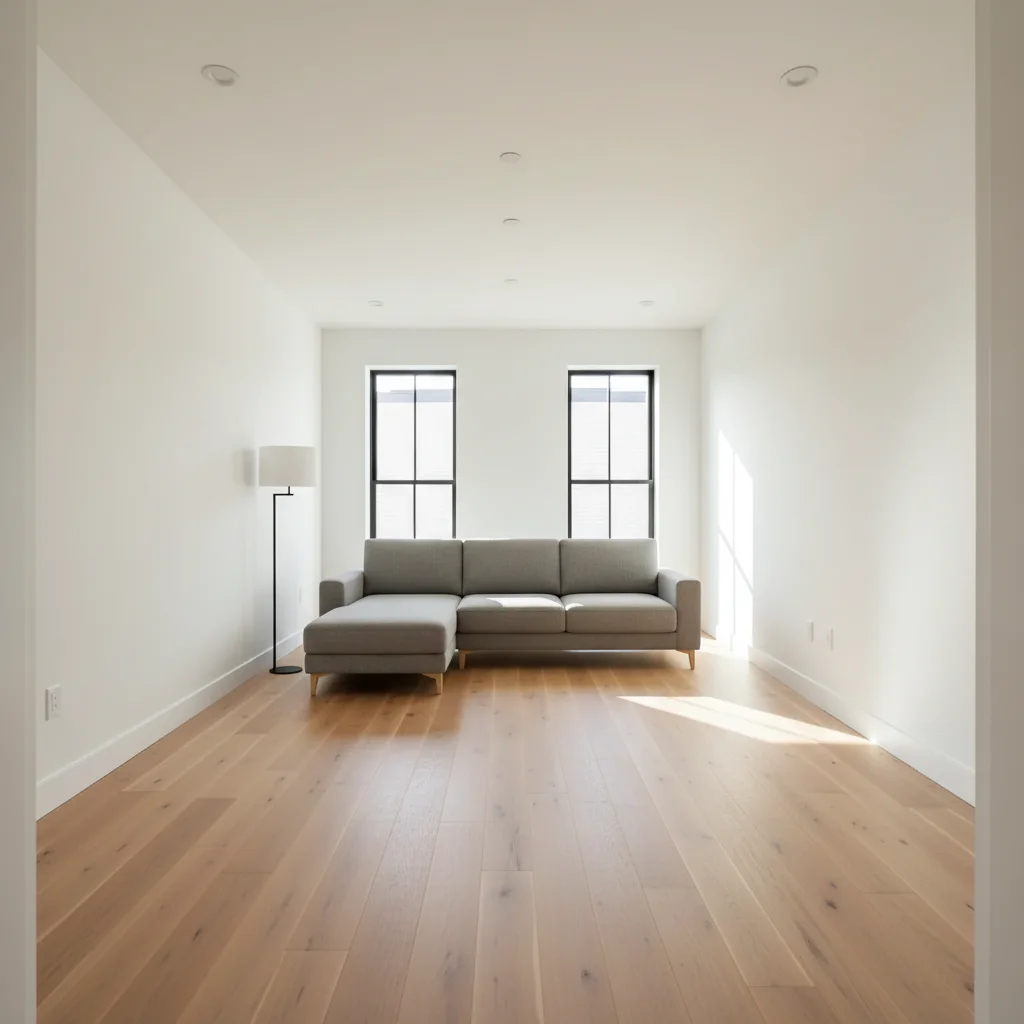
03Result
Same room with a gray sectional sofa placed by AI

Upload photo to add furniture

"place this dining table and chairs from the reference photo centered in the room directly under the overhead light fixture"

Free to try · no sign-up · never used for AI training

Release to upload

<30stypical edit
1 freeedit weekly
Photo on your phone? Scan to open this editor there — free edit works on your phone too.

1 free edit every week·paid packs after

How it works

  1. Upload your two photos

    Drop your empty room photo into EditThisPic first. Then click '+ Add reference photo' and upload the furniture photo you want placed in the room. Both photos are needed — the main photo sets the room, the reference photo tells the AI exactly which furniture piece to add.

    Expect: JPG, PNG, or WebP up to 7MB each. Well-lit, straight-on shots give the best results.
  2. Describe where and how to place the furniture

    Tell the AI where to position the piece from your reference photo: 'add this sofa against the left wall' or 'place this armchair in the corner facing the window.' The more specific your placement instruction, the more precisely the AI positions the furniture.

    Tip: Mention placement anchors like 'against the wall,' 'centered under the window,' or 'facing the TV.' These spatial cues dramatically improve accuracy.

    Copy one of these to get started:

    Sofa from reference photo add this sofa from the reference image against the left wall, matching the room's natural lighting and wood floor
    Dining set from reference place this dining table and chairs from the reference photo centered in the room directly under the overhead light fixture
    Bedroom furniture reference add this bed frame from the reference photo centered on the main wall with matching nightstands on each side
    Accent chair placement place this accent chair from the reference photo in the corner to the right of the window, angled slightly toward the center of the room
    2 more prompts
    Home office desk add this desk from the reference image facing the window on the right wall, with the chair positioned for a seated view of the window
    Full living room staging add all furniture from the reference image — sofa, coffee table, and armchairs — arranged for conversation in the center of the room
  3. Generate and inspect the result

    Review the staged photo for scale, shadow direction, and floor contact. The furniture should sit naturally on the floor with shadows matching the room's light source. If anything looks off, note it for refinement.

See it in action

Empty modern living room with white walls and oak floors
Main Photo
Gray sectional sofa on white background
Reference
Same room with a gray sectional sofa placed by AI
Result

Living room staged with reference sofa

An empty living room transformed using a reference photo of a specific gray sectional the homeowner was considering buying.

Prompt: add this gray sectional and floor lamp from the reference photo. place the sectional against the back wall facing the window, and put the lamp in the far corner.
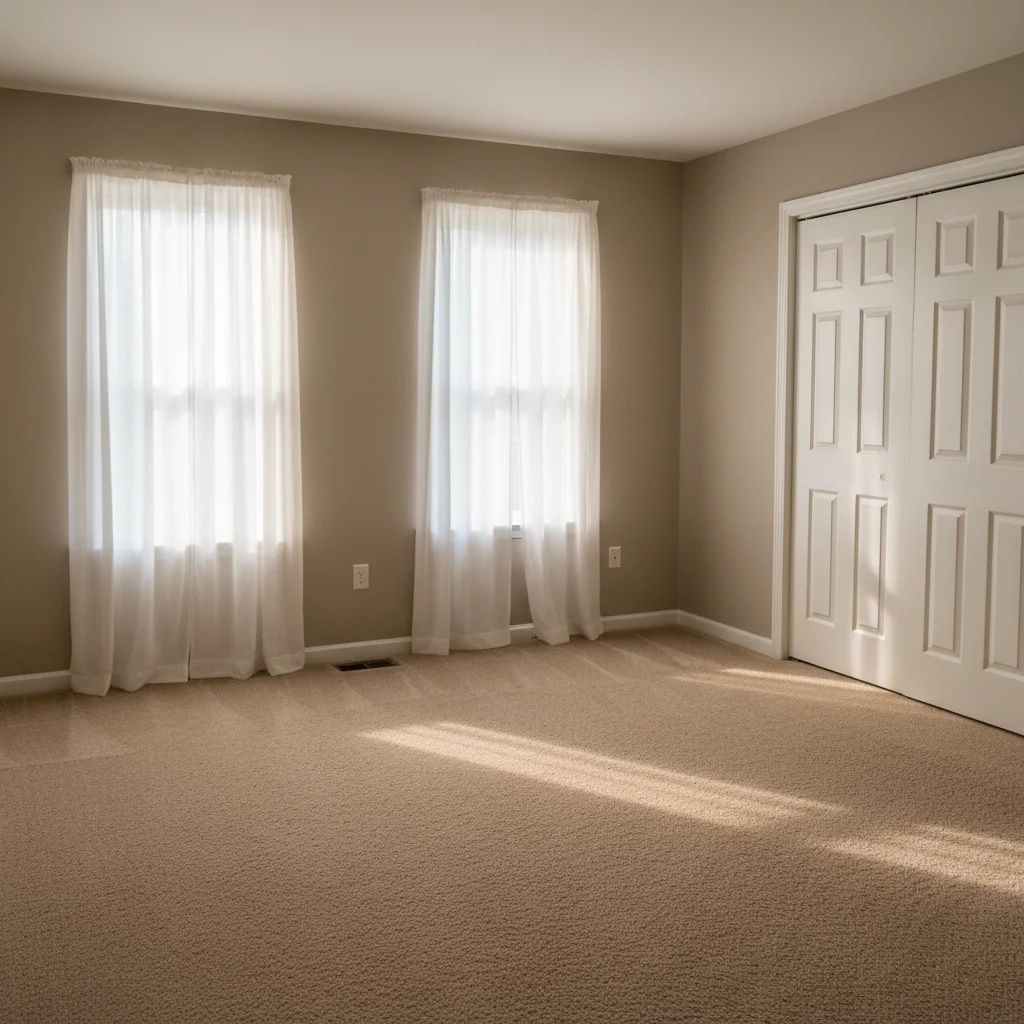
Empty master bedroom with carpet and two windows
Main Photo
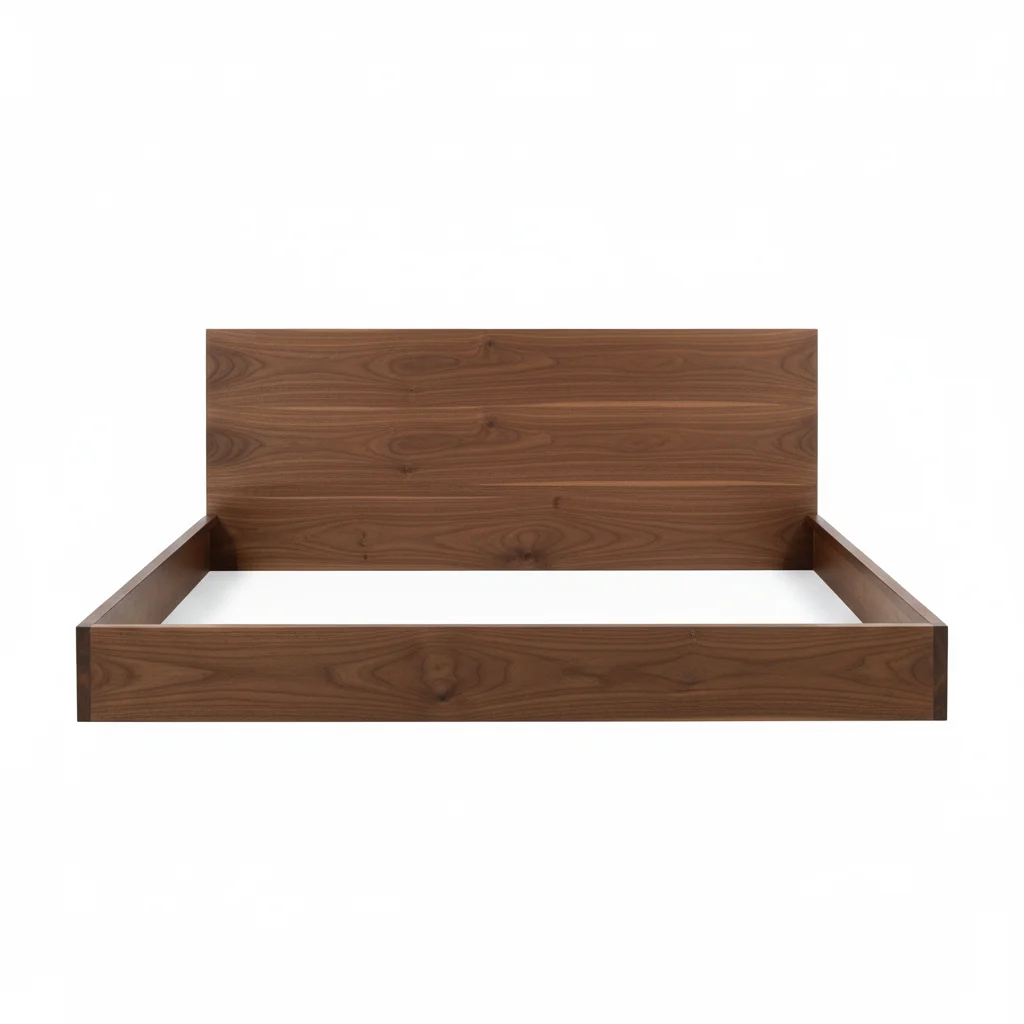
Walnut bed frame on neutral background
Reference
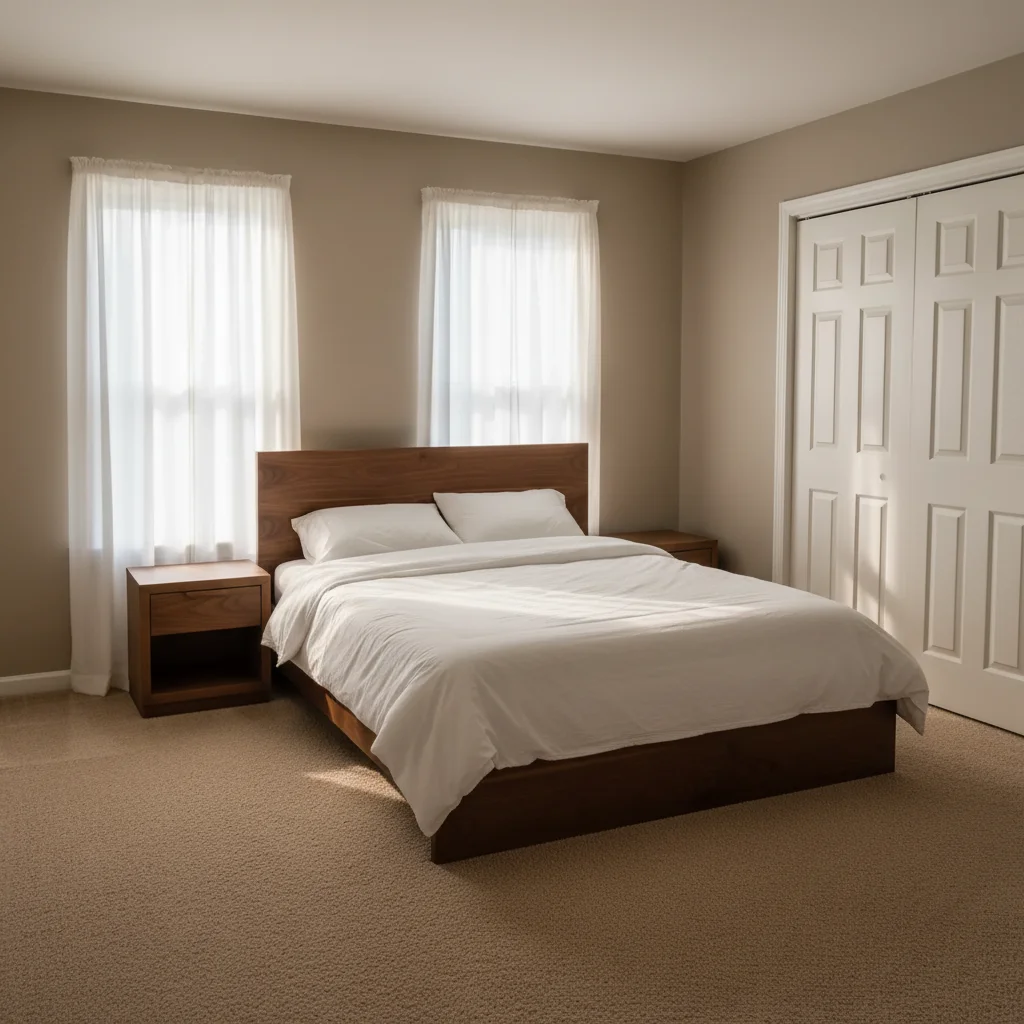
Bedroom staged with walnut bed frame and white bedding
Result

Bedroom staged with reference bed frame

A vacant master bedroom virtually staged using a reference photo of a walnut bed frame to show buyers how the room could look furnished.

Prompt: Use the walnut bed frame from the reference image, center it on the wall, and add crisp white bedding. Also place a matching walnut nightstand on each side.
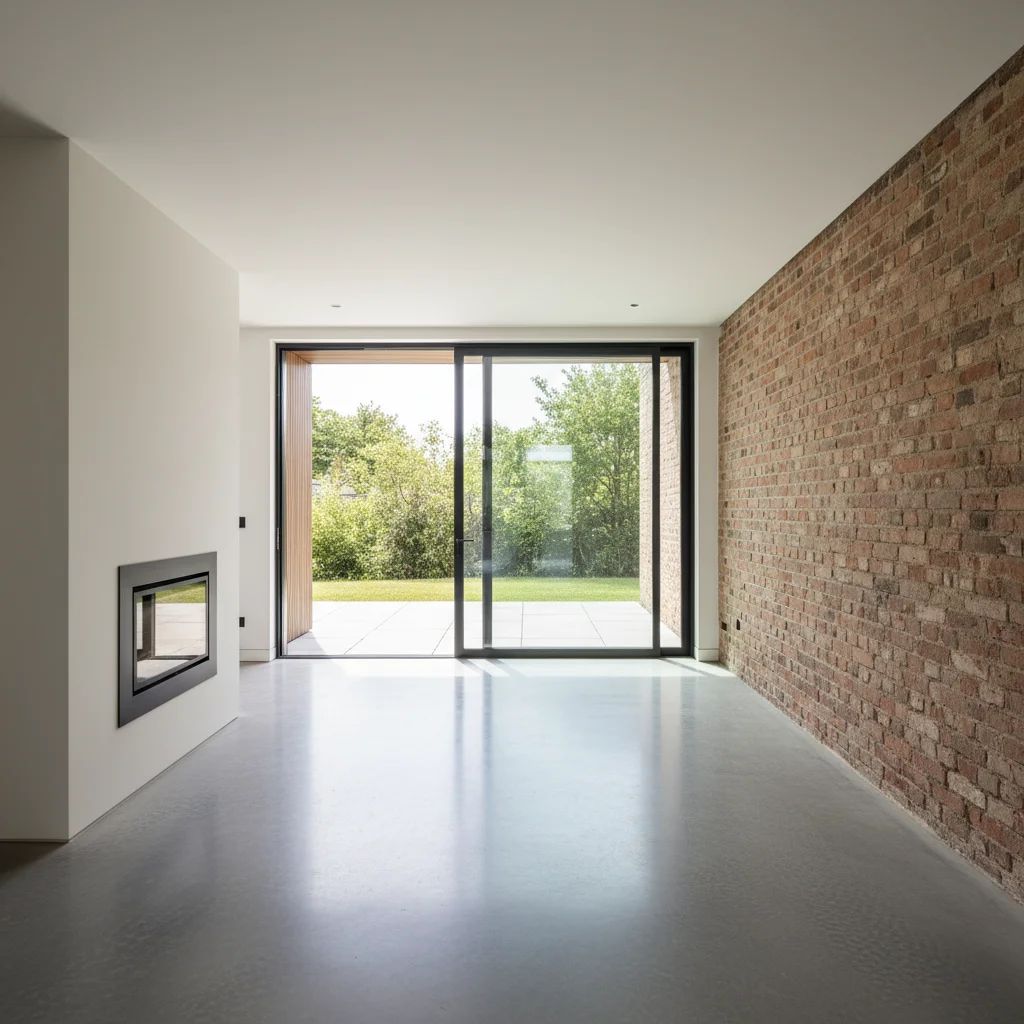
Empty open-plan living space with concrete floors and fireplace
Main Photo
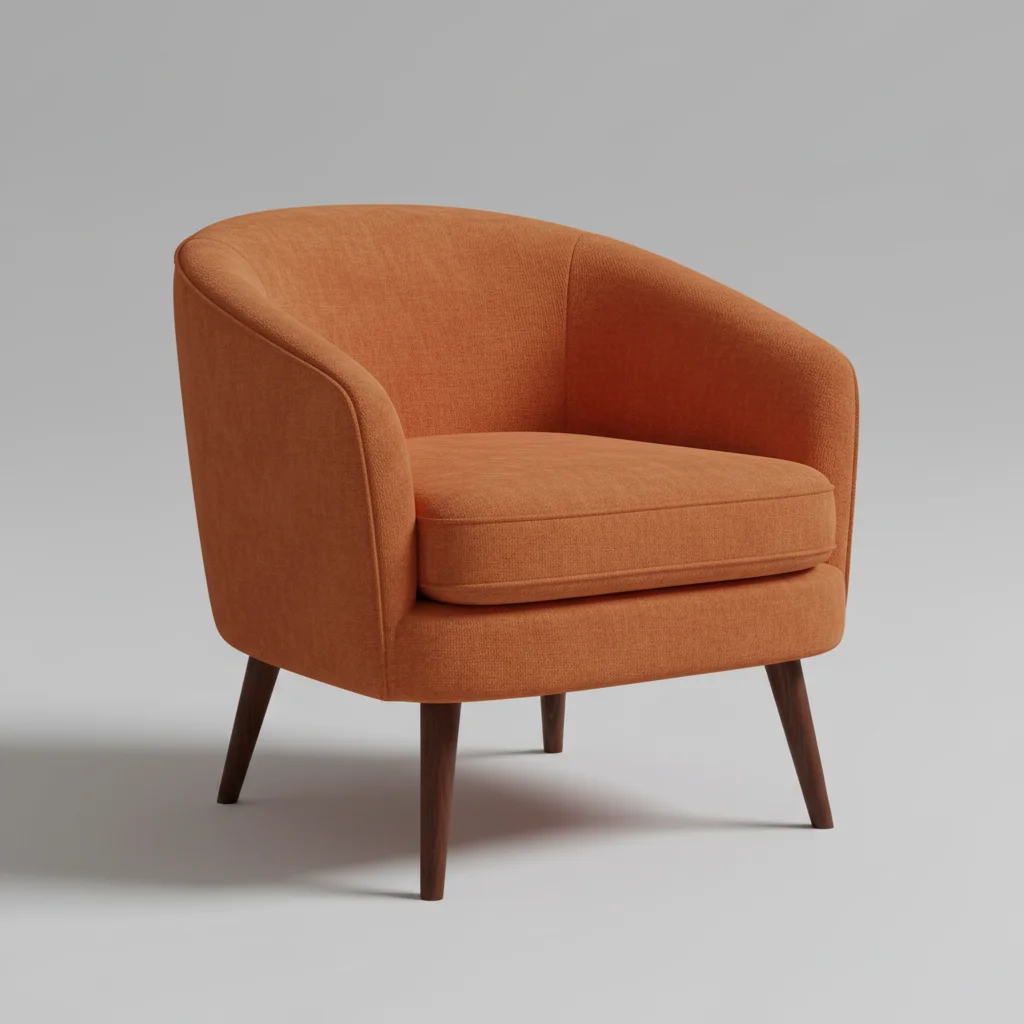
Accent armchair in rust fabric
Reference
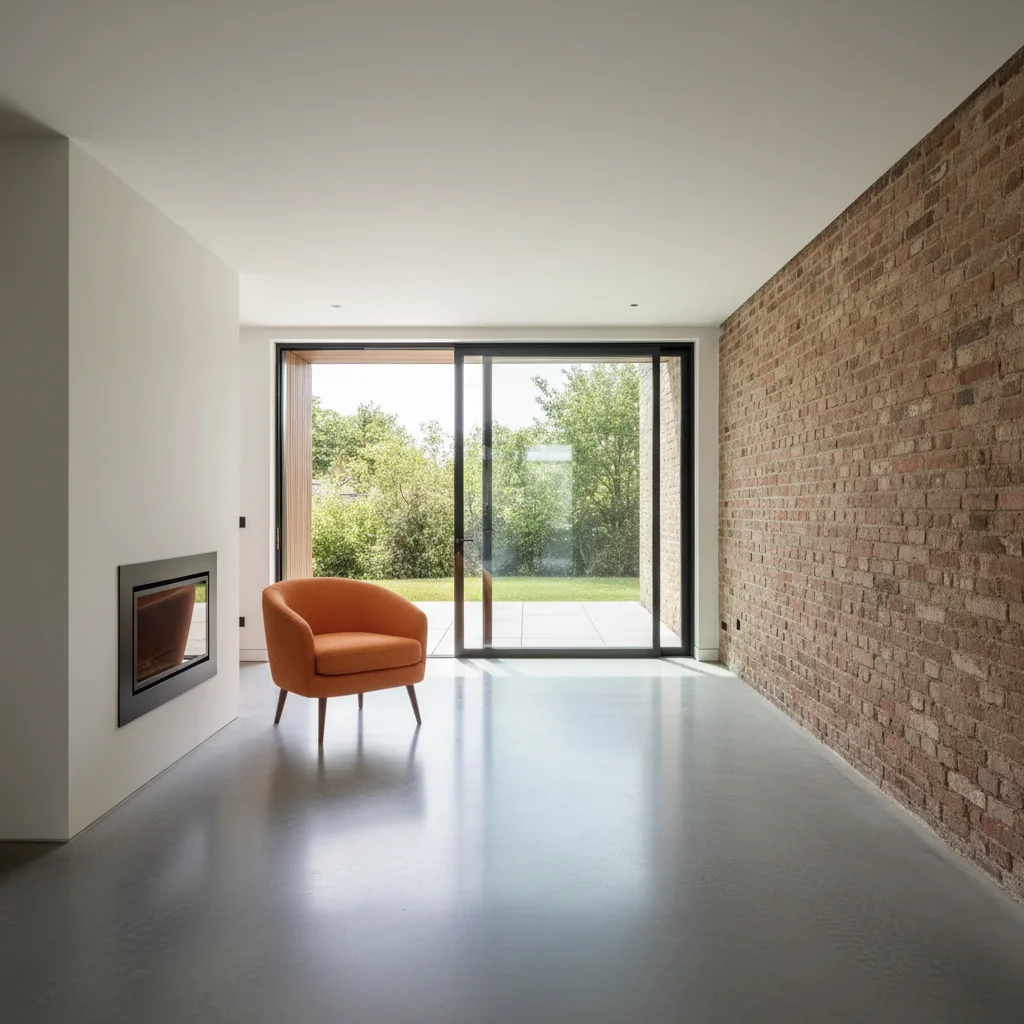
Same space with accent armchair placed beside fireplace
Result

Interior design preview before purchase

A homeowner uploaded a photo of an accent armchair they were considering to see how it would look in their open-plan living space before buying.

Prompt: add this armchair from the reference to the left of the fireplace, angled 45 degrees toward the center of the room

Quick answers

Do I need TWO photos for this?

Yes. This tool works with two images: your empty room photo (the main photo) and a reference photo of the furniture piece you want placed. Upload the room photo first, then click '+ Add reference photo' to attach the furniture image. The AI reads both photos and places the reference furniture into the room realistically.

How do I add furniture to a photo using a reference image?

Upload your empty room photo to EditThisPic, then click '+ Add reference photo' and upload your furniture image. Type where you want the piece placed — 'add this sofa against the left wall' — and the AI generates the result in 15-30 seconds. Free to try, no account needed.

Can I use any furniture photo as a reference?

Yes. Product photos on white backgrounds work best since the AI focuses on the furniture shape without background interference. But room lifestyle photos, catalog images, or even photos you've taken of furniture in a store all work. The AI extracts the furniture piece and adapts it to your room's lighting.

Is this free to use for real estate staging?

Yes. EditThisPic is free to try — one free preview edit per week, no account required. For multiple rooms or listing staging, credits start at $4.99 for a 10-pack. Most agents stage 4-6 rooms per listing and find it significantly cheaper than professional virtual staging services. Purchased downloads are clean, full quality.

Does it work for interior design previews before buying furniture?

Yes. That's one of the most common uses — homeowners upload a photo of furniture they're considering (from a store website or retailer catalog) as the reference, then see exactly how it would look in their actual room before purchasing. This works for sofas, chairs, tables, beds, and most furniture categories.

What if I don't have a reference photo — can I just describe the furniture?

Yes. Reference photos are optional. If you don't have one, just describe the furniture in your prompt: 'add a modern gray L-shaped sectional sofa facing the window.' The AI generates furniture from description. Reference photos are only needed when you want a specific, exact piece placed in the room.

How much does EditThisPic cost?

You get 1 free edit per week — no account needed. After that, one-time credit packs start at $4.99 for 10 edits, valid 12 months, no subscription. Power users who edit daily can pick Studio Membership, a monthly workspace at $49.99/mo for 300 edits. Purchased downloads are clean with no watermark.

Ready to stage your space?

Free to try. No signup required.

1 free edit included·paid credit packs after