Free • No signup Place Earrings · Free

AI Earring Placement Tool

← Browse all creative effects

Last updated

Upload model photo + earring product photo. AI places them on both ears — product details 100% identical, lighting matched.
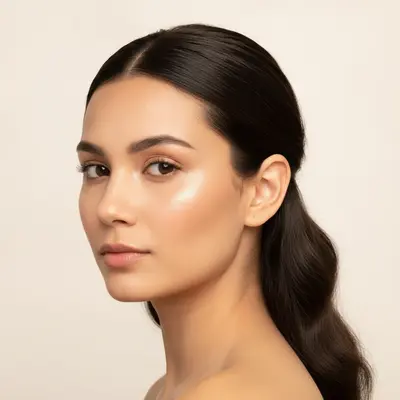
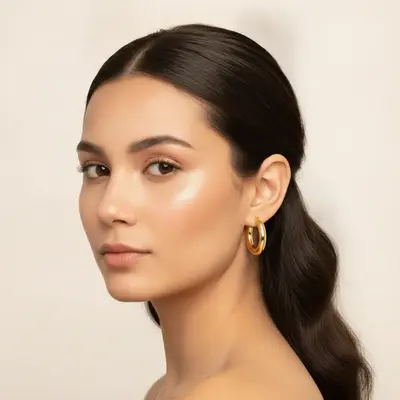
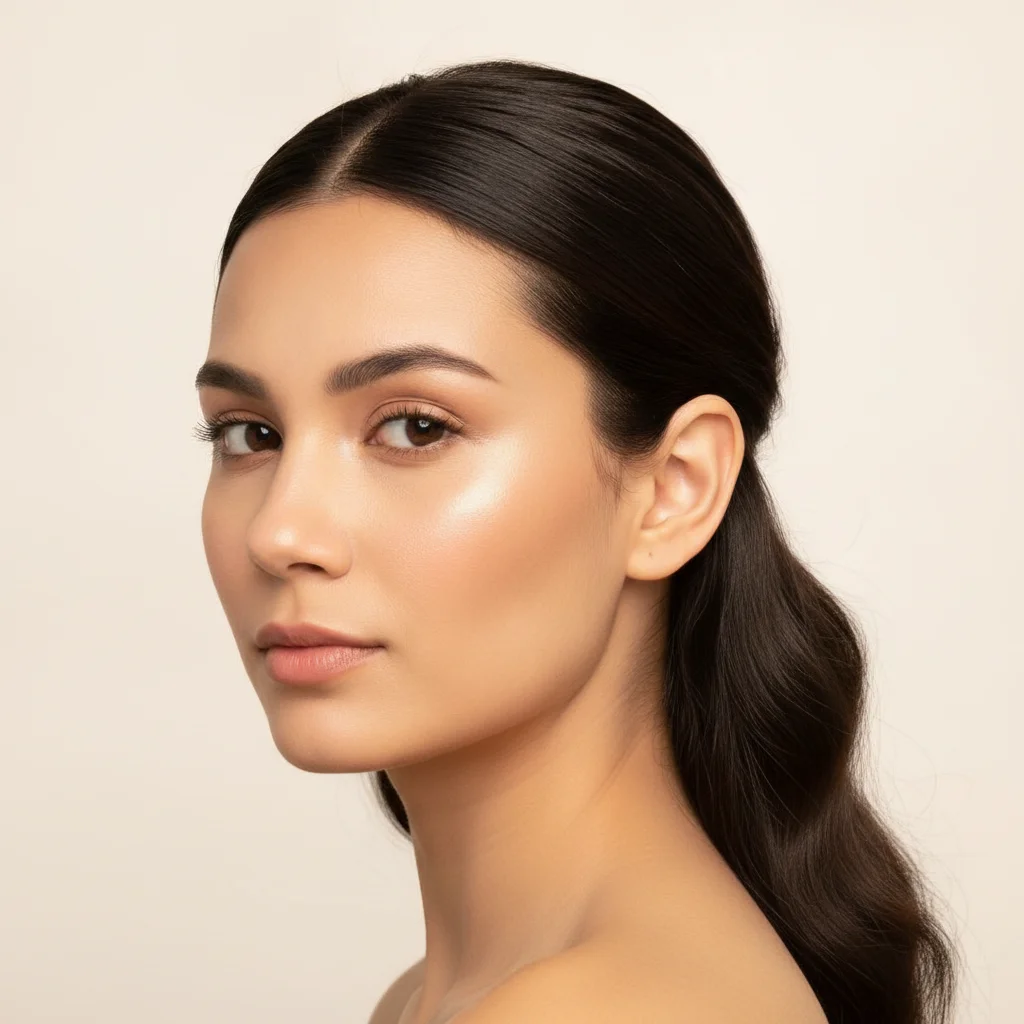
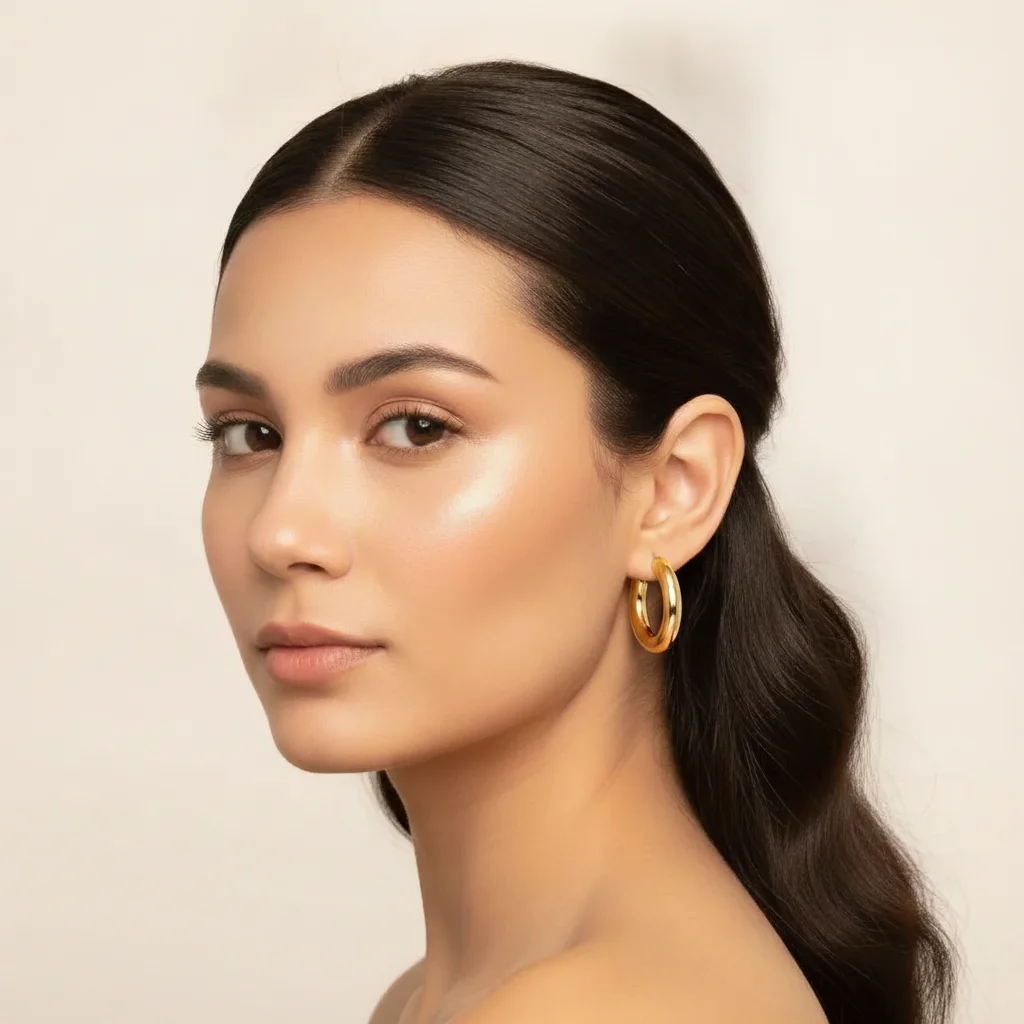
Model with hair pulled back, bare earlobes, warm studio lighting Same model with gold hoop earrings on both ears, warm highlights matching lighting

Upload photo to place earrings

"Place the gold hoop earrings from the reference image on both ears. Keep the hoop diameter, thickness, and gold finish identical to the reference. The hoops should appear naturally worn — slight angle matching the model's ear position. Add warm gold highlights matching the existing studio lighting."

Release to upload

50,000+photos edited
<30stypical edit
1 freeedit weekly

1 free edit·then from $4.99

How it works

  1. Upload your model photo

    Drop a portrait photo of your model where both ears are clearly visible. Hair pulled back or behind the ears gives the cleanest result. Front-facing or 3/4 portraits work well. Avoid shots where hair completely covers the earlobes. JPG, PNG, or WebP up to 7MB.

    Expect: Front-facing portraits with visible earlobes: 20-30 seconds. Shots where one ear is partially obscured by hair may need one refinement pass to correct the hidden ear placement.
  2. Add your earring product photo as a reference image

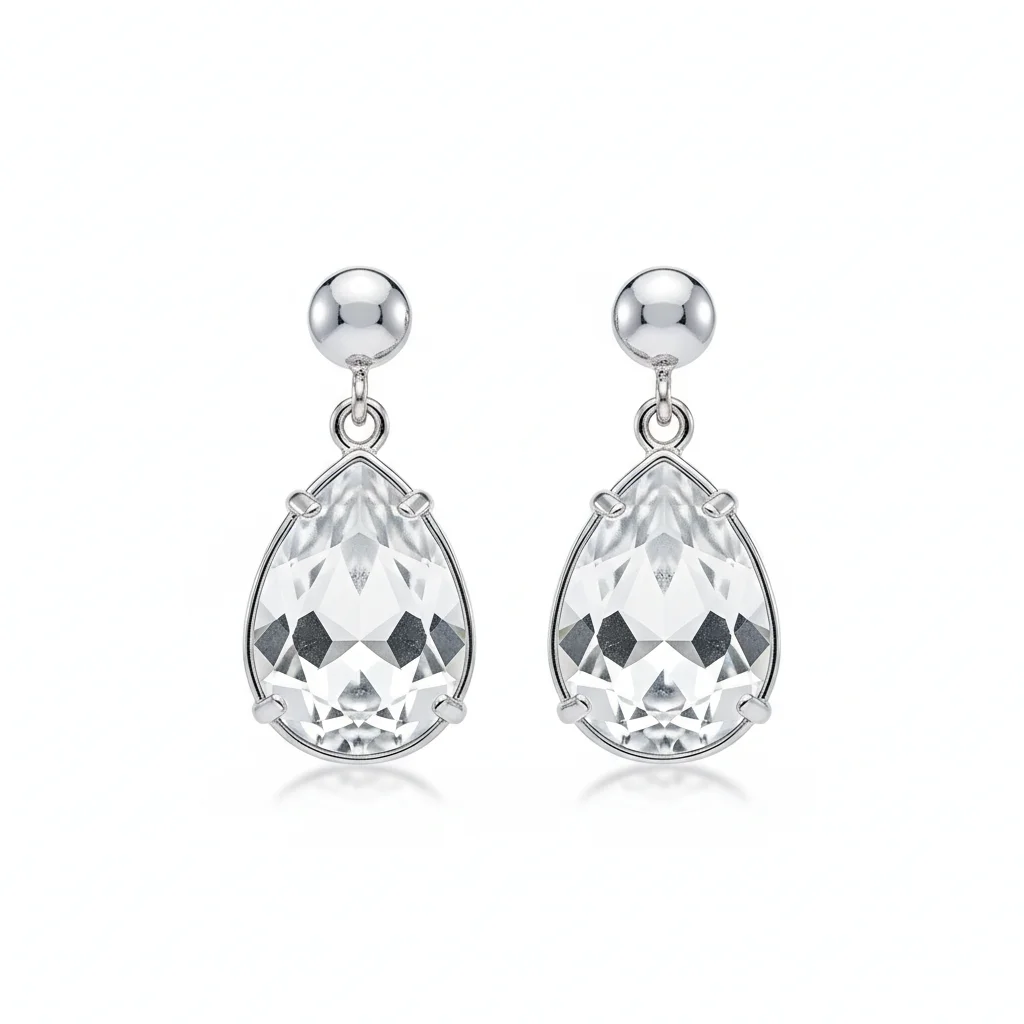
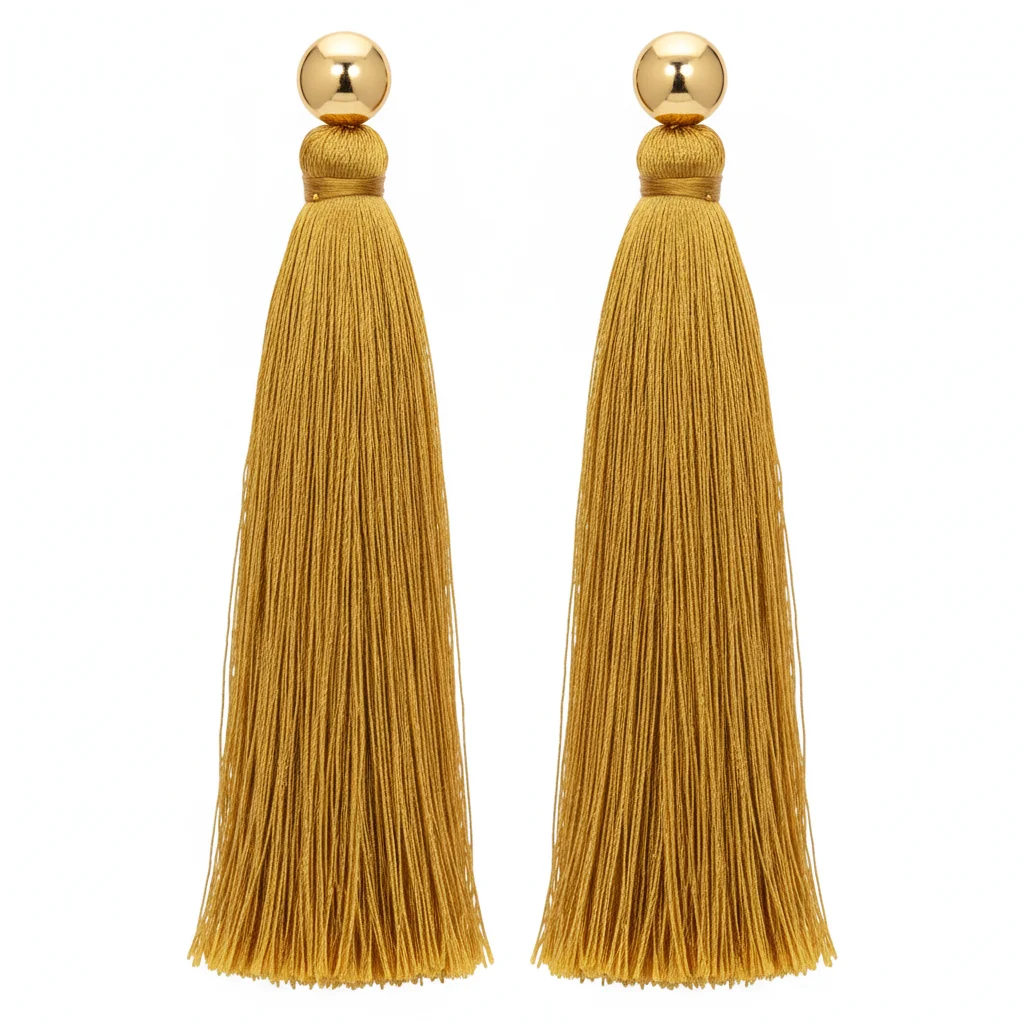
    Click '+ Add reference image' and upload a clear product photo of your earrings. A flat-lay on white background showing both earrings side by side works best. If it's a single earring shown in the product photo, the AI will mirror it for both ears. The reference photo is what determines product accuracy — it's what separates this from AI tools that hallucinate generic earrings.

    Tip: If you sell single earrings (mismatched or asymmetric styles), upload the product photo showing both earrings separately, or describe which ear gets which design. For standard matched pairs, a single-earring product photo is enough — the AI mirrors it.

    Copy one of these to get started:

    Standard paired earrings — both ears Place this exact pair of earrings on both ears using the reference image. Keep them 100% identical to the reference — same shape, color, and finish. Place symmetrically so both earrings hang at the same height and angle. Match the lighting in the model photo.
    Gold hoop earrings — Shopify listing Place the gold hoop earrings from the reference image on both ears. Keep the hoop diameter, thickness, and gold finish identical to the reference. The hoops should appear naturally worn — slight angle matching the model's ear position. Add warm gold highlights matching the existing studio lighting.
    Dangling earrings — movement and drape Place the dangling earrings from the reference image on both ears. The earrings should hang naturally with slight forward drape from the earlobe — not perfectly vertical. Keep all pendant elements and chain links identical to the reference. The earrings should sway slightly toward the camera as if the model just turned her head. Match the existing lighting.
    Stud earrings — gemstone detail Place the stud earrings from the reference image on both earlobes. The gemstones must be rendered with the exact color and faceting shown in the reference — not a generic round gem. The studs should sit flush at the earlobe, with a tiny post visible behind the ear if the ear is visible at that angle. Add gemstone sparkle matching the warm light source in the model photo.
    4 more prompts
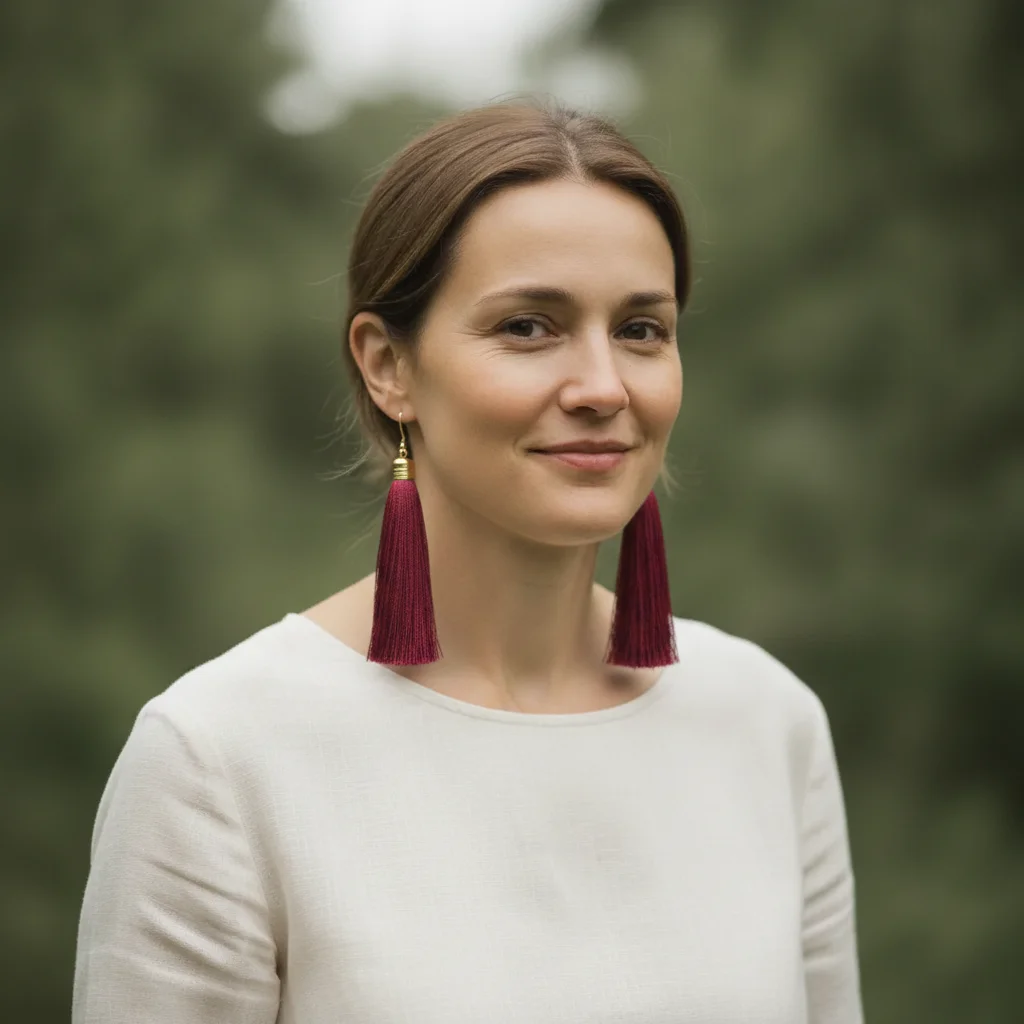
    Statement earrings — Etsy artisan listing Place the statement earrings from the reference image on both ears. Keep the full structure identical — every bead, wire wrap, and tassel element exactly as shown. The earrings are large and will drape below the jawline — render their full length and movement. Match the outdoor natural daylight in the model photo.
    Single earring placement — one ear only Place the earring from the reference image on the model's right ear only. Keep it identical to the reference. The left ear should remain bare. The earring should be at natural earlobe position, with lighting matching the existing portrait.
    Mismatched pair — different earring each ear Place the two earrings from the reference image: the star earring on the left ear and the moon earring on the right ear. Both earrings must be identical to their respective reference designs. Keep all other elements of the photo unchanged.
    Ear stack — multiple earrings on one ear Place the three earrings from the reference image as an ear stack on the model's left ear: the hoop at the bottom lobe position, the small stud at the second hole, and the cuff at the upper ear cartilage. Keep all three pieces identical to the reference. The ear must show all three piercings naturally positioned.
  3. Describe the placement with symmetry and lighting instructions

    Type your instruction. For standard pairs: 'Place this exact pair of earrings on both ears. Keep them 100% identical to the reference. Match the lighting.' For asymmetric or single placements, specify which ear. Always include a lighting match instruction — earrings catch light very specifically, and mismatched highlights make the result look composited.

  4. Refine placement symmetry with markers if needed

    If one earring is positioned slightly higher than the other, or if the angle doesn't match the model's head tilt, tap a marker on the off-looking ear and regenerate with a focused correction. For dangling earrings, check that both earrings hang at the same angle relative to the earlobe. Most placements are symmetrical on the first pass.

    Tip: Markers are for precision refinement only. For most paired earring placements, the AI produces symmetric results without markers. Use them when one side looks visibly off.

See it in action

Model with hair pulled back, bare earlobes, warm studio lighting
Before
->
Same model with gold hoop earrings on both ears, warm highlights matching lighting
After

Gold hoop earrings — Etsy jewelry listing

An Etsy seller needed on-model photos for her bestselling 30mm gold hoops. She had a clean model portrait but no earrings in the shot. One prompt placed matched hoops on both ears with accurate warm gold highlights.

Prompt: Place this exact pair of gold hoop earrings on both ears using the reference image. Keep the hoop size and gold finish identical to the reference. Symmetric placement, same height on both ears. Add warm gold highlights matching the studio light from the upper right.
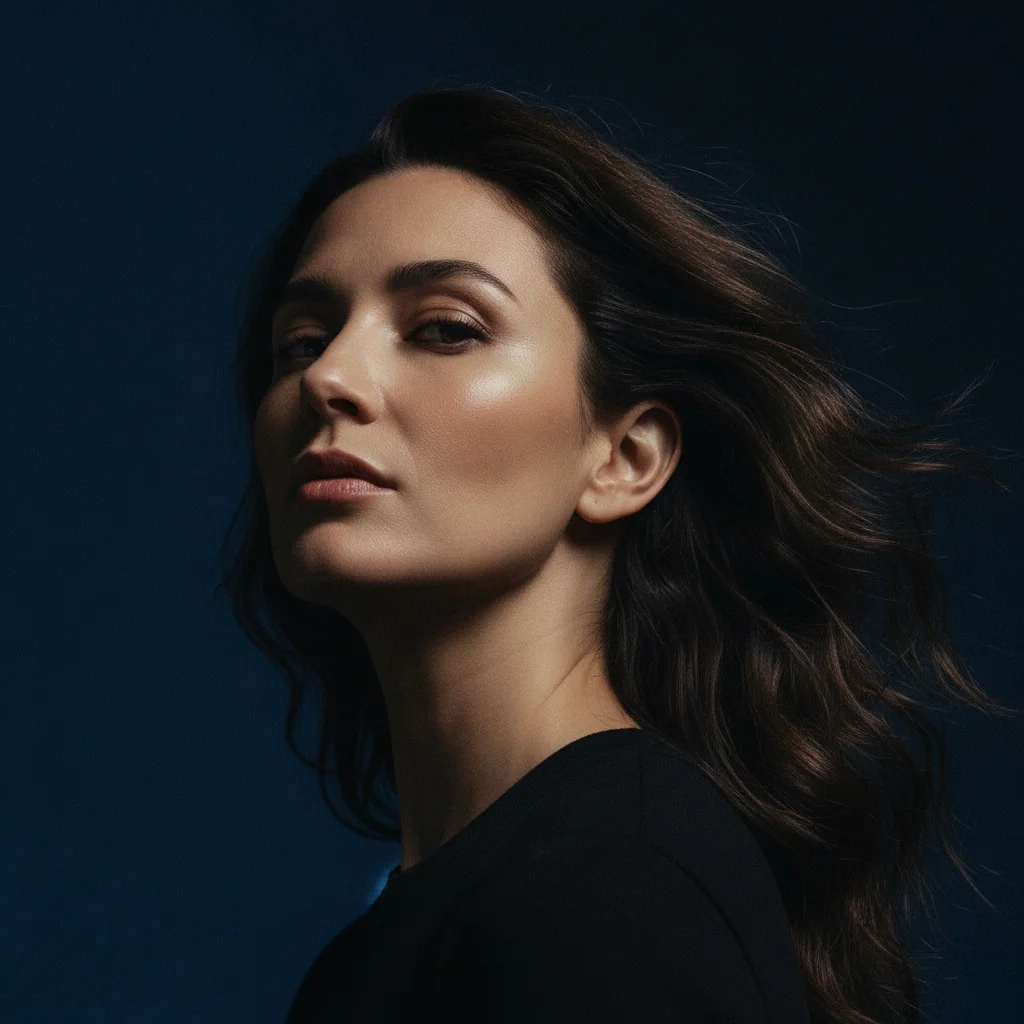
Editorial portrait with strong left-side lighting, left ear visible, no earrings
Before
->
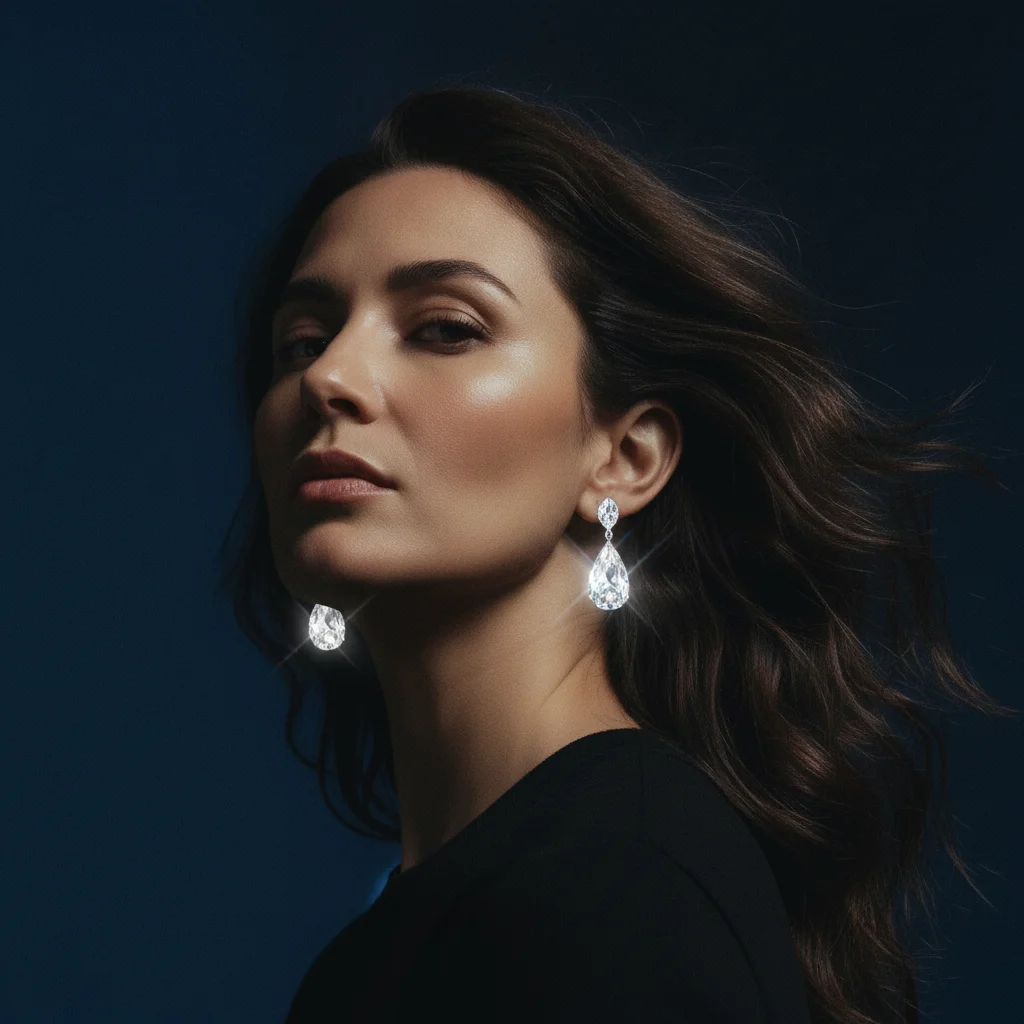
Same model with crystal drop earrings catching left-side light with prismatic sparkle
After

Crystal drop earrings — lookbook composite

A jewelry brand needed editorial model shots for their crystal drop collection. The model photo had strong side lighting that created challenging highlight and shadow conditions for gemstone rendering.

Prompt: Place the crystal drop earrings from the reference image on both ears. The crystal facets should catch the strong left-side studio light and create a prismatic sparkle effect. Keep the crystal color and silver setting identical to the reference. The earrings should hang 3cm below the earlobe with natural drape.

Lifestyle portrait with hair behind ears, both earlobes visible, no jewelry
Before
->
Same model with long colorful tassel earrings hanging below jawline, outdoor light preserved
After

Statement tassel earrings — product catalog

A Shopify accessories seller had a single model photo from a lifestyle shoot and needed it to serve as the listing photo for three different tassel earring colorways.

Prompt: Place the long tassel earrings from the reference image on both ears. The tassels should hang naturally below the jawline — render their full length and show the slight sway and movement of the tassel fibers. Keep the earring color and structure identical to the reference. Match the soft outdoor daylight in the model photo.

Quick answers

Do I need to mark the ear area before placing the earrings?

No. Upload your model photo, add the earring product photo as a reference image, and describe the placement: 'Place this exact pair of earrings on both ears. Keep them 100% identical to the reference. Match the lighting.' The AI finds the ears without any marking. Use markers only if one ear position looks off — tap the earlobe and regenerate with a corrective prompt.

How do I upload the reference earring product photo?

After uploading your model photo, click '+ Add reference image' in the editor and upload your earring product photo. A flat-lay on white background showing both earrings clearly works best. The AI reads this reference image to replicate your exact product — not a generic version of the style. Upload the highest-resolution product photo you have for best detail fidelity.

Will the AI keep my earring product identical, or will it change the design?

With the right prompt, it replicates your exact product. Include 'Keep them 100% identical to the reference — same shape, color, and finish. Do not modify any design element.' Without this instruction, the AI may approximate the style rather than replicate the product. A high-resolution reference photo significantly improves accuracy — especially for earrings with fine wire details, small gemstones, or intricate metalwork.

How do I place earrings on a model for an Etsy or Shopify listing for free?

Upload your model photo to EditThisPic, click '+ Add reference image' and upload your earring product photo, then type: 'Place this exact pair of earrings on both ears using the reference image. Keep them 100% identical. Match the lighting.' Free, no account required, no watermark on results. About 30 seconds per image — no studio or model booking needed.

Can the AI place earrings on just one ear?

Yes. Specify 'Place the earring on the right ear only. The left ear should remain bare.' Without this instruction, the AI defaults to placing earrings on both ears. For asymmetric or mismatched pairs, describe which design goes on which ear and upload a reference showing both earring designs clearly.

Is there a free AI earring placement tool with no login required?

Yes. EditThisPic places earrings on model photos for free — no account, no login, no watermark. Upload your model photo plus your earring reference image, describe the placement, and download the result. Works in any browser on desktop or mobile without any app installation.

How much does EditThisPic cost?

You get 1 free edit per week — no account needed. After that, credit packs start at $1.99 for 3 edits. Monthly plans start at $4.99/mo for 20 edits with unused credits rolling over. All edits are full resolution with no watermark.

Ready to place your earrings on a model?

Free to try. No signup required. No watermark.

1 free edit included·Credit packs from $4.99