Free • No signup Generate Nail art · Free

AI Nail Art Generator

Generate custom nail art designs and see them on your hands instantly.
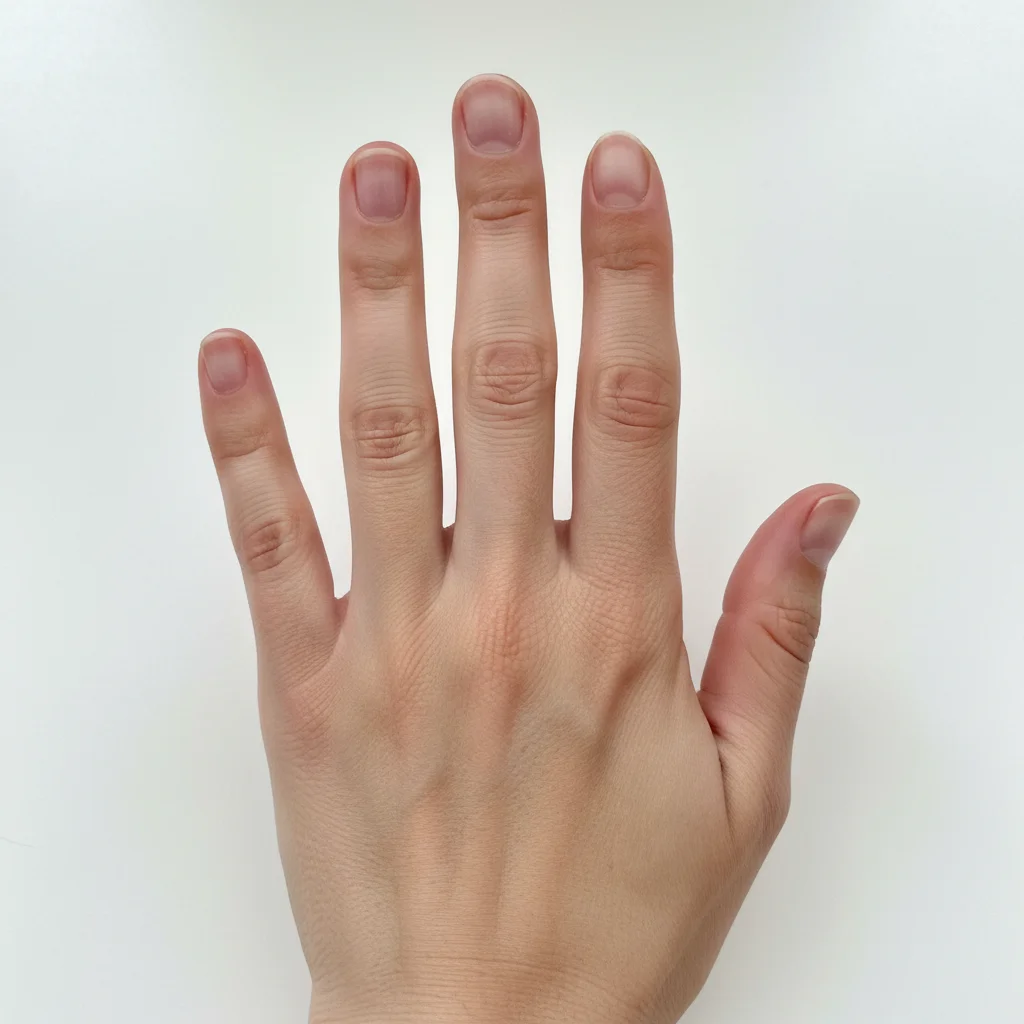
Hand with plain bare nails before nail art generation
Before
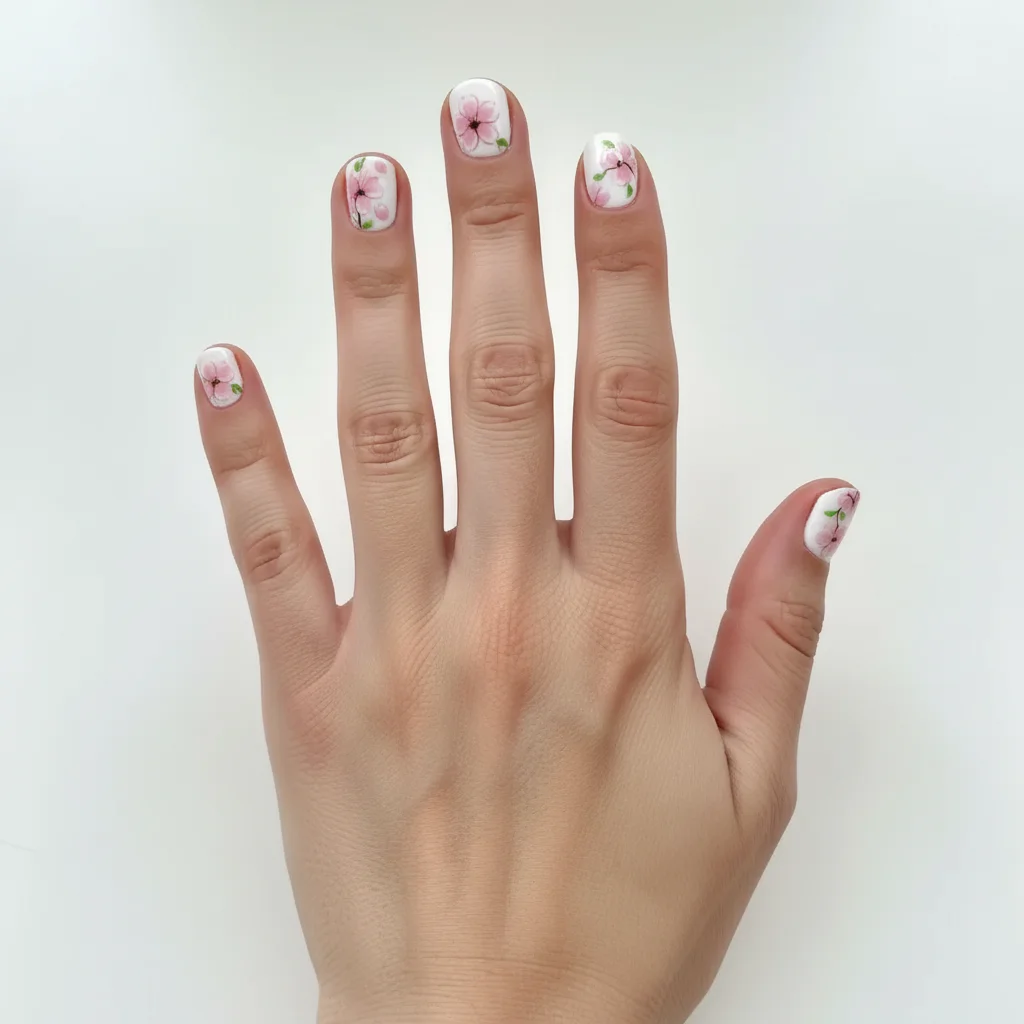
Hand with cherry blossom floral nail art design on all nails
After

AI Nail Art Generator

Drop your photo here

or click to browse

Release to upload

Free • No signup

Advertisement
Popular use cases:
  • nail salon clients
  • manicure planning
  • nail technicians
  • nail art inspiration
  • DIY manicures
  • wedding nail planning
  • special occasion nails
  • nail design previews

Cost
Free No signup required
Time
Instant results in 15-30 seconds
Works on
Any device - browser, phone, tablet, desktop
Powered by
AI-powered photo editing
Scenario Prompt Time
Floral nail art add delicate floral nail art with small pink cherry blossoms and green leaves on white base, different flower placement on each nail 25s
French tips create classic French tip nail design with white tips and natural pink base on all nails 20s
Ombre gradient generate ombre nail design fading from deep purple at the base to light lavender at the tips on all nails 30s
Geometric pattern add geometric nail art with navy blue triangles and gold lines creating modern abstract pattern on white base 30s

How it works

  1. Upload your photo

    Drop a photo of your hand into EditThisPic. For best results, use well-lit photos showing all five fingernails clearly. Works with bare nails or existing polish. JPG, PNG, WebP up to 7MB.

    Expect: Simple nail art on clear photos: 20-30 seconds. Complex multi-finger designs with gradients: may need 1-2 refinements for perfect nail coverage.
  2. Describe what you want

    Type your instruction: 'add cherry blossom nail art with pink flowers and green leaves on white base' or 'create geometric navy blue and gold nail design on all nails.' Be specific about colors, patterns, and style (floral, geometric, ombre, French tip, etc.). No marking needed—the AI detects your nails and applies the design.

    Tip: Specify which fingers get special designs: 'floral design on ring fingers, solid pink on other nails' or 'accent nail with glitter on both ring fingers.' The more detail, the better the result.

    Copy one of these to get started:

    Floral nail art add delicate floral nail art with small pink cherry blossoms and green leaves on white base, different flower placement on each nail
    French tip manicure create classic French tip nail design with white tips and natural pink base on all nails
    Ombre gradient nails generate ombre nail design fading from deep purple at the base to light lavender at the tips on all nails
    Geometric pattern nails add geometric nail art with navy blue triangles and gold lines creating modern abstract pattern on white base
    3 more prompts
    Glitter accent nails create rose gold glitter nail design on ring fingers as accent nails, solid nude pink polish on other fingers
    Holiday themed nails generate Christmas nail art with red and green candy cane stripes, snowflakes, and tiny gold stars on white base
    Marble effect nails add marble nail art design with gray and white swirls creating natural stone texture with thin gold veins
  3. Generate and review

    Click Generate and the AI creates your nail art design on all visible nails. Zoom in to check pattern details and color accuracy. Verify the design covers each nail properly without extending onto skin.

  4. Refine with markers if needed

    If the AI missed a nail or the design isn't positioned correctly, tap markers on specific nails and regenerate. Most designs apply perfectly without markers.

    Tip: Markers help on photos where nails overlap or are partially hidden. They tell the AI exactly which areas are nails.
Try it free

AI Nail Art Generator

Drop your photo here

or click to browse

Release to upload

Free • No signup

"Used this to show my nail tech exactly what design I wanted. So much easier than trying to describe it!" @nailartfan

See it in action

Hand with plain bare nails before nail art generation
Before
->
Hand with cherry blossom floral nail art design on all nails
After

Cherry Blossom Floral Nail Art

Generated delicate pink cherry blossom design with green leaves on white base across all fingernails.

Prompt: add delicate floral nail art with small pink cherry blossoms and green leaves on white base, different flower placement on each nail
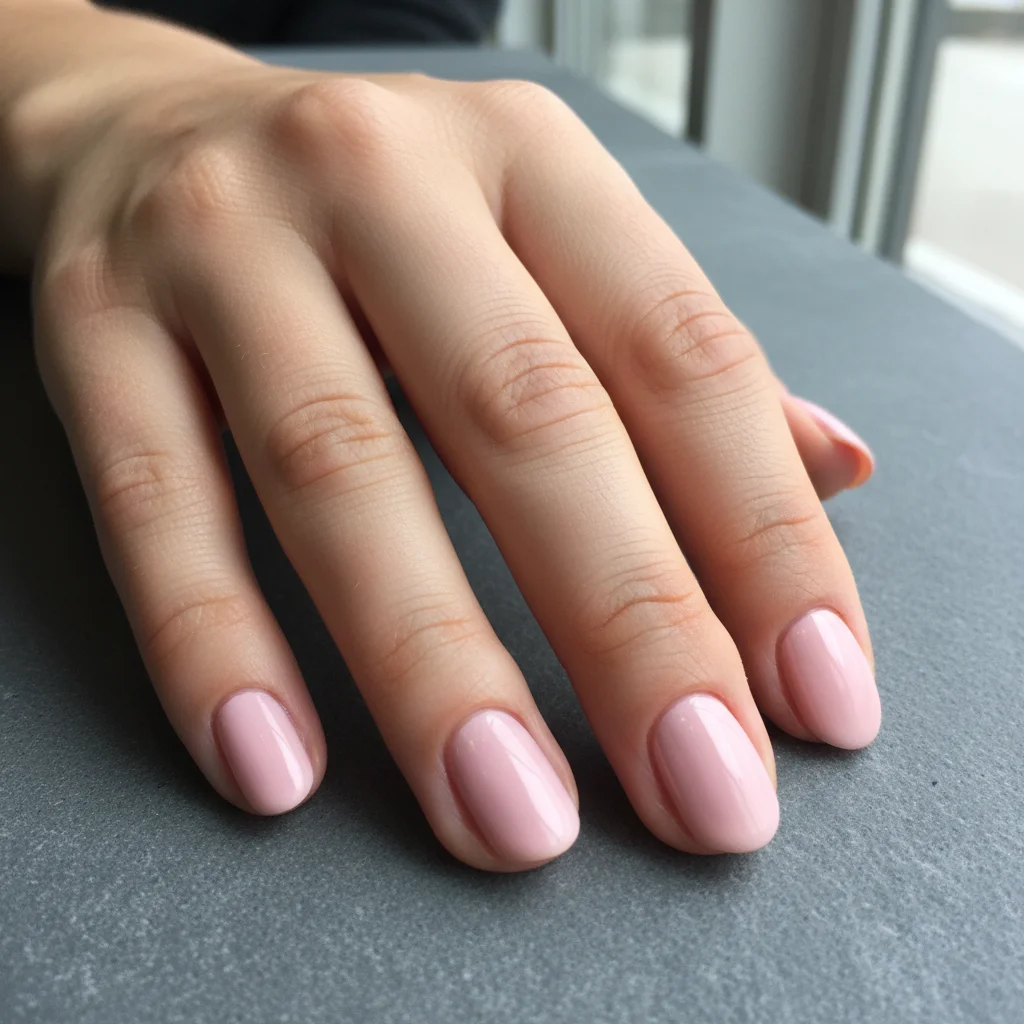
Hand with plain pink nails before geometric design
Before
->
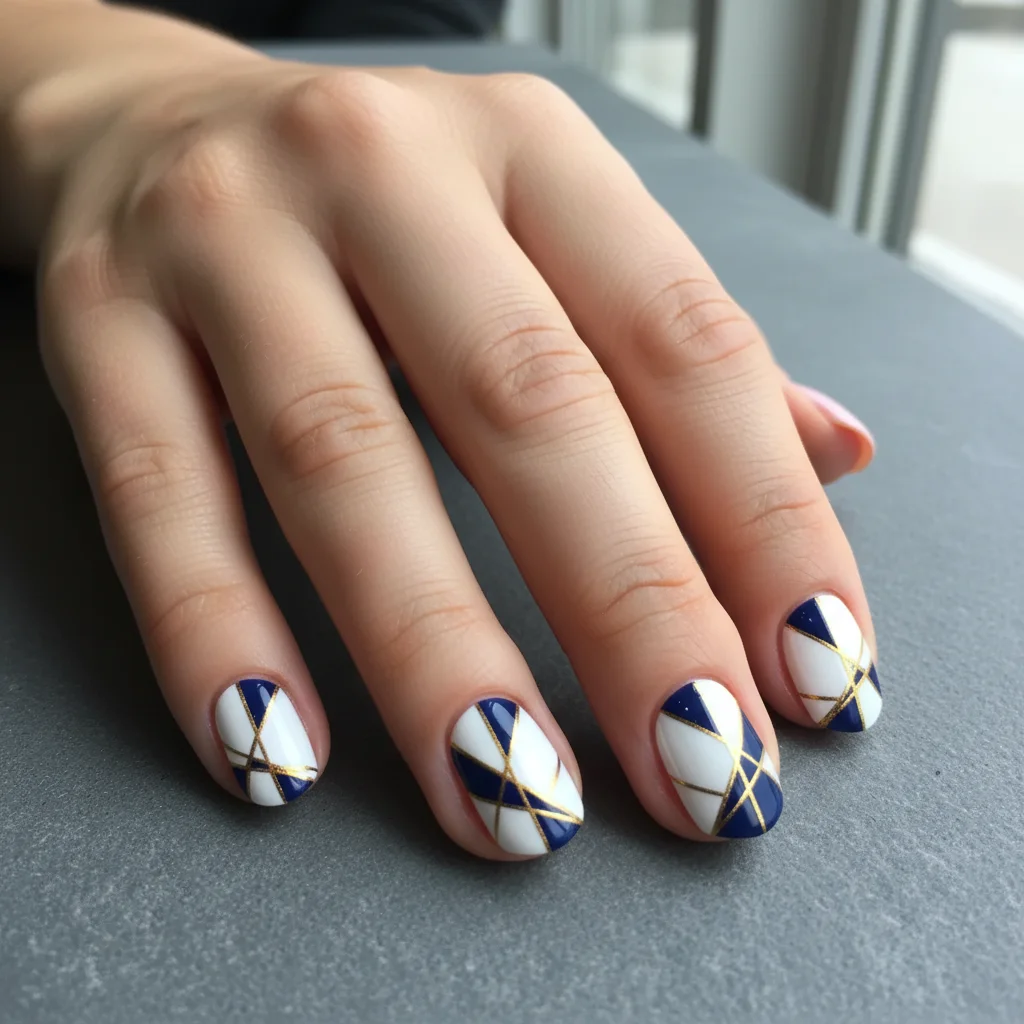
Hand with navy blue and gold geometric nail art pattern
After

Navy and Gold Geometric Nails

Created modern geometric nail design with navy blue triangles and gold accent lines.

Prompt: add geometric nail art with navy blue triangles and gold lines creating modern abstract pattern on white base
Hands with bare nails before glitter accent design
Before
->
Hands with rose gold glitter on ring fingers and nude polish on other nails
After

Rose Gold Glitter Accent Nails

Applied sparkly rose gold glitter to ring fingers as accent nails with nude polish on others.

Prompt: create rose gold glitter nail design on ring fingers as accent nails, solid nude pink polish on other fingers
Advertisement

If something looks off

AI changed skin around nails or missed some nails

Why: The AI couldn't clearly identify nail boundaries, especially on photos with overlapping fingers or partial nail visibility.

Try: Tap a marker on the center of each visible nail, then regenerate with 'apply nail design only to marked fingernails, do not change skin'

Tip: Markers tell the AI exactly where each nail is located, preventing design bleed onto skin.

Design looks messy or patterns don't align with nail shape

Why: Complex designs may not conform perfectly to nail contours on first try.

Try: Simplify the design or try 'create [design] that follows the natural shape and curve of each nail'

Tip: Simpler designs with bold patterns work better than intricate tiny details

Colors are wrong or too bright/dull

Why: The AI interpreted color descriptions differently than you intended.

Try: Be specific about shades: 'dusty rose pink' instead of just 'pink,' or 'deep navy blue' instead of 'blue'

Tip: Reference specific color names or add descriptors like 'pastel,' 'neon,' 'muted,' or 'metallic'

Accent nails got the wrong design

Why: The prompt may not have clearly specified which fingers get special treatment.

Try: Be explicit: 'floral design on both ring fingers only, solid lavender polish on thumb, index, middle, and pinky fingers'

Tip: Name each finger type to ensure accent nails are placed correctly

Design is different on each nail when it should match

Why: The AI interpreted 'design' as unique art per nail.

Try: Add 'same pattern' or 'matching': 'create matching geometric design on all nails with identical pattern repeated'

Tip: Specify 'identical' or 'repeated' for uniform designs across all nails

Nails look flat or unrealistic

Why: The design may lack dimension or doesn't follow nail curvature.

Try: Add lighting cues: 'add nail art with glossy finish showing natural nail curve and shine'

Tip: Mentioning 'glossy,' 'shiny,' or 'dimensional' helps create realistic-looking nails

Quick answers

Do I need to mark my nails before describing the nail art?

No! Just describe what you want: 'add floral nail art to my nails' or 'create French tip design.' The AI automatically detects your fingernails and applies the design. Only use markers if the AI misses a nail or you have overlapping fingers in the photo.

How do I generate nail art designs on my photos for free?

Upload a photo of your hand showing your nails to EditThisPic and type 'add [design description] nail art.' The AI generates and applies the nail design in 20-30 seconds. Free to use, no account needed. Perfect for trying designs before booking a manicure.

Can I try the design on my actual nails or does it only work on stock photos?

It works on photos of YOUR actual hands! Take a photo of your hand with nails visible (bare nails or existing polish), upload it, and describe the design you want. The AI applies the nail art to your real hand photo so you can see exactly how it would look on you.

What types of nail art designs can the AI create?

The AI can generate virtually any nail design: French tips, ombre gradients, floral patterns, geometric shapes, glitter accents, marble effects, holiday themes, animal prints, abstract art, and more. Be specific in your description about colors, patterns, and which nails get accent designs.

Will the nail art look realistic or obviously fake?

When you specify details like 'glossy finish' or 'natural shine,' the AI creates realistic-looking nail art that follows your nail shape and curvature. The designs are realistic enough to show your nail technician as reference photos. For best results, use well-lit photos showing nails clearly.

Ready to generate your custom nail art design?

Free to try. No signup required.

Try it free