Free • No signup Transform Photo style · Free

Transform Photo to Pop Art Style

← Browse all creative effects

Last updated

Transform any photo into bold, graphic Pop Art — flat colors, screen-print effects, and high-contrast drama.
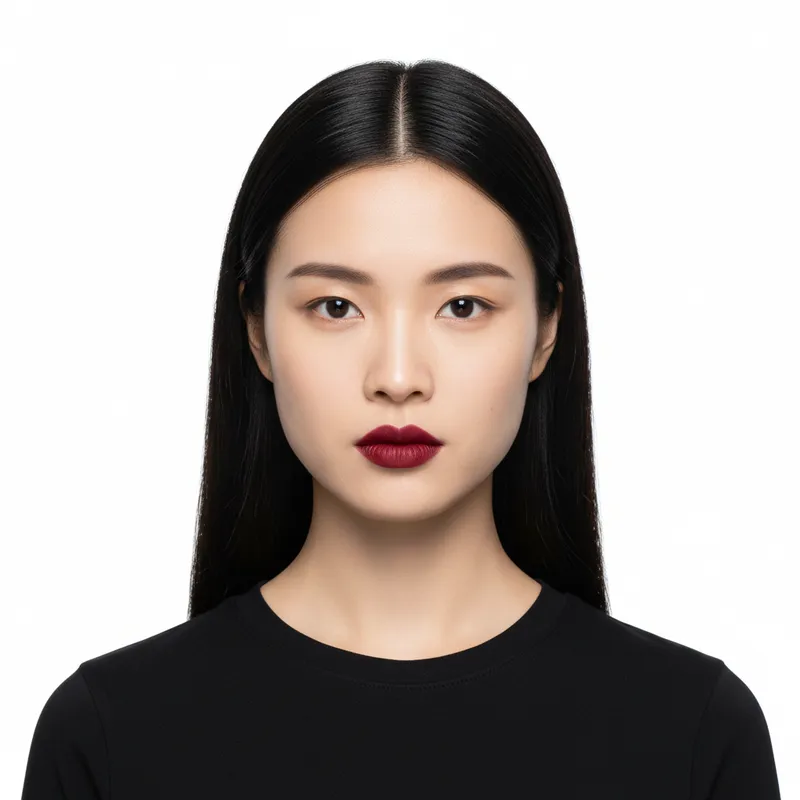
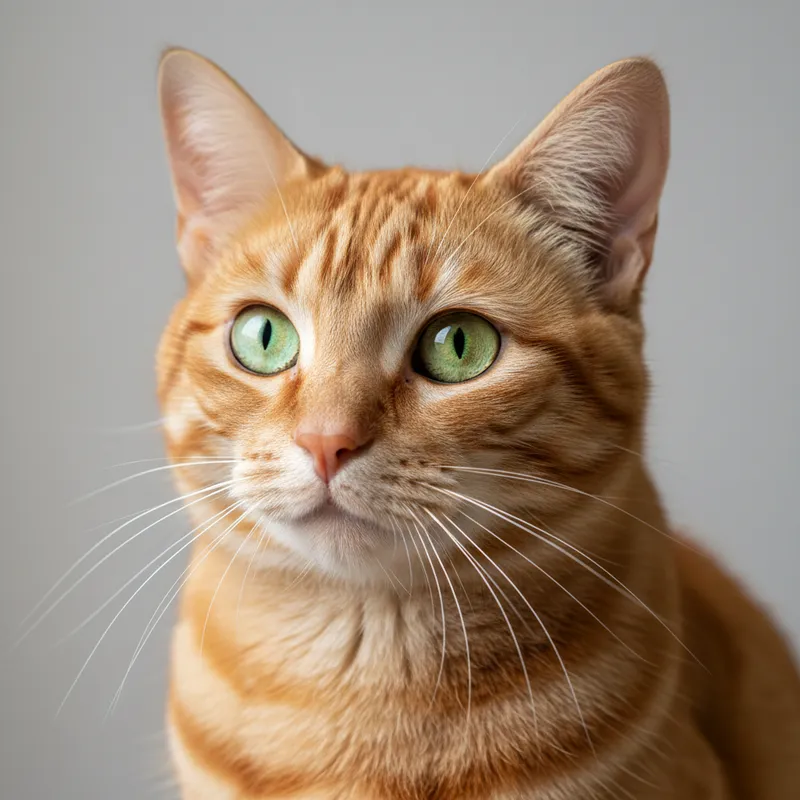
Standard portrait photo with neutral expression
Before
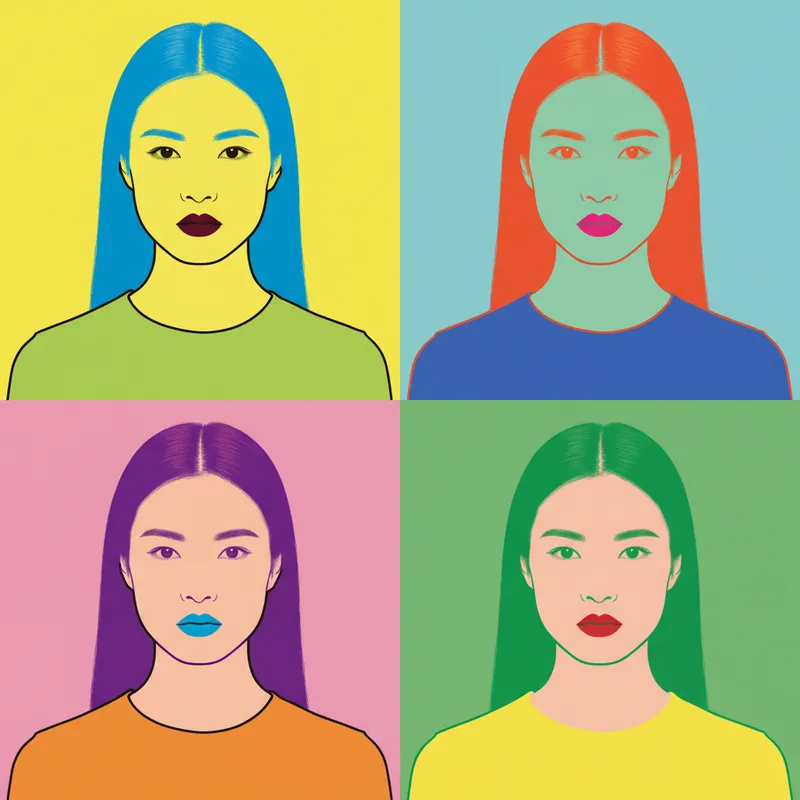
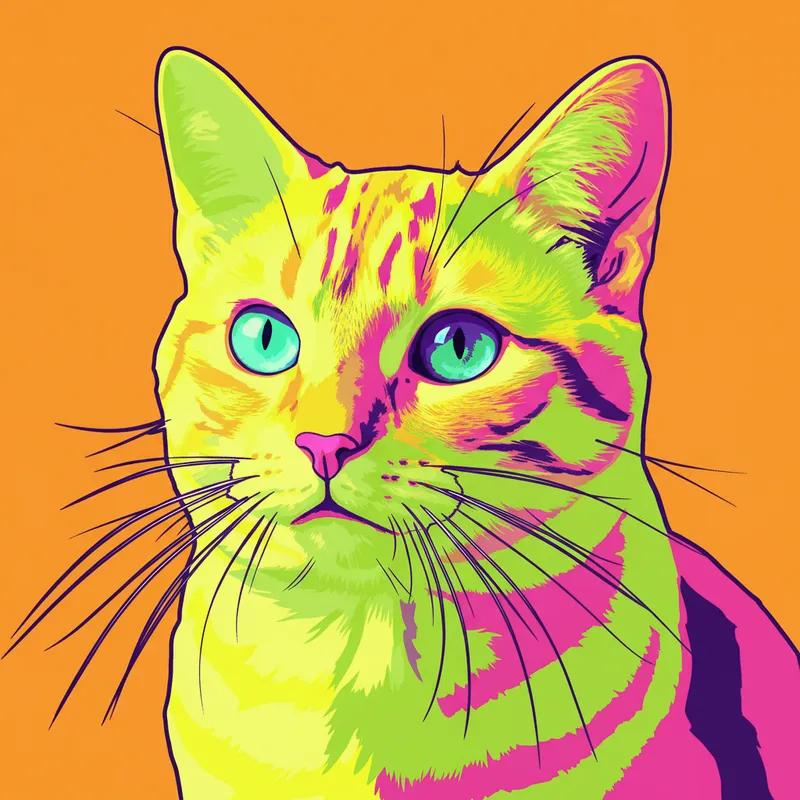
Portrait transformed into bold Pop Art screen-print with flat graphic colors
After

Upload photo to transform photo style

"transform into vibrant neon Pop Art style with electric pink, yellow, cyan, and black graphic flat colors"

Release to upload

FreeNo signupNo watermark

1 free edit·then from $1.99

Popular use cases:
  • Pop Art photo effect
  • screen-print photo style
  • flat graphic photo filter
  • bold color photo transformation
  • halftone dot photo effect
  • graphic art photo converter
  • 1960s Pop Art style

Cost
Free No signup required
Time
Instant results in 15-30 seconds
Works on
Any device - browser, phone, tablet, desktop
Powered by
AI-powered photo editing
Scenario Prompt Time
Classic screen-print Pop Art screen-print with flat colors and black outlines 15s
Neon duotone neon Pop Art duotone with electric pink and cyan 15s
Halftone dot Pop Art halftone dot pattern with primary colors 20s
Retro 60s retro 60s Pop Art with orange, turquoise, and yellow 20s

How it works

  1. Upload your photo

    Drop any photo — portraits work especially well for Pop Art, but objects, products, and everyday scenes also transform effectively. JPG, PNG, or WebP up to 7MB. Clear subjects with readable contours produce the best graphic results.

    Expect: Simple portraits and objects: 15-20 seconds. Complex scenes with many elements: 20-35 seconds.
  2. Describe the Pop Art style you want

    Type your instruction: 'transform this into Pop Art style with bold flat colors and screen-print effect' or 'make this look like a vibrant Pop Art graphic print with high contrast and limited color palette.' Specify the color mood — bright neons, classic primary colors, or bold duotones. No marking needed.

    Tip: Specify your color palette for stronger direction: 'bright pink and yellow with black outlines' or 'blue and red duotone screen print' gives the AI clear color targets. Pop Art is all about bold, deliberate color choices.

    Copy one of these to get started:

    Classic screen-print Pop Art portrait transform this into bold Pop Art screen-print style with flat graphic colors, high contrast, and strong black outlines
    Bright neon Pop Art transform into vibrant neon Pop Art style with electric pink, yellow, cyan, and black graphic flat colors
    Duotone Pop Art print transform into Pop Art duotone print style using only two bold contrasting colors — bright red and deep navy blue
    Halftone dot Pop Art effect transform into Pop Art style with Ben-Day halftone dot pattern, bold primary colors, and a vintage comic book print quality
    3 more prompts
    Product shot as Pop Art graphic transform this product photo into bold Pop Art graphic art with flat colors, pattern background, and graphic poster quality
    Retro 60s Pop Art style transform into retro 1960s Pop Art style with warm orange, turquoise, and yellow flat graphic colors and a vintage poster feel
    Minimalist Pop Art silhouette transform into bold minimalist Pop Art with a high-contrast graphic silhouette, solid color fill, and clean background
  3. Review the graphic transformation

    Look for the Pop Art hallmarks — flat bold colors with hard edges, simplified shapes, high contrast between light and dark areas, and a graphic printed quality. The image should feel like a poster or screen print, not a photograph.

  4. Refine for different color areas if needed

    If certain areas got the wrong color treatment or you want to intensify the effect in specific parts, tap markers and regenerate with adjusted instructions. Most Pop Art transformations deliver strong results in one attempt.

    Tip: Markers on background vs subject help the AI apply different color treatments to each area — common in multi-color screen print aesthetics.
Try it free

Upload photo to transform photo style

"transform into Pop Art duotone print style using only two bold contrasting colors — bright red and deep navy blue"

Release to upload

Free • No signup

See it in action

Standard portrait photo with neutral expression
Before
->
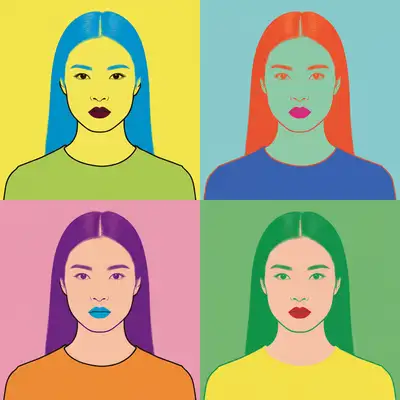
Portrait transformed into bold Pop Art screen-print with flat graphic colors
After

Portrait transformed to screen-print Pop Art

A standard portrait photograph transformed into a bold graphic screen-print with flat colors, strong outlines, and the poster-quality of classic 1960s Pop Art.

Prompt: transform into bold Pop Art screen-print style with flat graphic colors, high contrast, and strong black outlines
Portrait photo in three-quarter view
Before
->
Portrait as neon duotone Pop Art print with pink background and cyan-black rendering
After

Neon duotone Pop Art portrait

A portrait given the high-energy neon duotone treatment — electric pink background with cyan and black graphic rendering.

Prompt: transform into vibrant Pop Art duotone with electric pink background, cyan and black graphic colors, flat screen-print quality
Product photo of everyday consumer item against plain background
Before
->
Same product transformed into Pop Art graphic with bold colors and pattern background
After

Consumer product as Pop Art

An everyday object transformed into bold Pop Art graphic art — flat colors, repeat pattern background, the aesthetic of commercial Pop Art.

Prompt: transform into bold Pop Art graphic with flat colors, bold background pattern, and vintage commercial poster quality

If something looks off

Effect looks too photographic — not graphic enough

Why: The AI applied a lighter Pop Art effect that maintains photographic qualities.

Try: transform boldly into graphic Pop Art with fully flat areas of solid color, no photographic gradients, and strong hard graphic edges throughout

Tip: The keywords 'flat solid color,' 'no gradients,' and 'graphic hard edges' push the AI toward strong Pop Art graphic quality.

Colors are not bold enough

Why: The AI's color palette was too muted or naturalistic for the Pop Art aesthetic.

Try: Pop Art with MAXIMUM bold saturated colors — electric, intense, high-chroma tones, nothing muted or natural

Tip: Pop Art explicitly rejects naturalistic color — ask for 'electric,' 'intense,' or 'maximum saturation' to push the palette.

AI changed the wrong area or something I didn't want changed

Why: The AI couldn't determine exactly which areas from description alone.

Try: Tap a marker on the specific area you want changed, then regenerate with the same prompt

Tip: Markers are especially useful when you want different color treatment for background vs subject.

Face details are lost in the graphic conversion

Why: Pop Art's flat color approach reduces fine detail by design — faces simplify into graphic forms.

Try: Pop Art graphic style while keeping key facial features legible — simplified but recognizable face, bold colors, graphic quality

Tip: Ask for 'legible' or 'recognizable' facial features to balance graphic style with face recognition.

Quick answers

Do I need to mark areas before the Pop Art transformation?

No! Just describe what you want: 'transform into bold Pop Art with flat graphic colors and screen-print effect.' The AI handles the whole image. Only use markers when you want different color treatment between the subject and background.

How do I create a Pop Art photo effect for free?

Upload your photo to EditThisPic, type 'transform this into bold Pop Art style with flat graphic colors and high contrast,' and the AI delivers the result in 15-30 seconds. No signup, no watermark. Works on any phone or computer browser.

Is this imitating specific Pop Art artists?

EditThisPic generates images in the visual style of Pop Art — the bold, graphic, flat-color aesthetic of the 1960s art movement. It does not copy or reproduce specific artworks by named artists. The result is your original photo rendered in a Pop Art aesthetic.

What photos work best for Pop Art transformation?

Portraits with clear features work exceptionally well — Pop Art's graphic simplification thrives on faces with readable contours. Consumer objects, products, and everyday items also transform naturally into the aesthetic. Complex scenes with many elements work better with simpler prompts.

Can I specify the colors used in the Pop Art transformation?

Yes — this is one of the most effective ways to control the output. Be specific: 'bright pink background with blue and black graphic colors' or 'yellow and red duotone.' Pop Art is defined by deliberate, bold color choices, so specifying your palette produces much more targeted results.

How much does EditThisPic cost?

You get 1 free edit per week — no account needed. After that, credit packs start at $1.99 for 3 edits. Monthly plans start at $4.99/mo for 15 edits with unused credits rolling over. All edits are full resolution with no watermark.

Ready to transform your photo into Pop Art?

Free to try. No signup required.

1 free edit included·Credit packs from $1.99