Free • No signup Transform Photo style · Free

Transform Photo to Renaissance Painting Style

← Browse all creative effects

Last updated

Give any photo the look of a Renaissance oil painting — rich textures, dramatic lighting, classical style.
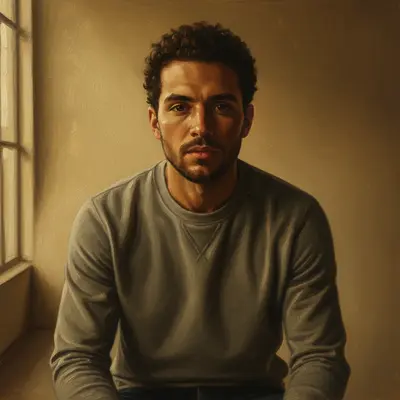
Modern portrait photograph
Before
Portrait transformed into Renaissance oil painting style with dramatic chiaroscuro lighting
After

Upload photo to transform photo style

"make this look like a classical Italian Renaissance portrait with soft golden lighting and dark background"

Release to upload

FreeNo signupNo watermark

1 free edit·then from $1.99

Popular use cases:
  • Renaissance portrait photo
  • old master painting style
  • classical painting effect
  • oil painting portrait
  • chiaroscuro photo effect
  • Italian Renaissance aesthetic
  • historical painting style

Cost
Free No signup required
Time
Instant results in 15-30 seconds
Works on
Any device - browser, phone, tablet, desktop
Powered by
AI-powered photo editing
Scenario Prompt Time
Classic portrait Renaissance oil painting with chiaroscuro lighting 25s
Italian style Italian Renaissance portrait with warm golden tones and dark background 30s
Landscape Renaissance landscape with sfumato soft edges and amber light 35s
Dramatic mood Dark Renaissance painting with Rembrandt-style single-source lighting 30s

How it works

  1. Upload your photo

    Drop a portrait, landscape, or any photo into EditThisPic. JPG, PNG, or WebP up to 7MB. Portraits work especially well for Renaissance style — the dramatic lighting effects are most visible on faces and figures.

    Expect: Portraits and simple scenes: 20-30 seconds. Complex landscapes with many elements: 30-45 seconds and may benefit from a second attempt with more detail in the prompt.
  2. Describe the Renaissance style you want

    Type your instruction: 'transform this into Renaissance oil painting style with dramatic chiaroscuro lighting' or 'make this look like a classical Italian Renaissance portrait painting.' Specify elements you want — oil paint texture, dark rich backgrounds, luminous skin tones. No marking needed — the AI understands style transformation from description.

    Tip: Add 'deep shadows with warm golden highlights' or 'oil canvas texture with visible brushwork' for more authentic Renaissance characteristics. The more specific you are about lighting and texture, the stronger the effect.

    Copy one of these to get started:

    Classic Renaissance portrait transform this into Renaissance oil painting style with dramatic chiaroscuro lighting and rich earth tones
    Italian Renaissance style make this look like a classical Italian Renaissance portrait with soft golden lighting and dark background
    Oil painting texture focus transform into Renaissance painting style with visible oil paint brushwork, canvas texture, and luminous skin tones
    Dark dramatic Renaissance mood transform into dark Renaissance painting style with deep shadows, Rembrandt-style dramatic lighting from one side
    3 more prompts
    Landscape in Renaissance style transform this landscape into Renaissance painting style with warm amber sky, sfumato soft edges, and classical Italian scenery feel
    Renaissance-style family portrait transform this group photo into formal Renaissance portrait style with rich fabrics, dramatic lighting, and dark painted background
    Subtle Renaissance texture add gentle Renaissance painting texture and warm tones to this photo while keeping it recognizable
  3. Review the artistic transformation

    Look for the hallmarks of Renaissance painting style — dramatic shadow-to-light contrast (chiaroscuro), warm amber and earth tones, visible paint texture, and the formal compositional quality of old master portraits. Check that faces retain recognizable features while gaining the painted quality.

  4. Refine specific areas if needed

    If the background effect is too strong or a face detail needs more attention, tap markers on those areas and regenerate with additional instructions. This is optional — most transformations work well in one attempt.

    Tip: For portraits: markers on the face help preserve recognition while the background gets the full painterly treatment.
Try it free

Upload photo to transform photo style

"transform into Renaissance painting style with visible oil paint brushwork, canvas texture, and luminous skin tones"

Release to upload

Free • No signup

See it in action

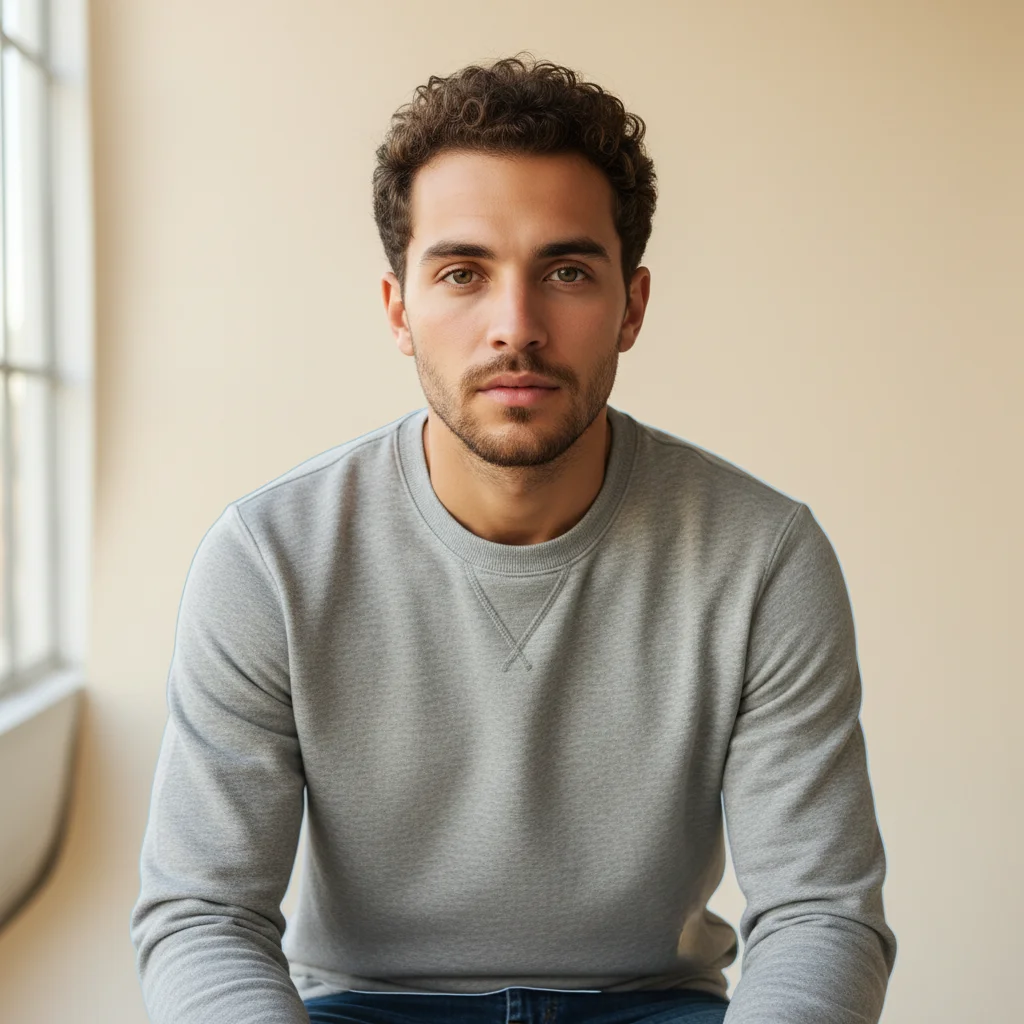
Modern portrait photograph
Before
->
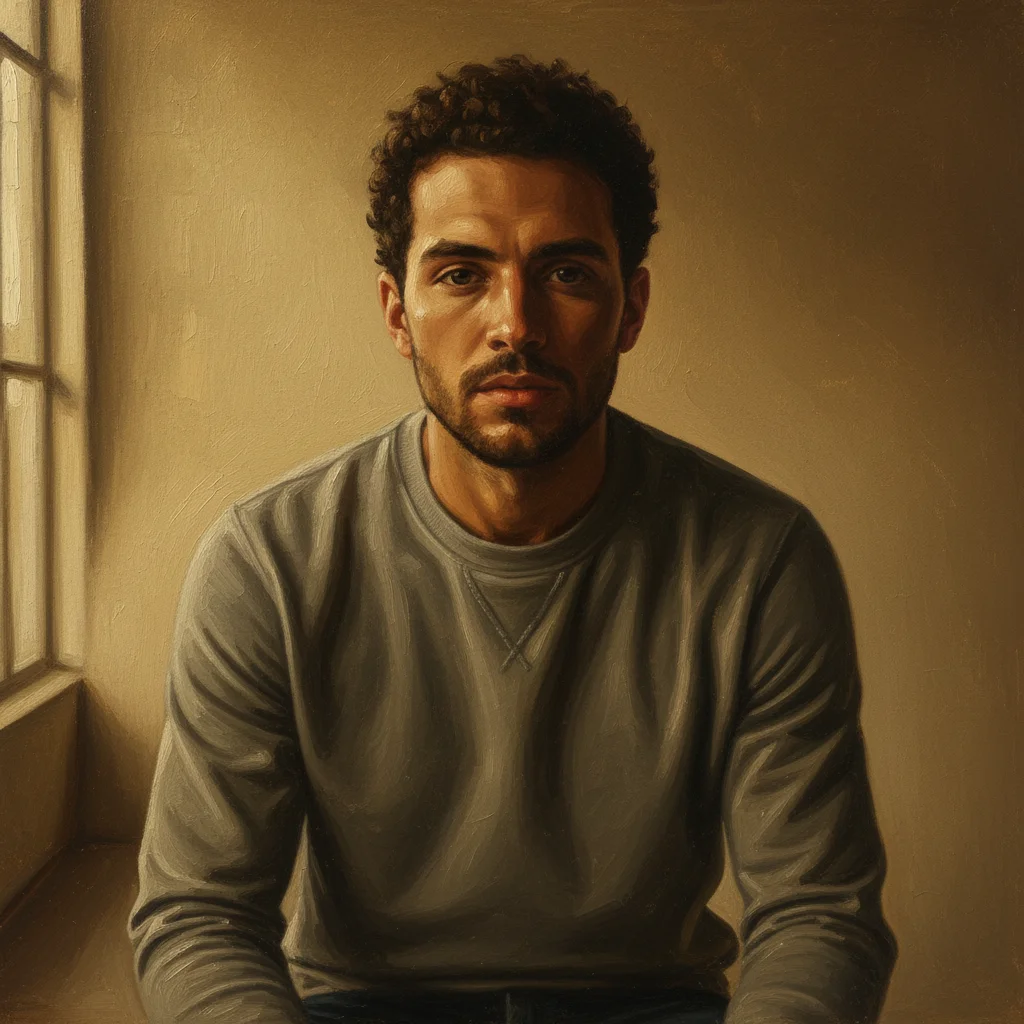
Portrait transformed into Renaissance oil painting style with dramatic chiaroscuro lighting
After

Portrait transformed to Renaissance oil painting

A modern portrait photograph gets the full treatment — oil paint texture, rich amber lighting, and the dramatic shadow-to-light contrast of classical portraiture.

Prompt: transform this into Renaissance oil painting style with dramatic chiaroscuro lighting and warm golden tones
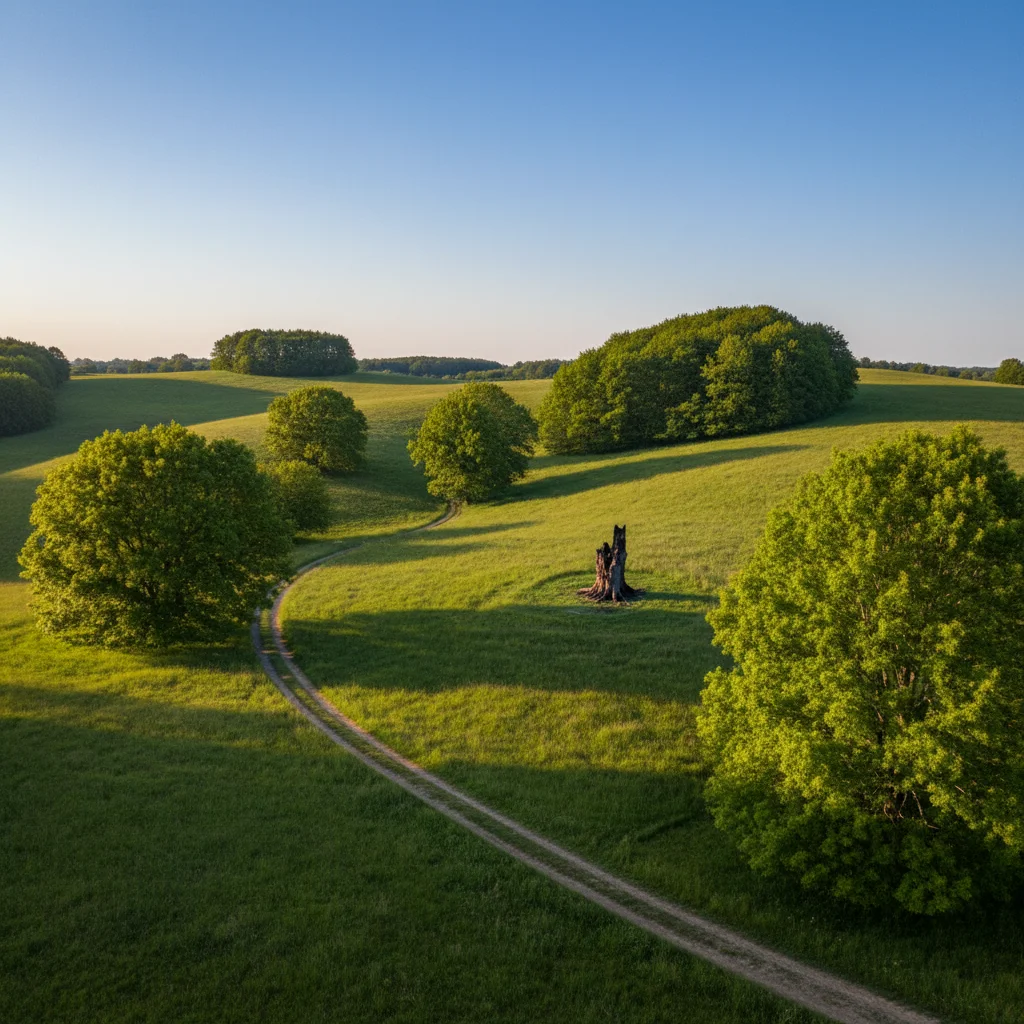
Modern outdoor nature photo with green hills
Before
->
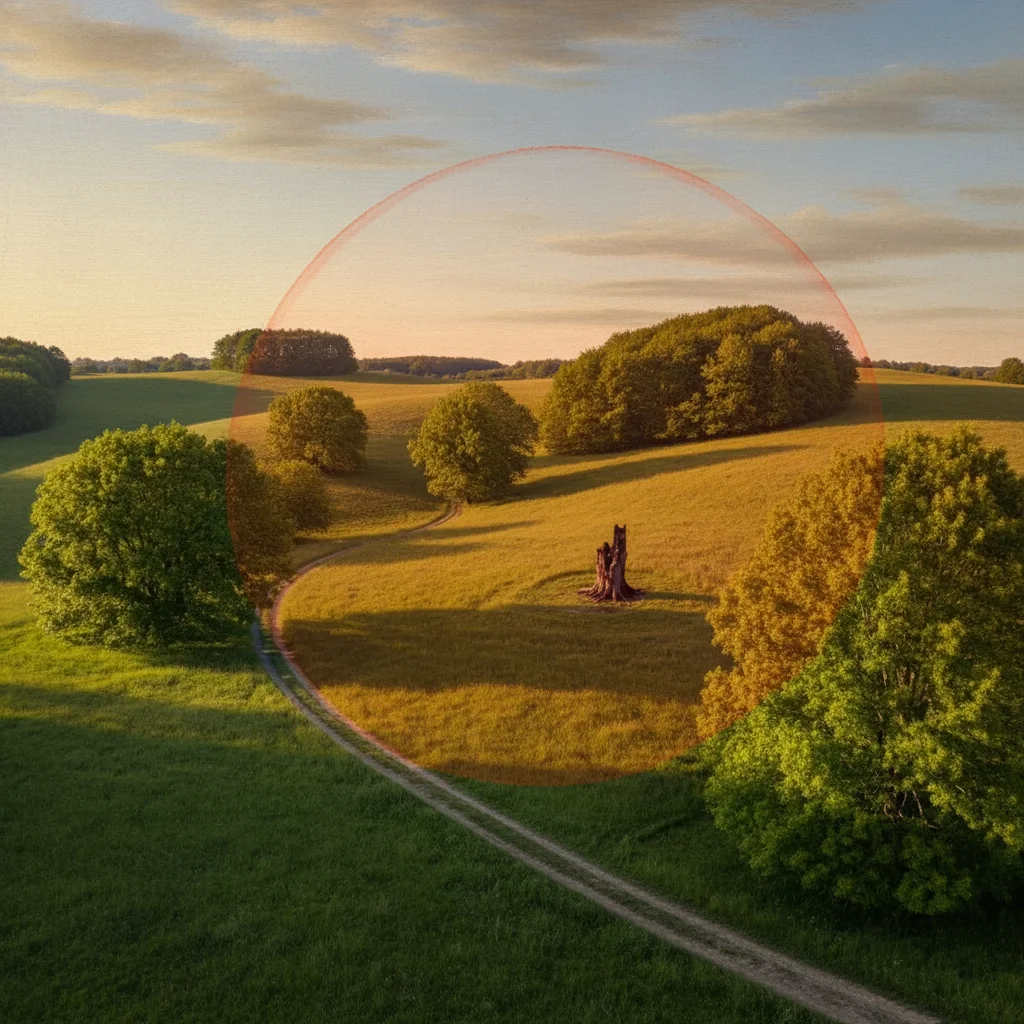
Landscape transformed into Italian Renaissance painting with warm amber tones and sfumato quality
After

Outdoor photo to classical Italian landscape

A contemporary outdoor photo gains the warm amber light, sfumato soft edges, and painterly sky of Italian Renaissance landscape painting.

Prompt: transform into Italian Renaissance landscape painting style with warm amber light, soft sfumato edges, and classical painted sky
Casual group photo outdoors in modern clothing
Before
->
Group photo transformed into formal Renaissance portrait style with dark background and dramatic lighting
After

Group photo as formal Renaissance portrait

A casual group photo reimagined as a formal Renaissance court portrait — rich fabrics implied, dark background, dignified composition.

Prompt: transform this group photo into formal Renaissance portrait style with dark background, rich fabrics, and dramatic one-source lighting

If something looks off

Renaissance effect is too subtle — looks like a filter

Why: The AI applied a light artistic touch. Stronger prompts produce stronger Renaissance effects.

Try: transform boldly into Renaissance oil painting style — deep chiaroscuro shadows, rich earth pigments, visible canvas and brushwork throughout

Tip: Words like 'bold,' 'dramatic,' 'deep,' and 'rich' push the transformation strength. Specify 'oil canvas texture' for tactile authenticity.

Faces look distorted or unrecognizable

Why: The AI applied heavy artistic transformation to facial features. Strong style effects can alter faces significantly.

Try: apply Renaissance oil painting style while preserving facial features and likeness — painterly effect on background and texture, keep the face recognizable

Tip: Ask explicitly to 'preserve facial likeness' when recognition matters more than maximum artistic effect.

AI changed the wrong area or something I didn't want changed

Why: The AI couldn't determine which areas from description alone should receive different treatment.

Try: Tap a marker on the specific area you want changed, then regenerate with the same prompt

Tip: Markers help distinguish face vs background treatment. Use them when you want different intensity levels in different areas.

Colors look too dark or muddy

Why: Renaissance style uses deep shadow areas that can feel very dark on modern screens.

Try: Renaissance oil painting style with rich warm highlights on the subject — luminous golds and ambers, deep but not muddy shadows

Tip: Specify 'luminous' highlights and 'warm golden' tones to balance the dramatic Renaissance darkness with visibility.

Result looks more like a different painting era

Why: AI style transformations don't always land in a specific era without precise prompts.

Try: specifically Italian Renaissance painting style — sfumato technique, warm earth tones, dark varnished oil painting appearance, 15th-16th century masters style

Tip: Historical specificity in your prompt — 'Italian Renaissance,' '15th-16th century' — steers the AI toward the right era.

Quick answers

Do I need to mark areas before the Renaissance transformation?

No! Just describe the style you want: 'transform into Renaissance oil painting style with chiaroscuro lighting.' The AI handles the full transformation. Only use markers if you want different intensity levels in specific areas — like the face versus background.

How do I transform a photo to Renaissance style for free?

Upload your photo to EditThisPic, type 'transform this into Renaissance oil painting style with dramatic lighting and oil paint texture,' and the AI delivers the result in 20-40 seconds. No signup required, no watermark on the output.

Is this copying actual Renaissance artworks or masters?

No. EditThisPic generates images in the style of Renaissance painting — the visual aesthetic of that period (oil paint texture, chiaroscuro lighting, earth tones, classical composition). It does not copy or reproduce specific artworks. The result is your original photo rendered in a Renaissance aesthetic.

Which photos work best for Renaissance style?

Portraits work exceptionally well — faces with dramatic lighting are the hallmark of Renaissance art. Landscapes also transform beautifully. Photos with clear subjects and reasonable lighting produce the most convincing painterly results. Very dark or blurry originals can produce muddier results.

Can I get a specific Renaissance lighting style like Rembrandt or sfumato?

Yes. Specify the technique in your prompt: 'Rembrandt-style single-source dramatic side lighting' or 'sfumato soft smoky edges.' These technical terms are understood and produce noticeably different lighting approaches. Sfumato gives soft misty transitions; Rembrandt gives high-contrast single-source drama.

Will my face still be recognizable after the transformation?

For subtle to medium transformations, faces usually remain recognizable with enhanced painterly texture. For maximum artistic effect, faces may be significantly altered. Add 'preserve facial features and likeness' to your prompt if recognition matters. Markers on the face also help preserve detail.

How much does EditThisPic cost?

You get 1 free edit per week — no account needed. After that, credit packs start at $1.99 for 3 edits. Monthly plans start at $4.99/mo for 15 edits with unused credits rolling over. All edits are full resolution with no watermark.

Ready to paint your photo in Renaissance style?

Free to try. No signup required.

1 free edit included·Credit packs from $1.99