Pricing Visualize Truck lift kit · Free

AI Truck Lift Kit Visualizer

← Browse all creative effects

Last updated

Upload your truck, describe the lift and tires, and preview the stance. Free.
Stock blue pickup viewed from the side Same pickup with a taller stance and larger all-terrain tires

Upload photo to visualize truck lift kit

"level this truck by raising the front about 2 inches so the body sits even front to back, keep the stock wheels and tires"

Free to try · no sign-up · never used for AI training

Release to upload

<30stypical edit
1 freeedit weekly
Photo on your phone? Scan to open this editor there — free edit works on your phone too.

1 free edit every week·paid packs after

How it works

  1. Upload a clear side-on photo of the truck

    A flat side view with all four wheels visible gives the best preview of stance and ride height. Park on level ground and leave room around the tires. JPG, PNG or WebP.

    Expect: About 30 seconds. Angled or cropped shots may need another attempt.
  2. Describe the lift and the tires

    Say how high and what tires: 'level this truck with a 2 inch front lift and 33-inch all-terrain tires on black wheels.' Mention leveled or lifted, rough inches, tire type and wheel colour. No marking is needed.

    Tip: Rough inches and tire size give a believable stance. The preview is a visual idea, not a fitment check.

    Copy one of these to get started:

    3 inch lift with bigger all-terrain tires lift this pickup truck about 3 inches with 33-inch all-terrain tires on black wheels, keep the paint, bed and background unchanged
    Leveling kit only level this truck by raising the front about 2 inches so the body sits even front to back, keep the stock wheels and tires
    Big 6 inch lift with mud tires lift this truck about 6 inches with 35-inch mud-terrain tires on bronze beadlock-style wheels, keep the paint and background unchanged
    Overland look with roof rack lift this truck about 2 inches with 32-inch all-terrain tires, add a black roof rack on the cab, keep the paint unchanged
    3 more prompts
    Tires only, no lift fit larger 33-inch all-terrain tires to this truck without changing ride height, keep the wheels black and the body unchanged
    Lowered stance for comparison lower this pickup about 2 inches with a smaller wheel gap and low-profile street tires, keep the paint and background unchanged
    SUV or Jeep style lift lift this SUV about 3 inches with 33-inch tires on matte black wheels, keep the paint, windows and background unchanged
  3. Review the stance

    Look at the wheel gap, tire sidewalls, fender clearance and the body line. Check the bumper, bed and cab are unchanged and the wheels are not warped.

  4. Refine with markers if needed

    If the AI changed the wrong part, such as the body colour or the wheels on the wrong side, tap a marker on the wheel or fender you meant and regenerate.

    Tip: Markers are optional and best for precision.

See it in action

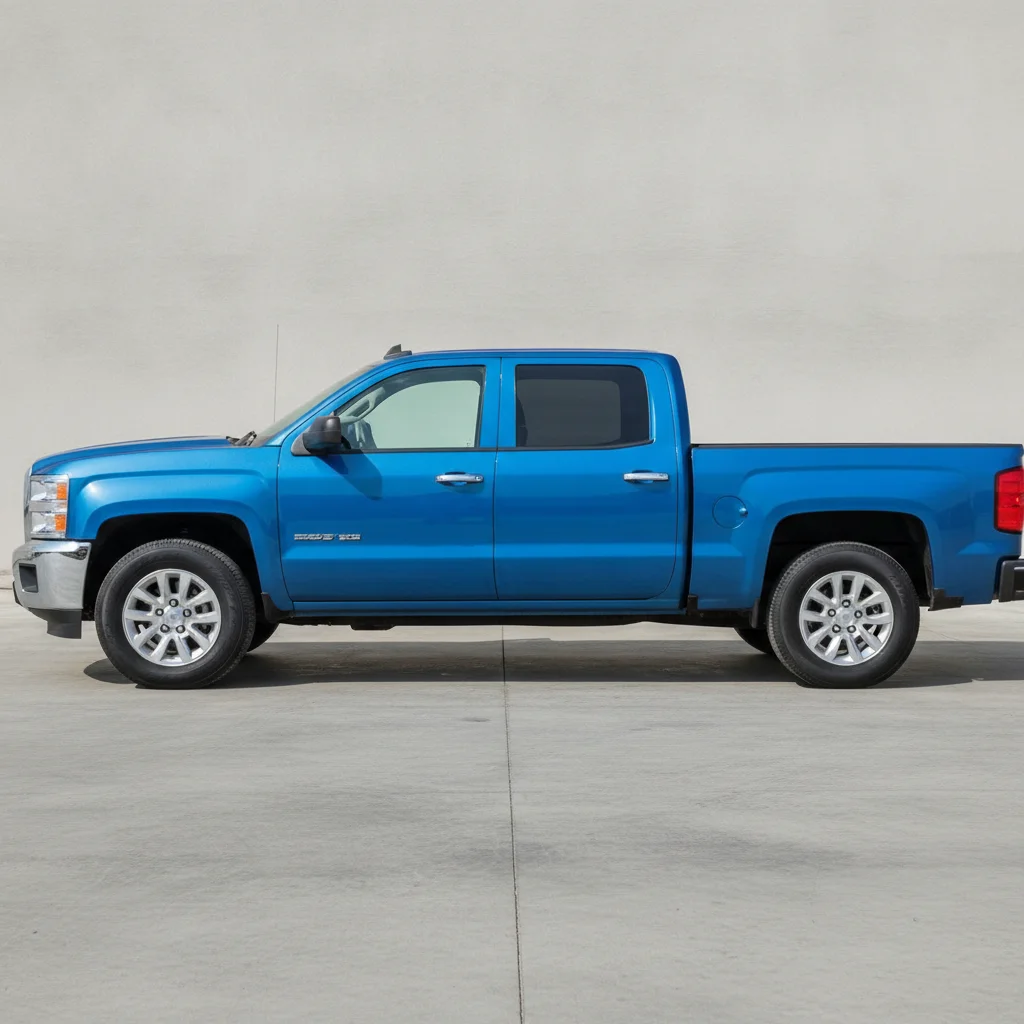
Stock blue pickup viewed from the side
Before
->
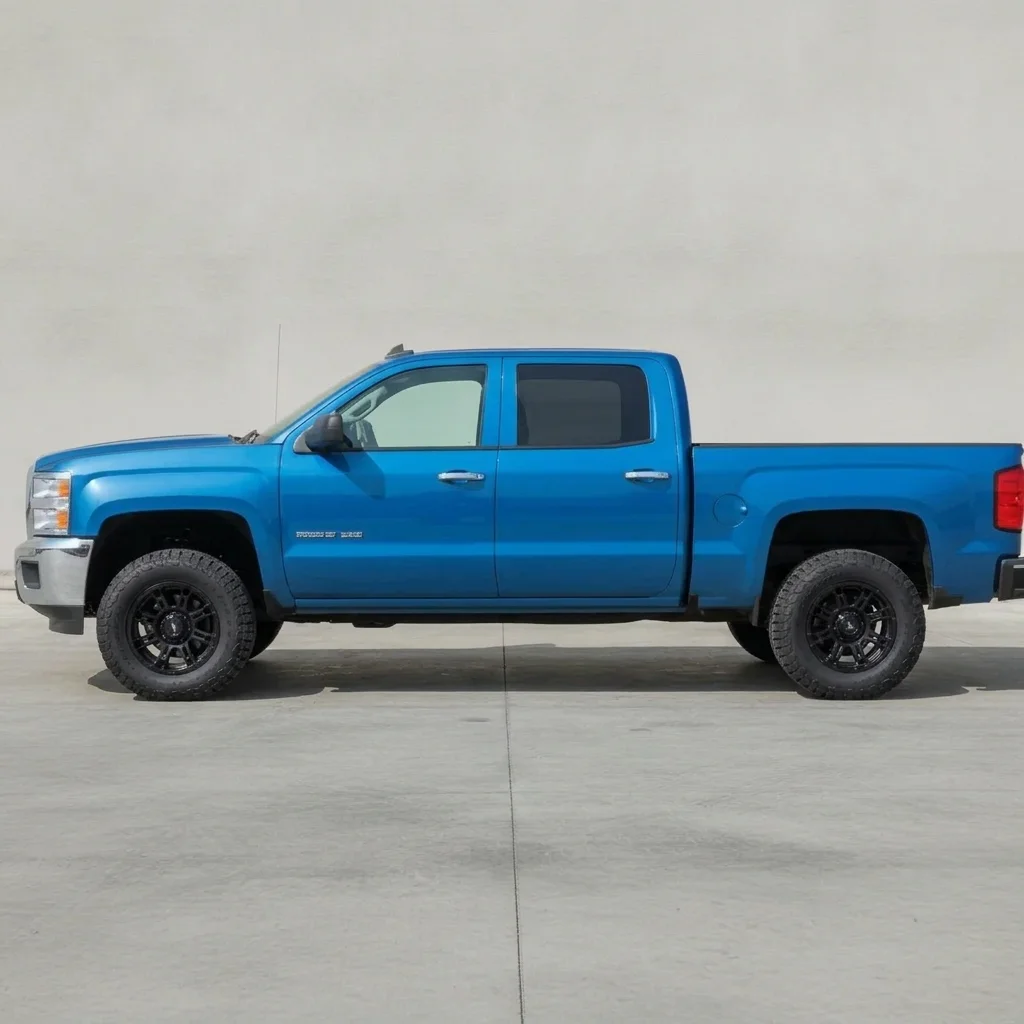
Same pickup with a taller stance and larger all-terrain tires
After

Blue pickup, 3 inch lift

A stock pickup before a lift kit quote. The owner wanted to see how a 3 inch lift and larger tires would look.

Prompt: lift this pickup truck about 3 inches with 33-inch all-terrain tires on black wheels, keep the paint, bed and background unchanged
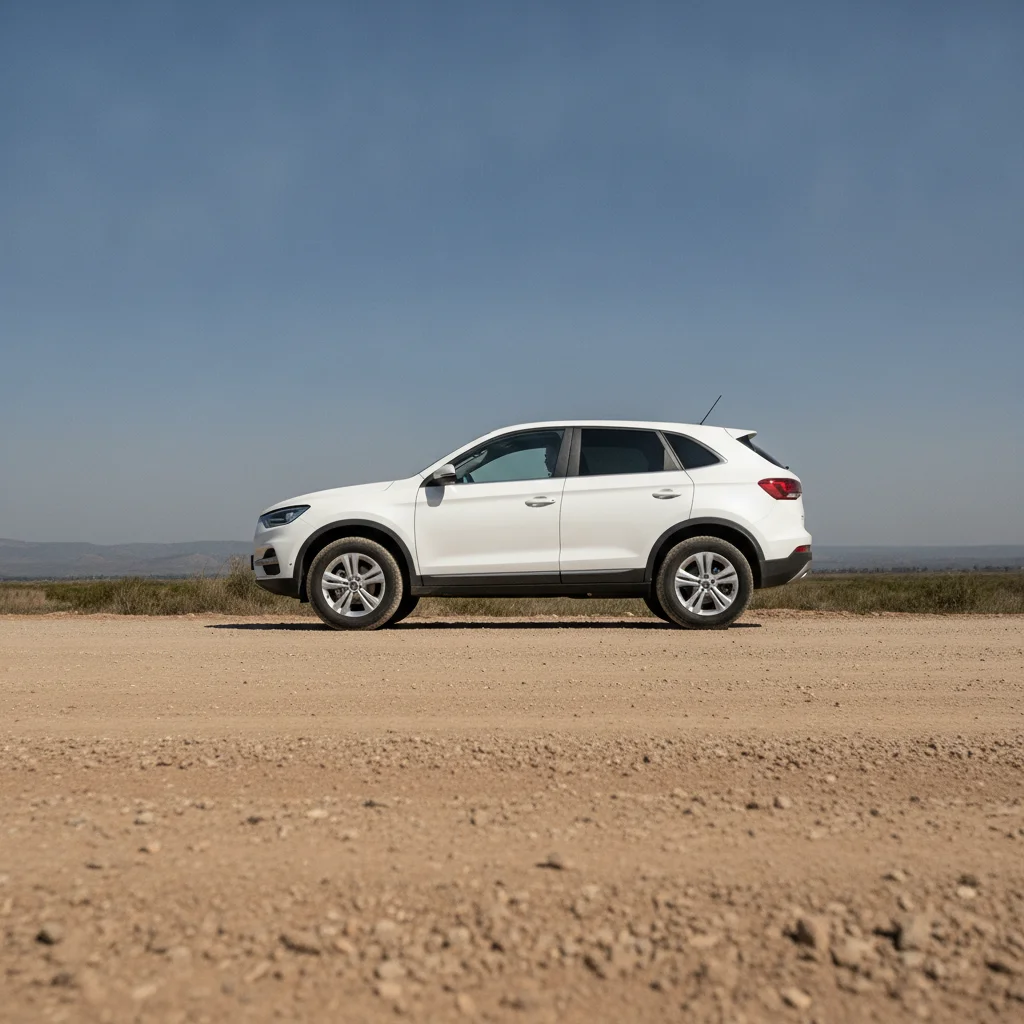
White SUV with stock wheels on a dirt road
Before
->
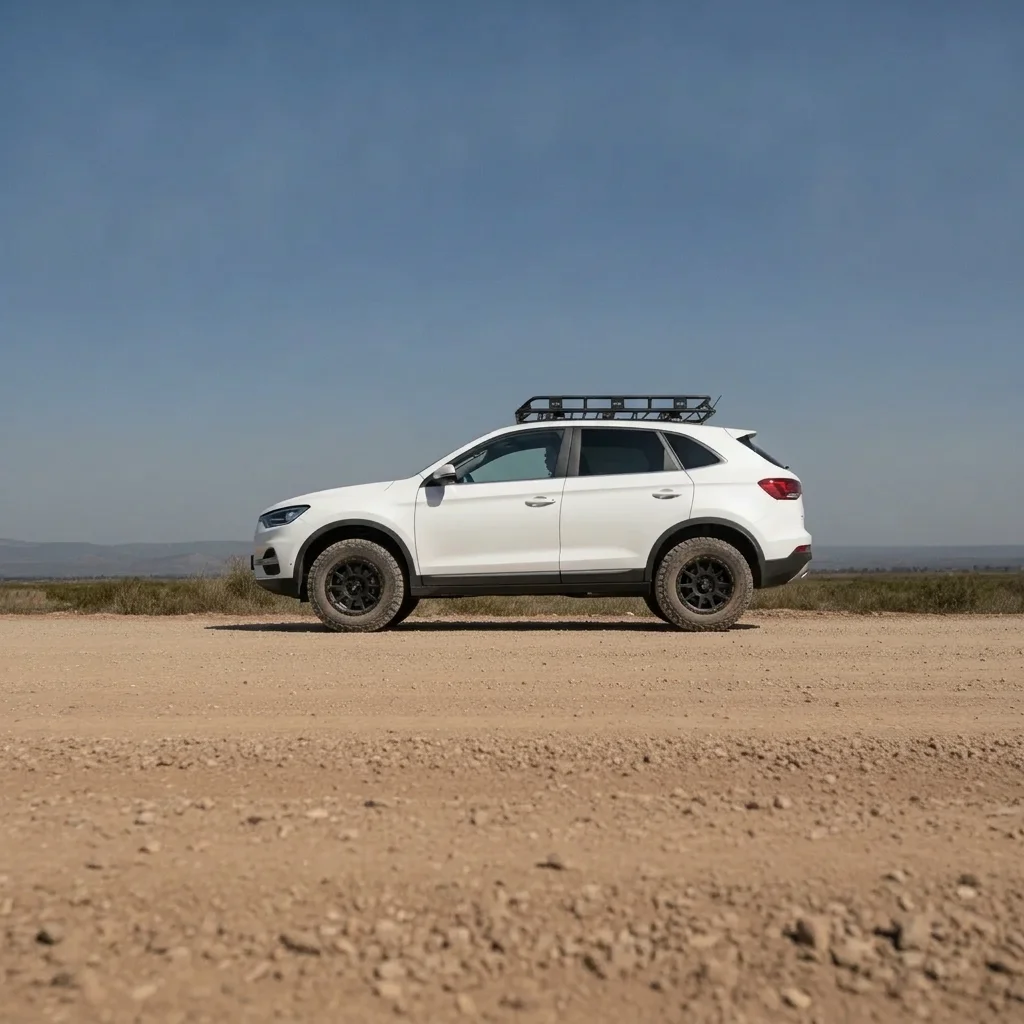
Same SUV lifted with larger tires and a roof rack
After

White SUV, overland build

A family SUV that the owner wanted to see as a light overland build.

Prompt: lift this SUV about 2 inches with 32-inch all-terrain tires on matte black wheels, add a black roof rack, keep the paint and background unchanged

Quick answers

Do I need to mark the wheels or suspension before describing the lift?

No. Just describe it, for example 'lift this truck 3 inches with 33-inch tires.' Use markers only if the AI edits the wrong part.

Is there a free truck lift kit visualizer with no login?

Yes. EditThisPic gives you a free preview edit, no account, no watermark. Upload a side photo of your truck and describe the lift and tires.

Will the preview tell me which tires or lift kit fit my truck?

No. It is a visual preview only. Tire size, wheel offset, suspension and clearance have to be confirmed with the kit maker or a shop.

Can I compare leveled and lifted on the same truck?

Yes. Run the same photo with a leveling prompt and a lift prompt, then show a shop which stance you prefer.

Does it work for SUVs and Jeeps too?

Yes. Say SUV or Jeep in the prompt. Results are previews, so results on unusual body styles may need a retry.

How much does EditThisPic cost?

You get 1 free Standard edit per week — no account needed. After that, one-time credit packs start at $4.99 for 10 credits, valid 12 months, no subscription. A Standard edit uses 1 credit, Pro 2 and Ultra 3. Purchased downloads are clean with no watermark.

Ready to preview your lifted truck?

Free to try. No signup required.

1 free edit included·paid credit packs after