Pricing Remove Vignette · Free

AI Vignette Remover

← Browse all remove tools

Last updated

Brighten dark corners and even out the edges of your photo. Free, no signup.
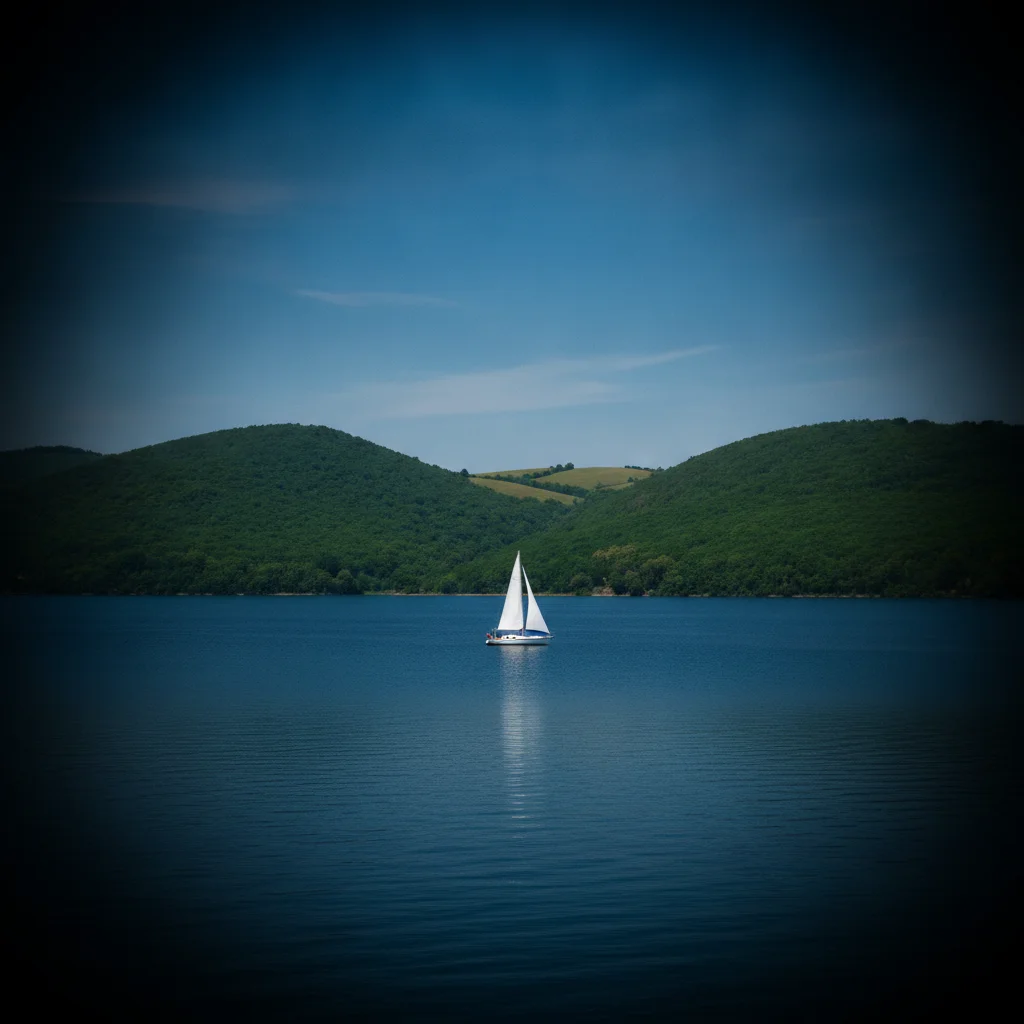
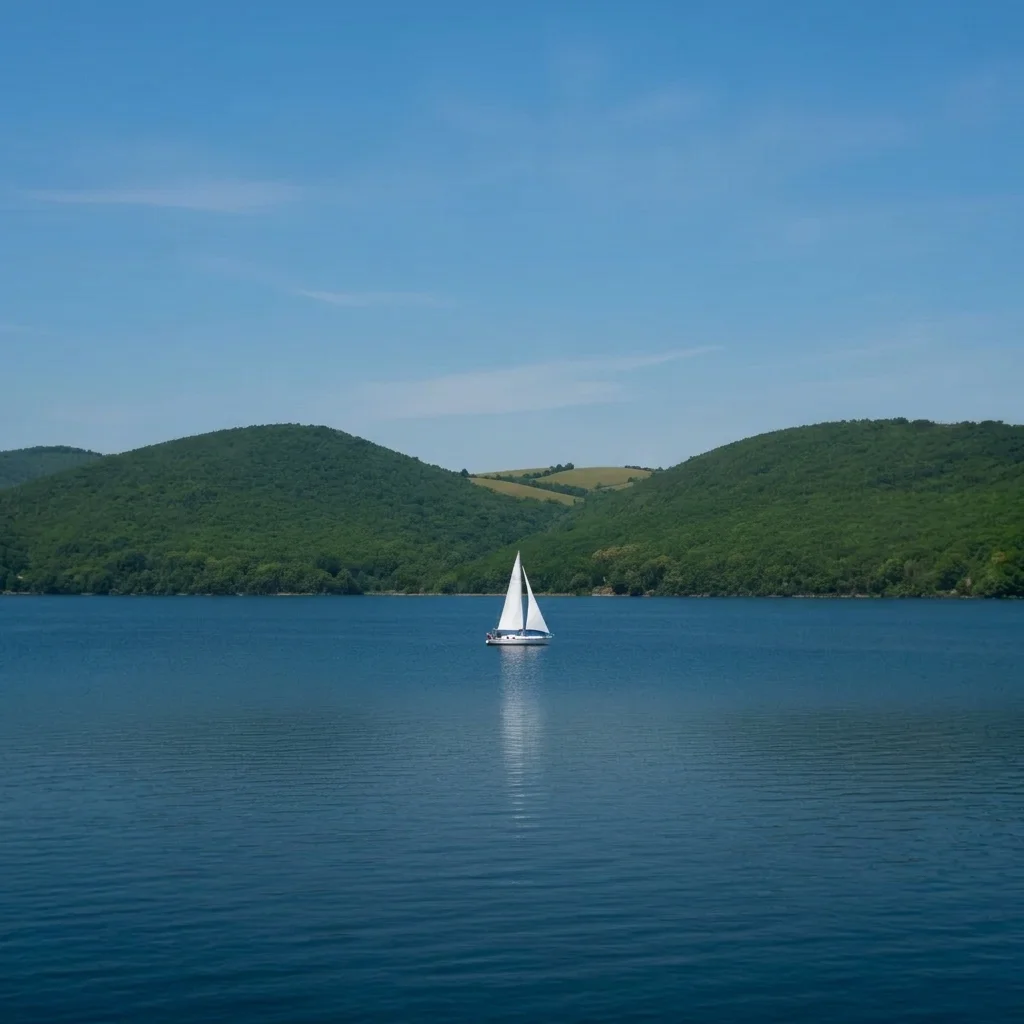
Landscape with darkened corners Same landscape evenly lit

Upload photo to remove vignette

"lighten the dark corners of the sky in this photo to match the centre of the sky, keep the clouds natural"

Free to try · no sign-up · never used for AI training

Release to upload

<30stypical edit
1 freeedit weekly
Photo on your phone? Scan to open this editor there — free edit works on your phone too.

1 free edit every week·paid packs after

How it works

  1. Upload your photo

    Pick the photo where the dark corners bother you. Wide-angle shots, old lenses, lens hoods and filters often cause vignetting. Skies and plain walls show the corners most clearly.

    Expect: Simple fixes usually finish in under a minute. Heavier damage or busy detail can take a little longer and may need a second pass.
  2. Describe what you want

    Describe it plainly. For example: 'remove the dark vignette from the corners and edges, even out the brightness across the whole photo, keep the subject and colours unchanged.' No marking needed.

    Tip: Name which corners are dark if only some are. 'Top left and top right corners' is more exact than 'edges.'

    Copy one of these to get started:

    Dark corners on a landscape remove the dark vignette in all four corners of this landscape photo, even out the brightness from centre to edge, keep the colours and subject unchanged

    Wide-angle sky lighten the dark corners of the sky in this photo to match the centre of the sky, keep the clouds natural
    Old lens or film vignette remove the heavy vignette from this old lens photo and bring the corner brightness up to match the middle, keep the vintage colours
    Dark corners in a portrait remove the dark corners from this portrait, brighten the background edges evenly, keep the person's skin tone and face unchanged
    3 more prompts
    Phone macro shot with lens shadow remove the dark shadow in the lower left corner caused by the phone case or lens hood, even out the lighting
    Indoor room photo remove the vignetting from the corners of this room photo, keep the walls, furniture and window light as they are
    Keep an artistic vignette lighter lighten the vignette in this photo by about half, keep a subtle natural fall-off
  3. Review the result

    Check the sky and plain areas near the corners for banding or odd colour patches. Also check that the centre did not get brighter or flatter than before.

  4. Refine with markers if needed

    If one corner is still dark, tap a marker on it and regenerate the same prompt.

    Tip: Markers are for precision refinement, not a required step. Most edits work from the description alone.

See it in action

Landscape with darkened corners
Before
->
Same landscape evenly lit
After

Wide-angle landscape

A mountain lake photo with the corners clearly darker.

Prompt: remove the dark vignette in all four corners of this landscape photo, even out the brightness from centre to edge, keep the colours and subject unchanged

Portrait with strongly darkened corners
Before
->
Same portrait with an even grey wall
After

Portrait with dark edges

A portrait with the corners fading to near black.

Prompt: remove the dark corners from this portrait, brighten the background edges evenly, keep the person's skin tone and face unchanged
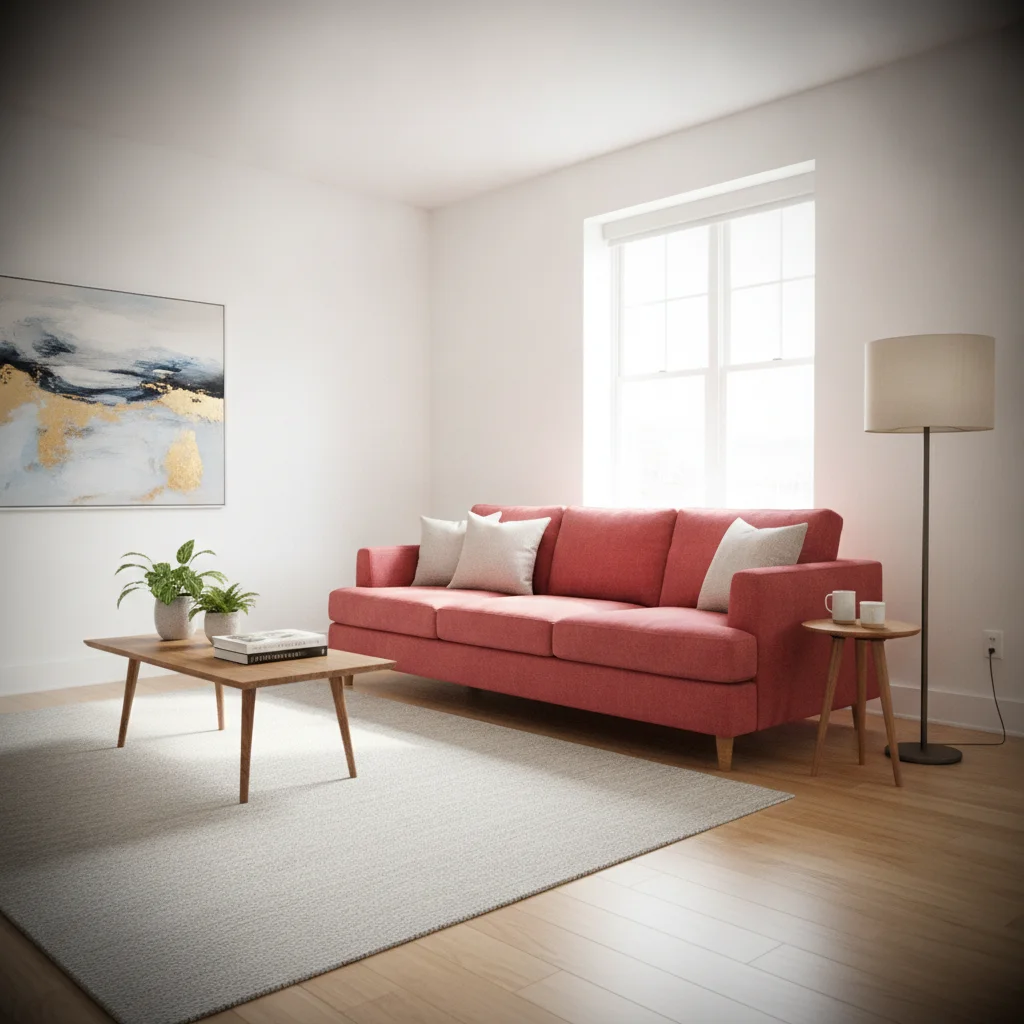
Living room photo with dark corners
Before
->
Same room photo with even lighting
After

Room photo with lens vignette

A living room shot with dark corners from a wide lens.

Prompt: remove the vignetting from the corners of this room photo, keep the walls, furniture and window light as they are

Quick answers

Do I need to mark the dark corners before describing what I want?

No. Say 'remove the dark vignette' and the AI evens it out. Markers help if one corner remains dark or a subject near the edge changes.

How do I remove vignetting from a photo for free?

Upload the photo, type that you want the dark corners removed, and download the preview. The free edit is a preview, with no signup and no watermark.

Is this the same as the vignette slider in photo apps?

It has the same goal, but you describe the result instead of adjusting sliders. It can also repair uneven areas that sliders do not.

Will it work on a very dark vignette?

Often, but detail that was never captured cannot be recovered. Extremely dark corners may look flat or slightly noisy.

Can I keep a little vignette?

Yes. Ask for the vignette to be 'reduced by half' or 'subtle' instead of removed.

Does it work on scanned film?

It can. Mention that the dark corners are from an old lens or scan and say to keep the original colours.

How much does EditThisPic cost?

You get 1 free Standard edit per week — no account needed. After that, one-time credit packs start at $4.99 for 10 credits, valid 12 months, no subscription. A Standard edit uses 1 credit, Pro 2 and Ultra 3. Purchased downloads are clean with no watermark.

Ready to remove the dark corners?

Free to try. No signup required.

1 free edit included·paid credit packs after