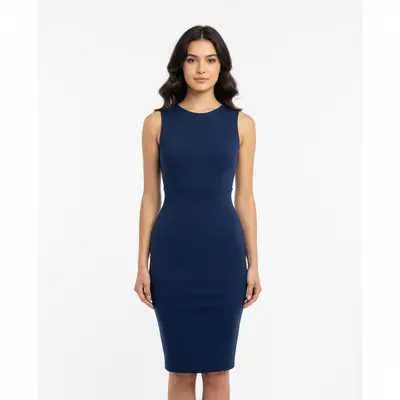
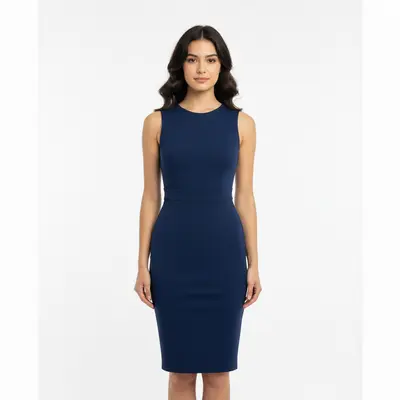
Do I need to mark the waist area before describing what I want?
No! Just describe what you want: 'make the waist area slimmer' or 'trim the midsection naturally.' The AI understands body anatomy and waist proportions.
Is there a free AI waist trimmer that doesn't require login?
Yes, EditThisPic is free to try with no account needed. Upload your photo, describe the waist adjustment you want, and download the result. No watermarks on outputs. Perfect for natural body contouring and proportion enhancement without commitment.
How do I make waist smaller in photos with AI for free?
Upload your photo to EditThisPic and describe the change: 'make the waist area slimmer and more proportional' or 'trim the midsection gently.' The AI adjusts your waistline in 30-45 seconds. Free, no account required, no watermarks on the result.
Does AI waist trimming look natural and realistic?
Yes, when done properly. EditThisPic's AI maintains natural body proportions and realistic curves. Using words like 'natural', 'subtle', and 'proportional' in your prompt ensures the result looks authentic and not over-edited.
Can I trim waist in photos without it looking fake?
Absolutely. The key is using natural-sounding prompts like 'make the waist slimmer naturally' or 'contour gently.' The AI preserves realistic body proportions, clothing flow, and background elements to create authentic-looking results.
What's the best free tool for waist slimming in photos?
EditThisPic offers professional AI waist trimming with no signup required. Unlike apps that need manual adjustments or complex tools, just describe what you want. It handles natural contouring while preserving realistic proportions and body anatomy.
Can AI waist trimming work with any body type?
Yes! The AI adapts to different body shapes, sizes, and poses. Whether standing, sitting, or at an angle, it maintains proportional relationships and natural curves specific to each body type for realistic results.
How subtle can the waist adjustment be?
Very subtle. You can specify the degree: 'trim the waist gently' for minimal change, 'moderate waist slimming' for noticeable but natural results, or 'subtle contouring' for professional photo enhancement. The AI adapts to your specific request.
Does waist trimming work with different clothing styles?
Yes. Fitted dresses, loose shirts, blazers, casual wear, and formal attire all work well. The AI adjusts the waist while preserving clothing drape, patterns, and fabric flow. Mention 'preserve clothing lines' for structured garments.
Can I trim waist in side profile photos?
Yes, side profiles work well for waist contouring. Specify the angle in your prompt: 'trim the waist from the side view' or 'create a more curved profile naturally.' The AI handles different angles and maintains realistic body proportions.
Is AI waist trimming safe for my photos?
Yes. EditThisPic processes your photo only for the edit you request. Photos are not stored permanently or used for training. The tool is designed for legitimate body enhancement and professional photo editing. Your original photo is never modified.
How much does EditThisPic cost?
You get 1 free edit per week — no account needed. After that, one-time credit packs start at $4.99 for 10 edits, valid 12 months, no subscription. Power users who edit daily can pick Studio Membership, a monthly workspace at $49.99/mo for 300 edits. Purchased downloads are clean with no watermark.