AI Photo Editor for Car Listing Photos
Last updated
Professional car photos without a professional setup.
Drop your photo here
"blur the license plate completely so no characters are readable, heavy pixelation for privacy"
Free to try · no sign-up · never used for AI training
Release to upload
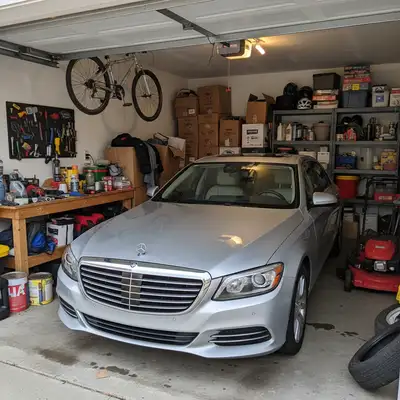
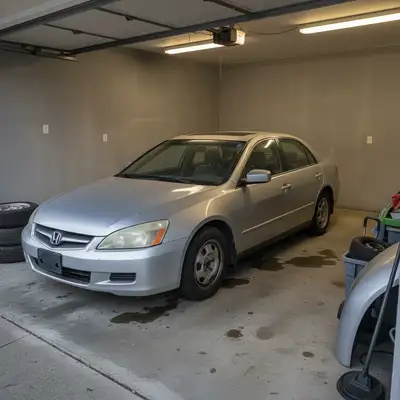
Built for Car Sellers
Good photos sell cars faster at better prices. But professional automotive photography and editing is expensive. EditThisPic lets you take photos with your phone in your garage or lot, then polish them to look professional. Blur plates for privacy, clean up backgrounds, remove reflections - all by describing what you need.
Tools Car Sellers Use Most
Blur License Plate
Privacy protection for online listings
Replace Background
Clean up messy garage or driveway shots
Remove Reflection
Clear photographer reflection from shiny paint
How to AI Photo Editor for Car Listing Photos
-
Upload your car photo
Drop your vehicle photo into EditThisPic. JPG, PNG, WebP up to 7MB. Works with phone photos from any angle - exterior shots, interior details, engine bay, or showroom views.
Single edit (blur plate): 15-20 seconds. Full cleanup (background + multiple fixes): 2-3 minutes with refinements. -
Describe your edit
Type what you need: 'blur the license plate completely' or 'replace the garage background with clean concrete' or 'remove my reflection from the hood.' The AI understands car photography terminology.
Stack multiple edits: 'blur license plate and remove trash cans in background' often works in one pass. -
Review and verify
For license plates, zoom in and verify no characters are readable. For backgrounds, check edges around the car look natural. For reflections, confirm paint still looks glossy.
Copy-Paste Prompts for Car Listings
blur the license plate completely so no characters are readable, heavy pixelation for privacy
The AI finds license plates automatically - no need to mark them
replace the cluttered garage background with a clean neutral gray concrete floor, keep the car exactly as is
'Keep the car exactly as is' prevents unwanted changes to the vehicle itself
remove my reflection from the car's paint and make the surface look clean and glossy
Works best on large flat panels like doors and hoods
remove the glare from car windows so the interior seats and dashboard are clearly visible
Results depend on how much interior is visible through the glare
Show 4 more prompts
blur the license plate, remove the trash cans in background, and clean up the oil stain on driveway
Combining related edits often works faster than doing them separately
replace background with professional car dealership showroom floor, bright even lighting, natural reflections on car
'Natural reflections' ensures the car still looks glossy in the new environment
remove the other cars visible in the background and fill with empty parking lot
Works best when background cars don't overlap with your featured vehicle
remove the coffee cup and papers from center console, show clean interior ready to sell
Small objects on simple surfaces remove easily
| Edit Type | Prompt | Time | |
|---|---|---|---|
| Blur license plate | blur license plate completely |
15s | Try This → |
| Clean background | replace cluttered background with clean floor |
30s | Try This → |
| Remove reflection | remove my reflection, keep glossy paint |
25s | Try This → |
| Full cleanup | blur plate, clean background, fix reflections |
45s | Try This → |
Real Car Listing Transformations
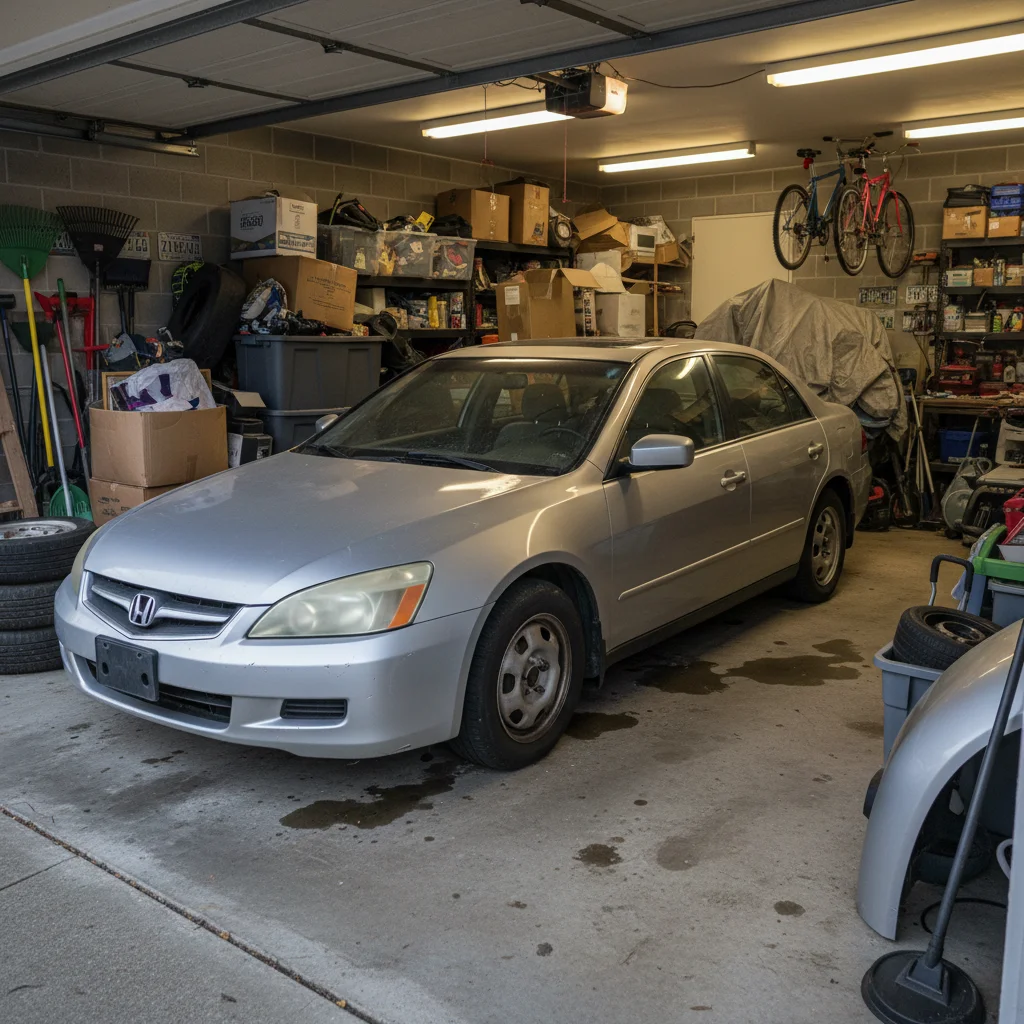
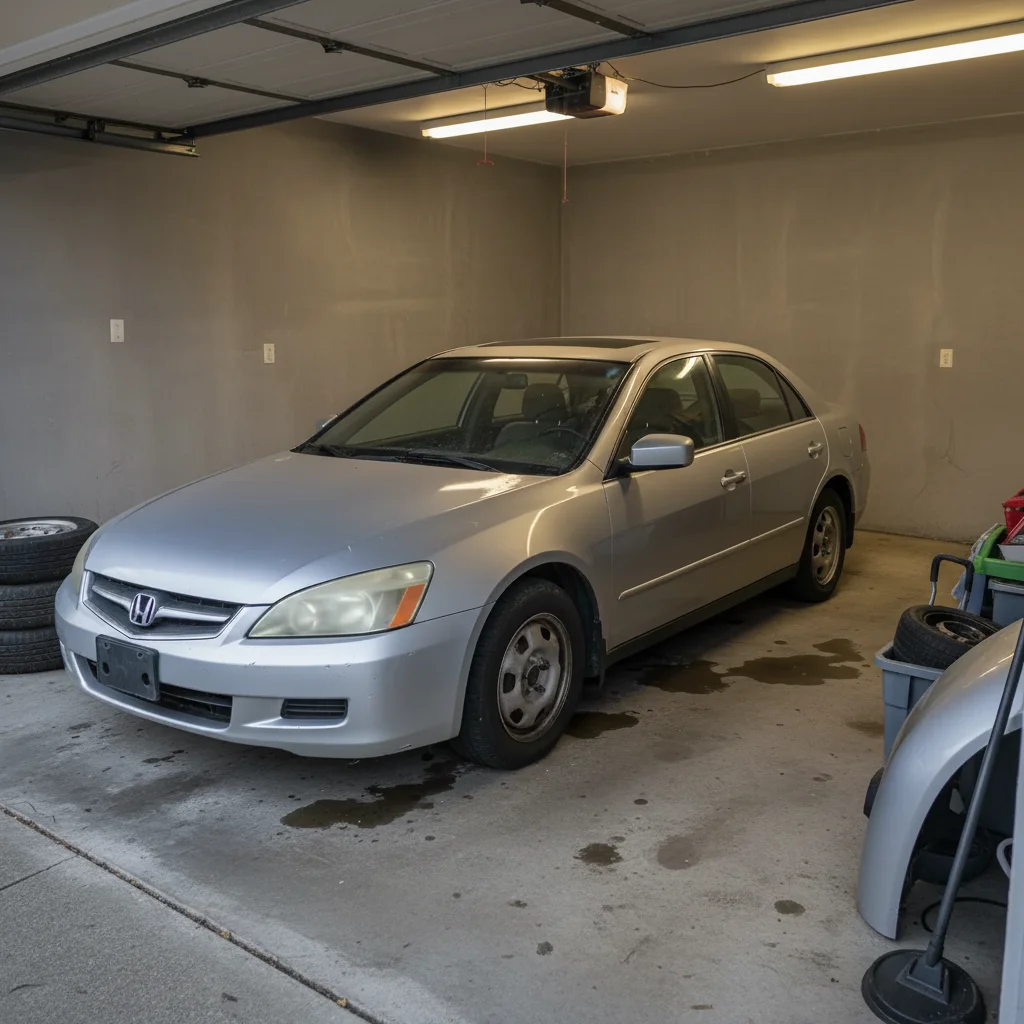
Garage clutter to clean background
Sedan photographed in messy garage transformed to look like a professional lot shot.
replace the cluttered garage background with a clean neutral gray concrete floor, keep the car exactly as is with natural shadows
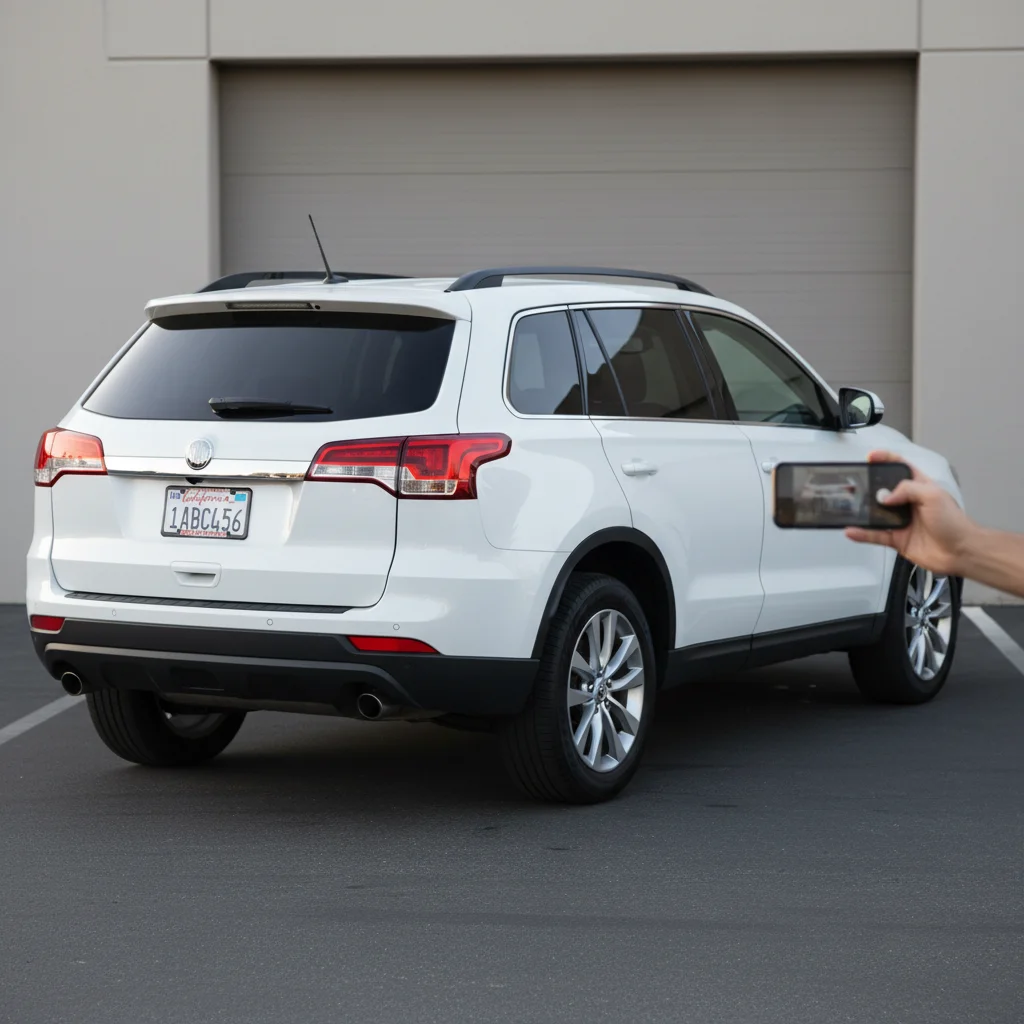
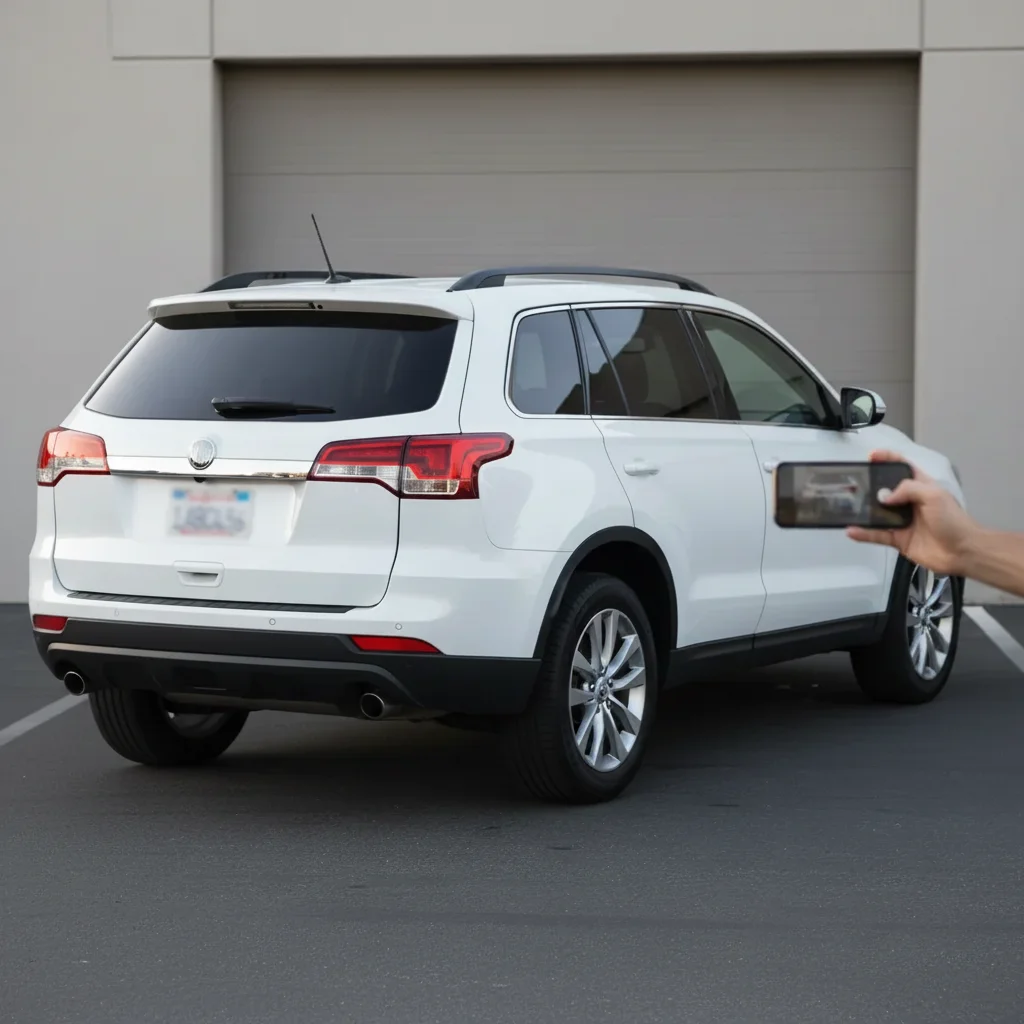
License plate blurred for Facebook Marketplace
SUV listing needed plate blurred before posting online. Quick privacy fix in seconds.
blur the license plate completely so no characters are readable, heavy pixelation
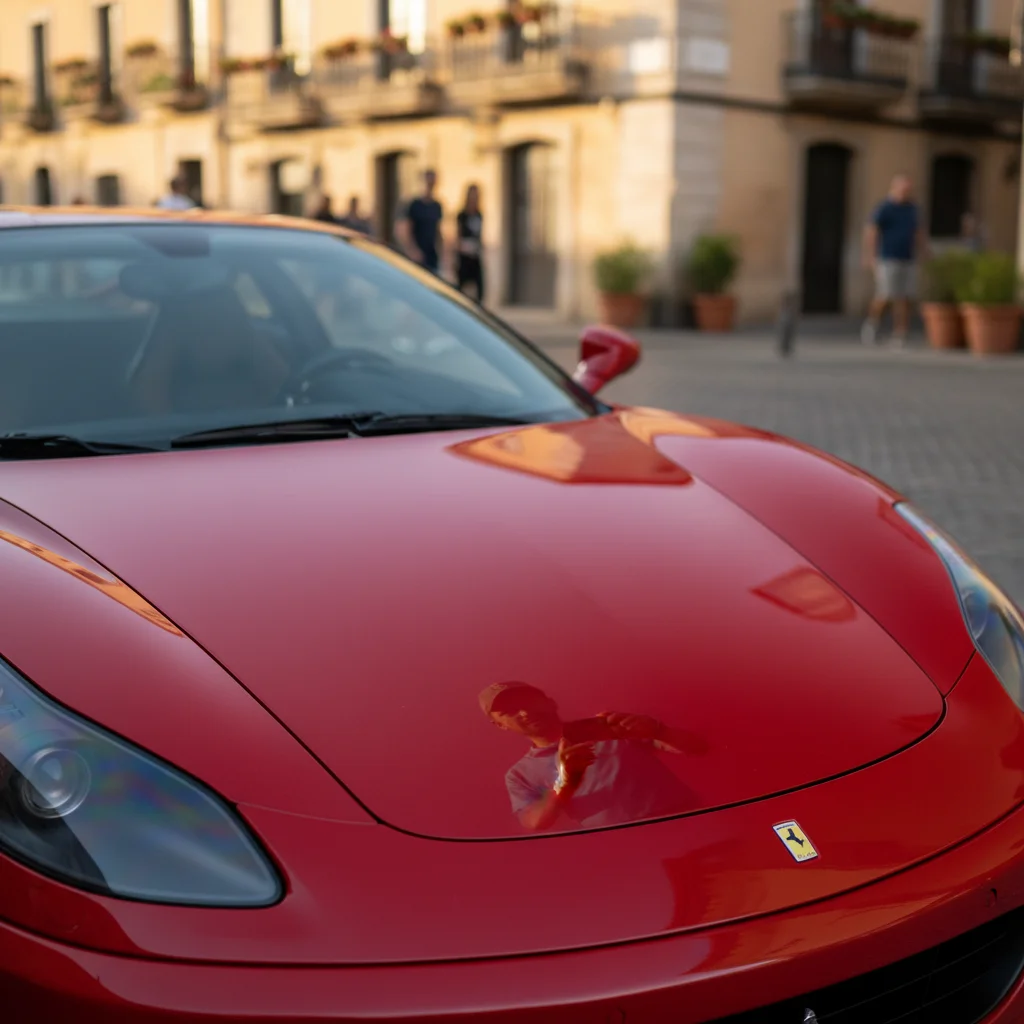

Photographer reflection removed
Seller's reflection was visible in the shiny red paint. Removed while keeping the glossy finish.
remove my reflection from the car door and hood, keep the paint looking glossy and clean
When Things Go Wrong
License plate characters still partially readable
Why: The blur wasn't strong enough for privacy requirements.
blur the license plate with heavy pixelation, make all characters completely unreadable
Zoom to 200% and verify no characters can be guessed. For marketplace compliance, complete unreadability is key.
Reflection removal made paint look flat
Why: The AI removed too much shine along with the unwanted reflection.
remove my reflection but keep the natural glossy shine and subtle environmental reflections
'Keep glossy finish' prevents over-correction that makes paint look matte.
New background lighting doesn't match car
Why: The replacement background has different lighting than your original photo.
replace background with [your choice] with lighting that matches the car, shadows same direction
Look at which side of car is brighter and describe that light direction in your prompt.
Frequently Asked Questions
Do I need to mark the license plate before blurring?
No - just type 'blur the license plate' and the AI finds it automatically. License plates have a distinctive shape and position the AI recognizes.
Is the blur strong enough for Facebook Marketplace and Craigslist?
Yes, when you specify 'completely unreadable' or 'heavy pixelation.' Always zoom to 100% to verify. Major marketplaces don't have specific blur requirements, but complete unreadability protects your privacy.
Can I do multiple edits to the same photo?
Yes, two ways. Either combine requests in one prompt ('blur plate and remove trash cans') or edit in passes - blur the plate, download, upload again, fix the background. Multi-pass gives more control.
Will this work for motorcycles and trucks?
Yes. The AI handles all vehicle types - motorcycles, trucks, RVs, boats. License plates on motorcycles (typically rear-mounted) work the same way. Just describe what you see.
How do I get a professional showroom look?
Replace the background: 'replace background with car dealership showroom floor, bright even lighting.' For best results, photograph your car with consistent lighting and relatively simple original background.
Can I remove dealer plates or temp tags?
Yes. The AI recognizes dealer plates, paper temp tags, and standard plates. Describe what you see: 'blur the dealer plate' or 'blur the temp tag in window.'
Is EditThisPic's AI photo editor for car listing photos really free?
Yes — you get 1 free edit per week, no account needed. Credit packs start at $4.99 for 10 edits.
Can I use this on my phone?
Yes. EditThisPic works in any mobile browser — iPhone, Android, tablet. No app download needed.
Popular use cases
Ready to make your car listing stand out?
Free to try. No signup required. Sell faster.
Upload Your Photo