Free • No signup Insert Yourself · Free

AI Insert Me in This Photo

Last updated

Insert yourself into any photo using a selfie as your reference — AI places you in the scene with matched lighting, correct scale, and natural blending.

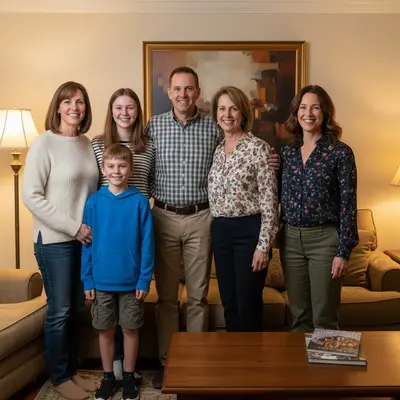
01Photo 1
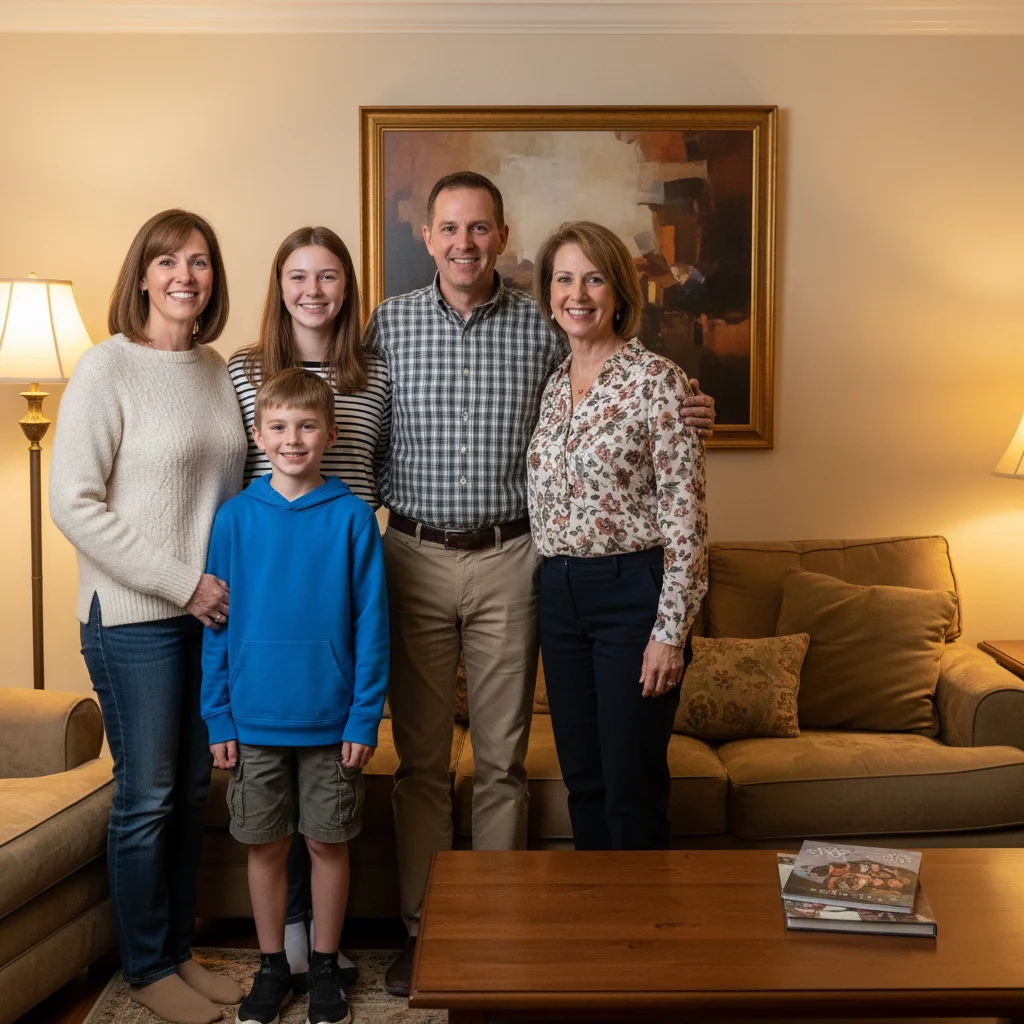
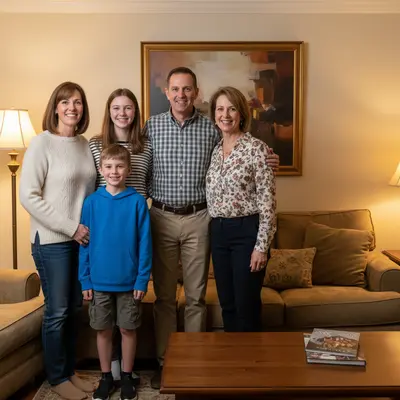
Family group photo with gap at right end of lineup
02Photo 2
Selfie of the user used as reference photo
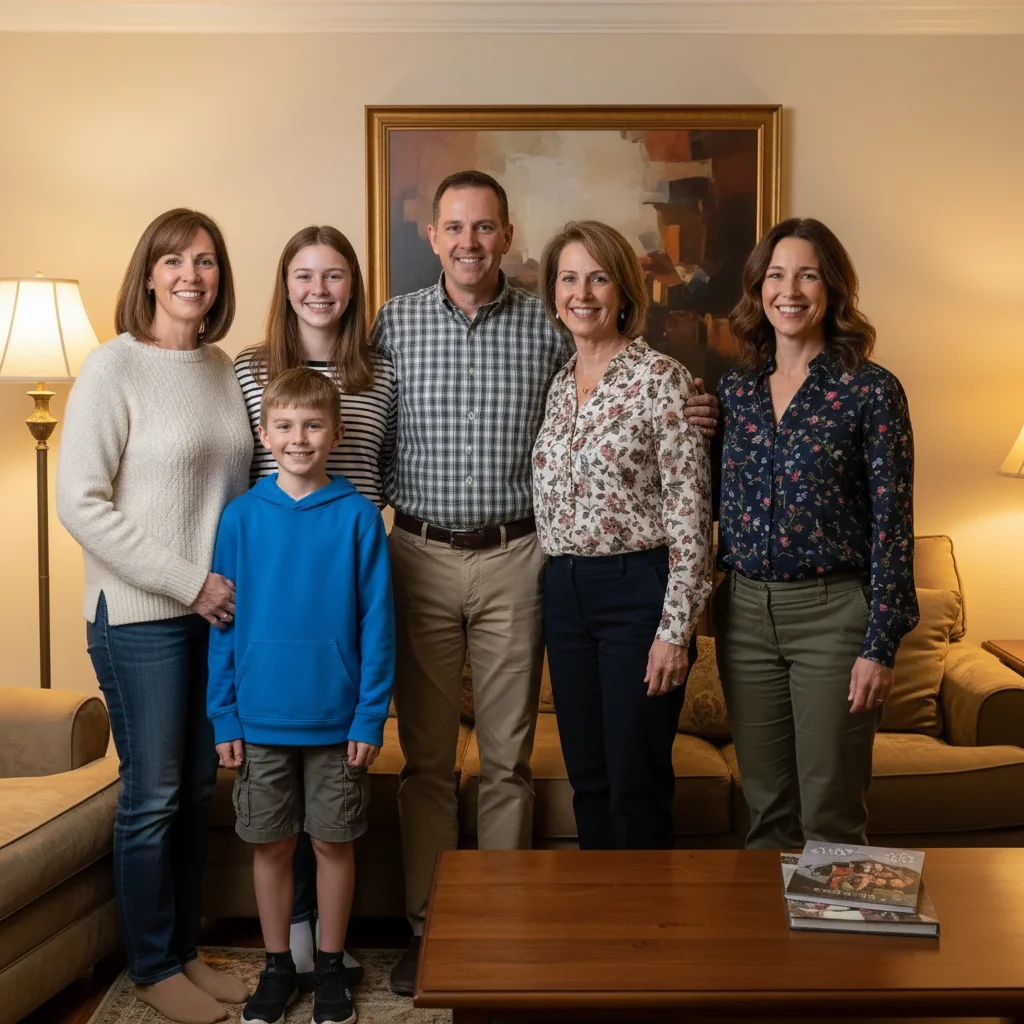
03Result
Complete family photo with the user inserted at the right end

Upload photo to insert yourself

"insert me standing in front of the landmark in the foreground on the right side, casual tourist clothing, matching the bright outdoor sunlight, natural shadow"

Release to upload

1 free edit·then from $4.99

Popular use cases:
  • insert myself into photo
  • add myself to group photo
  • put me in family photo
  • insert me in travel photo
  • add me to scene
  • composite myself into photo

1Your photo
+
2Reference
=
Result
Scene photo where the user wants to appear The photo
Selfie of the user to be inserted Your selfie
Photo with the user naturally inserted into the scene Result

"Insert me standing on the right side of the group"

Cost
Free No signup required
Time
Instant results in 15-30 seconds
Works on
Any device - browser, phone, tablet, desktop
Powered by
AI-powered photo editing

How it works

  1. Upload your two photos

    Drop the target photo into EditThisPic — the scene you want to appear in. Then click '+ Add reference photo' below the prompt box to upload a clear photo of yourself (a selfie works great). Both photos are required: the scene photo and your reference photo.

    Expect: JPG, PNG, WebP up to 7MB each. A front-facing or three-quarter selfie gives the best likeness reproduction.
  2. Describe where you want to appear

    Type where and how to insert yourself: 'insert me standing on the right side of the group, matching the casual attire and warm indoor lighting.' Include position, any pose details, and clothing adjustments to match the scene.

    Tip: If you're inserting into a group shot, describe who you want to stand next to: 'insert me standing next to the person in the blue shirt' for accurate positioning.

    Copy one of these to get started:

    Insert yourself into a group photo insert me standing at the right end of the group, scale to match the others, matching the casual outdoor lighting
    Insert yourself into a travel scene insert me standing in front of the landmark in the foreground on the right side, casual tourist clothing, matching the bright outdoor sunlight, natural shadow
    Insert yourself into a party photo insert me standing next to the birthday person on the left, festive casual clothing, matching the indoor party lighting
    Insert yourself into a formal event photo insert me at the right end of the formal group, wearing a dark blazer matching the professional attire of the others, same posed stance, studio lighting
    2 more prompts
    Insert yourself into a fantasy or fun scene insert me standing next to the famous landmark, casual tourist pose, matching the bright outdoor lighting and shadows
    Insert yourself into a sports action photo insert me at the edge of the sports team huddle, wearing the same team uniform, matching the stadium lighting
  3. Generate and check the result

    Review whether your inserted likeness looks proportional to others in the scene, whether the lighting on you matches the rest of the photo, and whether the edges blend cleanly. Most results are ready in 30-45 seconds.

See it in action

Family group photo with gap at right end of lineup
Main Photo
Selfie of the user used as reference photo
Reference
Complete family photo with the user inserted at the right end
Result

User inserted into family group photo

The user was away during a family gathering — they uploaded a selfie as reference and the target group photo. AI inserted them into the lineup on the right, matching the casual indoor lighting.

Prompt: Insert the person from the reference photo into the gap at the right end of the family group, matching the clothing style and warm indoor lighting.
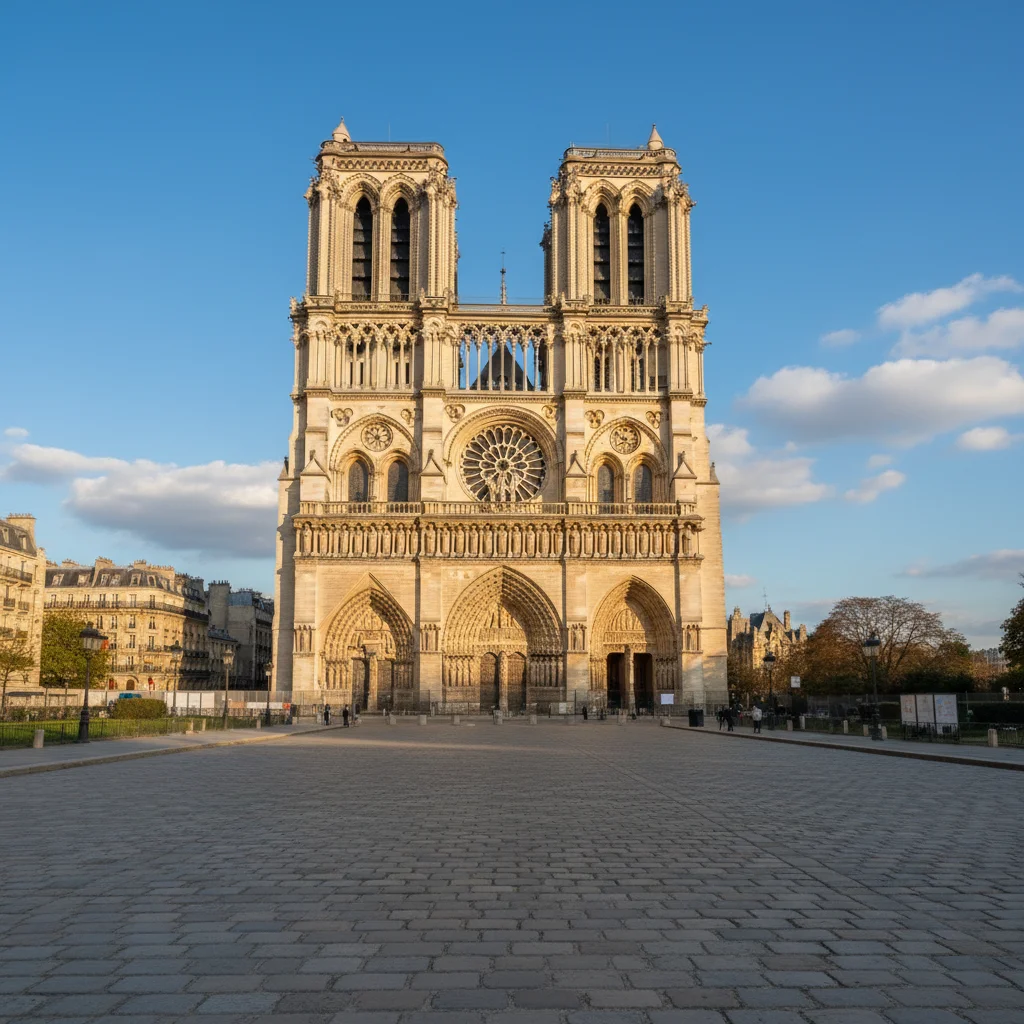
Landmark photo with empty foreground plaza
Main Photo
Reference image for AI Insert Me in This Photo
Reference
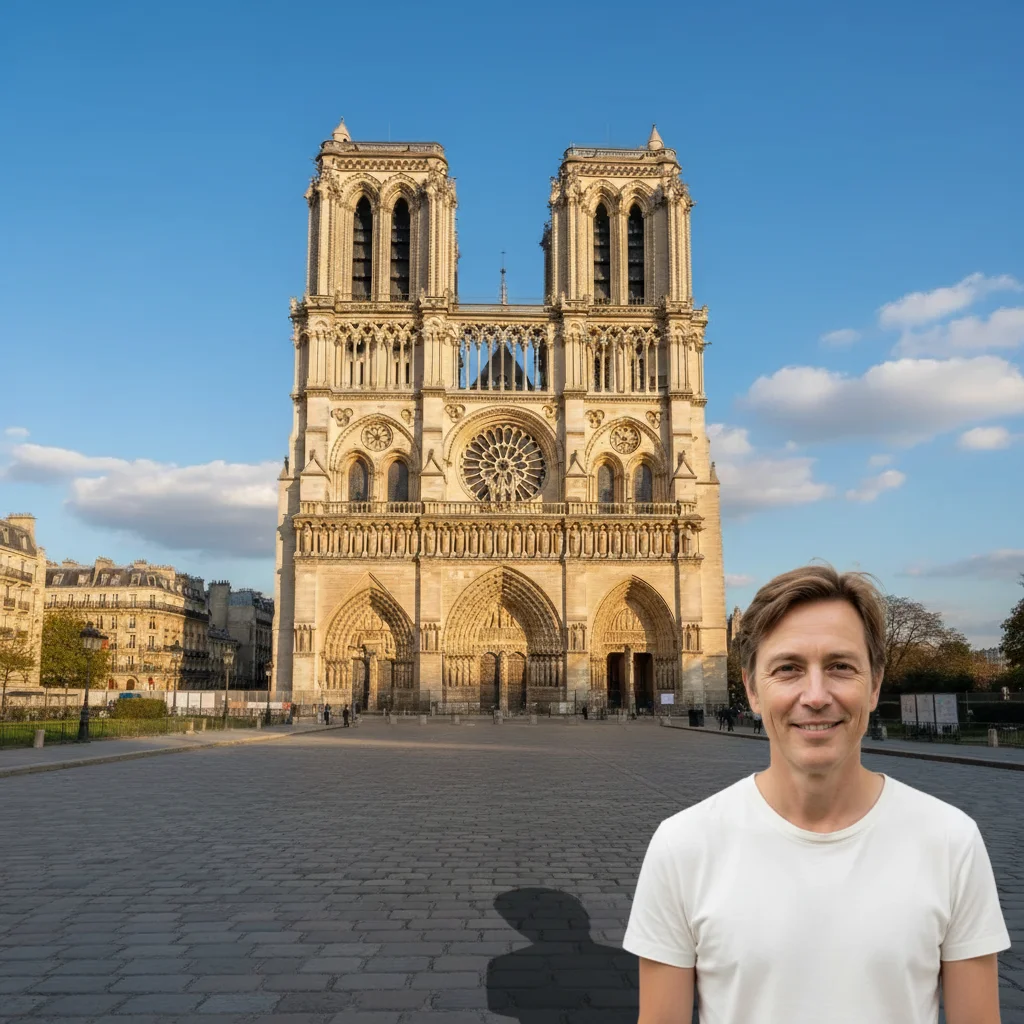
Landmark photo with the user inserted as a tourist in the foreground
Result

User inserted into travel landmark photo

A tourist photo of a famous landmark with no one in the foreground — the user used their selfie as reference to insert themselves into the scene as a tourist in the foreground.

Prompt: Take the person from the reference photo and insert them standing in the foreground on the right. Match the bright outdoor sunlight and add a natural shadow on the ground.

Office team photo with gap at left end of the lineup
Main Photo
Reference image for AI Insert Me in This Photo
Reference
Complete team photo with the user inserted at the left end
Result

User inserted into office team photo

The user started a new job but missed the company photo — they inserted themselves at the end of the team lineup using a reference headshot.

Prompt: Insert the person from the reference photo into the gap at the left end of the lineup. Match their lighting and give them a dark blazer to fit in with the team.

If something looks off

Lighting on me doesn't match the scene

Why: The AI used generic lighting for the insertion instead of matching the scene's light source.

Try: insert me with lighting from the left side matching the other subjects, shadow falling to the right

Tip: Identify the light source in the scene and describe it: 'window light from the left' or 'overhead indoor lighting'

My face doesn't look like me in the result

Why: The reference selfie quality or angle wasn't ideal for facial feature extraction.

Try: insert me preserving my exact facial features and likeness from the reference photo

Tip: A front-facing or three-quarter angle selfie with good natural lighting gives the best facial accuracy

My edges look cut-out or artificial

Why: The edge blending algorithm had difficulty at that background position.

Try: insert me with seamlessly blended edges, natural hair rendering, no harsh cutout lines around me

Tip: Adding 'seamlessly blended edges' and 'natural hair edges' to your prompt improves edge quality

Quick answers

Do I need TWO photos for this?

Yes — inserting yourself requires two photos. First, upload the target photo (the scene you want to appear in). Then click '+ Add reference photo' to upload a photo of yourself — a selfie works great. The AI uses your reference photo to identify you and insert your likeness into the target scene with matched lighting and scale.

How do I insert myself into a photo for free?

Upload the target photo to EditThisPic, click '+ Add reference photo' to upload your selfie, then describe where to place yourself: 'insert me standing on the right side of the group.' The AI inserts you in about 30 seconds. Completely free, no account, no signup, no watermark.

What selfie works best as a reference photo?

A front-facing or three-quarter angle selfie in good natural light works best. The most important things: your face should be clearly visible, you should be reasonably large in the frame (not tiny in the background), and the photo should be in focus. The background of the selfie doesn't matter — the AI extracts only you.

Can I insert myself into a photo I wasn't in?

Yes, that's exactly what this tool is for. Upload any photo you'd like to appear in — a group shot, a travel scene, an event — then add a selfie as your reference. The AI composites you into the scene. Results look most convincing when you describe clothing that matches the scene.

Will I look realistic in the result?

When done well, yes. The AI automatically matches lighting, scale, and edge blending. Best results: use a well-lit front-facing selfie, insert yourself at group edges rather than squeezed in the middle, and describe clothing that matches the scene. Most results look convincing — complex lighting may need 2-3 tries.

How much does EditThisPic cost?

You get 1 free edit per week — no account needed. After that, credit packs start at $1.99 for 3 edits. Monthly plans start at $4.99/mo for 15 edits with unused credits rolling over. All edits are full resolution with no watermark.

Ready to insert yourself into a photo?

Upload two photos — the scene and a selfie. Free, no signup required.

1 free edit included·Credit packs from $4.99