Free β€’ No signup Make Person look heavier in photo Β· Free

Make Someone Look Fat in a Photo

Upload a photo, describe the weight gain, and the AI makes it look convincingly real. The classic Thanksgiving send: 'This is what you'll look like after dinner.'

Normal weight person before AI fat prank transformation
Before
β†’
Same person made to look heavier with AI after fat prank edit
After

Make Someone Look Fat in a Photo Prank

Upload photo to make person look heavier

Free β€’ Results in 30 seconds β€’ No signup

Release to upload

FreeNo signupNo watermark

1 free edit·then from $1.99

Popular use cases:
  • fat photo prank
  • make someone look fat AI
  • fat filter for people free
  • Thanksgiving prank photo
  • weight gain photo editor
  • fat body prank maker
  • overweight photo prank

Cost
Free No signup required
Time
Instant results in 15-30 seconds
Works on
Any device - browser, phone, tablet, desktop
Powered by
AI-powered photo editing
Scenario Prompt Time
Subtle / realistic Make this person look like they gained 25 pounds β€” fuller face, rounder belly, thicker build 15s
Thanksgiving preview Big round belly pushing out the shirt, double chin, much heavier overall. Keep face recognizable. 15s
Maximum exaggeration Make this person look enormously overweight β€” huge belly, very full face, thickest possible version 30s
Face only Make the face look much chubbier β€” full cheeks, double chin, rounder jawline. Body unchanged. 15s

How it works

  1. Upload your photo

    Drop any photo into EditThisPic β€” a selfie, a group shot, or a photo you grabbed from their Instagram. Full-body or waist-up shots work best. JPG, PNG, or WebP up to 7MB.

    Expect: Most edits complete in 15-30 seconds. The clearer the original photo, the more convincing the result.
  2. Describe how heavy you want them to look

    Type something like 'Make this person look significantly heavier β€” rounder belly, fuller face, thicker arms.' The more specific you are, the better. You can aim for subtle ('looks like they gained 20 pounds') or go big ('enormous belly, double chin, barely fits in the frame').

    Tip: Tell the AI to keep the face recognizable β€” 'keep the face and features the same but make the body and neck look much heavier.' That's what makes the prank land: they know it's them.

    Copy one of these to get started:

    Thanksgiving preview Make this person look like they've already eaten Thanksgiving dinner three times β€” big round belly pushing out the shirt, fuller face, double chin, thicker everywhere. Keep the face recognizable.
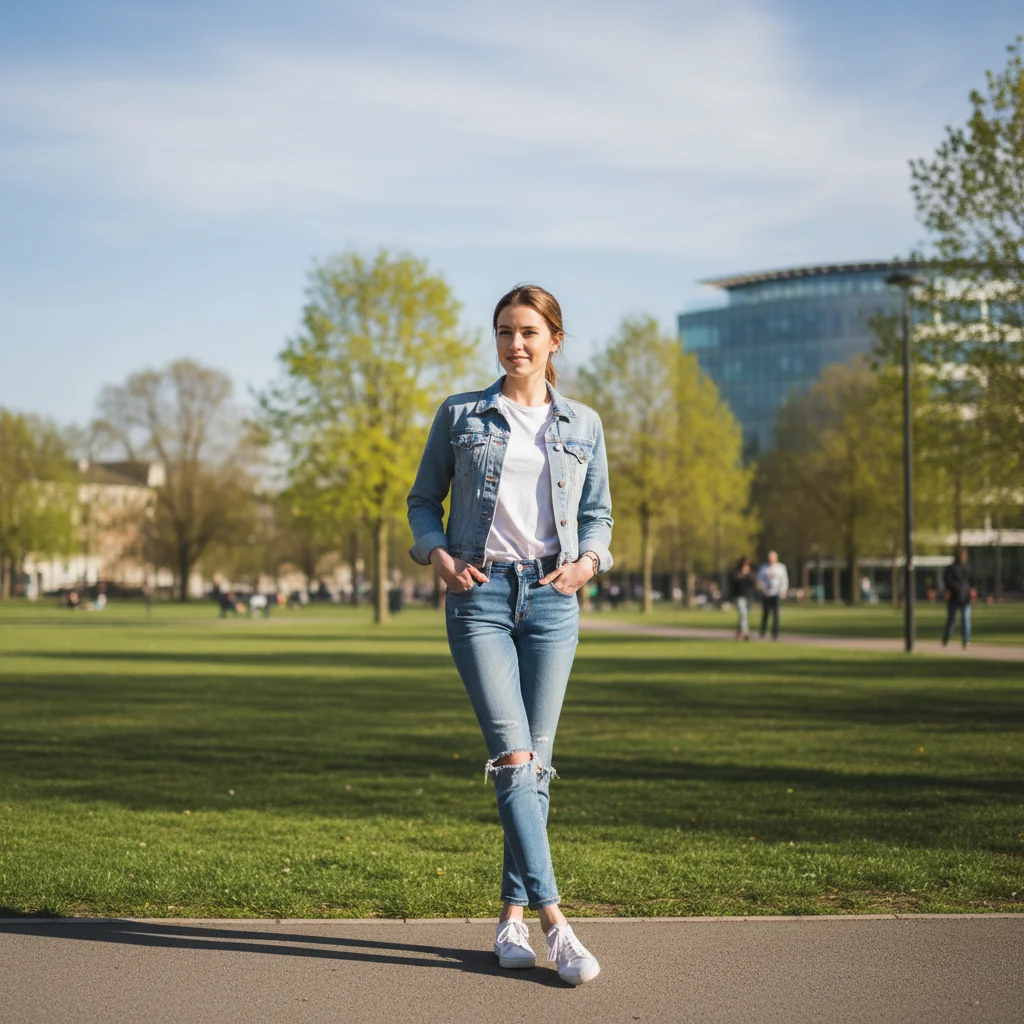
    Subtle weight gain β€” looks almost real Make this person look like they've gained about 25 pounds β€” slightly rounder belly, fuller cheeks, thicker neck and arms. Realistic and natural-looking, not cartoon fat.
    Maximum weight gain Make this person look enormously overweight β€” huge round belly, thick double chin, puffy cheeks, arms and legs much thicker. The most exaggerated version possible while still looking like them.
    Just the face β€” chubby face prank Make this person's face look much chubbier β€” full cheeks, double chin, rounder jawline. Leave the body unchanged.
    4 more prompts
    Tight shirt strain Make this person look so heavy that their shirt looks stretched and tight across a huge belly. Add visible belly button outline through the fabric. Keep the face the same.
    Post-vacation bloat Make this person look like they spent two weeks eating at an all-inclusive resort β€” visibly heavier, bloated belly, fuller face. Still recognizable but noticeably bigger.
    Group photo β€” one person heavier In this group photo, make just the person in the [middle / left / right] look significantly heavier β€” bigger belly and fuller face. Leave everyone else unchanged.
    Before the diet started Make this person look like they were 40 pounds heavier β€” as if this is their 'before' photo before starting a diet. Realistic weight gain, no cartoon exaggeration.
  3. Send it

    Download the edited photo and send it to your target. Classic caption: 'Found a preview of what you'll look like after Thanksgiving.' Or just send it with no context and wait.

Try it free ↓

Make Someone Look Fat in a Photo Prank

Upload photo to make person look heavier

Free β€’ Results in 30 seconds β€’ No signup

Release to upload

Free β€’ No signup

See it in action

Normal weight person before AI fat prank transformation
Before
->
Same person made to look heavier with AI after fat prank edit
After

Thanksgiving preview prank β€” before and after

A normal photo transformed into a convincing 'post-Thanksgiving' version. Belly prominent, face fuller, still unmistakably them.

Prompt: Make this person look like they've already eaten Thanksgiving dinner three times β€” big round belly, fuller face, double chin, thicker everywhere. Keep the face recognizable.
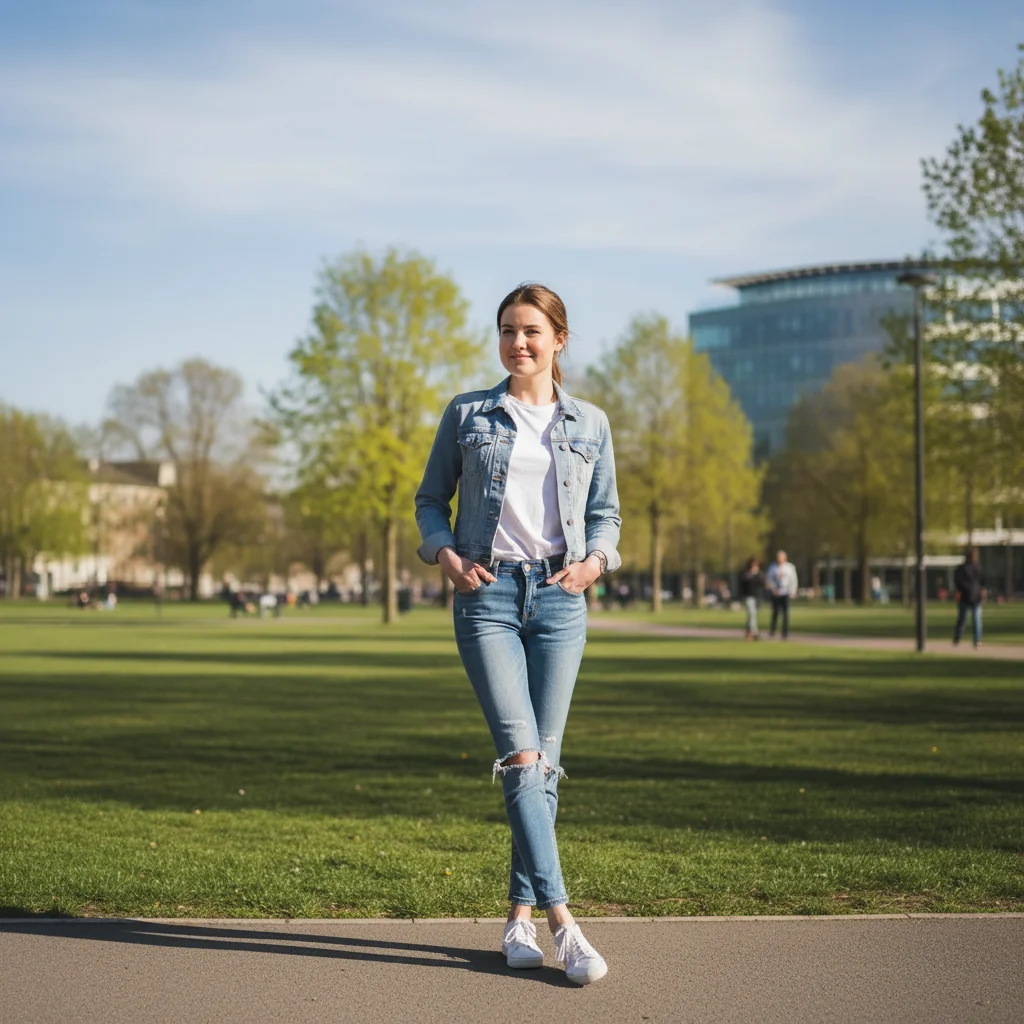
Original photo of person before subtle fat prank edit
Before
->
Person made to look realistically heavier after AI fat photo edit
After

Subtle version β€” looks almost real

A realistic 25-pound weight gain effect. Fuller cheeks, thicker neck, slightly rounded belly. Convincing enough to cause a double-take.

Prompt: Make this person look like they've gained about 25 pounds β€” slightly rounder belly, fuller cheeks, thicker neck and arms. Realistic and natural-looking.

If something looks off

The face changed and they don't look like themselves anymore

Why: The AI reshaped the whole image instead of focusing on body proportions and keeping facial features intact.

Try: Make the body look much heavier β€” bigger belly, thicker arms and legs β€” but keep the face, eyes, and expression exactly the same as the original

Tip: Always add 'keep the face and features unchanged' to your prompt. The prank only works if it's recognizable.

The result looks stretched or digitally warped

Why: The AI scaled pixels instead of adding realistic-looking volume and fat.

Try: Add realistic body fat to this person β€” natural-looking round belly, fuller face, thicker limbs β€” without any digital stretching or warping of the image

Tip: The word 'realistic' pushes the AI toward volumetric changes rather than just scaling.

The person doesn't look fat enough

Why: The prompt was too vague or understated for the AI to make a dramatic change.

Try: Make this person look MUCH heavier β€” an enormous belly pushing out their shirt, very full face, thick double chin. Exaggerate it significantly.

Tip: Use strong modifiers: 'enormous,' 'very,' 'significantly,' 'much heavier.' Vague prompts get subtle results.

The background or clothes got distorted

Why: The AI expanded the person's silhouette and accidentally warped nearby objects.

Try: Make only this person look heavier. Keep the background, walls, furniture, and clothing patterns completely unchanged β€” only change body proportions.

Tip: Tap a marker directly on the person before editing so the AI knows to focus the change there.

Wrong person got heavier in a group photo

Why: Without a marker, the AI picked the most prominent figure rather than who you intended.

Try: Make only the person wearing [color / position in frame] look heavier. Leave all other people in the photo unchanged.

Tip: Use the marker tool to tap on the exact person you want changed. In group photos, markers are essential.

Quick answers

Do I need to mark areas on the photo before editing?

No. Just upload the photo and describe the changes you want β€” the AI figures out the person and adds weight automatically. Markers only help if you're editing one specific person in a group photo or the AI keeps changing the wrong area.

Is this free?

Yes. EditThisPic gives you 1 free edit per week with no account needed. For more edits, packs start at $1.99.

Will it look realistic enough to fool someone?

The subtle version β€” a realistic 20-30 pound gain β€” is convincing enough to make people pause. The exaggerated version is clearly AI but still funny. For the best prank effect, use a well-lit original photo and ask for a realistic result rather than cartoon fat.

Can I make just the face look fat without changing the body?

Yes. Describe exactly what you want: 'Make this person's face look much chubbier β€” full cheeks, double chin, rounder jawline.' The AI applies changes where you direct it.

What kind of photo works best?

A clear, well-lit photo where the person's full body or torso is visible. Front-facing shots work better than extreme angles. The more of the body that's in frame, the more dramatic the fat effect looks.

Can I do this with a group photo?

Yes β€” just specify which person you want changed by their position in the frame or clothing color. Tap a marker on them first for the most accurate result. Everyone else will be left unchanged.

Is there a watermark on the edited photo?

No. The downloaded photo is clean with no watermarks. Nothing in the image reveals it was AI-edited β€” which is what makes the prank work.

What's the difference between this and a dedicated fat filter app?

Apps like Fotor have a dedicated fat filter, but it applies a fixed effect the same way every time. EditThisPic lets you describe exactly what you want β€” subtle and realistic, cartoonishly big, just the face, just the belly, in a group photo β€” so the result actually fits your prank.

How much does EditThisPic cost?

You get 1 free edit per week β€” no account needed. After that, credit packs start at $1.99 for 3 edits. Monthly plans start at $4.99/mo for 15 edits with unused credits rolling over. All edits are full resolution with no watermark.

Ready to make someone look fat?

Free to try. No signup required.

1 free edit included·Credit packs from $1.99