Pricing Restore Yellowed photo · Free

Restore a Yellowed Photo

← Browse all restore tools

Last updated

Neutralise the yellow-brown cast that paper and chemical aging leave behind, without colorizing anything.
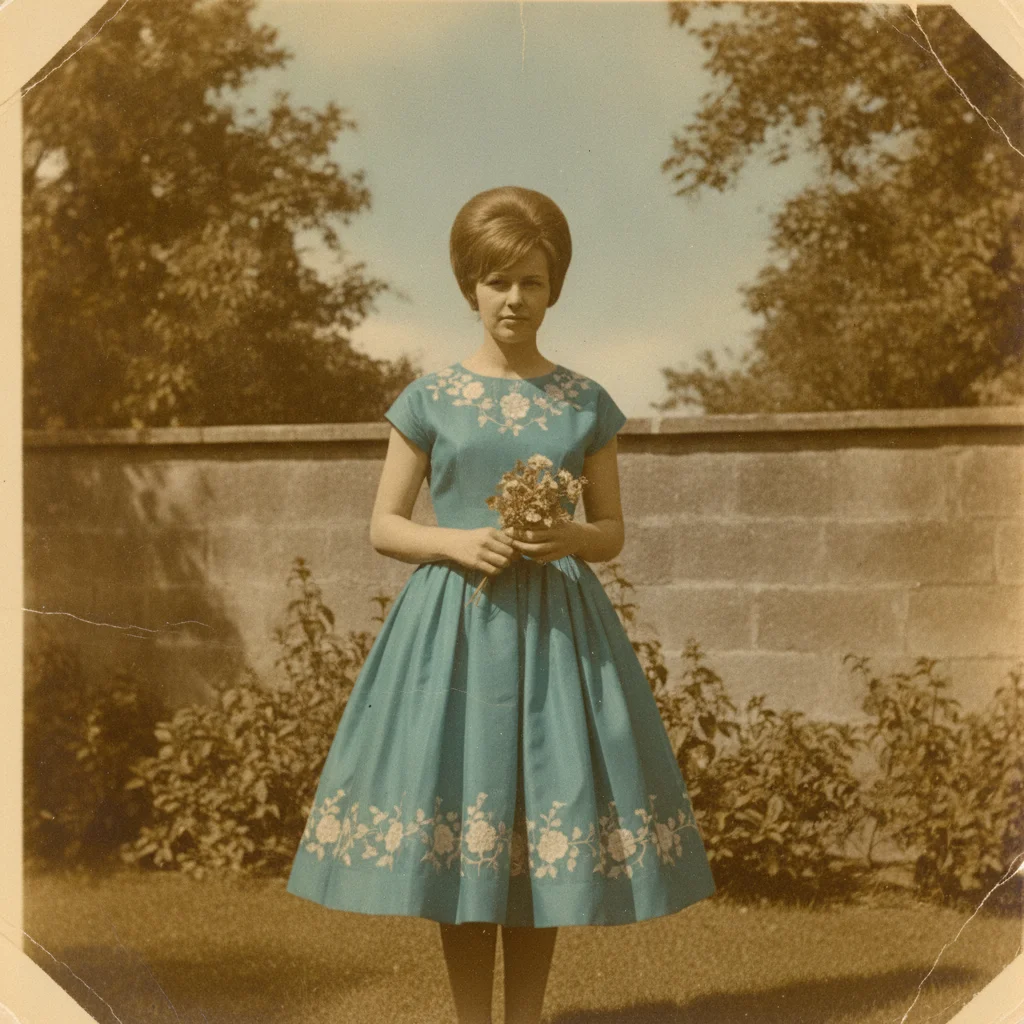
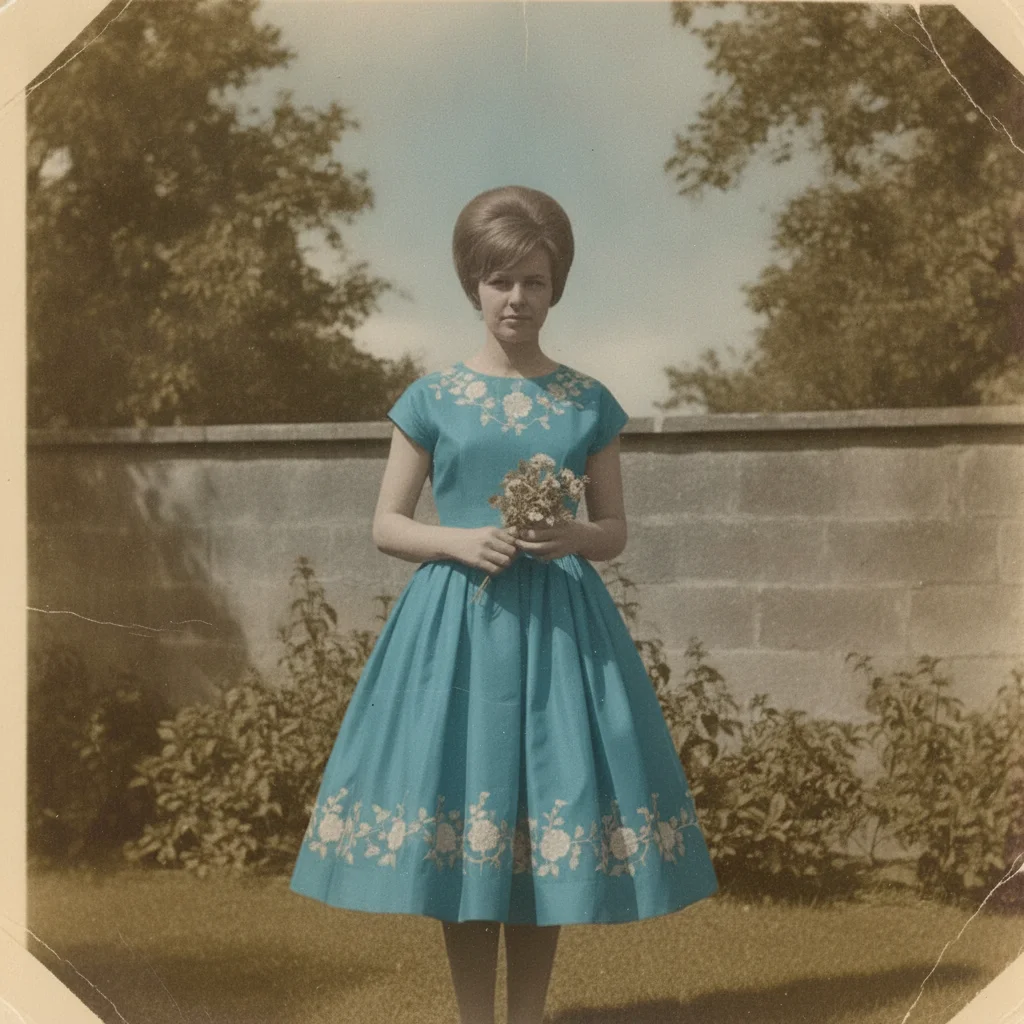
Old colour photograph with a heavy yellow-brown age cast over a teal dress The same photograph with the yellow tint removed and the teal dress true to colour

Upload photo to restore yellowed photo

"remove the yellow-brown age cast from this old black and white photo and restore clean neutral black and white tones without adding any colour"

Free to try · no sign-up · photos are never shared

Release to upload

<30stypical edit
1 freeedit weekly
Photo on your phone? Scan to open this editor there — free edit works on your phone too.

1 free edit every week·paid packs after

How it works

  1. Upload or scan the yellowed print

    Scan the photo, or photograph it flat in even, neutral daylight — JPG, PNG, or WebP up to 7MB. Shooting under a warm indoor bulb adds a second yellow cast that is hard to tell apart from the aging, so use window light if you can.

    Expect: An even yellow-brown cast lifts cleanly in one pass. A print that has also lost its dye layers may need a colour-recovery pass afterwards, since removing the yellow reveals how faded the rest is.
  2. Describe the cast, not the subject

    Type what you want removed: 'remove the yellow tint from this old photo and restore neutral, natural colours without changing anything else.' If the photo was originally black and white, say so — that keeps the result monochrome instead of tinted.

    Tip: Add 'do not add any colour that was not there' when the original is black and white — it is the single most reliable way to avoid an unwanted colorization.

    Copy one of these to get started:

    Whole-print yellow cast remove the yellow tint from this old photo and restore neutral, natural colours without changing anything else
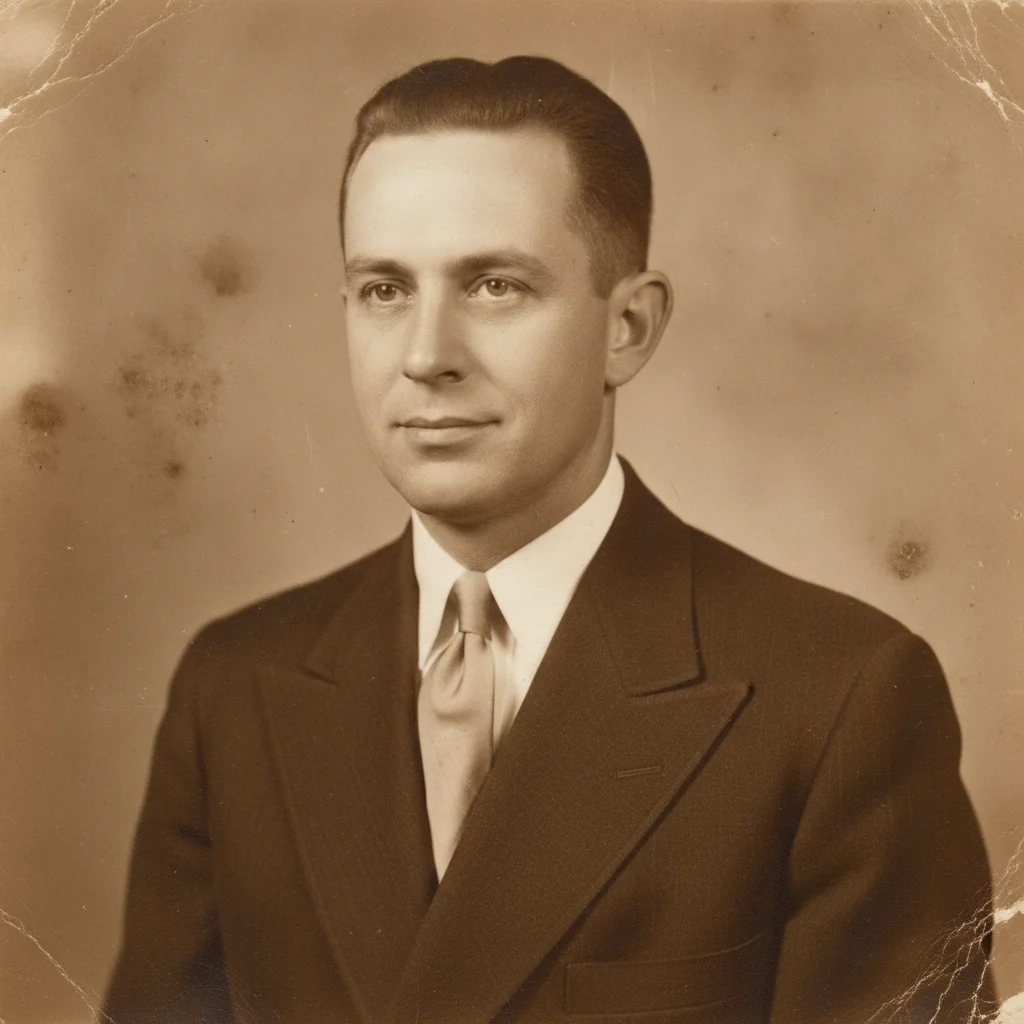
    Yellowed black and white photo remove the yellow-brown age cast from this old black and white photo and restore clean neutral black and white tones without adding any colour
    Heavy sepia-brown aging neutralise the strong sepia-brown cast in this aged photograph and bring the colours back to how the print originally looked
    Yellowed skin tones remove the yellow age cast from this old portrait and restore natural, healthy skin tones without altering the person's features
    3 more prompts
    Yellow stains in one area remove the yellow staining in the corner of this old photo and match the tone to the rest of the print
    Yellowed with a colour subject remove the yellow tint from this old photo and restore the true colours of the clothing and background as they originally were
    Yellowing plus flat contrast remove the yellow age cast from this photo and restore neutral colour and natural contrast, keeping the original film grain
  3. Check the whites and the skin

    Zoom in on anything that should be white — a shirt collar, a paper border, the whites of eyes — and on faces. If the whites read neutral and skin looks natural rather than sallow, the cast is gone.

  4. Refine with a marker if needed

    If one area holds more yellow than the rest — a stained corner, a patch where tape or an album page sat — tap a marker there and describe what it should look like. Markers are optional and only for spot work.

See it in action

Old colour photograph with a heavy yellow-brown age cast over a teal dress
Before
->
The same photograph with the yellow tint removed and the teal dress true to colour
After

Restore a Yellowed Photo — Garden Portrait

A 1960s colour print with a deep yellow age cast, corrected back to neutral colour.

Prompt: remove the yellow tint from this old photo and restore neutral, natural colours without changing anything else
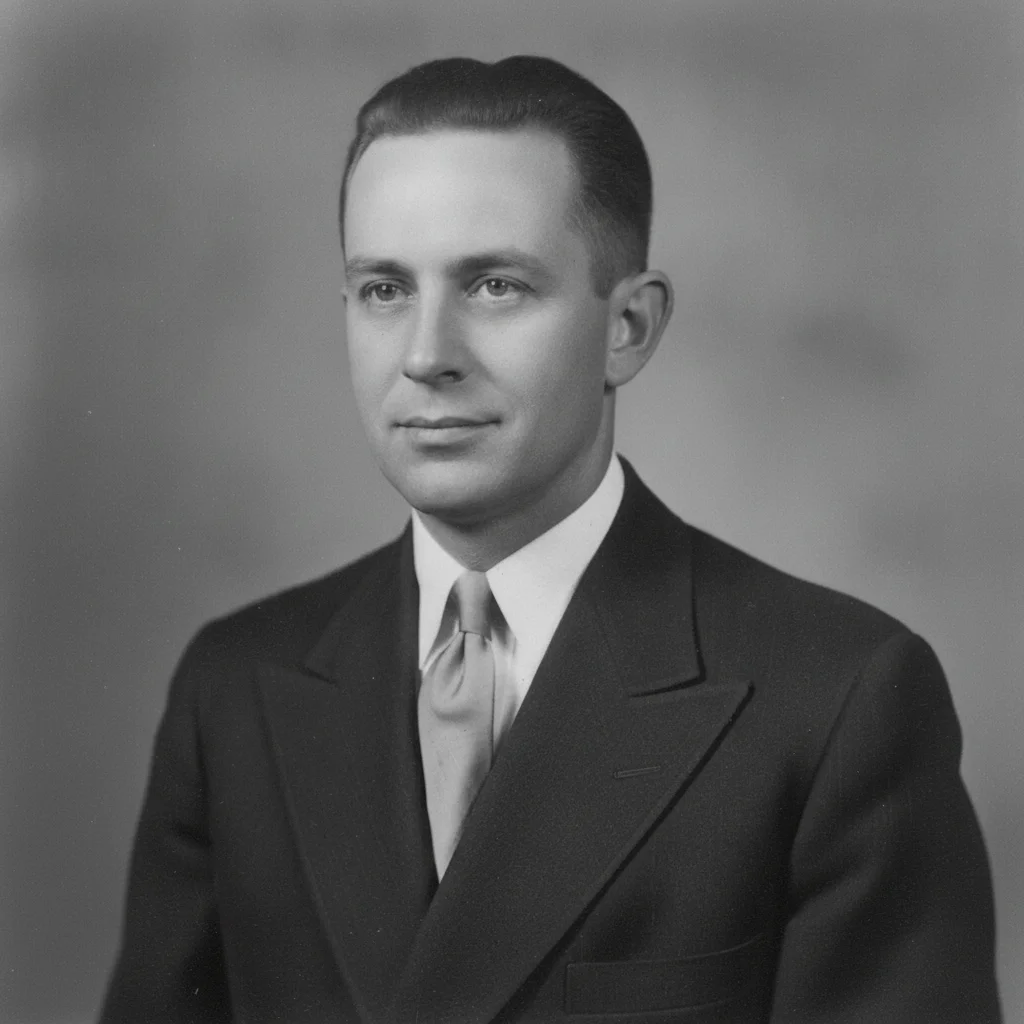
Black and white portrait yellowed to a heavy sepia-brown tone
Before
->
The portrait restored to clean neutral black and white with no colour added
After

Restore a Yellowed Photo — Black and White Print

A 1940s black and white portrait yellowed to sepia, returned to clean neutral monochrome.

Prompt: remove the yellow-brown age cast from this old black and white photo and restore clean neutral black and white tones without adding any colour

Quick answers

How do I get the yellow out of an old photo?

Upload the photo and describe the cast: 'remove the yellow tint from this old photo and restore neutral, natural colours.' The AI separates the age cast from the photo's real colours and neutralises it, so whites read white again and skin looks natural. If the original was black and white, add that you want it kept black and white so the result is not colorized.

Do I need to mark the yellowed areas first?

No. Describe the problem in plain language and the AI finds the cast itself — it covers the whole print in most cases. Tap markers are only useful for a localised stain, like a corner where tape or an album page sat.

Is removing a yellow tint from a photo free?

Yes. EditThisPic gives you one Fast edit per week, no signup or credit card required. Credit packs and a subscription are available if you have a stack of photos to work through.

Why do old photos turn yellow in the first place?

Two things: the paper base itself yellows as it oxidises, and leftover processing chemicals slowly stain the emulsion. Heat, humidity, and cheap album pages speed both up, which is why photos stored in an attic yellow faster than ones kept in a drawer.

Will this colorize my black and white photo?

No, not unless you ask it to. This tool removes the yellow-brown age cast and returns the print to neutral tones — a black and white photo stays black and white. If you want colour added, that is a separate job for the colorize tool.

Will removing the yellow change anything else in the photo?

It should not. The job here is the colour cast only. Creases, scratches, and physical damage are separate edits — mention them explicitly or run them as their own pass if you want those handled too.

What photo formats can I upload?

JPG, PNG, and WebP up to 7MB. The restored photo downloads in the same format you uploaded.

How much does EditThisPic cost?

You get 1 free edit per week — no account needed. After that, one-time credit packs start at $4.99 for 10 edits, valid 12 months, no subscription. Power users who edit daily can pick Studio Membership, a monthly workspace at $49.99/mo for 300 edits. Purchased downloads are clean with no watermark.

Ready to get the yellow out of your old photo?

Free to try. No signup required.

1 free edit included·paid credit packs after