Pricing Restore Faded photo · Free

Restore Faded Photo

← Browse all restore tools

Last updated

Upload a faded or washed-out photo and describe what needs fixing — 'restore the colors', 'bring back the contrast', or 'fix the faded tones in this family portrait'. The AI rebuilds lost color and depth without touching anything you don't ask it to. Free, no account needed.

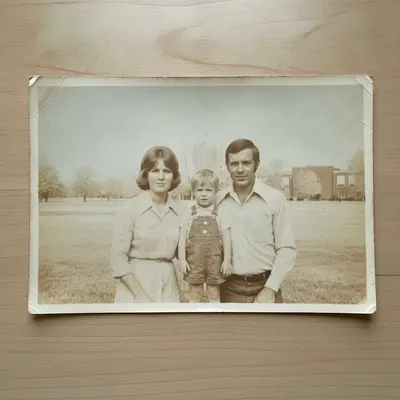
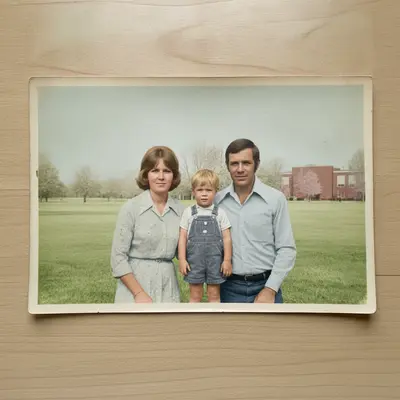
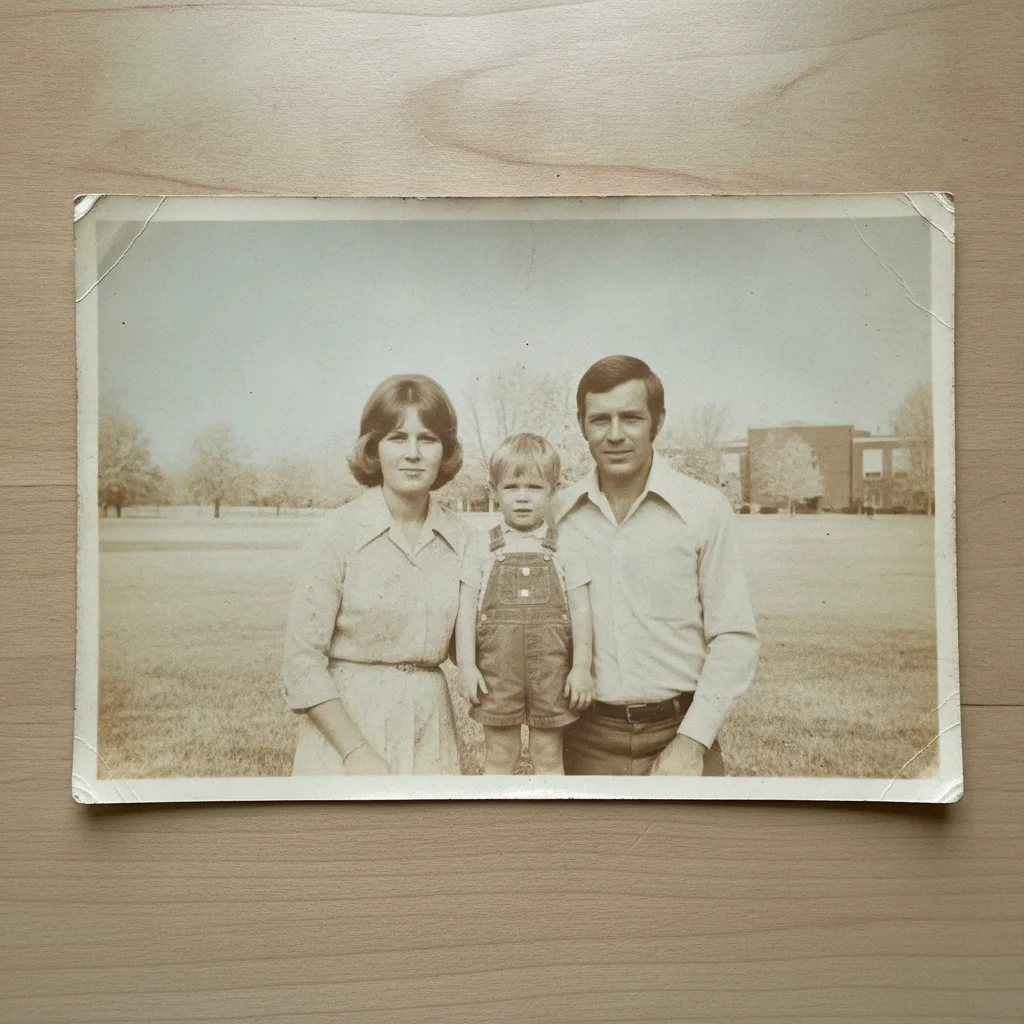
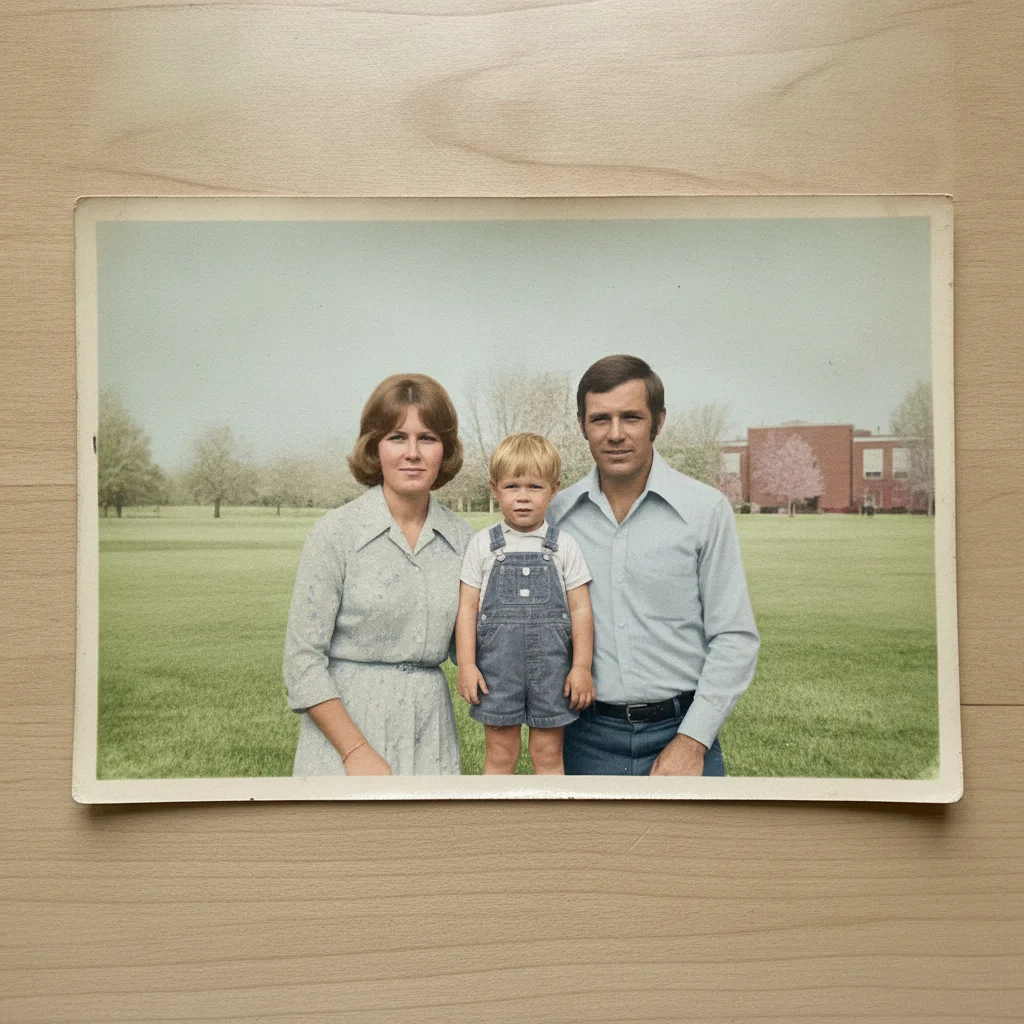
Scanned 1970s family portrait with severely faded, pale, washed-out colors Same family portrait with rich restored green grass, blue sky, and natural warm skin tones

Upload photo to restore faded photo

"fix the yellow cast and restore accurate skin tones and natural colors throughout"

Free to try · no sign-up · photos are never shared

Release to upload

<30stypical edit
1 freeedit weekly
Photo on your phone? Scan to open this editor there — free edit works on your phone too.

1 free edit every week·packs from $4.99

How it works

  1. Upload your faded photo

    Upload a scan or digital photo that has faded, washed out, or lost its original colors. Scanned prints, phone photos of old prints, and direct digital files all work. JPG, PNG, WebP up to 7MB.

    Expect: Color restoration: 20-40 seconds. Heavily faded or yellowed photos with little contrast may need a second refinement pass.
  2. Describe the restoration you want

    Type what you want fixed: 'restore the faded colors in this old photo', 'bring back the warmth and contrast', or 'fix the washed-out, pale tones throughout'. The AI understands color restoration — no marking required. Being specific about what looks wrong (too pale, yellowed, flat) helps it make the right correction.

    Tip: If you know the era or original look — 'this was a vivid 1970s outdoor portrait' — adding that context helps the AI aim for the right color profile.

    Copy one of these to get started:

    General color restoration restore the faded colors in this old photo, bring back the original warmth and contrast
    Yellowed or warm-cast photo fix the yellow cast and restore accurate skin tones and natural colors throughout
    Washed-out pale photo restore the depth and saturation in this washed-out photo, the colors look bleached and pale
    Faded outdoor portrait bring back the natural green of the background foliage and the warm skin tones in this outdoor portrait
    3 more prompts
    Old scanned family photo restore this faded scanned family portrait — fix the flat, dull tones and bring out the shadows and highlights
    Faded holiday photo restore the colors in this holiday photo — the reds and greens have faded to a pale wash, bring them back
    Subtle, natural restoration restore this faded photo with a natural, subtle correction — bring back the colors without making it look over-processed
  3. Review and refine

    Check skin tones, background colors, and shadow detail. A good restoration should feel natural, not oversaturated. If the result looks too vivid or the hues are off, refine with 'reduce the saturation slightly' or 'warm up the skin tones'.

  4. Download the restored photo

    Download the restored image as a high-quality file. No watermark is added. You can also use the optional marker tool to focus the AI on specific areas — but most faded-photo restorations work perfectly with just a text description.

See it in action

Scanned 1970s family portrait with severely faded, pale, washed-out colors
Before
->
Same family portrait with rich restored green grass, blue sky, and natural warm skin tones
After

1970s family portrait — washed-out colors restored

A scanned family portrait from the 1970s where years of storage had bleached the colors to a pale, uniform warmth. The AI brought back the sky blue, grass green, and natural skin tones.

Prompt: restore the faded colors in this old family portrait, bring back the natural skin tones and the green grass
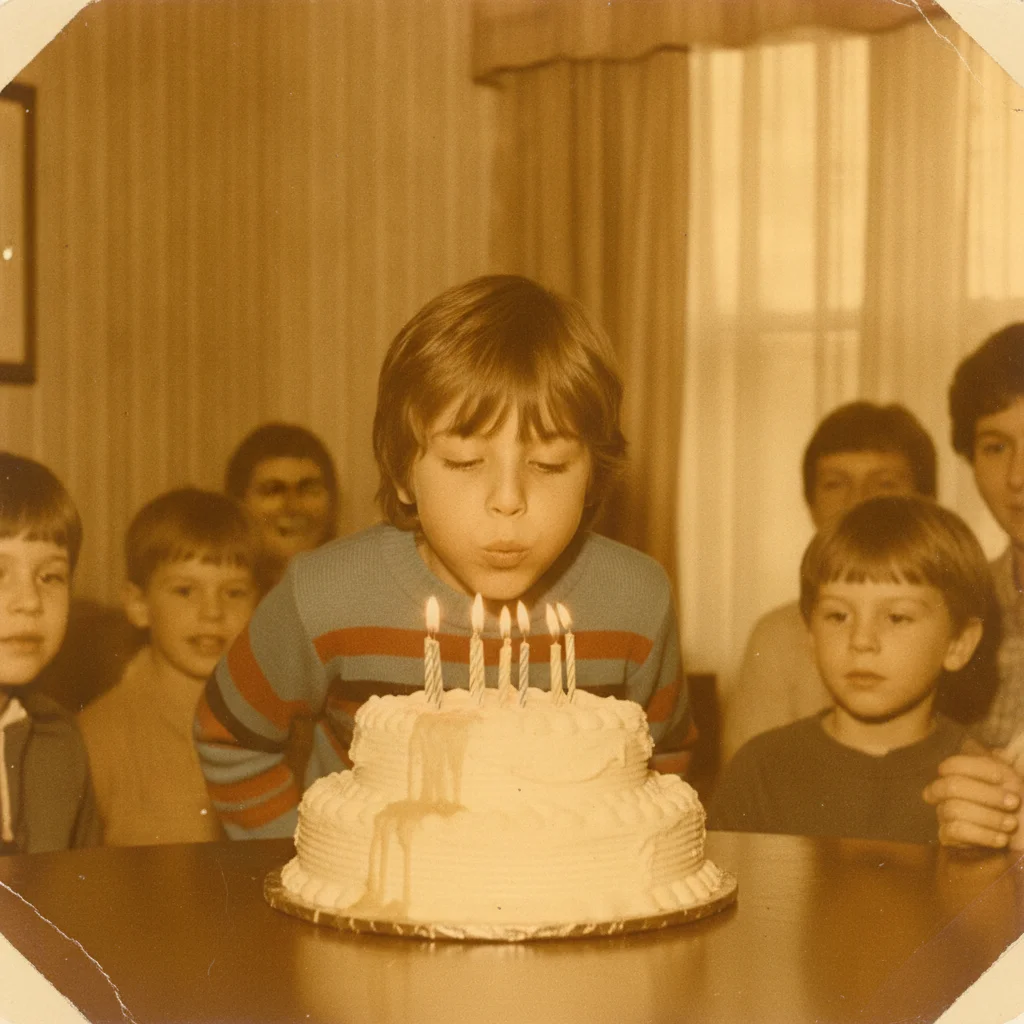
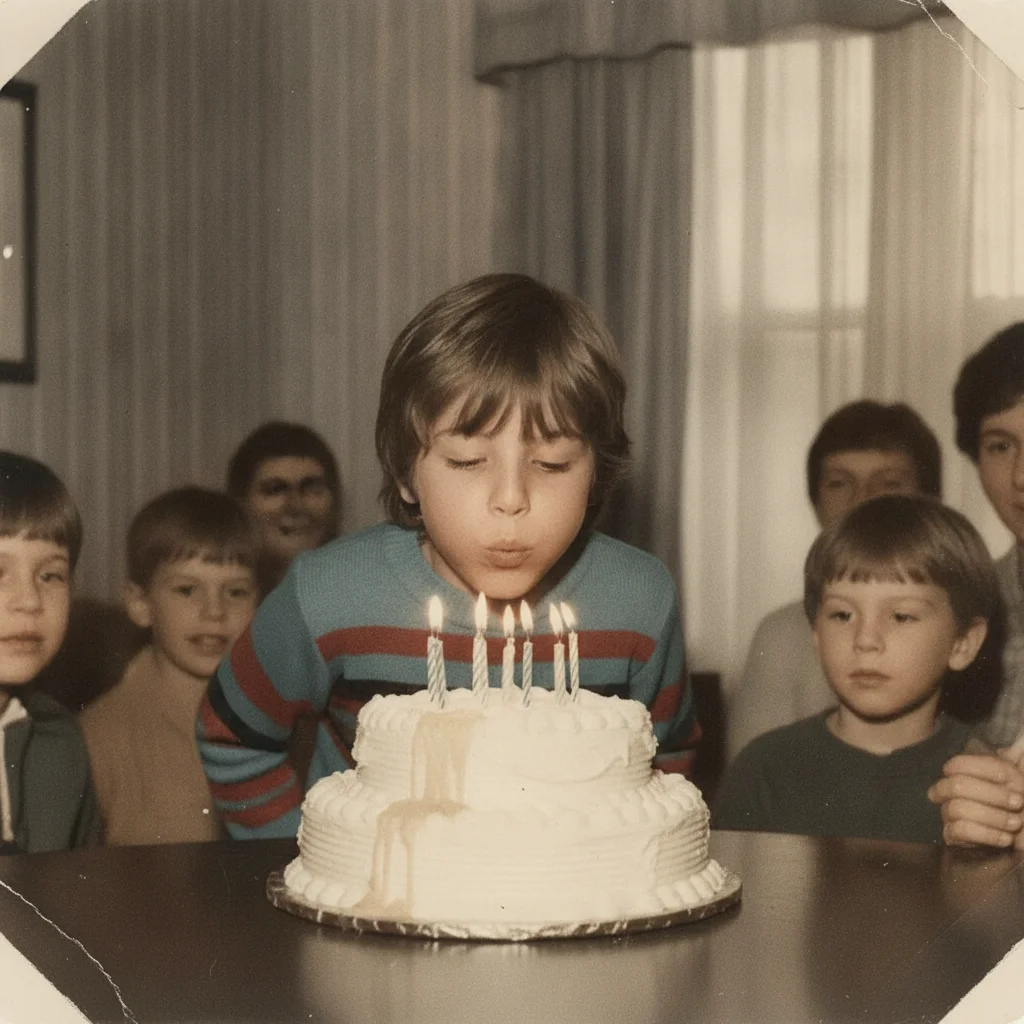
1980s birthday photo with heavy yellow-orange cast from aging
Before
->
Same birthday photo with corrected neutral colors and natural skin tones
After

Yellowed indoor photo — color cast corrected

An old indoor birthday photo with heavy yellow-orange color cast from age and fluorescent light storage. Colors restored to neutral with accurate skin tones.

Prompt: fix the yellow cast and restore accurate neutral colors and natural skin tones in this indoor birthday photo
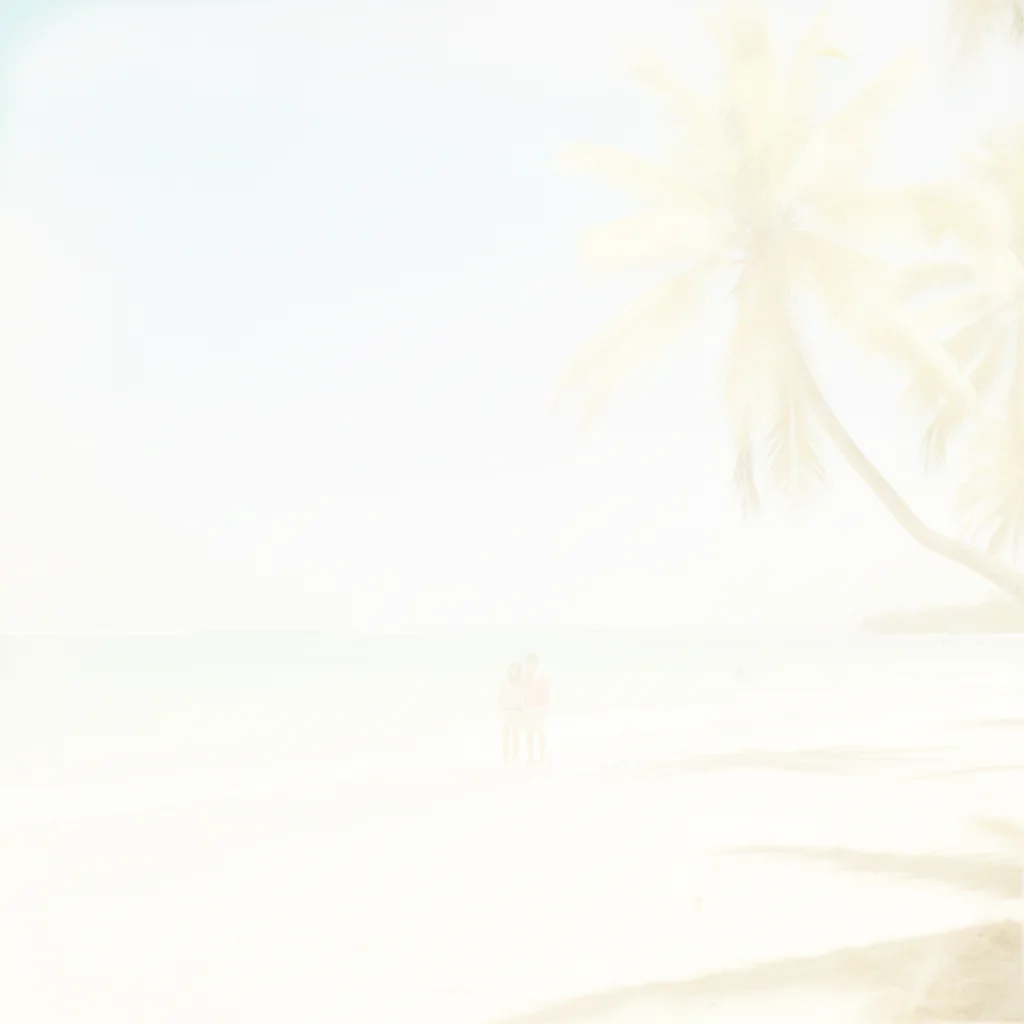
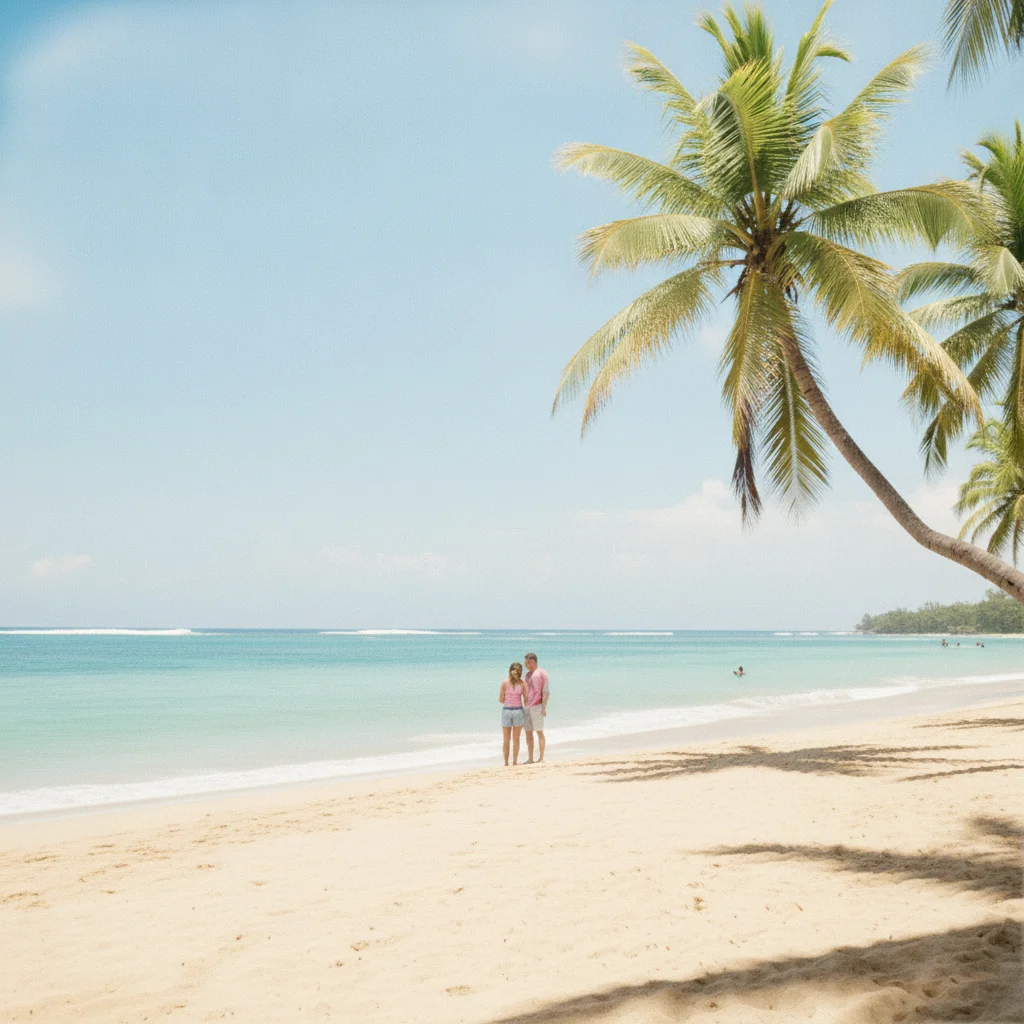
Severely bleached vacation beach photo with nearly all color washed out
Before
->
Same beach photo with restored blue ocean, green palms, and natural sky depth
After

Bleached outdoor photo — vibrance recovered

A vacation photo that had been left in a sunny window for years, bleaching the colors to near-white. The AI rebuilt the depth and saturation from the remaining tonal data.

Prompt: restore the depth and color in this severely bleached vacation photo — bring back the blues, greens, and contrast

Quick answers

Do I need to mark the faded areas before restoring?

No. Just describe what you want: 'restore the faded colors in this photo' or 'fix the washed-out tones'. EditThisPic's AI reads the full image and applies restoration without any marking or selection tools. If a specific area needs more work, you can describe it — 'fix the sky color' — or use the optional marker for precise targeting.

Can AI actually restore color in a faded photo for free?

Yes. Upload your faded photo to EditThisPic and type what you want fixed — 'restore the colors', 'bring back the warmth and contrast', or 'fix the yellowed cast'. The AI rebuilds missing color and tonal depth in about 30 seconds. Free to try, no login, no watermark on the result.

What kinds of fading can the AI fix?

EditThisPic handles the most common types: overall color loss (the whole photo looks pale and washed out), yellow or warm color casts from aging, sun bleaching where areas near edges have lost color, and flat low-contrast photos where the tonal range has collapsed. Very severe fading with no remaining color data is harder but often still improvable.

Will the restoration look natural or obviously AI-processed?

Good restorations look natural. Using words like 'subtle', 'natural', and 'realistic' in your prompt keeps the AI from oversaturating. If the result looks processed, run a second pass asking it to dial back the saturation.

How do I restore a faded photo without Photoshop?

Upload it to EditThisPic and type 'restore the faded colors and bring back the contrast.' The AI does what Photoshop's Curves, Hue/Saturation, and Color Balance tools would do — automatically and in seconds. No layers, no selections, no technical knowledge needed. Free, no login required.

Does scanning quality affect the restoration result?

Yes. Higher-resolution scans give the AI more tonal data to work with. A 600 DPI scan of an old print will produce a better restoration than a quick phone snapshot of the same print. If your scan looks soft or flat, a simple 'restore colors and increase the contrast slightly' prompt usually improves it significantly.

How much does EditThisPic cost?

You get 1 free edit per week — no account needed. After that, one-time credit packs start at $4.99 for 10 edits, valid 12 months, no subscription. Power users who edit daily can pick Studio Membership, a monthly workspace at $49.99/mo for 300 edits. Purchased downloads are clean with no watermark.

Ready to restore your faded photo?

Free to try. No signup required.

1 free edit included·Credit packs from $4.99