Free • No signup Convert Twilight · Free

Convert Photos to Twilight

Transform any daytime exterior into a dramatic twilight shot with glowing windows and dusk sky in 30 seconds.
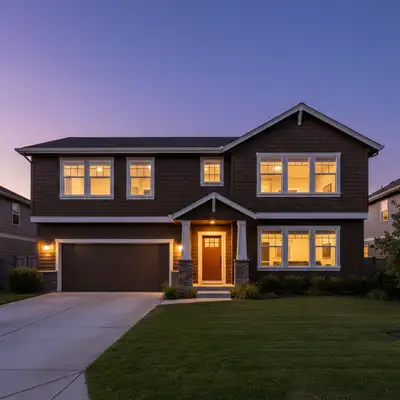
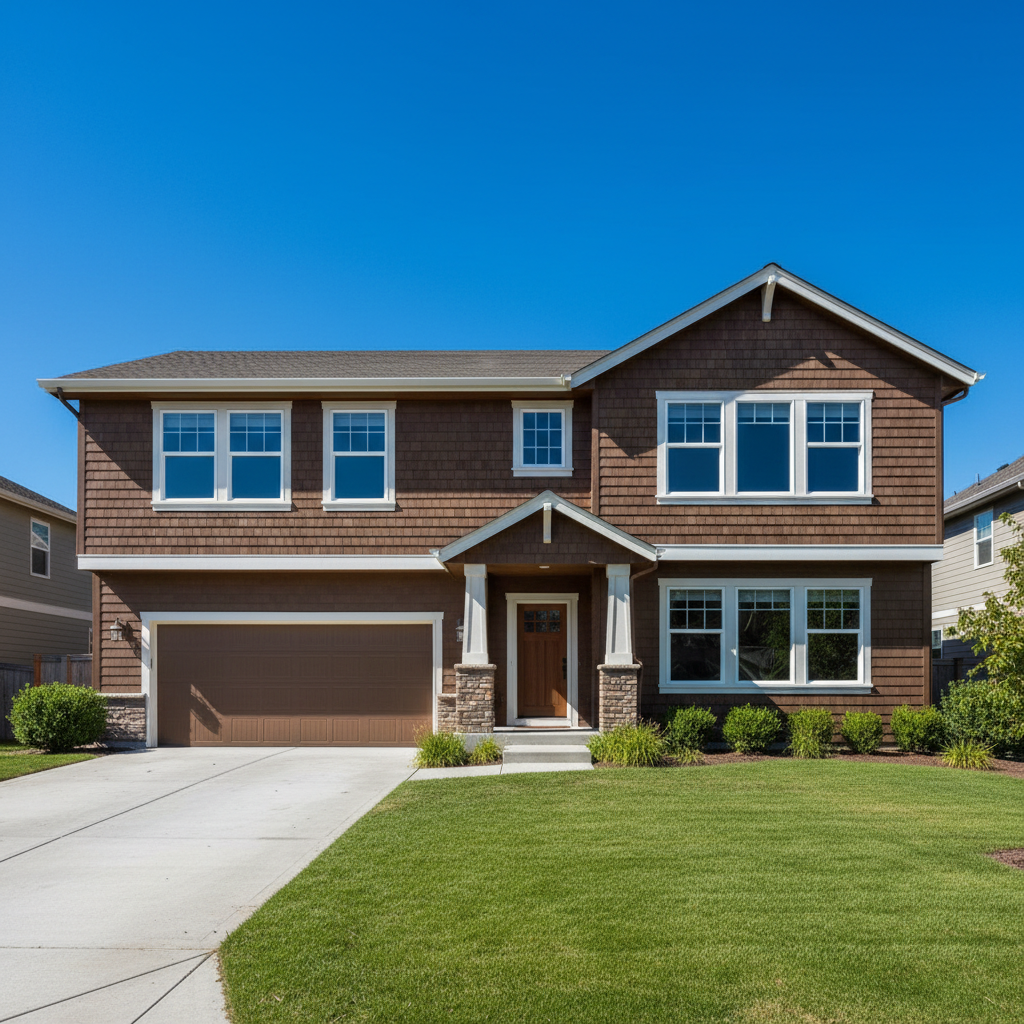
Craftsman home photographed at midday with bright blue sky
Before
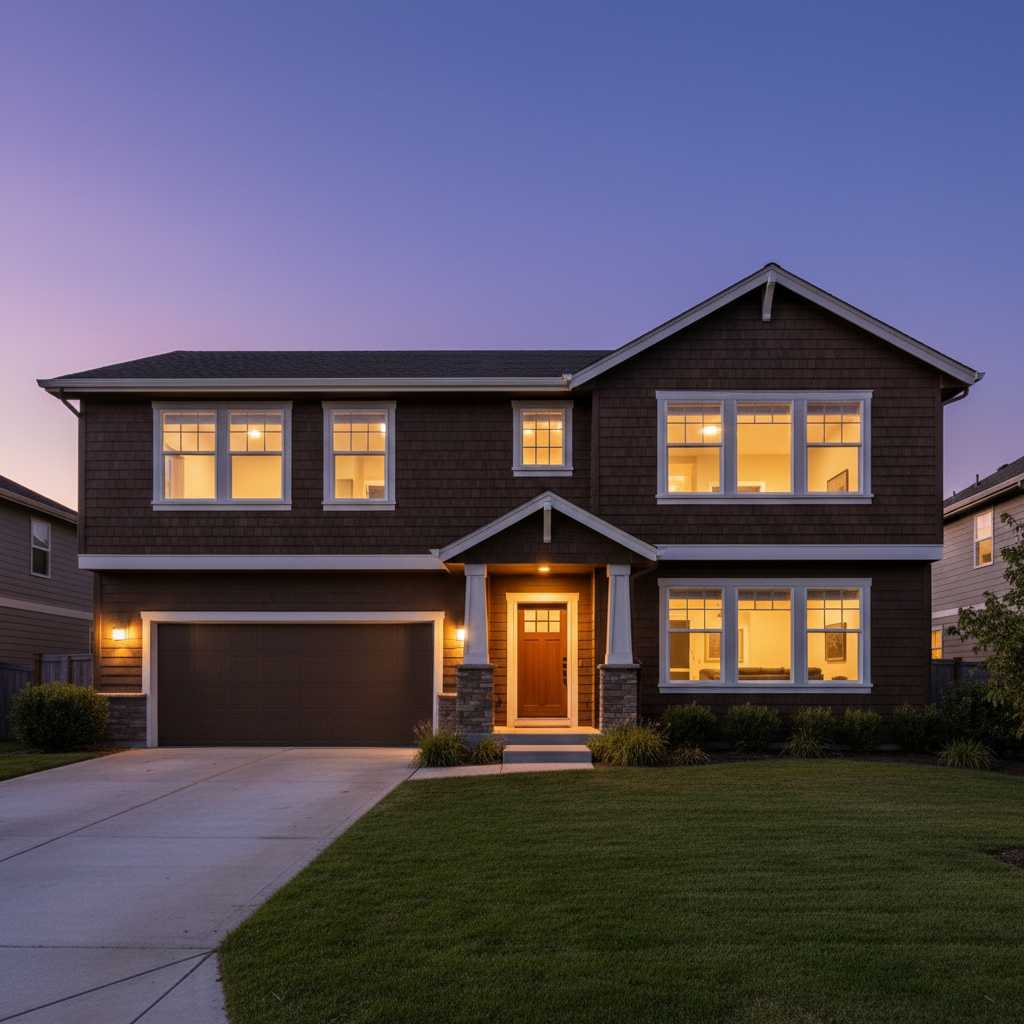
Same home at twilight with warm glowing windows and purple dusk sky
After

Convert Daytime Photos to Twilight

Drop your photo here

or click to browse

Release to upload

Free • No signup

Advertisement
Popular use cases:
  • real estate twilight photos
  • day to dusk conversion
  • twilight photography
  • virtual twilight
  • real estate golden hour
  • property twilight shots
  • listing twilight photos
  • dusk conversion
  • magic hour real estate

Cost
Free No signup required
Time
Instant results in 15-30 seconds
Works on
Any device - browser, phone, tablet, desktop
Powered by
AI-powered photo editing
Scenario Prompt Time
Classic twilight convert to twilight with warm window glow, purple-blue dusk sky 30s
Golden sunset transform to golden hour with orange sunset sky, warm windows 30s
Blue hour modern convert to blue hour with deep blue sky, bright warm window lights 35s
With landscape lighting twilight with window glow and landscape pathway uplights 40s

How it works

  1. Upload your daytime exterior photo

    Drop your property photo into EditThisPic. Works best with daytime exteriors showing visible windows. JPG, PNG, WebP up to 7MB. Shot at noon? Perfect. Grey day? Even better—the AI will create the twilight mood.

    Expect: Simple conversions with clear windows: 25-35 seconds. Complex homes with many windows or landscape lighting: may need 2-3 refinements.
  2. Describe the twilight conversion you want

    Type your instruction: 'convert to twilight with warm interior lights glowing through windows and purple-blue dusk sky' or 'transform to golden hour with orange sunset sky and window glow.' Be specific about sky colors (purple-blue dusk, orange sunset, pink twilight) and lighting mood. The AI understands twilight conversion and handles the complex lighting automatically.

    Tip: Include landscape lighting details for luxury listings: 'with pathway lights and uplighting on trees' for premium twilight effects

    Copy one of these to get started:

    Classic real estate twilight convert to twilight with warm yellow interior lights glowing through all windows, purple-blue dusk sky with gradient to horizon, ambient evening atmosphere
    Golden hour sunset dramatic transform to golden hour with warm orange sunset sky with pink clouds, golden light on the house exterior, warm window glow matching the sunset tones
    Blue hour modern aesthetic convert to blue hour with deep blue-purple sky, bright warm interior lights creating strong contrast, modern twilight aesthetic with cool exterior and warm windows
    Twilight with landscape lighting transform to twilight with glowing windows, purple dusk sky, and landscape lighting illuminating pathway and trees with warm amber uplights
    4 more prompts
    Soft pastel twilight convert to soft twilight with pastel pink and purple sky, gentle warm window glow, romantic evening atmosphere with soft lighting throughout
    Dramatic stormy twilight transform to dramatic twilight with dark purple-grey stormy clouds, bright warm window lights providing contrast and safety feeling, moody atmospheric sky
    Twilight with pool lighting convert to twilight with warm window glow, blue-purple dusk sky, and illuminated pool with underwater lights glowing turquoise-blue
    Simple dusk conversion transform to dusk with darker blue sky, lights on inside the house creating warm window glow, simple evening atmosphere
  3. Review the transformation

    Check that window glow looks natural (warm yellow-orange interior light), sky gradient is smooth (darker at top, lighter at horizon), and overall mood is evening ambient. Verify shadows match twilight direction and landscape features are visible but moody.

  4. Refine specific areas if needed

    If window lighting intensity needs adjustment or sky gradient has harsh transitions, tap markers on those spots and describe the refinement. Common tweaks: 'make window glow warmer' or 'blend sky gradient more smoothly at treeline.'

    Tip: Most twilight conversions work on the first try. Markers are for fine-tuning window brightness or sky transitions.
Advertisement
Try it free

Convert Daytime Photos to Twilight

Drop your photo here

or click to browse

Release to upload

Free • No signup

"Shot a listing at noon. Turned it into twilight with glowing windows. Looked like a $200 professional twilight shoot. Client couldn't believe it was the same house." @RealtorSarah_ATX

See it in action

Craftsman home photographed at midday with bright blue sky
Before
->
Same home at twilight with warm glowing windows and purple dusk sky
After

Suburban home midday to twilight

A standard home photographed at noon. The AI converted to twilight with glowing windows and purple dusk sky—classic real estate twilight effect.

Prompt: convert to twilight with warm yellow interior lights glowing through all windows, purple-blue dusk sky with gradient to horizon, ambient evening atmosphere
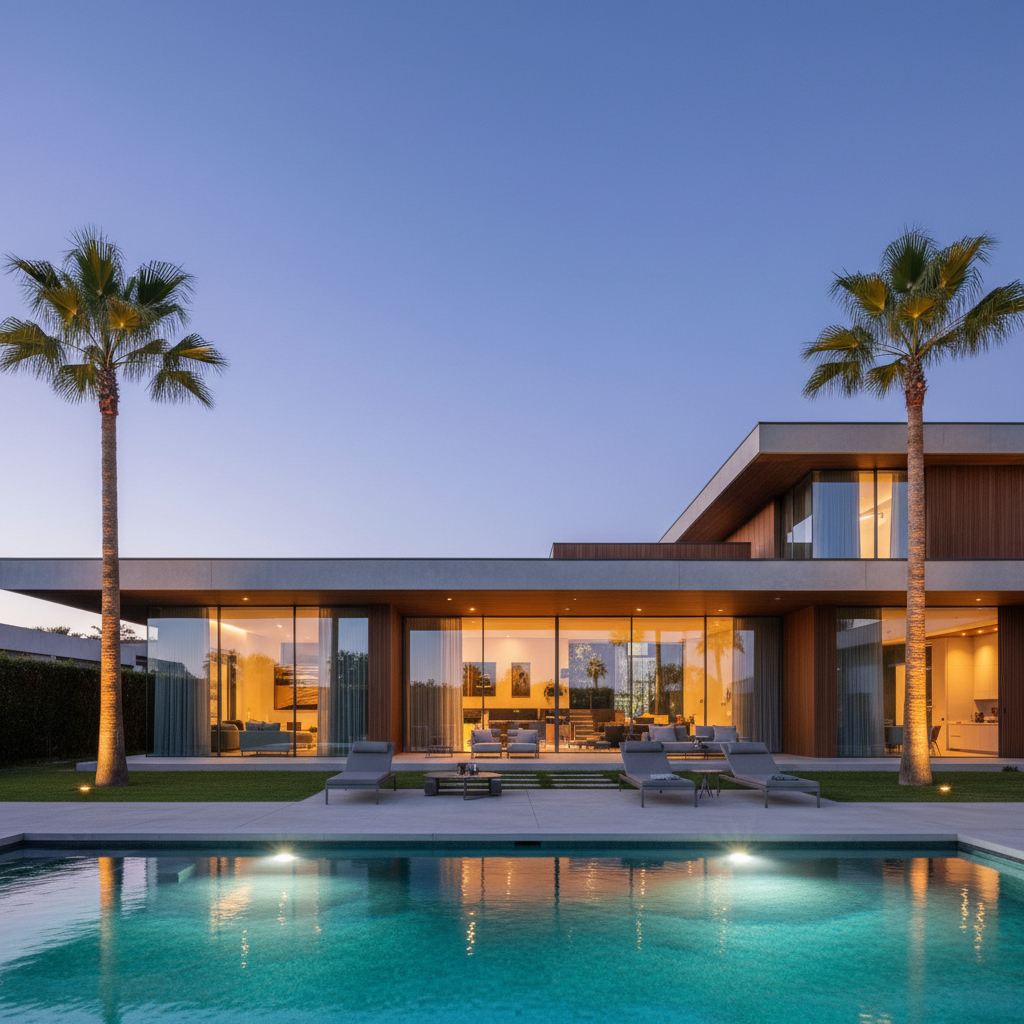
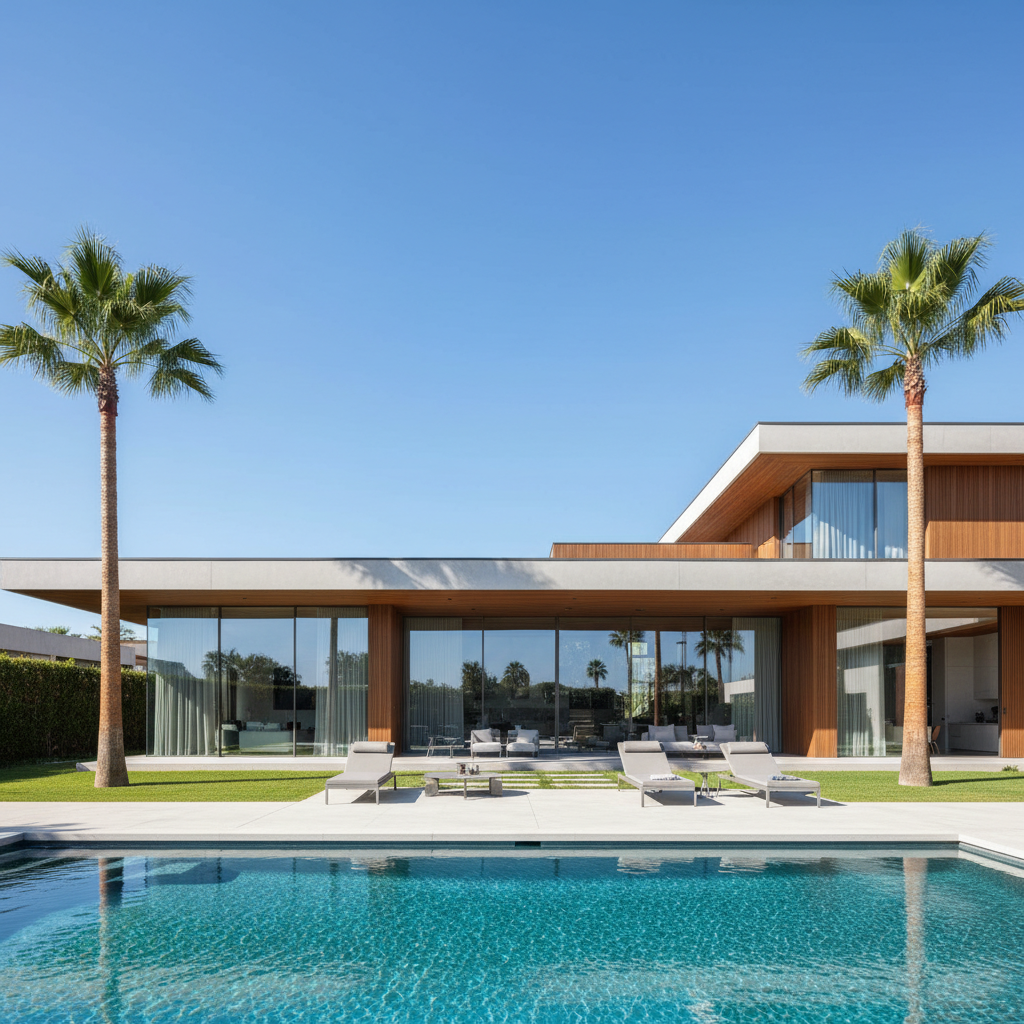
Modern luxury home with pool photographed during bright afternoon
Before
->
Same home at twilight with glowing windows, illuminated pool, and landscape lighting
After

Luxury home with pool at twilight

A luxury property with pool shot during the day. Transformed to twilight with glowing interior, pool lights, and landscape uplighting—premium listing treatment.

Prompt: convert to twilight with warm window glow, blue-purple dusk sky, and illuminated pool with underwater lights glowing turquoise-blue, landscape uplighting on palm trees
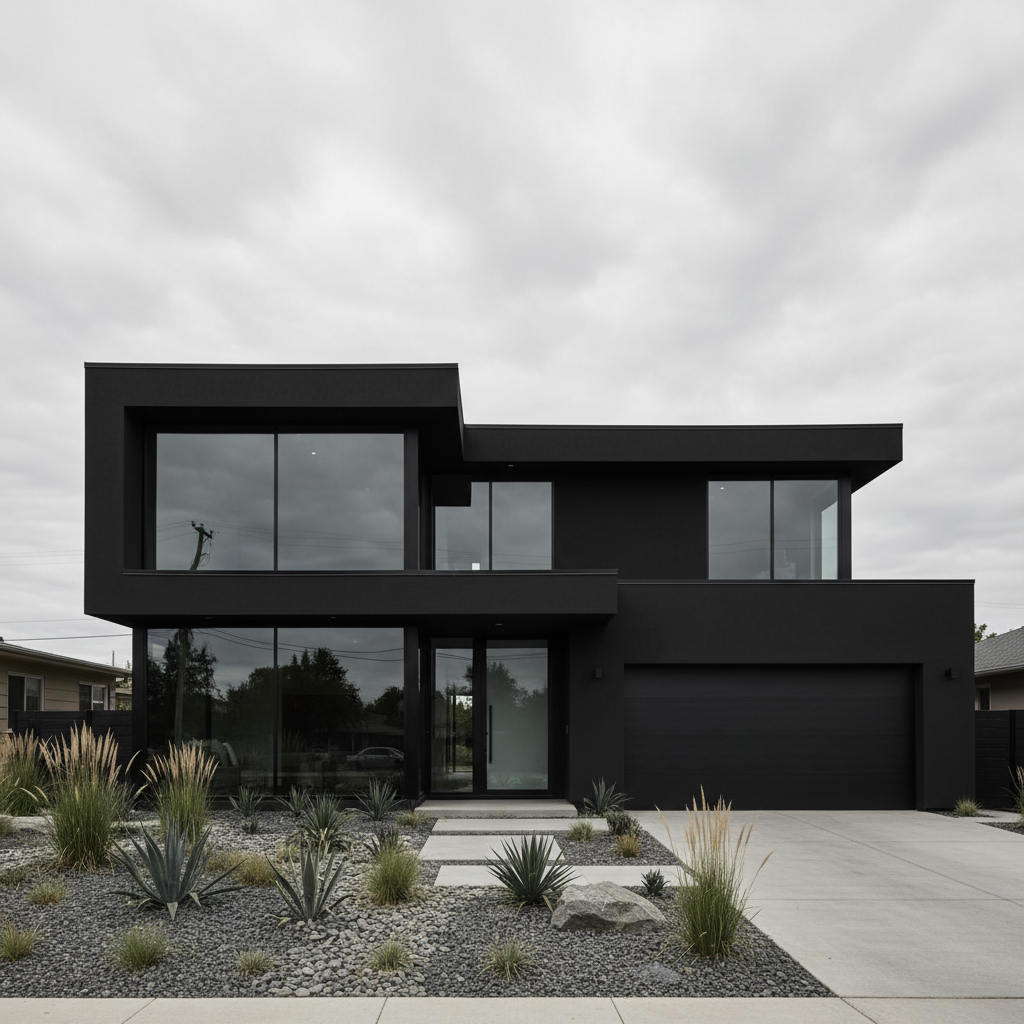
Modern black home photographed on grey overcast day
Before
->
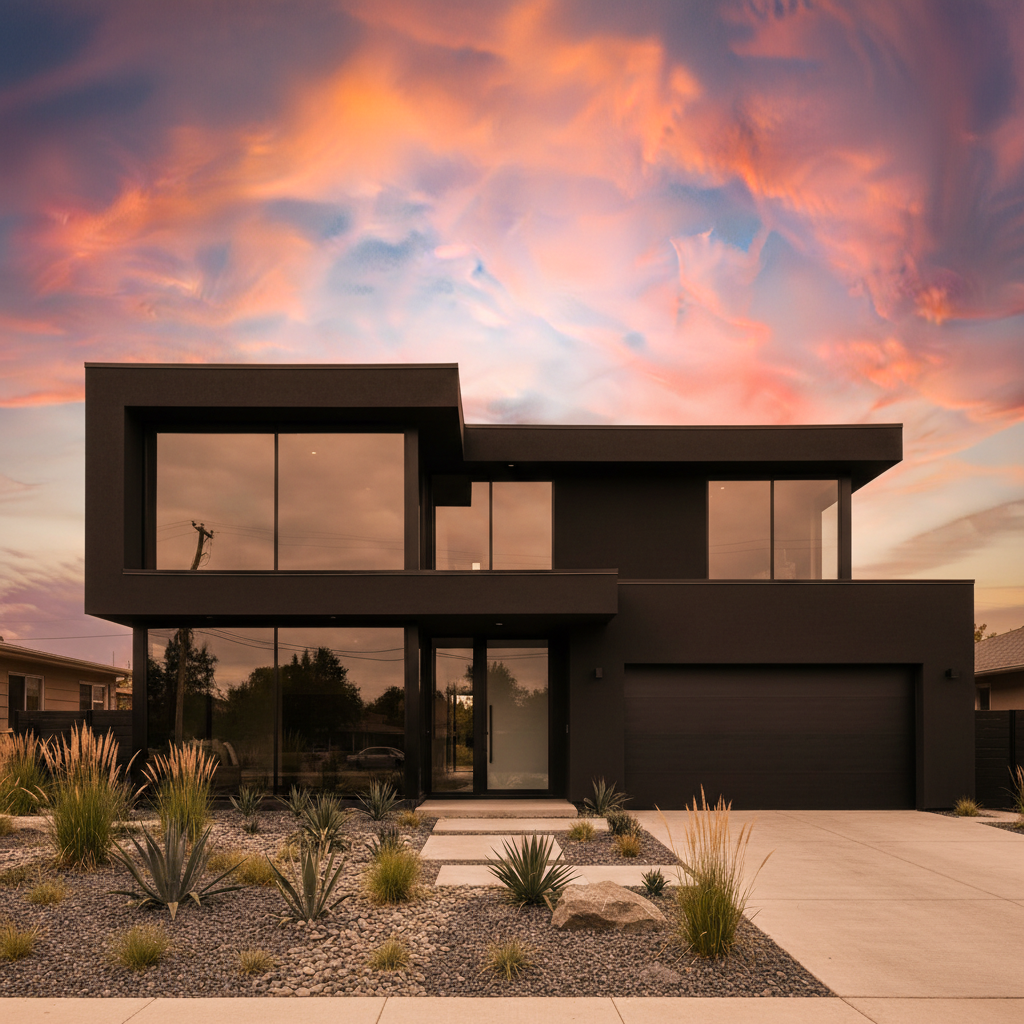
Same home at golden hour with orange sunset sky and warm glowing windows
After

Modern home golden hour conversion

A contemporary home shot on an overcast day. Converted to warm golden hour sunset with dramatic orange sky and glowing windows—premium marketing imagery.

Prompt: transform to golden hour with warm orange sunset sky with pink clouds, golden light on the house exterior, warm window glow matching the sunset tones

If something looks off

Window glow looks too bright or artificial

Why: The AI applied uniform brightness to all windows without considering depth and interior room lighting variation.

Try: make window glow more natural with varied intensity, some windows brighter than others, warm yellow tones not pure white

Tip: Real twilight shots have variation—some rooms brighter, some dimmer. Mention 'varied intensity' for realistic results.

Sky has harsh line at horizon or treeline

Why: The twilight sky gradient didn't blend smoothly with the original daytime treeline or roofline edges.

Try: blend the dusk sky gradient smoothly at the treeline, natural transition from dark purple above to lighter blue-pink at horizon

Tip: Tap markers on harsh transition areas to tell the AI exactly where to focus blending refinement.

House exterior is too dark, lost detail

Why: Twilight conversion darkened the entire image too much, losing architectural details visible in daytime shot.

Try: preserve architectural details on the house exterior, ambient twilight lighting should show features not hide them

Tip: Twilight should be moody but not murky—buyers still need to see the home's features clearly.

Some windows didn't get interior glow

Why: The AI may have missed windows that are small, partially obscured, or in shadow areas of the daytime photo.

Try: Tap markers on dark windows and describe: add warm interior light glow to these windows matching the others

Tip: Use markers to point out specific windows the AI missed—this tells it exactly where to add glow.

Twilight shadows point wrong direction

Why: The AI kept daytime shadows which come from overhead sun, but twilight light should come from lower angle.

Try: adjust shadows to match twilight lighting with low angle evening light, softer longer shadows

Tip: Mention 'evening light direction' or 'low angle twilight shadows' to fix shadow direction mismatches.

Sky color doesn't match mood I wanted

Why: Generic 'twilight' prompt allows the AI to choose sky colors—purple, blue, orange, or pink variations.

Try: Be specific about sky: 'deep purple-blue dusk sky' or 'warm orange-pink sunset sky' to control the mood

Tip: Always specify exact sky colors in your initial prompt: 'purple-blue dusk' vs 'orange sunset' creates very different moods.

Quick answers

Do I need to mark windows before describing the twilight conversion?

No! Just describe what you want: 'convert to twilight with warm interior lights glowing through windows and purple dusk sky.' The AI automatically detects windows and adds realistic interior glow. Only use markers if you need to refine specific windows the AI missed or adjust individual window brightness after your first result.

Will the AI automatically make windows glow with interior lights?

Yes, when you say 'with warm interior lights glowing through windows' or 'lights on inside' the AI adds realistic yellow-orange window glow that looks like rooms are lit from inside. You can control intensity by saying 'bright window glow' or 'subtle warm lights.' The AI understands this is a core part of twilight conversion.

What time of day works best as the starting photo?

Any daytime exterior works—midday, morning, or afternoon. Even grey overcast days work perfectly because the AI creates the entire twilight atmosphere including sky, lighting, and mood. The key requirement is that windows are clearly visible in your starting photo so the AI knows where to add interior glow.

Can I add landscape lighting and pathway lights?

Yes! Include it in your prompt: 'convert to twilight with window glow and landscape lighting illuminating pathway and trees with warm amber uplights.' The AI adds realistic landscape lighting effects including pathway lights, uplighting on trees, and garden accent lights. Great for luxury listings.

How do I get orange sunset vs blue dusk twilight?

Be specific about sky color in your prompt. For orange sunset: 'warm orange sunset sky with pink clouds.' For blue dusk: 'purple-blue dusk sky' or 'deep blue hour sky.' The AI creates very different moods based on your color descriptions—warm golden vs cool moody twilight.

Is this realistic enough for real estate listings?

Yes. Virtual twilight (day-to-dusk conversion) is standard practice in real estate photography and widely accepted on MLS, Zillow, and Realtor.com. Professional photographers charge $100-200+ per twilight shot. EditThisPic creates the same dramatic effect digitally. The result shows the property's evening curb appeal without requiring an actual twilight shoot.

Is EditThisPic's AI twilight converter really free?

Yes — you get 1 free edit per week, no account needed. For unlimited edits, plans start at $3.99/month.

Can I convert twilight on my phone?

Yes. EditThisPic works in any mobile browser — iPhone, Android, tablet. No app download needed.

Ready to transform your property photos?

Free to try. No signup required. No watermarks.

Try it free