AI Blown Highlights Fixer
← Browse all creative effectsLast updated
Describe the overexposed area and EditThisPic recovers it — no selection tools needed.


Upload photo to fix blown highlights
"fix the blown out window — recover the exterior scene visible through the glass, show trees or buildings outside, smooth transition with the interior lighting"
Free to try · no sign-up · never used for AI training
Release to upload
How it works
See it in action


Blown sky in portrait — cloud detail recovered
Outdoor portrait shot in midday sun. The sky directly behind the subject was a featureless white. Recovery prompt specified cloud type and sky color, producing a natural-looking sky that matched the outdoor lighting conditions.
recover the blown highlights in the sky — restore natural blue sky with scattered white clouds, blend smoothly with the horizon
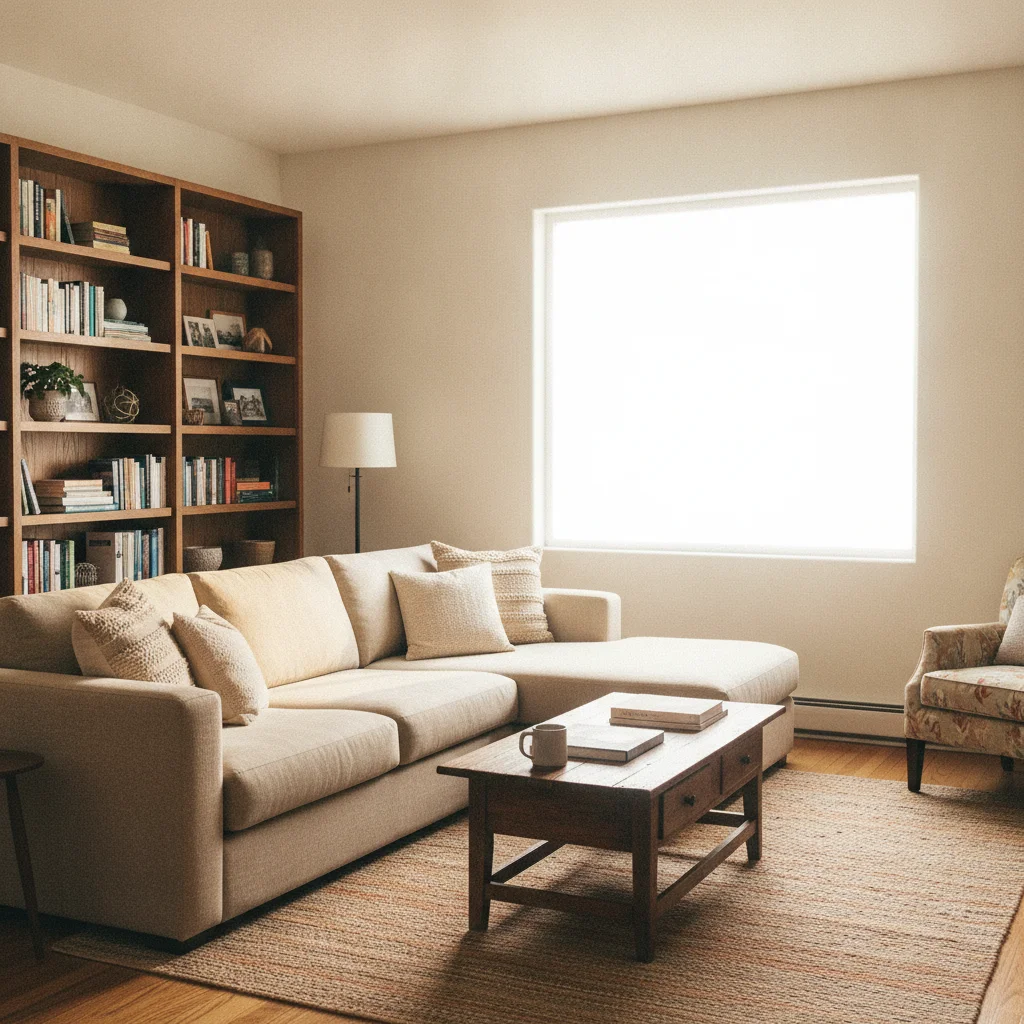
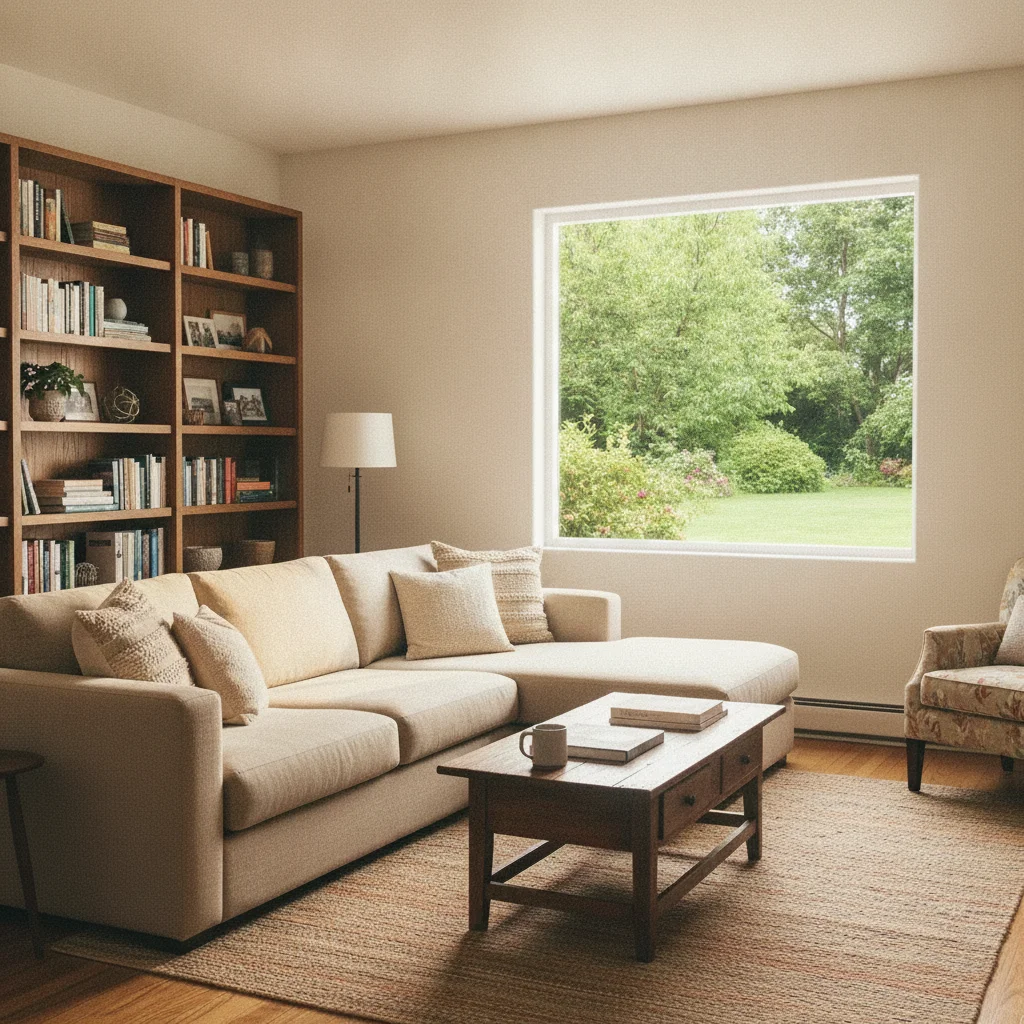
Interior photo — blown window with outdoor scene recovered
Living room photo shot without fill flash. The window was pure white. Recovery prompt described what was outside — suburban garden — and the AI synthesized a plausible exterior scene visible through the glass.
fix the blown out window — recover the outdoor garden scene through the glass, show green trees and lawn outside, smooth light transition from interior to exterior

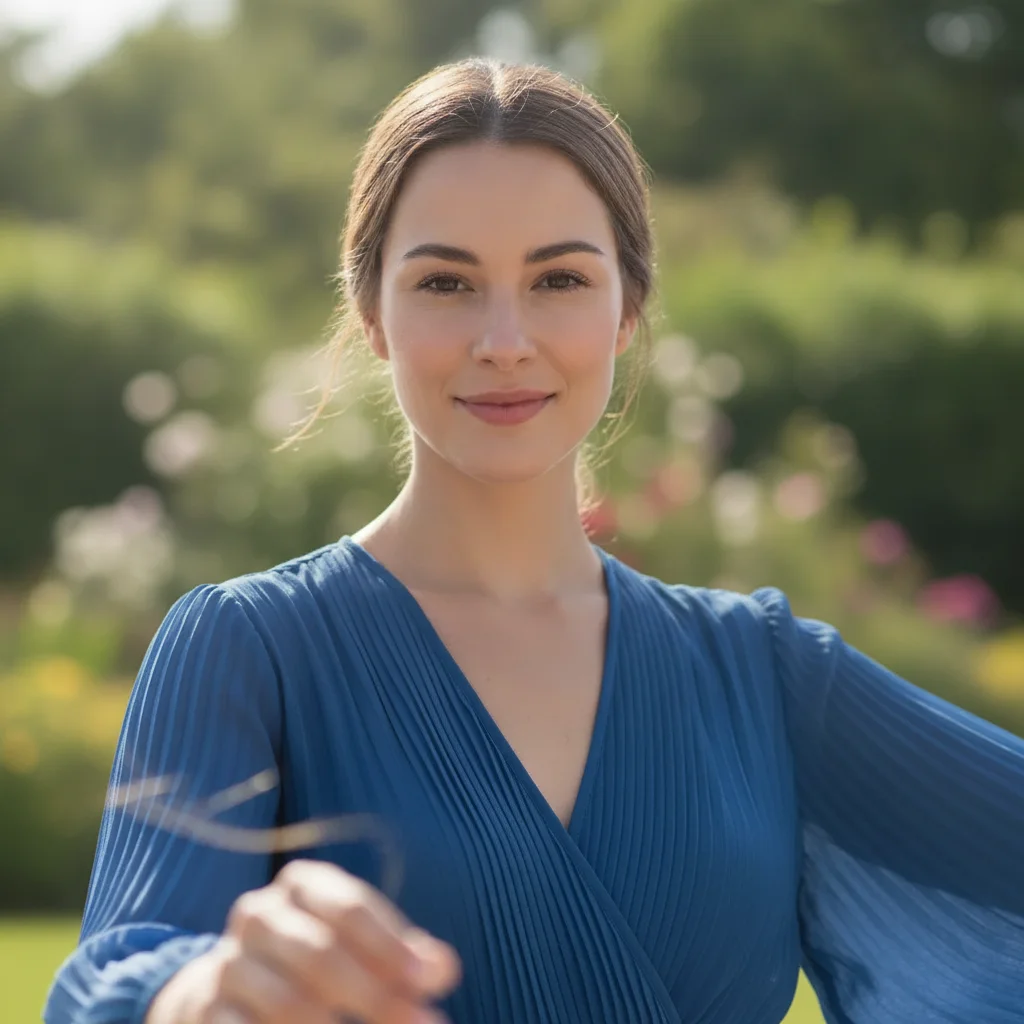
Backlit portrait — blown background recovered
Woman photographed against a bright outdoor background. The subject was correctly exposed but the background was overexposed to a washed-out white. Recovery restored greenery and depth behind her.
recover the blown out background — restore an outdoor garden scene with green foliage, soft bokeh depth of field matching the portrait, keep the subject completely unchanged
Quick answers
Ready to recover the detail in your overexposed photo?
Free to try. No signup required.