Pricing Visualize Built-in shelves · Free

AI Built-In Shelves Visualizer

← Browse all creative effects

Last updated

Describe built-in shelving around a fireplace, TV or alcove and see it in place. Free, no account.
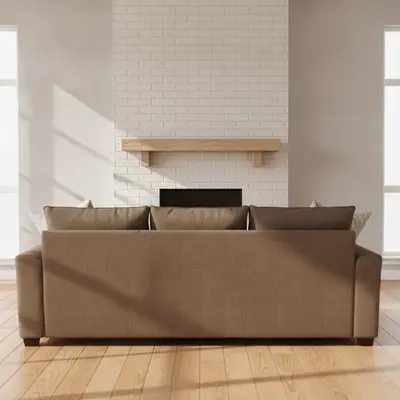
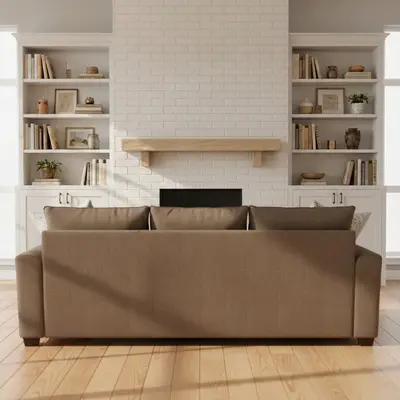
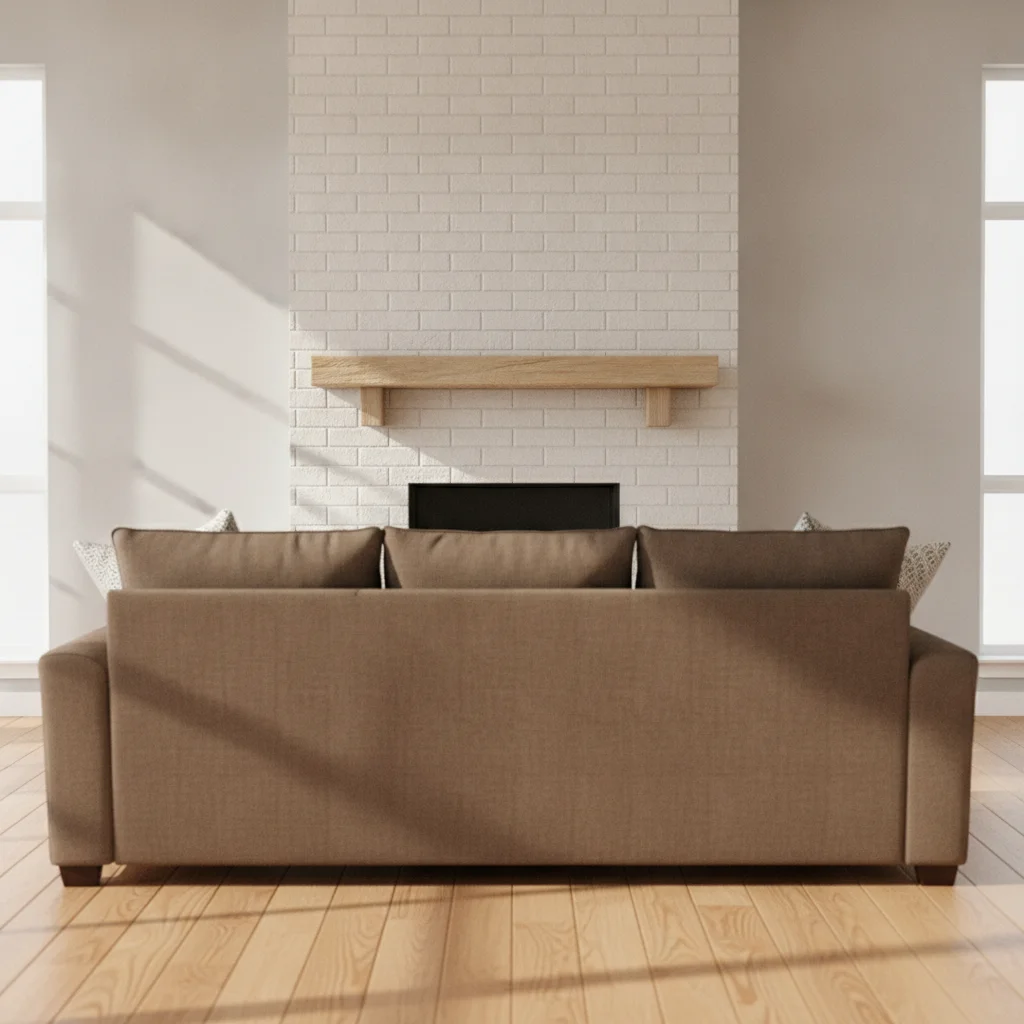
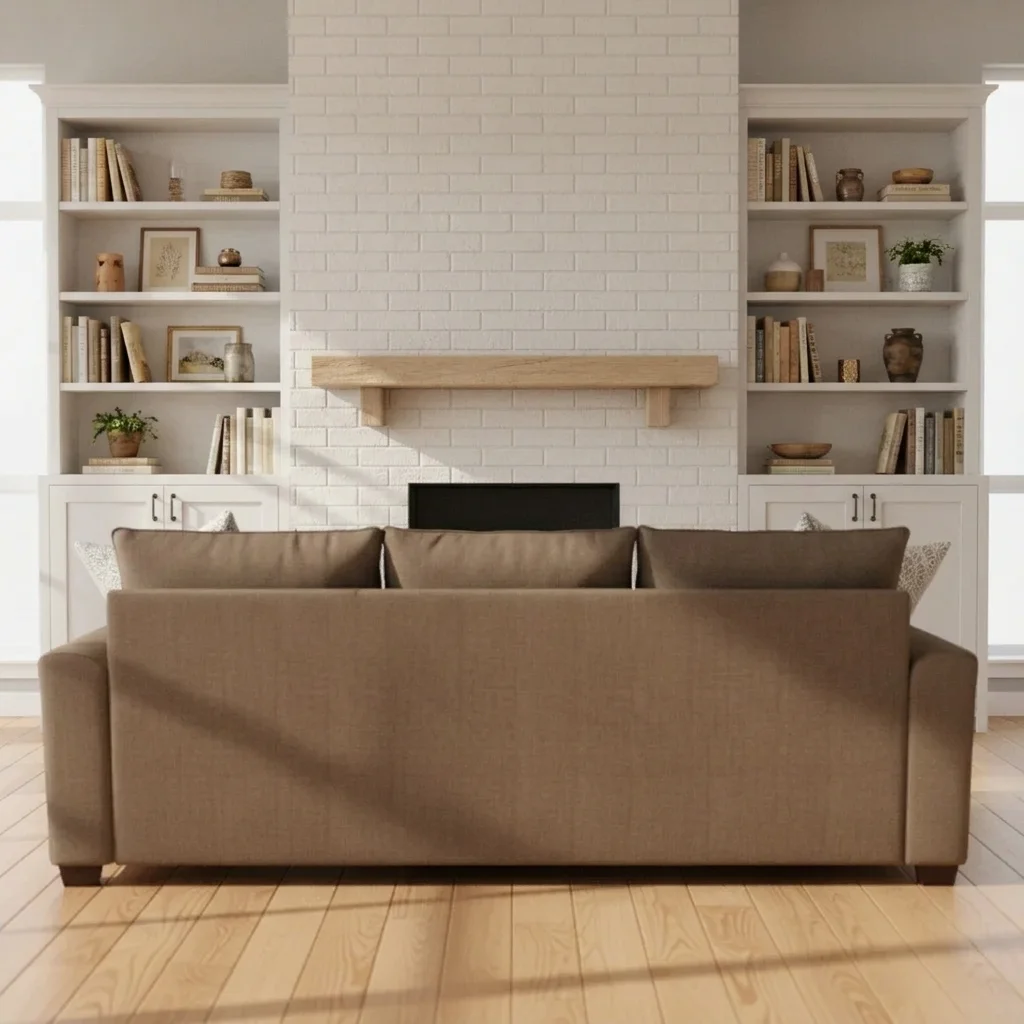
Living room with a plain fireplace wall and brown sofa Same wall with white built-in bookcases on both sides of the fireplace

Upload photo to visualize built-in shelves

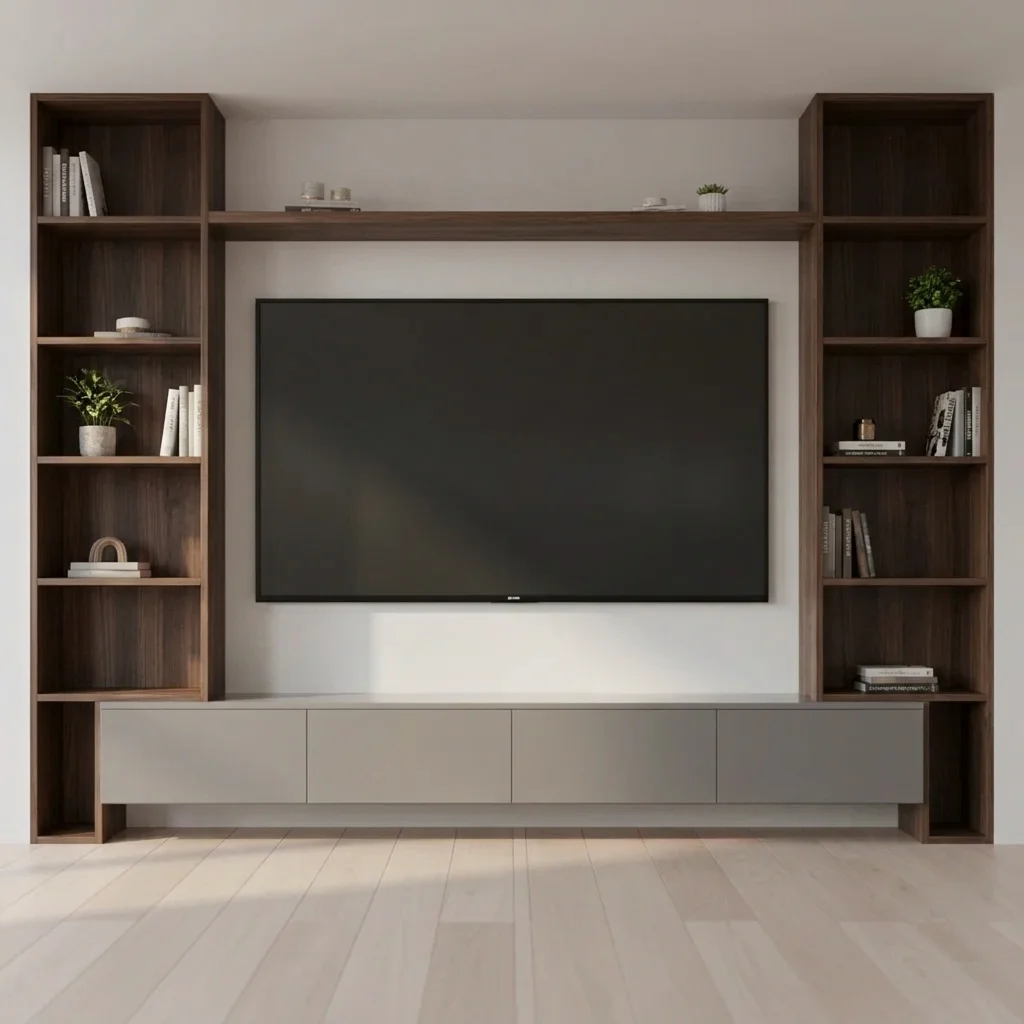
"add dark walnut built-in shelves on both sides of the TV with a floating shelf above it, keep the TV and sofa unchanged"

Free to try · no sign-up · never used for AI training

Release to upload

<30stypical edit
1 freeedit weekly
Photo on your phone? Scan to open this editor there — free edit works on your phone too.

1 free edit every week·paid packs after

How it works

  1. Upload a photo of your wall

    Photograph the whole wall straight on, with the fireplace, TV or alcove in the middle and some wall visible on each side. Seeing the ceiling and floor helps the AI choose a sensible height.

    Expect: Simple changes usually finish quickly. Detailed patterns or several elements at once may need a second try.
  2. Describe what you want to see

    Describe the shelving: where it goes, the colour or wood, open shelves or cabinet doors below. For example: 'add painted navy built-in bookcases on both sides of the fireplace with cabinet doors on the bottom and open shelves above.' No marking needed.

    Tip: Say what the shelves frame: 'on both sides of the TV' or 'filling the alcove' tells the AI the layout, and mentioning cabinet doors or open shelves sets the look.

    Copy one of these to get started:

    Bookcases on both sides of a fireplace add painted white built-in bookcases on both sides of the fireplace, cabinet doors below and open shelves above reaching near the ceiling, keep the fireplace and furniture unchanged
    Shelves around a wall-mounted TV add dark walnut built-in shelves on both sides of the TV with a floating shelf above it, keep the TV and sofa unchanged
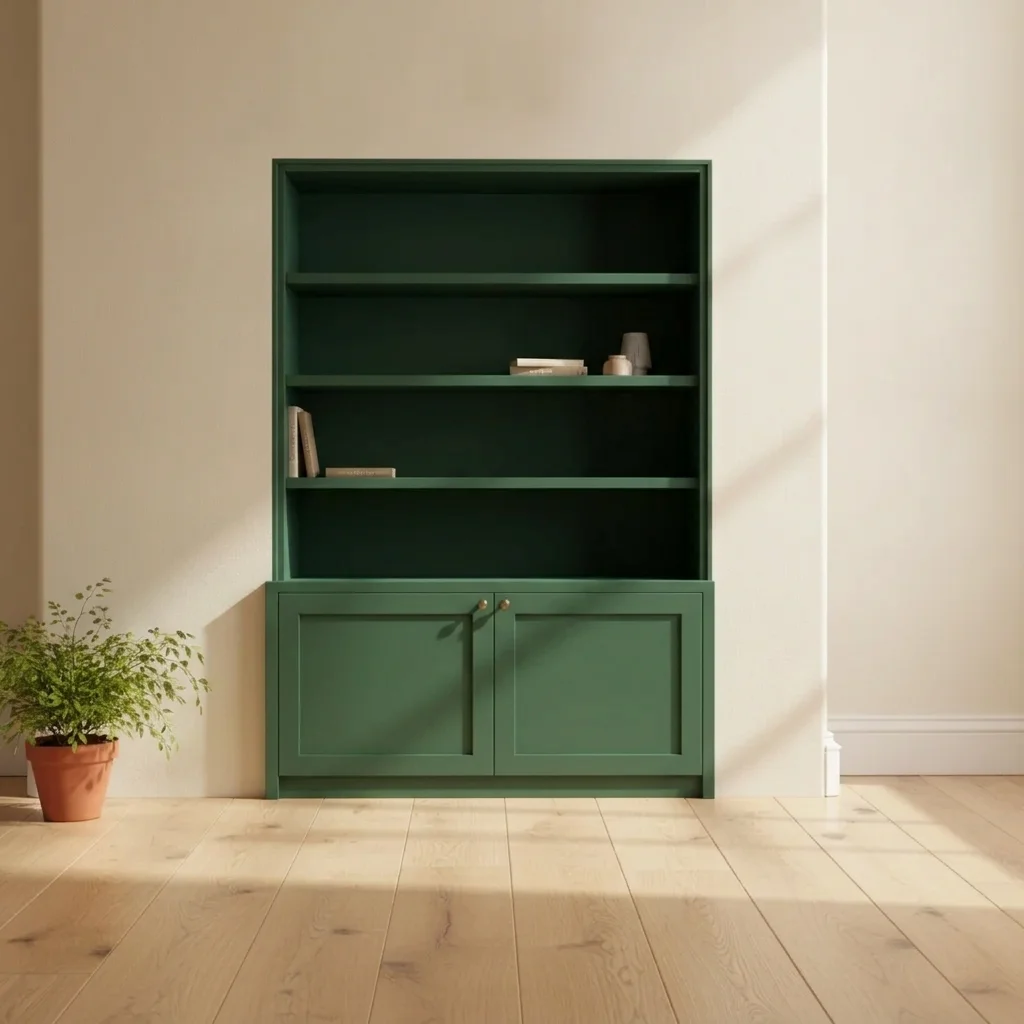
    Shelving filling an alcove fill the alcove with built-in shelves painted deep green, five open shelves with a cabinet at the bottom, keep the room unchanged
    Window seat with shelves add a built-in window seat with storage drawers and open shelves on each side of the window, painted white
    3 more prompts
    Floor-to-ceiling library wall add floor to ceiling built-in bookshelves across the whole wall in dark stained oak, filled with books, keep the furniture the same
    Floating shelves instead of cabinets add three light oak floating shelves on each side of the fireplace, no cabinets below
    Built-ins with picture lighting add white built-in shelves on both sides of the fireplace with warm LED strip lighting inside the shelves
  3. Review the preview

    Check that the shelving sits flush with the wall and the fireplace or TV is unchanged. Overall style and colour are usually clear. Shelf counts and small decor items may differ from what you would fit.

  4. Refine with markers if needed

    If the shelves cover the fireplace or land on the wrong wall, tap a marker on the spot where you want them and regenerate. Markers are optional.

    Tip: Markers are for precision refinement, not a required step. Most previews work from the description alone.

See it in action

Living room with a plain fireplace wall and brown sofa
Before
->
Same wall with white built-in bookcases on both sides of the fireplace
After

Plain fireplace wall to white bookcases

A homeowner wanted to see built-ins either side of the fireplace before talking to a carpenter.

Prompt: add painted white built-in bookcases on both sides of the fireplace, cabinets below and open shelves above
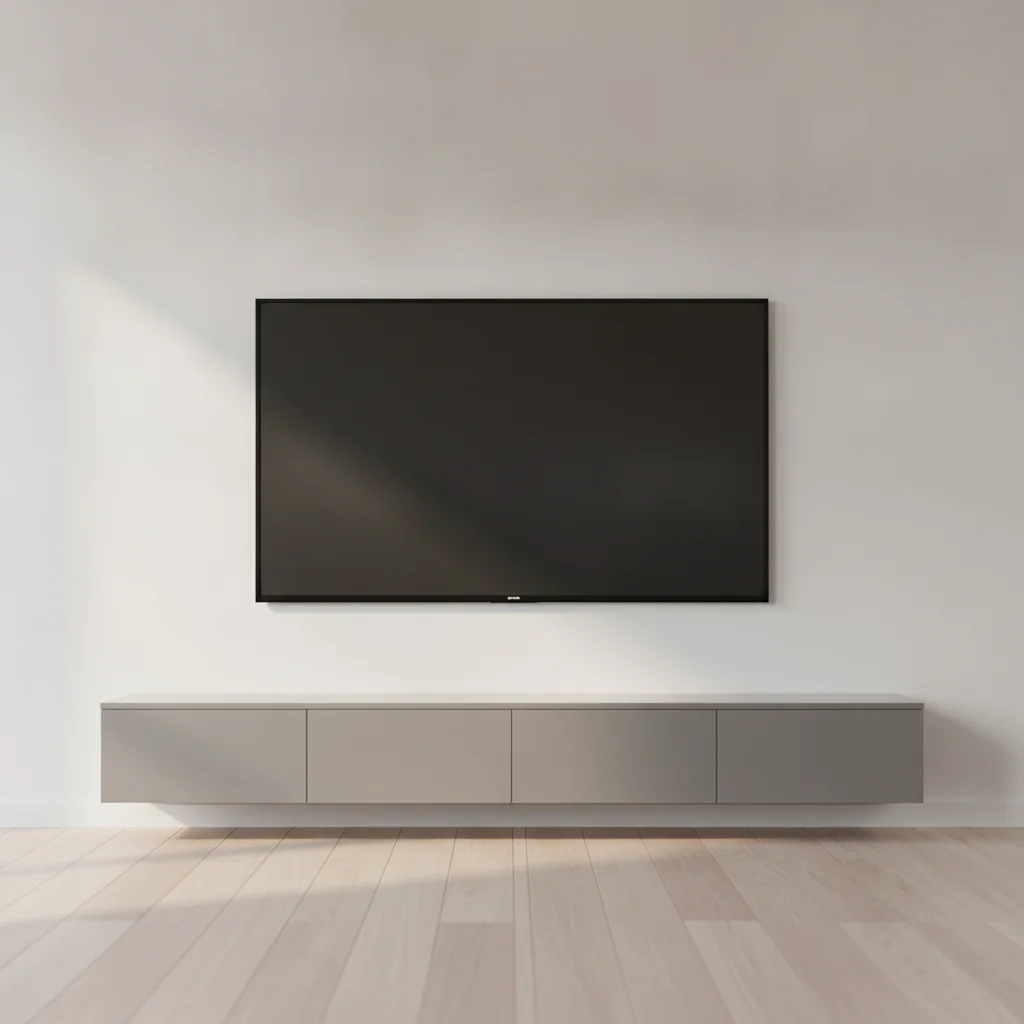
Living room wall with a mounted TV and grey sideboard
Before
->
Same wall with walnut built-in shelves around the TV
After

TV wall to walnut shelving

A TV mounted on a plain wall, previewed with shelves on each side.

Prompt: add dark walnut built-in shelves on both sides of the TV with a floating shelf above it
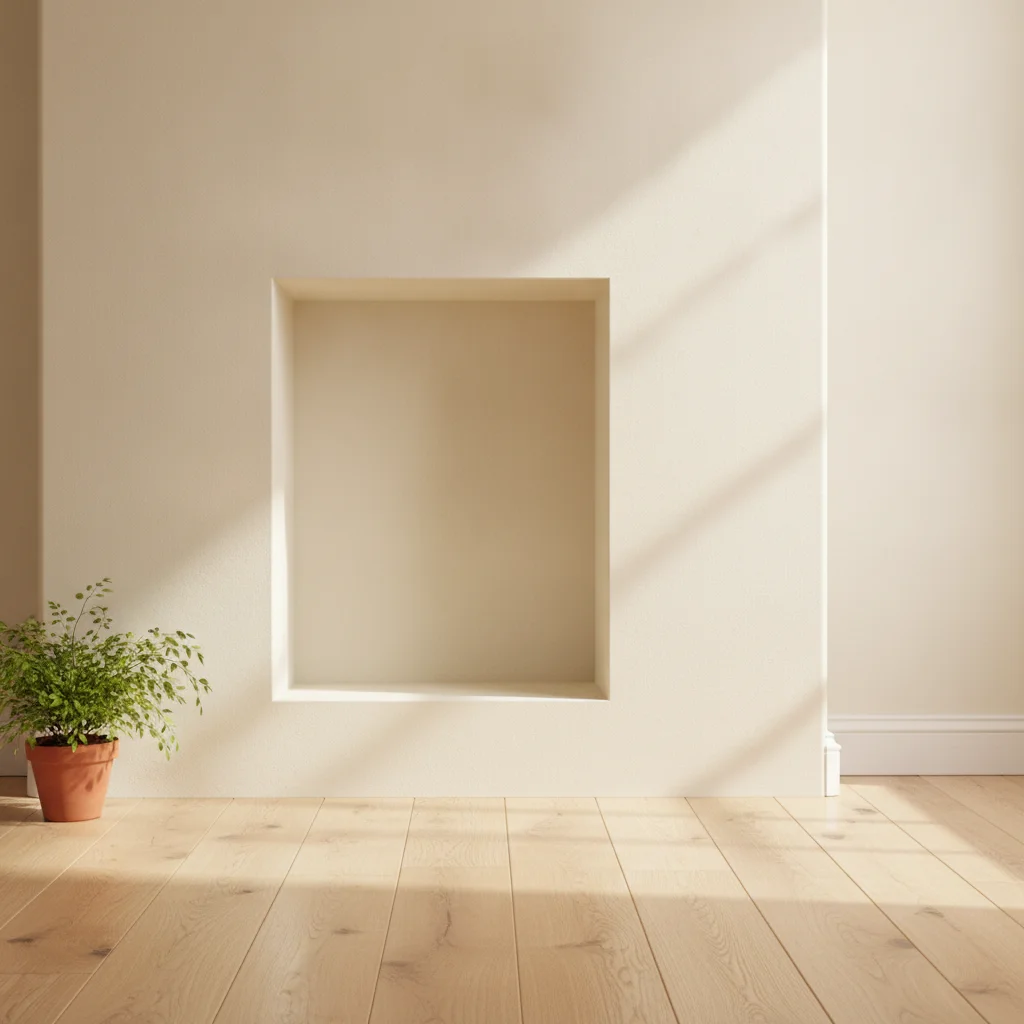
Empty alcove beside a chimney breast
Before
->
Same alcove filled with deep green built-in shelves
After

Empty alcove to green shelving

A recess beside a chimney breast previewed as storage.

Prompt: fill the alcove with built-in shelves painted deep green with a cabinet at the bottom and four open shelves above

Quick answers

Do I need to mark the wall before adding built-in shelves?

No. Describe the shelving and what it frames, such as 'add white built-in bookcases on both sides of the fireplace.' The AI finds the wall from the photo. Use a marker only if the shelves land in the wrong place.

Is there a free built-in shelves visualizer with no signup?

Yes. EditThisPic gives you a free preview edit with no account and no watermark. Upload a photo of your wall, describe the change, and look at the result. It is a mock-up to help you decide, not a quote or a plan.

Does it plan shelf sizes or cabinet dimensions?

No. It is a style preview. Dimensions, depth, fixings and chimney clearances are for your carpenter or a cabinet maker to plan.

Can I preview different colours and woods?

Yes. Run the same photo with white paint, navy, green or stained oak, and compare how they suit the room.

Is it safe to put shelves next to a fireplace?

The preview cannot tell you. Clearance and heat rules are for a qualified professional to confirm before you build.

Can it show shelves around a TV?

Yes. Describe 'built-in shelves on both sides of the TV' and what goes below. Check that the TV stays where it should.

How much does EditThisPic cost?

You get 1 free Standard edit per week — no account needed. After that, one-time credit packs start at $4.99 for 10 credits, valid 12 months, no subscription. A Standard edit uses 1 credit, Pro 2 and Ultra 3. Purchased downloads are clean with no watermark.

Ready to preview built-in shelves in your room?

Free to try. No signup required.

1 free edit included·paid credit packs after