Pricing Visualize Hedge · Free

AI Hedge Visualizer

← Browse all creative effects

Last updated

Upload a yard photo, describe the hedge, and preview it along your property line. Free, no account.
Backyard with a low wooden fence and a bright green lawn Same yard with a tall green arborvitae row behind the lawn

Upload photo to visualize hedge

"add a neat low boxwood hedge about 2 feet high along both sides of the front walkway, keep the path, house, and lawn unchanged"

Free to try · no sign-up · never used for AI training

Release to upload

<30stypical edit
1 freeedit weekly
Photo on your phone? Scan to open this editor there — free edit works on your phone too.

1 free edit every week·paid packs after

How it works

  1. Upload a photo facing the property line

    Stand where you would normally look at the hedge from, such as the patio or back door, and take the photo facing the fence or boundary. Include the ground along the line so the AI can place plants where they would really stand. A daytime photo with even light works best.

    Expect: Most single-surface previews come back in well under a minute. Busy photos with lots of overlapping objects may need a second pass.
  2. Describe the hedge: plant type, height, and where it goes

    Type plant, height and location, for example: 'add a row of tall green arborvitae about 8 feet high along the back fence, evenly spaced, keep the lawn and patio unchanged.' Plant names such as boxwood, privet, holly, laurel and arborvitae are understood. No marking needed.

    Tip: Give a height in feet and say 'evenly spaced' or 'solid, no gaps' so you control how private the hedge looks.

    Copy one of these to get started:

    Tall privacy hedge along the back fence add a row of tall green arborvitae about 8 feet high along the back fence line, evenly spaced and fairly dense, keep the lawn, patio, and house unchanged
    Low boxwood hedge along a walkway add a neat low boxwood hedge about 2 feet high along both sides of the front walkway, keep the path, house, and lawn unchanged
    Mixed shrub border along the fence plant a mixed border of green shrubs with a few white flowering hydrangeas along the fence line, varied heights from 3 to 5 feet, keep the lawn unchanged
    Evergreen screen to block a neighbor's view add a dense row of evergreen privet hedge about 6 feet high on the left property line, filling the gap between the house and the fence, keep everything else unchanged
    3 more prompts
    Formal clipped hedge along a driveway add a formal clipped green hedge about 3 feet high along the edge of the driveway, straight and uniform, keep the driveway and house unchanged
    Hedge in front of a bare fence — soften the line plant shrubs in front of the wooden fence, a staggered row of round green shrubs about 4 feet tall with space between them, keep the fence visible behind
    Flowering hedge for color add a flowering hedge of pink hydrangea along the side of the house about 4 feet high, in full bloom, keep the house and lawn unchanged
  3. Check scale, spacing and where the hedge meets the ground

    Look at the base of each plant: it should sit in the ground with a believable shadow. Check the height against a fence or window for scale, and that the hedge does not block a gate or path you want kept clear.

  4. Refine with markers if needed

    If the hedge lands in the wrong spot, covers a gate, or the AI also altered the lawn, tap a marker where the hedge should start and regenerate with the same prompt. Markers show the AI exactly where to plant.

    Tip: Markers are for precision refinement, not a required step.

See it in action

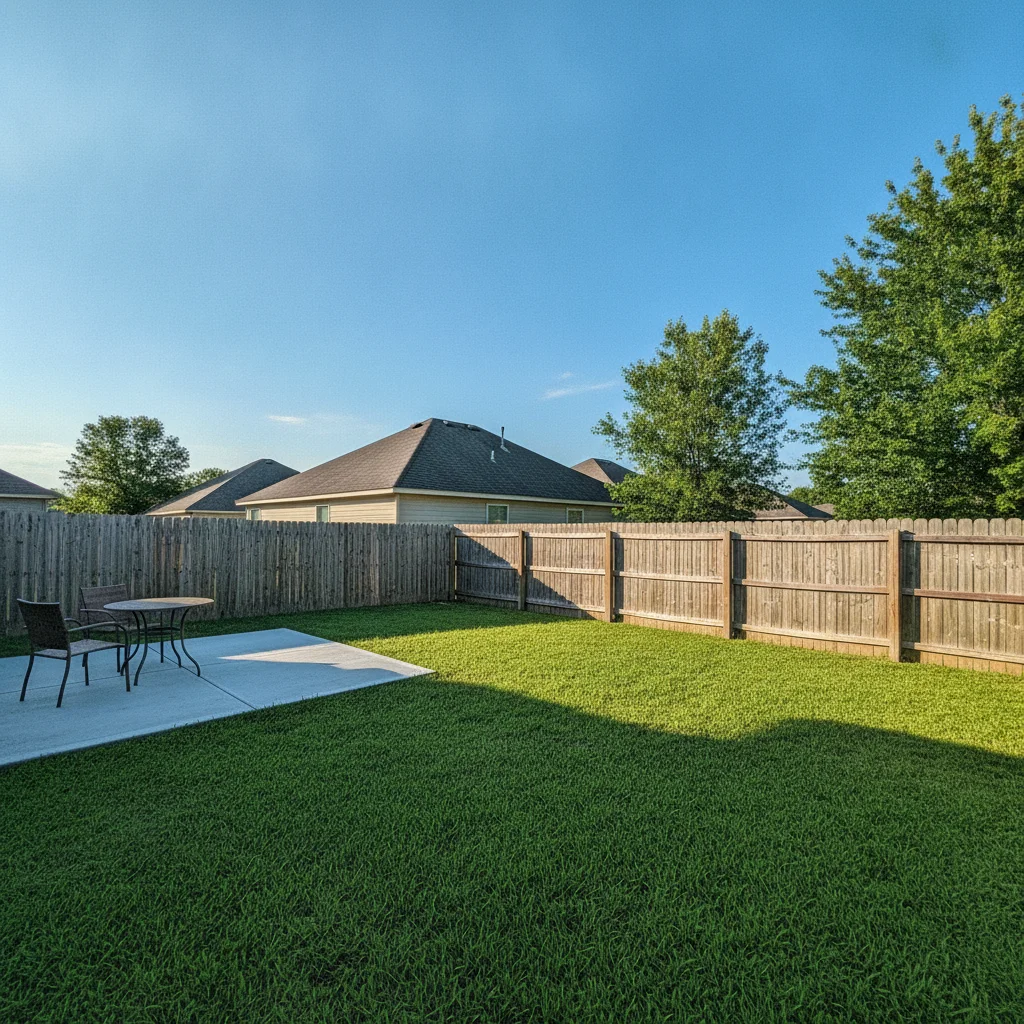
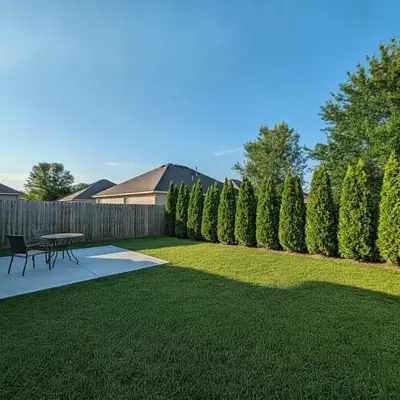
Backyard with a low wooden fence and a bright green lawn
Before
->
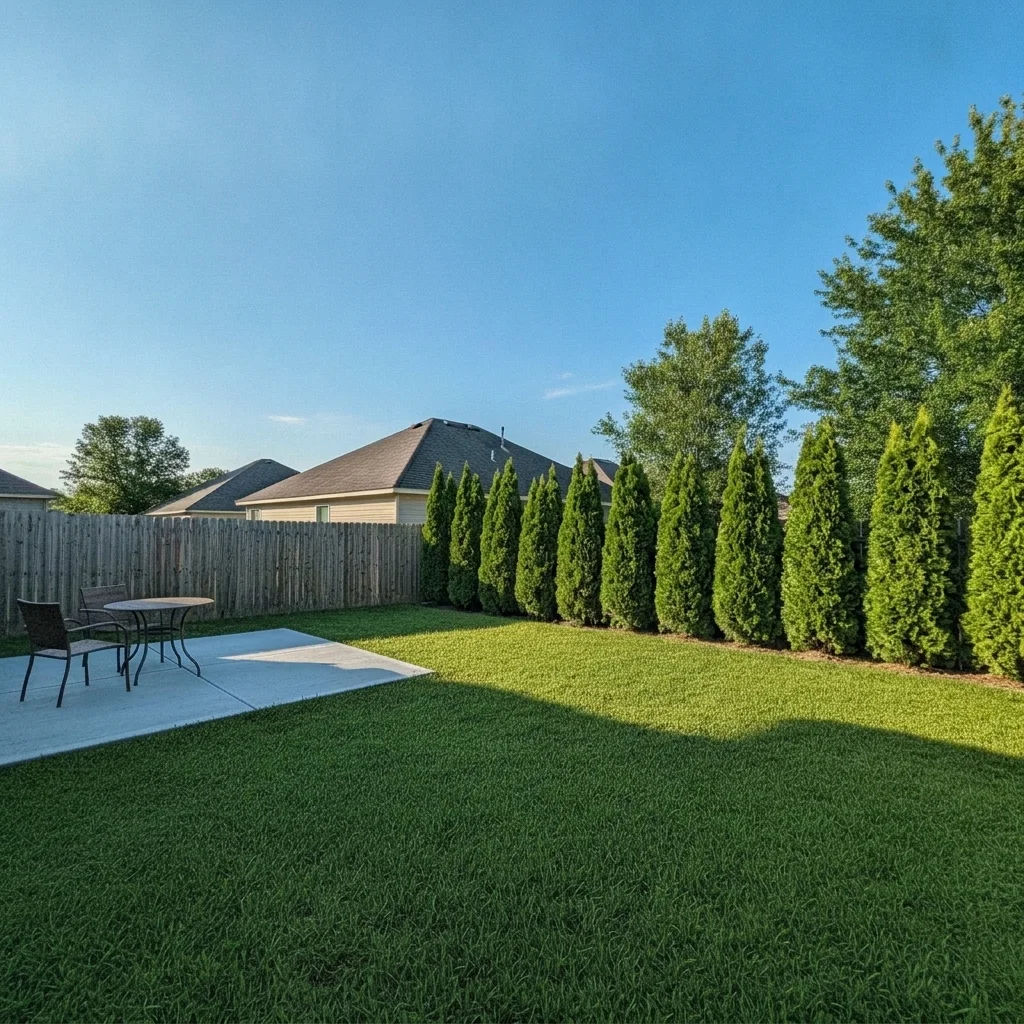
Same yard with a tall green arborvitae row behind the lawn
After

Arborvitae privacy screen — back fence

Open yard with a low wooden fence and a view of the neighbor's patio. The homeowner previewed an arborvitae screen.

Prompt: add a row of tall green arborvitae about 8 feet high along the back fence line, evenly spaced and fairly dense, keep the lawn, patio, and house unchanged
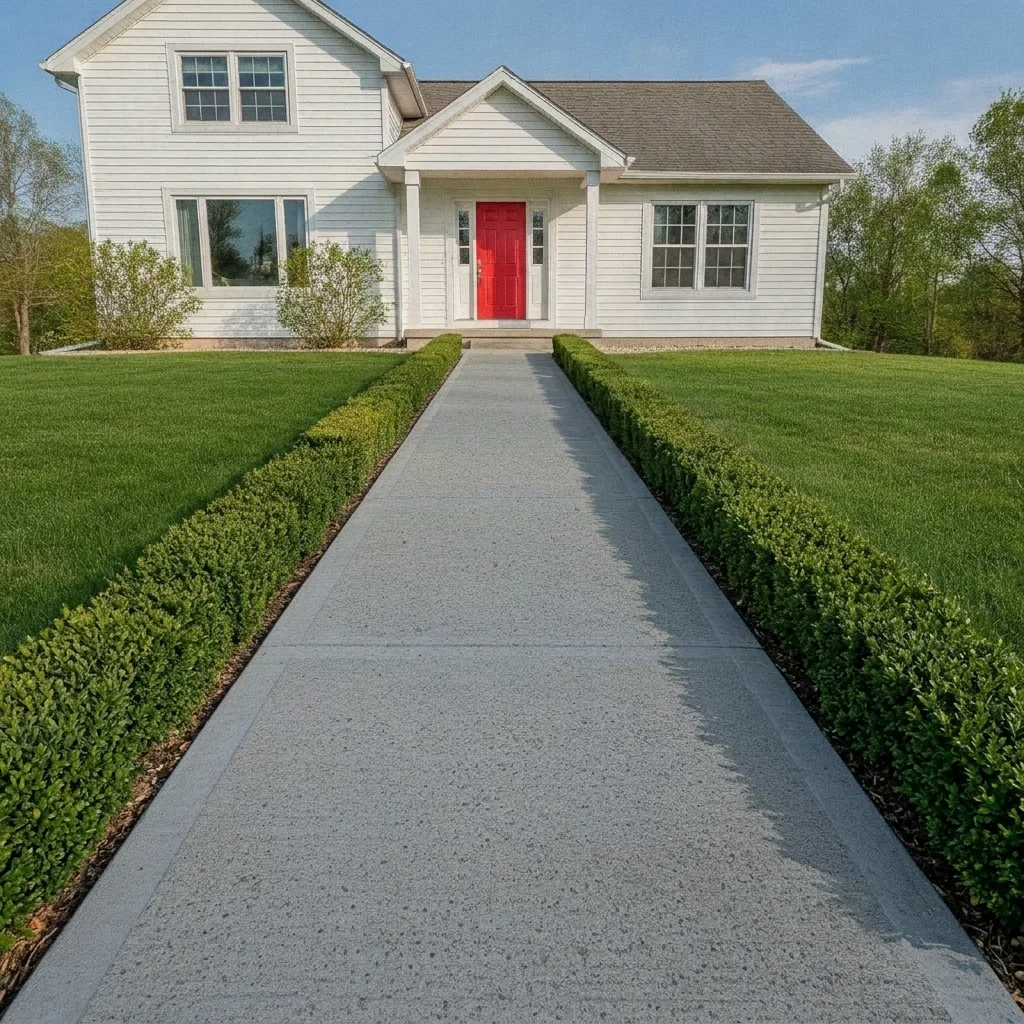
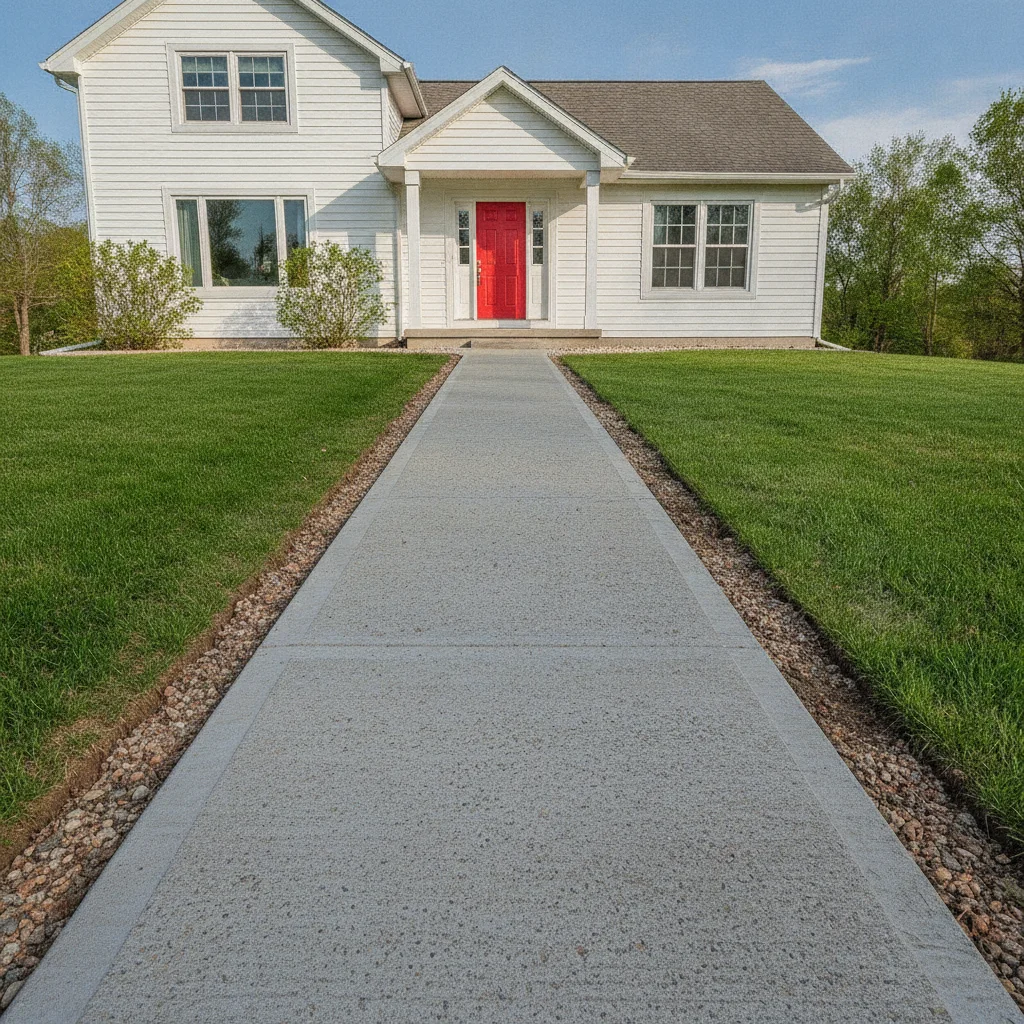
Concrete walkway to a white house with a red door, bare edges
Before
->
Same walkway lined with neat low green boxwood on both sides
After

Boxwood hedge along the front walk

A plain front walkway with bare edges. A landscaper previewed low boxwood to line the path.

Prompt: add a neat low boxwood hedge about 2 feet high along both sides of the front walkway, keep the path, house, and lawn unchanged
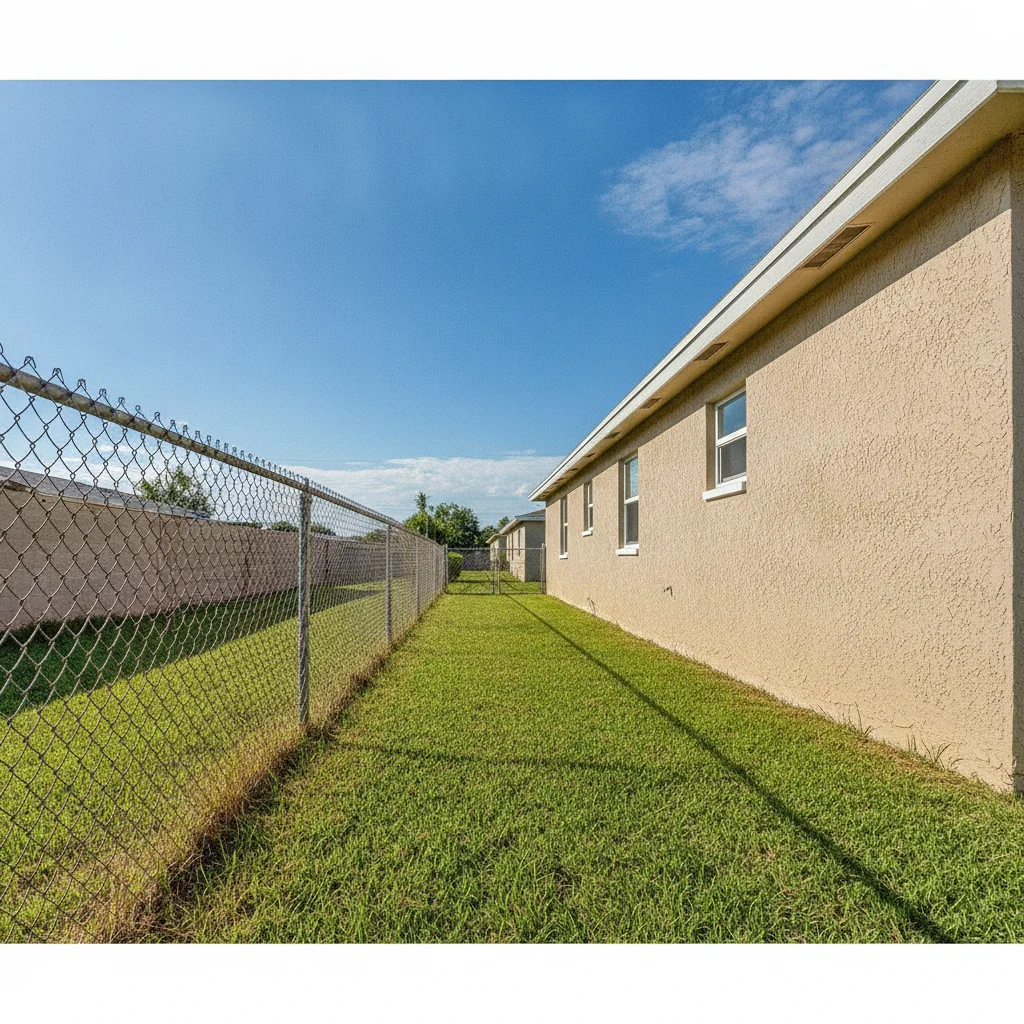
Side yard with a chain-link fence on the left and a tan wall on the right
Before
->
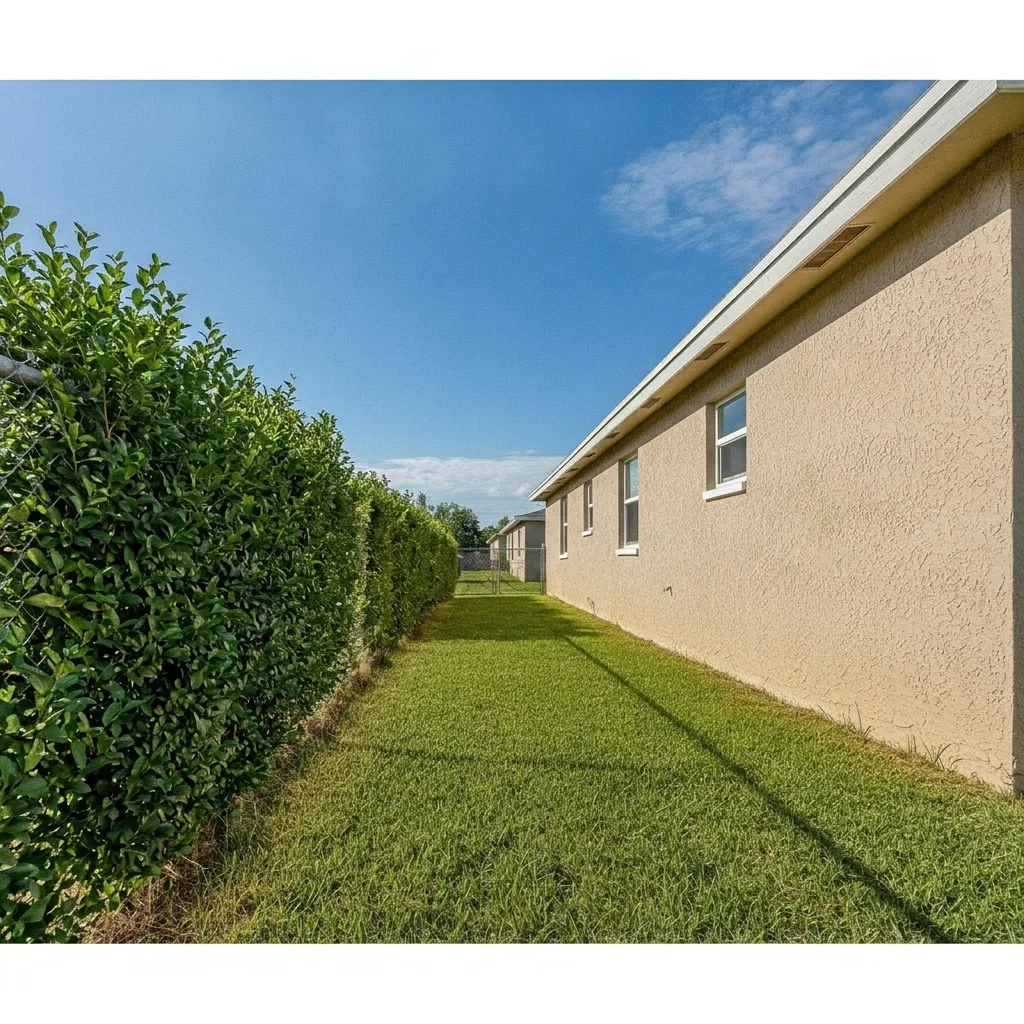
Same side yard with a dense green privet hedge along the left line
After

Privet hedge along the property line

A narrow side yard with open view to the neighbor. Homeowner previewed a dense privet hedge for privacy.

Prompt: add a dense row of evergreen privet hedge about 6 feet high along the left property line, keep the lawn and house unchanged

Quick answers

Do I need to mark where the hedge should go?

No. Describe the plant, height and place, such as 'arborvitae along the back fence'. The AI finds the spot. Use a marker only if it plants in the wrong place or alters the wrong area.

Is there a free hedge visualizer with no signup?

Yes. EditThisPic gives you a free preview edit with no account and no watermark. Upload a yard photo and describe the hedge you want to see.

Can I compare different privacy plants on the same photo?

Yes. Run the same photo with arborvitae, privet, boxwood or holly and compare them side by side. It helps you choose a direction before talking to a nursery.

Will the preview show how fast the hedge grows or how many plants I need?

No. It is a visual mock-up of a mature hedge. It does not give plant counts, spacing, growth rates, or climate suitability, so confirm those with a nursery or landscaper.

Can I preview a hedge instead of a fence?

Yes. Describe removing or hiding the fence and adding the hedge, or keep the fence and plant in front of it. Both are quick previews to show a contractor or neighbor.

How much does EditThisPic cost?

You get 1 free Standard edit per week — no account needed. After that, one-time credit packs start at $4.99 for 10 credits, valid 12 months, no subscription. A Standard edit uses 1 credit, Pro 2 and Ultra 3. Purchased downloads are clean with no watermark.

Ready to preview your hedge?

Free to try. No signup required.

1 free edit included·paid credit packs after