Pricing Visualize Privacy screen · Free

AI Privacy Screen Visualizer

← Browse all creative effects

Last updated

Describe a privacy screen or slatted wall and see it on your own deck, patio or fence photo.
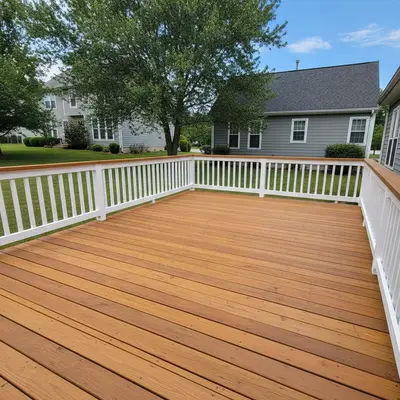
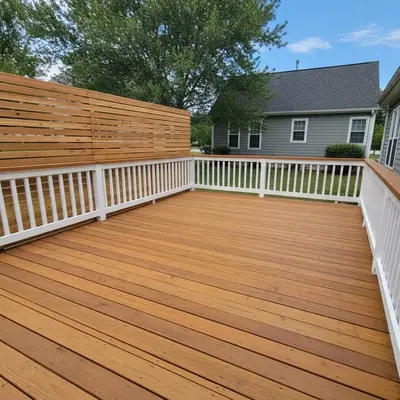
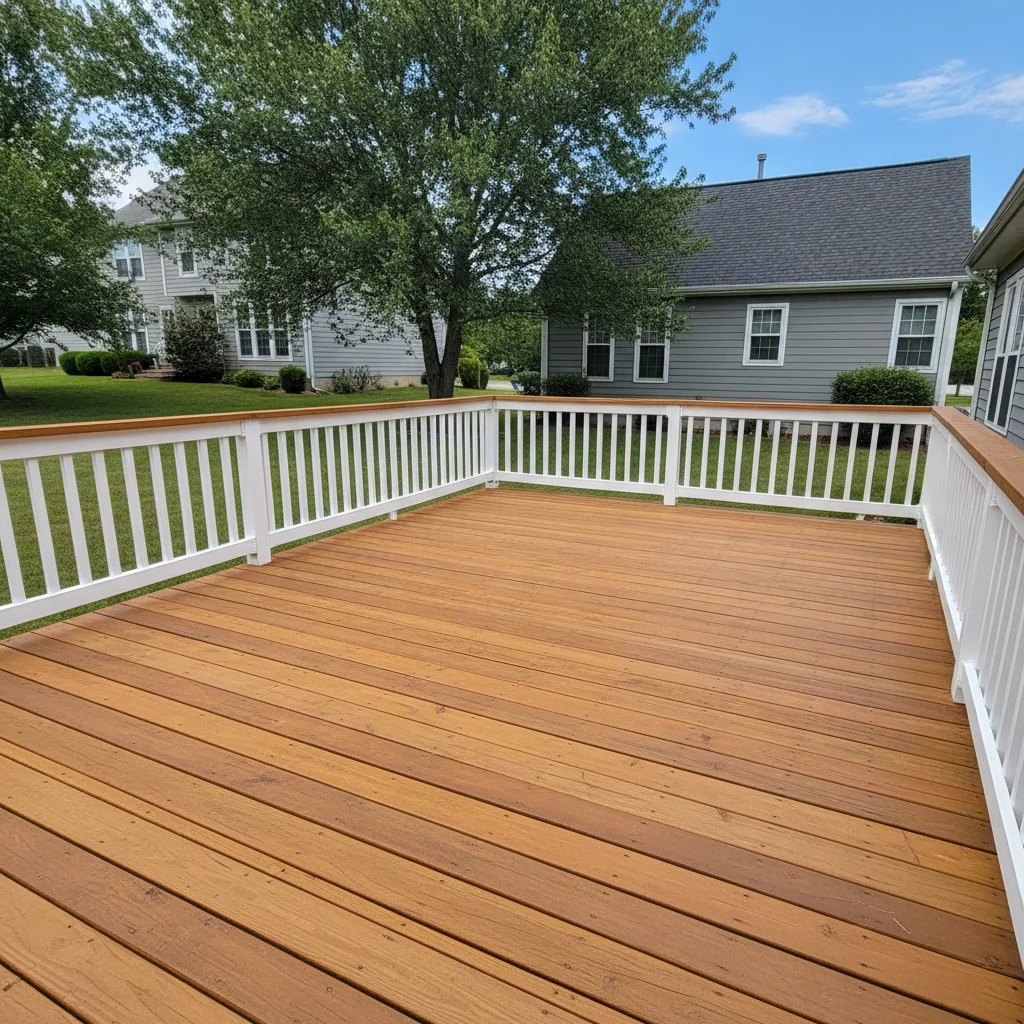
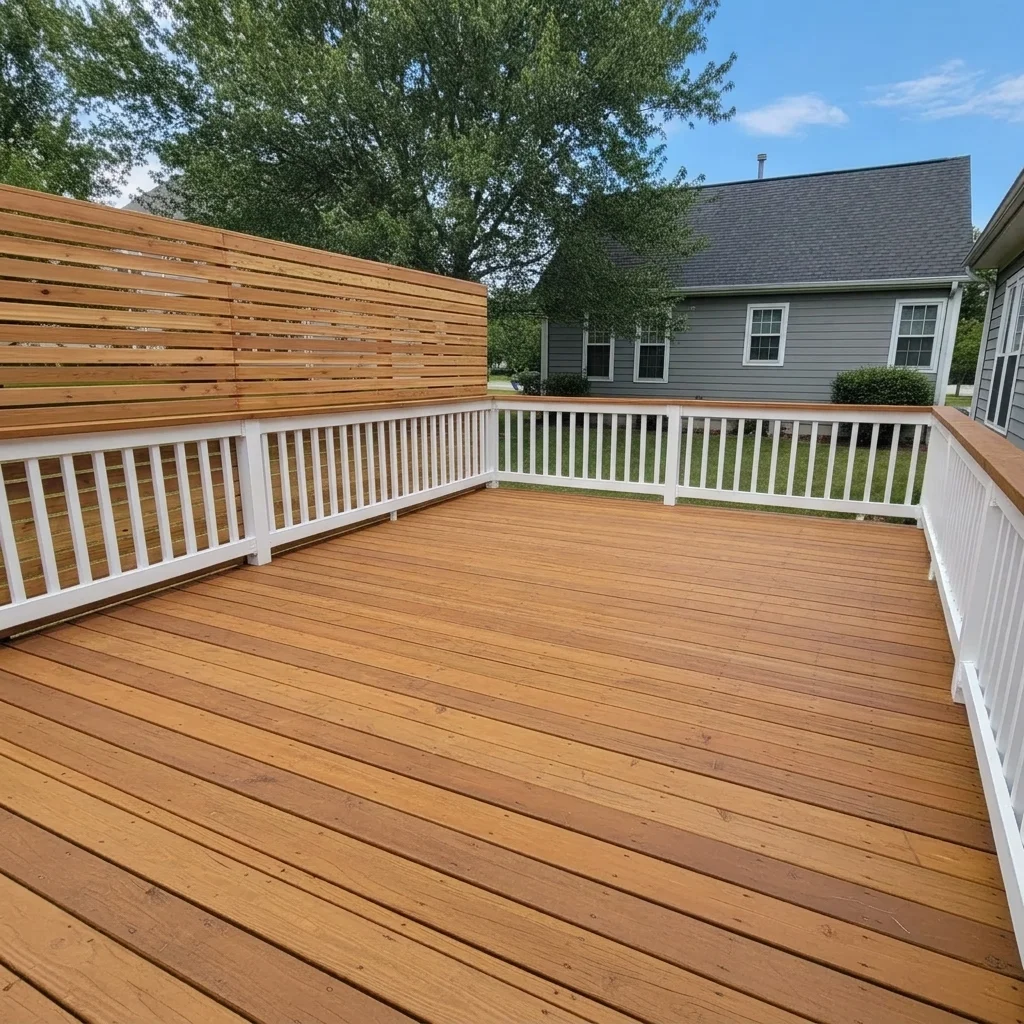
Open deck with a view of the neighbor's house Same deck with a horizontal cedar slat screen along the left side

Upload photo to visualize privacy screen

"add a modern black aluminum vertical slat privacy screen along the back edge of the patio, tight spacing, keep the patio and house unchanged"

Free to try · no sign-up · never used for AI training

Release to upload

<30stypical edit
1 freeedit weekly
Photo on your phone? Scan to open this editor there — free edit works on your phone too.

1 free edit every week·paid packs after

How it works

  1. Upload a photo of the space

    Photograph the deck, patio or fence line from where you usually sit, so the side that needs privacy is visible. Include the railing or fence and some ground for context. Daylight photos work best.

    Expect: A clear side of a deck usually works first time. Cluttered edges may need one refinement.
  2. Describe the screen

    Say the material (cedar slats, black aluminum, composite, bamboo, metal laser-cut panel), the slat direction (horizontal or vertical), the gap (tight or spaced), the height and where it runs. No marking needed.

    Tip: Choose horizontal or vertical slats. Horizontal reads more modern; vertical reads taller and more formal.

    Copy one of these to get started:

    Horizontal cedar slat screen add a horizontal cedar slat privacy screen about six feet tall along the left side of the deck with narrow gaps between slats, keep the deck and railing unchanged
    Black aluminum slat panels add a modern black aluminum vertical slat privacy screen along the back edge of the patio, tight spacing, keep the patio and house unchanged
    Composite privacy wall add a gray composite privacy wall with horizontal boards between square posts along the property line next to the patio, keep the patio unchanged
    Laser-cut metal screen add a laser-cut decorative metal privacy panel with a geometric leaf pattern in dark bronze at the end of the deck, keep the deck unchanged
    3 more prompts
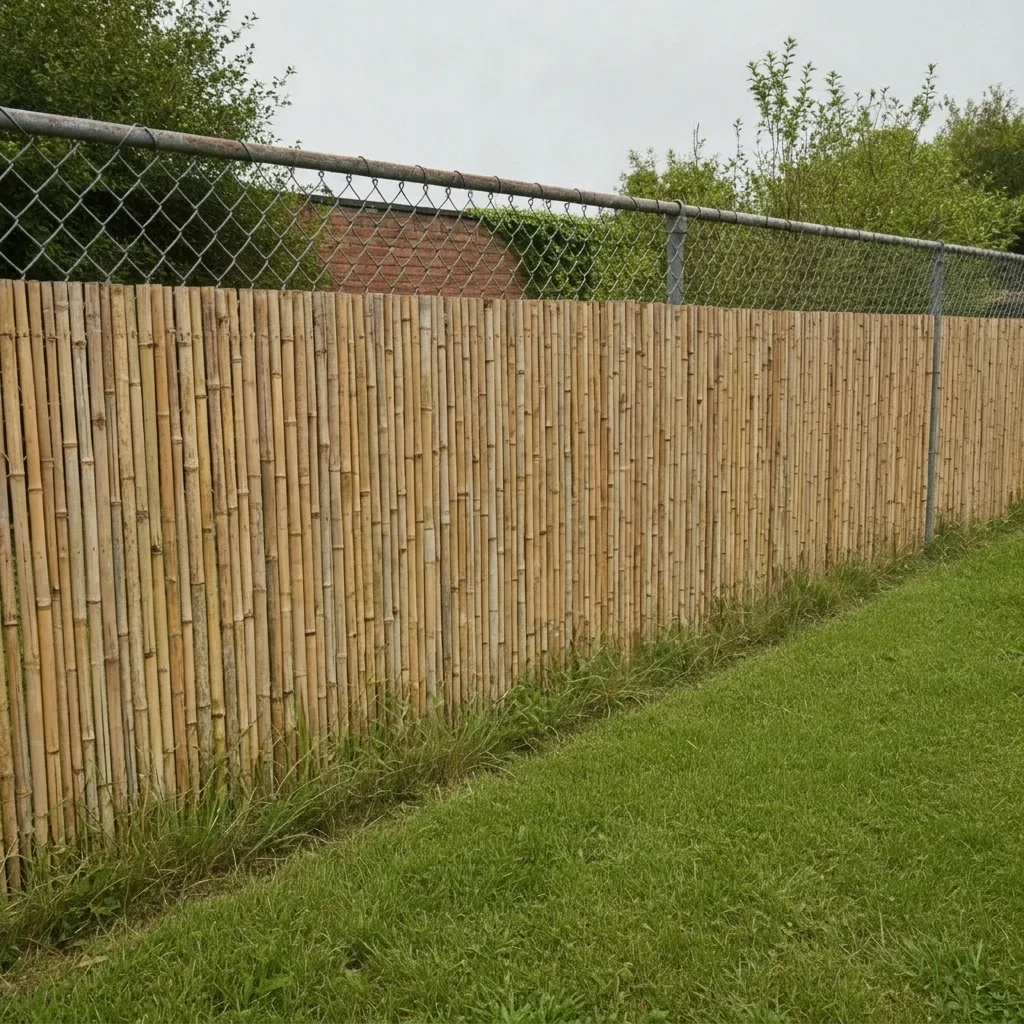
    Bamboo screen on a fence add a natural bamboo privacy screen attached to the existing chain-link fence, full height, keep the lawn and house unchanged
    Screen with planters add a horizontal cedar slat screen with three built-in black planters at the base and green plants growing from them, along the right side of the deck
    Pergola side screen add vertical cedar slats on the left and back sides of the pergola as a privacy screen, keep the pergola roof and patio unchanged
  3. Check height, gaps and edges

    Look at how tall the screen is compared with a seated person, whether the slat gaps look even and whether the screen meets the deck, post or fence cleanly. Heights are visual impressions, and local rules on fence height still apply.

  4. Refine with markers if needed

    Markers are optional. If the screen appears on the wrong side or the AI changes the railing, tap a marker where it should stand and regenerate.

    Tip: A marker at each end of the screen line works well.

See it in action

Open deck with a view of the neighbor's house
Before
->
Same deck with a horizontal cedar slat screen along the left side
After

Cedar slat screen on a deck

A homeowner wanted privacy from a neighbor's upstairs window.

Prompt: add a horizontal cedar slat privacy screen about six feet tall along the left side of the deck with narrow gaps between slats, keep the deck and railing unchanged
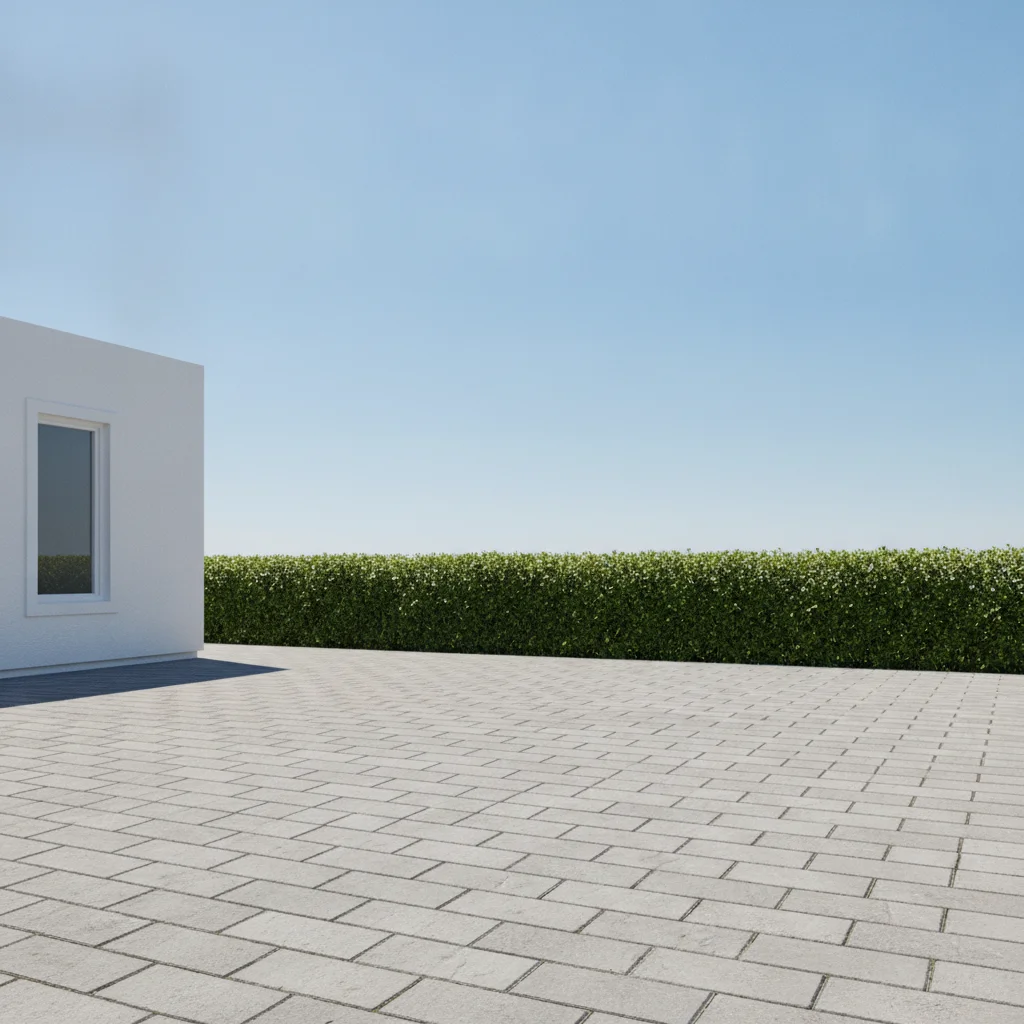
Patio with a low hedge along the back
Before
->
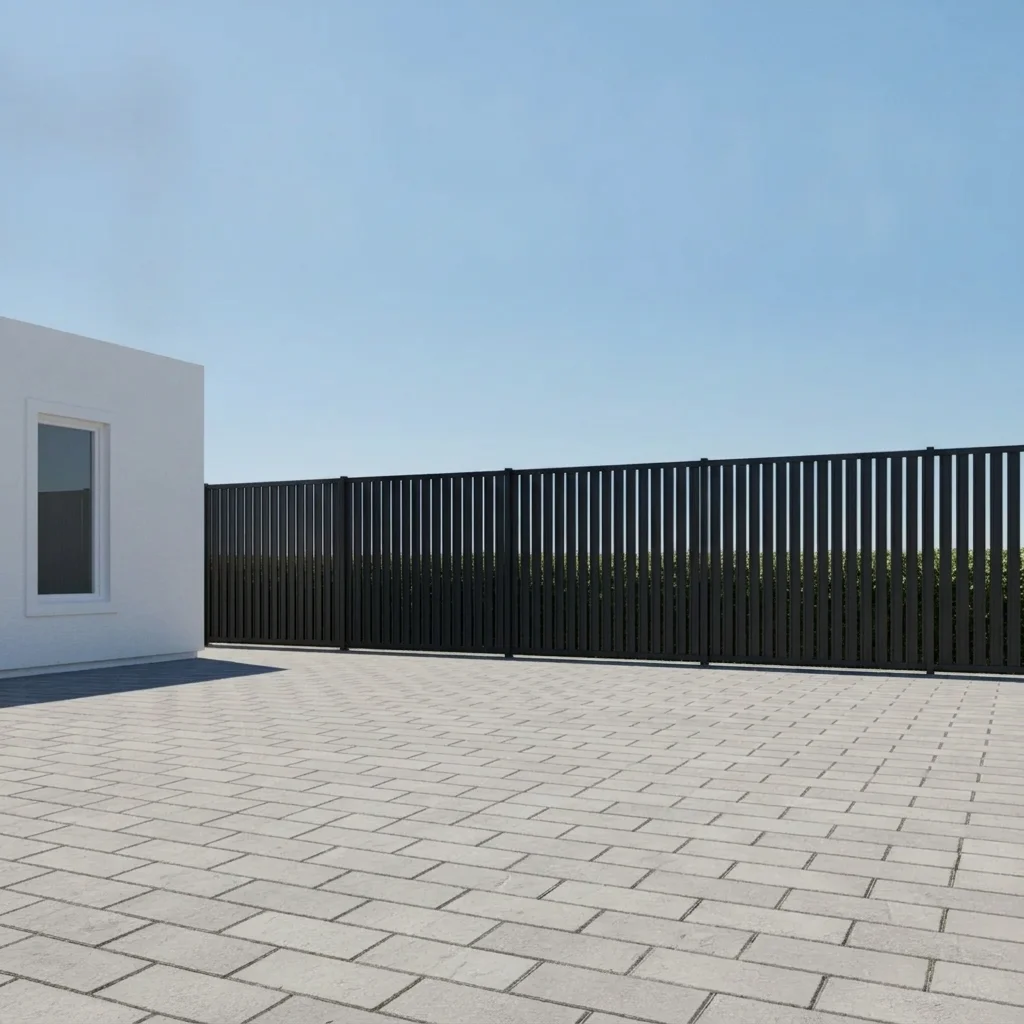
Same patio with a black vertical slat privacy screen
After

Black slat panel on a patio

A couple wanted a modern backdrop on a bare patio edge.

Prompt: add a modern black aluminum vertical slat privacy screen along the back edge of the patio, tight spacing, keep the patio and house unchanged
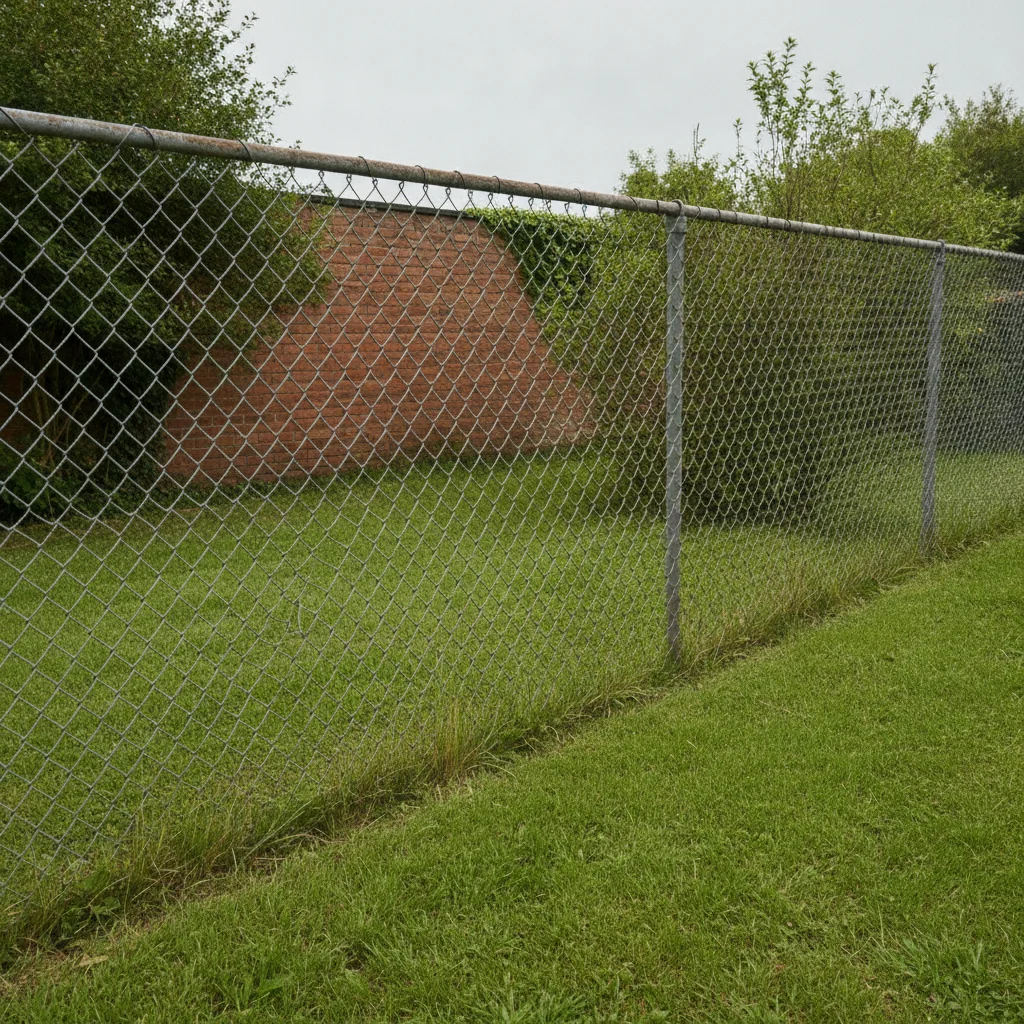
Chain-link fence at the back of a lawn
Before
->
Same fence covered with a natural bamboo screen
After

Bamboo screen on a chain-link fence

A budget-conscious owner wanted to cover a see-through fence.

Prompt: add a natural bamboo privacy screen attached to the existing chain-link fence, full height, keep the lawn and house unchanged

Quick answers

Do I need to mark where the screen goes?

No. Describe the screen and where it should stand, such as 'along the left side of the deck'. Markers are optional and help only if the AI picks the wrong edge.

Is there a free privacy screen visualizer with no login?

Yes. EditThisPic gives you a free preview edit with no signup and no watermark. Upload your photo, describe the screen and see the result in your browser.

Can it check local fence or screen height rules?

No. It only shows how a screen might look. Height limits, setbacks and approvals vary, so check with your local authority or HOA.

Can I compare slat styles and materials?

Yes. Keep the same photo and change one thing per run, such as cedar versus black aluminum or horizontal versus vertical slats, then compare them.

Does it work on a balcony or a front yard fence?

It can work on many outdoor spaces. Photograph the area clearly, describe the screen and where it goes, and use a marker if the AI picks the wrong spot.

How much does EditThisPic cost?

You get 1 free Standard edit per week — no account needed. After that, one-time credit packs start at $4.99 for 10 credits, valid 12 months, no subscription. A Standard edit uses 1 credit, Pro 2 and Ultra 3. Purchased downloads are clean with no watermark.

Ready to see a privacy screen on your deck?

Free to try. No signup required.

1 free edit included·paid credit packs after