Fix Photo with AI
← Browse all fix & repair toolsLast updated
AI photo fixing means describing the problem in plain language and letting the model identify and correct it — no adjustment sliders, no selection tools, no Photoshop. Works on blur, noise, bad exposure, color casts, and visible damage. Free, no account needed.
Upload photo to fix photo
"Balance the exposure — the sky is overexposed and the foreground is too dark, recover both"
Free to try · no sign-up · never used for AI training
Release to upload
How it works
See it in action
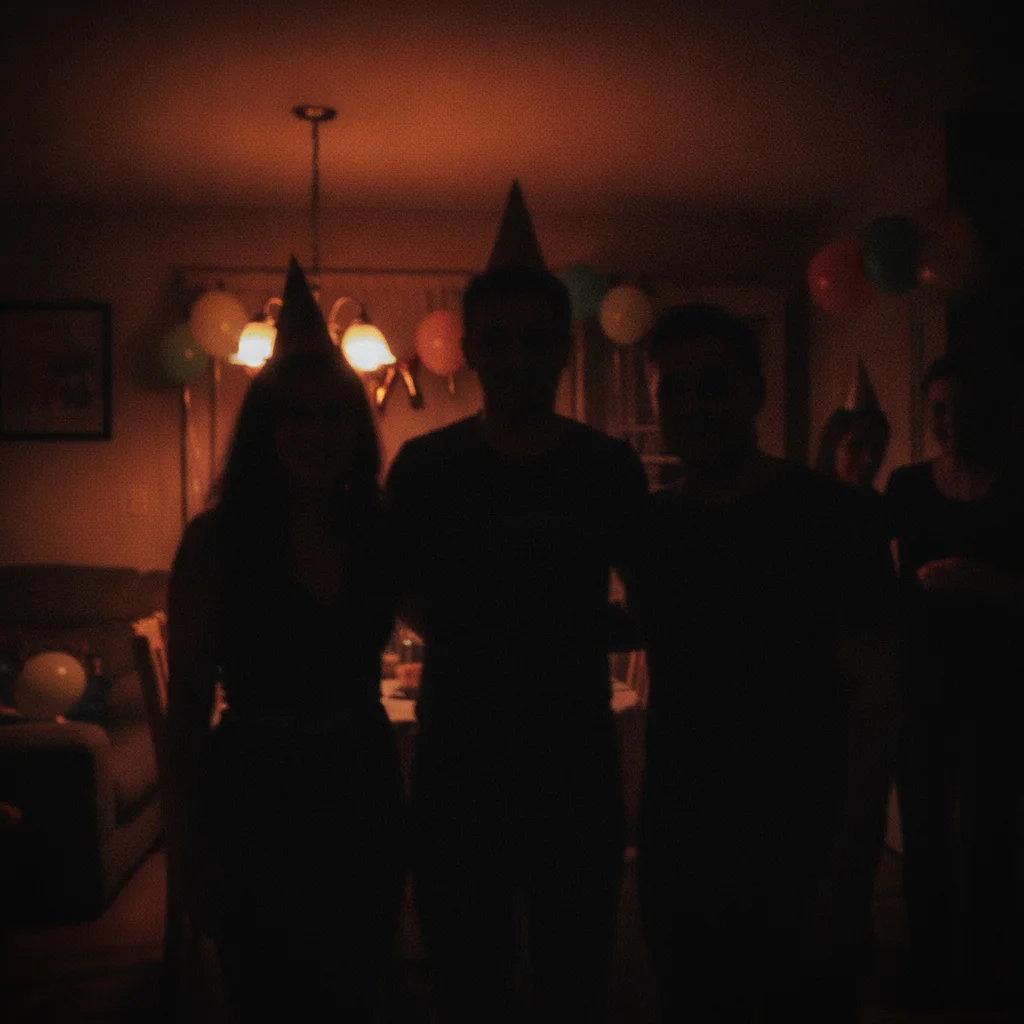
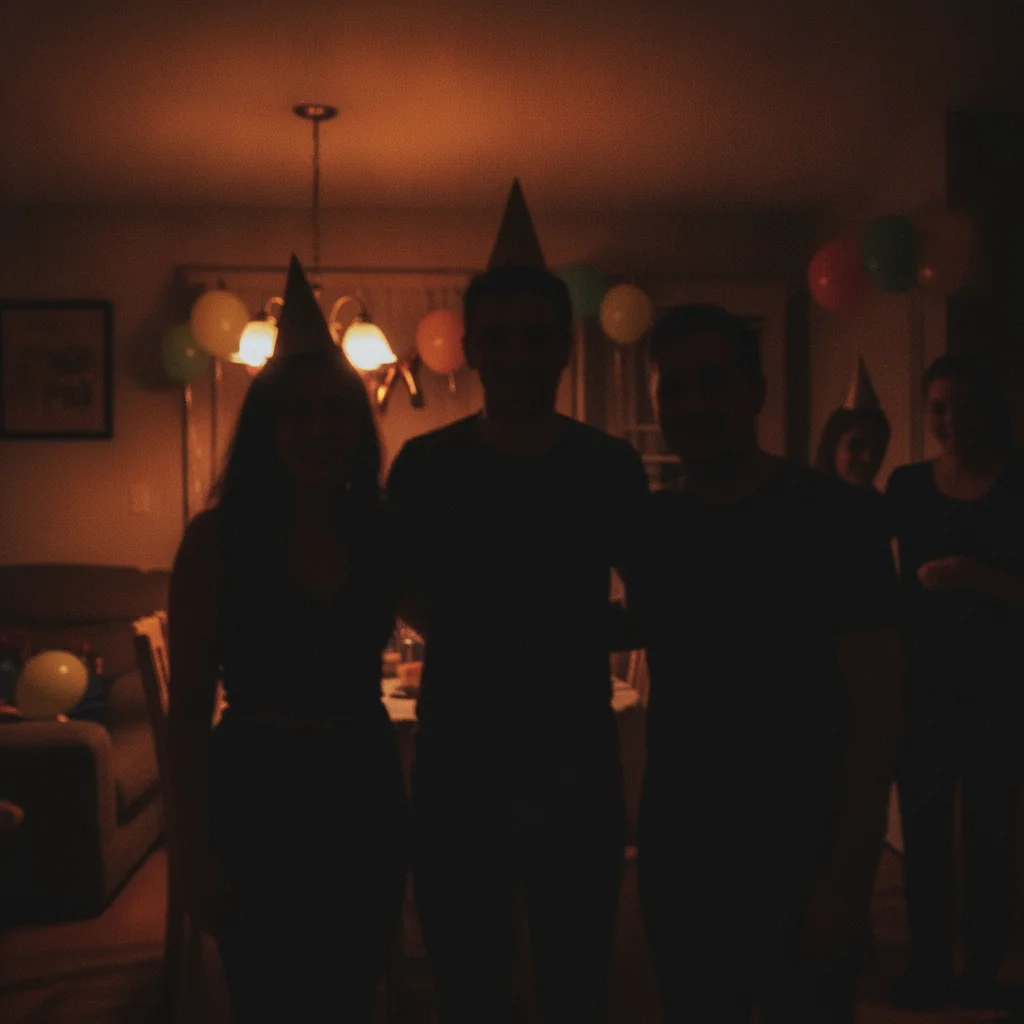
Indoor blur and underexposure fixed
A birthday photo taken indoors with a phone — blurry subject and dark shadows. AI sharpened the subject and balanced the exposure.
Fix the blur and brighten the image — this was taken indoors without enough light and the subject is soft
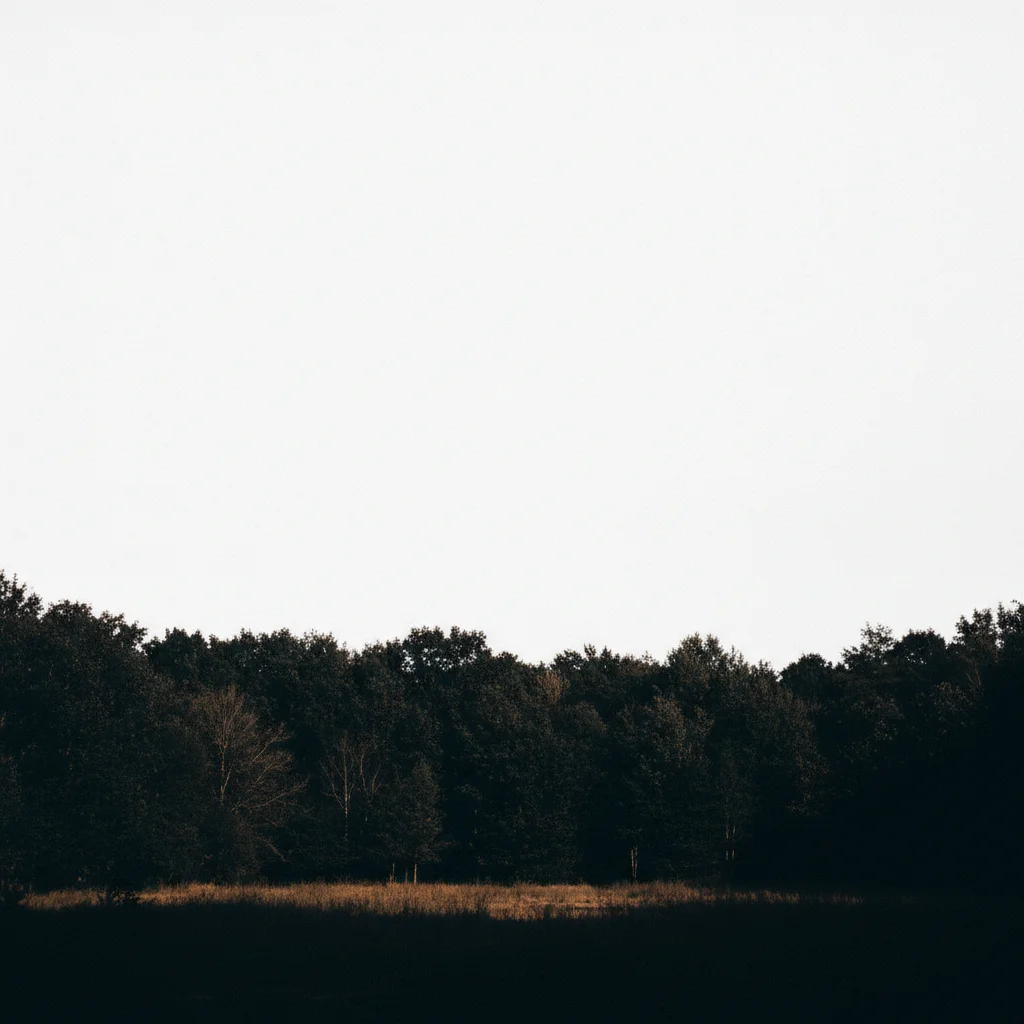
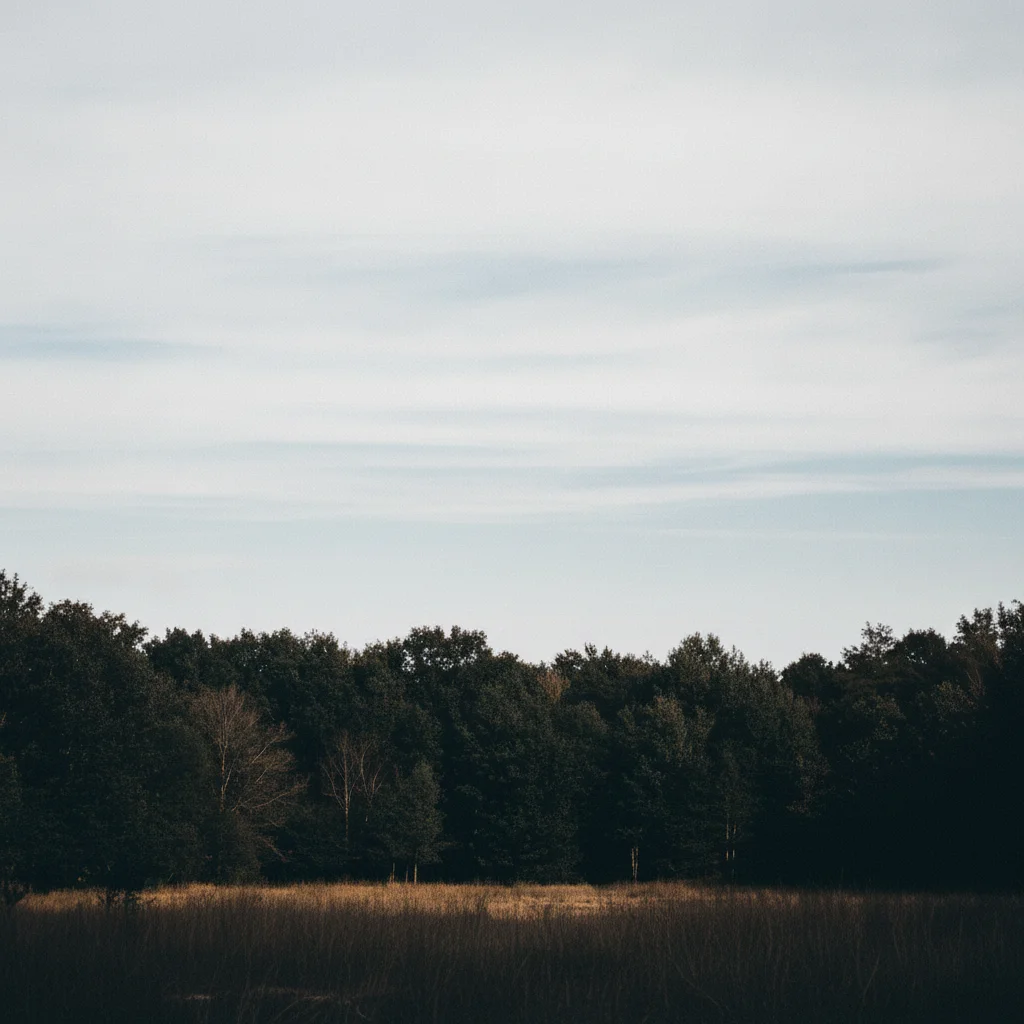
Blown sky and dark foreground balanced
A landscape shot with a completely white sky and underexposed foreground — AI recovered highlight and shadow detail simultaneously.
Balance the exposure — the sky is overexposed and the foreground is too dark, recover both
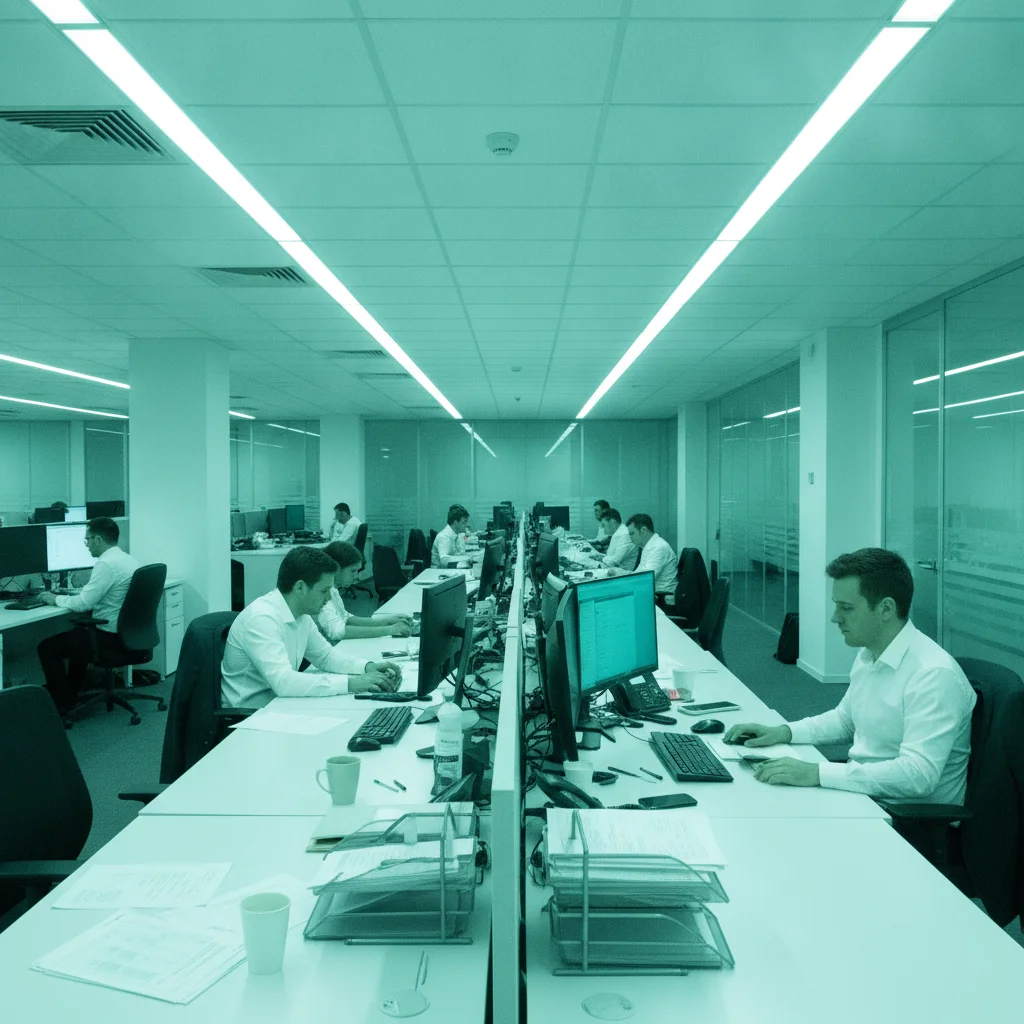
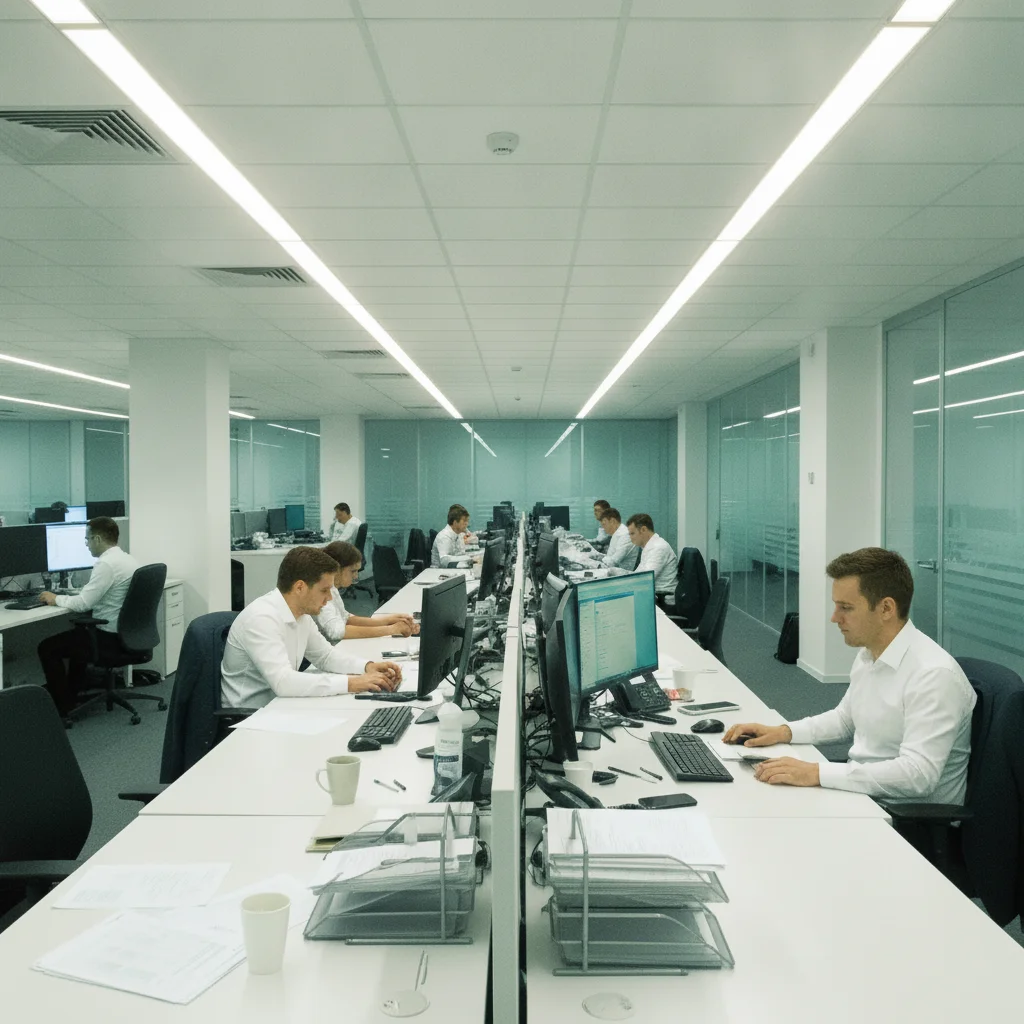
Fluorescent color cast removed
An office photo under fluorescent lighting with a strong green-blue cast — AI corrected white balance to natural tones.
Correct the green-blue color cast from the fluorescent lighting and restore natural colors
Quick answers
Ready to fix your photo with AI?
Free to try. No signup required.