Free β€’ No signup Fix Photo for board election Β· Free

Fix Photo for Board Election

Running for the board. Your photo needs to win trust and votes.

Formal corporate executive photo with serious demeanor
Before
β†’
Approachable board candidate photo with friendly trustworthy appearance
After

Fix Photo for Board Election

Upload photo to fix photo for board election

Free β€’ Results in 30 seconds β€’ No signup

Release to upload

FreeNo signupNo watermark
Popular use cases:
  • board election photo
  • HOA board photo
  • condo board photo
  • nonprofit board photo
  • board candidate photo
  • campaign photo
  • ballot photo
  • community board photo

Cost
Free No signup required
Time
Instant results in 15-30 seconds
Works on
Any device - browser, phone, tablet, desktop
Powered by
AI-powered photo editing
Scenario Prompt Time
Trustworthy leader trustworthy community leader, relatable 30s
Corporate adjustment less corporate, approachable neighbor 30s
Nonprofit candidate dedicated advocate, passionate leader 30s
HOA candidate responsible owner, neighborly leader 30s

How it works

  1. Upload your photo

    Drop a photo where you look trustworthy and approachable. Board election photos appear on ballots, campaign flyers, and community materials - neighbors vote for people they trust and relate to. Avoid overly corporate or stiff poses.

    Expect: Background replacement: 25-30 seconds. Enhancement for community trustworthiness: may need one refinement.
  2. Describe board candidate appearance

    Type what board campaigns need: 'replace background with clean neutral backdrop, trustworthy community leader, approachable and credible' or 'enhance for board election, responsible neighbor and capable leader.' Board elections need both competence and relatability. No marking required.

    Tip: Balance credibility with approachability: 'capable leader yet relatable neighbor, trustworthy community member'

    Copy one of these to get started:

    Trustworthy community leader replace background with neutral backdrop, enhance for board election trustworthiness, capable leader and relatable neighbor
    Approachable responsible candidate enhance for approachable board candidate appearance, responsible and friendly community member, professional yet warm
    Corporate to community candidate adjust corporate photo for board election, more approachable and relatable, trustworthy neighbor not executive
    Clean campaign photo replace with clean neutral background, professional board candidate appearance, trustworthy and community-focused
    3 more prompts
    Casual to campaign-worthy replace casual background with professional setting, enhance for board election credibility, capable yet approachable
    Nonprofit board candidate enhance for nonprofit board election, dedicated community advocate, professional and passionate
    HOA/Condo board candidate enhance for HOA board election, responsible property owner, neighborly and sensible leader
  3. Review for trustworthiness and relatability

    Check that you look like someone neighbors would trust to make good decisions. Background should be clean and not distract. Expression should convey both competence and friendliness. The photo should make voters feel comfortable choosing you.

  4. Refine with markers if needed

    If edges need cleanup or the balance isn't quite right between professional and approachable, tap markers on specific areas and regenerate. Most board election photos work without markers - they're optional for precision.

    Tip: Test how the photo looks on a printed ballot or flyer - that's how voters will see it.
Try it free ↓

Fix Photo for Board Election

Upload photo to fix photo for board election

Free β€’ Results in 30 seconds β€’ No signup

Release to upload

Free β€’ No signup

"Running for HOA board and the ballot needed a photo. My LinkedIn was too corporate - neighbors want someone relatable, not a CEO. Softened it to look more approachable while keeping professional credibility. Won the election." @BoardMember

See it in action

Formal corporate executive photo with serious demeanor
Before
->
Approachable board candidate photo with friendly trustworthy appearance
After

Corporate LinkedIn to neighborhood board candidate

Running for condo board election. LinkedIn photo was too corporate and formal - neighbors want someone approachable, not an executive. Softened it while keeping credibility.

Prompt: adjust corporate photo for board election, more approachable and relatable, trustworthy neighbor and capable community leader
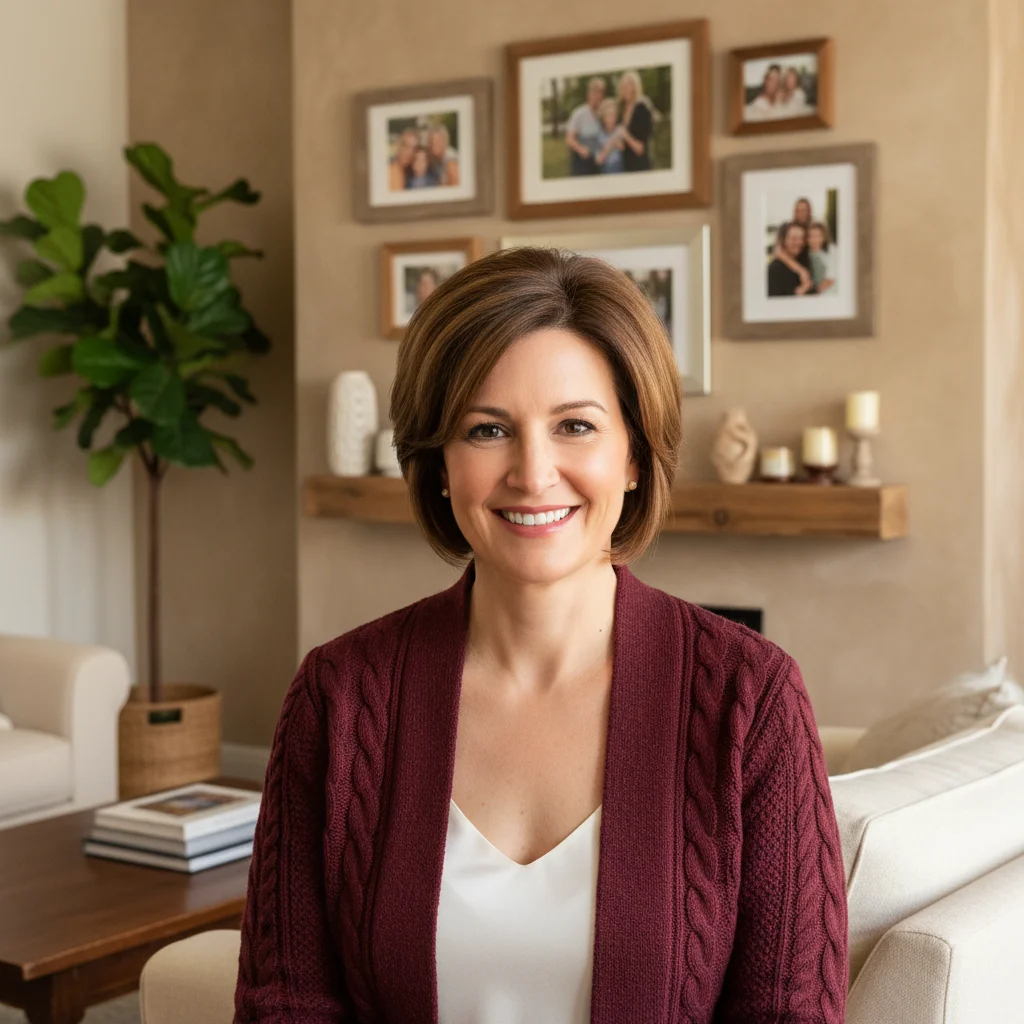
Woman in home setting with family photos and residential background visible
Before
->
Professional board candidate photo with clean backdrop for nonprofit campaign
After

Casual home photo to nonprofit board campaign

Running for nonprofit board. Only professional-looking photo was taken at home with visible residential background. Needed clean backdrop for campaign materials and ballot.

Prompt: replace home background with clean professional backdrop, enhance for nonprofit board election, dedicated community advocate and capable leader

Detailed Guides by Scenario

πŸ“·

Photo Rescue & Restoration

Revive old, damaged, or poorly-shot photos with AI photo for board election β€” bring new life to images you thought were unsalvageable.

Common Scenarios

  • Applying photo for board election to old family photos that have degraded over time
  • Fixing a once-in-a-lifetime shot (wedding, graduation) that suffers from poor quality
  • Using photo for board election on scanned prints to get crisp digital versions

Best Practices

  • Scan old photos at the highest DPI your scanner supports before uploading for best results
  • Describe the specific issue β€” 'this photo is too dark and blurry' gives better photo for board election than a generic prompt
  • For severely damaged photos, work in stages: fix the biggest issue first, then refine
πŸ“·

Professional & Business Use

Ensure photos for websites, presentations, and marketing meet professional standards with photo for board election.

Common Scenarios

  • Using photo for board election on employee photos for a company website that need to look polished
  • Applying photo for board election to event photos before sharing in a client presentation
  • Improving product images with photo for board election for an online store or catalog

Best Practices

  • Process all images in a batch with the same enhancement settings for visual consistency
  • For web use, balance enhancement quality with file size β€” overly large images slow page loads
  • Always compare before and after to make sure photo for board election looks natural, not over-processed
πŸ“·

Social Media & Personal Sharing

Make your personal photos look their best before sharing with friends, family, or followers using photo for board election.

Common Scenarios

  • Quickly applying photo for board election to vacation photos before posting on social media
  • Using photo for board election on a selfie that has great composition but poor lighting
  • Batch-fixing a phone gallery of photos with photo for board election before creating an album to share

Best Practices

  • Start with the photo you'd most like to share β€” fix that one first and use the same approach on the rest
  • For selfies, subtle enhancement always beats heavy processing β€” keep it natural
  • If the photo was shot in low light, mention it in the prompt so the AI tailors photo for board election accordingly

If something looks off

Looks too corporate or formal for community board

Why: Board elections are community-focused - overly corporate appearance can seem disconnected from neighbors.

Try: adjust for community board election, less corporate more approachable, trustworthy neighbor not executive

Tip: Voters want 'neighbor who happens to be capable' not 'executive who happens to live here.'

Too casual or not credible enough for leadership role

Why: The photo doesn't convey the competence needed to trust someone with important decisions.

Try: enhance for board leadership credibility, responsible and capable while maintaining approachability

Tip: Boards make real decisions - you need to look capable of handling responsibility.

Doesn't look trustworthy or relatable to community

Why: The overall vibe isn't hitting the 'neighbor you trust' feeling voters need.

Try: enhance for community trustworthiness, relatable neighbor and capable leader, warm professional credibility

Tip: Use 'neighbor,' 'community,' and 'trustworthy' explicitly to guide the tone.

Background looks inappropriate for ballot photo

Why: Background choice doesn't match the formal-yet-friendly tone campaign materials need.

Try: replace with clean neutral backdrop appropriate for community election materials, professional not corporate

Tip: Neutral backgrounds (light gray, soft beige) work well for printed ballots and flyers.

AI changed the wrong area or something unexpected

Why: The AI couldn't determine exactly which area you meant from description alone.

Try: Tap a marker on the specific area you want changed, then regenerate with the same prompt

Tip: Markers tell the AI 'I mean THIS one specifically.' Use them when description alone is ambiguous.

Lost personality or warmth after professional enhancement

Why: Too much professional polish stripped away the approachable quality voters want.

Try: professional credibility while maintaining warm approachable personality, capable yet friendly neighbor

Tip: Board elections are personal - maintain warmth while demonstrating competence.

Quick answers

Do I need to mark areas before describing changes for board election photos?

No! Just describe what board campaigns need: 'replace background with neutral backdrop' or 'enhance for trustworthy community leader appearance.' The AI understands board election and community contexts without marking. Only use markers if edges need refinement.

How do I fix a photo for board election quickly?

Upload your most professional photo and describe what voters want: 'replace background with clean backdrop, trustworthy community leader, approachable yet capable.' Most board election photos are ready in 25-30 seconds. Balance competence (can handle responsibility) with approachability (someone you'd talk to).

What makes a good board election photo?

Trustworthy and approachable. Clean neutral background. Friendly but confident expression. Should look like a capable neighbor voters would trust with decisions. Not too corporate (intimidating) or too casual (not credible). Balance is key - competent community leader, not distant executive or overly friendly but incapable.

Should HOA/condo board photos look different from nonprofit board photos?

Slightly. HOA/condo boards emphasize practical, sensible, neighborly qualities - voters want reasonable people who'll maintain property values. Nonprofit boards emphasize passion, dedication, and community commitment alongside competence. Both need trustworthiness and approachability.

Can I use my LinkedIn photo for a board election?

LinkedIn photos can work but often need adjustment. They're typically more corporate than board elections require. Soften the formality, add warmth and approachability. Voters are choosing a neighbor to represent them, not hiring an executive.

Is EditThisPic's AI photo for board election fixer really free?

Yes β€” you get 1 free edit per week, no account needed. For unlimited edits, plans start at $3.99/month.

What photo formats does the AI photo for board election fixer support?

JPG, PNG, WebP, and HEIC. Upload any common photo format and EditThisPic handles the rest.

How long does it take to fix photo for board election?

Usually 15-30 seconds. Upload your photo, describe what you want, and the AI delivers the result.

Ready to fix your board election photo?

Free to try. No signup required.