AI Photo Editor for Book Cover Photos
Last updated
Professional book cover photos without hiring a photographer or buying expensive stock.
Drop your photo here
"replace background with dramatic dark gradient fading to black, add subtle moody side lighting, intense atmosphere"
Release to upload


Built for Self-Published Authors and Book Cover Designers
Your book cover is what sells your book. Readers judge within seconds. Professional stock photos and designers cost hundreds of dollars per book. EditThisPic lets you transform your own photos into book-cover-ready images that match your genre and mood. Create thriller-dark atmospheres, romance-soft glows, or clean non-fiction looks without design skills.
Tools for Book Cover Photos
Replace Background
Swap casual backgrounds for dramatic, genre-appropriate settings
Change Sky
Create dramatic skies for fantasy, romance, or thriller covers
Enhance Lighting
Add professional studio lighting to author portraits
Blur Background
Create depth and focus for object or portrait photos
Enhance Colors
Match color mood to genre - dark for thrillers, warm for romance
How to AI Photo Editor for Book Cover Photos
-
Choose or take your cover photo
Select a photo that fits your book's theme. For author portraits, any decent headshot works - we'll fix the background. For scene photos, capture the key elements even if the setting isn't perfect. Objects, landscapes, or portraits all work.
Background replacement: 25-30 seconds. Color/mood enhancement: 15-20 seconds.Take photos in good lighting. Even a smartphone photo in natural light can become a professional book cover image. -
Describe your genre mood
Upload your photo and describe the atmosphere: 'replace background with dark moody gradient for thriller' or 'enhance with warm golden light for romance novel.' Match the visual mood to your genre - dark and dramatic for thrillers, soft and warm for romance, clean and professional for non-fiction.
Study bestsellers in your genre. Notice their colors, lighting, and backgrounds. Describe those in your prompt. -
Review for cover composition
Check that there's space for your title and author name. Book covers need text areas - usually top and bottom. Ensure the mood matches your genre expectations. Verify colors will work with your planned typography.
-
Fine-tune and download high-res
If edges need cleanup or mood needs adjustment, add markers on specific areas. Download at highest resolution for print covers. Consider creating variations - one for ebook, one for paperback, one for audiobook.
Amazon KDP recommends 2560 x 1600 pixels for Kindle covers. Ensure your final image is high enough resolution.
Copy-Paste Prompts for Book Cover Photos
replace background with dramatic dark gradient fading to black, add subtle moody side lighting, intense atmosphere
Dark gradients and dramatic lighting signal thriller genre instantly to readers
replace background with soft warm bokeh lights, enhance with golden hour glow, romantic dreamy atmosphere
Warm tones and soft lighting match romance reader expectations
enhance sky with dramatic purple and orange nebula colors, add mystical atmosphere, increase contrast
Bold, otherworldly colors immediately communicate fantasy or sci-fi genre
replace background with clean gradient from light gray to white, professional studio lighting, authoritative feel
Clean, professional backgrounds build credibility for non-fiction authors
Show 4 more prompts
replace background with deep black with subtle fog, desaturate colors, add cold blue tint, ominous mood
Desaturated, cold colors with fog create instant horror atmosphere
enhance with sepia tones, add vintage film grain texture, warm nostalgic lighting, aged photograph look
Sepia and grain instantly signal historical content to readers
replace background with smooth dark gradient, enhance face with soft professional lighting, clean polished look
Audiobook platforms display small thumbnails - clean backgrounds and clear faces work best
enhance colors to be bright and vibrant, replace background with cheerful soft blue gradient, friendly warm lighting
Bright, saturated colors and friendly lighting appeal to children's book audiences
| Edit Type | Prompt | Time | |
|---|---|---|---|
| Thriller portrait | dark gradient background, moody side lighting |
25s | Try This → |
| Romance portrait | warm bokeh lights, golden hour glow |
25s | Try This → |
| Fantasy landscape | dramatic purple sunset, epic atmosphere |
20s | Try This → |
| Non-fiction clean | clean gray to white gradient, professional |
20s | Try This → |
Real Examples
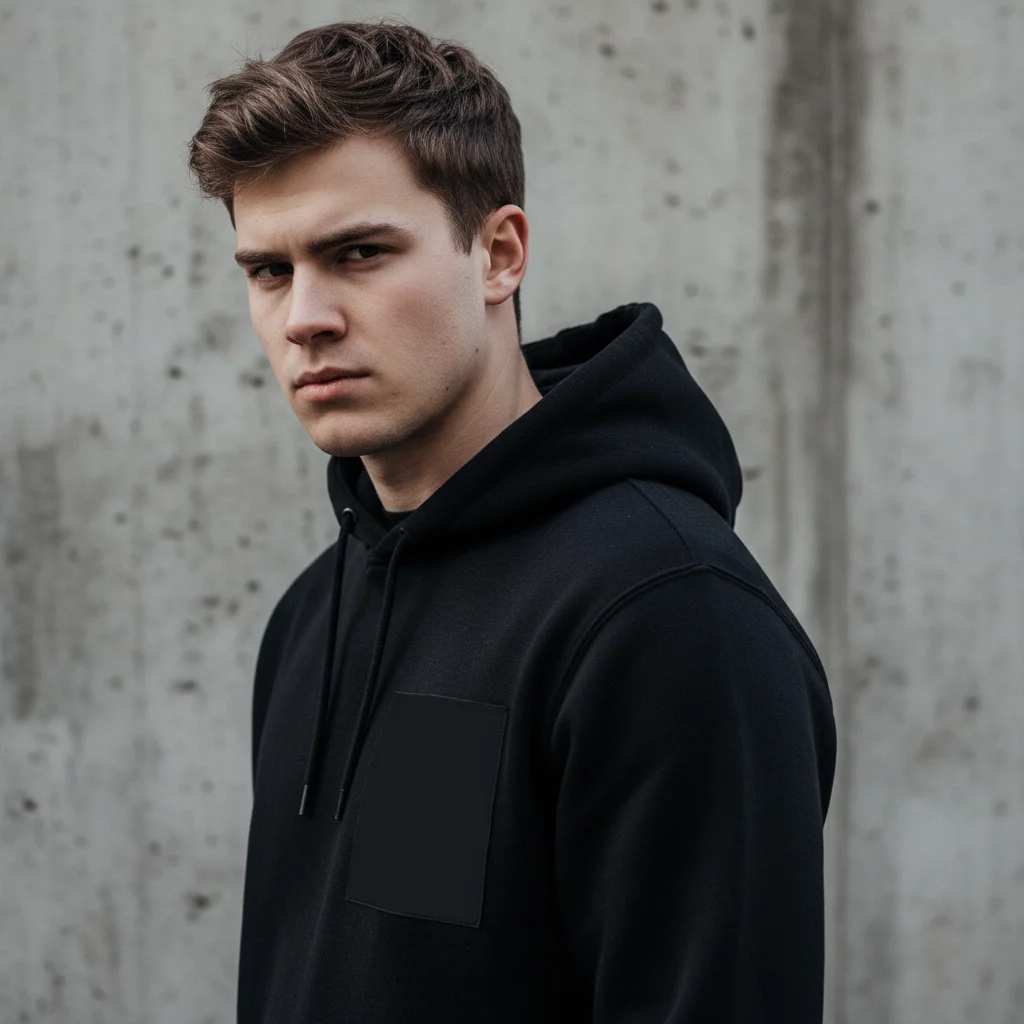
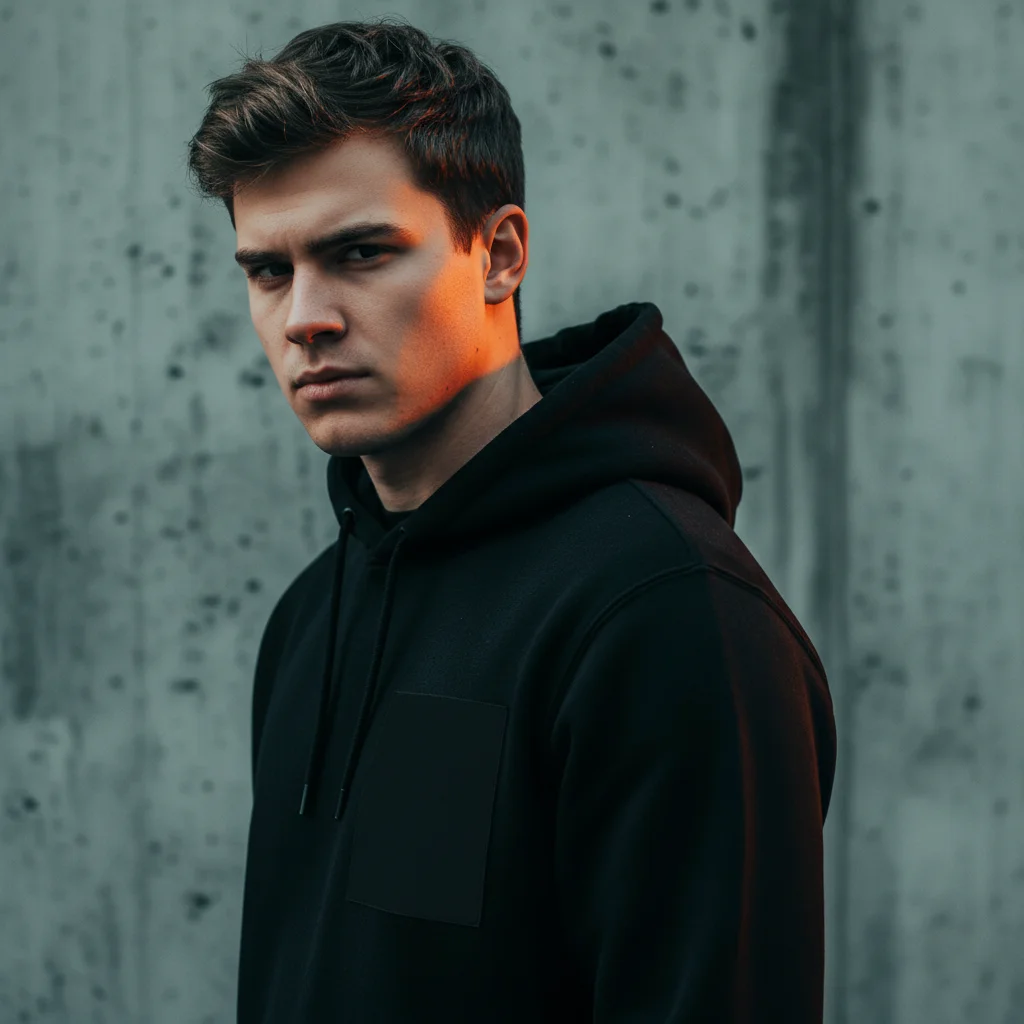
Thriller author portrait transformation
Home office photo transformed into a dramatic thriller-ready author portrait with moody lighting.
replace background with dramatic dark gradient fading to black, add moody side lighting for thriller author look
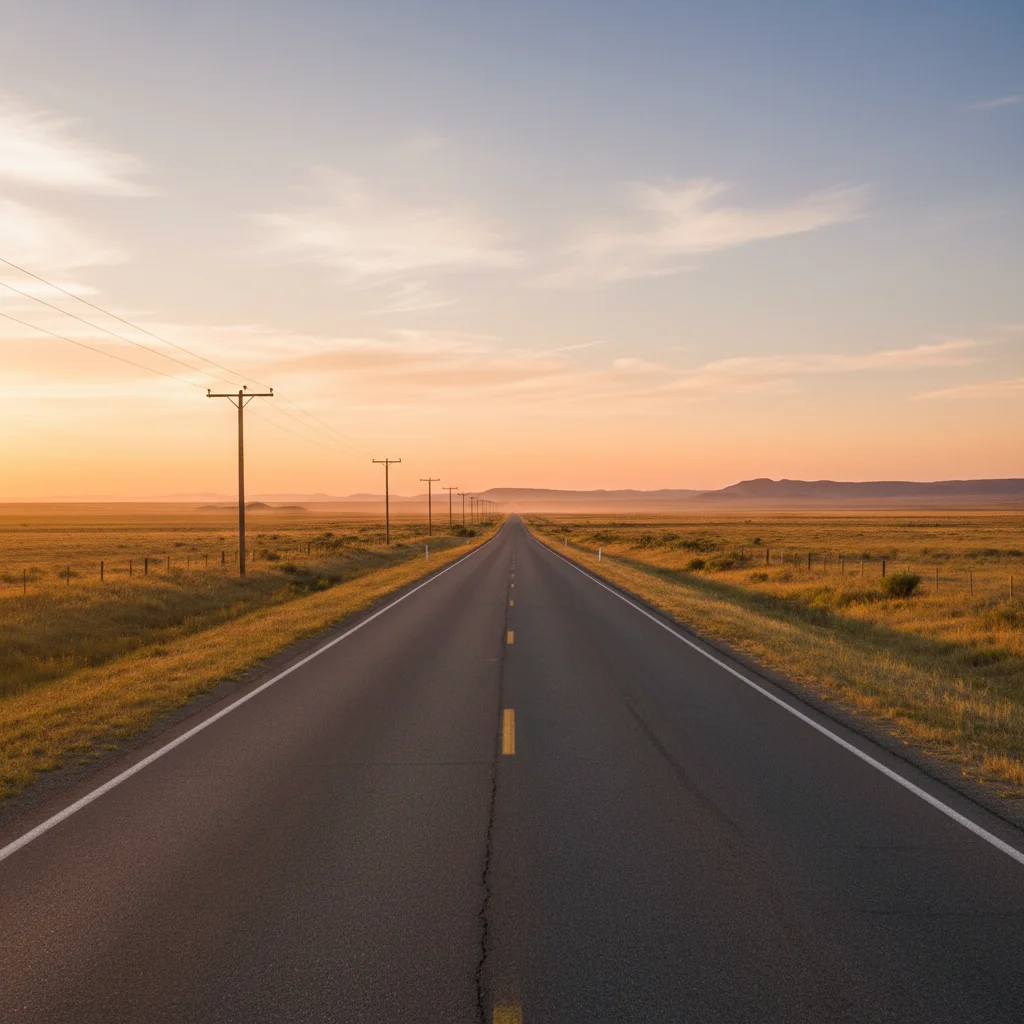
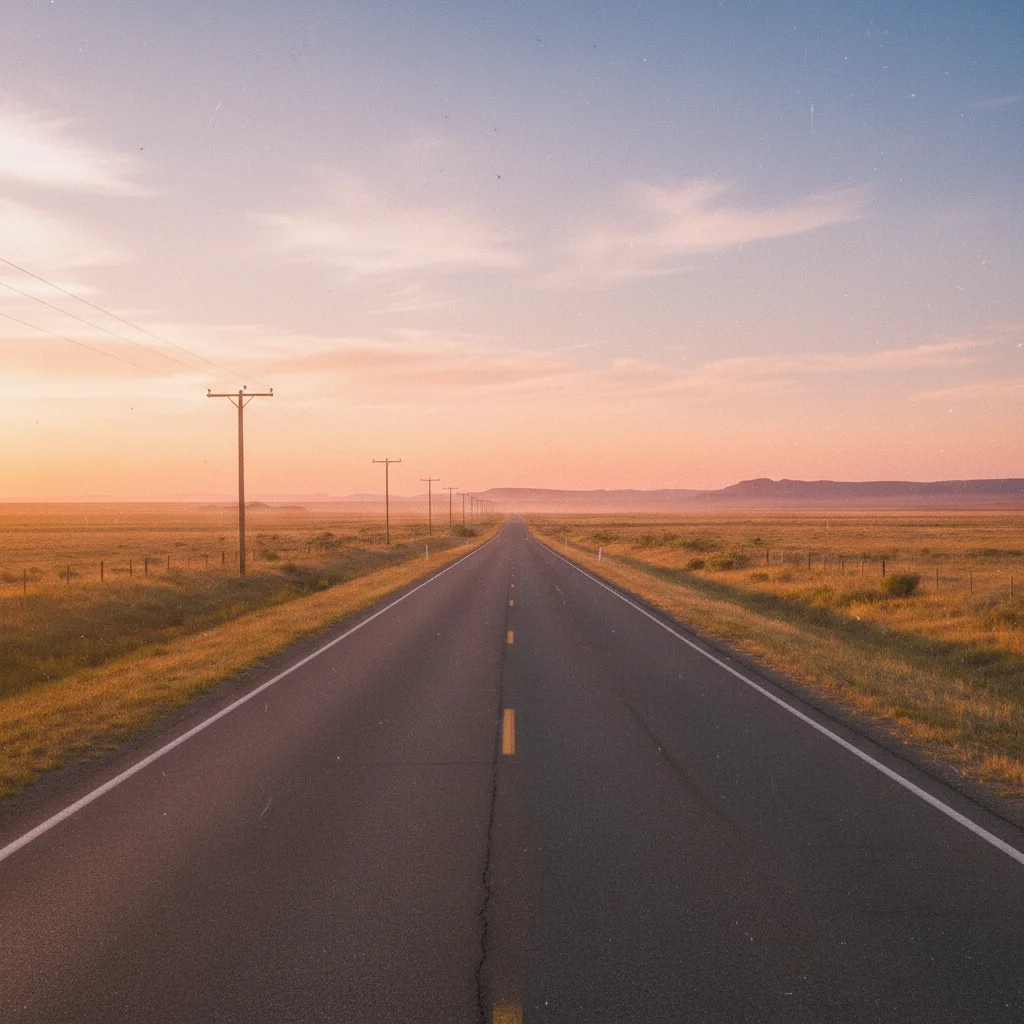
Romance author soft glow
Plain wall background replaced with warm romantic atmosphere perfect for romance novel covers.
replace background with soft warm bokeh lights, enhance with golden hour glow, romantic dreamy atmosphere
When Things Go Wrong
Background doesn't match my genre mood
Why: The AI interpreted your prompt differently than intended, or generic terms led to generic results.
Be more specific about genre: 'dark thriller atmosphere with black gradient and cold blue undertones' rather than just 'dark background'
Name your genre explicitly in the prompt. The AI understands genre conventions.
Colors clash with my planned title text
Why: The image colors weren't designed with text overlay in mind.
Add to your prompt: 'leave dark space at top for light-colored title text' or 'create light area at bottom for dark text'
Plan your text colors before editing the image. Request complementary tones.
Author portrait looks obviously edited
Why: Heavy lighting or color changes can make edits visible, especially on faces.
Use: 'enhance lighting subtly, maintain natural skin tones, professional but authentic look'
Start with background-only changes. Only add face lighting if the original lighting is problematic.
Image resolution too low for print
Why: Source image was low resolution, or download wasn't at highest quality setting.
Use the upscale tool: 'upscale image to high resolution, maintain sharpness and detail'
Amazon KDP print requires 300 DPI. Start with the highest resolution source photo you have.
AI changed the wrong area
Why: The AI couldn't determine exactly which area you meant from description alone.
Tap a marker on the specific area you want to change, then regenerate with the same prompt
Markers tell the AI 'I mean THIS one specifically.' Use them when description alone is ambiguous.
Frequently Asked Questions
How specific should my prompt be to get a good AI Photo Editor for Book Cover Photos result on the first try?
One sentence is usually enough: 'enhance this photo.' If the first result is off, refine with details — color, position, lighting, or what to keep. Each pass takes 20-45 seconds and runs separately, so you can compare. Free first edit per week, no signup.
What resolution do I need for Amazon KDP covers?
Amazon recommends 2560 x 1600 pixels minimum for Kindle ebook covers. For paperback print covers at 6x9 inches, you need 1800 x 2700 pixels at 300 DPI. Start with the highest resolution source photo possible, and use the upscale tool if needed.
Can I use these edited photos commercially for my book?
Yes. You own your original photos, and your edited versions are yours to use commercially. There are no licensing restrictions on what you create with EditThisPic. Use them for Kindle, paperback, audiobook, marketing - wherever you need them.
How do I match the mood to my book genre?
Study bestselling covers in your genre. Thrillers use dark backgrounds, desaturated colors, and dramatic lighting. Romance uses warm tones, soft bokeh, and golden light. Fantasy uses dramatic skies and bold colors. Non-fiction uses clean, professional backgrounds. Describe these elements in your prompt.
Should I edit the photo before or after adding it to my cover design?
Edit first, then import into your design software (Canva, Photoshop, etc.). This gives you a polished base image. You can always return to EditThisPic if you need different variations or additional edits after seeing it in your full cover design.
Can I create the full book cover here, with title and text?
EditThisPic is for photo editing, not text layout. Edit your photos here, then use Canva, Adobe Express, or Photoshop to add your title, author name, and other text. This two-step workflow gives you the best results for both the image and typography.
Is EditThisPic's AI photo editor for book cover photos really free?
Yes — you get 1 free edit per week, no account needed. Plans start at $4.99/month for 15 edits.
Can I book cover on my phone?
Yes. EditThisPic works in any mobile browser — iPhone, Android, tablet. No app download needed.
Popular use cases
Ready to create your book cover photo?
Free to try. No signup required. No watermarks.
Start EditingTrusted by 15,000+ users