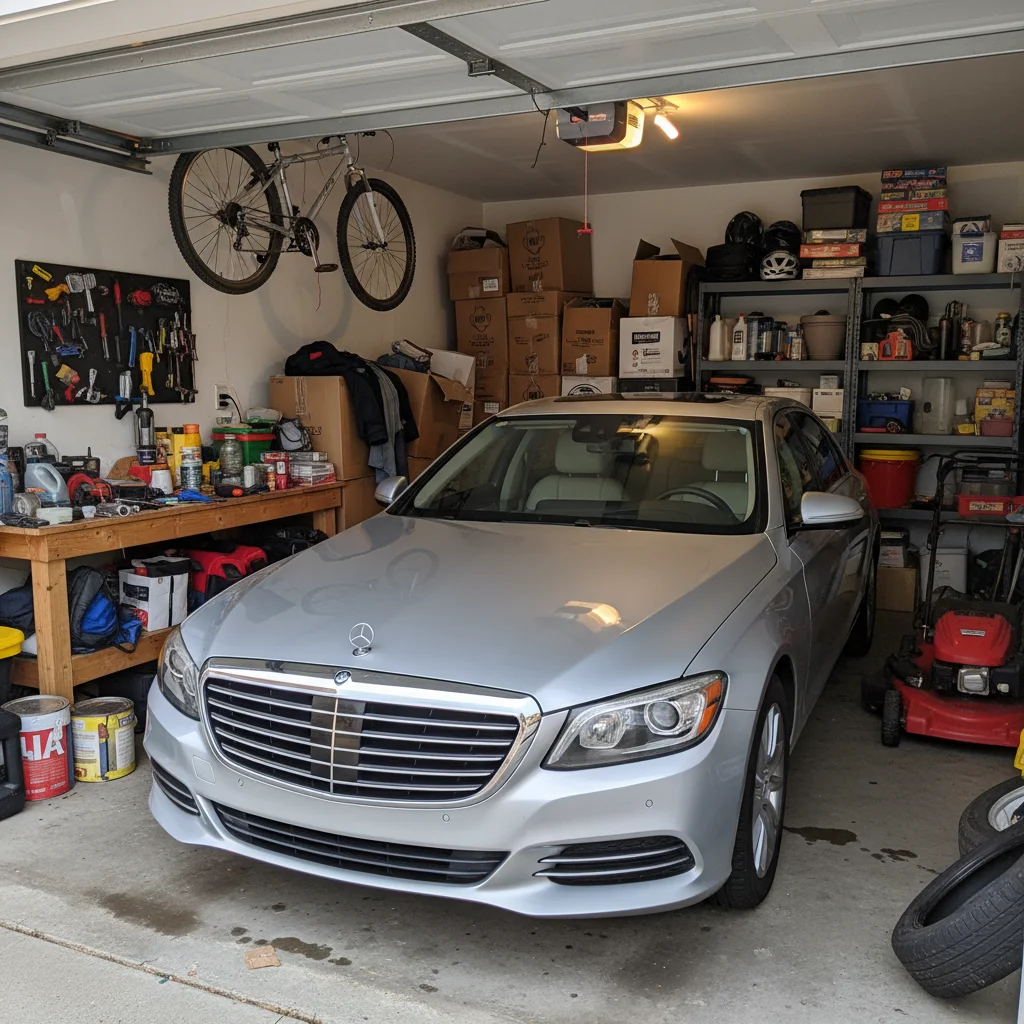
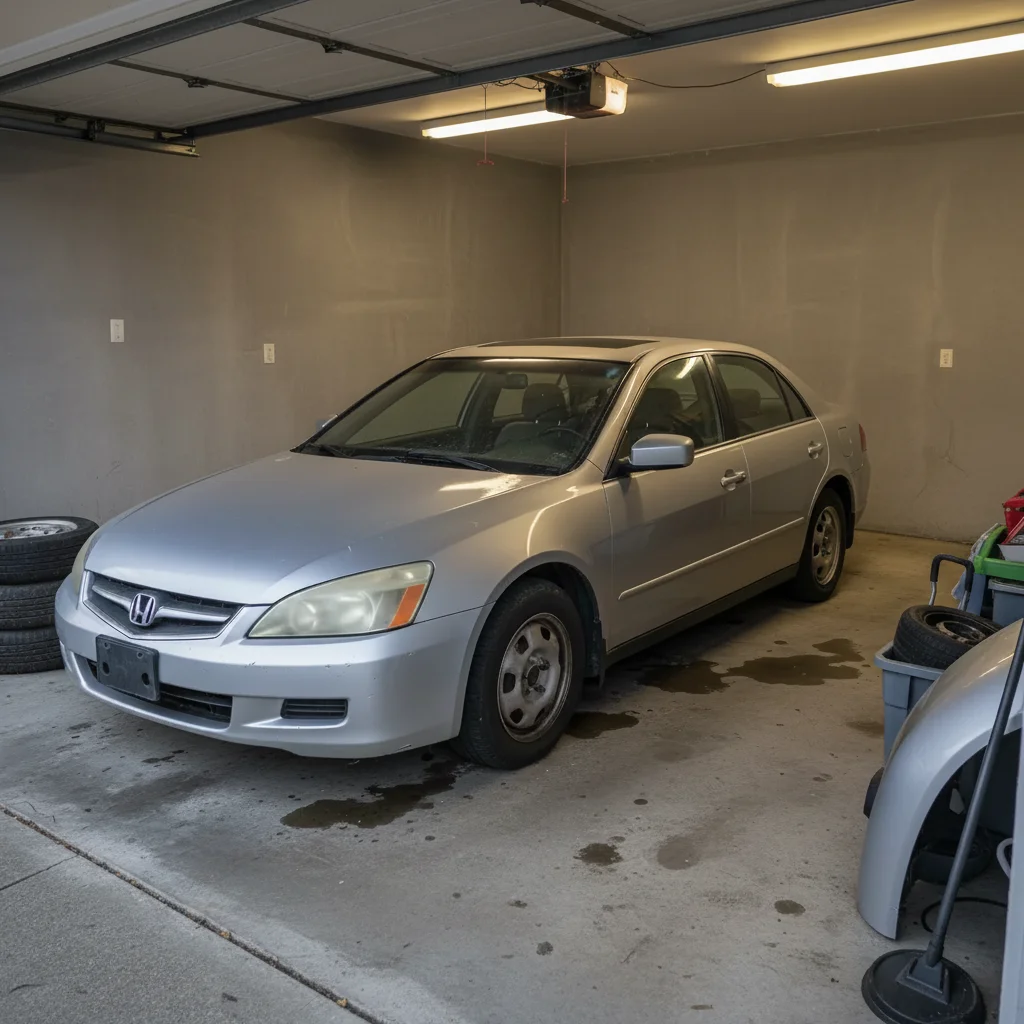
Free β€’ No signup Transform Any car into a luxury or exotic sports car Β· Free

Fake New Car Photo Prank

Upload a photo of yourself standing next to any car and AI swaps it for a Lamborghini, Ferrari, Porsche, or makes it look fresh off the lot β€” glossy paint, perfect condition, showroom-ready. Send it to the group chat. Watch the replies roll in.

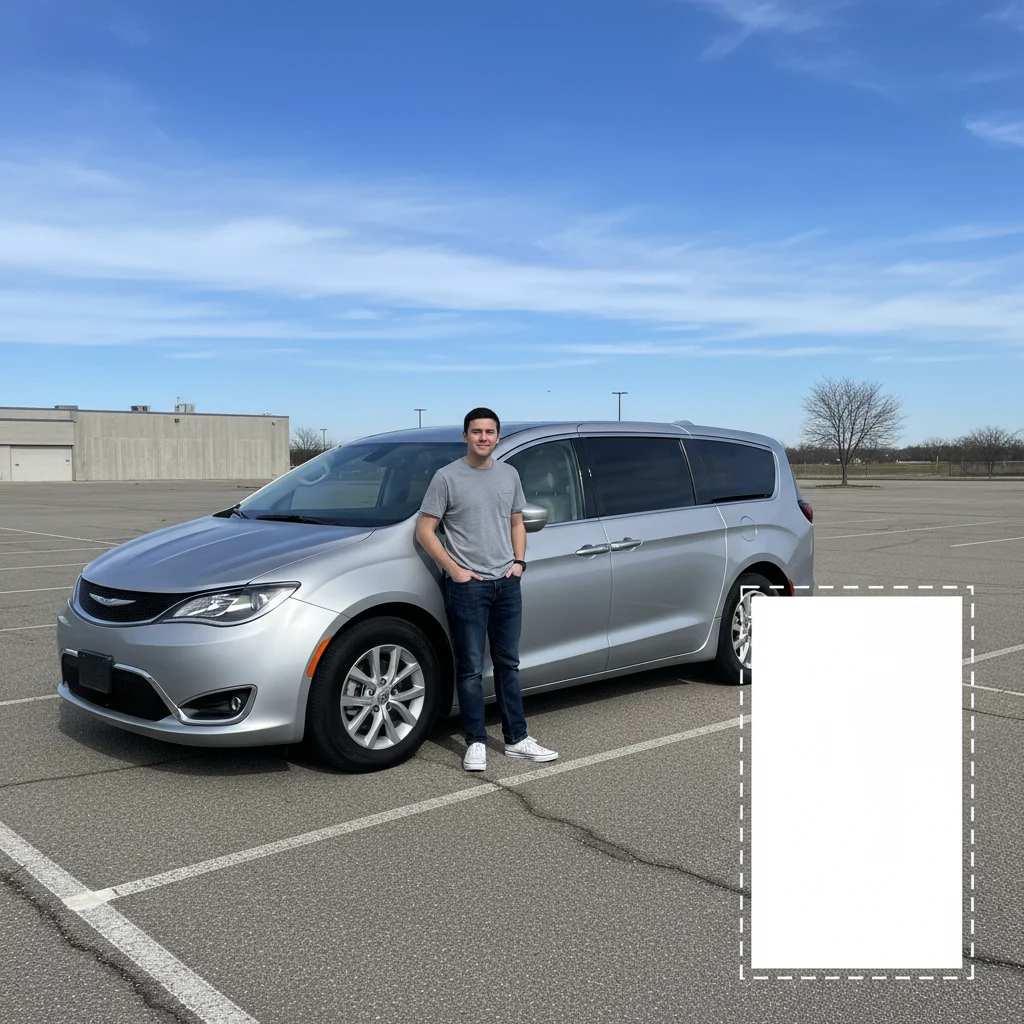
Person standing next to an ordinary silver minivan in a parking lot
Before
β†’
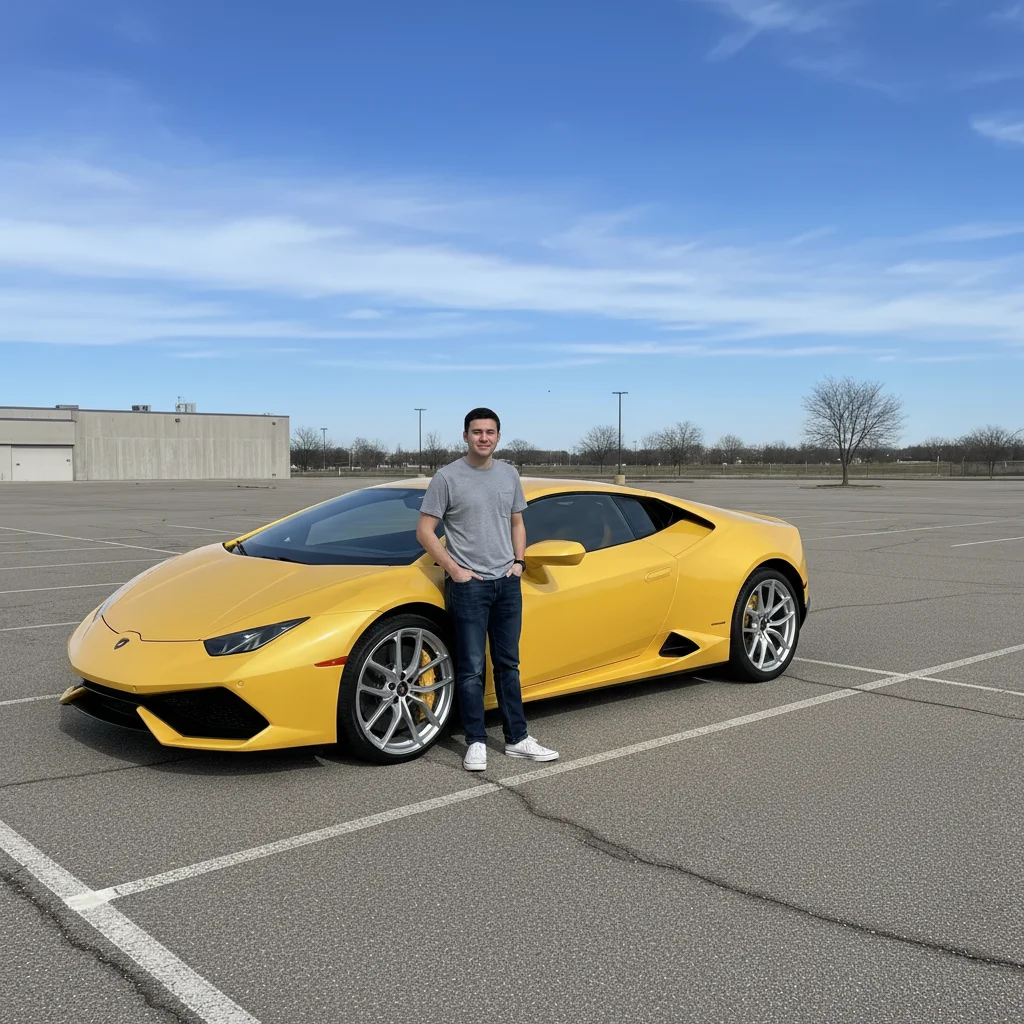
Same person now standing next to a gleaming yellow Lamborghini HuracΓ‘n in perfect condition
After

Fake New Car Photo Prank

Upload photo to transform any car into a luxury or exotic sports car

Free β€’ Results in 30 seconds β€’ No signup

Release to upload

FreeNo signupNo watermark

1 free edit·then from $1.99

Popular use cases:
  • fake new car photo prank
  • Lamborghini photo prank
  • fake luxury car selfie
  • car flex prank social media
  • AI car swap photo
  • fake rich photo generator
  • group chat car prank
  • just bought a car prank

Cost
Free No signup required
Time
Instant results in 15-30 seconds
Works on
Any device - browser, phone, tablet, desktop
Powered by
AI-powered photo editing
Scenario Prompt Time
Lamborghini swap Transform car into a yellow Lamborghini HuracΓ‘n, glossy and perfect, keep person unchanged 15s
Ferrari in the driveway Replace with red Ferrari 488, showroom condition, residential driveway, person unchanged 15s
Brand new version of current car Same model and color but flawless β€” remove all scratches, dents, and dirt 15s
Rolls-Royce outside a house White Rolls-Royce Ghost, Spirit of Ecstasy visible, parked in front of a large house, person unchanged 30s

How it works

  1. Upload your photo

    Upload a photo of yourself standing next to a car. Any car works β€” a beater, your parents' minivan, a random car in a parking lot you happened to stand next to. The photo should show both you and the car clearly. Full-body or waist-up shots both work well.

    Expect: Upload takes a second. Any photo format works. The AI needs to clearly see both you and the car to swap just the vehicle.
  2. Describe the car you want

    Type a prompt describing the car you want to be seen with. Be specific: make, model, color, condition. The more detail you give, the more convincing the result. Mention that the person should remain unchanged. 'Transform the car into a [make/model] in [color], showroom clean and glossy β€” keep the person standing next to it exactly as-is.'

    Tip: Specify a very specific color and condition β€” 'pearl white with a flawless finish' looks more real than just 'white.' Also mention the setting: 'parked on a city street' or 'in a driveway' keeps it grounded and believable.

    Copy one of these to get started:

    Lamborghini flex Transform the car in this photo into a brand new Lamborghini HuracΓ‘n Evo in bright yellow with a glossy flawless finish. The car is parked on a clean suburban street in daylight. Keep the person standing next to it completely unchanged β€” same pose, same clothes, same expression.
    Ferrari in the driveway Replace the car with a red Ferrari 488 GTB in perfect showroom condition, parked in a residential driveway. Deep red paint, flawless shine, no scratches or dust. Keep the person in the exact same position β€” don't change their appearance at all.
    Porsche β€” understated flex Swap the car for a brand new Porsche 911 Carrera S in Guards Red, parked outside a nice apartment building. The car looks freshly detailed β€” spotless paint, clean rims, not a mark on it. The person standing next to it is unchanged.
    Brand new version of any car Make the car in this photo look brand new β€” same model and color, but perfect showroom condition. Remove any scratches, dents, or dirt. The paint should look glossy and fresh, the rims clean and shining. Keep the person next to it unchanged.
    4 more prompts
    Bentley outside a hotel Replace the car with a black Bentley Bentayga, glossy and immaculate, parked under the awning of a luxury hotel entrance. The reflection of the hotel lights is visible in the hood. Keep the person standing next to it in the same pose.
    McLaren in bright sunlight Transform the car into a McLaren 720S in papaya orange, sitting in a parking lot on a bright sunny day. The paint is catching the sunlight perfectly β€” gleaming, no blemishes. The person next to it stays exactly the same. Strong midday shadows on the ground.
    Maserati for the subtle flex Change the car to a midnight blue Maserati Ghibli in perfect condition, parked outside a restaurant. The car is clean and polished with chrome accents visible. Keep the person unchanged β€” same pose, same position in the frame.
    Rolls-Royce for maximum chaos Replace the car with a white Rolls-Royce Ghost, parked in front of a large house. The Spirit of Ecstasy hood ornament is clearly visible. The car is spotlessly clean with perfect chrome trim. Keep the person next to it entirely unchanged.
  3. Send it

    Download the photo and drop it in your group chat, post it as an Instagram story, or DM it to someone who will immediately text back asking if it's real. The caption 'just picked up my new ride' works every time β€” keep it casual, no exclamation points.

Try it free ↓

Fake New Car Photo Prank

Upload photo to transform any car into a luxury or exotic sports car

Free β€’ Results in 30 seconds β€’ No signup

Release to upload

Free β€’ No signup

See it in action

Person standing next to an ordinary silver minivan in a parking lot
Before
->
Same person now standing next to a gleaming yellow Lamborghini HuracΓ‘n in perfect condition
After

Minivan to Lamborghini

A photo next to a family minivan in a grocery store parking lot transformed into a bright yellow Lamborghini HuracΓ‘n. Same person, completely different tax bracket.

Prompt: Transform the car into a bright yellow Lamborghini HuracΓ‘n Evo in perfect condition, parked in a parking lot with daylight overhead. The paint is flawless and the rims are clean. Keep the person standing next to it completely unchanged β€” same clothes, same pose.
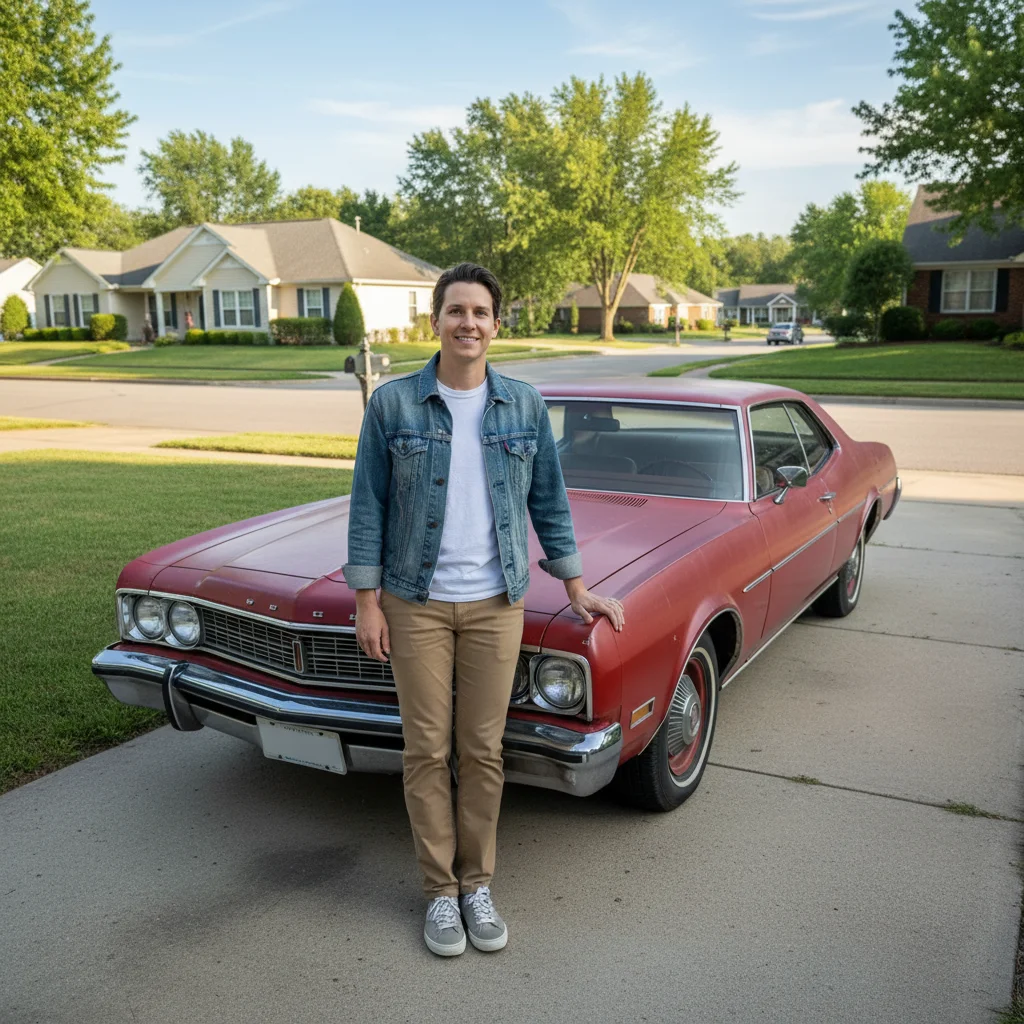
Person next to an ordinary older sedan parked in a residential driveway
Before
->
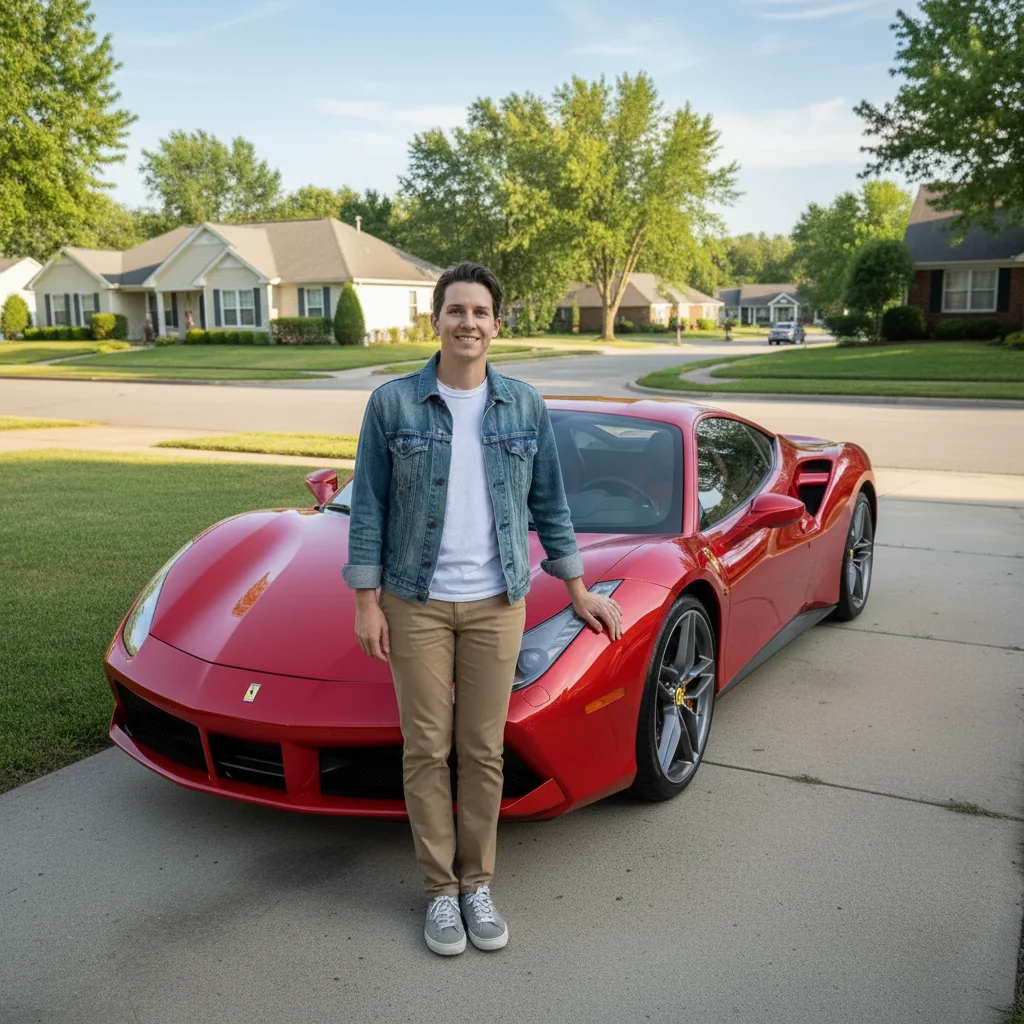
Same person now standing next to a gleaming red Ferrari 488 GTB in perfect condition
After

Rusty sedan becomes a Ferrari

A visibly worn daily driver in a suburban driveway becomes a showroom-fresh red Ferrari 488 β€” same driveway, same person, completely different story.

Prompt: Replace the car with a red Ferrari 488 GTB in flawless showroom condition. Same driveway setting. Deep red glossy paint, spotless chrome, no scratches or dust anywhere. The person next to it is unchanged β€” same position, same expression.
Person next to a visibly worn black sedan with scratches and dirt on a street
Before
->
Same person next to an identical car but looking flawlessly restored and brand new
After

Old car made brand new

The same model but magically restored β€” same car, but perfect paint, spotless rims, not a scratch in sight. Great for the 'finally fixed it up' prank.

Prompt: Make the car look completely brand new β€” same make, model, and color, but pristine. Remove all scratches, dents, and dirt. Glossy fresh paint, clean chrome rims, showroom condition. Keep the person unchanged.

If something looks off

The AI changed the person's appearance, not just the car

Why: Without an explicit instruction to leave the person unchanged, the AI may adjust poses, clothing, or expressions during the full-image transformation.

Try: Keep the person in the photo completely unchanged β€” same face, same clothes, same pose, same position. Only transform the car itself.

Tip: Adding 'do not alter the person at all' as a final sentence in your prompt reinforces this constraint clearly.

The result looks like a render or composite, not a real photo

Why: The AI can produce overly perfect, CGI-looking cars when the prompt emphasizes cleanliness too much without grounding the scene.

Try: The car should look like a real photograph, not a 3D render. Add subtle reflections from the environment, slight tire contact shadow on the ground, and natural ambient light matching the original scene.

Tip: Ask for 'tire contact shadow' specifically β€” it's the single detail that anchors a car to a surface and makes it look photographed rather than placed.

The car model doesn't look like the specific car I asked for

Why: Vague make/model descriptions produce generic sports car shapes. The AI needs enough specificity to distinguish between similar models.

Try: Specify the exact model and a distinctive visual feature: 'Lamborghini HuracΓ‘n Evo β€” the sharp angular bodywork and front splitter should be clearly visible' or 'Ferrari 488 β€” the wide rear haunches and dual exhaust tips are visible at this angle'

Tip: Naming one or two signature design features of the car (not just the model name) gives the AI enough reference points to render the right vehicle.

The car's size looks wrong relative to the person

Why: Scale is one of the harder things for the AI to get right, especially when swapping very different vehicle types β€” a minivan to a low-slung Lamborghini, for example.

Try: The car should be properly scaled so the person standing next to it appears at a natural height relative to the vehicle β€” the roofline should hit approximately at their shoulder or slightly above.

Tip: Include a note about the person's height relative to the car β€” 'the car's roof reaches the person's shoulder' gives the AI a spatial anchor for correct proportioning.

The background looks mismatched with the fancy car

Why: A high-end car sitting in a crummy parking lot or run-down background can look off and make the prank less convincing.

Try: Adjust the background slightly to be a cleaner, more neutral setting β€” a quiet street, a nice driveway, or a well-lit parking structure. The environment should feel consistent with someone who owns this vehicle.

Tip: You don't need a mansion background β€” just something that doesn't contradict the car. A plain suburban street or a clean parking lot is totally believable.

Quick answers

Do I need to mark areas before describing what I want?

No β€” just describe the full transformation in your prompt. EditThisPic's AI reads your description and handles the car swap while preserving everything else in the photo. You only need markers if you want to target a very specific region and leave the surrounding area completely untouched β€” for a car swap, a detailed text prompt does the job without any markup.

Is this free?

Yes. EditThisPic gives you 1 free edit per week with no account needed β€” no email, no credit card, just upload and go. If you want to try multiple car options or generate a few variations to find the most convincing one, paid packs start at $1.99 for 3 edits.

Will it look convincing enough to actually fool someone?

Usually yes, especially when viewed on a phone screen at message-thread size. The most convincing results come from photos where the person is standing next to the car (not too close, not too far), in good natural daylight, with the car clearly visible. Matching the lighting direction in your prompt to the original photo is the biggest factor for realism. For maximum believability, add environmental details like a specific street type or time of day.

Can I use a photo of someone else's car β€” or any random car I stood next to?

Yes, that's actually the funniest approach. You standing next to a car in a random parking lot, your friend's old Civic, or even a car from a catalog photo β€” as long as the car is clearly visible next to you, the AI can swap it. The swap works best when the car takes up a reasonable portion of the frame.

Does it work if I'm not standing right next to the car?

It works better the closer you are to the car. If the car is far in the background or only partially visible, the AI has less to work with and the transformation may be incomplete. An ideal photo shows you standing within an arm's length of the car, with most of the vehicle visible in the frame.

What makes a fake car photo look most realistic?

Three things: matching lighting direction (describe whether the sun is to the left, right, or overhead in your prompt), correct scale (the car's roofline should hit roughly at your shoulder for most vehicles), and a grounded setting (specify a surface β€” asphalt, driveway, street β€” so the tires don't float). AI-generated cars look most fake when they lack contact shadows and environmental reflections.

Is my photo stored or shared?

No. EditThisPic processes your photo to generate the edit and doesn't store, sell, or use it for training. Once your session ends, it's gone. No account is created and no data is tied to you β€” it's a stateless edit.

How is this different from apps like Fotor or YouCam?

Apps like Fotor and YouCam work from fixed templates β€” they have a handful of preset car overlays and compositing tools. EditThisPic describes the car transformation in natural language, so you can specify any make, model, color, condition, lighting setup, and background context β€” including things no template tool would ever include, like 'add a tire contact shadow to match the parking lot asphalt.'

How much does EditThisPic cost?

You get 1 free edit per week β€” no account needed. After that, credit packs start at $1.99 for 3 edits. Monthly plans start at $4.99/mo for 15 edits with unused credits rolling over. All edits are full resolution with no watermark.

Ready to upgrade your ride?

Free to try. No signup required.

1 free edit included·Credit packs from $1.99