First day of school photo not perfect?
← Browse all life milestone photo rescuesLast updated
Clean up messy backgrounds, fix backpack straps, remove distractions—can't reshoot this morning.
Upload photo to fix first day of school photo
"remove the backpack straps covering their face, show their smile clearly"
Free to try · no sign-up · photos are never shared
Release to upload
<30stypical edit
1 freeedit weekly
Photo on your phone?
Scan to open this editor there — free edit works on your phone too.
How it works
See it in action
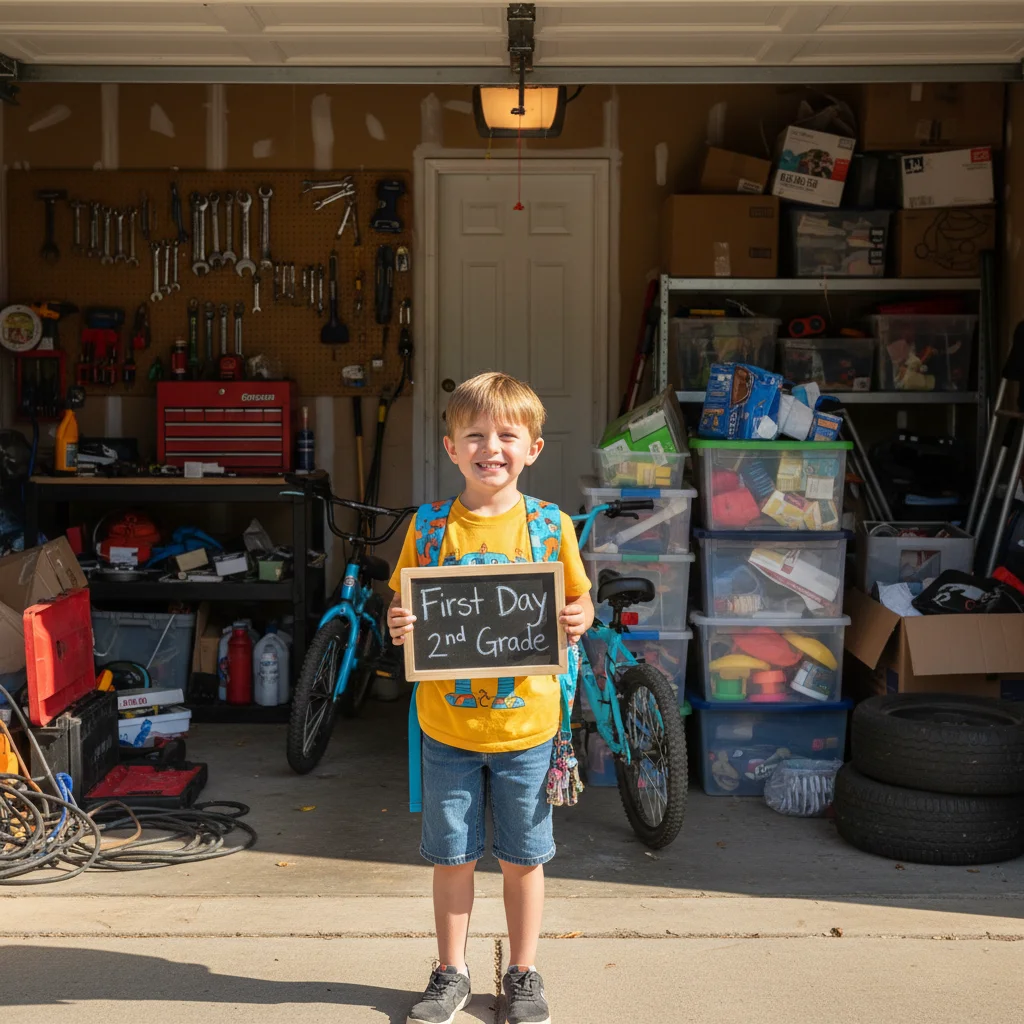
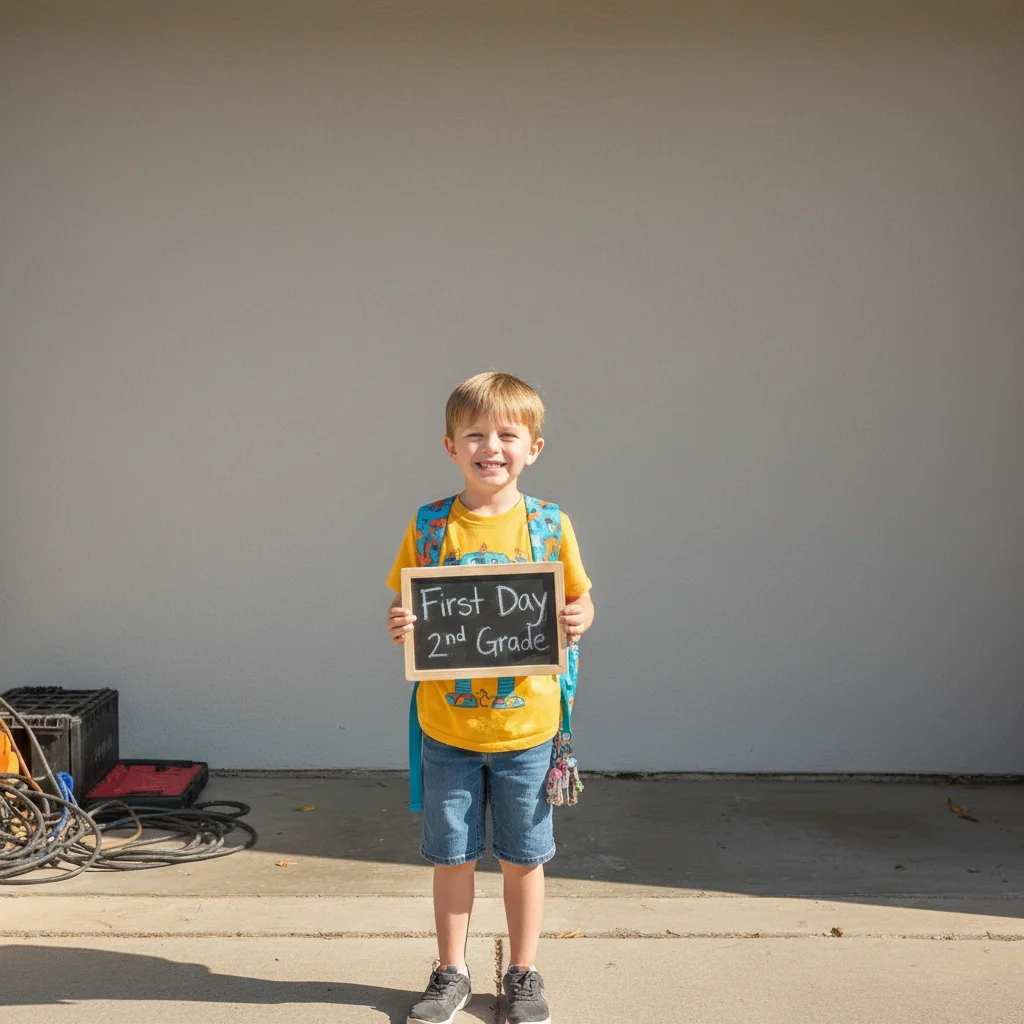
Garage background with tools and clutter
Classic rushed-morning first day photo taken in the garage before school. Messy tools, bikes, and storage visible everywhere. One prompt replaced it with a clean simple background.
Prompt:
remove the messy garage background and replace with a clean neutral wall, keep my child and backpack clear
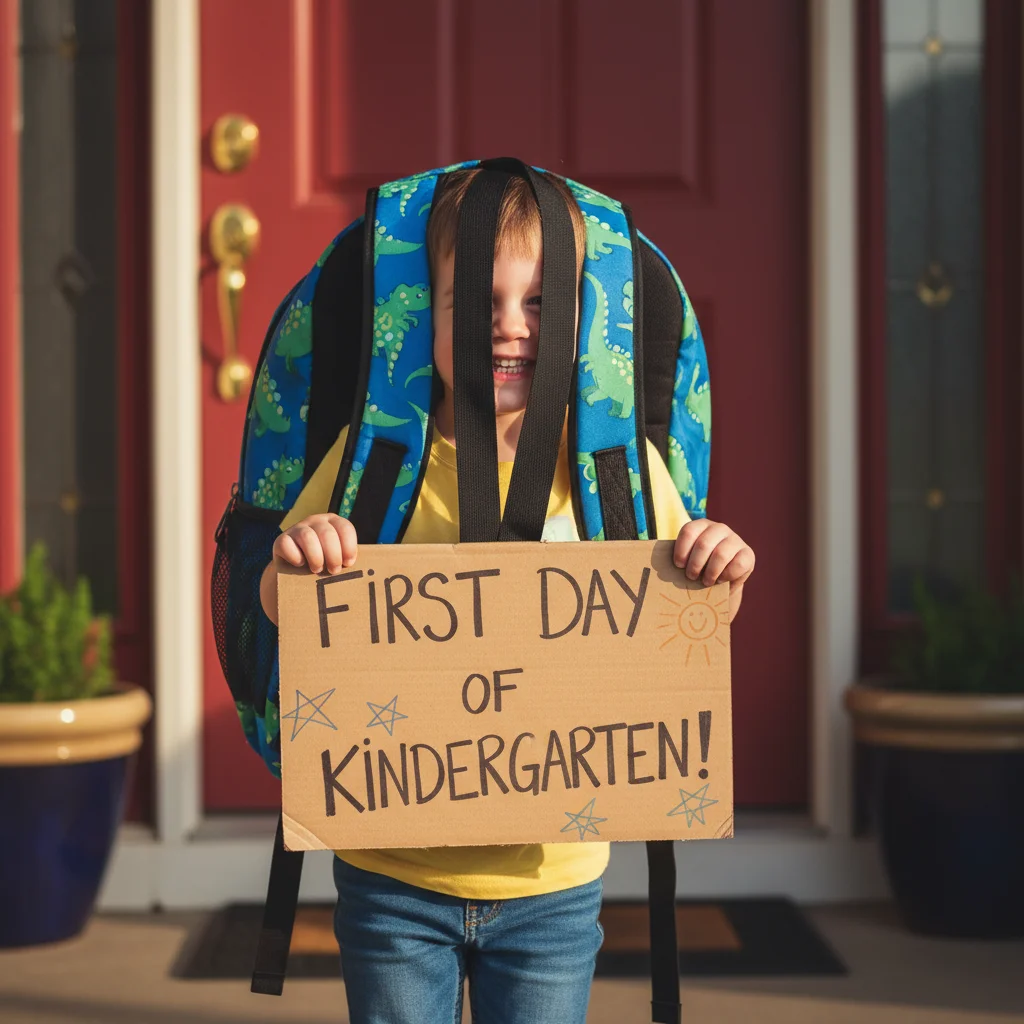
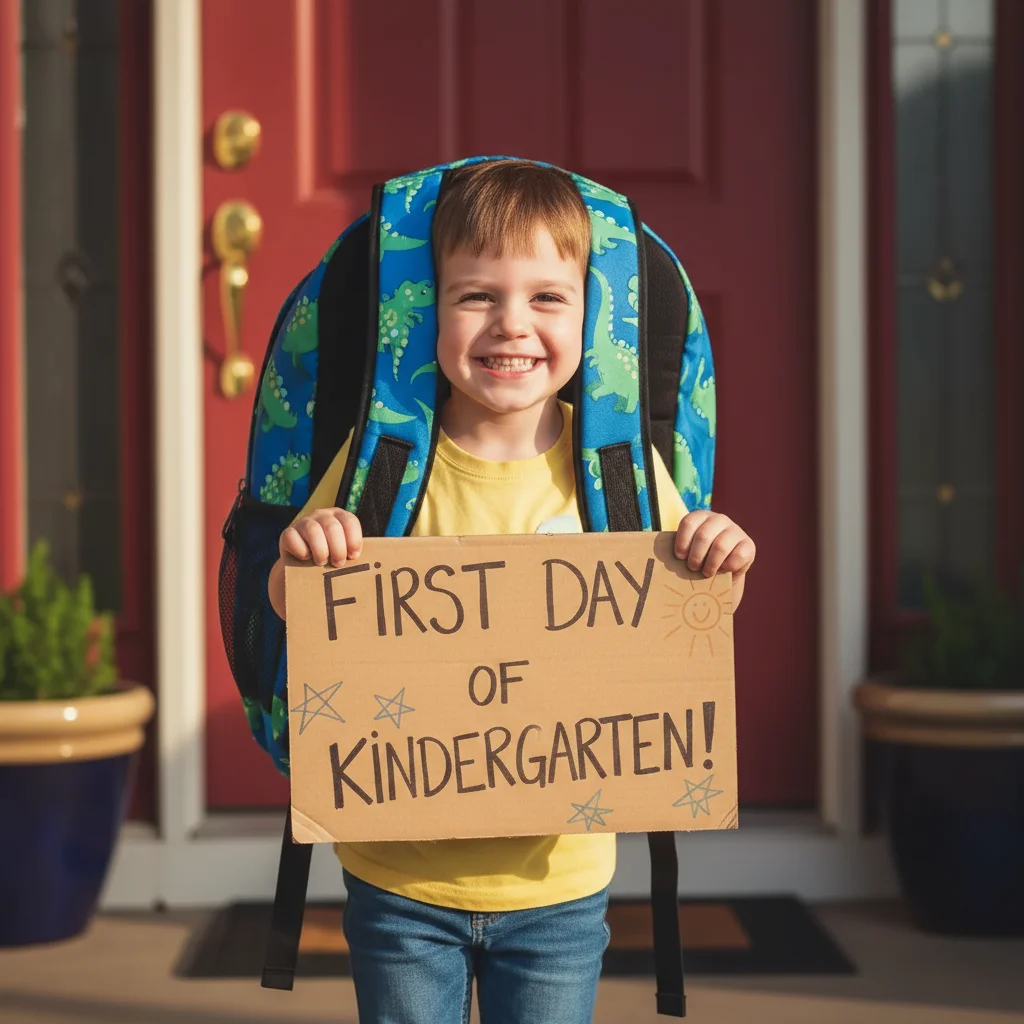
Backpack straps covering child's face
The oversized kindergarten backpack straps fell across their face in the photo. Removed the straps to show their excited smile clearly—the whole point of the annual photo.
Quick answers
Popular use cases
Ready to perfect your first day photo?
Free to try. No signup required.