Free • No signup Fix Color cast · Free

Fix Color Cast

Describe the problem and AI fixes your photo automatically.
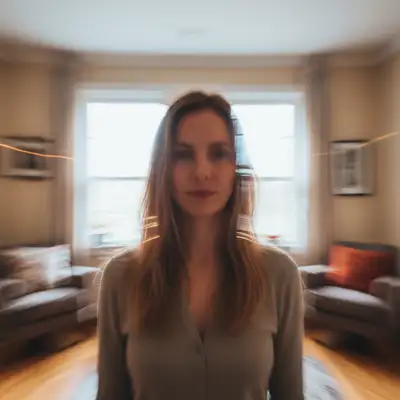
Photo with green fluorescent color cast
Before
Photo with natural colors after cast removal
After

Fix Color Cast in Photo

Drop your photo here

or click to browse

Release to upload

Free • No signup

Popular use cases:
  • fix color cast
  • AI color cast editor
  • photo color cast tool
  • free color cast editing

Cost
Free No signup required
Time
Instant results in 15-30 seconds
Works on
Any device - browser, phone, tablet, desktop
Powered by
AI-powered photo editing

How it works

  1. Upload your photo

    Upload any photo for color work. Images with varied tones give the AI more to work with for color cast adjustments. JPG, PNG, WebP up to 7MB.

    Expect: Most edits complete in 20-45 seconds. Complex changes may need 1-2 refinements.
  2. Describe your edit

    Type what you want: 'fix the color cast in this photo, restore natural colors.' Be specific about details for best results. The AI understands natural language — no technical skills needed.

    Tip: Try the edit first without markers — enhancement usually works globally on the first try.

    Copy one of these to get started:

    Green fluorescent cast remove the green color cast from fluorescent lighting, restore natural skin tones and colors
    Orange tungsten cast fix the warm orange cast from indoor tungsten lighting, make colors neutral and natural
    Blue shade cast remove the blue color cast from shade or overcast lighting, warm up the photo naturally
    Mixed lighting cast fix the mixed color cast from different light sources, balance the colors throughout
    4 more prompts
    Underwater color cast remove the blue-green underwater color cast, restore true colors of the subject
    Full quality restoration fix color cast for maximum clarity and detail, make it look professionally retouched
    Natural-looking fix fix color cast while keeping the photo looking completely natural and untouched
    Targeted correction only fix only color cast in this specific area without affecting the rest of the photo
  3. Review the result

    Compare the color adjustment against the original using the slider. Verify that tones look natural, skin colors weren't distorted, and the overall mood matches what you described.

  4. Refine if needed

    If certain areas got the wrong color treatment — like skin turning orange or shadows going muddy — tap markers on those spots and describe the correction you need.

    Tip: Markers are optional. Try without them first — the AI usually gets it right.
Try it free

Fix Color Cast in Photo

Drop your photo here

or click to browse

Release to upload

Free • No signup

"Every photo from my office had a green tint from fluorescent lights. One click and the colors look natural." @OfficeWorker22

See it in action

Photo with green fluorescent color cast
Before
->
Photo with natural colors after cast removal
After

Green cast removed

Office photo with natural colors after removing fluorescent green tint.

Prompt: remove the green color cast from fluorescent lighting, restore natural skin tones

Photo with orange tungsten color cast
Before
->
Photo with balanced neutral colors
After

Orange cast corrected

Indoor photo with neutral colors after fixing tungsten orange tint.

Prompt: fix the warm orange cast from indoor tungsten lighting

Detailed Guides by Scenario

📷

Photo Rescue & Restoration

Revive old, damaged, or poorly-shot photos with AI color cast — bring new life to images you thought were unsalvageable.

Common Scenarios

  • Applying color cast to old family photos that have degraded over time
  • Fixing a once-in-a-lifetime shot (wedding, graduation) that suffers from poor quality
  • Using color cast on scanned prints to get crisp digital versions

Best Practices

  • Scan old photos at the highest DPI your scanner supports before uploading for best results
  • Describe the specific issue — 'this photo is too dark and blurry' gives better color cast than a generic prompt
  • For severely damaged photos, work in stages: fix the biggest issue first, then refine
📷

Professional & Business Use

Ensure photos for websites, presentations, and marketing meet professional standards with color cast.

Common Scenarios

  • Using color cast on employee photos for a company website that need to look polished
  • Applying color cast to event photos before sharing in a client presentation
  • Improving product images with color cast for an online store or catalog

Best Practices

  • Process all images in a batch with the same enhancement settings for visual consistency
  • For web use, balance enhancement quality with file size — overly large images slow page loads
  • Always compare before and after to make sure color cast looks natural, not over-processed
📷

Social Media & Personal Sharing

Make your personal photos look their best before sharing with friends, family, or followers using color cast.

Common Scenarios

  • Quickly applying color cast to vacation photos before posting on social media
  • Using color cast on a selfie that has great composition but poor lighting
  • Batch-fixing a phone gallery of photos with color cast before creating an album to share

Best Practices

  • Start with the photo you'd most like to share — fix that one first and use the same approach on the rest
  • For selfies, subtle enhancement always beats heavy processing — keep it natural
  • If the photo was shot in low light, mention it in the prompt so the AI tailors color cast accordingly

If something looks off

AI changed the wrong area

Why: The AI couldn't determine exactly which area you meant from the description alone.

Try: Tap a marker on the specific area you want to edit, then regenerate with the same prompt

Tip: Markers tell the AI exactly where to focus. Use them when description alone is ambiguous.

Result looks unnatural or blurry

Why: The AI may need more specific guidance about the look you want.

Try: fix the color cast in this photo, restore natural colors, ensure natural lighting and sharp details that match the rest of the photo

Tip: Adding 'natural' and 'realistic' to your prompt helps the AI prioritize believability.

Photo looks over-processed or artificial

Why: The enhancement was too aggressive, pushing the image beyond natural-looking.

Try: Try 'subtle enhancement only — keep the photo looking natural and not over-processed'

Tip: Try the edit first without markers — enhancement usually works globally on the first try.

Fix made the image too smooth and lost texture

Why: Noise reduction or smoothing was applied too heavily, removing natural grain and detail.

Try: Add 'preserve original texture and grain while fixing the issue' to your prompt

Tip: Mention 'keep natural skin texture' or 'preserve film grain' to avoid the plastic look.

Colors shifted when fixing the exposure

Why: Brightness adjustments affected the color balance, causing a tint shift.

Try: Regenerate with 'fix the exposure while maintaining the original color balance and white point'

Tip: If you notice a color tint after fixing exposure, mention the tint specifically: 'remove the yellow cast.'

Quick answers

Do I need to mark the affected areas?

No, just describe the color cast. The AI analyzes the entire image and corrects the unwanted tint automatically.

Is this color cast fixer free?

Yes, 1 free edit per week. Plans from $3.99/mo for unlimited.

Does it work on mobile?

Yes, works in any browser on any device.

What causes color casts?

Different light sources emit different color temperatures. Fluorescent lights create green, tungsten creates orange, shade creates blue.

Can it fix multiple color casts in one photo?

Yes. Describe the issue and the AI balances colors across the entire image, even with mixed lighting.

What photo formats does the fix color cast tool support?

JPG, PNG, WebP, and HEIC. Upload any common photo format and EditThisPic handles the rest.

How long does it take to fix color cast?

Usually 20-45 seconds. Upload your photo, describe what you want, and the AI delivers the result.

Do I need to download an app to fix color cast?

No app needed. EditThisPic runs entirely in your web browser on any device -- desktop, laptop, phone, or tablet.

Ready to fix your photos?

Free to try. No signup required.

Try it free