Free • No signup Fix Sweaty shiny face · Free

Love this photo but sweaty face?

Perfect photo except for that obvious sweat and shine? AI removes it while keeping natural skin.

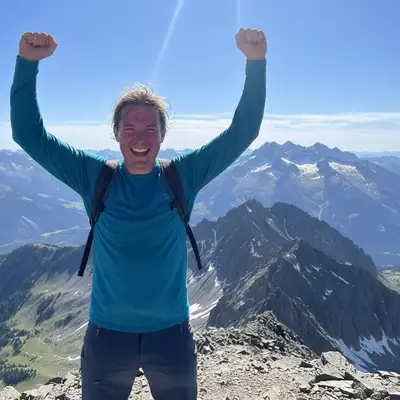
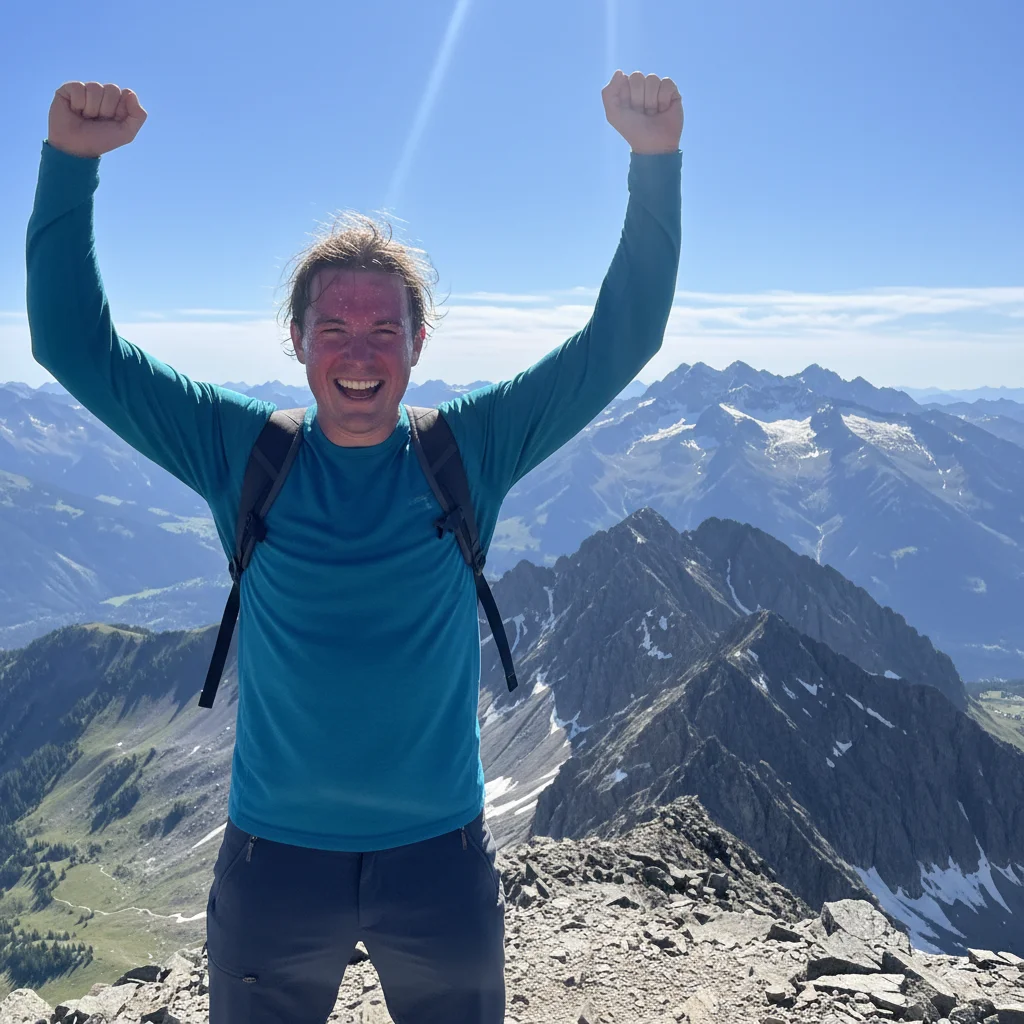
Summit photo with extremely shiny sweaty face
Before
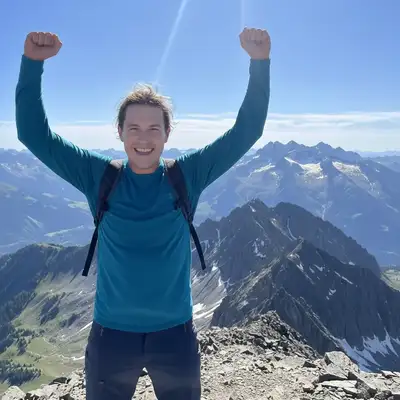
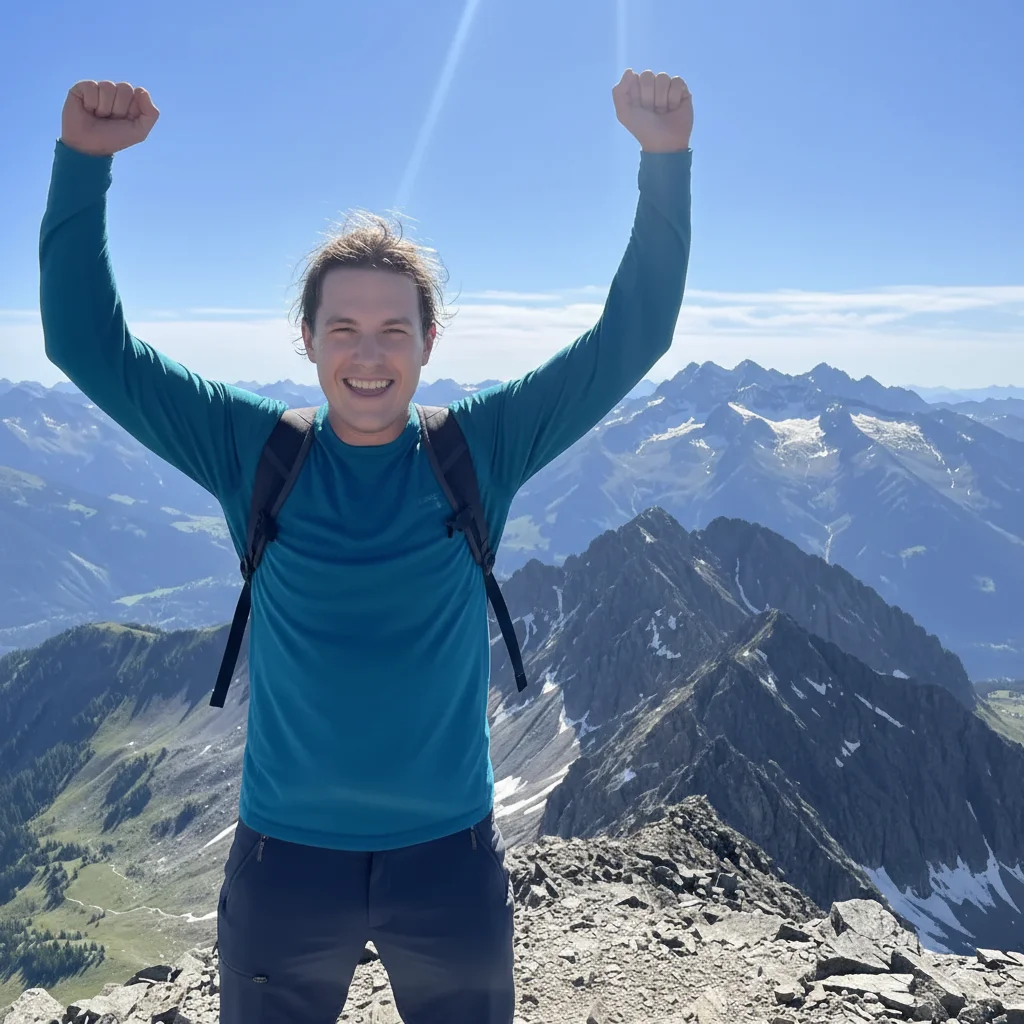
Same photo with shine removed, natural matte skin
After

Love This Photo But Sweaty Face? Remove Shine with AI

Drop your photo here

or click to browse

Release to upload

Free • No signup

Advertisement
Popular use cases:
  • Remove face shine
  • Fix sweaty photo
  • Remove sweat from photo
  • Matte skin in photo
  • Outdoor photo fix
  • Event photography shine
  • Fitness photo editing

Cost
Free No signup required
Time
Instant results in 15-30 seconds
Works on
Any device - browser, phone, tablet, desktop
Powered by
AI-powered photo editing
Scenario Prompt Time
Outdoor/summer photo with shine remove shine from face, make skin matte and natural 20s
Forehead and nose shiny reduce shine on forehead and nose, keep natural texture 18s
Event photo with visible sweat remove visible sweat and shine, look fresh and cool 25s
Professional headshot with oil remove shine for professional matte appearance 22s

How it works

  1. Upload your photo

    Drop your image into EditThisPic. JPG, PNG, WebP up to 7MB. Works on any photo where your face is shiny or sweaty—outdoor photos, event shots, fitness photos, summer photos, portraits in hot weather.

    Expect: Simple shine removal: 18-25 seconds. Multiple people or complex lighting: 35-45 seconds.
  2. Describe what you want

    Type 'remove the shine from my face' or 'reduce sweat and make my skin look matte and natural.' The AI identifies shiny areas (forehead, nose, cheeks) and removes glare while keeping your natural skin tone and texture. No marking needed—the AI understands 'shine' and 'sweat.'

    Tip: Add 'keep natural skin texture' to avoid an overly-smoothed, artificial look. You want matte, not plastic.

    Copy one of these to get started:

    Outdoor photo with visible sweat and shine remove the shine from my face and make my skin look matte and natural
    Forehead and nose shiny from heat or humidity reduce shine on forehead and nose, keep natural skin texture
    Event photo where you're visibly sweaty remove visible sweat and shine, make me look fresh and cool
    Fitness or sports photo with extreme shine reduce the sweat and shine but keep it looking natural, not over-edited
    3 more prompts
    Professional photo with unwanted oil/shine remove shine from face for professional matte appearance
    Summer outdoor photo with glow/sheen reduce the shiny glow on my face, keep warm summer lighting
    Flash photo creating shiny reflection remove the flash shine and glare from my face, reduce oiliness
  3. Review the result

    Check that shine and sweat are gone but your face still looks natural and three-dimensional. Zoom in to verify skin texture is preserved, not over-smoothed. You should look fresh and matte, not fake or airbrushed.

  4. Refine if needed (optional)

    If some shine remains or skin looks too flat/artificial, try 'remove remaining shine but keep natural skin texture' or tap a marker on the specific shiny area (forehead, nose) and regenerate.

    Tip: If the AI over-corrected and made your skin look too matte or flat, add 'keep some natural dimension and contour' to preserve facial depth.
Advertisement
Try it free

Love This Photo But Sweaty Face? Remove Shine with AI

Drop your photo here

or click to browse

Release to upload

Free • No signup

"Amazing hiking summit photo but I was dripping sweat and my face was so shiny. This fixed it perfectly—I look fresh and natural now, not like I just ran a marathon." @OutdoorAdventurer

See it in action

Summit photo with extremely shiny sweaty face
Before
->
Same photo with shine removed, natural matte skin
After

Hiking summit photo with sweat and shine

Perfect mountain summit photo with incredible view, but visible sweat and severe shine from the climb. AI removed the shine while keeping the outdoor lighting and natural skin tone.

Prompt: remove the shine from my face and make my skin look matte and natural
Wedding photo with shiny oily forehead and nose
Before
->
Same photo with shine removed, natural matte finish
After

Outdoor event photo with heat shine

Great candid from summer outdoor wedding, but the heat created visible shine on forehead and nose. One prompt fixed it while preserving the warm natural lighting and happy expression.

Prompt: reduce shine on forehead and nose, keep natural skin texture

If something looks off

Skin looks too smooth, plastic, or airbrushed—lost natural texture

Why: The AI over-corrected shine removal and flattened skin texture, creating an artificial over-processed look.

Try: remove shine but keep natural skin texture and pores visible, don't over-smooth

Tip: 'Keep natural texture' or 'preserve skin detail' prevents the fake airbrushed look that screams edited.

Face looks flat or lost dimension after shine removal

Why: Shine creates highlights that contribute to facial contour. Removing all of it can flatten the face and lose three-dimensional depth.

Try: reduce excessive shine but keep natural facial contours and dimension

Tip: Some natural highlight variation is good—you want less shine, not zero dimension.

Some shiny areas still visible, especially forehead or nose

Why: The AI missed certain shiny spots or didn't fully remove the glare in high-shine areas.

Try: tap marker on remaining shiny area, then 'remove shine from this specific area'

Tip: Markers target stubborn shine spots the AI missed on the first pass.

Skin tone changed or looks different

Why: The AI altered skin color while removing shine, especially common in outdoor lighting or with darker skin tones.

Try: remove shine but keep my exact skin tone and color, don't change it

Tip: 'Keep exact skin tone' prevents unwanted lightening, darkening, or color shifts.

AI didn't remove anything or only slightly reduced shine

Why: The request may have been too subtle or the AI didn't recognize the shine as a problem to fix.

Try: aggressively remove all visible shine and sweat from my face, make it matte

Tip: 'Aggressively' or 'completely' signals stronger correction when subtle requests don't work.

Quick answers

Do I need to mark the shiny areas before describing them?

No. Just type 'remove shine from my face' or 'reduce sweat and shine' and the AI identifies and fixes all shiny areas automatically. Markers are only needed if stubborn spots remain after the first try or you want to target a very specific area like just the forehead.

Will this make my skin look fake or over-edited?

Not if you guide it correctly. Always add 'keep natural skin texture' or 'don't over-smooth' to preserve authenticity. The goal is matte, not plastic. Without these instructions, the AI might over-correct and create an airbrushed look.

Can this work on really extreme sweat from sports or hiking?

Yes. The AI can handle severe shine and visible sweat droplets. For extreme cases, use 'remove all visible sweat and shine, make me look fresh' to signal strong correction is needed. Smart mode (4 credits) may work better for very challenging shine removal.

Will this change my skin tone or facial features?

It shouldn't, when done correctly. The AI targets only shine and sweat, not your actual skin color or face shape. If it does alter these, add 'keep my exact skin tone and features' to preserve your real appearance.

Can I use this for professional headshots or LinkedIn photos?

Absolutely. Use 'remove shine for professional matte appearance' to get polished, business-appropriate results. Slight matte correction is standard for professional photography—it's expected, not deceptive.

Is EditThisPic's AI sweaty shiny face fixer really free?

Yes — you get 1 free edit per week, no account needed. For unlimited edits, plans start at $3.99/month.

Can I fix sweaty shiny face on my phone?

Yes. EditThisPic works in any mobile browser — iPhone, Android, tablet. No app download needed.

What photo formats does the AI sweaty shiny face fixer support?

JPG, PNG, WebP, and HEIC. Upload any common photo format and EditThisPic handles the rest.

Ready to remove the shine and perfect your photo?

Free to try. No signup required.

Try it free