Free • No signup Change Hairstyle · Free

Try New Hairstyles on Your Photo with AI

Describe the hair change you want. AI handles it naturally.
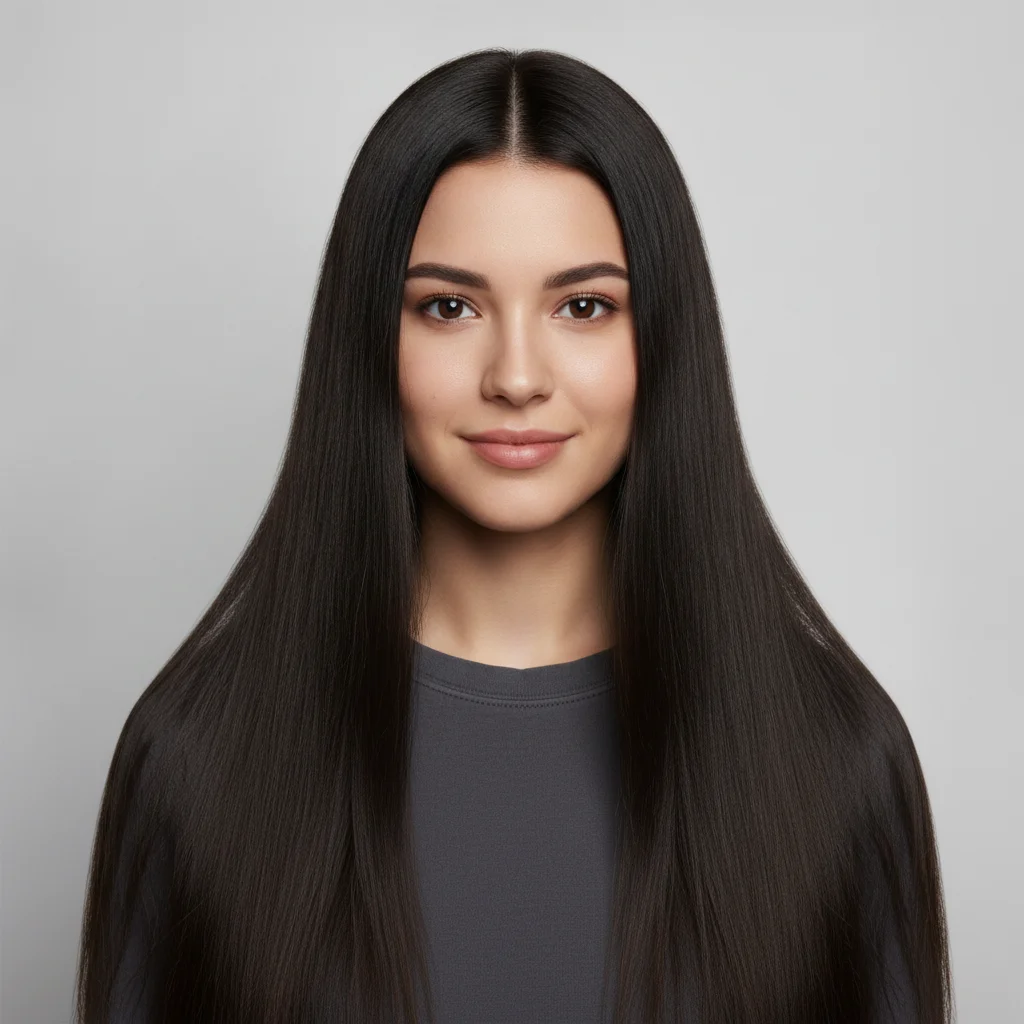
Portrait with long hair
Before
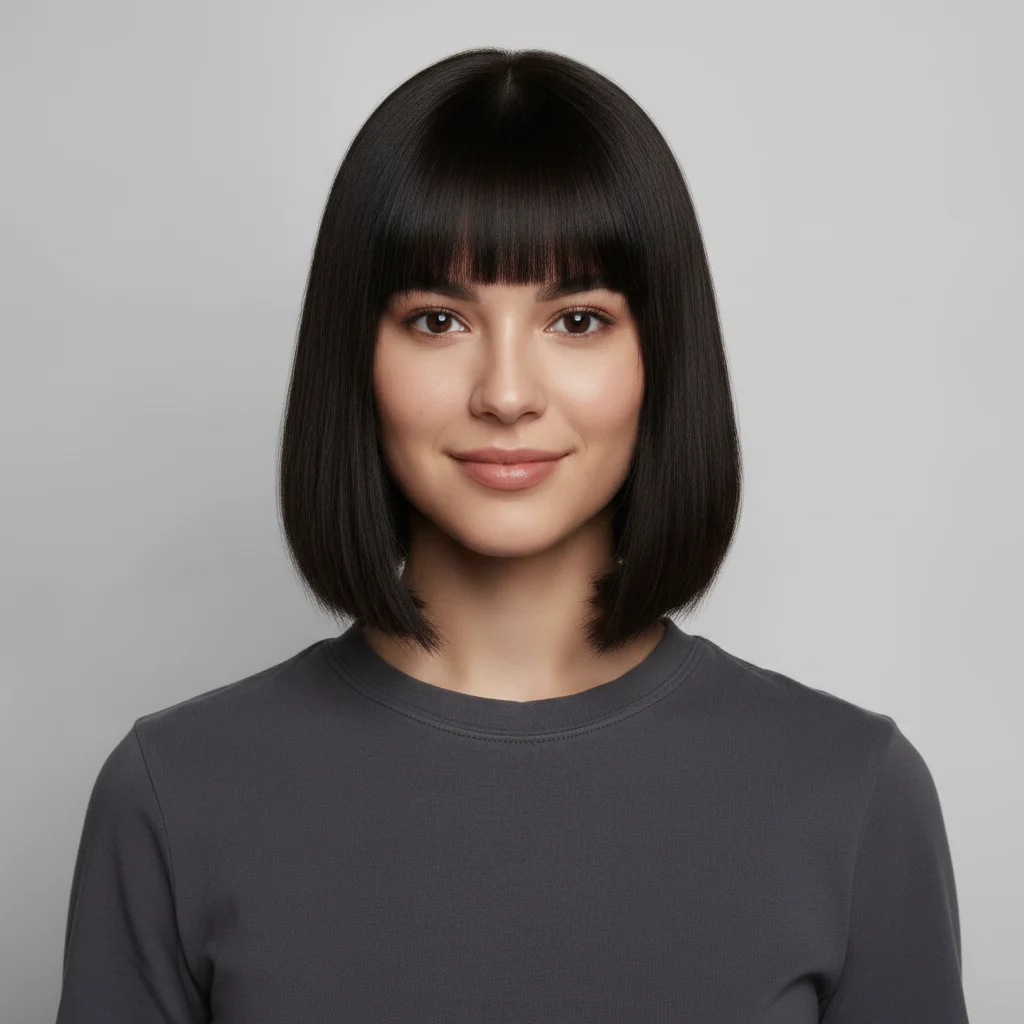
Portrait with bob haircut
After

Try New Hairstyles on Your Photo with AI

Drop your photo here

or click to browse

Release to upload

Free • No signup

Popular use cases:
  • change hairstyle
  • AI hairstyle editor
  • photo hairstyle tool
  • free hairstyle editing

Cost
Free No signup required
Time
Instant results in 15-30 seconds
Works on
Any device - browser, phone, tablet, desktop
Powered by
AI-powered photo editing

How it works

  1. Upload your photo

    Upload a clear, front-facing portrait. Good lighting on the face and visible facial features give the AI the best foundation for hairstyle editing. JPG, PNG, WebP up to 7MB.

    Expect: Most edits complete in 20-45 seconds. Complex changes may need 1-2 refinements.
  2. Describe your edit

    Type what you want: 'Change the hairstyle to a modern shoulder-length bob.' Be specific about details for best results. The AI understands natural language — no technical skills needed.

    Tip: Mention the specific hair texture you want: 'smooth', 'textured', or 'glossy'.

    Copy one of these to get started:

    Bob Cut Change the hairstyle to a sleek, modern shoulder-length bob
    Pixie Cut Change the hairstyle to a short pixie cut with textured layers
    Long Layers Change the hairstyle to long flowing layers with face-framing pieces
    Curly Style Change the hairstyle to bouncy curls at medium length
    4 more prompts
    Updo Change the hairstyle to an elegant updo suitable for a formal event
    Natural-looking transformation change hairstyle to look completely natural, matching the lighting and tone of the original photo
    Bold transformation change hairstyle with a bold, dramatic new look that stands out
    Subtle variation change hairstyle with only a subtle, gentle change that looks like it could be the original
  3. Review the result

    Zoom in on facial details — check that skin tones look natural, edges blend seamlessly, and no artifacts appear around the hairline, jawline, or eyes. Use the before/after slider to compare.

  4. Refine if needed

    If specific facial features need adjustment — asymmetric eyes, unnatural skin smoothing, or hairline artifacts — tap markers on those spots and describe the fix. Fine-tune until the result looks like a natural photo.

    Tip: Markers are optional. Try without them first — the AI usually gets it right.
Try it free

Try New Hairstyles on Your Photo with AI

Drop your photo here

or click to browse

Release to upload

Free • No signup

"Tried a pixie cut in the AI before actually cutting my hair. So glad I did — I loved it!" @HairTryOn

See it in action

Portrait with long hair
Before
->
Portrait with bob haircut
After

Long to Bob

Long hair transformed into a sleek shoulder-length bob.

Prompt: Change hairstyle to a modern shoulder-length bob
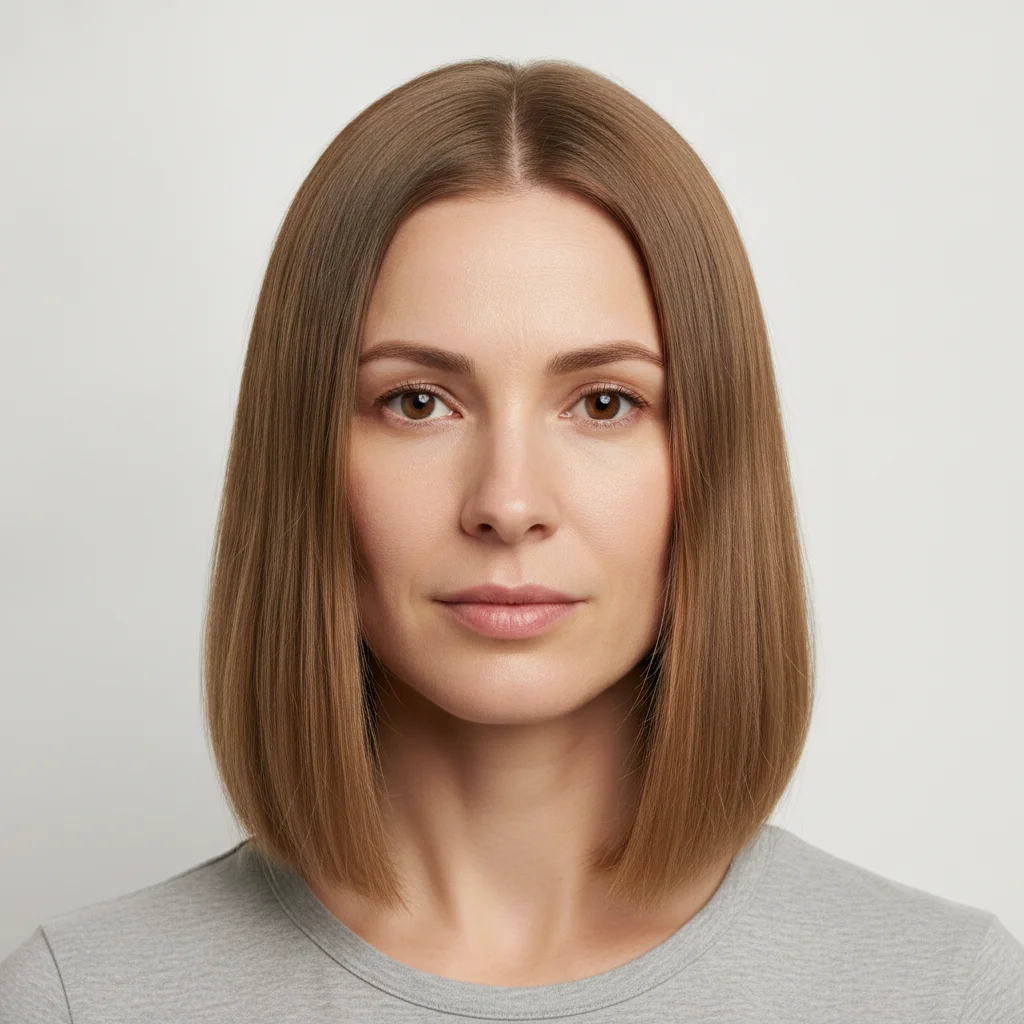
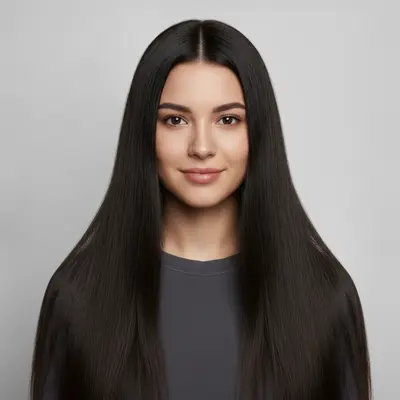
Portrait with straight hair
Before
->
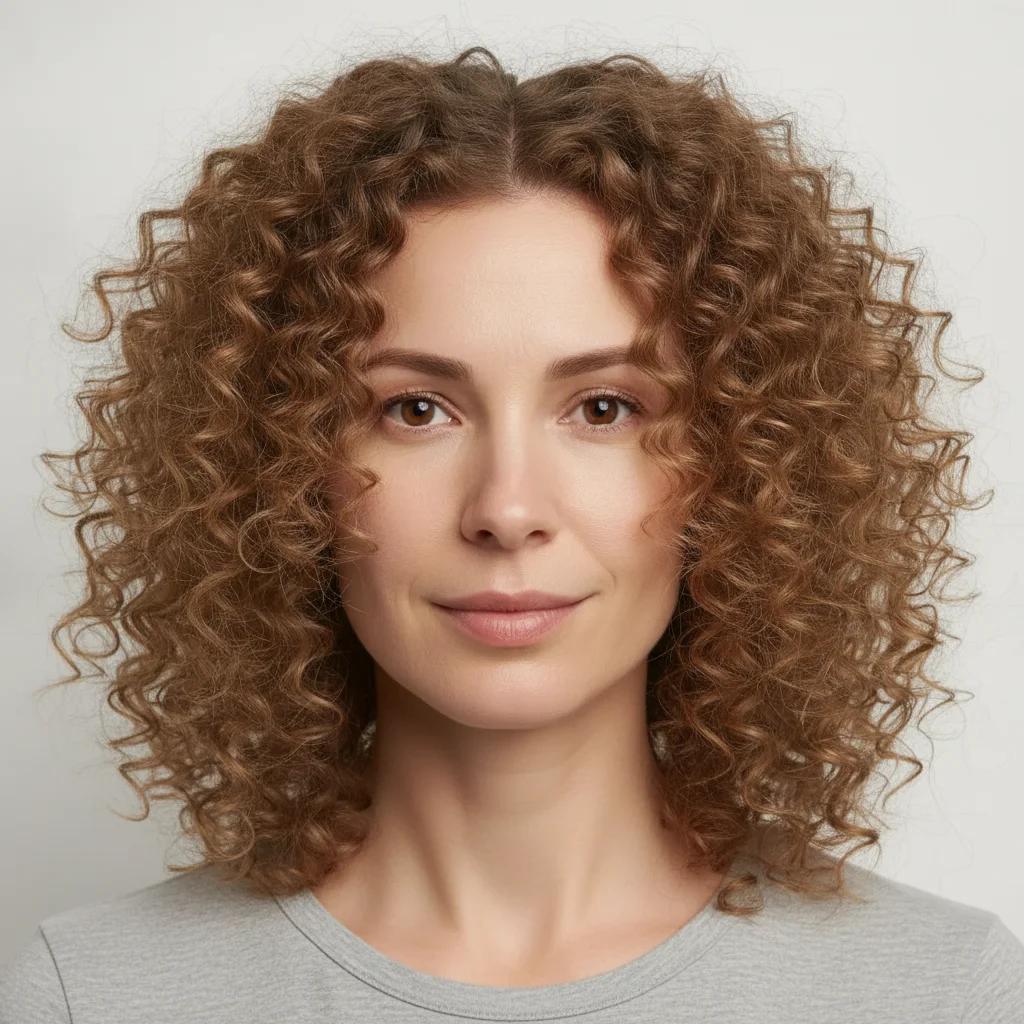
Portrait with curly hair
After

Straight to Curly

Straight hair changed to bouncy curls.

Prompt: Change hairstyle to bouncy curls at medium length

Detailed Guides by Scenario

📷

Professional Use

Apply 'Try New Hairstyles on Your Photo with AI' to images for professional projects — websites, marketing materials, client deliverables, and presentations.

Common Scenarios

  • Using 'Try New Hairstyles on Your Photo with AI' for client work or commercial photography
  • Applying 'Try New Hairstyles on Your Photo with AI' to product or marketing images for a business
  • Batch-processing multiple images with 'Try New Hairstyles on Your Photo with AI' for a project deadline

Best Practices

  • Use the highest resolution source image available for professional-quality results
  • Be specific in your prompt about the exact 'Try New Hairstyles on Your Photo with AI' effect you need
  • For consistency across multiple images, reuse the same prompt template
📷

Creative & Social Media

Use 'Try New Hairstyles on Your Photo with AI' creatively for social media content, personal projects, and artistic expression.

Common Scenarios

  • Applying 'Try New Hairstyles on Your Photo with AI' to a photo for a unique social media post
  • Using 'Try New Hairstyles on Your Photo with AI' to create artistic variations of a favorite image
  • Experimenting with 'Try New Hairstyles on Your Photo with AI' for a creative project or portfolio piece

Best Practices

  • Experiment freely — AI editing lets you try bold ideas with no risk to the original
  • For social content, pair the visual effect with a caption that references the transformation
  • Try the effect on different types of photos to find what looks most striking
📷

Personal Photos & Memories

Apply 'Try New Hairstyles on Your Photo with AI' to personal photos to fix issues, enhance quality, or create something special from everyday images.

Common Scenarios

  • Using 'Try New Hairstyles on Your Photo with AI' on family photos to improve or personalize them
  • Applying 'Try New Hairstyles on Your Photo with AI' to vacation or event photos before printing or sharing
  • Trying 'Try New Hairstyles on Your Photo with AI' on a selfie or portrait for profile or personal use

Best Practices

  • Always work on a copy — keep the original safe in case you want to try a different approach
  • Natural-looking results are almost always better than dramatic over-processing
  • If it doesn't look right the first time, rephrase your prompt with more specific details

If something looks off

AI changed the wrong area

Why: The AI couldn't determine exactly which area you meant from the description alone.

Try: Tap a marker on the specific area you want to edit, then regenerate with the same prompt

Tip: Markers tell the AI exactly where to focus. Use them when description alone is ambiguous.

Result looks unnatural or blurry

Why: The AI may need more specific guidance about the look you want.

Try: Change the hairstyle to a modern shoulder-length bob, ensure natural lighting and sharp details that match the rest of the photo

Tip: Adding 'natural' and 'realistic' to your prompt helps the AI prioritize believability.

Hair edges look jagged or cut out

Why: Individual hair strands weren't properly rendered, creating a hard, unnatural boundary.

Try: Regenerate with 'smooth, natural hair edges with realistic flyaway strands'

Tip: Mention the specific hair texture you want: 'smooth', 'textured', or 'glossy' for best results.

New hair color looks painted on

Why: The color was applied uniformly without the natural variation of real hair.

Try: Add 'natural hair color with subtle highlights, lowlights, and variation throughout'

Tip: Specify 'with natural highlights and depth' so the color doesn't look like a flat overlay.

Hairline transition looks unnatural

Why: The boundary between the new hairstyle and the forehead/face looks abrupt or fake.

Try: Regenerate with 'natural hairline transition with baby hairs and soft edges'

Tip: Baby hairs and a soft hairline make the difference between 'edited' and 'natural' looking hair.

Quick answers

Can I try any hairstyle?

Yes. Describe any style — bob, pixie, shag, layers, curls, straight, updo, braids — and the AI will generate it.

Is it free?

Yes. Free hairstyle changes with no signup.

Will it match my face shape?

The AI adapts the hairstyle to your face and head shape for a realistic preview.

Can I show this to my stylist?

Yes! Many people use this to show their hairstylist exactly what they want.

Will it keep my hair color?

By default yes. Mention a new color in your prompt if you want to change both style and color.

How realistic is it?

Very realistic. The AI generates hair that matches the photo lighting and natural fall patterns.

Can I change hairstyle on my phone?

Yes. EditThisPic works in any mobile browser -- iPhone, Android, tablet. No app download needed.

What photo formats does the change hairstyle in photo tool support?

JPG, PNG, WebP, and HEIC. Upload any common photo format and EditThisPic handles the rest.

Ready to change your hair?

Free to try. No signup required.

Try it free